Specialist Pharmacy Software Professional Website Template
Prescribe is a pharmacy email marketing landing page template built on a Dashboard/Data Grid layout. It follows a Problem-to-Solution scroll arc, showcasing segmentation, automated campaign tools, and live performance metrics. Designed for independent pharmacy owners, chain marketing directors, and pharmacy consultants, it drives visitors toward an app download with a clear, data-forward visual flow.
by Rocket studio
Quick summary
Prescribe is a single-page pharmacy email marketing template that moves visitors from pain to proof on one focused scroll. It opens with a hero dashboard screenshot, walks through segmentation and campaign tools, and closes on a high-confidence app download call to action. The Electric Indigo color system makes every metric feel alive and urgent.
Who this template is for
This template is built for pharmacy professionals who need to communicate the value of email marketing in a clear and credible way. It speaks directly to people who know the problem of low patient engagement and want a modern solution that looks the part.
- Independent pharmacy owners managing refill reminders and patient retention
- Regional chain marketing directors replacing manual patient spreadsheets with smarter segmentation
- Pharmacy consultants pitching retention and revenue strategies to ownership groups
What problem this template solves
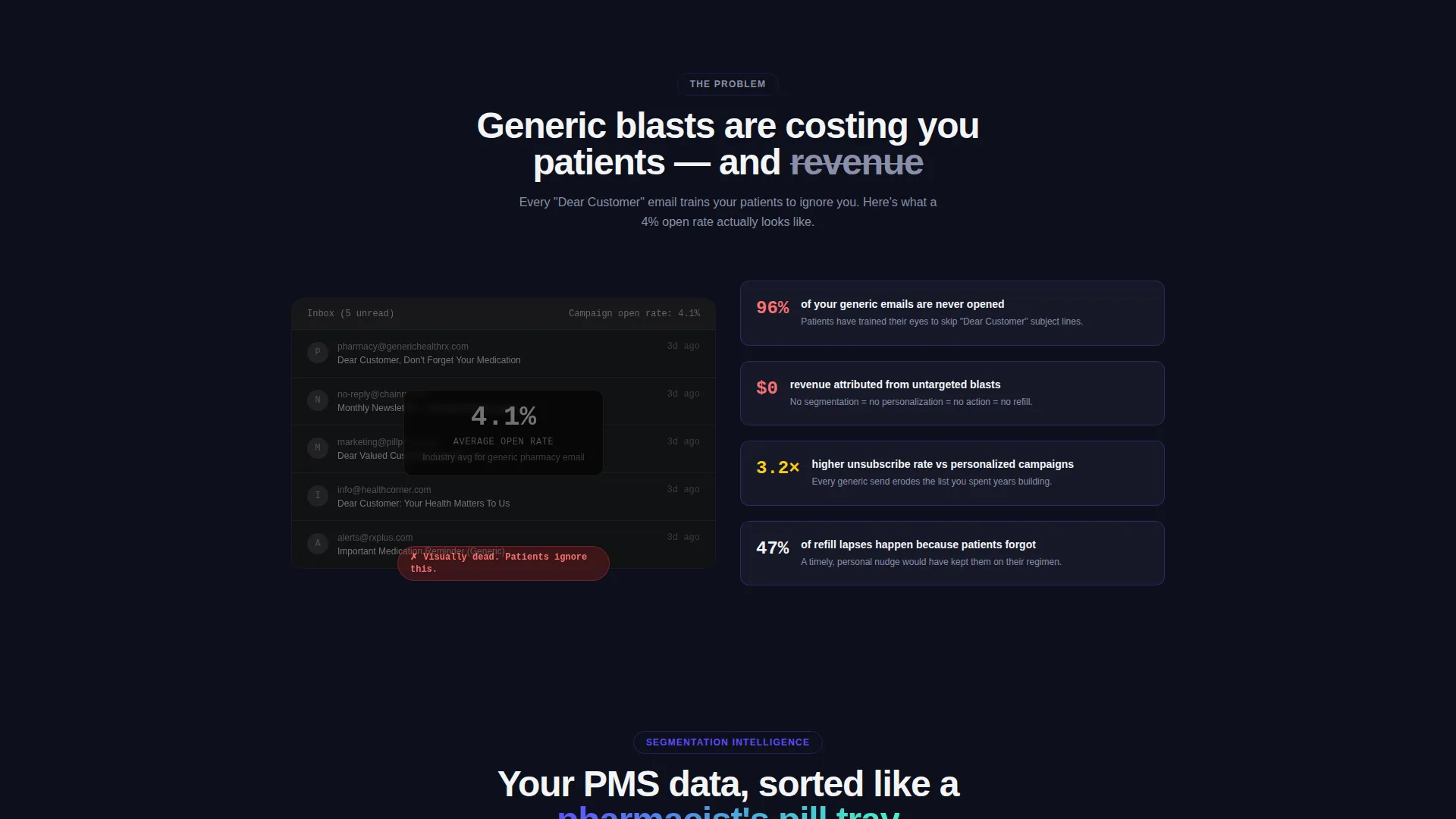
Generic email blasts with low open rates are the norm in pharmacy marketing. Patients receive "Dear Customer" messages that feel irrelevant and get ignored. This template presents the contrast clearly, showing a dead inbox before the solution and a live, data-rich dashboard after it.
- No way to show patients their medication history shapes the message they receive
- Manual segmentation of patient lists by condition or refill window is slow and error-prone
- Loyalty programs with no measurable engagement leave ownership groups guessing on return
What you get with this template
You get a complete single-page layout structured as a scroll-driven argument. Each section hands the next one a sharper reason to keep reading, building toward a confident download action at the bottom.
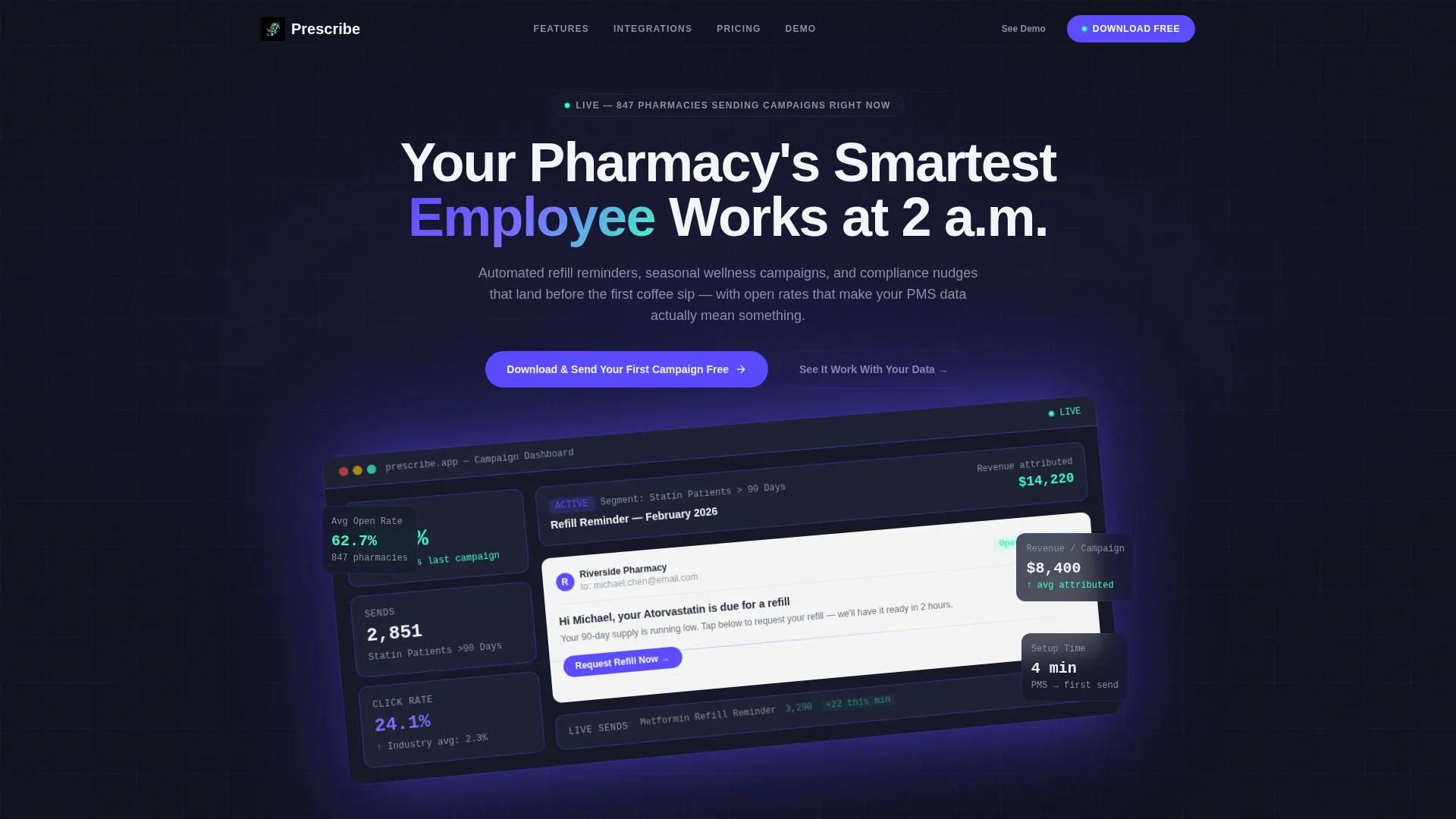
- Hero section with a full-scale dashboard screenshot, headline, and anchored call-to-action button
- Problem-to-Solution arc with four distinct content sections moving from a failed inbox to a live campaign dashboard
- Sticky mobile call-to-action bar and a secondary interactive demo path for visitors who need more proof before downloading
Feature list
This template includes a focused set of layout components and visual features grounded in the Startup Velocity theme and Dashboard/Data Grid style.
Hero Dashboard Screenshot Header
The header blows a pixel-perfect dashboard render to hero scale. It shows a refill reminder email with a 68.4% open rate, a segmented patient list, and a live send-count ticker. The screenshot sits tilted five degrees on a dark field with an indigo glow behind it.
Problem-to-Solution Scroll Arc
Four sequential content sections take the visitor from a grayed-out generic inbox to an indigo-charged live dashboard. Each transition moves from static and gray to kinetic and lit, making the contrast between old and new feel physical as the page wakes up on scroll.
Segmentation Intelligence Cards
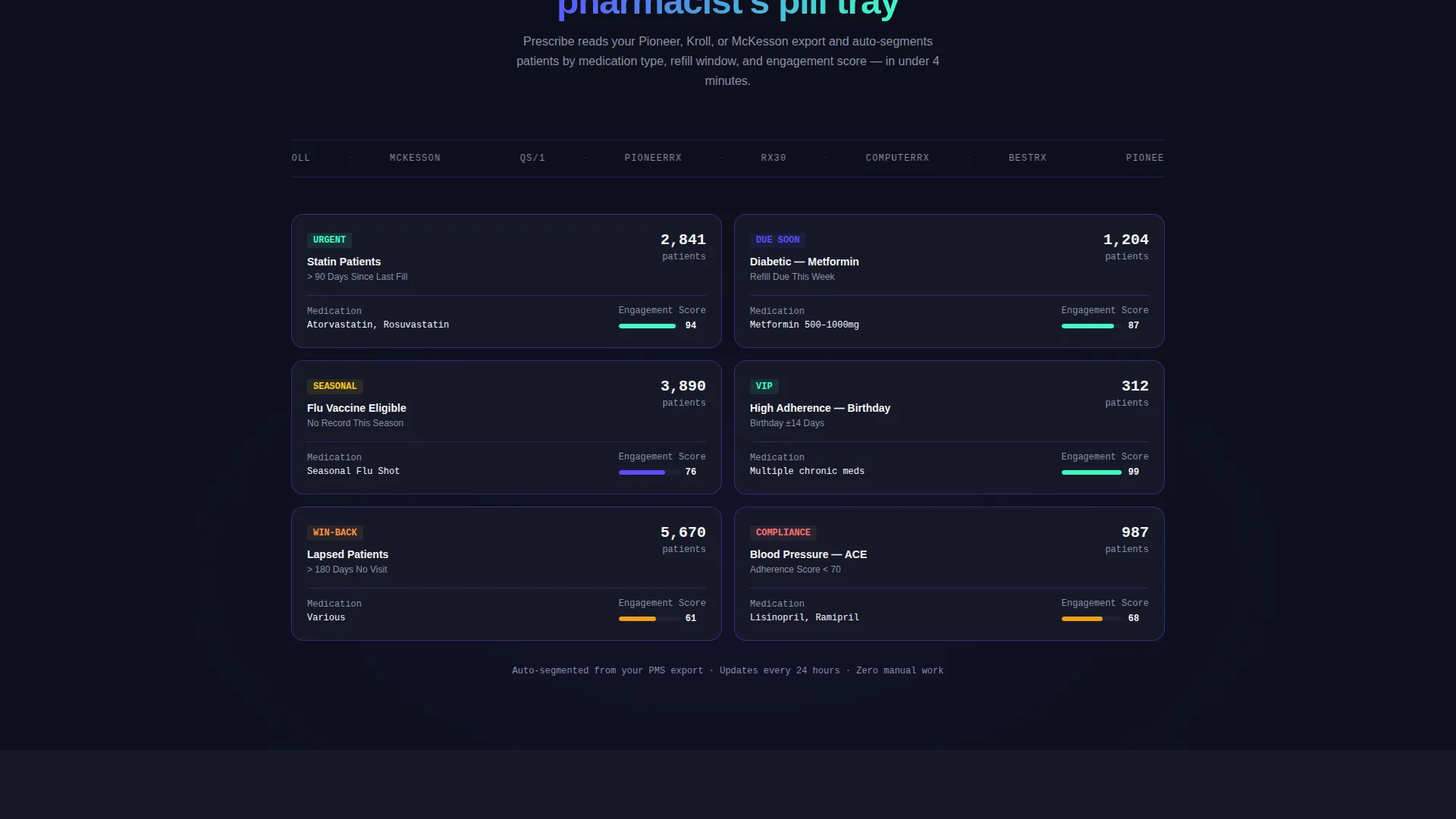
Animated cards sort patients by medication type, refill window, and engagement score. They snap into grid columns like a pharmacist organizing pill trays, making the segmentation logic feel intuitive and immediate rather than technical.
Campaign Template Tiles
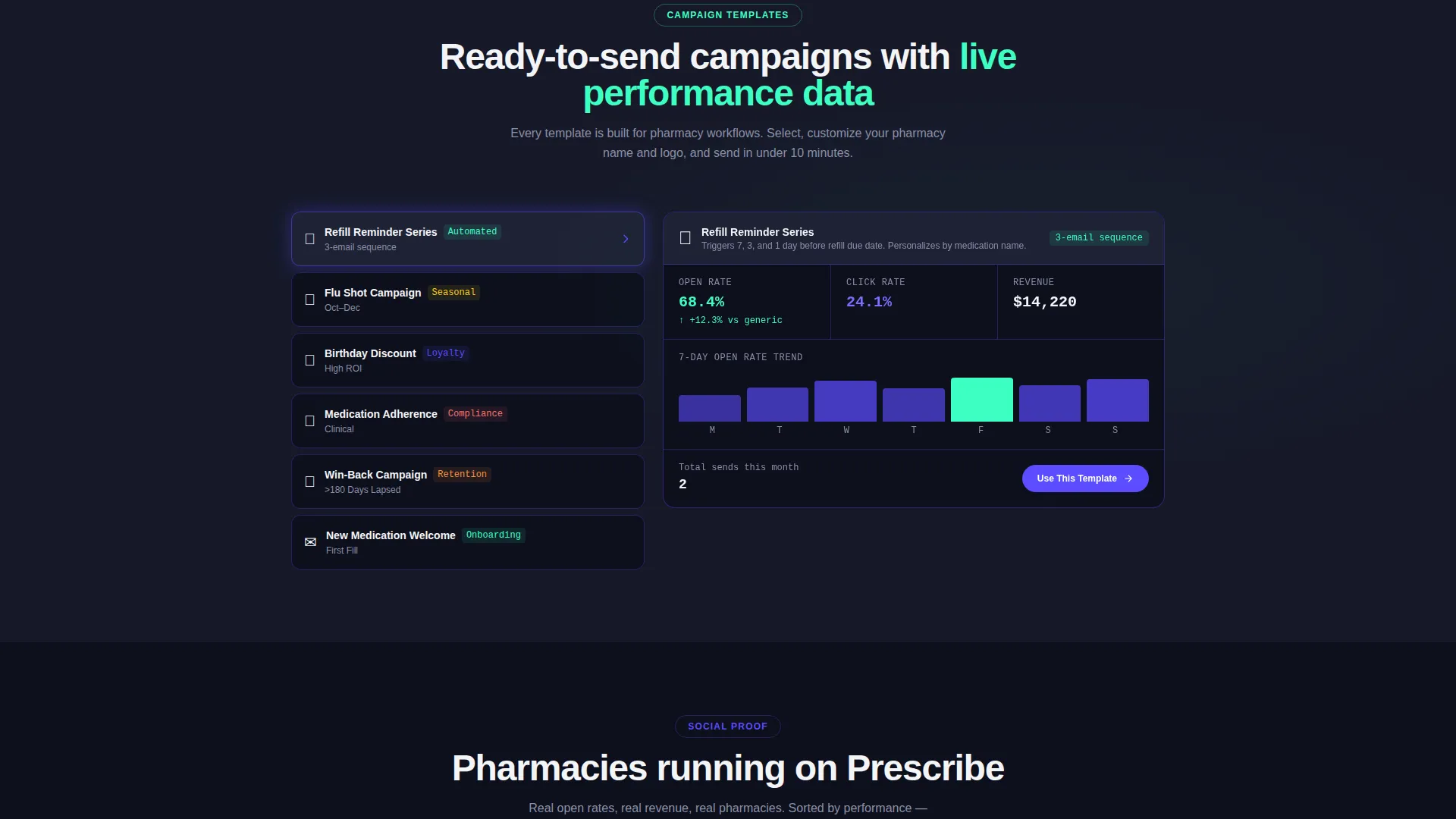
Seasonal flu shot nudges, birthday discount codes, and medication adherence series each appear as a mini-dashboard tile. Live performance metrics sit inside each tile so the value of each campaign type is visible at a glance.
Social Proof Data Grid
Pharmacy names, list sizes, and attributed revenue stack into a sortable grid that reads like a leaderboard. This section converts testimonial-style proof into a data format that feels earned and measurable.
Qualified App Download Flow
The download call to action asks for pharmacy name and pharmacy management system type before surfacing App Store and Google Play badges. This step qualifies the lead and reduces friction after installation by pre-configuring the integration.
Page sections overview
| Section | Purpose |
|---|---|
| Hero Dashboard Header | Anchor attention with a live-feel dashboard screenshot and primary download button |
| Problem Inbox Panel | Show the pain of generic email blasts with a grayed-out dead inbox visual |
| Segmentation Cards Grid | Demonstrate patient sorting by condition, refill window, and engagement score |
| Campaign Template Tiles | Present seasonal and adherence campaign formats with inline performance metrics |
| Social Proof Leaderboard | Build trust with pharmacy names, list sizes, and attributed revenue in a data grid |
| App Download call to action | Convert visitors with a qualified download form and app store badge display |
Design & branding system
The Electric Indigo color system channels Startup Velocity energy through a palette that feels like a pharmacy shelf lit by a neon sign at midnight. Every color has a specific job and stays in its lane throughout the layout.
- Deep product-screen black (#0D0F1C) grounds all data so numbers glow forward like vitals on a monitor
- Charged indigo (#5B4CFF) dominates headers and navigation, giving the interface a status-bar energy
- Clinical mint (#3DFFC2) fires only on positive deltas and confirmation states, and pill-capsule white (#F4F5F7) surfaces card containers cleanly
Mobile & speed optimization
The template accounts for mobile visitors with a dedicated sticky call-to-action bar at the bottom of the screen. Desktop layout anchors the download button beside the hero screenshot so the action is always visible.
- Sticky bottom bar on mobile keeps the primary call to action reachable at every scroll depth
- Anchored desktop button beside the hero screenshot removes the need to scroll back up to act
- Dashboard/Data Grid layout organizes dense information into scannable grid columns rather than long prose blocks
How this template helps you convert
Every design and layout decision in Prescribe is aimed at moving a skeptical pharmacy professional toward a confident download. The page earns the click before it asks for it.
- The hero screenshot shows the dashboard mid-campaign so visitors see the product working before they read a single marketing claim.
- The Problem-to-Solution arc quantifies the visitor's own pain first, making the solution feel personally relevant rather than generic.
- The download flow pre-qualifies leads by asking for pharmacy name and pharmacy management system type, reducing friction after the app is installed.
Other information about this template
Prescribe is designed around the pharmacy email marketing niche and the specific workflow pain points that come with it. It pairs a Dashboard/Data Grid template style with a Startup Velocity theme to give the page an energized, data-native feel that matches the expectations of modern pharmacy software buyers.
- The secondary call to action links to a 60-second interactive demo pre-loaded with sample pharmacy segments, giving cautious visitors a low-commitment next step
- The pharmacy management system dropdown in the download flow supports Pioneer, Kroll, and McKesson as pre-configured integration options
- The template style and color system are designed to work across both independent pharmacy and regional chain marketing contexts without requiring significant customization
Theme
Startup Velocity
Creative direction
Problem→Solution Arc
Color system
Electric Indigo
Style
Dashboard/Data Grid
Direction
App Download
Page Sections
Hero Dashboard Screenshot Header
Problem-to-solution Scroll Arc
Segmentation Intelligence Cards
Campaign Template Tiles
Social Proof Data Grid
Qualified App Download Flow
Related questions
Who is this landing page template built for?
What call-to-action flow does this template use?
Can I use this template to present segmentation features?
What design style does this template follow?
Does the template include a mobile-specific layout?



