Licensed Auto Repair Landing Page Template
Torque is a single-page auto mechanic landing page template built for neighborhood garages running Google Ads. It uses a stats-first, zigzag layout to educate visitors before asking them to book. The Ink and Paper color system and bold amber accent keep the design authoritative and trustworthy. A three-field booking form and click-to-call button make conversion simple.
by Rocket studio
Quick summary
Torque is a booking-focused auto mechanic landing page template designed for local garages and repair shops. It leads with trust-building statistics, uses an alternating section layout to educate visitors, and closes every key scroll point with a clear call to action. The design feels like a well-read shop manual: authoritative, honest, and easy to follow.
Who this template is for
This template is built for independent auto repair shops that want to turn paid traffic into booked appointments. It suits garages that compete on trust and transparency rather than on price alone.
- Neighborhood mechanics and independent repair shops running Google Ads campaigns
- Small fleet service providers who need to communicate turnaround speed and capacity
- Auto service owners who want a professional online presence without a full website build
What problem this template solves
Most garage websites look either too corporate or too outdated to earn trust from a first-time visitor. A commuter who just saw a check-engine light does not want to read a wall of text. They want a fast answer, a credible shop, and an easy way to book.
- Visitors arrive anxious and skeptical; the template earns confidence with real stats before asking for a commitment
- Generic contact forms lose leads; the structured three-field booking flow reduces friction at the decision moment
- Shops struggle to explain their value clearly; the zigzag layout pairs bold proof points with plain-English explanations
What you get with this template
You get a complete, single-page layout built specifically for auto mechanic Google Ads traffic. Every section has a defined job: educate, reassure, and move the visitor toward booking.
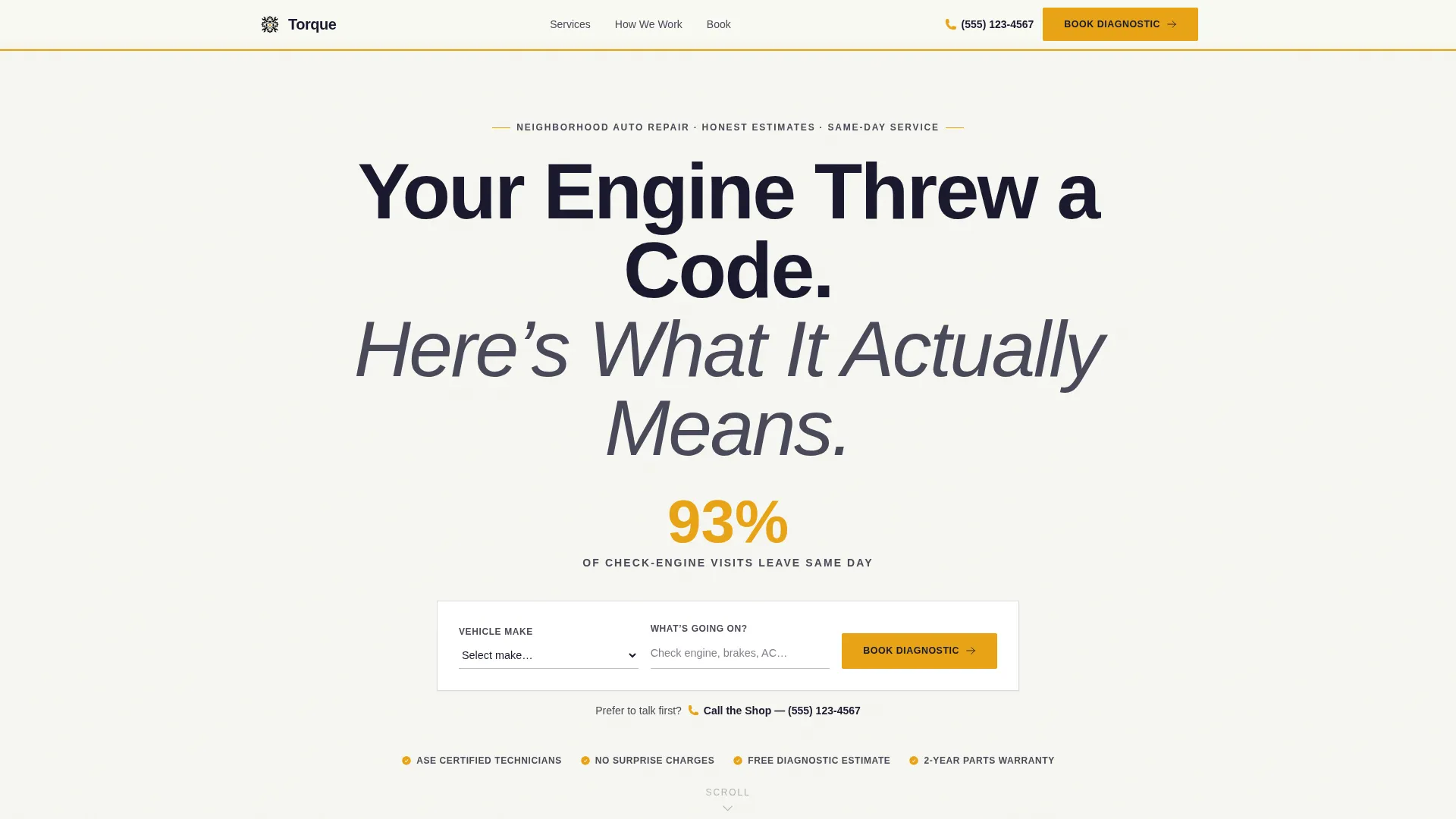
- A centered giant-headline header with an oversized amber stat callout and slim booking bar
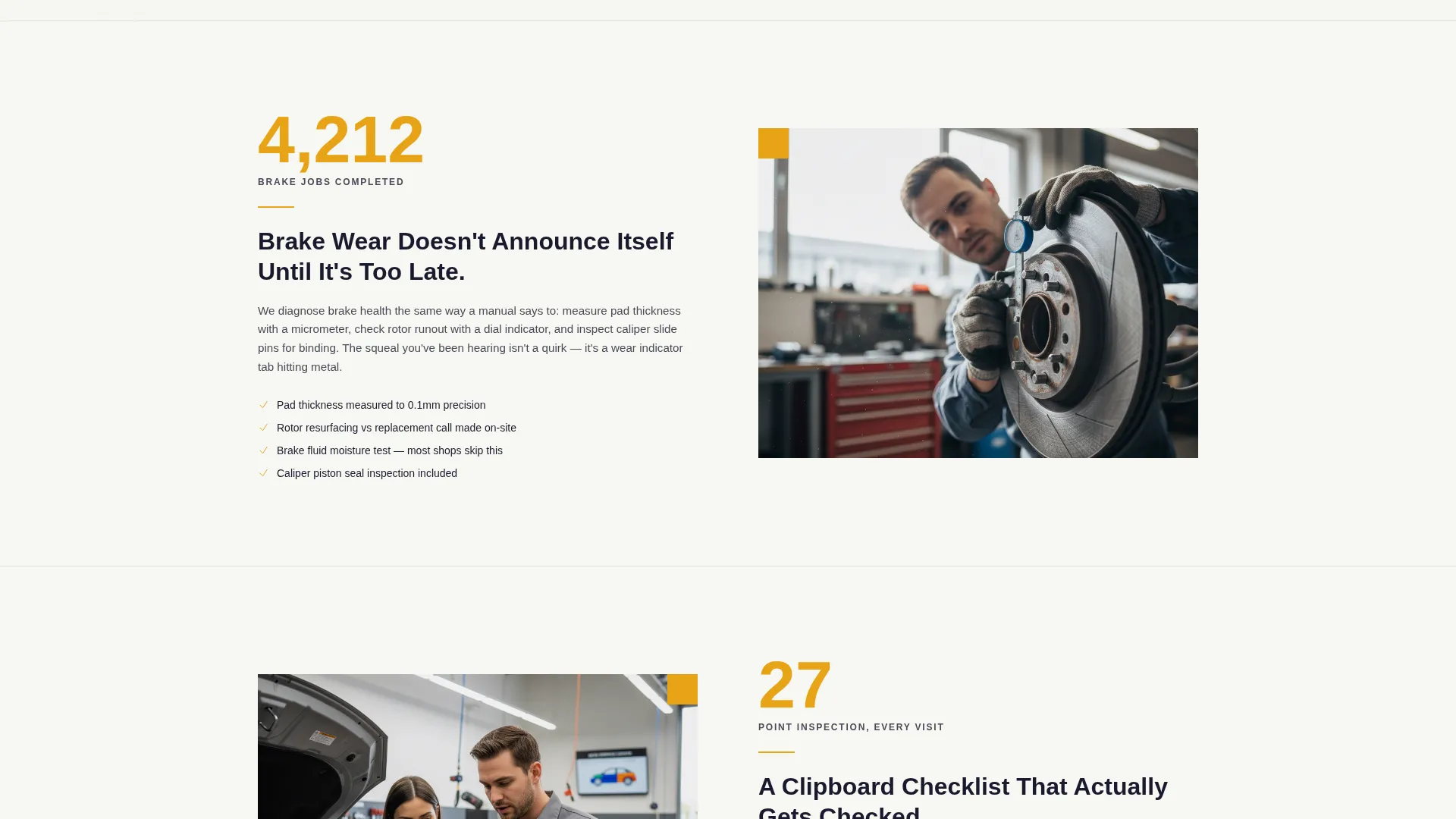
- Alternating zigzag content sections that pair bold statistics with short educational paragraphs
- A three-field booking form with vehicle dropdown, pre-populated issue chips, and a date and time selector
- A click-to-call secondary button and a sticky mobile footer with the primary call to action
Feature list
This template ships with purpose-built components tied directly to how auto repair customers make decisions.
Stats-First Zigzag Layout
Each alternating row leads with an oversized number on one side and a short explanatory paragraph on the other. The rhythm mirrors how a mechanic walks a customer through a repair estimate: proof first, explanation second.
Three-Field Booking Form
The booking bar captures three inputs in sequence: vehicle make and model via dropdown, issue type via pre-populated chips such as "Check Engine Light," "Brake Noise," "AC Not Cooling," and "General Service," and a preferred date and time selector. The short form reduces drop-off at the conversion step.
Click-to-Call Secondary Path
Alongside the booking form, a "Call the Shop Now" button gives hesitant visitors a direct voice channel. This secondary call to action serves visitors who want to speak with someone before committing to an appointment.
Giant Headline Header Section
The header uses stark black type on clean white with no competing hero image. An oversized amber numeral stat sits directly below the headline, followed immediately by the booking bar. Confidence in the words replaces visual decoration.
Sticky Mobile Footer call to action
On mobile, the primary "Book Your Diagnostic" call to action persists in a sticky footer throughout the scroll. Visitors can act at any point without scrolling back to the top.
Recurring Mid-Page call to action Placement
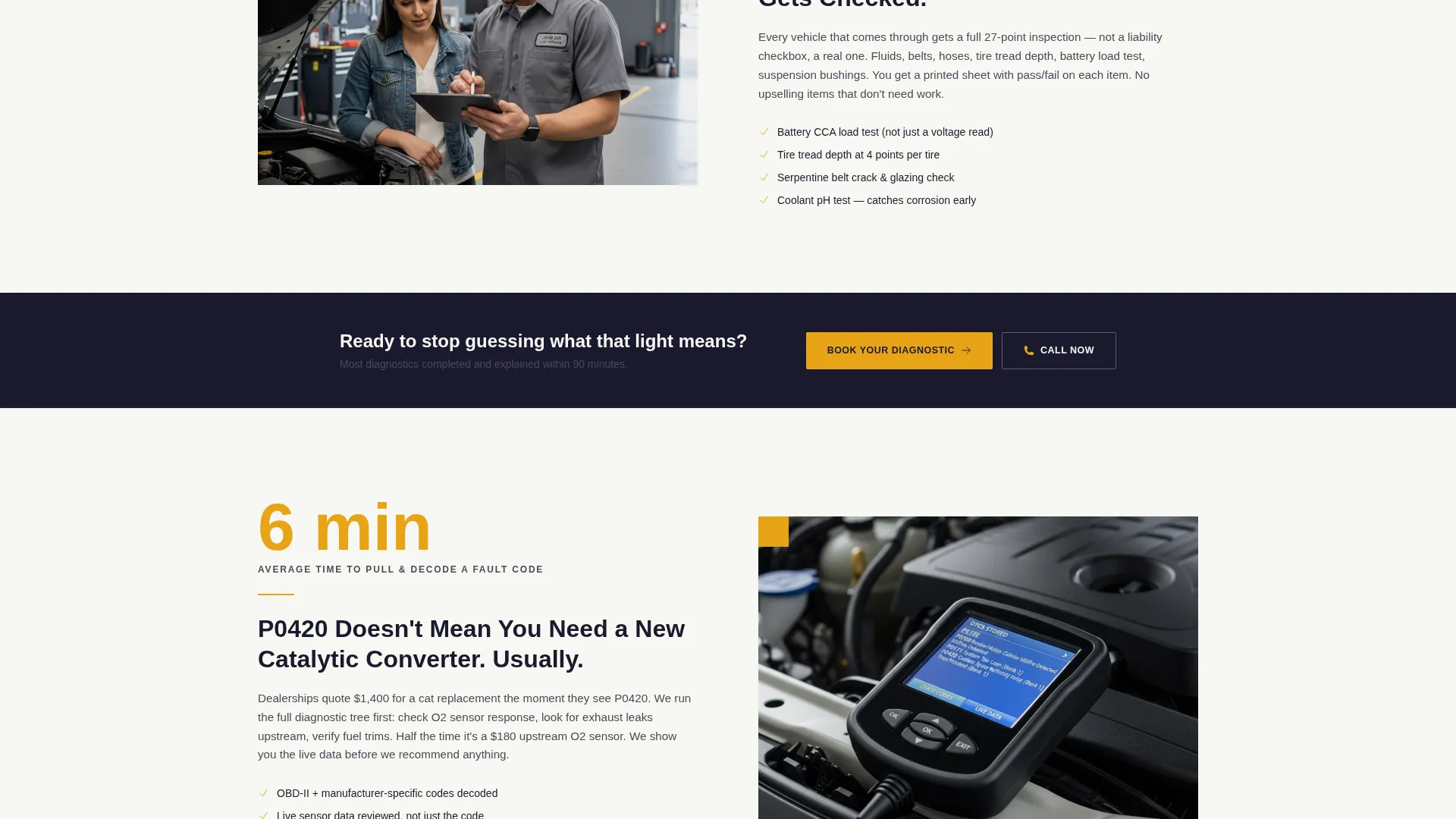
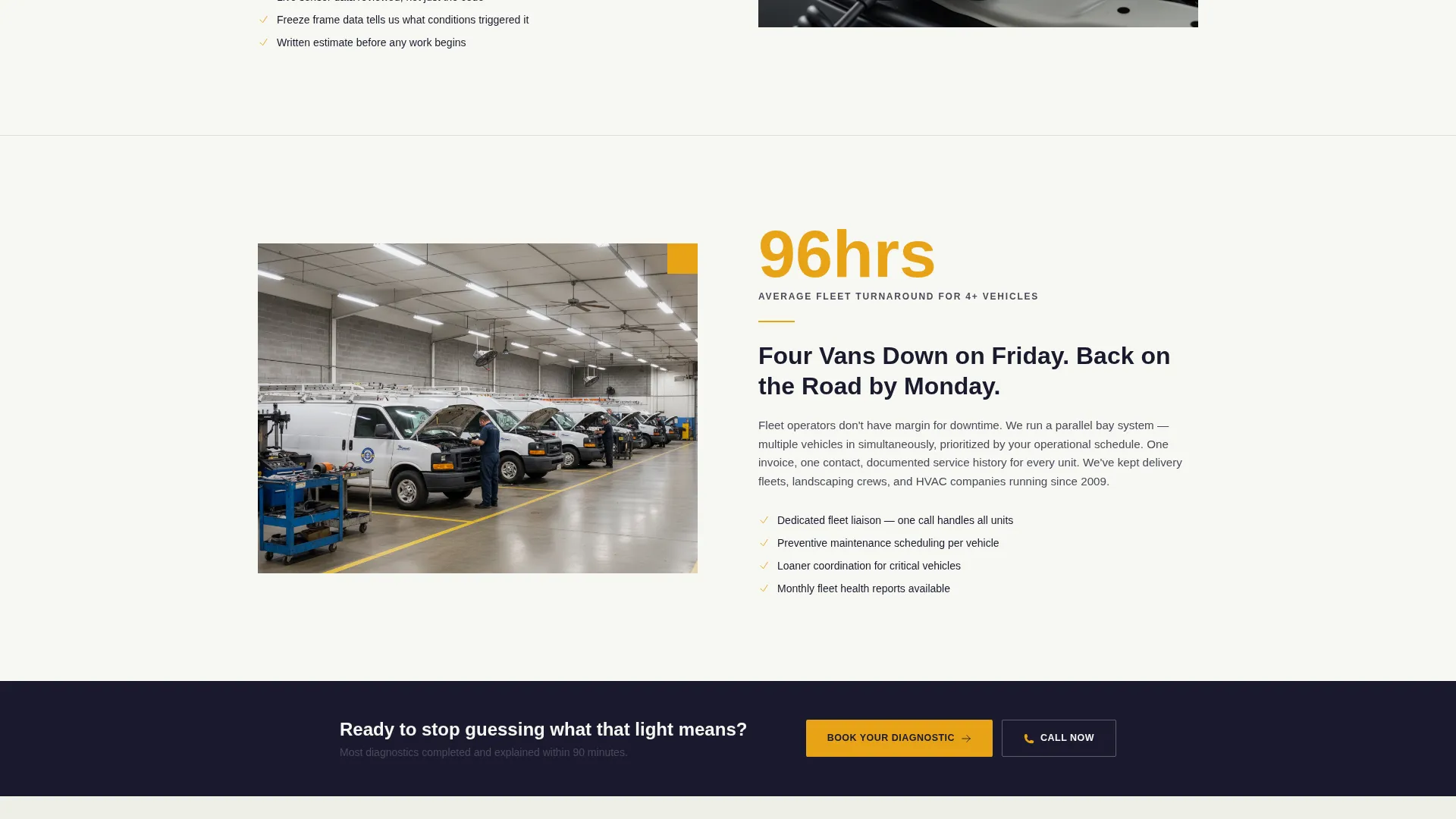
The primary call to action reappears after every second zigzag section. This placement catches visitors at natural pause points during the educational scroll, increasing the chance they act before reaching the page bottom.
Page sections overview
| Section | Purpose |
|---|---|
| Header and headline | Establishes credibility with a bold statement and amber stat, then presents the booking bar immediately |
| First zigzag block | Leads with a completed-jobs stat and pairs it with a plain-English explanation of the diagnostic process |
| Second zigzag block | Presents the 27-point inspection figure and walks through what those inspection points actually cover |
| Mid-page booking call to action | Re-engages visitors mid-scroll with the primary "Book Your Diagnostic" call to action |
| Third zigzag block | Delivers a trust-building service stat and supports it with a short educational paragraph |
| Fourth zigzag block | Addresses a common pain point with a relevant proof number and a clear explanation |
| Final booking call to action | Closes the page with a full booking bar and the click-to-call secondary button |
Design & branding system
The template follows an Educational Guide theme expressed through an Ink and Paper color system. The palette feels like a well-thumbed Haynes repair manual: every element earns its place, nothing is decorative for decoration's sake.
- Deep shop-manual black (#1A1A2E) for headlines and body text, clean workshop white (#F7F7F2) for backgrounds, and graphite annotation gray (#4A4A5A) for secondary copy
- Diagnostic amber (#E8A317) used exclusively for calls to action, stat callouts, and hover states to draw the eye without overwhelming the page
- Heavy sans-serif typography fills the viewport on headlines the way a chapter title dominates a textbook page, keeping the reading experience fast and authoritative
Mobile & speed optimization
The layout is structured with mobile conversion in mind. The sticky footer and simplified form fields mean a visitor on a phone can book without any extra scrolling or pinching.
- Sticky mobile footer keeps "Book Your Diagnostic" visible at all times on small screens
- Pre-populated issue chips replace free-text input on mobile, reducing typing effort and form abandonment
- Single-column stacking on the zigzag sections keeps the stat-and-explanation pairing readable at any screen width
How this template helps you convert
The template is designed around one outcome: a visitor arrives from a search ad and leaves with an appointment booked or a call placed.
- The header stat and headline answer the visitor's immediate anxiety before they scroll, building enough trust to keep them on the page rather than bouncing back to the search results.
- The alternating zigzag layout educates visitors as they scroll, so by the time they reach a booking call to action they already understand the shop's competence and feel confident committing.
- The three-field form and click-to-call button offer two conversion paths, meaning the template captures both the visitor who books online and the visitor who prefers a phone conversation first.
Other information about this template
This template is part of a category of high-intent, single-page layouts built to match the expectations of visitors arriving from paid search campaigns. It is designed to work as a standalone auto mechanic Google Ads landing page rather than as part of a larger website.
- The template is built under the "Professional Services" category with a focus on auto mechanic marketing
- The zigzag alternating style, stats-first creative direction, and booking-focused layout are defined intersection attributes for this niche
- The Torque template name reflects the mechanical identity of the design and the trust-building purpose of the content structure
- This template can support shops that serve commuters, families, and small fleet operators from a single cohesive page
Theme
Educational Guide
Creative direction
Stats-First Impact
Color system
Ink & Paper
Style
Zigzag/Alternating
Direction
Booking/Scheduling
Page Sections
Stats-first Zigzag Layout
Three-field Booking Form
Click-to-call Secondary Button
Giant Headline Header Block
Sticky Mobile Footer Call to Action
Recurring Mid-page Call to Action Placement
Related questions
Can I change the statistics shown in the zigzag sections?
Does the booking form connect to a scheduling system?
Is this template suitable for a shop serving both individual drivers and fleet clients?
Can I use this template for a Google Ads campaign targeting a specific service?
What does the click-to-call button do on a desktop browser?



