Portal - Seamless Hospitality Landing Page Template
Portal is a hospitality customer portal landing page built on a Dashboard/Data Grid layout with a Tech Glass visual identity. It showcases a guest-facing mobile interface, a property-wide room status grid, and an analytics view, all wrapped in a Monochrome Steel color system. The page is designed to earn app installs through a hands-on interactive prototype experience.
by Rocket studio
Quick summary
Portal is a single-page hospitality customer portal template that combines a live-code header, an interactive dashboard prototype, and a demo-first conversion flow. It targets hotel and resort operators who want to show guests and stakeholders exactly what a modern digital concierge experience feels like before anyone commits to a download or walkthrough.
Who this template is for
This template is built for operators and teams who manage guest experience at scale. It speaks directly to the people responsible for every touchpoint between a guest and the property.
- Boutique hotel general managers who want to reduce after-hours front-desk call volume
- Resort operations directors juggling fifteen or more amenity touchpoints across a single property
- Hostel group operators scaling personalized guest service without adding headcount
What problem this template solves
Most hospitality software landing pages describe features in bullet points and hope the reader imagines the value. Portal solves that by letting visitors actually feel the product through an embedded prototype before they ever tap a call-to-action button.
- Guests and decision-makers struggle to trust software they cannot touch before buying
- Operations teams cannot easily demonstrate multi-panel dashboards to stakeholders without a live environment
- Standard app-download pages fail to communicate the gap between backend complexity and front-of-house simplicity
What you get with this template
You get a complete single-page layout structured around three interactive prototype panels, a code-snippet hero, and two parallel conversion paths. Every section is designed to move a curious visitor toward either a demo install or a live walkthrough booking.
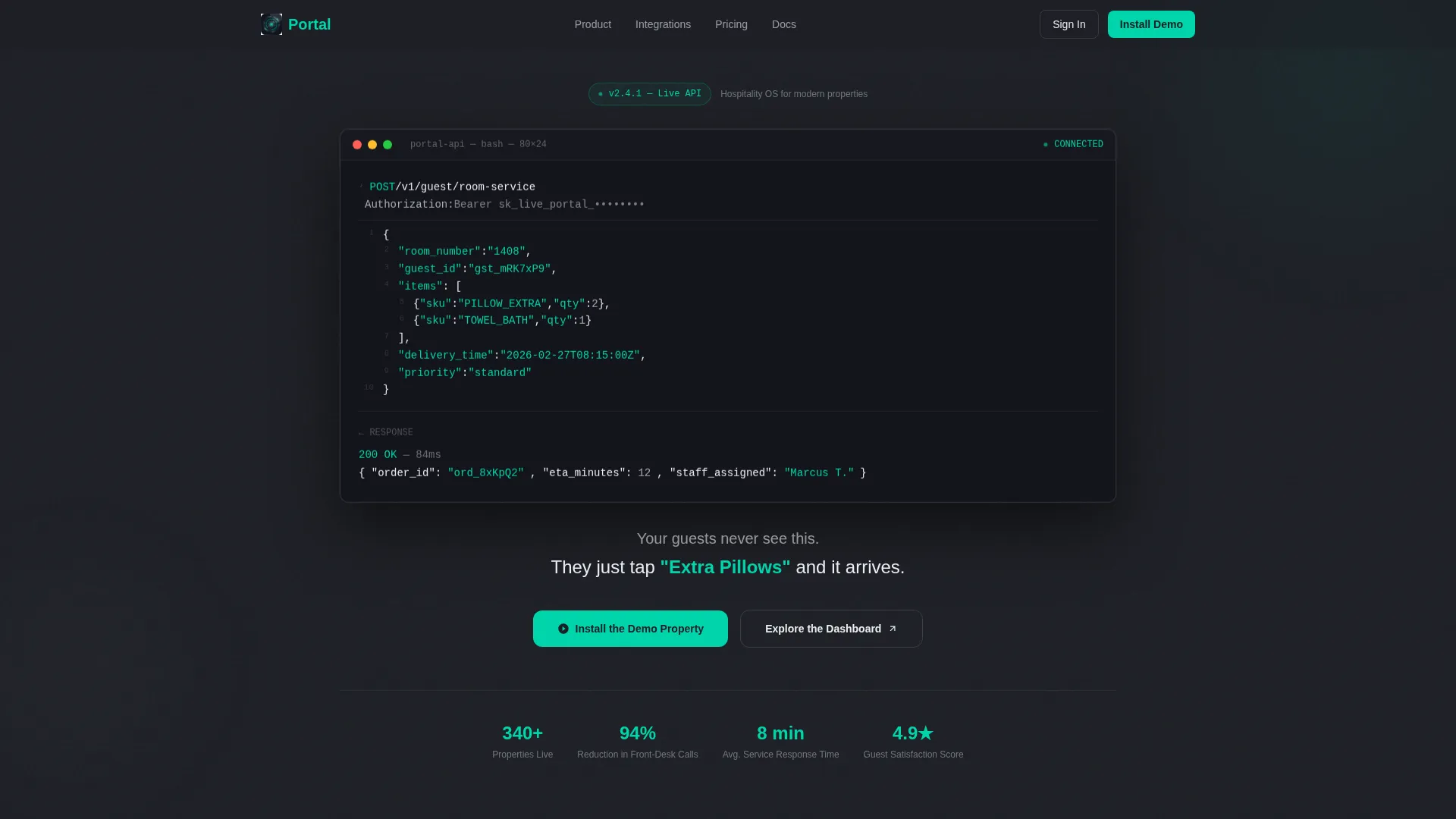
- A translucent terminal-style header showing a real API call alongside a plain-language guest outcome
- Three scrollable dashboard panels covering room status, the guest mobile interface, and an analytics view
- Dual conversion paths: a primary app install flow with store badges and a QR code, plus a secondary "Schedule a Live Walkthrough" option
Feature list
This template includes a focused set of built-in components that reflect the hospitality portal use case from the first pixel to the final call to action.
Live Code Snippet Hero
The header opens with a floating translucent terminal window displaying a real POST request to a room-service endpoint. Syntax highlighting uses electric teal on string values and chrome white on keys, making the backend logic readable at a glance. A subtitle fades in below, bridging raw API power and the effortless guest tap.
Property-Wide Room Status Grid
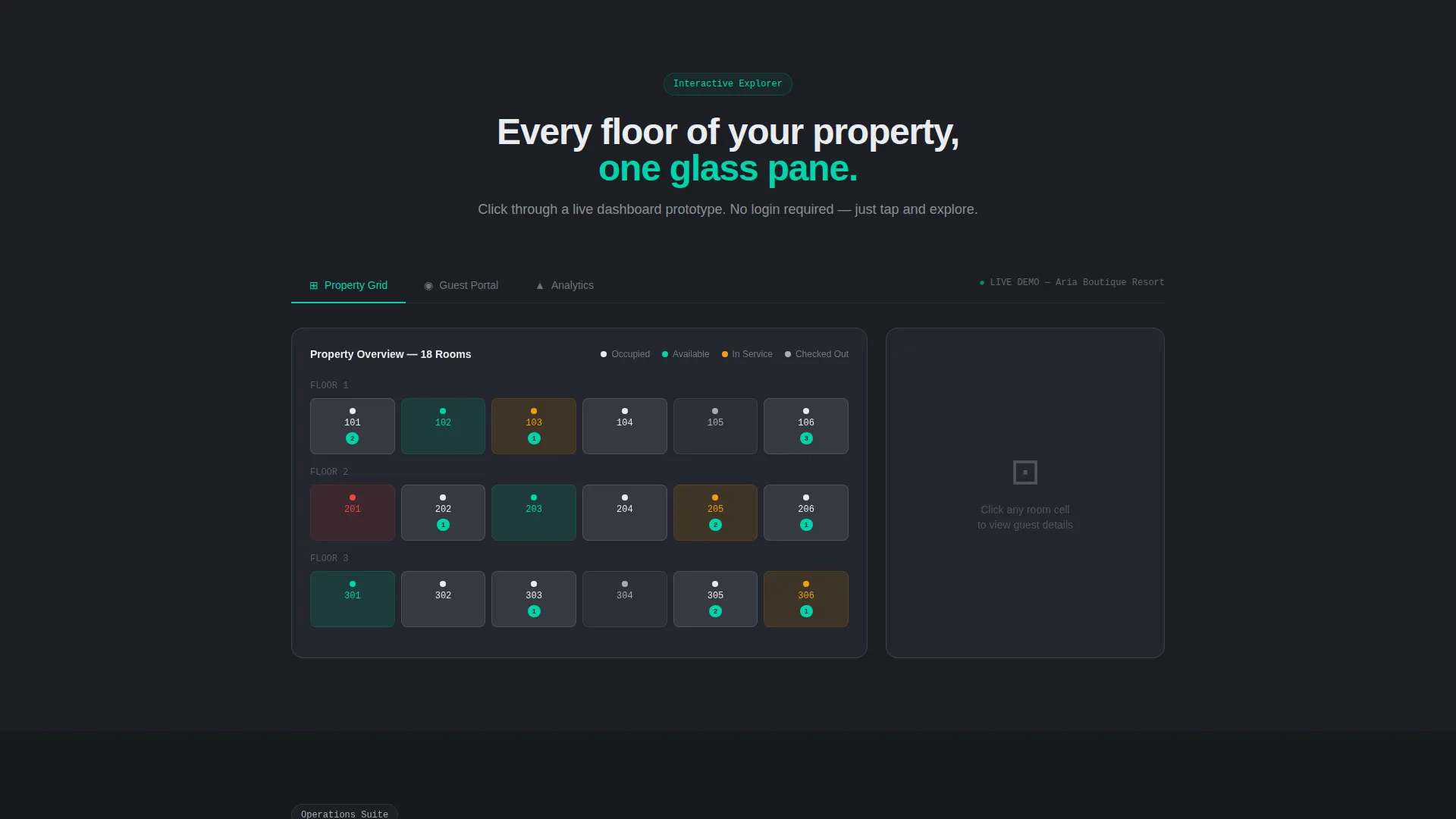
The first interactive panel renders a full property grid with room cells color-coded by status: occupied, checked-out, and service-in-progress. Each cell is clickable and reveals a guest preference card beneath it. This gives operations directors a live mental model of how the tool works at property scale.
Guest-Facing Mobile Mockup
The second panel shows a frosted-glass mobile interface where visitors can tap through real guest flows: booking a spa appointment, adjusting a room thermostat, and requesting late checkout. The prototype is embedded directly in the page, so no separate demo environment is needed to feel the experience.
Animated Analytics View
The third panel presents an occupancy heat map and service response time charts that animate as they scroll into the viewport. The motion draws attention naturally and communicates the reporting depth of the platform without requiring a separate product tour.
Demo-First App Download Flow
The primary conversion section pairs App Store and Play Store badges with a QR code that loads a sandbox property pre-populated with fictional resort data. This removes friction from the download decision by letting visitors experience the product before committing.
Dual Conversion Architecture
A secondary conversion path sits alongside the app install flow, offering a "Schedule a Live Walkthrough" option for operations directors who prefer a guided session with their own property data loaded in. Two paths, two buyer types, one cohesive page.
Page sections overview
| Section | Purpose |
|---|---|
| Code Snippet Header | Show backend power and front-of-house simplicity side by side |
| API Subtitle Reveal | Bridge technical logic with plain guest-facing language |
| Room Status Grid | Let visitors interact with a live property overview panel |
| Guest Preference Cards | Surface per-guest detail on cell click within the grid |
| Mobile Concierge Panel | Demonstrate guest flows through a tappable frosted-glass mockup |
| Analytics Heat Map | Animate occupancy and response data as the section enters view |
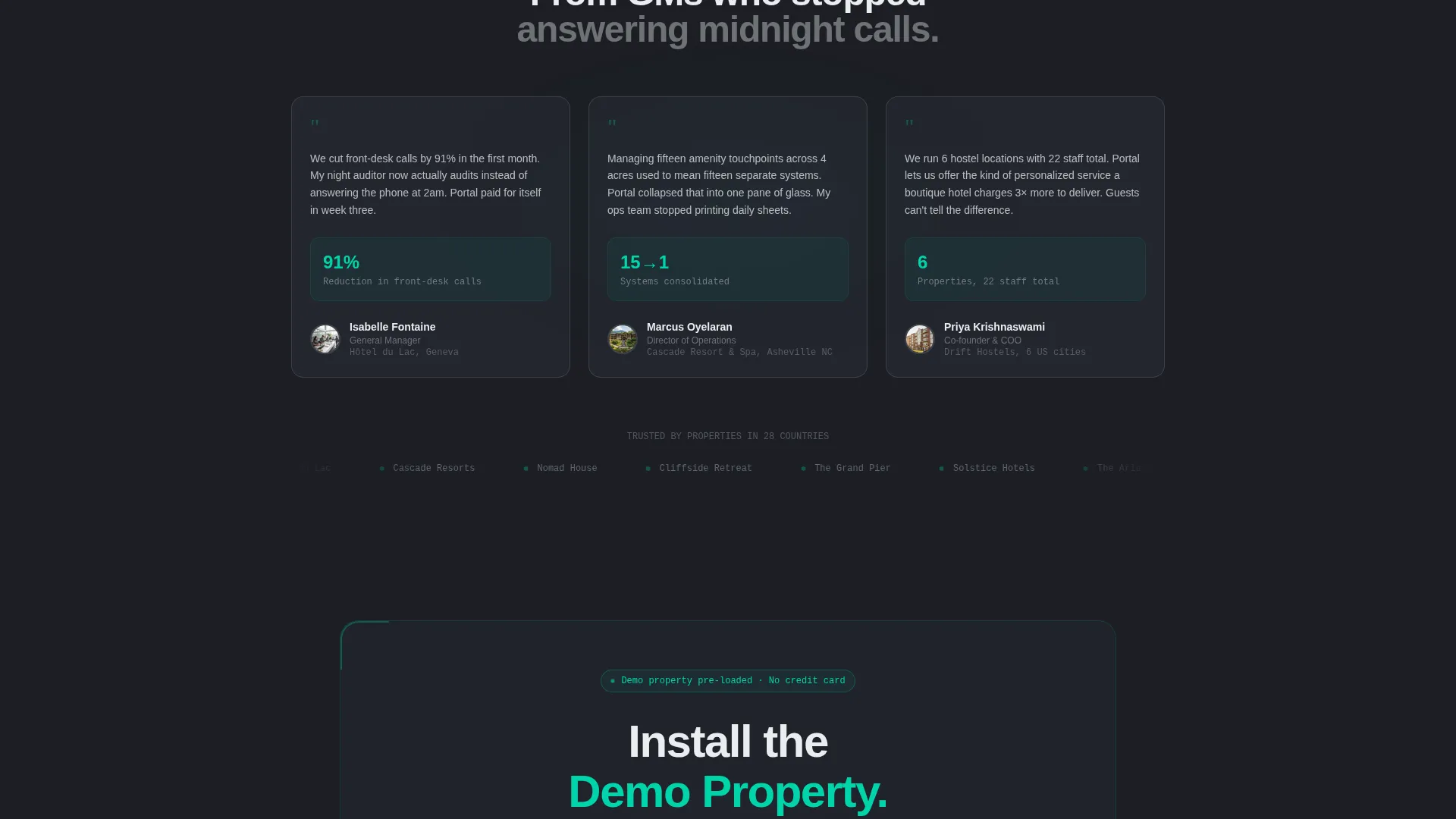
| App Install Section | Drive downloads via store badges and a sandbox QR code |
| Live Walkthrough call to action | Capture operations directors wanting a guided demo session |
Design & branding system
The visual identity follows a Tech Glass theme built on a Monochrome Steel color palette. Every surface, edge, and typographic choice reinforces the feeling of a precision-engineered operations environment.
- Structural charcoal (#1C1E24) forms the primary background, brushed nickel (#A8ADB5) surfaces card borders and secondary elements, and polished chrome white (#EAEDF0) handles all typography and data values
- Electric teal (#00D4AA) appears exclusively on interactive states, live status indicators, and call-to-action surfaces, creating a single warm focal point across an otherwise cool palette
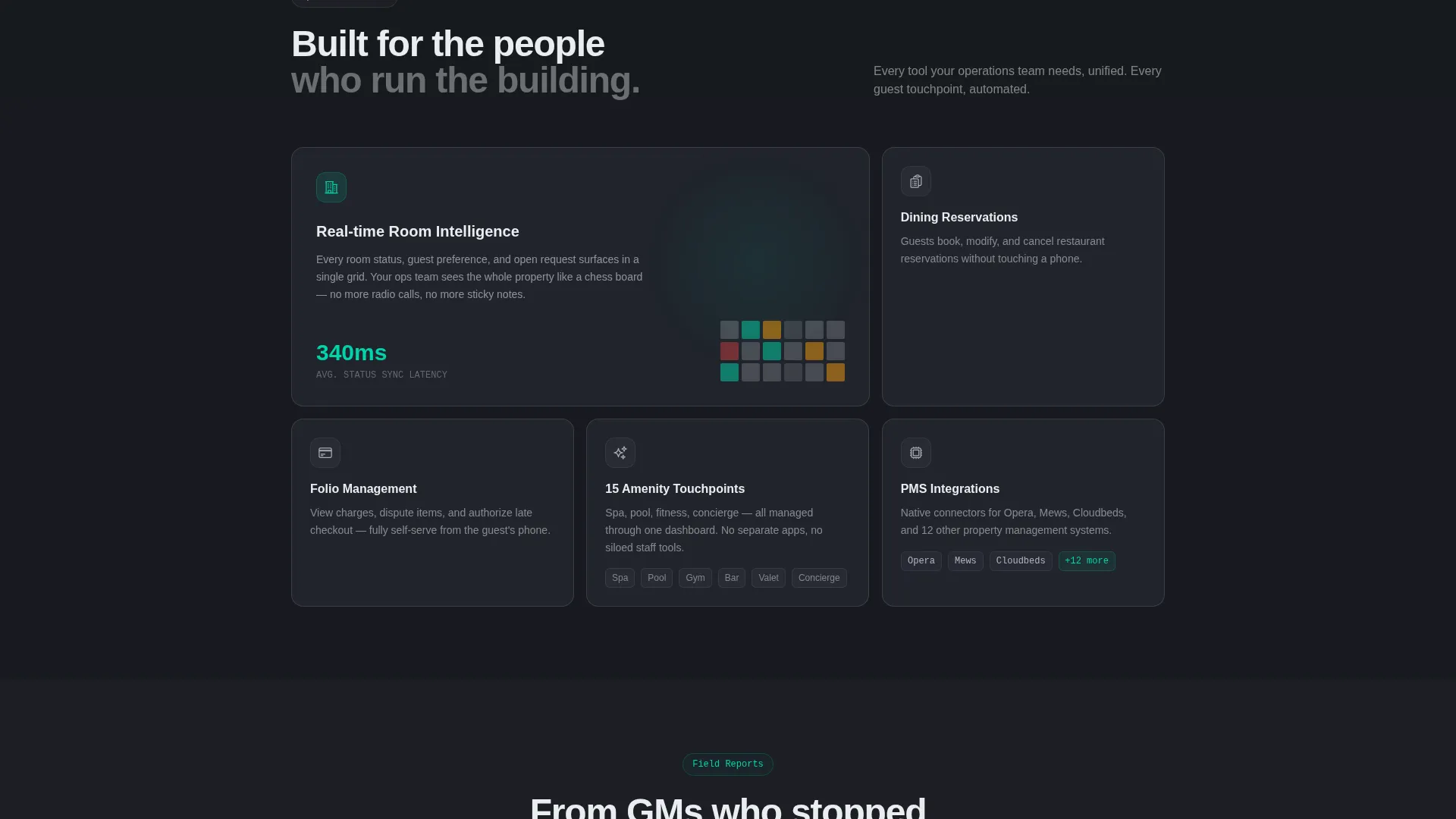
- Frosted-glass card treatment, translucent overlays, and beveled edge styling run consistently across all three dashboard panels
Mobile & speed optimization
The template is designed with mobile interaction at the core, since the guest-facing prototype panel is itself a mobile mockup. Visitors on any device can engage with the tappable flows without losing context.
- The frosted-glass mobile mockup scales cleanly within the page layout on both desktop and handheld viewports
- The QR code install path is particularly optimized for mobile visitors, allowing a direct scan-to-sandbox flow without navigating away from the page
How this template helps you convert
The conversion architecture of this template is built around reducing hesitation at every stage of the visitor journey. Rather than asking for a commitment upfront, it earns trust through progressive interaction.
- The code snippet header immediately establishes technical credibility, showing the platform's API in plain sight before any feature claim is made.
- The three-panel interactive explorer lets visitors unlock each layer of the product through scroll and tap, so by the time they reach the install section they have already experienced the core value.
- The dual call-to-action structure captures both self-serve buyers ready to scan a QR code and enterprise decision-makers who need a guided walkthrough, doubling the chances of a meaningful conversion from a single page view.
Other information about this template
This template sits at the intersection of hospitality software, guest experience technology, and modern SaaS product marketing. It is built to support teams presenting a digital concierge platform to both end users and internal stakeholders.
- The template style is a Dashboard/Data Grid layout, making it well-suited for products that need to communicate data density alongside consumer simplicity
- The Interactive Explorer creative direction means the page rewards scroll behavior, keeping bounce rates low by giving visitors something to do at every section
- The header concept is a Code Snippet, a deliberate choice for hospitality technology audiences who respect visible technical depth
- The landing page direction is App Download, so the entire content hierarchy builds toward the install moment at the bottom of the page
- The Tech Glass theme and Monochrome Steel color system are consistent with premium hospitality brand expectations, pairing well with five-star and boutique positioning
Theme
Tech Glass
Creative direction
Interactive Explorer
Color system
Monochrome Steel
Style
Dashboard/Data Grid
Direction
App Download
Page Sections
Live Code Snippet Hero Section
Clickable Room Status Grid
Tappable Mobile Concierge Mockup
Viewport-triggered Analytics Panel
QR Code App Install Flow
Secondary Walkthrough Booking Path
Related questions
Who is the ideal user for this landing page template?
Do I need a live backend to use the interactive prototype panels?
Can I adapt this template for non-hotel hospitality businesses?
What makes the dual conversion path useful?
Is this a single-page layout or a multi-page template?



