Community & Forum Professional Website Template
Portal is a hub-and-spoke landing page template built for SaaS product teams who need to stop managing feature requests across scattered Slack threads and spreadsheets. It showcases an animated, dashboard-style portal with live vote counters, status tags, and a merge-duplicates interaction, all designed to turn prospect curiosity into qualified sign-ups.
by Rocket studio
Quick summary
Portal is a single-page, anchor-nav landing page template for feature request portals. It pairs a pixel-perfect product screenshot header with four spec-sheet sections that walk through request ingestion, deduplication, prioritization, and roadmap sync. Dynamic Motion animations and a Teal Catalyst color system make the page feel like a live dashboard, not a static brochure.
Who this template is for
This template is built for the people closest to the product backlog, those who carry the weight of knowing what to build next and are tired of hunting for answers across a dozen open tabs.
- SaaS product managers who track feature requests across Slack threads, emails, and spreadsheet rows
- Customer success leads who need a real place to route customer asks instead of promising to "pass it along"
- Founders and early-stage teams who want to stop guessing and start building from real user signal
What problem this template solves
Feature requests arrive from everywhere at once. Without a single home for them, patterns stay invisible and priorities become gut feelings. This template presents your portal as the solution to that exact mess.
- Request volume piles up in disconnected channels with no way to see what matters most
- Duplicate asks inflate the backlog and make triage feel impossible
- Teams lack a convincing way to show prospects that their feedback will actually go somewhere
What you get with this template
You get a complete, conversion-focused landing page layout with every section, animation, and interaction already designed. Nothing needs to be built from scratch, it is ready to customize and deploy.
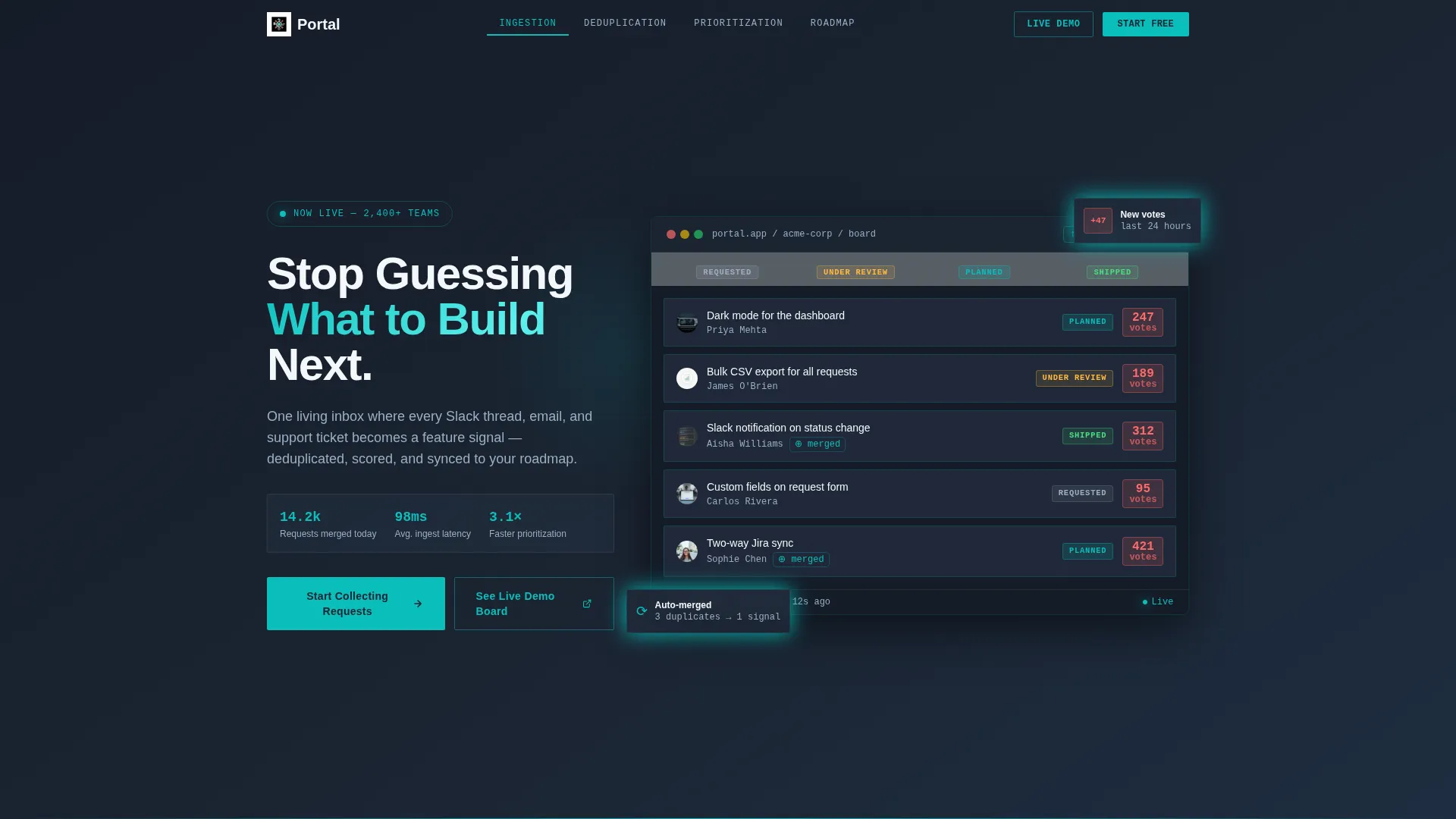
- A parallax product screenshot header showing a live-looking portal board with vote counts and status tags
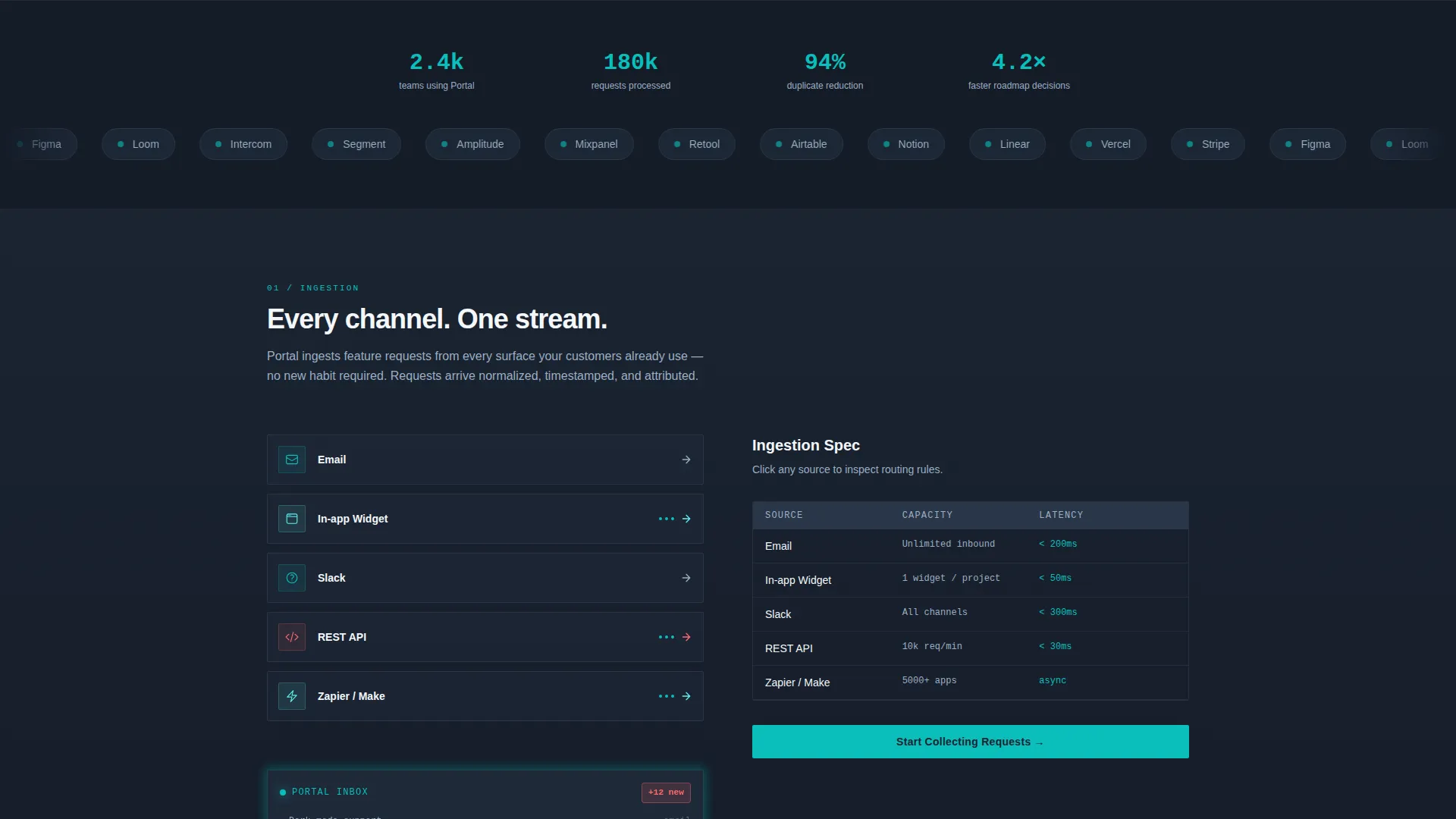
- Four anchor-navigated spoke sections, each pairing a teal-outlined diagram with terse spec copy
- A lead generation form and a secondary live demo board path, both pre-wired into the page flow
Feature list
This template ships with purpose-built components that match the way product and customer teams actually evaluate tools like this.
Parallax Product Screenshot Header
The header fills two-thirds of the viewport with a pixel-perfect capture of the portal board view. Feature cards display vote counts, status tags (Under Review, Planned, Shipped), and a teal-glowing merged-duplicates indicator. Subtle parallax gives the screenshot dimensional depth as visitors scroll.
Micro-Animated Vote Counters
The headline third of the header holds bold white copy set against deep charcoal, with vote counters that tick upward as if the board is live. This motion creates an immediate sense that the product is already working and actively used.
Anchor Navigation Bar
A sticky anchor nav links directly to each of the four capability sections: ingestion, deduplication, prioritization, and roadmap sync. The primary call to action "Start Collecting Requests" is pinned inside the nav and stays visible throughout the scroll journey.
Spec Sheet Capability Sections
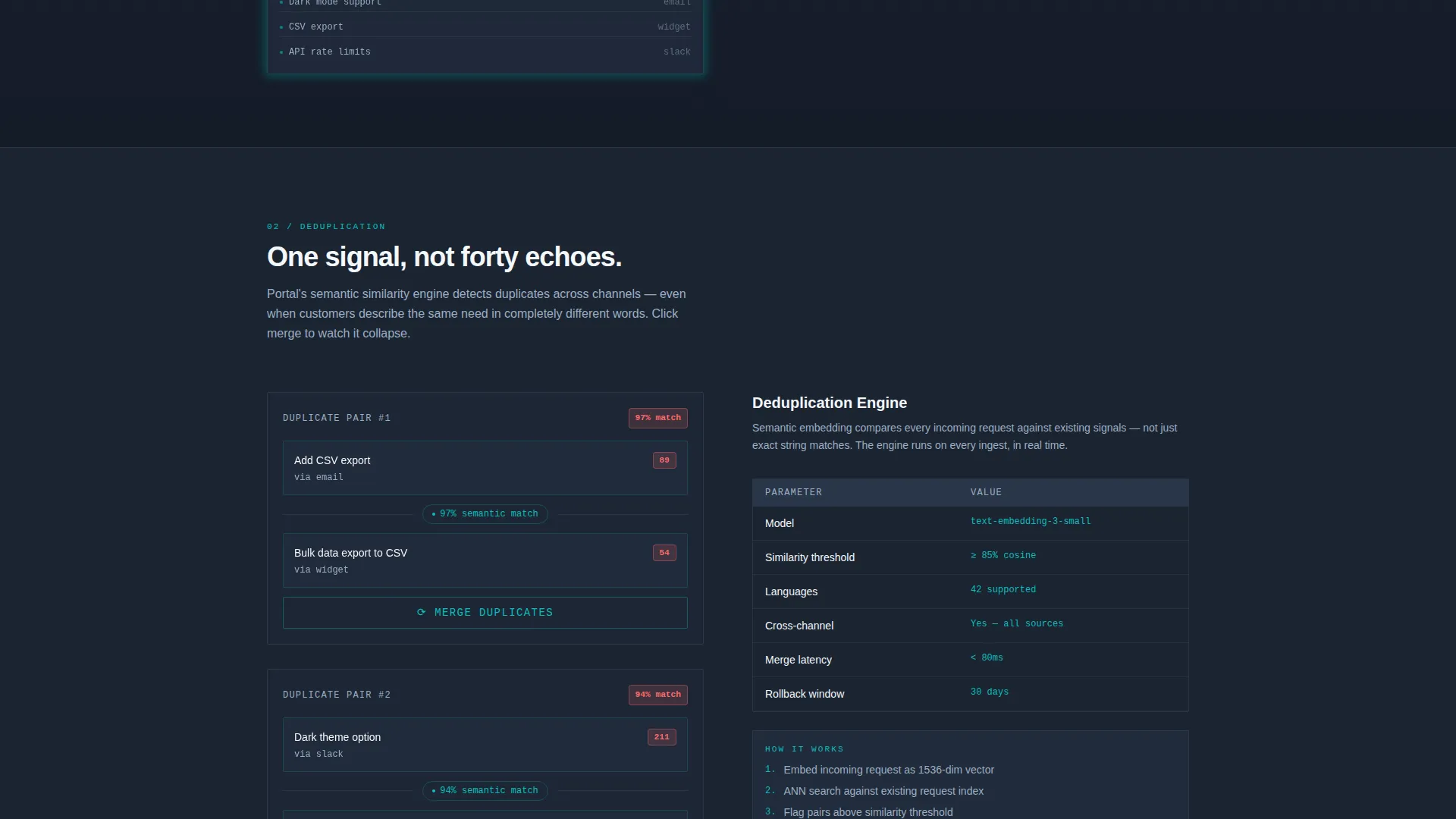
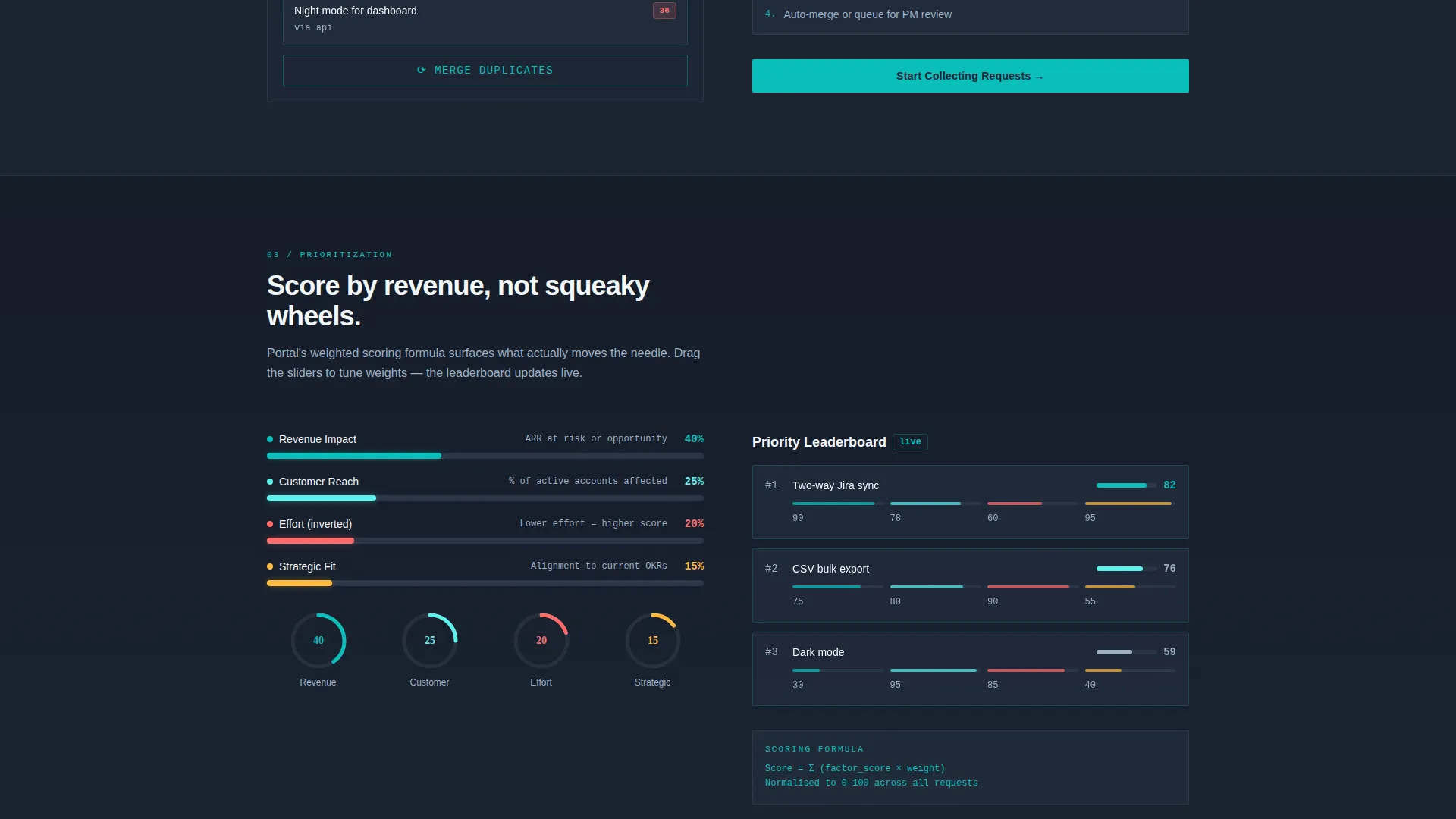
Each spoke section reads like a technical datasheet. Ingestion covers how requests flow in from email, widget, Slack, and API. Deduplication shows a motion tween of two cards collapsing into one. Prioritization renders a weighted-score formula as an interactive calculator. Roadmap sync animates a Gantt-style timeline segment by segment on scroll.
Lead Generation Form
Clicking the primary call to action opens a compact form collecting work email, company name, team size (1-10, 11-50, 51-200, 200+), and one optional qualifier: "Biggest feature tracking pain right now?" That optional field doubles as qualification data without adding friction.
Live Demo Board Path
A secondary call to action, "See the Live Demo Board," links to a read-only sandbox seeded with sample data. Visitors can click through an actual portal before the sign-up form ever appears, building conviction through direct product experience.
Page sections overview
| Section | Purpose |
|---|---|
| Parallax Header Board | Hooks attention with a live-feeling portal screenshot and animated vote counters |
| Sticky Anchor Nav | Keeps primary call to action visible and lets visitors jump directly to any capability |
| Ingestion Spec Section | Shows how requests flow in from email, widget, Slack, and API with diagram |
| Deduplication Spec Section | Visualizes the merge logic with a card-collapsing motion tween |
| Prioritization Spec Section | Presents a weighted-score formula as an interactive calculator |
| Roadmap Sync Section | Animates a Gantt-style timeline on scroll to show planning output |
| Lead Generation Close | Repeats the primary call to action form and demo board link to close each spoke |
Design & branding system
The Teal Catalyst palette is built for focus and speed. It feels like mission control, dark enough to reduce distraction, bright enough to act on what matters.
- Core colors: deep charcoal (#1B2432) for typography and section backdrops, catalyst teal (#0ABFBC) for nav highlights, toggle states, and progress bars, interface white (#F4F7FA) across card surfaces and input fields, and high-voltage coral (#FF6B6B) used sparingly for vote counts, trending indicators, and alert pings
- Teal dominates interactive states so every click target is immediately readable; coral appears only where urgency needs emphasis, keeping its impact high
- Dynamic Motion transitions, cards that slide and dock, progress rings that fill, status labels that flip from "Requested" to "Shipped", run on scroll entry across all four spec sections
Mobile & speed optimization
The template is structured to remain clear and functional on smaller screens. Motion effects are designed to degrade gracefully, keeping the experience useful even when device capabilities vary.
- The anchor nav collapses cleanly for touch navigation, keeping the pinned call to action accessible at every scroll depth
- Parallax and scroll-triggered animations are scoped to their sections, preventing layout interference on narrow viewports
- Card and diagram layouts reflow to a single-column stack on mobile so spec content stays readable without horizontal scrolling
How this template helps you convert
Every design decision on this page serves one outcome: turning a curious product manager into a qualified lead. The page earns trust before asking for anything.
- The animated product screenshot header makes the portal feel real and already working, reducing skepticism before visitors read a single line of copy
- The spec sheet sections give technically minded buyers the depth they need, numbers, integration sources, limits, so they leave each section more convinced than when they arrived
- The live demo board path lets prospects click through an actual seeded portal before the sign-up form appears, removing the biggest barrier to conversion: uncertainty about what they are signing up for
Other information about this template
Portal sits within the Documentation and Support category, specifically in the Community and Forum subcategory, targeting the feature request portal niche. It is a strong fit for teams evaluating tools in this space who want to see a product demonstrated before committing.
- The hub-and-spoke layout with anchor navigation is particularly effective for product-led growth pages where visitors self-navigate to the capability that matters most to them
- The optional qualifier field in the lead form ("Biggest feature tracking pain right now?") makes it useful as a light discovery tool, not just a sign-up gate
- This template works well as a standalone promotional page for a feature request portal product or as a conversion layer placed ahead of a free trial or onboarding flow
Theme
Dynamic Motion
Creative direction
Spec Sheet
Color system
Teal Catalyst
Style
Hub & Spoke (Anchor Nav)
Direction
Lead Generation
Page Sections
Parallax Product Screenshot Header
Micro-animated Vote Counters
Sticky Anchor Navigation
Spec Sheet Capability Sections
Lead Generation Form with Qualifier Field
Read-only Live Demo Board
Related questions
Who is this landing page template designed for?
What animations and interactions are included?
How does the lead generation flow work?
Can I customize the colors and copy for my own brand?
What makes this different from a generic SaaS landing page?



