Pivot - Change Management Recruitment Landing Page Template
The Pivot change management recruitment landing page template is a bold, split-screen landing page built for HR consulting firms that embed mid-transformation. With counter-animated metrics, a classified-file methodology reveal, and a practitioner-focused application form, it signals caliber instantly and converts qualified change management professionals into cohort applicants.
by Rocket studio
Quick summary
Pivot is a change management recruitment landing page template designed for firms that parachute into organizations during mergers, restructuring events, and new software rollouts. It uses a 50/50 split-screen layout, counter-animated outcome data, and a scroll-linked methodology reveal to communicate authority fast. The template converts senior practitioners into applicants through a curated, three-field form that prioritizes signal over volume.
Who this template is for
This template is built for change management consulting firms that recruit experienced practitioners rather than general applicants. It speaks directly to professionals who have led organizational change from inside the room, and to the firms that need to find them quickly.
- Senior change practitioners from consulting, enterprise software implementation, or organizational psychology backgrounds who are evaluating cohort-based consulting opportunities
- Change management firm founders and talent leads who need a high-credibility recruitment page to attract impact-driven professionals, not passive job seekers
- CHROs and operations leaders who land on the page through referral and recognize a firm capable of managing change at the pace their organization demands
What problem this template solves
Most recruitment pages in the change management space read like job boards. They list responsibilities, post requirements, and bury the application behind a résumé upload. That approach fails when your audience is a McKinsey senior associate or a Workday implementation lead who already has options. They need to sense the caliber of the firm before they commit a minute of effort to an application.
This template solves that credibility gap by letting data lead. Every section opens with a quantified result before any explanation follows. The visitor sees outcome metrics first, methodology second, and team profiles third, then reaches the application form already convinced that the firm operates at their level.
- It replaces vague value propositions with counter-animated numbers that communicate the firm's change management process outcomes at a glance
- It removes résumé friction by replacing file uploads with a single open-field question that filters for quality naturally
- It positions the firm's cohort model clearly, so applicants self-select based on engagement type before they submit
What you get with this template
This template delivers a fully structured, section-led landing page that guides senior practitioners from first impression to application submission. Every section has a specific job, and every design choice reinforces the firm's authority in organizational change.
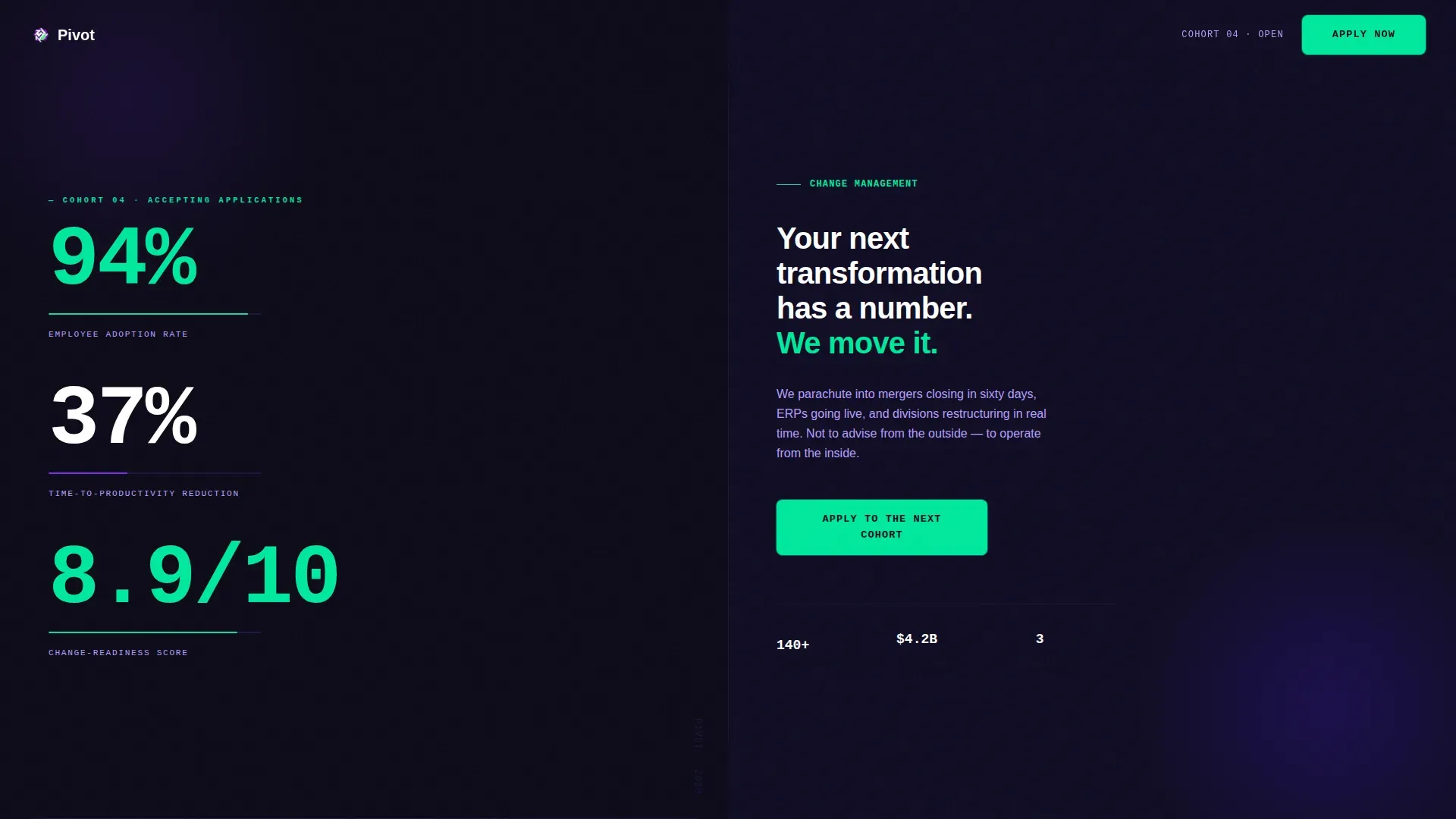
- A split-screen hero section with counter-animated metrics on the left panel and a bold manifesto statement on the right, built to create immediate credibility without photography or illustration
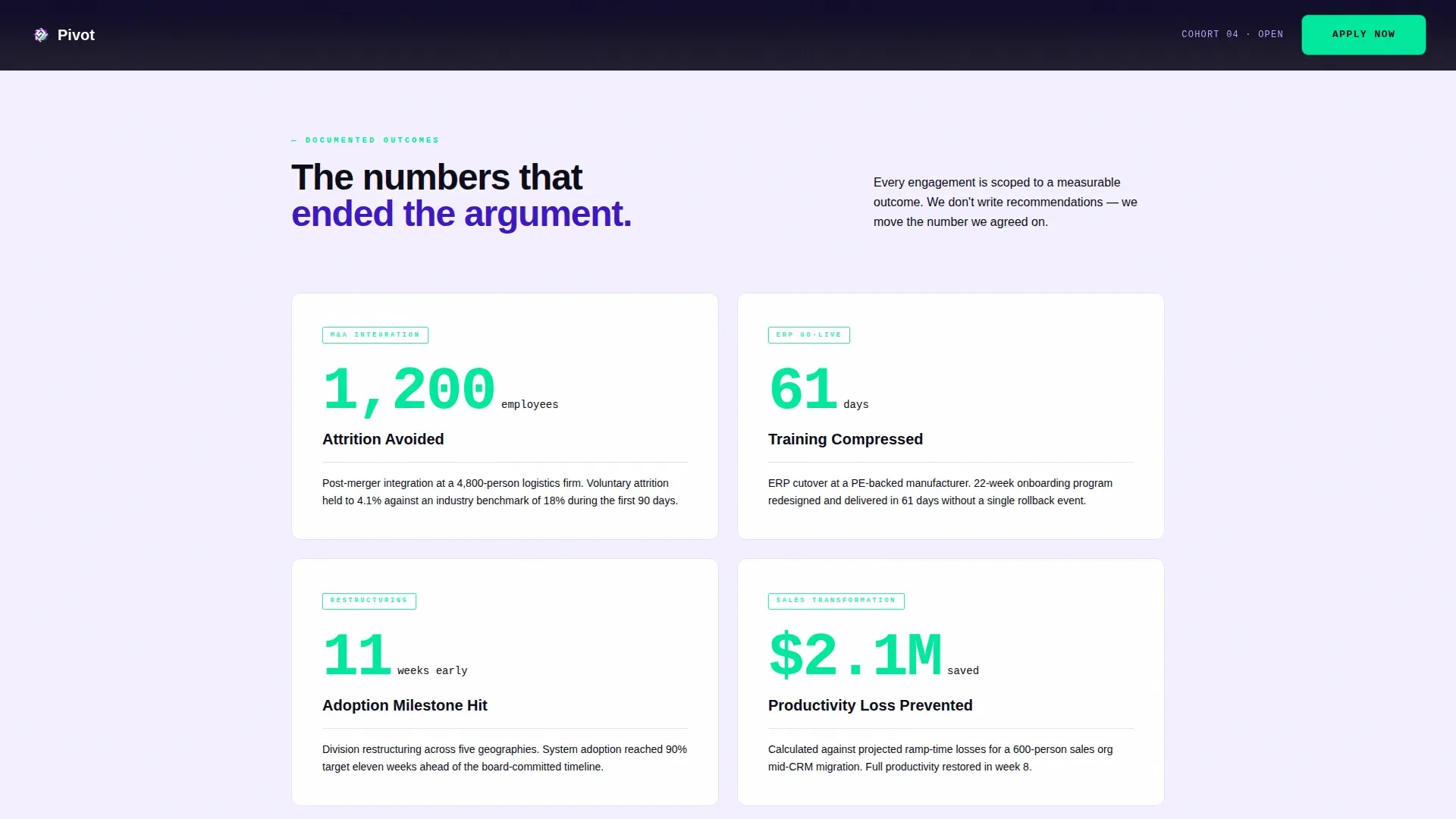
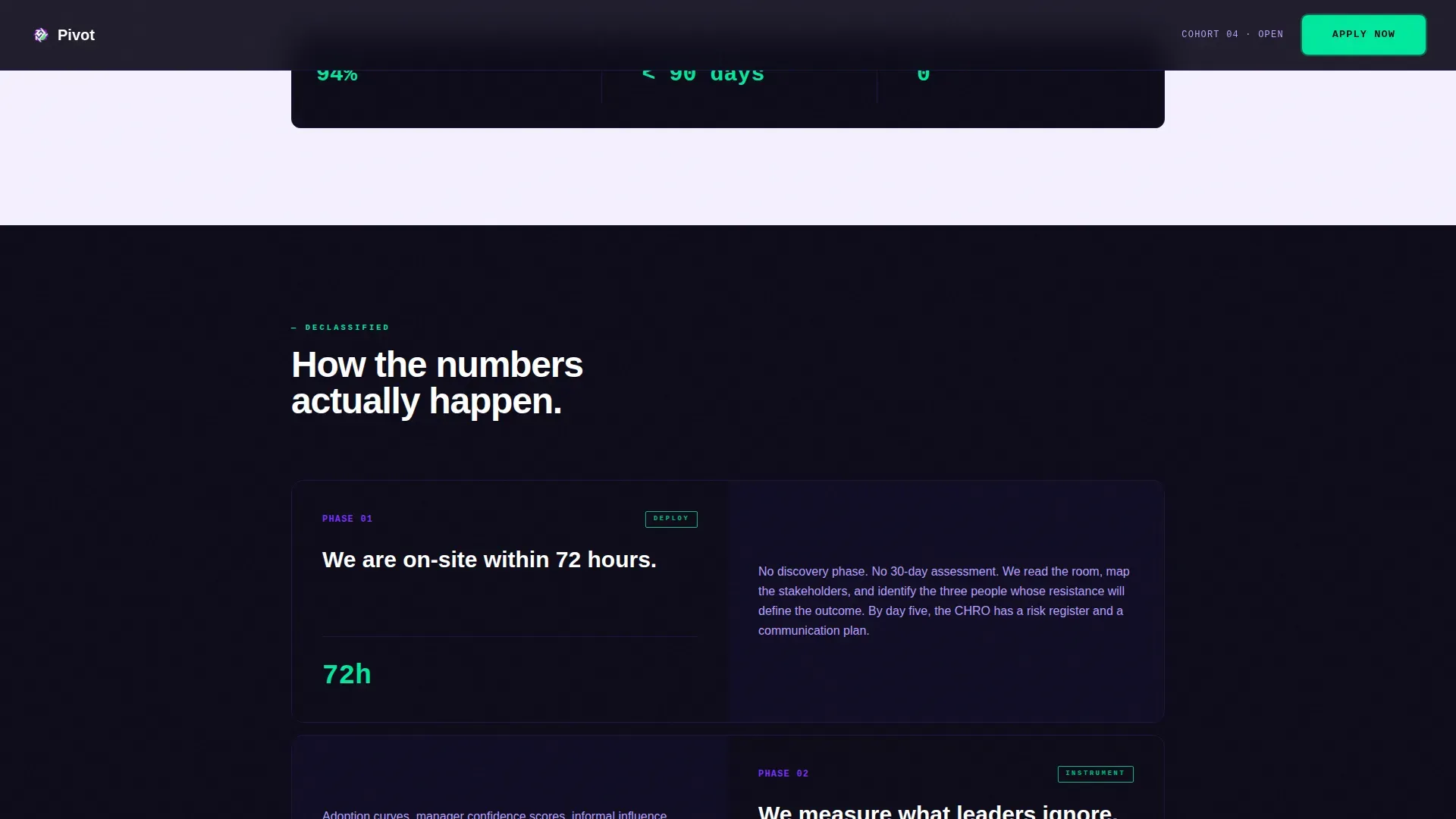
- A scroll-linked outcomes section that reveals client impact data progressively, paired with a classified-file methodology panel that unfolds the process behind each number
- A practitioner team section with before-titles for caliber signaling, followed by a LinkedIn-first application form with a single transformation question as the qualifying filter
Feature list
This section covers the core features built into the Pivot template. Each one is drawn directly from the project brief and reflects real, deliverable functionality.
Counter-Animated Metrics Hero
The left panel of the hero section displays three large, counter-animated numbers that tick upward on page load: a 94% employee adoption rate, a 37% time-to-productivity reduction, and an 8.9/10 change-readiness score. Each metric appears in JetBrains Mono typeface with a single-line label. The right panel holds one bold white line of text on a deep indigo field. Together, these panels create immediate impact assessment at the first scroll position, letting data drive the firm's first impression rather than marketing copy.
Scroll-Linked Outcomes Reveal
As users scroll, the left panel cycles through additional client outcome metrics including attrition avoided, training hours compressed, and adoption milestones hit ahead of schedule. This progressive data reveal builds tension by showing results before methodology. Each scroll position opens with a quantified result, giving stakeholders and prospective team members a shared understanding of what the firm actually delivers on change initiatives.
Classified-File Methodology Panel
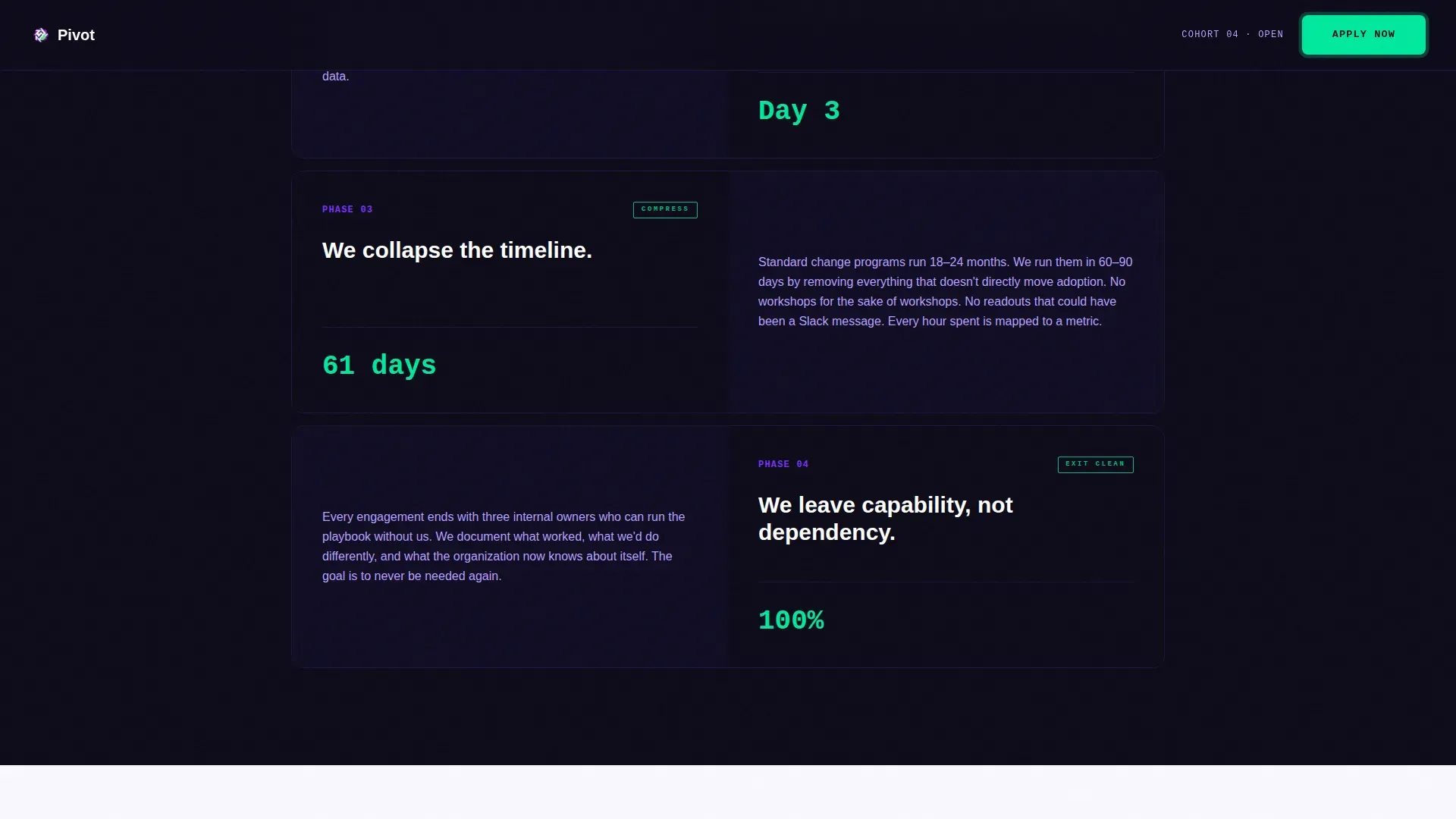
The right panel unfolds like declassified project files as the user scrolls, revealing the process behind each outcome metric in sequence. This staggered reveal approach gives the change management process a narrative arc. It communicates a structured approach to transformation without relying on generic consulting language. Users review the methodology in layers, which reinforces a sense of depth and credibility at each stage.
Practitioner Team Profiles
The team section profiles current cohort members with their before-titles intact, for example: McKinsey senior associate, Workday implementation lead, organizational psychologist. This caliber-signaling approach communicates to prospective applicants that the firm recruits from the same talent pool they came from. Social proof of this kind is essential for building trust and demonstrating the firm's culture of adaptability. It helps future applicants make an informed decision about whether the cohort aligns with their skills needed for high-stakes change work.
LinkedIn-First Application Form
The application form asks for three inputs in a specific order: LinkedIn URL, preferred engagement type (full-time, project-based, or senior advisory), and a single open field reading "Describe a transformation you led and what broke." There is no résumé upload. The question itself is the filter. This approach reduces friction for senior professionals while surfacing detailed information about each candidate's real-world change management experience. Project managers and senior practitioners can complete the form in under three minutes.
Sticky Call-to-Action Button
The "Apply to the Next Cohort" call-to-action button remains visible as the user scrolls through the entire landing page. High-contrast reactor-green styling makes it stand out against the dark indigo background at every scroll position. This ensures the apply option is always available without interrupting the narrative flow of the page, which supports conversion across different reading speeds and engagement depths.
Page sections overview
| Section | Purpose |
|---|---|
| Hero Stats Wall | Open with counter-animated outcome metrics and bold manifesto copy to establish authority immediately |
| Scroll Outcomes Panel | Reveal client impact data progressively as users scroll to build credibility before methodology |
| Methodology File Reveal | Unfold the change management process behind each metric in a classified-file visual format |
| Team Profiles Section | Signal practitioner caliber through before-titles and backgrounds of current cohort members |
| Application Form Section | Collect LinkedIn URL, engagement type, and a single transformation question to filter applicants |
| Footer Horizontal Flow | Close the page with a clean Vercel-style horizontal footer pattern |
Design & branding system
The Pivot template runs on an Electric Indigo color system built to feel like a mission-control dashboard during a live deployment. The visual identity carries weight and focus without relying on photography or illustration, letting data and typography do the work.
- Color palette: deep mission-control indigo (#3D17C6) as the primary surface, charged violet (#7B2FFF) for hover states and progress indicators, white-hot zinc (#F4F0FF) for open space and body text, and reactor green (#00E89D) reserved exclusively for metrics and call-to-action pulses
- Typography: DM Sans handles all body copy and labels for clean readability; JetBrains Mono renders all metrics, numbers, and data points to reinforce the dashboard aesthetic
- Visual style: no stock photography and no illustration; the layout relies on data as the primary visual element, with large numbers functioning as the focal point at every scroll position
Mobile & speed optimization
The Pivot template is desktop-first in priority, reflecting the reality that CHROs and senior practitioners typically review recruitment pages on desktop. However, over 80% of job seekers use mobile devices to search, so the layout is fully responsive and easy to navigate on small screens.
- All counter animations, scroll-linked reveals, and staggered file unfolds adapt to mobile viewport sizes without losing the visual hierarchy that makes the desktop experience compelling
- The sticky call-to-action button remains accessible on mobile, keeping the apply option visible regardless of screen size or scroll position
- The application form is optimized for mobile input, with the LinkedIn URL field first and the open-text question last, reducing the effort required to complete a submission on a small screen
How this template helps you convert
The Pivot template is built around a specific conversion goal: turning qualified practitioners who visit the page into cohort applicants. Every design and content decision supports that goal directly.
- The counter-animated hero creates immediate credibility by showing outcome data before any explanation, which frames the firm as one that measures its change management process rather than describing it, and gives prospective applicants a reason to keep reading
- The team profiles with before-titles and the LinkedIn-first application form work together to signal mutual caliber, so the right applicants feel recognized and the wrong ones self-select out, which improves application quality without adding screening effort for the team
Other information about this template
This template draws on widely used frameworks in the change management field, which informs how its content sections are structured and how its messaging resonates with experienced practitioners.
- The outcomes and methodology sections reflect principles found in leading change frameworks, including the ADKAR model's focus on the individual journey, Kotter's 8-step process for building a guiding coalition and managing organizational change, and the Bridges Transition Model's emphasis on the neutral zone as a critical psychological stage in personal transitions
- Change management templates, including this one, track people and their transitions rather than just tasks. They provide a structured roadmap from current state to desired future state, which is why the template's outcomes section leads with adoption metrics before revealing methodology
- The template's design supports the broader context of using change management templates during organizational restructuring, new software rollout events, and process improvements. Teams that need to communicate proposed changes, assess risk, and track progress will recognize the logic of a page that sequences data before explanation
- Management templates that include impact assessment sections, communication matrices, and feedback loops help cross functional teams maintain a shared understanding of change objectives throughout a project. This template's methodology reveal section mirrors that logic visually
- For firms offering a free change management template as a lead magnet or resource alongside their recruitment page, this template's layout can support a secondary section or linked resource hub without breaking the primary conversion flow. The free change management template offer can be positioned in the footer or as an exit-intent touchpoint
- Project managers and change leads who review this template as a reference for their own organization's communication plan will find the section sequencing and data-first structure applicable to their own change management process documentation. The template's information hierarchy reflects how experienced project managers organize impact assessment, risk assessment, and stakeholder communication
- The pivot change management recruitment landing page template is optimized for firms recruiting practitioners with the skills needed to implement change at speed, including adaptability, resilience, and strategic decision making under pressure
- The template supports the use of A/B testing across headlines, form fields, and call-to-action text to find the most effective elements for the specific audience a firm is targeting. Customizable templates like this one make it straightforward to implement and review those variations without rebuilding the page from scratch
Theme
Startup Velocity
Creative direction
Stats-First Impact
Color system
Electric Indigo
Style
Split Screen (50/50)
Direction
Recruitment/Hiring
Page Sections
Counter-animated Metrics Hero Panel
Scroll-linked Outcomes and Methodology Reveal
Practitioner Team Profiles with Caliber Signaling
Linkedin-first Curated Application Form
Sticky Reactor-green Call-to-action Button
Mission-control Dashboard Visual System
Related questions
Who is the primary audience for this landing page template?
Can the application form be customized for different engagement types?
Does this template include the counter animations and scroll-linked reveals?
Is this template suitable for professional services firms outside change management?
How does the team profile section support applicant conversion?



