Computer Vision Technology Reviews Website Template
Percept is a scroll-reveal landing page template built for a computer vision managed service. It guides warehouse operations managers, retail directors, and facility teams from the pain of unreviewed footage to the clarity of real-time object detection, anomaly flagging, and spatial analytics. The page earns an agent download by showing live-looking detection results before the call to action ever appears.
by Rocket studio
Quick summary
Percept is a single-page, scroll-driven template for a computer vision managed service. It opens with a live dashboard screenshot, walks visitors through a problem-to-solution arc, and closes with a platform-specific agent download. Every section activates on scroll, so the page itself mirrors the transformation it sells: from blind recording to active, labeled perception.
Who this template is for
This template is built for teams marketing a computer vision managed service to operations-focused buyers. It speaks directly to people who manage physical spaces and need actionable data from existing camera infrastructure, without rebuilding anything from scratch.
- Operations managers at warehouses who accumulate footage they never review
- Retail chain managers trying to understand foot traffic without hiring dedicated analysts
- Facility directors who need real-time PPE compliance checks across multiple entry points
What problem this template solves
Most camera systems record constantly but deliver nothing. Footage sits on storage drives, safety incidents go unnoticed, and traffic patterns stay invisible unless someone manually watches hours of video. This template frames that gap clearly and resolves it section by section.
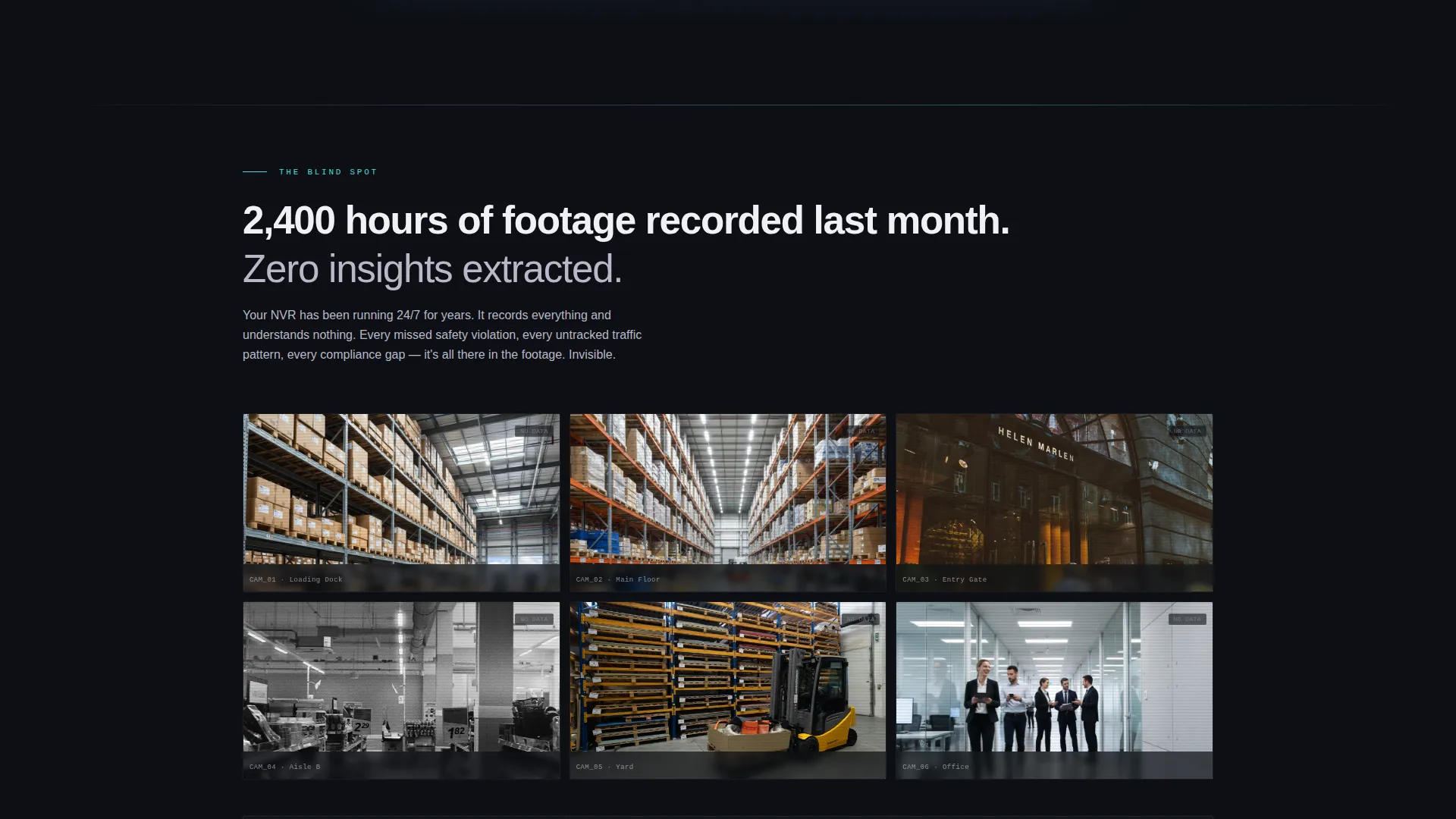
- Visitors land in their own pain: a wall of grayscale CCTV thumbnails and a stat about unreviewed footage
- Each scroll reveal addresses a specific failure mode, then resolves it with a live product frame
- By the time visitors reach the call to action, they have already seen detection results on six recognizable scenarios
What you get with this template
You get a fully structured, single-page layout designed around a progressive scroll reveal flow. The template is ready to adapt to your own product screenshots, detection scenarios, and platform download links.
- A Problem-to-Solution Arc layout with animated section reveals that shift the page from grayscale to full iridescent color as the visitor scrolls
- A full-width dashboard header screenshot, a multi-scenario detection walkthrough, and a platform-toggle download section for Linux, Docker, and Windows
- A secondary conversion path linking to a browser-based demo that processes an uploaded image
Feature list
This template includes purpose-built sections and visual behaviors drawn directly from the Percept brief. Each feature serves the goal of converting a skeptical operations buyer into a confident downloader.
Scroll-Activated Problem-to-Solution Arc
The page opens in the visitor's current reality: static, grayscale CCTV thumbnails with a stark unreviewed-footage stat. As the visitor scrolls, each section activates progressively. Bounding boxes animate onto feeds, dashboards materialize, and grayscale panels bloom into the iridescent palette. The experience itself mirrors the transformation from passive recording to active perception.
Live Dashboard Header Screenshot
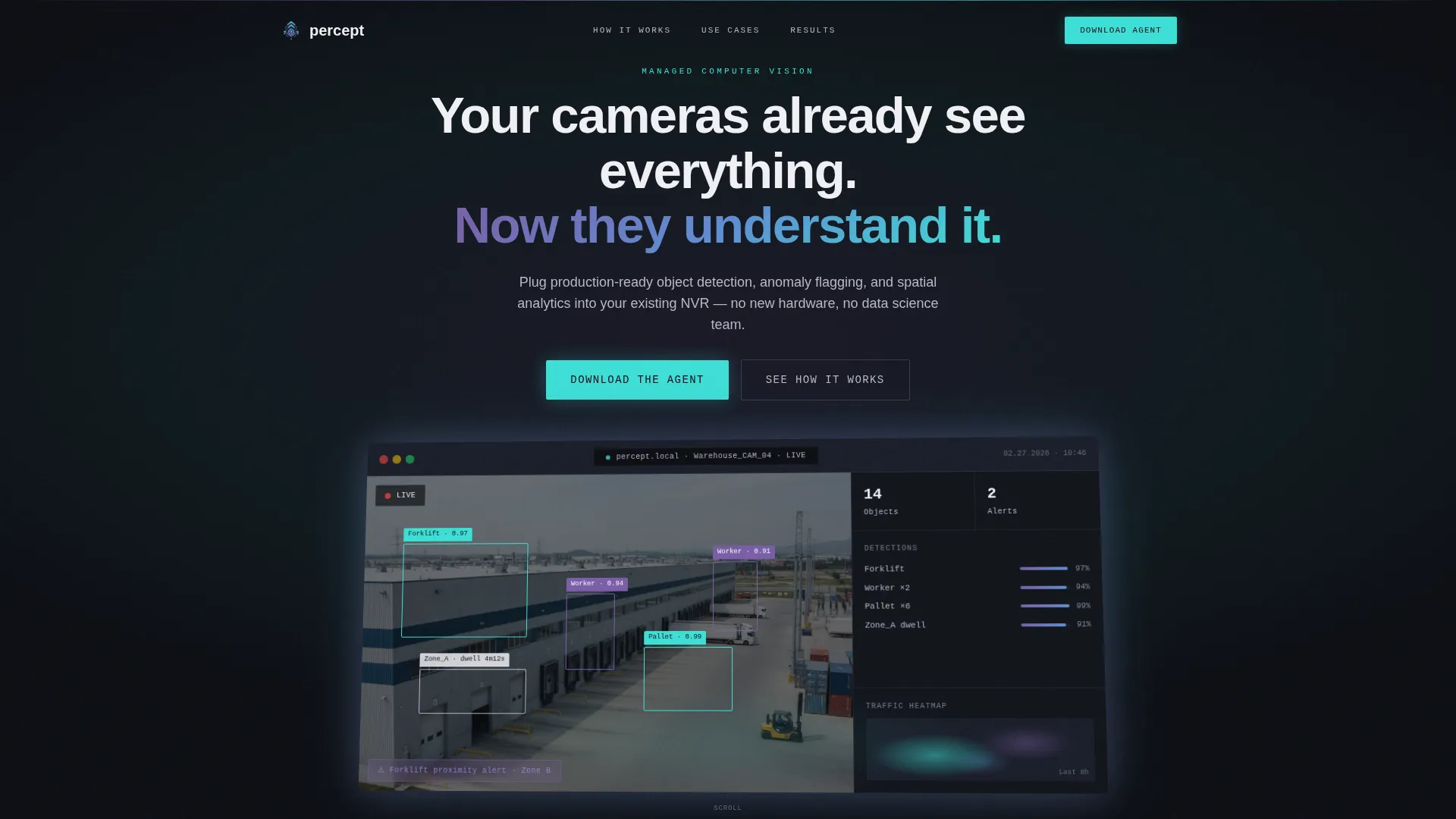
The header features a full-width product screenshot of the Percept dashboard analyzing a live warehouse feed. Bounding boxes appear around forklifts, pallets, and workers in real time, each tagged with confidence scores and dwell-time counters. The screenshot floats at a slight angle over the sensor-black background with a soft iridescent glow on its edges.
Platform-Specific Agent Download Section
The primary call to action is structured around a single directive: download the Percept Agent. Platform toggle buttons for Linux, Docker, and Windows let visitors select their environment before clicking. This reduces friction and makes the download feel like a technical decision, not a sales step.
Browser-Based Demo Path
Below the primary download call to action, a secondary conversion path invites visitors to try the product on their own camera feed. The link leads to a browser-based demo that processes an uploaded image, giving skeptical buyers a zero-commitment way to validate the technology before installing anything.
Scenario-Driven Detection Walkthroughs
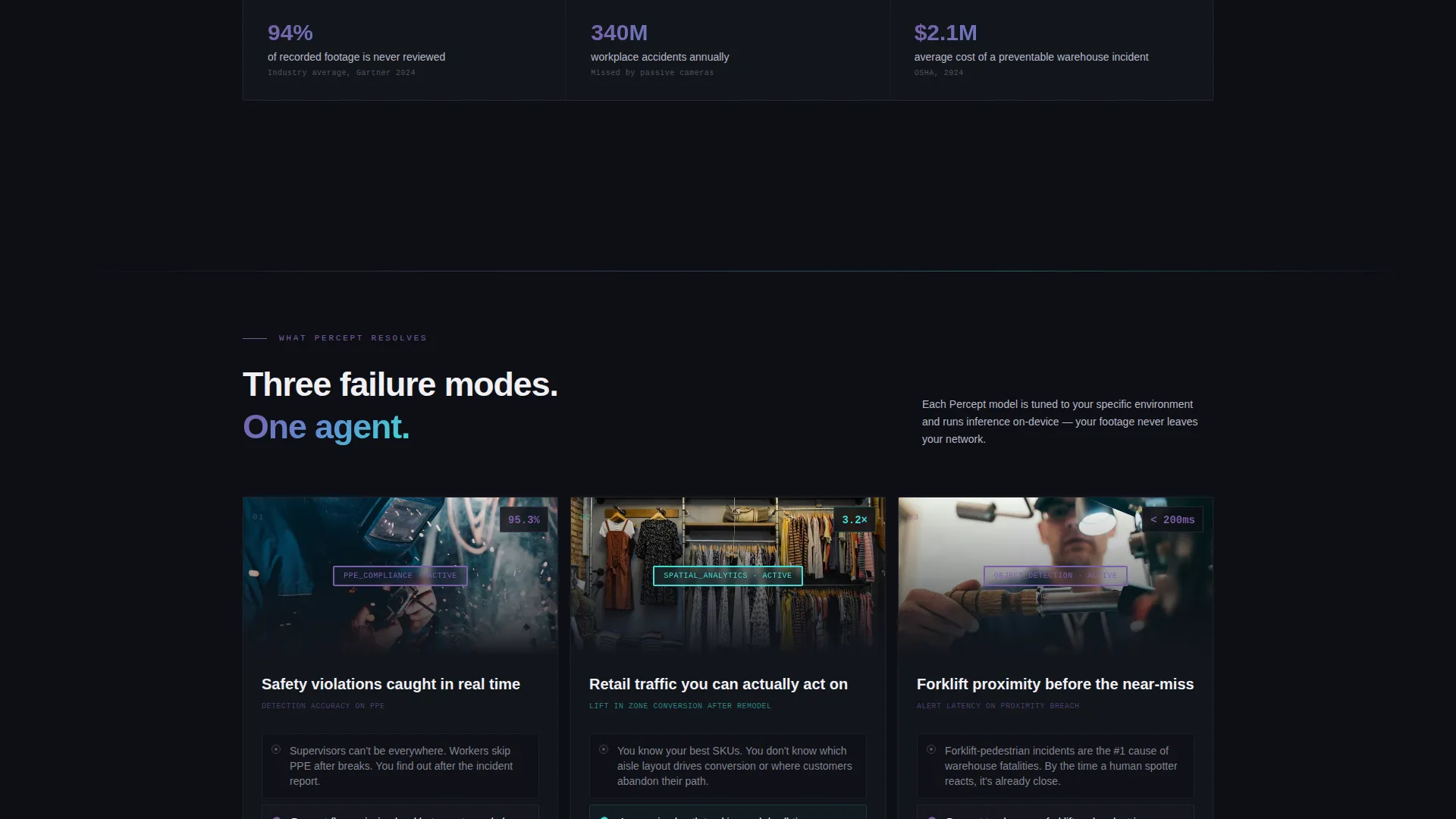
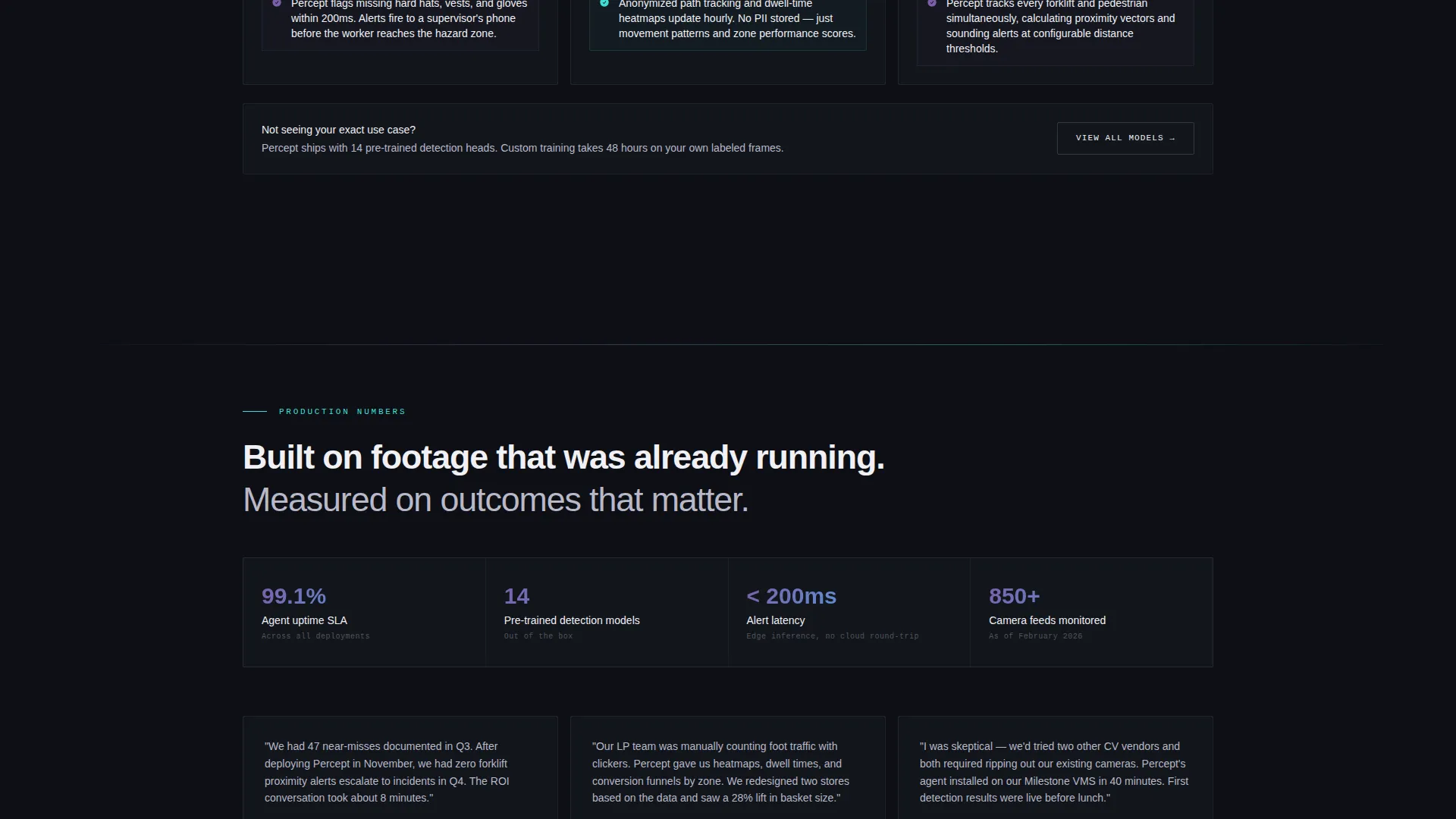
Each scroll section targets a specific operational failure: missed safety violations, unknown foot traffic patterns, manual counting errors. A live-looking product frame resolves each failure visually. By the time a visitor reaches the download section, they have seen the product at work across multiple real-world scenarios.
AI Iridescent Color Reveal System
The color system is designed to feel like intelligence activating. The background stays in deep sensor black throughout. As sections reveal, the iridescent gradient appears on bounding-box overlays, hover states, progress bars, and section dividers. The shift from dark and static to bright and data-rich is visual proof of the service's core promise.
Page sections overview
| Section | Purpose |
|---|---|
| Dashboard Header Screenshot | Anchors visitor attention with a live-looking detection feed and the headline "Your cameras already see everything. Now they understand it." |
| Unreviewed Footage Reveal | Opens the pain with grayscale CCTV thumbnails and a stark footage stat to establish the problem immediately |
| Object Detection Walkthrough | Animates bounding boxes onto warehouse feeds to show real-time detection of forklifts, pallets, and workers |
| Safety Compliance Section | Addresses missed PPE violations with a live-looking alert timeline and anomaly flagging product frame |
| Foot Traffic Analytics Section | Resolves unknown traffic patterns using spatial heatmaps and dwell-time counters for retail scenarios |
| Agent Download call to action | Presents the primary download call to action with platform toggle buttons for Linux, Docker, and Windows |
| Browser Demo Path | Offers a secondary no-install conversion path via a browser-based image upload demo |
Design & branding system
The visual identity follows a Directory and Discovery theme using the AI Iridescent color system. The palette is designed to feel like staring into a prism resting on a dark lab bench: most surfaces stay near-black, but light catches edges and splits into violet-to-teal gradients on interaction.
- Core palette: deep sensor black (#0D0F14) for backgrounds, bounding-box white (#F0F0F5) for text and annotation overlays, neural violet (#7B5EA7) and inference teal (#3EDFD7) for interactive surfaces, hover states, progress bars, and section dividers
- The iridescent gradient appears only on interactive and animated elements, so it reads as intelligence activating rather than decoration
- Product screenshots use angled floating layouts with soft iridescent edge glows, reinforcing the sense of a screen radiating awareness
Mobile & speed optimization
The scroll-reveal structure is designed to remain readable and purposeful on smaller screens. Progressive activation means each section loads its visual state as it enters the viewport, keeping the layout focused rather than overwhelming.
- Section-by-section scroll activation keeps the page organized on mobile viewports without losing the problem-to-solution narrative flow
- Platform toggle buttons for the agent download are sized and spaced for touch interaction, making the download decision easy on any device
- The grayscale-to-color reveal works at any screen width, so the transformation narrative stays intact whether a visitor is on desktop or mobile
How this template helps you convert
The page is structured so that trust is built progressively and the call to action feels earned rather than forced. Every design and layout decision points toward a confident, informed download.
- The scroll reveal shows the product solving a real problem in six distinct scenarios before the download section appears, so visitors arrive at the call to action already convinced
- The platform toggle (Linux, Docker, Windows) lets buyers self-select their environment, which transforms a generic download button into a personalized next step
- The browser-based demo secondary path captures visitors who are not ready to install anything yet, giving them a low-commitment way to experience detection results on their own footage
Other information about this template
This template is categorized under Technology, specifically within the Computer Vision Technology subcategory and the Computer Vision Managed Service niche. It is a strong fit for teams positioning a managed service against self-hosted or build-it-yourself alternatives, where the key message is production-ready intelligence on infrastructure you already own.
- The template style is Scroll Reveal (Progressive), meaning each section activates as it enters the viewport rather than loading all at once
- The header concept is a Product Screenshot, grounding the first impression in real product output rather than abstract imagery
- The landing page direction is App Download, making the entire page architecture serve a single, clearly defined conversion action
- The creative direction is a Problem-to-Solution Arc, ensuring the page earns the download by resolving specific, recognizable operational pain points before asking for anything
Theme
Directory & Discovery
Creative direction
Problem→Solution Arc
Color system
AI Iridescent
Style
Scroll Reveal (Progressive)
Direction
App Download
Page Sections
Scroll-activated Problem-to-solution Arc
Live Dashboard Header Screenshot
Platform-toggle Agent Download Section
Browser-based Demo Conversion Path
Scenario-driven Detection Walkthroughs
Related questions
Who is this landing page template designed for?
What is the primary conversion goal of this template?
Does this template require me to replace the example product screenshots?
How does the scroll reveal animation work in this template?
Can the agent download section support multiple platforms?



