Payroll - Software Provider Landing page Template
A split-screen landing page built for tech and software payroll providers. It guides visitors through a persona selector, a four-step animated walkthrough, and a progressive lead-capture form. The warm Community Hearth design makes a complex compliance story feel approachable. HR teams, ops leads, and CFOs at startups will immediately recognize their own situation and know exactly what to do next.
by Rocket studio
Quick summary
This is a single-page, lead-generation landing page for a tech and software payroll platform. It opens with a three-card persona selector, unfolds a four-step guided walkthrough in a 50/50 split-screen layout, and closes with a progressive disclosure form. The design is warm and purposeful, built to earn trust before it asks for anything.
Who this template is for
This template is designed for payroll technology companies that serve startups and growing software teams. It speaks directly to buyers who already carry the weight of multi-state complexity and just want someone to say, "I already handled it."
- VP of People at Series B startups managing a distributed engineering team
- Operations leads at bootstrapped software-as-a-service companies with remote staff across many states
- CFOs at mid-size development shops navigating state nexus and tax filing exposure
What problem this template solves
Most payroll landing pages lead with feature lists. This one leads with recognition. Visitors arrive carrying a specific worry, and the template meets them there before asking for a single click.
- Visitors cannot quickly see themselves in a generic hero image or one-size headline
- Multi-state compliance, equity vesting, and direct deposit workflows are hard to explain without a structured visual guide
- Standard lead forms feel premature when buyers do not yet understand what happens after they submit
What you get with this template
You get a fully structured, single-page layout that moves a qualified visitor from recognition to readiness in one scroll. Every section is purposeful and sequenced to reduce friction and build trust.
- A three-card persona selector header that reframes the entire page journey around the visitor's own situation
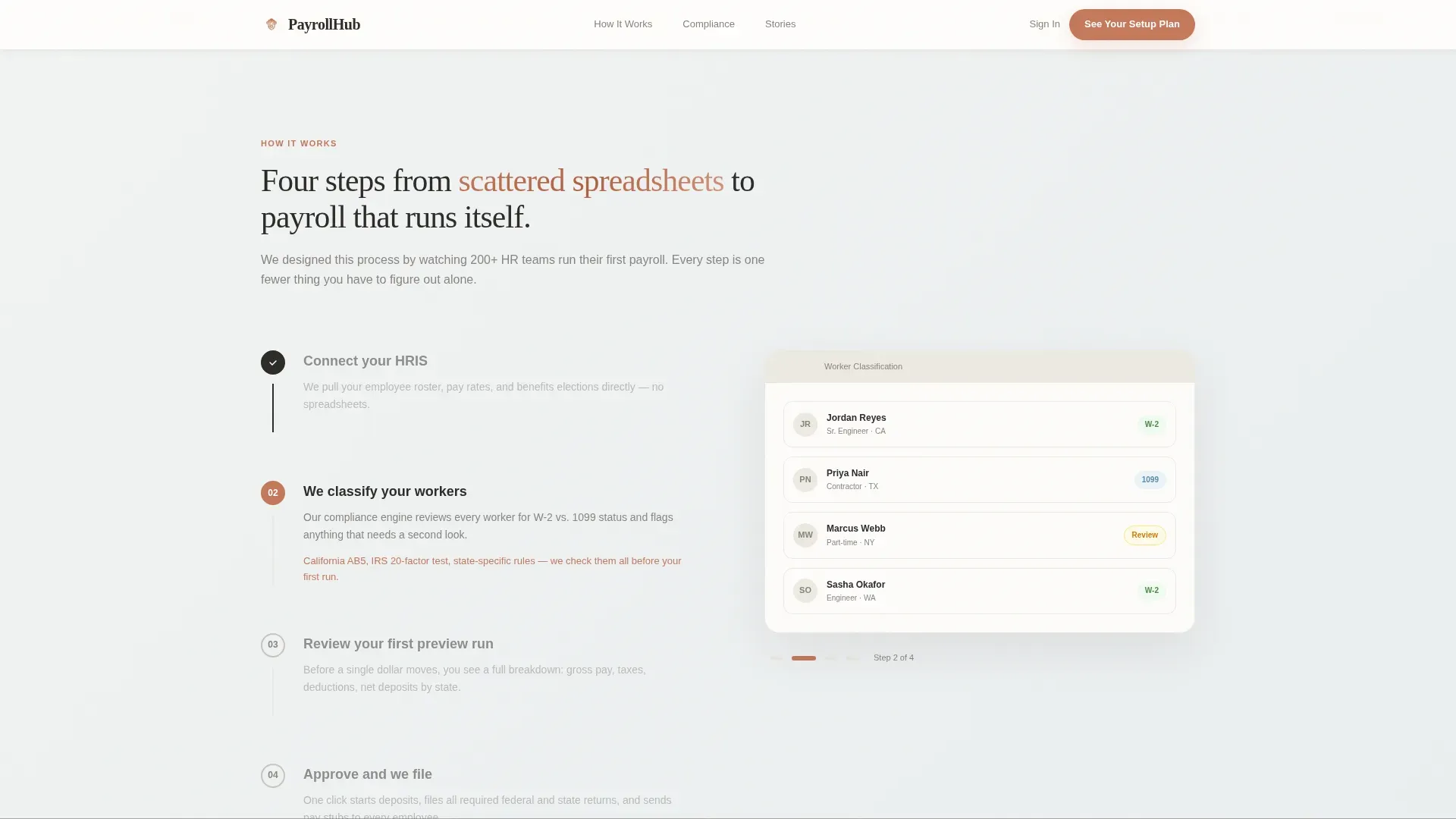
- A four-step, scroll-animated split-screen guide showing the full onboarding sequence with corresponding interface panels
- A progressive disclosure lead-capture form and a secondary gated PDF download path for visitors not yet ready to talk
Feature list
This template includes the following built-in components and interaction patterns, each grounded in the source brief.
Persona Selector Header
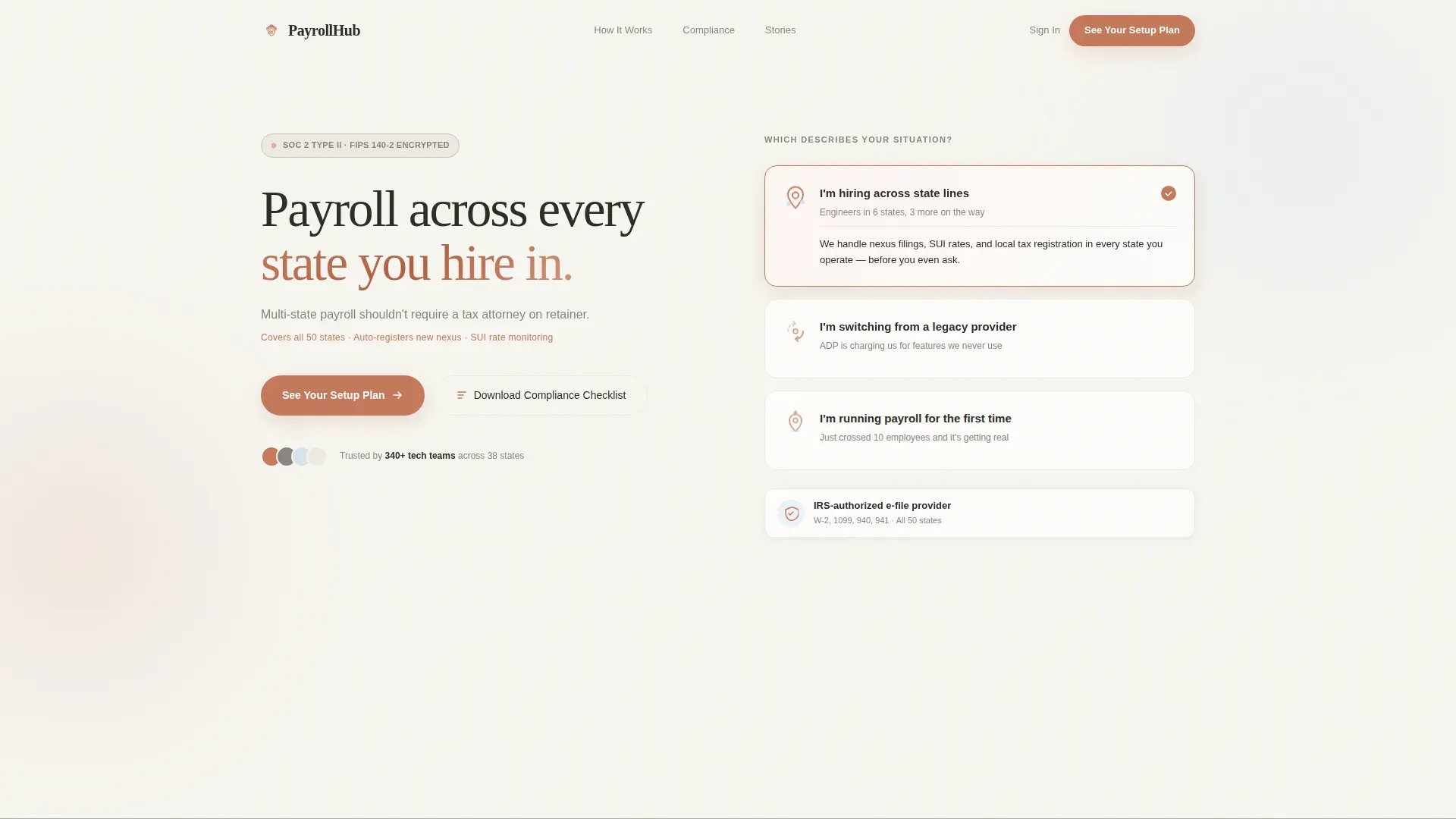
Three illustrated cards sit side by side on the linen-white background. Each card names a specific archetype: hiring across state lines, switching from a legacy provider, or running payroll for the first time. Clicking a card reframes the page journey around that visitor's context. No stock photography is used. The visitor's own situation becomes the focal point.
Scroll-Animated Step Guide
The left panel displays a numbered four-step sequence: connect your human resources information system, classify your workers, review your first preview run, and approve so the platform files. The right panel reveals a corresponding interface screenshot as the visitor scrolls. Each transition is designed to feel like turning a page in a guide written by a patient colleague.
Sticky Lead-Generation Call to Action
A primary call-to-action button labeled "See Your Setup Plan" appears beneath the persona selector and again as a sticky bar after the third step. It is always visible at the moment the visitor feels most ready to act.
Progressive Disclosure Form
The lead form reveals one field at a time: company name, headcount range, states of operation via multi-select, and work email. This pacing reduces form fatigue and matches the deliberate, unhurried tone of the rest of the page.
Gated Compliance Checklist Download
A secondary conversion path offers a downloadable multi-state compliance checklist as a portable document format file. This gives visitors who are not ready to talk a meaningful reason to share their contact information.
Social Proof Section
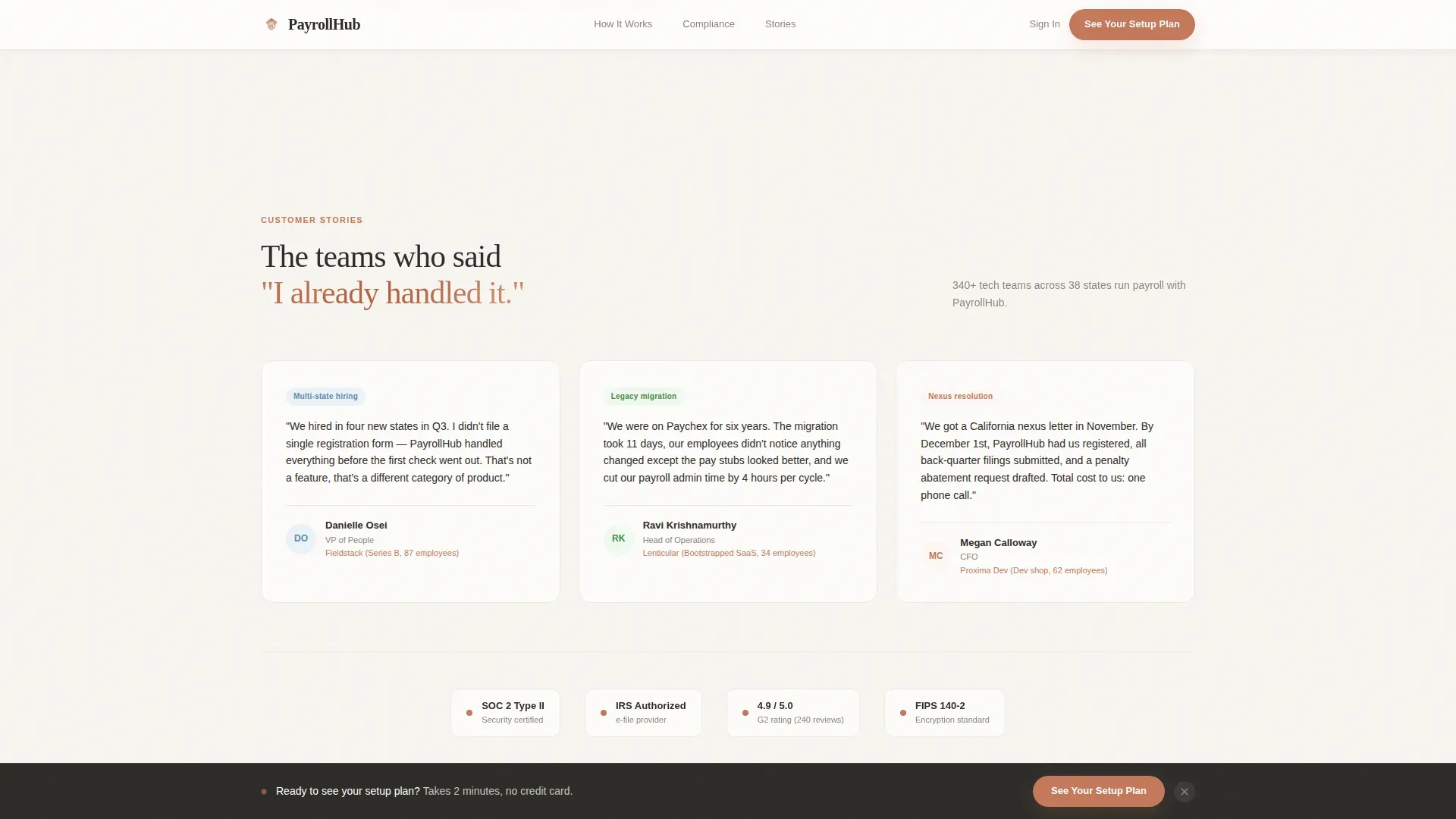
Named testimonials from VP of People, ops lead, and CFO personas appear with role and company context. Compliance statistics and state coverage counts add factual weight to the trust narrative.
Page sections overview
| Section | Purpose |
|---|---|
| Persona Selector Header | Match visitor to their specific payroll situation |
| Split-Screen Hero | Establish platform value with warm, clear layout |
| How It Works | Walk through four onboarding steps with interface panels |
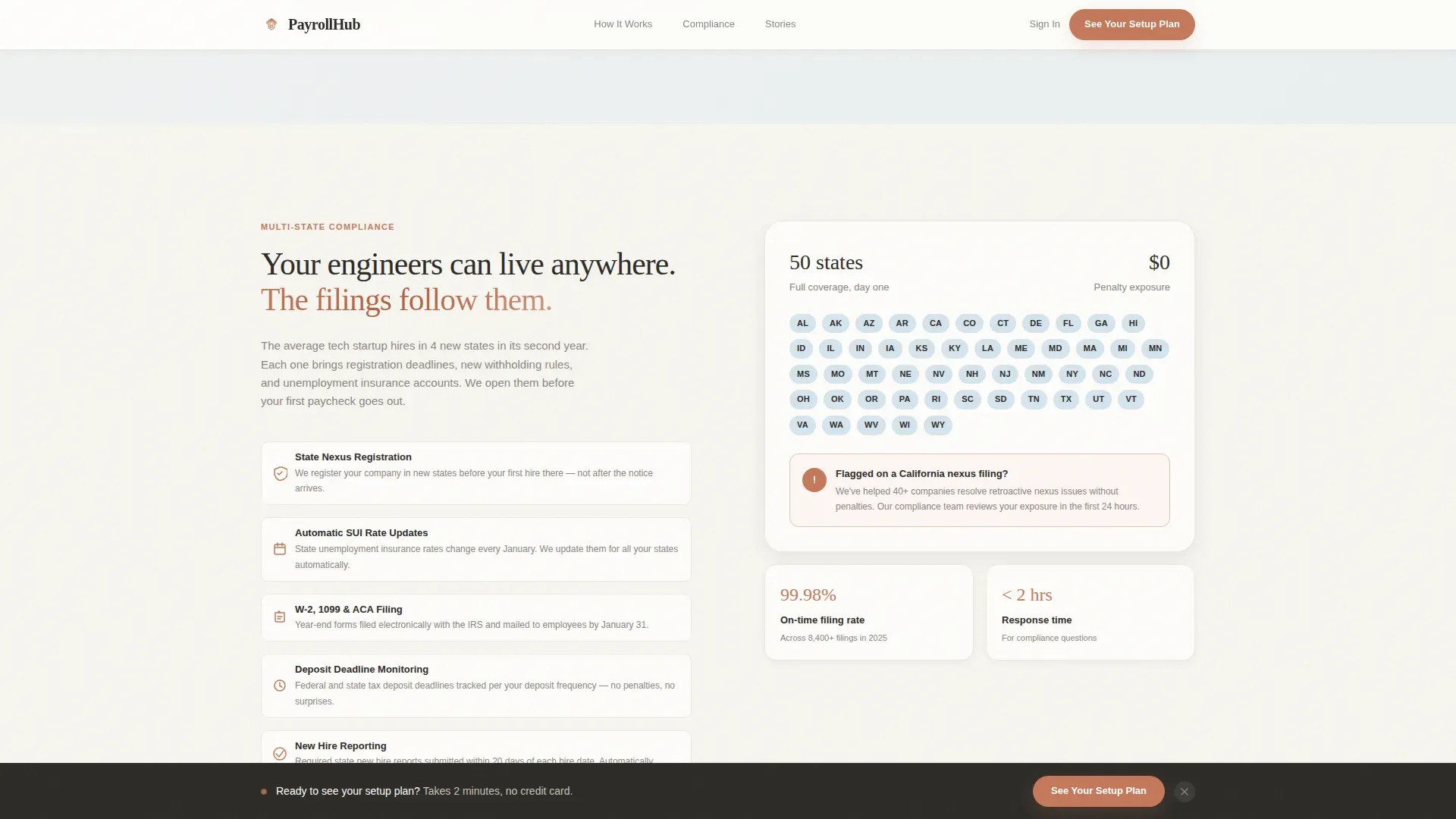
| Compliance Shield | Show multi-state coverage and specific compliance proof points |
| Social Proof | Build trust with role-matched testimonials and stats |
| Lead Gen Form | Capture qualified leads via progressive disclosure |
| PDF Checklist Download | Offer a secondary path for visitors not yet ready to talk |
| Footer | Provide single-row navigation and closing context |
Design & branding system
The visual identity follows a Community Hearth theme built on the Cloud Canvas color system. The palette feels like a well-lit co-working space: approachable, unhurried, and quietly competent. Every color choice has a clear job to do.
- Soft linen white (#F7F5F0) carries the primary background, warm charcoal (#2D2B28) handles body text, muted terracotta (#C4785B) drives all buttons and interactive accents, and pale sky wash (#D6E4EE) separates content panels without hard borders
- Typography pairs Fraunces serif for display headings with DM Sans for body copy, giving the page a handset warmth rather than a clinical software feel
- Terracotta marks every clickable element so the visitor's eye always knows where to go next
Mobile & speed optimization
The template is built desktop-first to match how business-to-business software-as-a-service decision makers typically research tools. Full mobile support is included so no visitor is left without a functional experience.
- Server Components handle all static sections to keep rendering lean, while Client Components manage the interactive persona selector and progressive form
- GSAP ScrollTrigger powers the scroll-linked step reveals and persona card interactions, keeping animations smooth without overloading the browser
- The split-screen layout adapts cleanly to smaller viewports so the step guide and form remain easy to follow on any screen size
How this template helps you convert
The page is structured to earn each micro-commitment before the next ask appears. By the time the lead form is visible, the visitor already knows exactly what happens after they submit.
- The persona selector creates immediate recognition, so the visitor feels understood before reading a single feature claim
- The four-step animated walkthrough removes uncertainty about the onboarding process, replacing anxiety with a clear picture of what comes next
- The sticky call-to-action bar and the gated checklist download give visitors two appropriately timed paths to convert, whether they are ready to talk now or still gathering information
Other information about this template
This template is a strong fit for payroll technology companies that want to reach HR and finance decision makers at growth-stage software businesses. It is built to serve a niche where trust is earned through clarity, not urgency.
- The landing page is localized for a United States English audience, using USD, MM/DD/YYYY date formatting, and a focus on US state compliance scenarios
- The design system and interaction patterns are consistent with standards used by modern business-to-business software-as-a-service platforms targeting Series B and bootstrapped startup buyers
- The footer uses a linear single-row pattern that keeps the closing experience clean and uncluttered
Theme
Community Hearth
Creative direction
Step-by-Step Guide
Color system
Cloud Canvas
Style
Split Screen (50/50)
Direction
Lead Generation
Page Sections
Persona Selector with Page Reframing
Four-step Scroll-animated Walkthrough
Sticky Call-to-action Bar
Progressive Disclosure Lead Form
Gated Compliance Checklist Download
Role-matched Social Proof Section
Related questions
Who is this landing page template built for?
Can I change the persona cards to match my own audience segments?
How does the progressive disclosure form work?
Is the compliance checklist download included as a template component?
Does the page support two separate conversion paths?



