Pet Benefits Landing Page Template for HR Teams
Pawroll is a sidebar companion landing page template built for a pet benefits platform targeting HR leaders, benefits brokers, and CFOs at mid-size tech companies. It combines a persona-driven layout, a five-step readiness quiz with a real-time score gauge, and a stats-first content rhythm to guide each visitor from arrival to a booked plan walkthrough.
by Rocket studio
Quick summary
Pawroll is a sidebar companion landing page template for a pet benefits service. It greets visitors with a three-card persona selector, then adapts its language, stats, and testimonials to match their role. A five-question assessment scores their benefits readiness in real time, and the sidebar tracks their progress pad by pad until they book a walkthrough.
Who this template is for
This template is built for teams selling or evaluating a payroll-deductible pet benefits platform. It speaks clearly to three distinct decision-makers, each with different priorities and proof points.
- People Operations directors at mid-size tech companies who need a retention edge without adding another low-engagement perk
- Benefits brokers looking for a differentiator that stands apart from standard wellness add-ons
- CFOs and finance leaders who require utilization data before approving a new line item in the benefits budget
What problem this template solves
Mid-size employers compete against larger companies for talent but rarely win on salary alone. Generic wellness perks no longer move the needle, and HR teams struggle to prove ROI on new benefits spending. This template addresses that gap directly.
- It reframes pet benefits as a measurable retention tool, not a soft perk, by leading every section with a concrete number before adding explanation
- It removes friction for three separate buyer types by letting each persona self-select and see only the proof points relevant to their role
- It turns a passive scroll into an active evaluation by building a personalized readiness score that ends with one clear next step
What you get with this template
The template ships as a fully structured, single-page layout with an interactive sidebar. Every major section is pre-built and ready to be customized with your own data, testimonials, and branding.
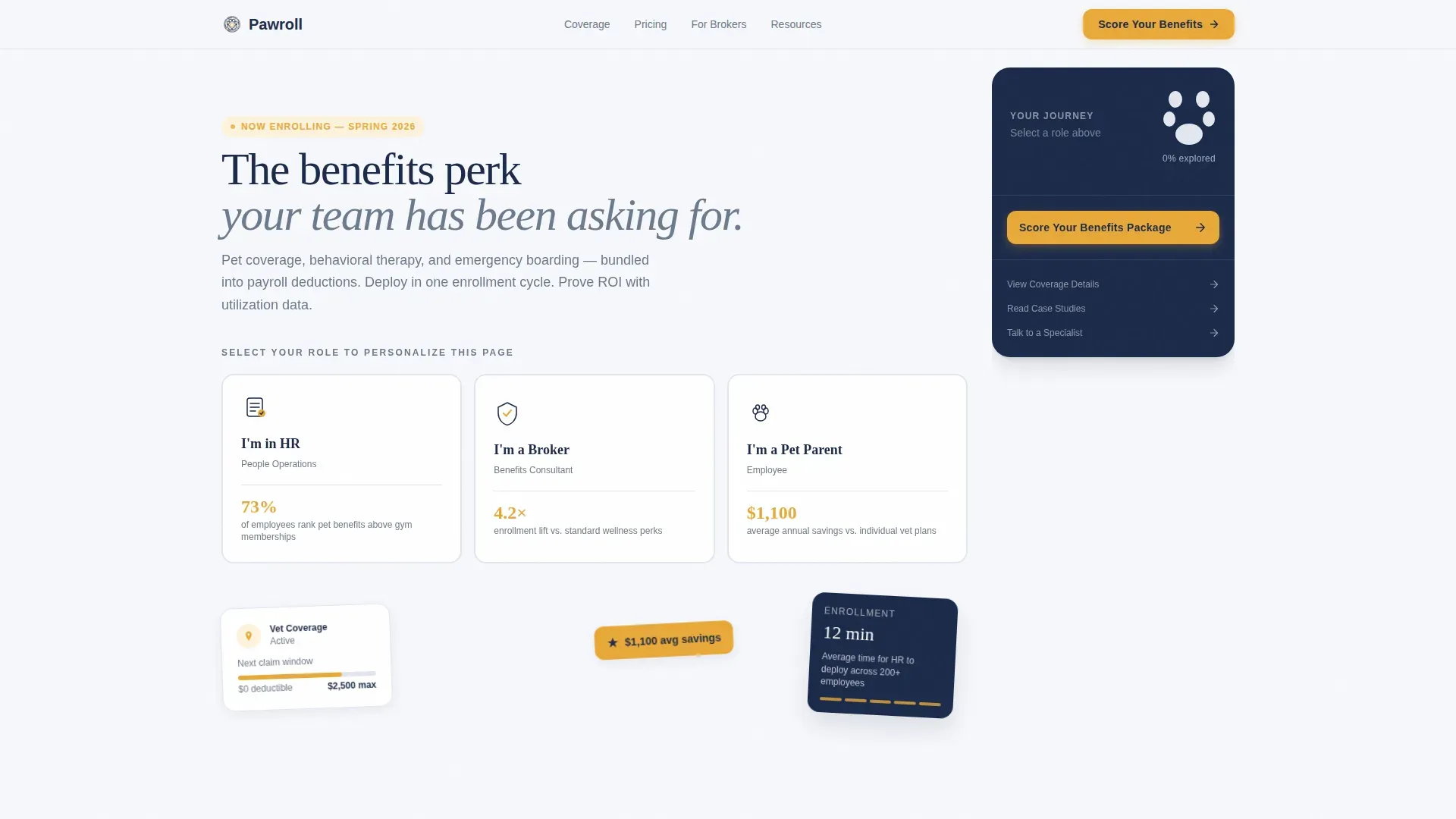
- A persona selector hero with three illustrated cards, each carrying a role-specific headline stat and hover lift effect
- A five-step quiz with a real-time Pet Benefits Readiness Score gauge visible in the locked sidebar throughout the assessment
- A bento grid coverage section, a persona-filtered social proof block with testimonial tracks and a company logo strip, and a stats-first scrolling rhythm with fade-in-up reveals
Feature list
This template is built around high-interactivity components that serve a specific conversion purpose. Each feature below is drawn directly from the page structure described in the brief.
Persona Selector Header
Three illustrated cards sit centered in the viewport at page load. Each card carries a minimal icon and a single role-specific stat. Selecting a card reframes the page's language, proof points, and testimonial track to match that visitor's priorities, so an HR director and a CFO never read the same pitch.
Five-Step Readiness Quiz
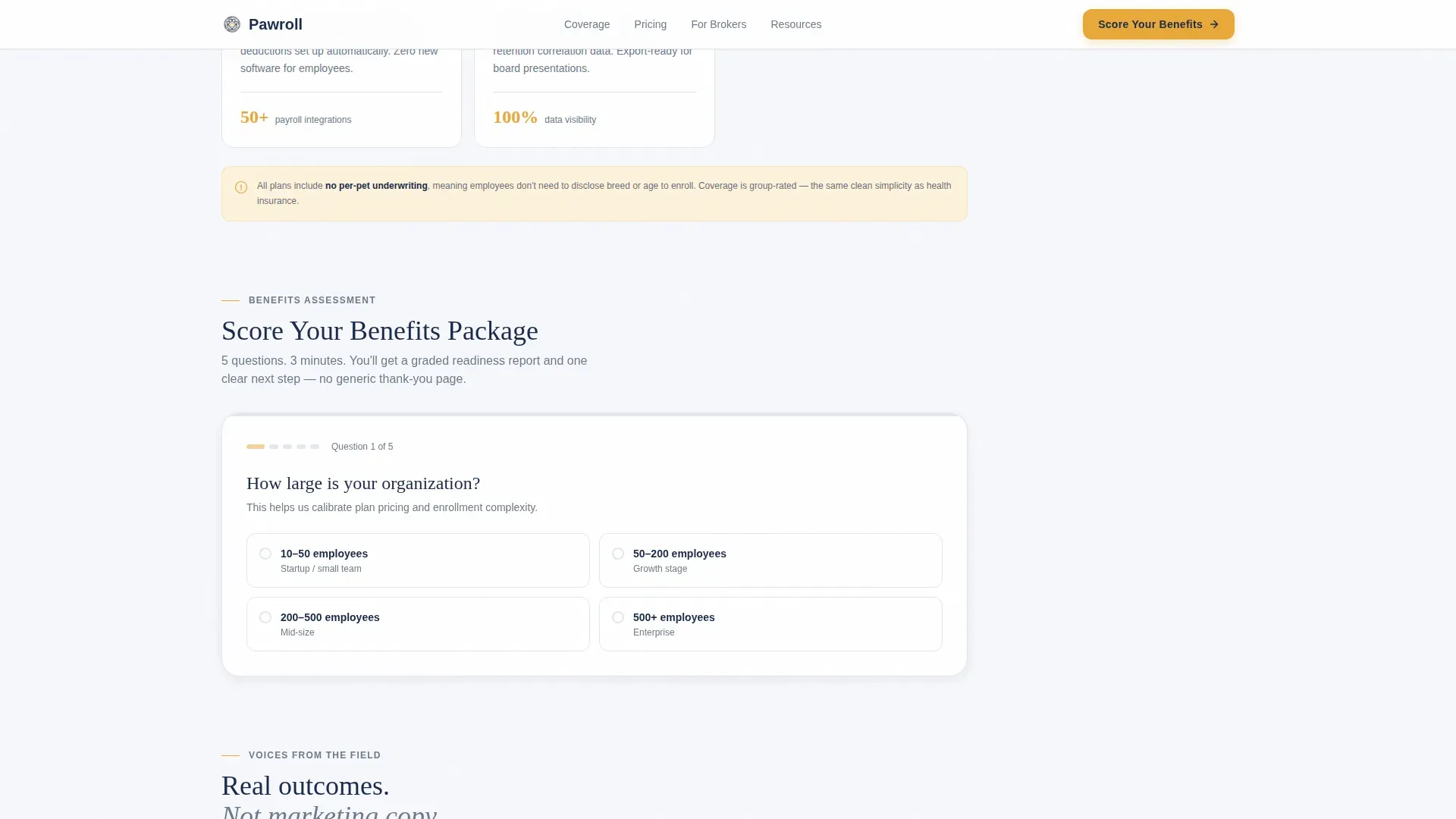
The primary call to action is "Score Your Benefits Package," a sequential five-question assessment covering company size, existing pet benefits, annual budget per employee, top retention challenge, and enrollment timeline. Each answer updates a real-time score gauge in the sidebar, turning the quiz into a personalized diagnostic rather than a generic form.
Paw Progress Sidebar
The persistent sidebar locks into place after persona selection. It displays a paw print progress tracker that fills in pad by pad as the visitor moves through sections. It also accumulates the visitor's selected persona stats into a growing personalized snapshot, rewarding continued scrolling with increasing relevance.
Stats-First Content Rhythm
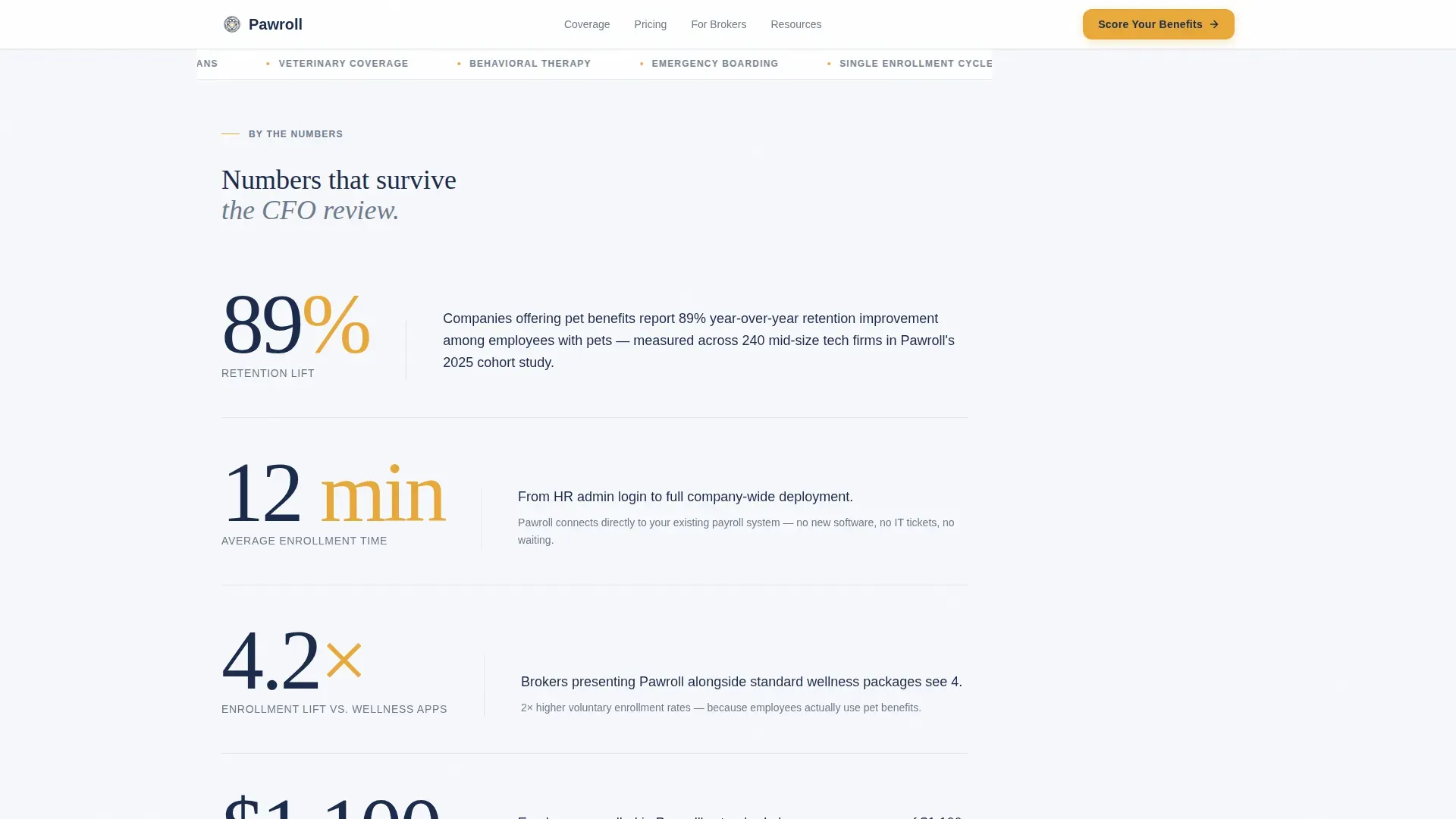
Every content section opens with a large-set number or percentage before any explanatory copy appears. Headlines like "89% retention lift" and "12 minutes" land first, then a short paragraph provides the context. This sequence creates a surprise-then-understanding rhythm that keeps attention high throughout the scroll.
Coverage Bento Grid
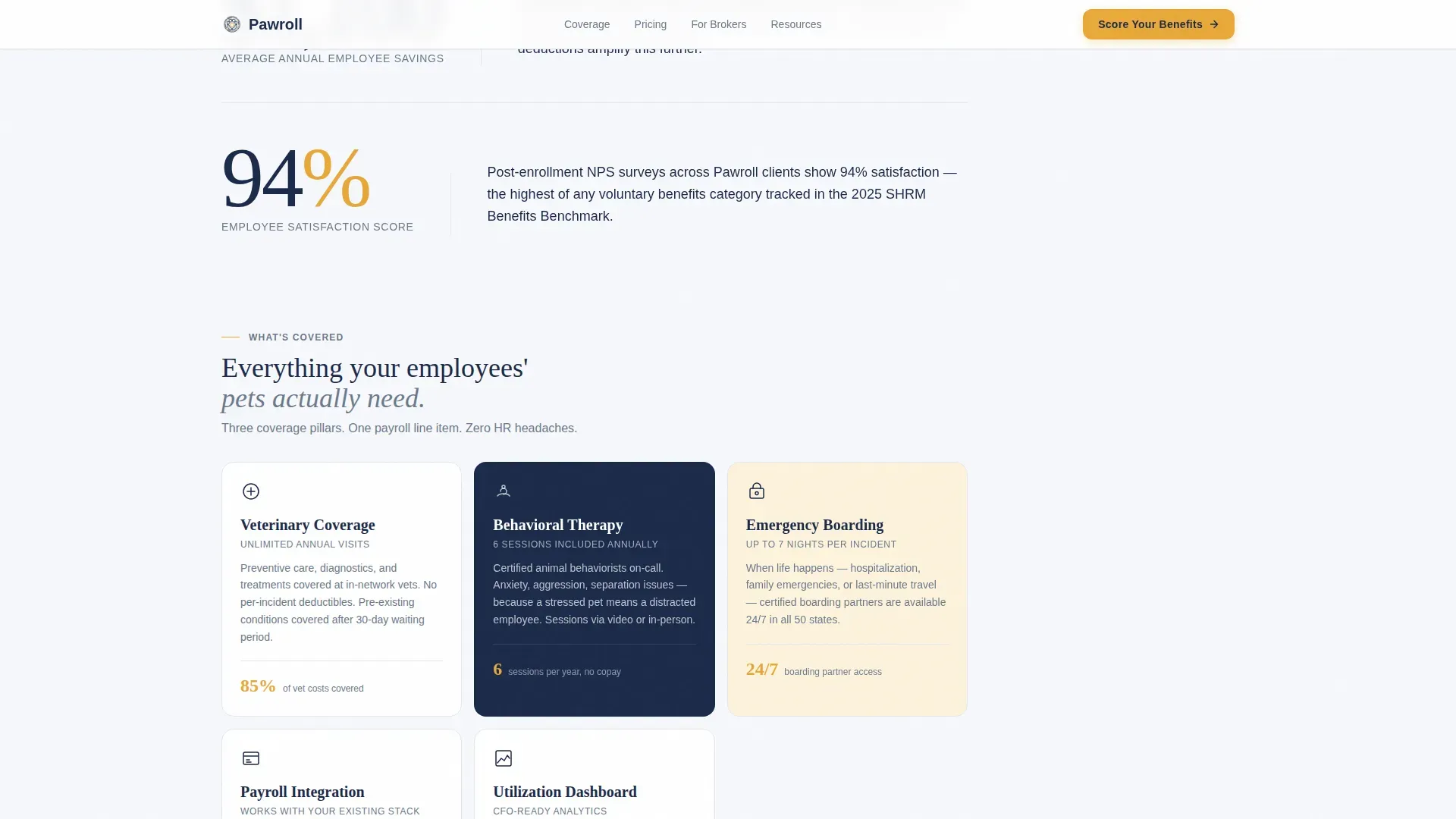
A structured bento grid presents the three core coverage pillars: veterinary coverage, behavioral therapy sessions, and emergency boarding. The grid format allows each benefit to breathe visually while sitting side by side for easy comparison, which suits the decision-making pace of benefits reviewers.
Graded Report and Calendar Embed
On quiz completion, the visitor receives their scored readiness report showing gaps and relevant recommendations. A calendar embed immediately follows so they can book a fifteen-minute plan walkthrough without leaving the page or navigating to a separate confirmation screen.
Page sections overview
| Section | Purpose |
|---|---|
| Persona Selector Hero | Let visitors self-identify and reframe the entire page to their role |
| Stats Impact Block | Lead with key numbers to create a surprise-then-context scroll rhythm |
| Coverage Bento Grid | Present veterinary, behavioral, and boarding benefits side by side |
| Readiness Quiz | Guide visitors through five questions and generate a real-time score |
| Social Proof Block | Show role-filtered testimonials and a company logo strip |
| Footer Row | Provide a clean single-row close with minimal navigation |
Design & branding system
The visual identity follows a Corporate Precision theme. The palette is restrained and institutional but carries just enough warmth to signal that this platform is about people and their pets, not just policy documents.
- Colors: soft cumulus white (#F7F8FC) for primary backgrounds, policy-gray (#6B7A8D) for body text and structural lines, deep boardroom navy (#1B2A4A) anchoring the persistent sidebar and section headers, and golden retriever amber (#E8A838) reserved exclusively for interactive elements, progress indicators, and call-to-action surfaces
- Typography: Fraunces serif display for headlines, which adds warmth and confidence, paired with DM Sans for all body copy and interface elements to keep reading comfortable at any size
Mobile & speed optimization
The template is designed desktop-first, reflecting the reality that HR and benefits decisions are typically made at a desk. The sidebar companion layout and multi-column bento grid are built for wide viewports.
- The layout is mobile responsive, so the sidebar collapses gracefully and the persona cards stack cleanly on smaller screens without losing the core interaction flow
- Interactive elements including the quiz gauge and paw progress tracker use client-side components, while static content sections use server-rendered markup to keep initial load weight low
How this template helps you convert
The entire page is engineered around a single conversion path: assess, score, and book. Every design and content decision points toward that outcome.
- The persona selector immediately makes each visitor feel the page was built for them, which reduces bounce and increases time spent reading role-specific proof points and coverage details
- The readiness quiz turns a passive visit into an active investment by building a personalized score the visitor wants to see completed, and the in-sidebar stat accumulation deepens that investment with every scroll
- The graded report and embedded calendar on quiz completion remove every step between "I'm interested" and "I have a meeting booked," keeping the momentum from the assessment flowing directly into a scheduled conversation
Other information about this template
This template is suited for use as a marketing landing page for a pet benefits service, a sales enablement asset for benefits brokers presenting to HR clients, or a lead generation page for a people operations conference or webinar follow-up.
- The three-persona architecture means a single page URL can serve an HR director, a broker, and a CFO without requiring separate campaign pages
- The stats-first content rhythm pairs well with paid social or email campaigns where the audience has already seen a headline number and wants validation before booking
- Animation levels are set to medium-high, with fade-in-up reveals on stat blocks, rotating floating cards in the hero, and a real-time gauge animation during the quiz, all of which can be adjusted to match a specific brand's motion preferences
Theme
Corporate Precision
Creative direction
Stats-First Impact
Color system
Cloud Canvas
Style
Sidebar Companion
Direction
Quiz/Assessment
Page Sections
Persona Selector with Role-specific Stats
Five-step Pet Benefits Readiness Quiz
Paw Print Progress Sidebar
Stats-first Content Sections
Coverage Bento Grid
Graded Report and Booking Embed
Related questions
Can I customize the quiz questions for a different benefits product?
Does the persona selector require separate page builds for each audience?
What does a visitor see after completing the readiness quiz?
Is this template suitable for a benefits broker presenting to a corporate HR client?
How does the paw print progress tracker work?



