Pave - Seamless Asphalt Landing Page Template
Pave is a single-page landing page template built for Cape Town paving and asphalt companies. It pairs a bold charcoal-and-sky-blue visual identity with a transparent comparison table, a six-step process strip, and a dual lead-capture system. The result is a page that earns trust through specificity and drives enquiries from homeowners, estate managers, and body-corporate clients alike.
by Rocket studio
Quick summary
Pave is a comparison-table landing page template designed for Cape Town paving and asphalt contractors. It combines a stark, dark visual identity with transparent cost breakdowns, a step-by-step process strip, and two lead-capture paths. Every section is built to convert cautious buyers into booked site assessments.
Who this template is for
This template is built for paving and asphalt businesses serving the Cape Town metro area. It speaks directly to contractors who win work through clarity and credibility rather than flashy design.
- Estate managers and body-corporate chairs who need to justify spend at an annual general meeting
- Homeowners extending driveways or resurfacing parking areas before the wet season
- Paving companies covering multiple surface types across the Cape Flats and Atlantic Seaboard
What problem this template solves
Most trades businesses lose leads because their web presence looks generic and vague. Potential clients cannot compare options, cannot see a clear process, and cannot easily request a quote. Pave fixes that with structured, honest information.
- Visitors have no easy way to compare asphalt, interlocking pavers, and tar-and-chip side by side
- Commercial and residential buyers need different entry points, but most templates force a single path
- Contractors waste time on unqualified enquiries because visitors cannot self-select before submitting a form
What you get with this template
The template delivers a complete, single-page layout that guides visitors from first impression through to a submitted lead. Every section has a defined job and a clear visual hierarchy.
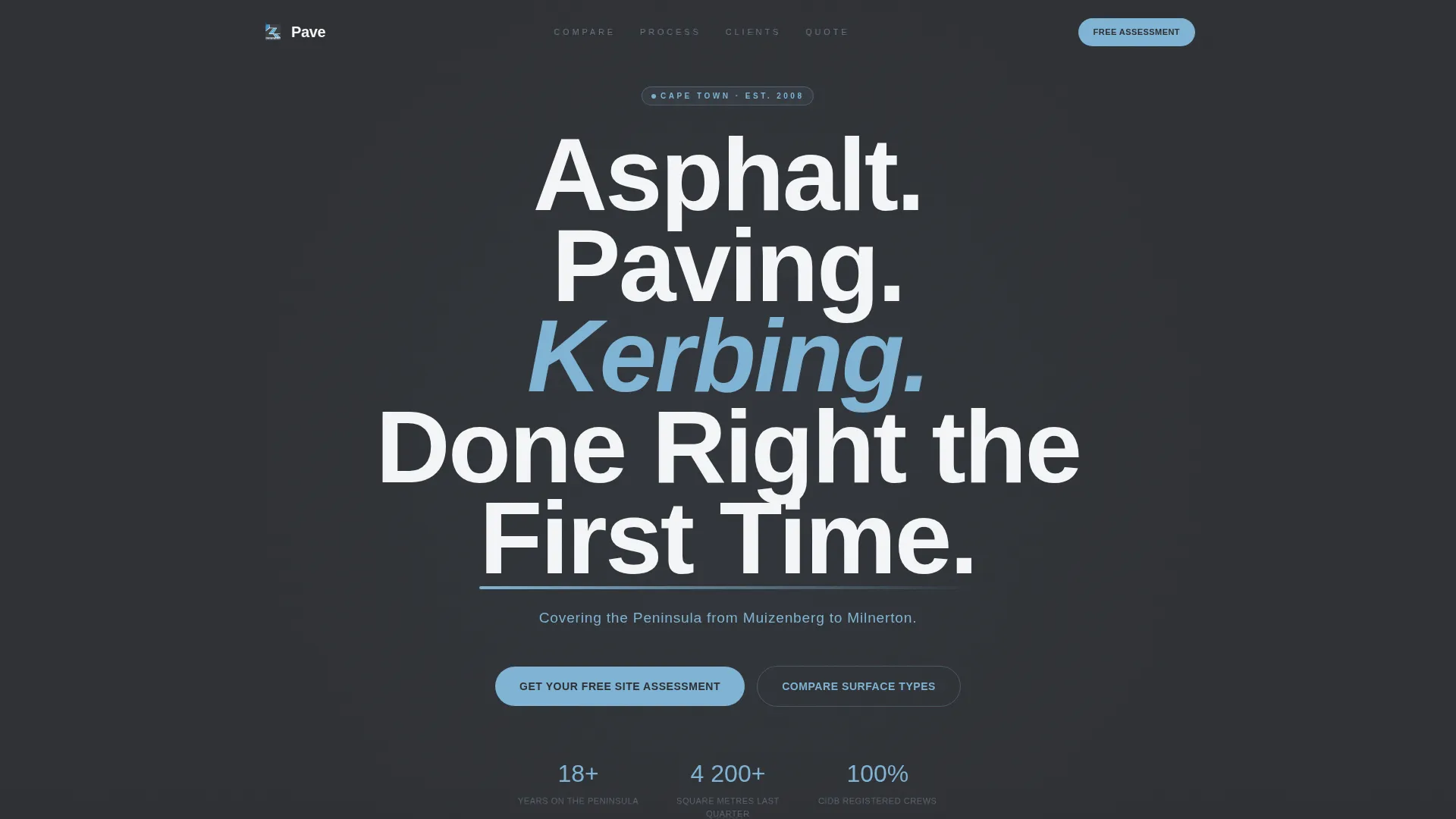
- A giant centered headline section with a service-area subtitle in sky blue
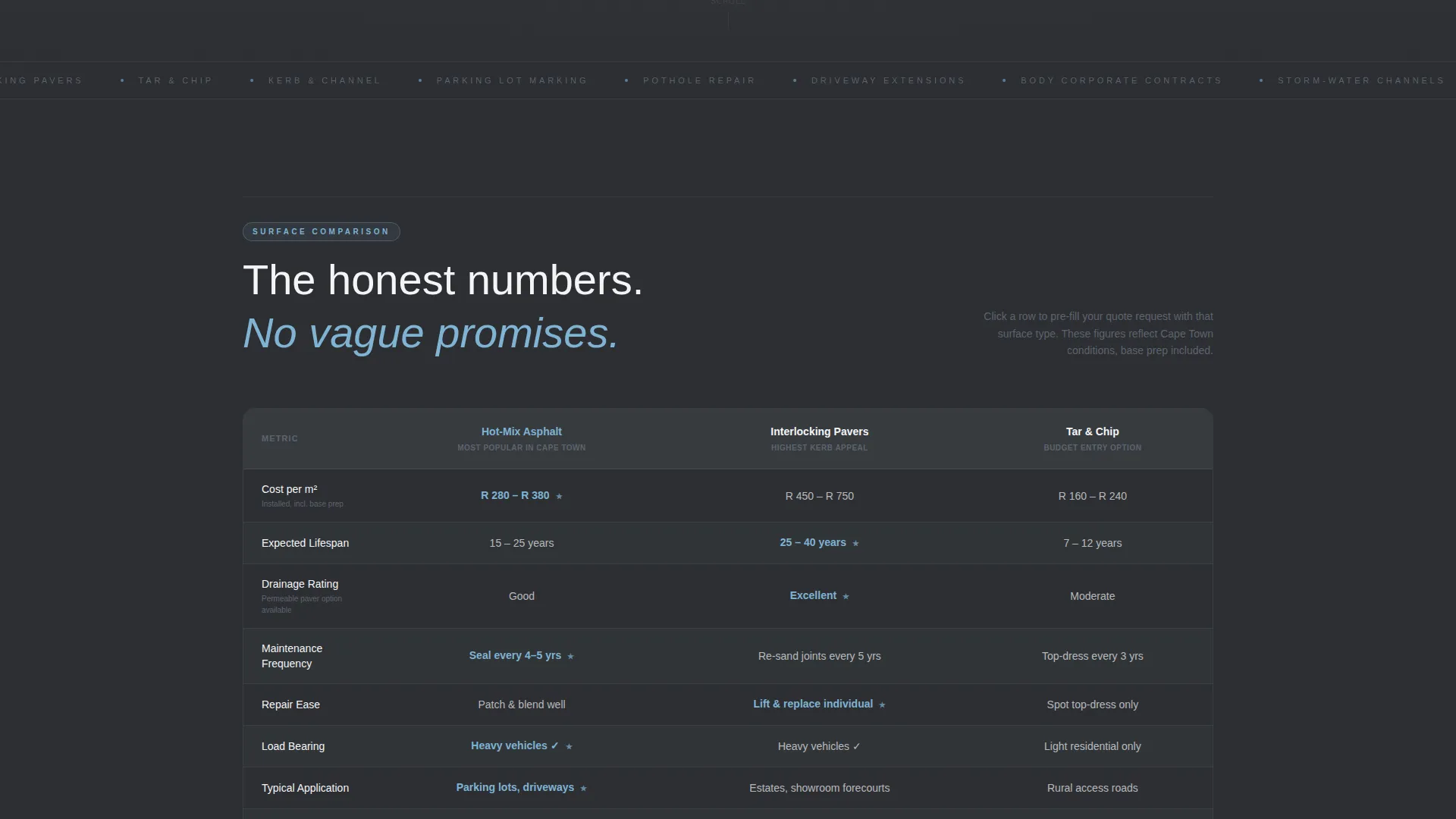
- A side-by-side material comparison table covering cost, lifespan, drainage, and maintenance
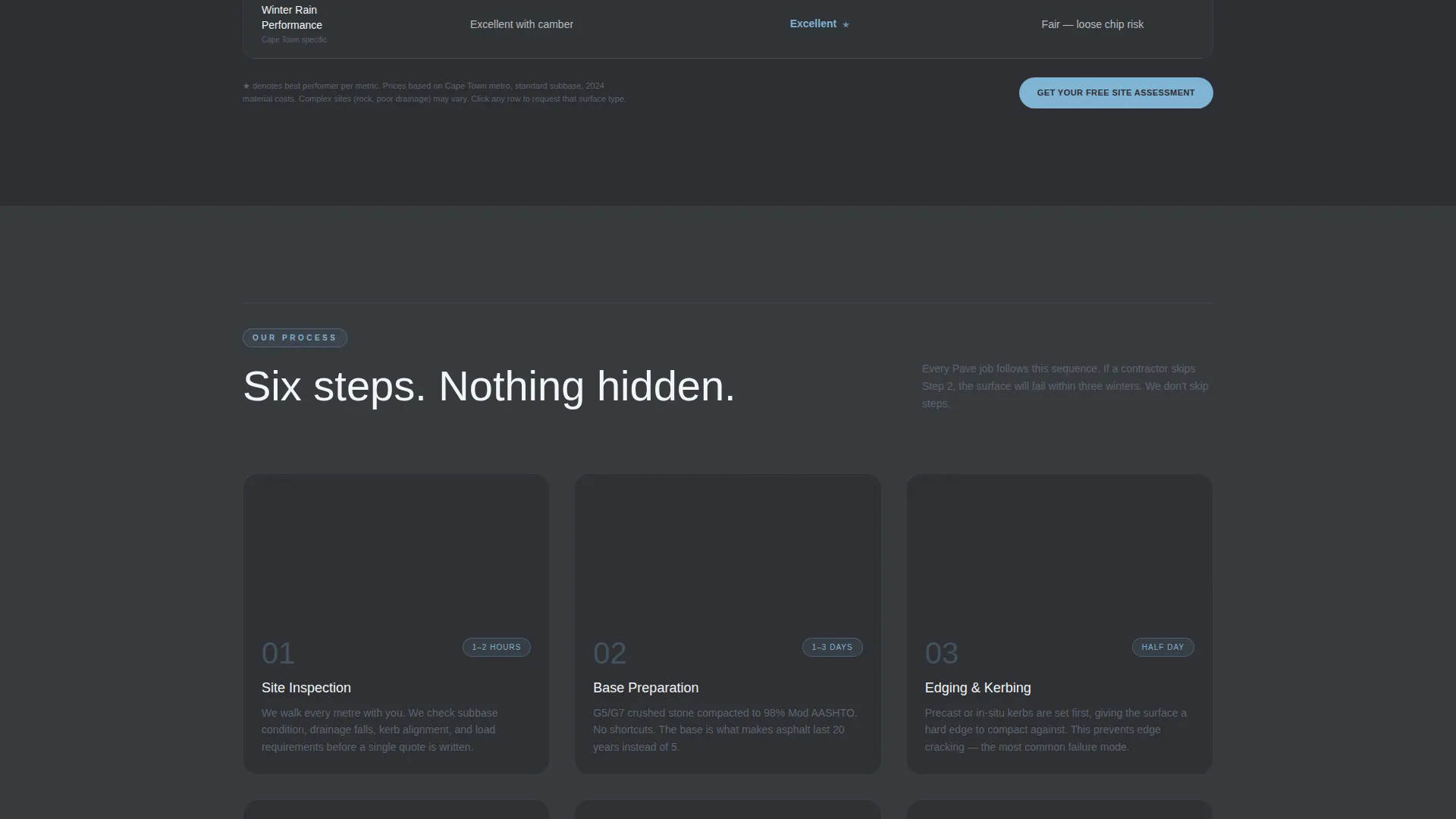
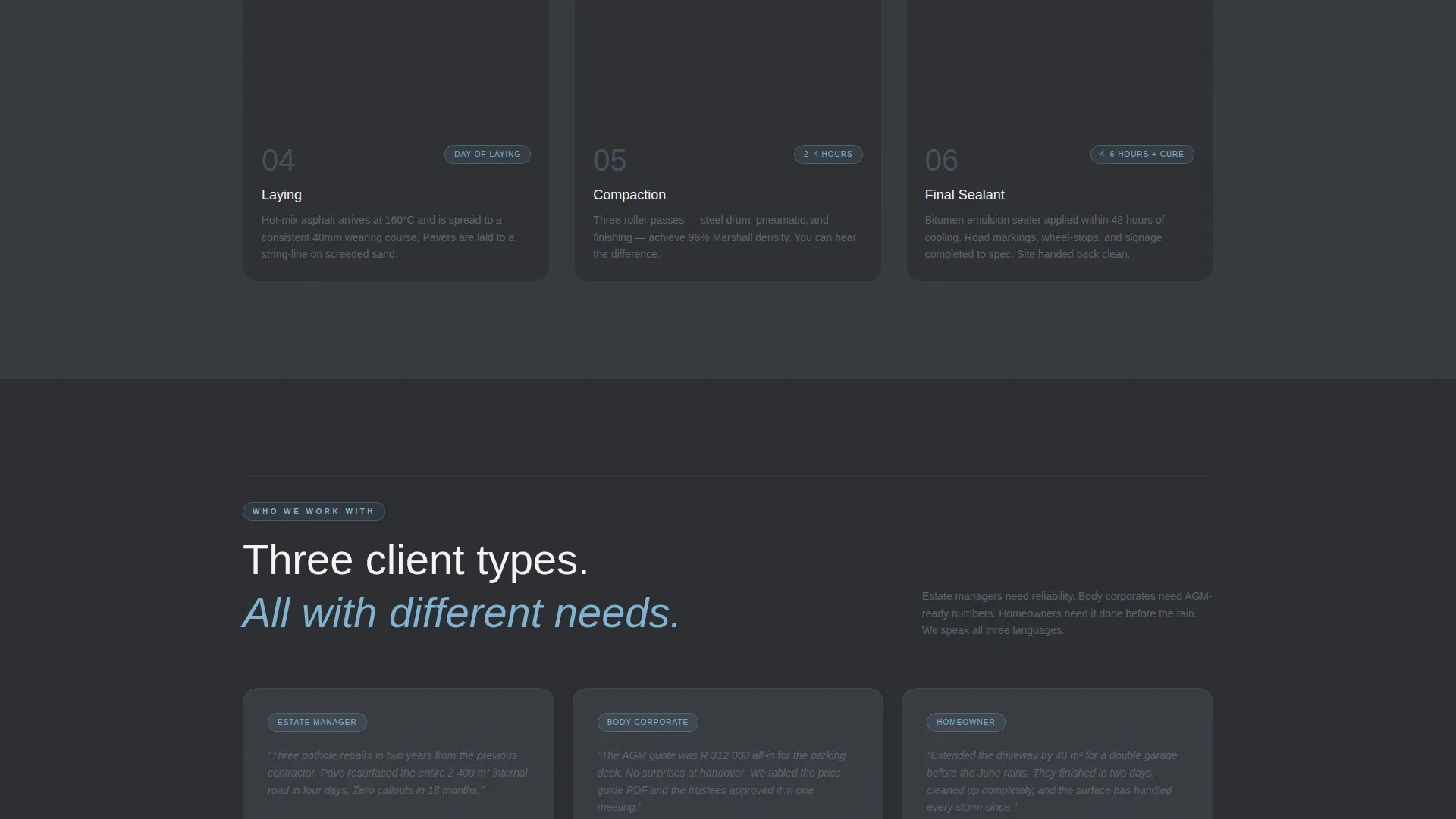
- A six-step process strip with worksite photograph placeholders and estimated timelines
- Two lead-capture paths: a free site assessment form and a downloadable price guide opt-in
Feature list
This template is built around a small set of high-impact components. Each one serves the conversion goal directly.
Side-by-Side Comparison Table
The table compares asphalt, interlocking pavers, and tar-and-chip across four criteria: cost per square metre, lifespan, drainage rating, and maintenance frequency. Real numbers replace vague promises, so visitors can make an informed choice before they even fill in the form.
Six-Step Process Strip
A horizontal strip walks visitors through every job stage, from site inspection and base preparation through edging, laying, compaction, and final sealant. Each step includes a single worksite photograph placeholder and an estimated timeline, turning the scroll into a transparent job walkthrough.
Dual Lead Capture System
The primary call to action, "Get Your Free Site Assessment", appears once below the comparison table and once pinned to the bottom of the viewport on mobile. A secondary opt-in offers a downloadable PDF price guide, capturing name and email from visitors not yet ready to commit.
Smart Site Assessment Form
The form collects property type (residential, commercial, or body corporate), a surface area estimate in square metres with a helper note for uncertain buyers, a preferred material field that pre-selects based on comparison table interaction, and a suburb dropdown filtered to the Cape Town metro area.
Giant Headline Header Section
The header is a full-width charcoal field carrying a single heavy condensed headline and one line of sky-blue service-area text. No images compete for attention. The confidence comes from the emptiness of the layout and the directness of the claim.
Slate and Sky Color System
The four-color palette uses deep bitumen charcoal for backgrounds, wet-slate gray for body text and secondary panels, Table Mountain sky blue for every clickable element and active state, and safety-line white for spacing and readability. The system is consistent across every section of the page.
Page sections overview
| Section | Purpose |
|---|---|
| Giant Headline Header | Establishes service claim and coverage area |
| Material Comparison Table | Lets visitors compare surface options side by side |
| Six-Step Process Strip | Shows the full job workflow with timelines |
| Site Assessment Form | Captures qualified residential and commercial leads |
| Price Guide Opt-In | Converts undecided visitors into email leads |
| Mobile Pinned call to action | Keeps the primary call to action always visible |
Design & branding system
The Slate and Sky color system is built around a Cape Town morning palette. Dark tones dominate, with blue and white used deliberately to guide attention and create breathing room.
- Charcoal (#2D2F33) covers backgrounds and section dividers; slate gray (#5C6370) carries body text and secondary panels
- Sky blue (#7FB3D3) marks every clickable element, active state, and the service-area subtitle in the header
- Safety-line white (#F4F5F7) opens space between dense comparison rows and keeps text legible at all viewport sizes
Mobile & speed optimization
The template is structured for a smooth experience on the mobile devices that paving clients most commonly use when requesting quotes on site or between meetings.
- The primary call-to-action button is pinned to the bottom of the viewport on mobile so it stays reachable at every scroll depth
- The comparison table and six-step process strip are laid out to remain readable on smaller screens without requiring horizontal scrolling
- The header section uses no background image, keeping the first visible content fast to render and immediately legible
How this template helps you convert
Every layout decision in Pave is made with lead generation in mind. The page does not rely on social proof or brand recognition; it converts through specificity and a clear next step.
- The comparison table removes the most common objection before it is raised, giving visitors the cost and durability data they need to self-qualify and choose a material with confidence.
- The dual call-to-action system captures both high-intent buyers ready for a site visit and lower-intent visitors who want to research first, so no traffic leaves the page empty-handed.
Other information about this template
Pave is a Service Utility theme template with a Transparent Process creative direction. It is designed as a standalone landing page, not a multi-page website.
- The template style is a Comparison Table layout, suited to any trade or professional services business that sells multiple service tiers or material options
- The header concept follows a Giant Headline Centered approach, a format that works particularly well for local service businesses where the claim and the coverage area are the product
- The suburb dropdown in the lead form is pre-filtered to the Cape Town metro, making the template most relevant for contractors operating across areas such as Muizenberg, Milnerton, the Cape Flats, and the Atlantic Seaboard
- The downloadable PDF path ("Download Our 2024 Paving Price Guide") gives the business a second database-building asset alongside the primary booking form
- The template sits in the Cape Town Local Services subcategory and Professional Services category, making it a direct fit for asphalt laying, driveway paving, kerb edging, parking lot resurfacing, and related surface treatment businesses
Theme
Service Utility
Creative direction
Transparent Process
Color system
Slate & Sky
Style
Comparison Table
Direction
Lead Generation
Page Sections
Side-by-side Material Comparison Table
Six-step Process Strip
Dual Lead Capture System
Smart Site Assessment Form
Giant Headline Header Section
Slate and Sky Color System
Related questions
Can I use this template for a commercial paving business, not just residential work?
Does the comparison table work if I only offer one or two surface types?
What is the downloadable price guide section for?
Is this template suitable for a body-corporate or estate manager audience?
Can the suburb dropdown be updated to match my service area?



