Precision Asphalt Contractor Landing Page Template
Pave is a single-page landing page template built for precision asphalt contractors. It combines a dark, steel-toned visual identity with comparison tables, crew portraits, and a structured booking form. The design speaks directly to municipal engineers, commercial property managers, and general contractors who need proof of process before signing a contract.
by Rocket studio
Quick summary
Pave is a booking-focused landing page template for asphalt paving businesses that lead with crew expertise and measurable process. It uses a Monochrome Steel color system, full-bleed dark photography, and side-by-side comparison tables to build trust before the visitor reaches the scheduling form.
Who this template is for
This template is built for asphalt paving contractors who work on commercial and municipal-scale projects. It suits operators who want to present their team, their standards, and their process in a format that speaks to technically minded buyers.
- Municipal engineers specifying county road resurfacing contracts
- Commercial property managers repaving distribution center lots before lease renewals
- General contractors sourcing a paving subcontractor with documented precision
What problem this template solves
Most paving company pages show a phone number and a few photos. That approach fails with buyers who need proof of process before they commit budget. Pave closes that gap by presenting crew credentials, process metrics, and comparison data in a structured, scroll-driven format.
- Buyers cannot evaluate a paving crew's precision from generic "quality work" claims
- Side-by-side comparisons are absent from most contractor pages, leaving decisions to guesswork
- Scheduling friction is high when visitors cannot find a clear, low-commitment next step
What you get with this template
You get a complete single-page layout structured around crew introductions, data comparisons, and a conversion-focused booking flow. Every section is purpose-built to move a skeptical buyer from first impression to scheduled site walk.
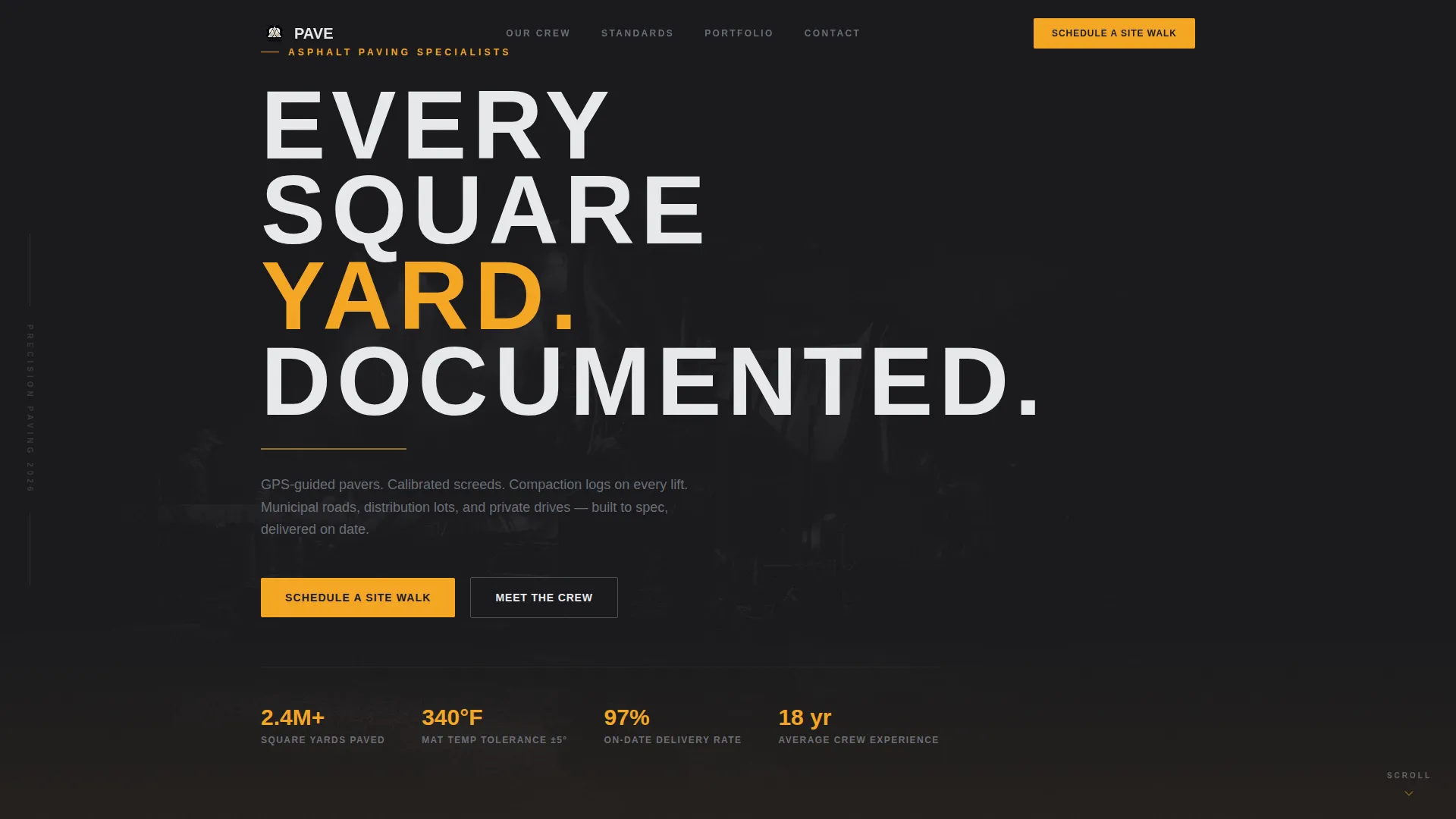
- A dark full-bleed header with a tracked-out headline and amber accent rule
- Alternating crew portrait sections paired with comparison tables showing process metrics
- A sticky bottom bar with a primary "Schedule a Site Walk" call to action and a secondary email-capture path
Feature list
The Pave template delivers a focused set of components designed specifically for the asphalt paving portfolio and gallery use case.
Dark Full-Bleed Header Section
The header uses a full-bleed aerial photograph of a paving crew working under stadium-grade LED light bars. The image is set at 95% darkness with no overlay gradient. A tracked-out uppercase headline fades in after a brief pause, followed by a pulsing amber rule and a scroll cue.
Crew Role Portrait Sections
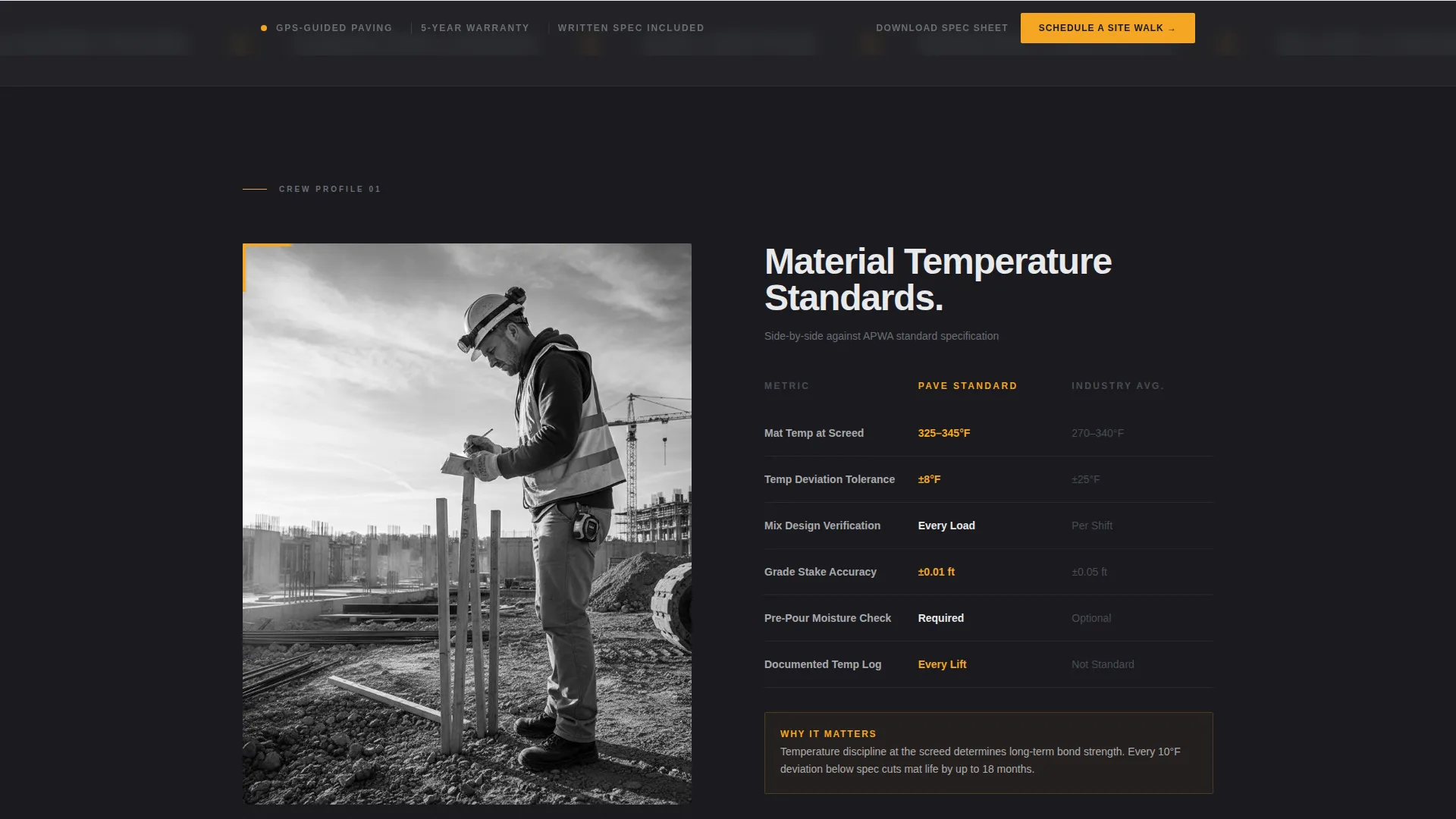
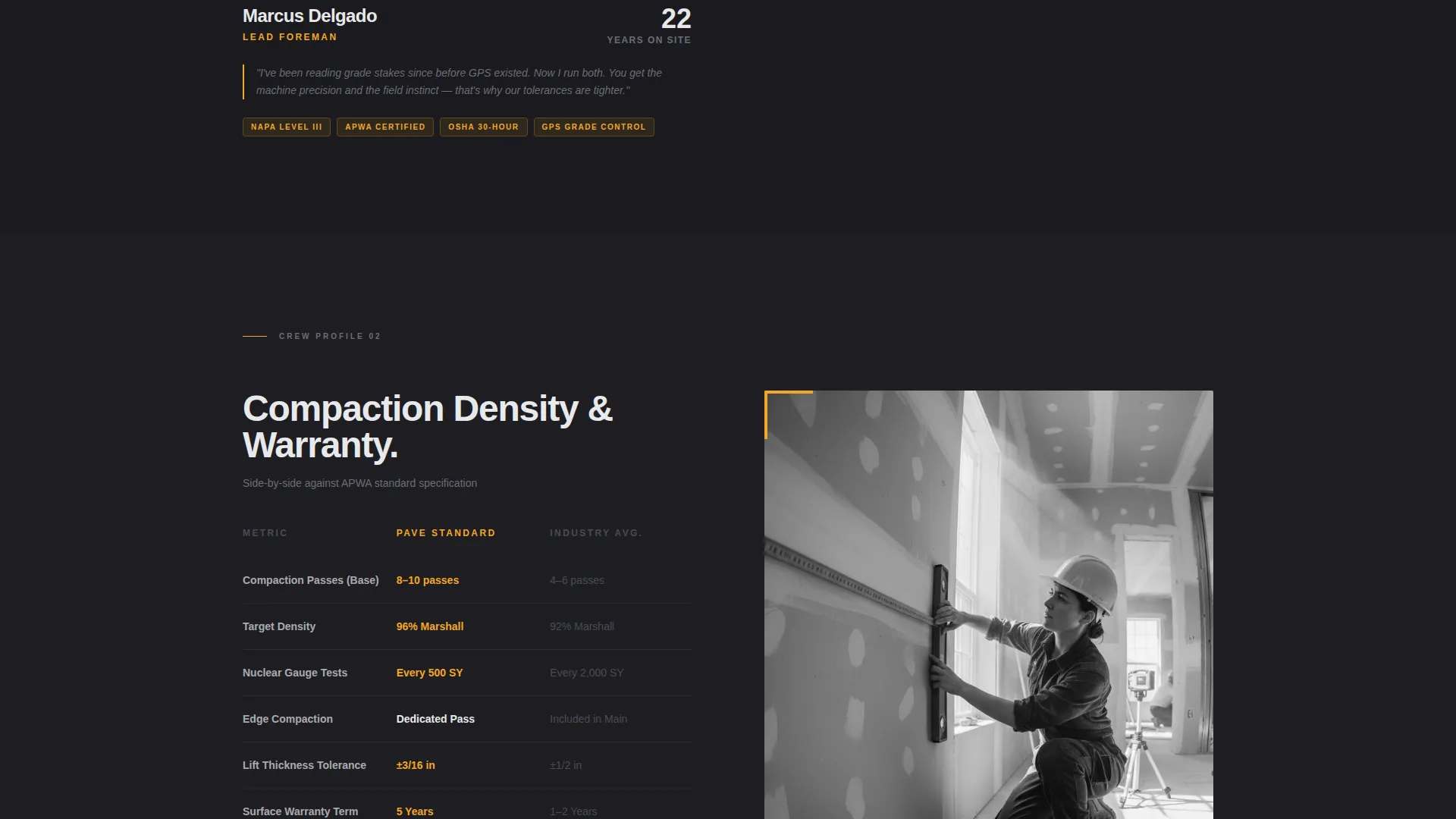
Each scroll section introduces a specific crew member by role: the foreman reading grade stakes, the screed operator checking depth, and the roller driver on the final pass. Portraits are styled as environmental on-site shots in hard light, paired with that person's years of experience and certifications.
Process Comparison Tables
Comparison tables appear between crew sections. Each table contrasts the company's documented process against the industry standard across metrics such as material temperature tolerances, compaction pass counts, and warranty terms. These tables give technical buyers the data they need to justify a decision.
Sticky Booking Bar
A sticky bottom bar appears after the visitor scrolls past the first crew section. It anchors the primary call to action, "Schedule a Site Walk," in amber on black. The bar remains visible throughout the rest of the scroll journey.
Structured Scheduling Form
The scheduling form collects project address, estimated square footage via an interactive slider, surface type selection (parking lot, roadway, or private drive), and a preferred week picker. The form is designed to qualify leads without asking for unnecessary information upfront.
Secondary Lead Capture Path
A "Download Our Spec Sheet" option provides a lower-commitment conversion path. It captures an email address from visitors who are researching but not yet ready to schedule. This secondary path keeps warm leads in the pipeline.
Page sections overview
| Section | Purpose |
|---|---|
| Full-Bleed Header | Establishes brand tone and draws the visitor into the scroll |
| Crew Role: Foreman | Introduces the project lead with credentials and on-site portrait |
| Comparison Table One | Contrasts material temperature tolerances against industry standard |
| Crew Role: Screed Operator | Showcases depth-check precision with certifications |
| Comparison Table Two | Contrasts compaction pass counts and process discipline |
| Crew Role: Roller Driver | Closes the crew story with final-pass expertise |
| Comparison Table Three | Contrasts warranty terms and documented outcomes |
| Scheduling Form Section | Collects project details and preferred booking week |
| Spec Sheet Capture | Secondary email-capture for leads not yet ready to book |
| Sticky Booking Bar | Persistent call-to-action anchored throughout the page scroll |
Design & branding system
The template uses a Corporate Precision theme built on a Monochrome Steel color system. The palette is cold and industrial, with a single warm accent used sparingly to signal action.
- Core colors: forge black (#1A1A1E), rolled steel gray (#4A4D55), cured asphalt mid-tone (#6B6E76), and cool silver-white (#E8E9EB) for body text
- Accent: electric amber (#F5A623) reserved for calls to action, hover states, and data highlights only
- Backgrounds alternate between forge black and a barely-lighter charcoal to create depth without distraction
Mobile & speed optimization
The template layout is structured for clean rendering across screen sizes. The sticky booking bar, slider input, and comparison tables are all designed with compact mobile viewports in mind.
- The sticky bottom bar remains accessible on small screens without obscuring page content
- Comparison tables use a horizontally scrollable layout on narrow viewports so data stays readable
- Portrait sections stack vertically on mobile, keeping crew credentials visible without layout breakage
How this template helps you convert
The page is engineered so that every scroll section adds one more reason to book. By the time a visitor reaches the scheduling form, they have already seen the crew, the metrics, and the proof.
- Comparison tables build credibility incrementally by showing exact process metrics next to industry benchmarks, so the visitor arrives at the form already convinced.
- The sticky booking bar removes friction by keeping the primary call to action visible at all times, eliminating the need to scroll back to find a next step.
- The dual conversion paths, scheduling form and spec sheet download, capture both ready buyers and early-stage researchers in a single page flow.
Other information about this template
This template is designed for asphalt paving contractors who position themselves on precision and documentation rather than price. It is particularly well-suited for businesses targeting commercial and municipal clients who require process evidence before awarding a contract.
- The template style is a Comparison Table layout, making it one of the more data-forward options in the professional services category
- The header concept, Dark Full-Bleed with Glow, is well-matched to industries where on-site photography tells a stronger story than studio imagery
- The creative direction, Team and People, is intentional: it humanizes a trade business without sacrificing the technical credibility that contract buyers need
- The amber accent color is used with strict restraint, appearing only on calls to action, hover states, and key data highlights to preserve its visual impact
Theme
Corporate Precision
Creative direction
Team & People
Color system
Monochrome Steel
Style
Comparison Table
Direction
Booking/Scheduling
Page Sections
Dark Full-bleed Header with Glow
Crew Role Portrait Sections
Side-by-side Comparison Tables
Sticky Scheduling Bar
Structured Booking Form
Secondary Email Capture Path
Related questions
Who is this landing page template designed for?
Can I customize the comparison table content?
What does the scheduling form collect from visitors?
Is there a conversion path for visitors not ready to book?
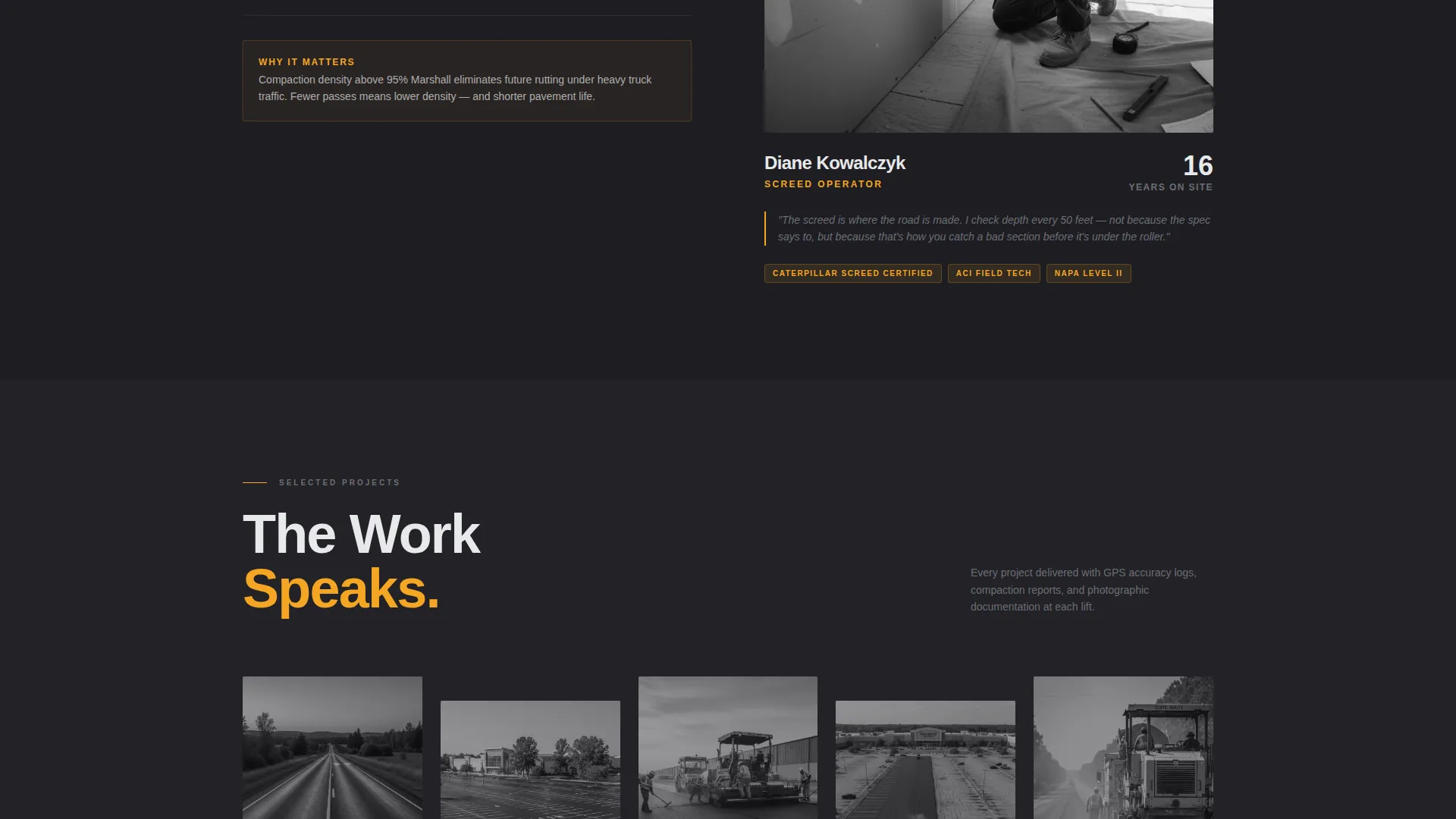
Can this template work as a paving portfolio and gallery page?



