AI for Travel Professional Website Template
Parse is a bento grid landing page template built for travel document processing APIs. It targets CTO-track engineers at online travel agencies, airline operations teams, and corporate travel platforms. The layout leads with a live code snippet hero, flows through technical spec cells, and converts with a progressive "Get API Keys" form that delivers a sandbox key on work email alone.
by Rocket studio
Quick summary
Parse is a developer-focused landing page template for a travel document OCR and extraction API. It uses a bento grid layout to present technical facts in self-contained cells, moving visitors from a live code demo through performance benchmarks, compliance badges, and social proof to a frictionless sandbox signup. The design runs on a dark terminal palette with teal interactive accents throughout.
Who this template is for
This template is built for engineering-led teams shipping document processing infrastructure into the travel industry. It speaks directly to technical buyers who evaluate APIs by reading schemas, not slide decks.
- CTO-track engineers at online travel agencies and corporate travel management platforms
- Engineering managers at airline operations teams handling high-volume document queues
- Developer-focused product teams building compliance-heavy travel tech workflows
What problem this template solves
Manual document review queues slow down travel operations at scale. Engineers drowning in regex pipelines and unstructured scan outputs need a landing page that proves API value instantly, not after a sales call.
- Removes the friction between a developer finding the API and testing it in a real environment
- Shows the response schema before asking for any contact details
- Answers compliance and security objections inside the same scroll session
What you get with this template
You get a complete, single-page bento grid layout designed specifically for a travel AI document processing API product. Every section is a technical fact, not a marketing claim.
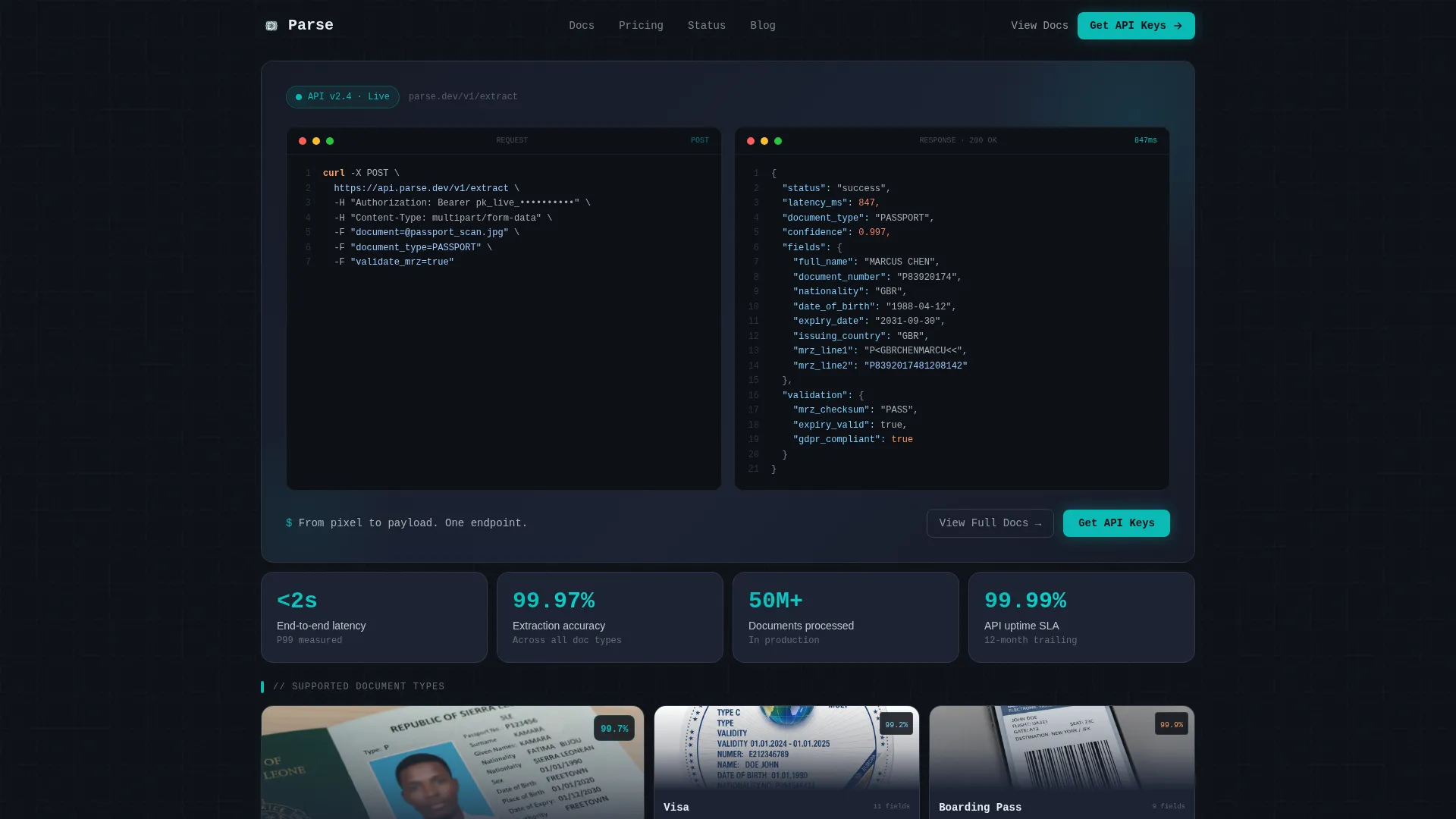
- A full-viewport hero bento cell with a live cURL request and animated JSON response, including teal-highlighted passport field values
- Six structured content sections covering document types, latency benchmarks, compliance certifications, and engineering social proof
- A progressive lead generation form that issues a sandbox key on work email alone, with an optional secondary step for volume and document type
Feature list
This section walks through the core built-in capabilities of the Parse template.
Live Code Snippet Hero
The header occupies a full-viewport bento cell split into a cURL request on the left and a JSON response on the right. Passport field values such as document number, expiry date, and nationality populate line by line with a typing animation. The snippet uses real endpoint paths, actual header keys, and a complete response schema so developers can assess fit immediately.
Document Type Spec Cards
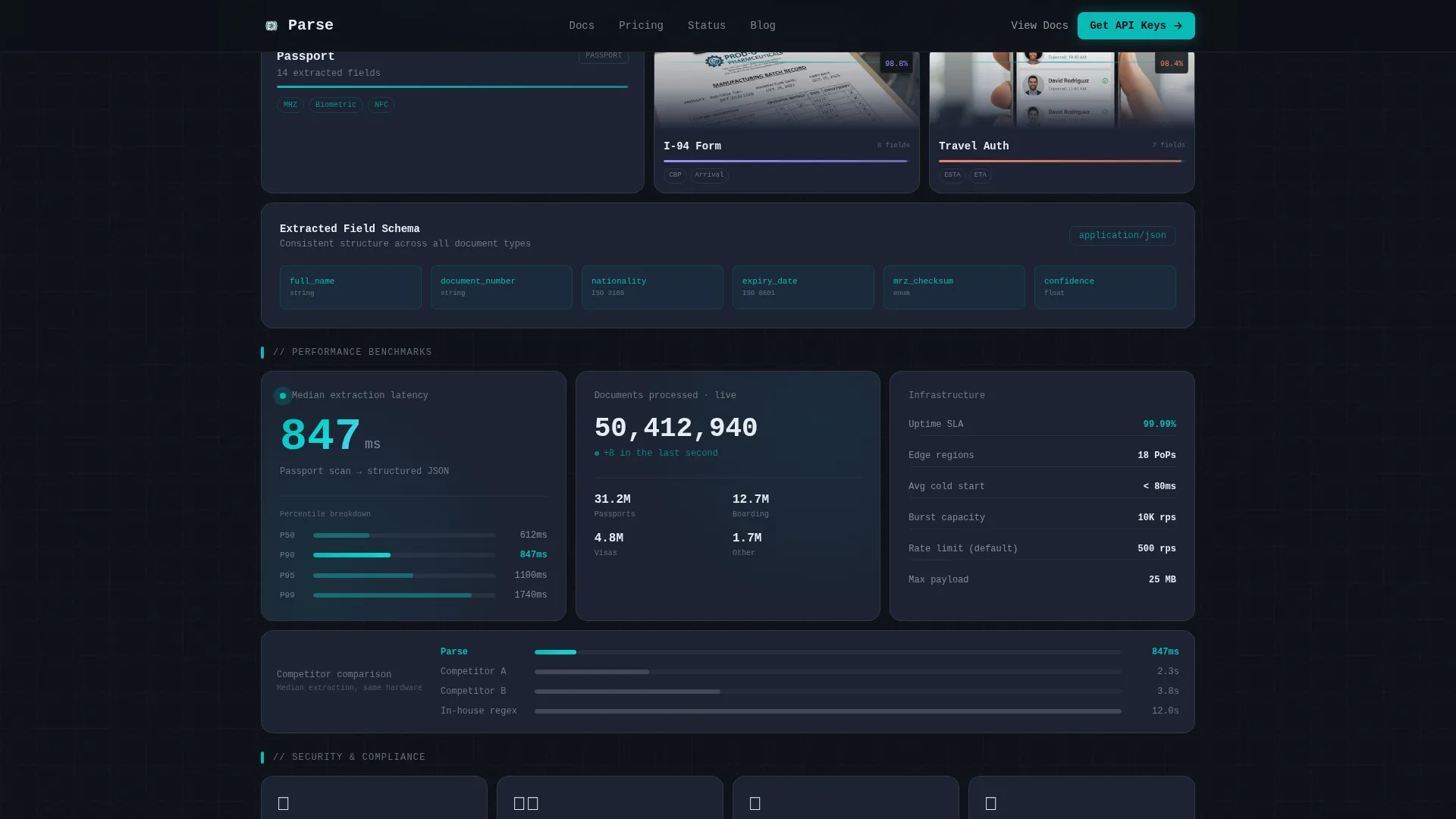
Each supported document type gets its own bento card. Passports, visas, Form I-94 (Arrival and Departure Record), boarding passes, and travel authorizations each display a sample thumbnail and an extraction accuracy percentage. The cards communicate scope and precision in a single glance.
Performance Benchmark Cell
A narrow horizontal bento cell displays latency benchmarks with a live counter animation, throughput statistics, and uptime Service Level Agreement details. The data sits in a dedicated cell rather than buried in body text, making it easy to reference and share.
Compliance and Security Badge Cell
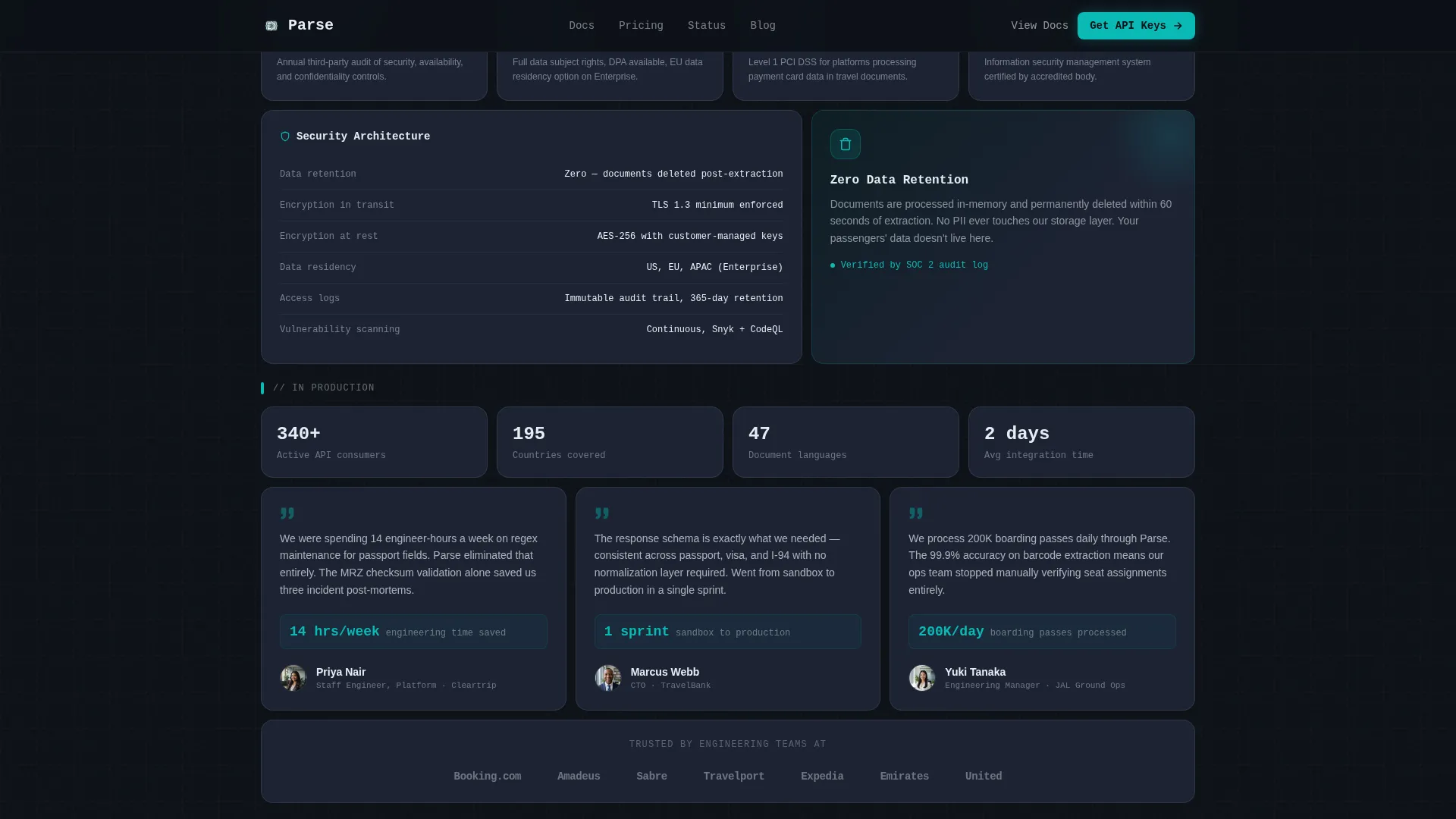
A compact square cell presents certification badges for the General Data Protection Regulation (GDPR), SOC 2, and the Payment Card Industry Data Security Standard (PCI DSS). Encryption details accompany the badges to preempt security objections without requiring a separate documentation visit.
Progressive Sandbox Signup Form
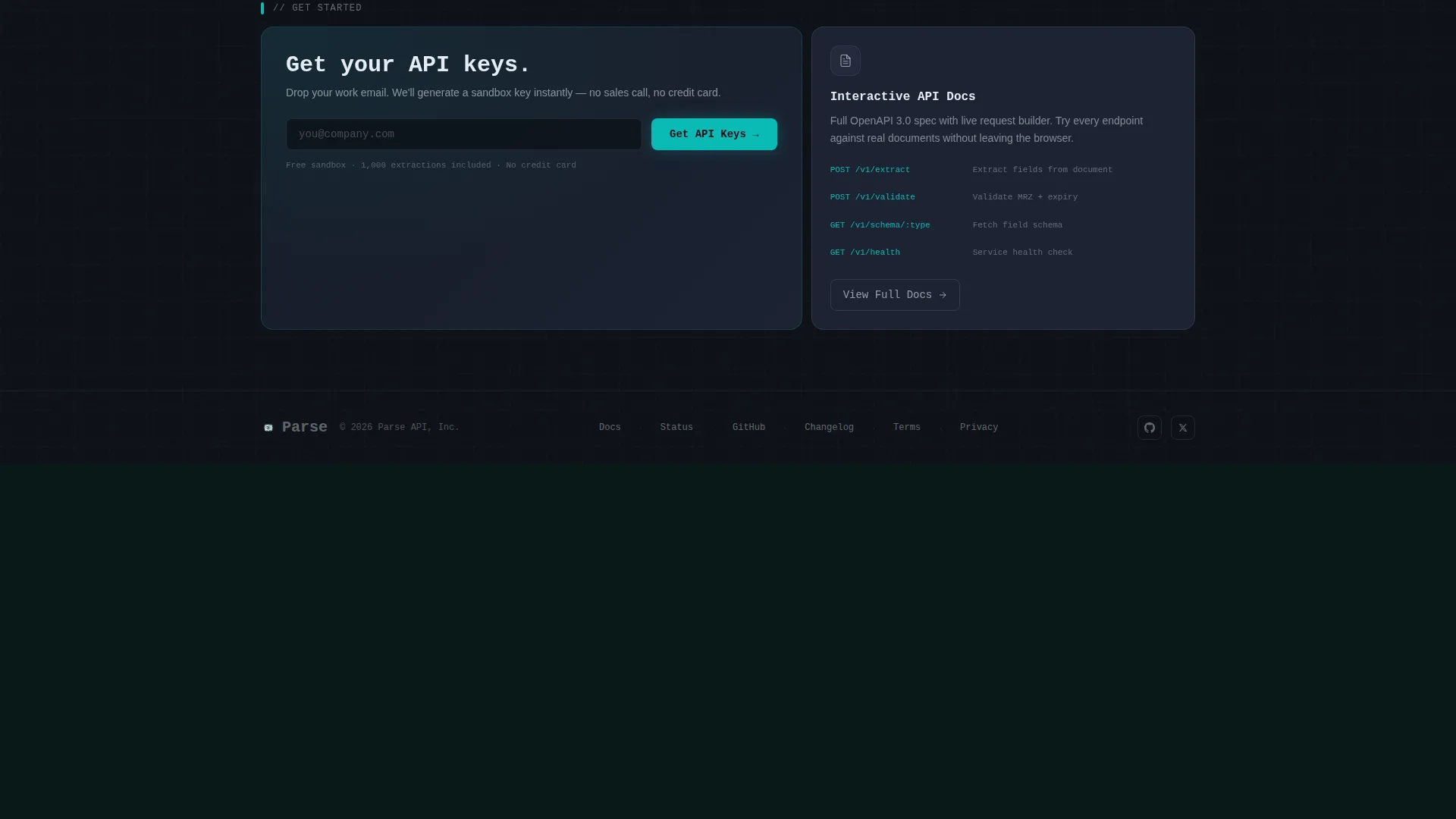
The primary call to action reads "Get API Keys." The form is two-step and progressive. Step one asks for a work email and immediately unlocks a sandbox key. Step two is optional and gated, asking for company name, monthly document volume, and primary document type. This structure respects developer intent without forcing a sales conversation.
Sticky Mobile Call to Action Bar
On mobile viewports, the "Get API Keys" call to action persists as a sticky bottom bar throughout the entire scroll. Developers reviewing the page on a phone or tablet always have a clear path to the sandbox without scrolling back to the top.
Page sections overview
| Section | Purpose |
|---|---|
| Hero Code Snippet | Show live cURL request and animated JSON response with teal-highlighted passport fields |
| Document Types Grid | Present each supported document with accuracy percentage and sample thumbnail |
| Performance Benchmark Bar | Display latency counter, throughput stats, and uptime SLA data |
| Compliance Badge Cell | Surface GDPR, SOC 2, and PCI DSS certifications with encryption context |
| Engineering Social Proof | Feature testimonials from travel engineering teams with volume metrics |
| Progressive Signup Form | Capture work email for instant sandbox key, optional secondary qualification step |
| Developer Minimal Footer | Provide secondary navigation and a "View Full Docs" path to API documentation |
Design & branding system
The visual identity follows a terminal and IDE aesthetic built on the Teal Catalyst color system. Every color decision reinforces focus, depth, and technical precision.
- Background uses deep terminal black (#0D1117), card surfaces use cool slate (#1C2333), and primary type and borders use bright catalyst white (#E6EDF3)
- Teal (#0ABAB5) drives every interactive element including hover states, progress indicators, and parsed field highlights
- Typography pairs JetBrains Mono for all code and snippet elements with DM Sans for interface copy, keeping code contexts visually distinct
Mobile & speed optimization
The template is built desktop-first to match the developer audience's primary environment, with deliberate mobile adaptations for secondary access patterns.
- High-interactivity animations including typing sequences, scroll-blur transitions, counter reveals, and staggered card appearances are handled by client components to avoid blocking static content
- Static structural sections use server components so the page shell loads before animation scripts hydrate
- The sticky mobile call to action bar ensures conversion intent is never lost on smaller viewports
How this template helps you convert
The Parse template is designed around a single insight: developers convert when they see the schema before they see the form.
- The hero bento cell puts working code in front of the visitor first. Seeing real endpoint paths and a complete JSON response builds enough confidence to act before the visitor reads another section.
- The spec sheet layout answers each technical objection in its own cell, moving the visitor from capability to performance to compliance in a single uninterrupted scroll, so doubts are resolved without a back-and-forth with sales.
- The progressive form lowers commitment to a single work email for the first conversion event, issuing a sandbox key instantly and deferring qualification to a voluntary second step after trust is already established.
Other information about this template
The Parse template is part of a broader set of developer-oriented landing page templates designed for API and infrastructure products in the travel technology space. A few additional details worth knowing:
- The template style is a bento grid, meaning each content cell is self-contained and visually independent, which makes it straightforward to reorder or remove cells without breaking the layout
- The footer follows a GitHub Developer Minimal pattern, keeping navigation sparse and directing secondary intent toward interactive API documentation via a "View Full Docs" link
- Animation intensity is high throughout, covering typing sequences in the hero, counter animations in the performance cell, and staggered reveals on scroll, all configurable through the client component layer
- The template is categorized under Technology, with a subcategory of AI for Travel, and is built around the travel AI document processing niche
Theme
Directory & Discovery
Creative direction
Spec Sheet
Color system
Teal Catalyst
Style
Bento Grid
Direction
Lead Generation
Page Sections
Live Code Snippet Hero Cell
Document Type Accuracy Cards
Latency and Performance Benchmark Cell
Compliance Certification Badge Cell
Progressive Two-step Signup Form
Sticky Mobile Call to Action Bar
Related questions
What document types does this template showcase?
Can I update the API endpoint paths shown in the hero code snippet?
Does the template include a two-step signup flow?
Is this template designed for desktop or mobile users?
How is compliance information presented in this template?



