Awards Ceremony Event Booking Website Template
Ovation is a single-column landing page template built for awards ceremony event decoration studios. It guides visitors through a cinematic day-in-the-life story, from the studio at dawn to confetti mid-air at the live event. A warm Desert Rose palette, serif typography, and a lead capture form work together to turn admiring visitors into booked clients.
by Rocket studio
Quick summary
Ovation is a lead generation landing page for awards ceremony event decoration studios. It uses a day-in-the-life visual narrative to build trust, moving from early studio preparation through venue setup to the finished celebration. The Desert Rose color system and portrait header create an atmosphere of refined festivity, and two distinct calls to action convert visitors at different stages of readiness.
Who this template is for
This template is designed for event decoration studios that specialize in ceremonies and galas. It speaks directly to studio owners who want to attract serious clients and fill their event calendar.
- Decoration studios serving corporate galas, school awards nights, and nonprofit benefit events
- Studios targeting film festival committees and clients who need a formal venue to feel like a red carpet
- Event businesses that rely on visual storytelling to sell their craftsmanship before a first consultation
What problem this template solves
Most decoration studios struggle to communicate the full scope of their work through a standard portfolio page. Ovation solves the trust gap by showing the entire process, not just the finished result.
- Visitors rarely understand the effort behind an event, which makes pricing feel arbitrary
- A single gallery does not show the transformation from empty venue to finished stage
- Generic contact forms fail to qualify leads by event type, guest count, or date
What you get with this template
Ovation delivers a complete single-page layout with a clear narrative structure and two built-in lead capture paths. Every section is designed to let photography do the heavy lifting.
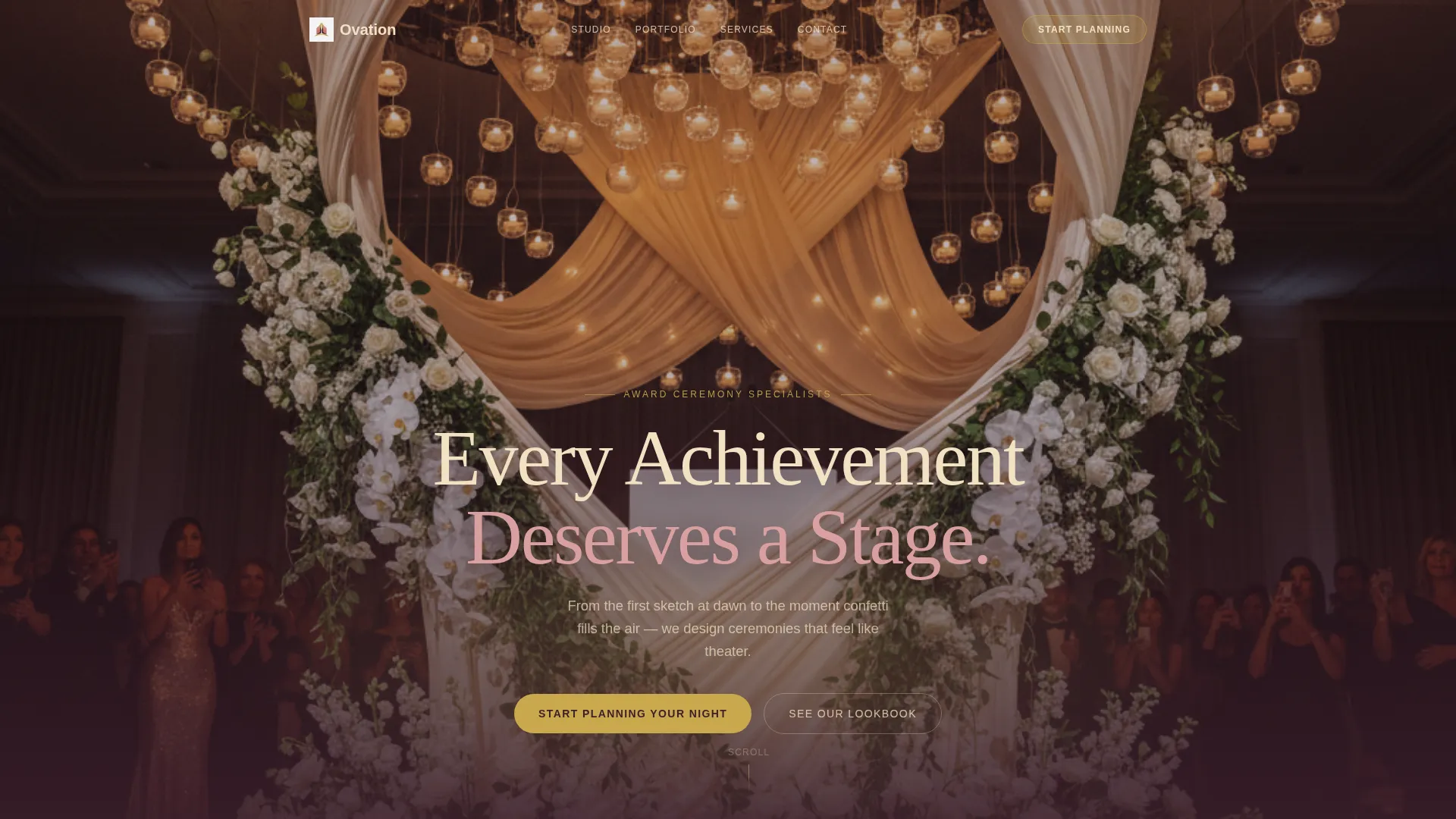
- A tall portrait header with a fade-in serif headline that sets the tone immediately
- A day-in-the-life scroll sequence using full-width photographs with short captions at each stage
- A primary inquiry form collecting event type, guest count, venue city, and event date
- A secondary lookbook capture that exchanges an email address for a downloadable PDF of past installations
- A persistent bottom bar on mobile that keeps the primary call to action always visible
Feature list
Ovation includes a focused set of features drawn directly from the template brief. Each one serves the goal of converting a curious visitor into a qualified lead.
Portrait Viewport Header
The header is a tall, narrow photograph that fills the full viewport height. It shows a single decorated podium shot from below, looking up past cascading floral installations and draped fabric. A serif headline fades in over the image, creating a held-breath moment before the visitor scrolls.
Day-in-the-Life Scroll Narrative
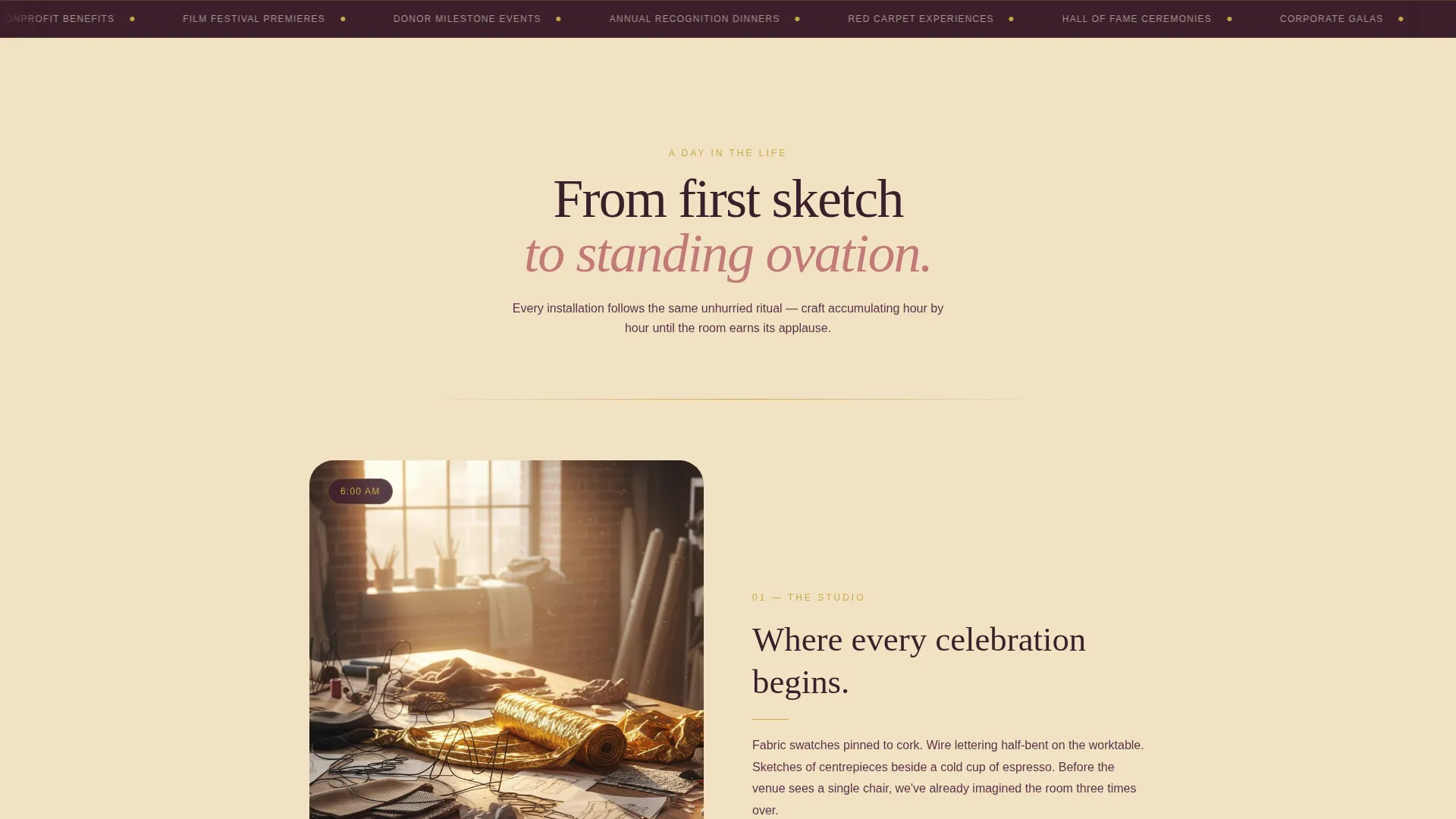
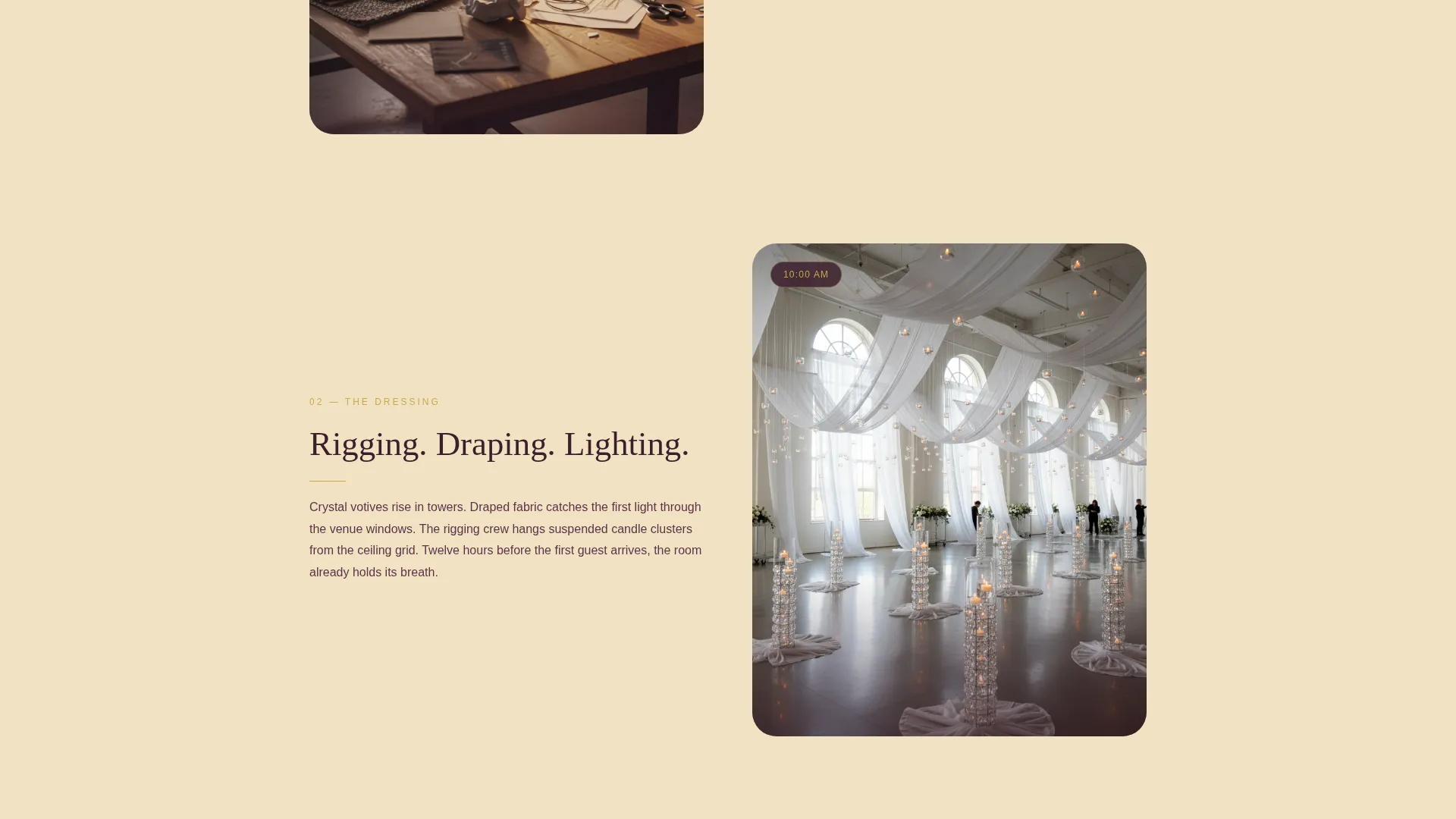
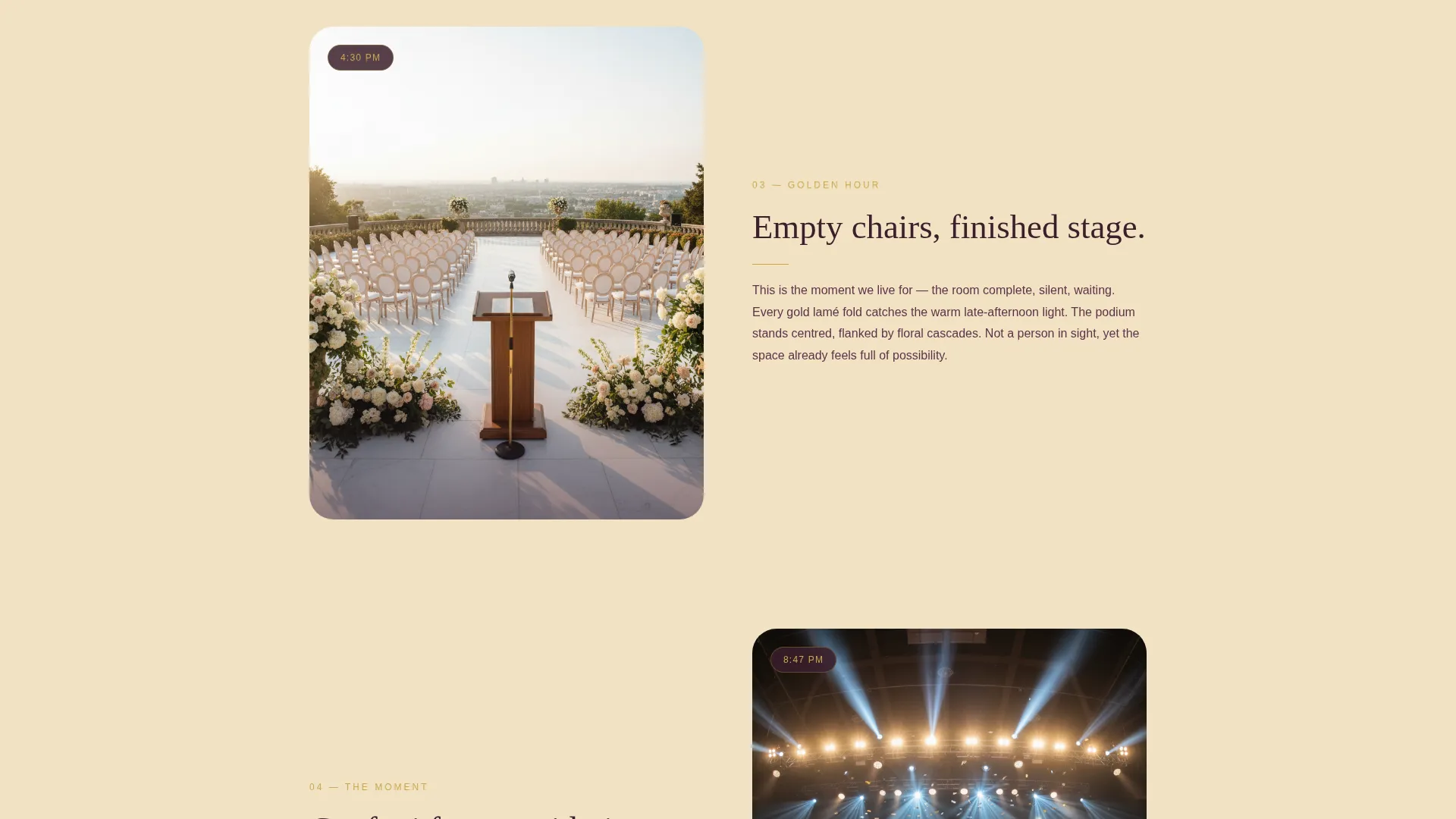
The page follows one event from 6 AM studio preparation through venue dressing, golden-hour staging, and the live celebration. Each stage is a full-width photograph with a short caption beneath it. The unhurried rhythm lets craftsmanship accumulate naturally as the visitor scrolls.
Dual Lead Capture Paths
The primary call to action, "Start Planning Your Night," appears after the midpoint transformation reveal. A secondary path, "See Our Lookbook," captures an email in exchange for a downloadable PDF. This gives visitors two entry points based on how ready they are to commit.
Qualified Inquiry Form
The contact form asks for event type, approximate guest count, venue city, and event date. This structure helps the studio receive pre-qualified enquiries rather than vague messages, saving time on both sides.
Persistent Mobile Bottom Bar
On mobile devices, the primary call to action appears as a fixed bar at the bottom of the screen. It stays visible throughout the entire scroll, so the conversion opportunity is never out of reach.
Desert Rose Visual System
The color palette uses dusty rose, terracotta, warm champagne, and deep plum for text. Metallic gold is reserved exclusively for buttons, divider accents, and hover states. This restraint keeps the palette warm and festive without feeling overdone.
Page sections overview
| Section | Purpose |
|---|---|
| Portrait Header | Sets atmosphere and introduces the headline |
| Studio at Dawn | Opens the day-in-the-life narrative at 6 AM |
| Venue Dressing Sequence | Shows rigging, draping, and lighting in progress |
| Golden Hour Reveal | Displays the finished empty stage before guests arrive |
| Live Event Moment | Captures confetti and a mid-embrace recipient |
| Primary call to action Form | Collects event type, guest count, city, and date |
| Lookbook Capture | Exchanges email for a downloadable PDF lookbook |
| Mobile Bottom Bar | Keeps the primary call to action persistent on small screens |
Design & branding system
The visual identity follows a Celebration and Joy theme built around the Desert Rose color system. Every color choice reinforces warmth and elegance without tipping into excess.
- Dusty rose, sun-bleached terracotta, and warm champagne form the background and surface tones, with deep plum used for all body text
- Metallic gold appears only on buttons, divider accents, and hover states, keeping it impactful and never decorative for its own sake
- Serif typography paired with full-width photography gives the page the feel of a linen-tabled gala rather than a generic event website
Mobile & speed optimization
The template is built with a mobile-first scroll experience in mind. The persistent bottom bar is the most important mobile-specific decision in the layout.
- Full-width portrait images are structured to remain visually powerful on narrow screens without cropping the key subject
- The persistent bottom bar on mobile ensures the primary call to action is always accessible, no matter how far the visitor has scrolled
- The single-column flow removes horizontal complexity, making the page easy to navigate on any screen size
How this template helps you convert
Ovation is designed to move visitors from admiration to action through a deliberate narrative and two timed conversion opportunities.
- The day-in-the-life scroll builds emotional investment section by section, so by the time the primary call to action appears after the transformation reveal, the visitor already trusts the studio's process and quality.
- The secondary lookbook path captures leads who are not yet ready to book, warming them with a tangible PDF asset and keeping the studio top of mind for future planning.
Other information about this template
Ovation fits naturally into the awards ceremony event decoration niche and is equally suited to any studio working across the broader wedding and events category. A few additional details worth noting:
- The template is categorized under Wedding and Events, making it appropriate for studios that handle both awards ceremonies and adjacent celebration formats
- The downloadable lookbook path is a low-friction secondary conversion, ideal for clients still in the early research and inspiration phase
- The form fields for event type, guest count, city, and date help studios filter enquiries and prepare more relevant proposals from the first contact
- The single-column flow and full-width photography approach makes the template straightforward to customize with a studio's own image library
Theme
Celebration & Joy
Creative direction
Day-in-the-Life
Color system
Desert Rose
Style
Single Column Flow
Direction
Lead Generation
Page Sections
Portrait Viewport Header with Fade-in Headline
Day-in-the-life Scroll Narrative
Dual Lead Capture Paths
Qualified Four-field Inquiry Form
Persistent Mobile Bottom Bar
Desert Rose Color System with Gold Accents
Related questions
Who is this landing page template built for?
Can I use this template for event types beyond awards ceremonies?
How does the lookbook capture path work?
What information does the inquiry form collect?
Do I need a separate mobile layout for this template?



