Awards Ceremony Event Specialist Professional Website Template
Ovation is a cinematic awards ceremony landing page built for elegant event invitations and RSVP collection. It pairs a scroll-triggered ballroom video header with a gallery of ceremony moments, a live countdown clock, and a three-step registration form. The Plum Executive color system gives every section a polished, occasion-worthy finish that makes guests feel the night before it begins.
by Rocket studio
Quick summary
Ovation is a gallery and detail landing page designed for awards ceremony events. It opens on a slow-dolly ballroom video, moves through a cinematic gallery of past ceremony highlights, and closes with a stepped seat-reservation form. Deep aubergine, champagne gold, blush ivory, and midnight ink create a visual tone that feels as considered as the event itself.
Who this template is for
This template is built for organizers who need their awards ceremony invitation to do real work before the night begins. It speaks equally to the people sending the invites and the people receiving them.
- Corporate communications directors managing executive table bookings and guest lists
- Event managers running annual gala or awards ceremony experiences for professional audiences
- C-suite assistants and nominated team leads who need a clear, fast path to confirm attendance
What problem this template solves
Most awards ceremony invitation pages feel like flat digital flyers. They carry no atmosphere, no urgency, and no ceremony. Guests treat them like calendar attachments rather than anticipation builders.
- There is no emotional lead-in that makes the night feel unmissable before the guest arrives
- Registration flows are often clunky single forms with no table-selection logic or confirmation experience
- Undecided guests bounce before committing because there is no middle path between "I'm in" and "maybe later"
What you get with this template
Ovation delivers a complete awards ceremony event invitation and RSVP experience in a single, scrollable landing page. Every section is sequenced to build anticipation and move guests toward a seat reservation.
- A scroll-triggered video header, a multi-tile ceremony gallery, a pulsing countdown clock, and a flipping nominee shortlist
- A three-step RSVP form covering personal details, table selection with a visual seating map, and dietary and accessibility information
- A personalized digital invitation card on the confirmation screen that guests can save or share
Feature list
This landing page brings together several purposefully designed components. Each one serves a specific role in the guest journey from first impression to confirmed reservation.
Scroll-Triggered Video Header
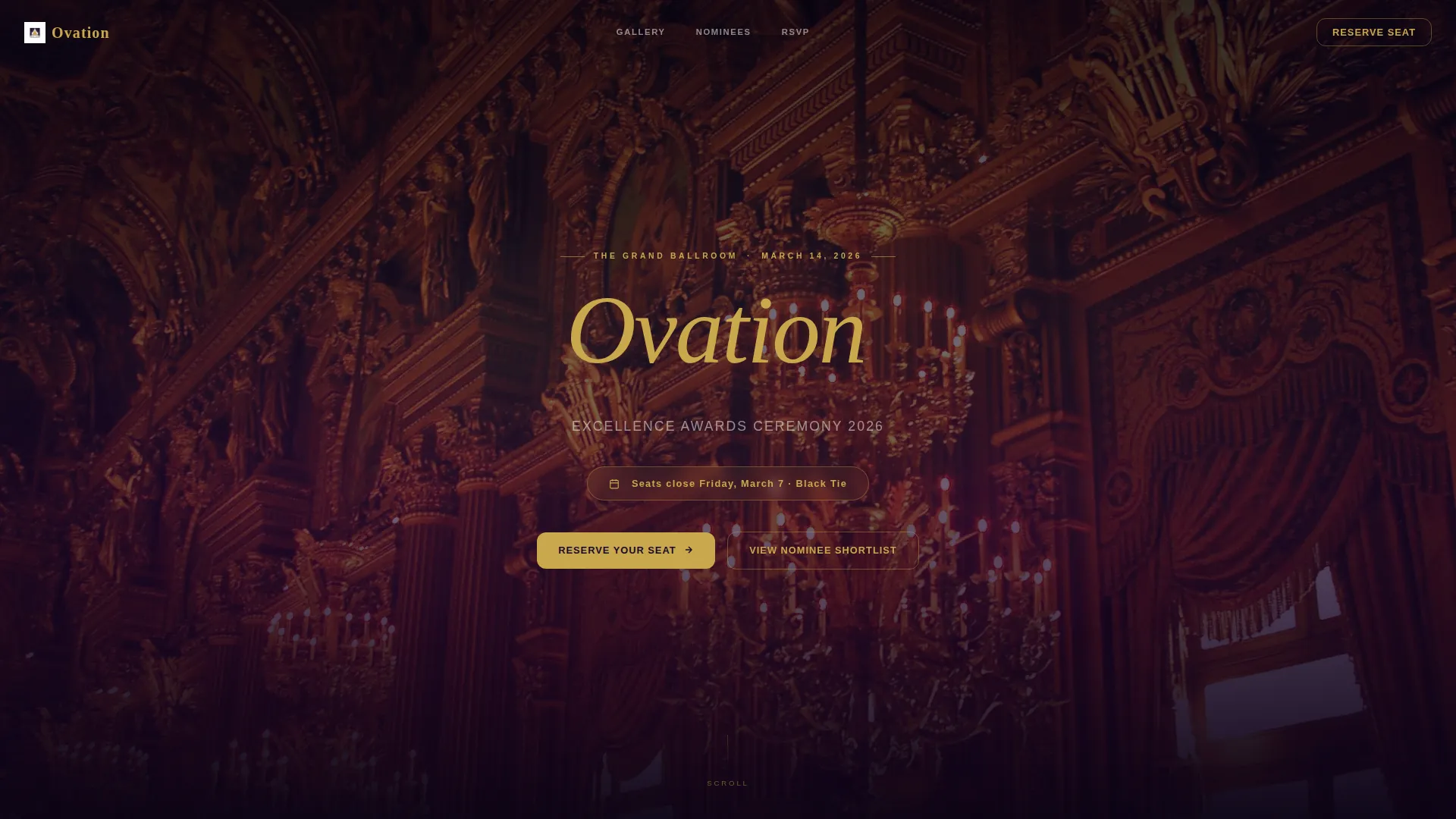
The page opens on a slow dolly shot moving down an empty ballroom aisle. As the visitor scrolls, the camera drifts past engraved place cards and crystal stemware. At scroll-rest, the view holds on the podium and the event name types itself in champagne-gold serif, deliberate and unhurried.
Cinematic Gallery with Detail Panels
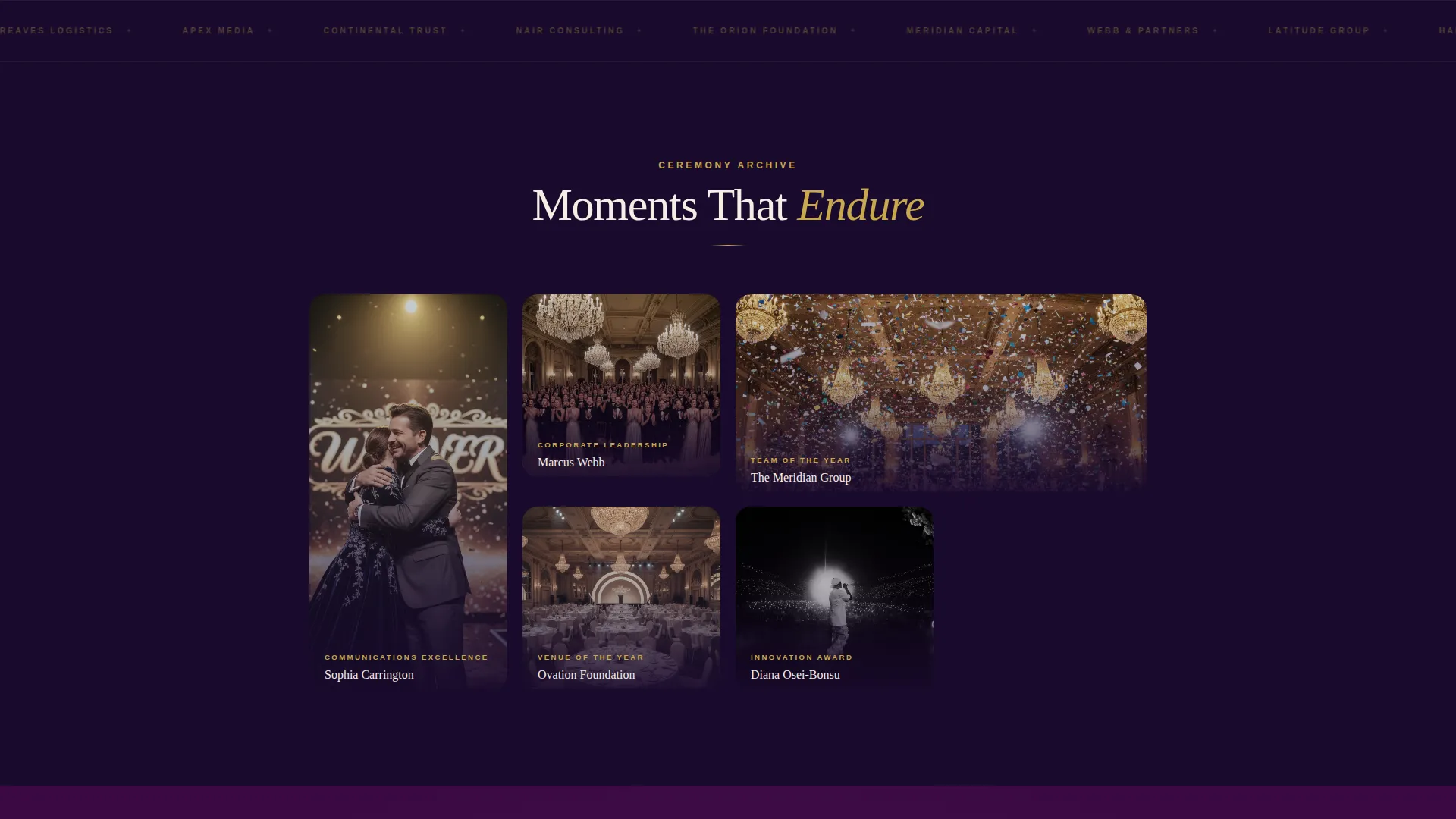
Past the header, the page presents a gallery of previous ceremony moments arranged in a rhythm that escalates from intimate candids to wide-angle grandeur. Each tile expands on click into a detail panel showing the winner's name, their award category, and a fifteen-second highlight clip.
Live Countdown Clock
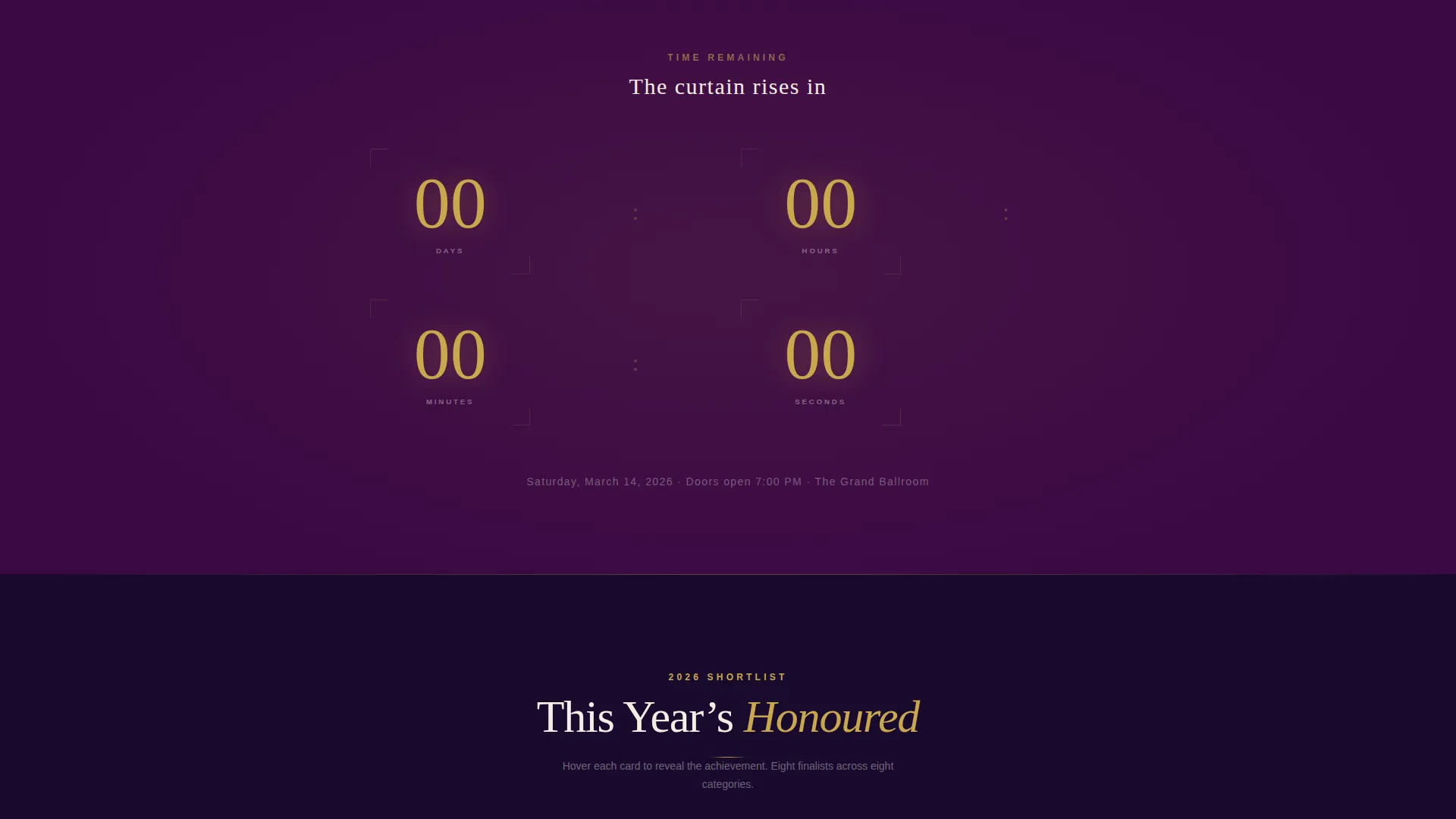
A countdown clock pulses gently in champagne gold between page sections. It keeps the celebration feeling grounded in a real deadline, reinforcing that seat availability is limited and the date is approaching.
Flipping Nominee Shortlist
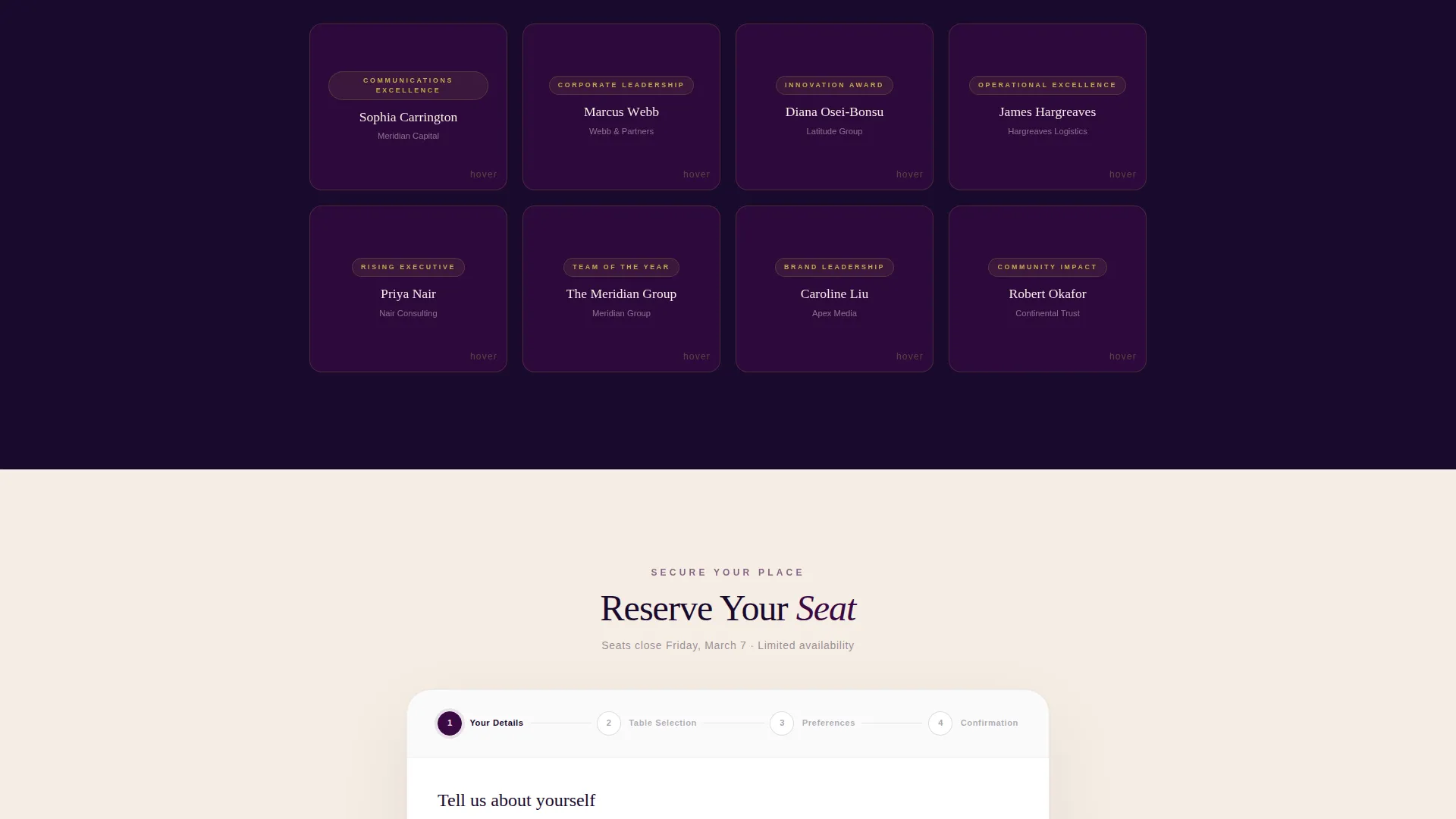
The final scroll reveal presents this year's nominees as gilded cards. Each card flips on hover and the name appears letter by letter, building suspense and giving undecided guests a reason to stay on the page before registering.
Three-Step RSVP Form
The stepped registration form separates the reservation process into three focused panels. Step one captures name and organization. Step two offers table selection (individual seat, half table of five, or full table of ten) alongside a visual seating map. Step three collects dietary requirements and accessibility needs.
Personalized Confirmation Card
After completing the form, guests receive a digital invitation card on the confirmation screen. The card is personalized to their name and can be saved or shared directly, giving each guest a tangible piece of the occasion before the doors open.
Page sections overview
| Section | Purpose |
|---|---|
| Video Header | Opens the page with a scroll-triggered ballroom dolly shot and animated event title |
| Ceremony Gallery | Showcases past award moments in expandable tiles with winner detail panels |
| Countdown Clock | Creates time-bound urgency between gallery and nominee sections |
| Nominee Shortlist | Presents this year's nominees as hover-activated flipping cards |
| Reserve Your Seat | Fixed viewport call to action that opens the stepped three-panel RSVP form |
| Confirmation Screen | Delivers a personalized digital invitation card after registration |
Design & branding system
The Plum Executive color system is the visual backbone of this template. Every color choice is deliberate, referencing the mood of a formal awards evening rather than a generic event page.
- Deep aubergine (#3B0944) anchors full-bleed section backgrounds; champagne gold (#C9A84C) traces every interactive edge, hover state, and call to action button
- Soft blush ivory (#F5EDE3) gives typography space to breathe across lighter content panels; midnight ink (#1A0A2E) keeps body copy grounded and legible
- The Celebration and Joy theme runs through every motion detail, from the warm amber-to-gold stage light progression in the video header to the letter-by-letter nominee reveal
Mobile & speed optimization
The template is structured so the scroll-driven experience adapts across screen sizes without losing its ceremonial pacing. Key interactions are designed to remain usable on smaller viewports.
- The scroll-triggered video header and gallery tile expansions are built to function on touch screens, not just desktop hover
- The stepped RSVP form breaks a potentially complex registration into short, focused panels that are easy to complete on a phone screen
- The fixed "Reserve Your Seat" call to action stays anchored at the bottom of the viewport on all device sizes after the first scroll
How this template helps you convert
Ovation is engineered around a single conversion goal: confirmed seat reservations. Every design and sequencing decision supports that outcome.
- The fixed bottom call to action appears after the first scroll and stays visible throughout the entire page, removing any moment where the guest has to hunt for the registration button
- The secondary "View Nominee Shortlist" path gives undecided guests a low-commitment way to engage, warming their intent before the registration ask lands
- The personalized digital invitation card on the confirmation screen creates a shareable moment, turning confirmed guests into passive promoters of the event
Other information about this template
Ovation sits within the Wedding and Events category under the Awards Ceremony Event subcategory. It is purpose-built for the awards ceremony event invitation and RSVP niche, making it a focused choice rather than a generic events template adapted for the occasion.
- The template style is Gallery and Detail, meaning it balances visual storytelling with structured information delivery in the same scrollable flow
- The creative direction is the Cinematic Sequence approach, where each scroll beat is choreographed to escalate emotional investment toward the registration moment
- The header concept is a Scroll-Triggered Video, which distinguishes Ovation from static hero image templates common in the events space
- The landing page direction is Event Registration, so the entire layout hierarchy is oriented around the "Reserve Your Seat" conversion path
Theme
Celebration & Joy
Creative direction
Cinematic Sequence
Color system
Plum Executive
Style
Gallery + Detail
Direction
Event Registration
Page Sections
Scroll-triggered Video Header
Cinematic Ceremony Gallery
Live Countdown Clock
Hover-activated Nominee Shortlist
Three-step RSVP Form
Personalized Digital Invitation Card
Related questions
Can this landing page handle multiple table types for group bookings?
What does the confirmation experience look like for guests?
Can undecided guests browse nominees before committing to register?
How is the nominee shortlist presented on the page?
Is the Reserve Your Seat button always visible while scrolling?



