Smart Construction Ops Landing Page Template
Fleet is a modular card grid landing page template built for construction fleet management platforms. It combines a dark Tech Glass visual design with a Problem-to-Solution scroll arc, six live-metric hero panels, an interactive Before/After toggle, and a Fleet Score diagnostic form. The result is a high-impact landing page that turns raw fleet data into a compelling conversion story.
by Rocket studio
Quick summary
Fleet is a single-page landing page template designed for construction fleet management software. It uses a command-center dark theme, teal-reactive card grid layout, and a scroll-driven narrative to move fleet coordinators, operations managers, and CFOs from problem awareness to confident action. Every section is built to showcase services, quantify the cost of inaction, and earn the diagnostic click.
Who this template is for
This template is purpose-built for B2B software companies serving the heavy construction industry. It is ideal for teams launching or repositioning a fleet management platform that needs to generate leads from serious, data-driven buyers.
- Fleet coordinators managing 40 to 200 assets across multiple jobsites
- Operations managers and CFOs who need proof that utilization numbers are accurate
- Construction software companies that want a construction company landing page with real conversion weight
What problem this template solves
Designing a landing page for construction management requires balancing high-stakes technical expertise with a seamless user experience. Most generic templates bury the value proposition under stock photography and vague copy. This template solves that directly.
- Fleet control company pages often fail to quantify the cost of inaction before asking for a click
- Visitors leave because they see clutter instead of clarity, features instead of outcomes
- The template replaces that clutter with a structured Problem-to-Solution arc that builds trust section by section
What you get with this template
A landing page template for a fleet command center construction management project must act as a high-visibility, real-time control panel. This template delivers exactly that feel, from the first scroll to the final form submission.
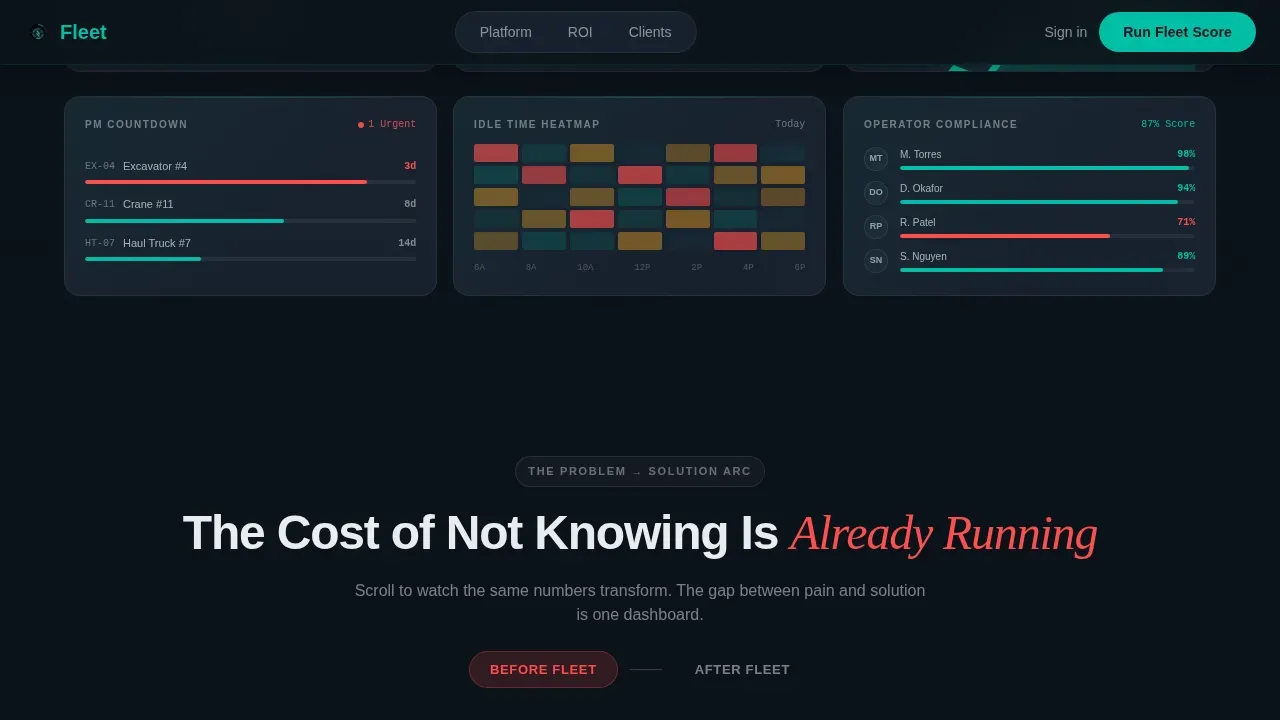
- A six-panel dark glass hero showcasing live fleet metrics with radial gauges, GPS dot-maps, fuel trend lines, and compliance scores
- A scroll-linked Pain-to-Solution card sequence, a Before/After toggle comparison module, and a Fleet Score diagnostic form
- A complete modular card grid layout with asymmetric feature bento blocks, a persistent comparison bar, and a linear single-row footer
Feature list
This template packs a focused set of design and structural capabilities drawn directly from the project brief. Each feature is built to work in order and build cumulative weight as visitors scroll deeper into the page.
Dark Glass Hero with Six Live-Metric Panels
The hero section is a wall of six frosted-glass bento panels arranged in a staggered grid. Each panel displays a distinct fleet data point: fleet utilization with a radial gauge SVG, a GPS dot-map of active assets, a fuel consumption trend line, a maintenance countdown timer, an idle-time heat map, and an operator compliance score. Edges catch faint teal light, allowing the hero to feel like the actual software rather than a promotional image.
Scroll-Linked Pain-to-Solution Card Arc
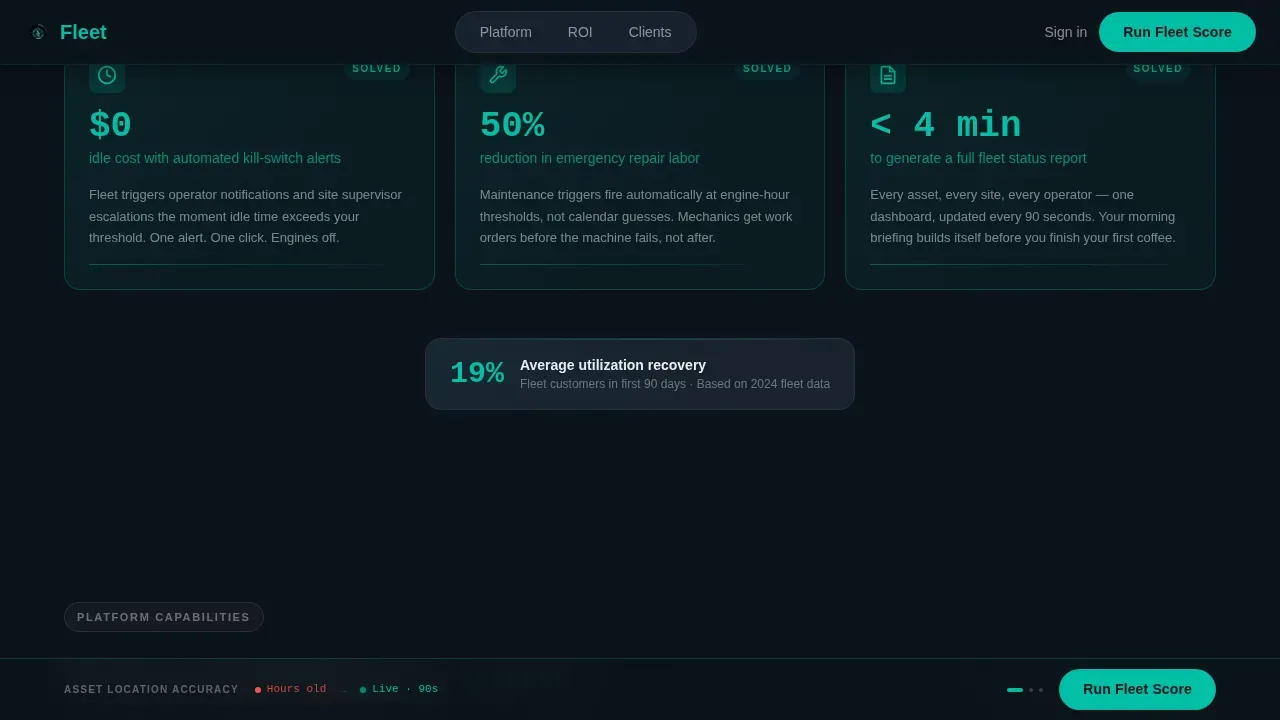
Three stark dark cards open below the fold, each naming a specific fleet pain with cited data. As visitors scroll, the cards physically transform: backgrounds shift from black to teal, metrics invert from red to green, and the narrative escalates from visibility to control to proof. This scroll-linked design communicates impact at a glance and keeps the page feeling dynamic without adding clutter.
Before/After Toggle Comparison Module
An interactive card pair lets visitors toggle between their current spreadsheet chaos and the platform's unified dashboard view. This module is one of the most direct tools on the page for helping a fleet control company demonstrate its value over manual tracking. The comparison is immediate, tactile, and built to address the skepticism of operations managers and CFOs who want to understand the gap before they request a demo.
Fleet Score Diagnostic Form
The primary call-to-action launches a short diagnostic: number of assets, number of sites, current tracking method, and biggest pain point. The short lead form minimizes friction by asking only for essential information. A secondary path offers an industry benchmark document gated behind an email address, giving visitors a free resource and the template a second lead capture route.
Persistent Comparison Bottom Bar
A sticky bottom bar displays a side-by-side mini-table of Manual Tracking versus the platform across three key metrics. The bar updates dynamically as visitors scroll, reinforcing the performance gap without interrupting the page flow. This keeps the core value proposition visible at all times, functioning as a continuous call-to-action support rail.
Asymmetric Feature Bento Grid
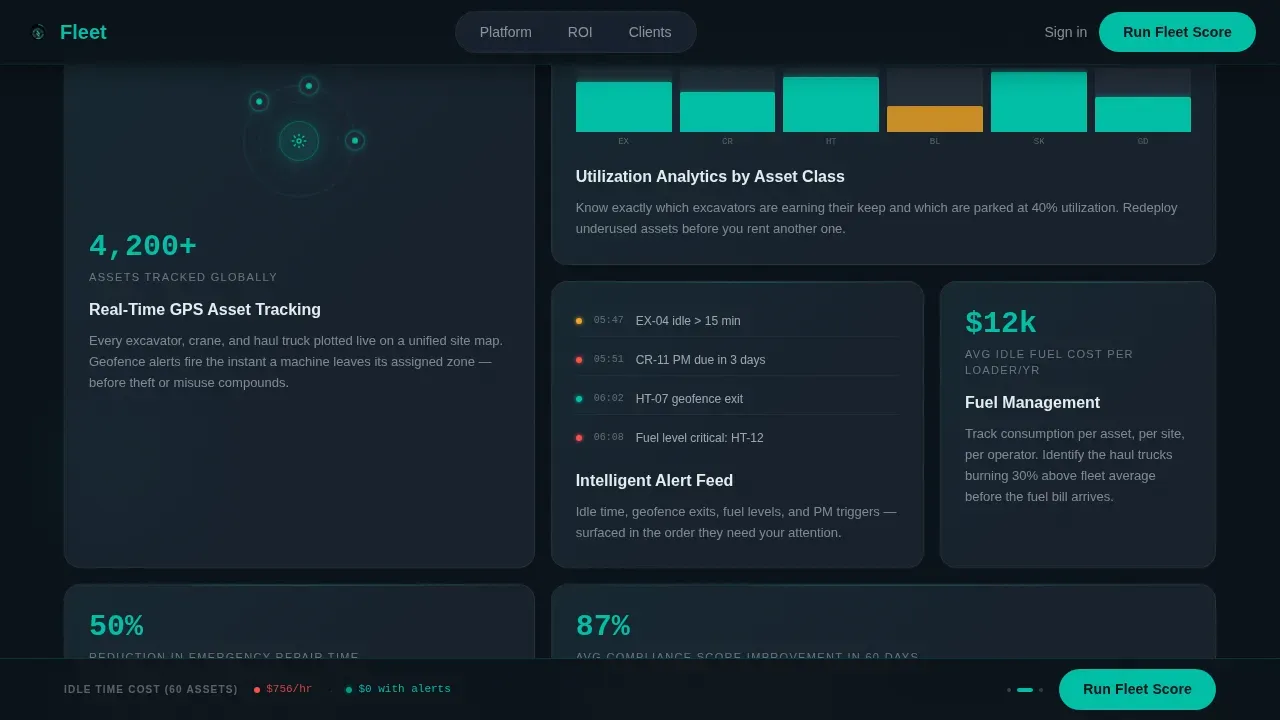
Below the arc, an asymmetric card grid showcases four core capability areas: real-time GPS asset tracking, fuel and cost analytics, maintenance and health monitoring, and operator compliance tracking. The dispatch and scheduling hub block highlights quick reassignment of resources to new jobs. The asset utilization dashboard block highlights underutilized or overworked equipment to support reallocation decisions across sites.
Page sections overview
| Section | Purpose |
|---|---|
| Dark Glass Hero | Display six live fleet metrics in a staggered frosted-glass panel grid with headline |
| Pain Card Arc | Present three data-cited fleet pain points that transform on scroll to solved states |
| Feature Bento Grid | Showcase GPS, fuel, maintenance, and compliance capabilities in asymmetric cards |
| Before/After Toggle | Let visitors compare manual tracking chaos against the unified dashboard experience |
| Fleet Score Form | Capture leads via a short diagnostic form with a secondary benchmark download path |
| Persistent Bottom Bar | Reinforce the Manual versus. Fleet metric gap as a sticky comparison rail |
| Single-Row Footer | Close the page with a clean linear footer pattern |
Design & branding system
The visual identity uses a Tech Glass theme built on the Teal Catalyst color system. The palette is engineered to surface critical data and suppress everything else, much like a heads-up display on a rain-streaked windshield at 5 AM. Strong visuals come from the interface itself rather than stock photography, making the design both credible and immediately relevant to the target audience.
- Deep command-center black (#0B1219) as the base field, reactive teal (#00BFA6) for all interactive elements including toggles, progress bars, and utilization gauges, cool slate (#1E2A38) for card surfaces, and signal white (#E8EDEF) for typography and divider lines
- DM Sans for user interface copy, Fraunces as the display accent typeface, and JetBrains Mono for all data and metric readouts
- High animation intensity including slideInBlur transitions, orbital node reveals, staggered card appearances, and scroll-linked card transforms driven by Intersection Observer logic
Mobile & speed optimization
The template is built desktop-first to serve fleet coordinators working on large monitors in command trailers and site offices. At the same time, the layout is fully responsive so operations managers can review pages on a mobile app or tablet in the field.
- All card grids, bento panels, and map widgets are designed to reflow cleanly for tablet and smartphone viewports, ensuring thumb-friendly navigation
- GPU-accelerated transforms and CSS scroll-behavior keep animations smooth without blocking the main thread, supporting fast load times across devices
- Sticky navigation keeps a visible call-to-action button accessible as users scroll through the full page on any screen size
How this template helps you convert
A prominent call-to-action is essential on fleet management landing pages to encourage user engagement. This template builds toward conversion through a layered, sequenced strategy rather than a single button at the top of the page.
- The scroll arc quantifies the cost of the status quo first, covering idle time losses, missed preventive maintenance costs, and coordinator hours lost to paper logs, so visitors feel the pain before they see the solution
- The Before/After toggle and persistent comparison bar communicate the platform gap visually and continuously, allowing visitors to self-qualify before they reach the Fleet Score form
- The short diagnostic form and gated benchmark download create two distinct lead capture paths, one for high-intent buyers ready to request a score and one for researchers who want detailed information before committing
Other information about this template
This template is well-suited for a range of fleet control company use cases beyond pure construction. The same card grid layout and Problem-to-Solution arc structure work effectively for logistics companies, car rental fleet operators, and mixed-asset platforms that manage both on-road and off-road equipment. Construction software companies can save significant time by starting from this template rather than building pages from scratch.
- Templates like Fleet save development and design teams from rebuilding common page patterns, allowing faster launch schedules and easier iteration when adjusting copy or layout for new campaigns
- The modular card grid structure supports flexibility when changes are needed: individual sections can be reordered, swapped, or removed without breaking the overall design system
- Companies in adjacent industries including logistics, car rental, and residential construction can adapt this template to build a saas website landing page that mirrors the same command-center authority
- The design is ideal for showcasing services across multiple project types because the bento grid sections are self-contained and can each support independent content blocks
- Customer testimonials and case study cards can be added to the feature bento grid area, allowing a fleet control company to communicate credibility through real client feedback and project examples
- The template supports a construction business looking to explore a professional web presence quickly, with pre-structured sections covering service quality highlights, budget-conscious diagnostic tools, and coordination-ready scheduling modules
- Builders and fleet operators who want to communicate innovation in fleet management will find the Tech Glass aesthetic a strong visual differentiator in the construction software market
- Note that this is a single landing page template; multi-page saas website builds would require additional pages beyond this pack

Theme
Tech Glass
Creative direction
Problem→Solution Arc
Color system
Teal Catalyst
Style
Card Grid (Modular)
Direction
Comparison/Versus
Page Sections
Dark Glass Hero with Live Metric Panels
Scroll-linked Pain-to-solution Arc
Interactive Before/after Toggle
Fleet Score Diagnostic Form
Persistent Manual Versus. Fleet Comparison Bar
Asymmetric Feature Bento Grid
Related questions
Who is this landing page template designed for?
Can this template work for industries outside construction?
What sections are included in this landing page?
Does this template support lead capture?
How difficult is it to customize this template?



