Space & Advanced Aerospace Appointment Booking Website Template
Orbit is a Corporate Precision landing page template built for space tourism booking platforms. It uses a dashboard and data grid layout to walk B2B partners through a full partnership lifecycle, from browsing launch windows to requesting API access. The Forest Trust color system and mission-control visual language make it feel authoritative, calm, and operationally serious from the first scroll.
by Rocket studio
Quick summary
Orbit is a single-page B2B landing page template designed for space tourism seat allocation platforms. It guides potential partners through a timeline-based scroll journey, Discovery, Integration, Allocation, and Performance, using live data indicators, filterable grids, and a sticky conversion bar. The result is a landing page that earns trust by showing the product in action before asking for anything.
Who this template is for
This template is built for operators running a B2B seat allocation or booking platform in the space tourism sector. It speaks directly to the partners they want to attract, not to end consumers.
- Luxury travel agencies building high-value space packages for ultra-high-net-worth client portfolios
- Corporate incentive planners sourcing once-in-a-lifetime executive reward experiences
- Sovereign wealth tourism boards positioning spaceports as flagship travel destinations
What problem this template solves
Most B2B platform landing pages either list features abstractly or bury the product behind a gated demo. For a space tourism booking platform, that creates a credibility gap. Partners need to see that inventory is real, that the system already works, and that joining means gaining access to something operational.
- No way to show real-time seat availability and dynamic pricing without a live product demo
- Difficulty communicating API depth, manifest management, and allocation logic to non-technical partners
- Weak conversion paths that ask for commitment before demonstrating platform value
What you get with this template
You get a fully structured, single-page landing page built around four progressive content sections that mirror a real partner onboarding journey. Every section adds operational depth, rewarding serious scrollers with increasingly specific detail.
- A panoramic mission-camera header with a live-updating data ribbon showing seats available, active agencies, and launch providers
- Four distinct content sections: a filterable launch window grid, an API and manifest integration preview, a sample partner allocation dashboard, and anonymized performance case studies
- Two conversion paths: a sticky "Request API Access" bar anchored to the bottom, and a low-commitment "Download Launch Calendar (PDF)" entry point at the top of the data grid
Feature list
This template is built around components that communicate operational scale and technical credibility to B2B audiences.
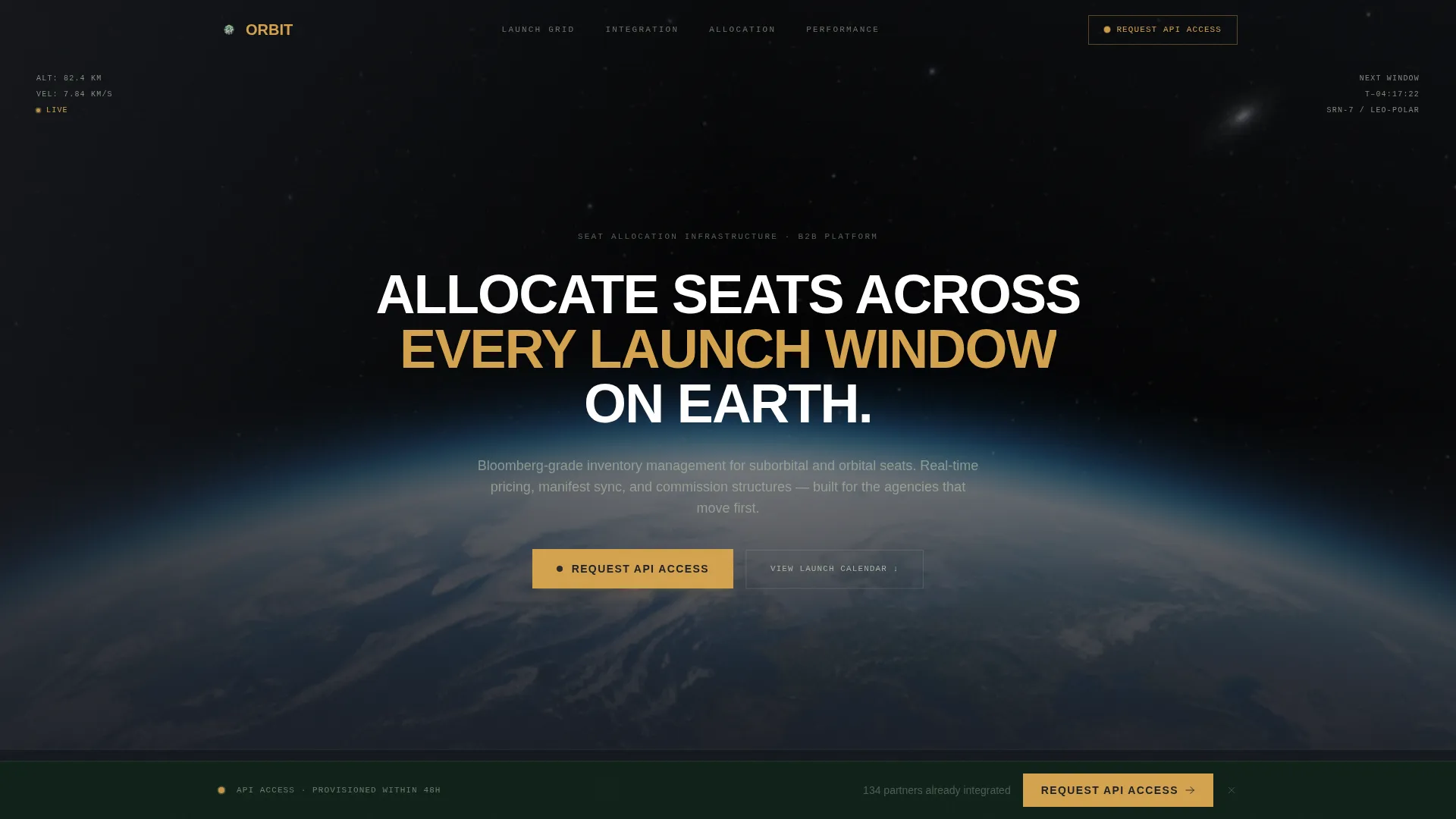
Panoramic Mission-Camera Header
The full-viewport header uses a real-altitude photographic treatment, Earth's limb shot from approximately 80 kilometers, graded to look like actual mission camera footage. A faint telemetry overlay in lichen silver shows altitude, velocity, and launch window countdown. The headline fades in after two seconds, timed to let the image land first.
Live-Updating Data Ribbon
Three amber-ticking numbers sit directly below the headline: total seats available this quarter, partner agencies currently active, and launch providers integrated. Each counter pulses in living sap amber, signaling that the platform is live and already in use. This component sets credibility before the visitor reads a single line of body copy.
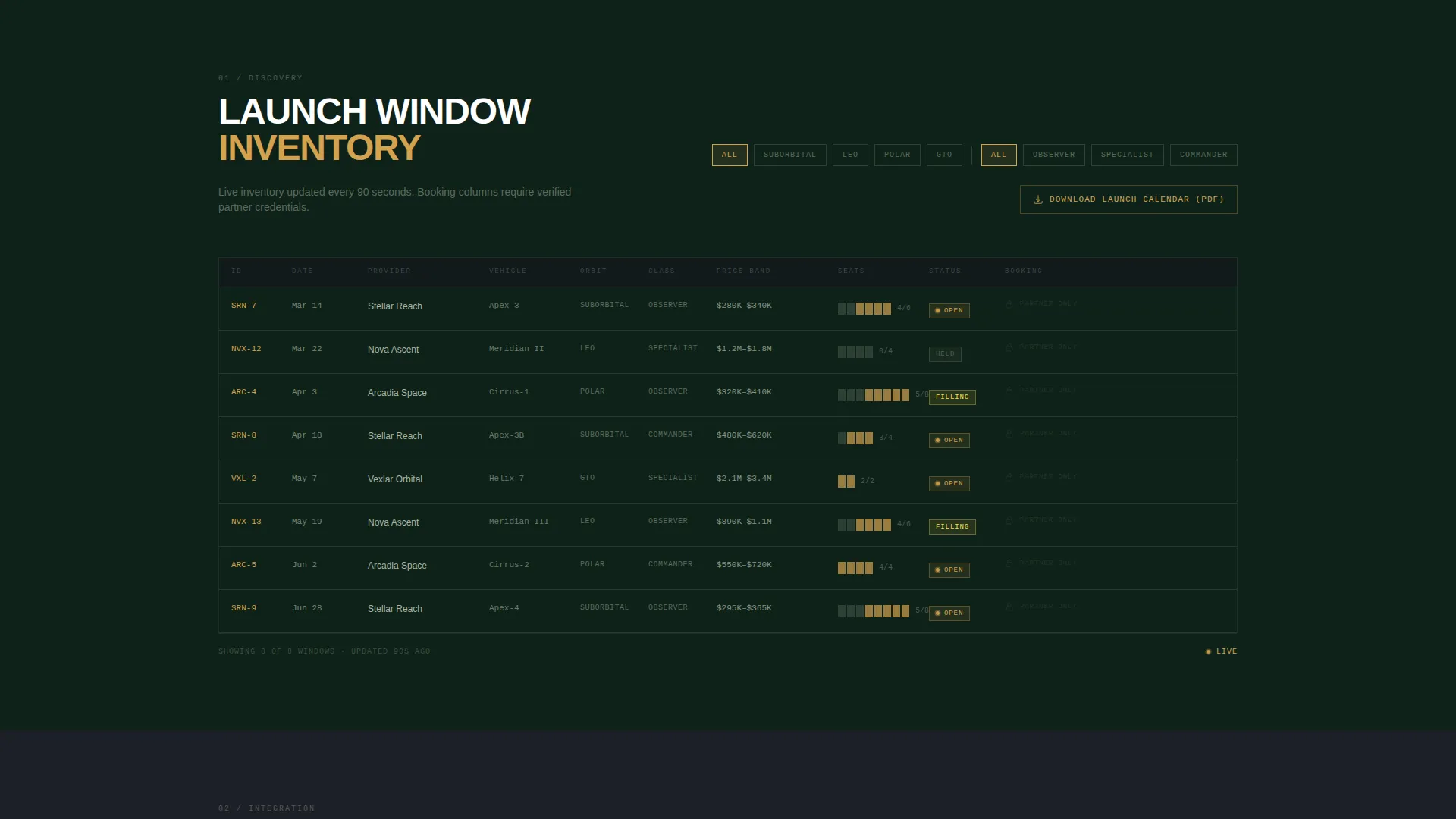
Filterable Launch Window Data Grid
The Discovery section presents upcoming launch windows in a structured data grid. Partners can filter by provider, orbit type, seat class, and price band. Booking columns are intentionally greyed out with "partner access only" treatment, creating visible urgency without a hard sell.
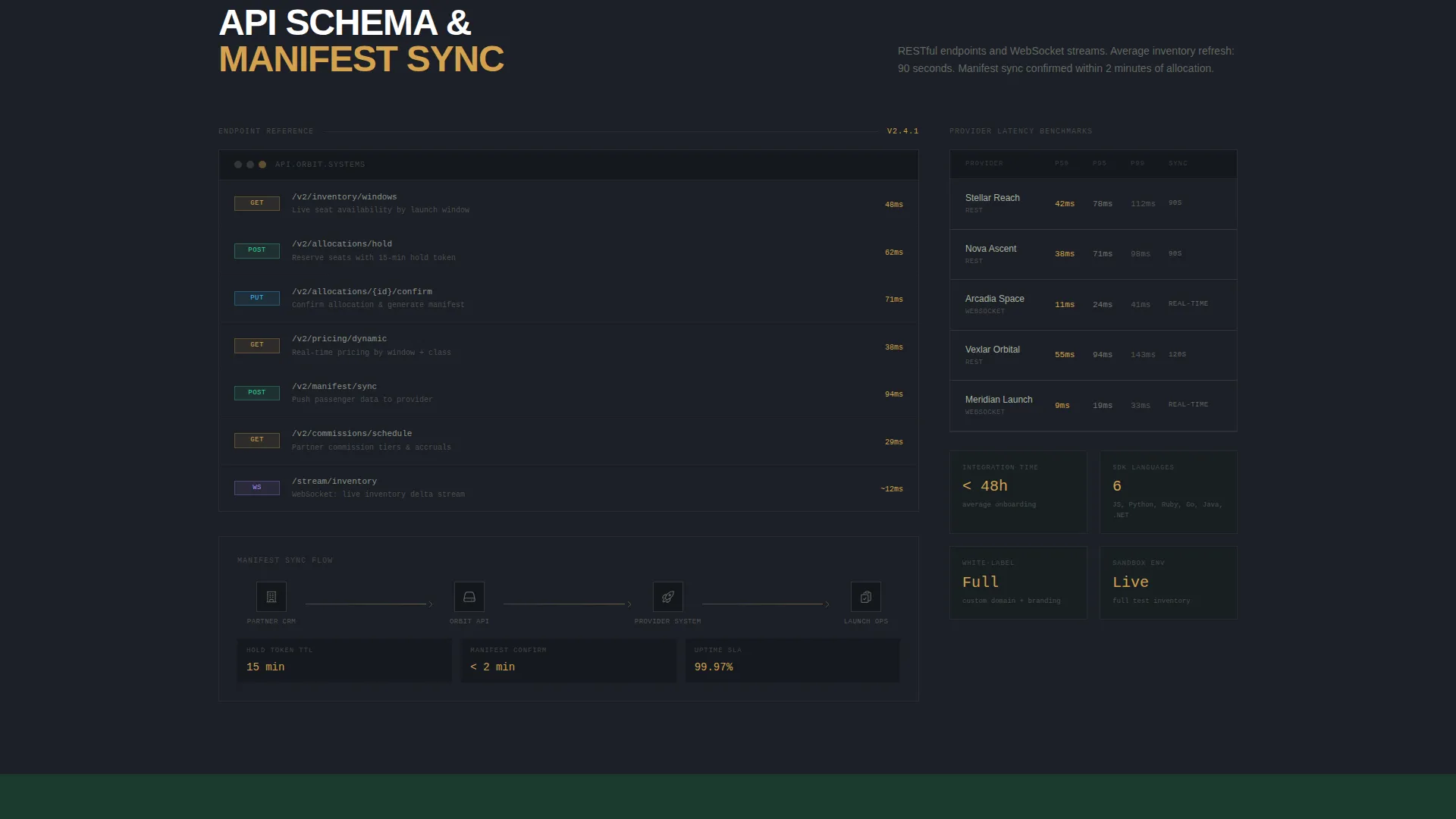
API Schema and Manifest Sync Preview
The Integration section includes an API schema preview, a manifest sync diagram, and a latency benchmark table showing real-time inventory refresh rates. This gives technically literate partners the evidence they need to evaluate integration effort before booking a call.
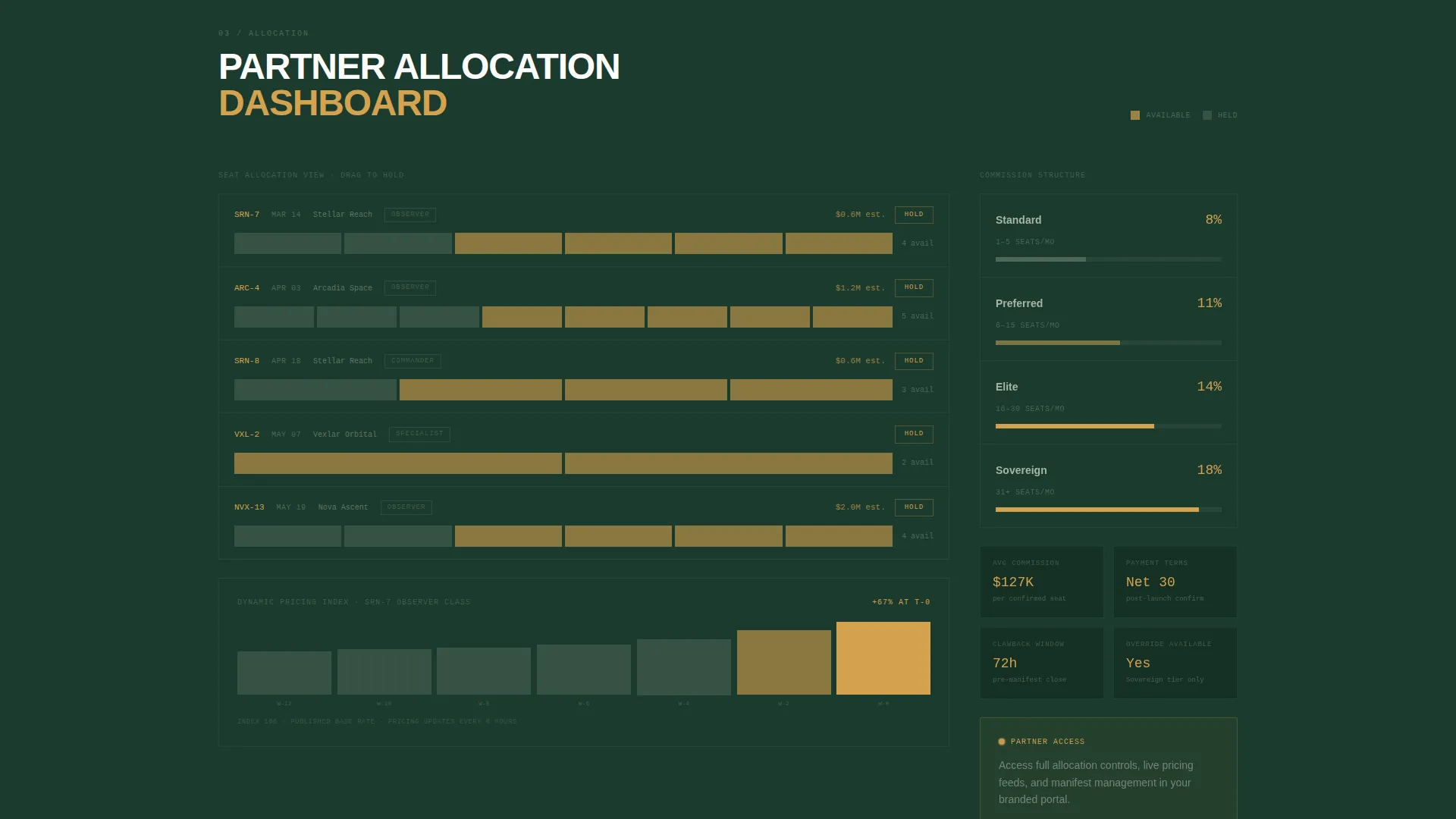
Sample Partner Allocation Dashboard
The Allocation section renders a working-style partner dashboard with drag-to-hold seat blocks, dynamic pricing curves, and commission structures shown as layered bar charts. It makes the allocation workflow tangible and reduces perceived onboarding friction.
Anonymized Performance Case Studies
The Performance section presents quarterly-report-style case studies using real data-grid formatting. Metrics include revenue per seat, client retention rates, and rebooking velocity. The anonymized treatment keeps it credible without requiring partner disclosure.
Page sections overview
| Section | Purpose |
|---|---|
| Panoramic Header | Establish visual authority and show live platform data |
| Live Data Ribbon | Display real-time seat, agency, and provider counts |
| Discovery Grid | Browse filterable launch windows by provider and class |
| Integration Preview | Show API schema, manifest sync, and latency benchmarks |
| Allocation Dashboard | Demonstrate seat-hold, pricing, and commission tools |
| Performance Reports | Present anonymized partner metrics and rebooking data |
| Sticky call to action Bar | Capture qualified leads after the integration section |
Design & branding system
The Forest Trust color system gives this template its distinctive identity. It pairs the confidence of a corporate boardroom with the calm of an old-growth forest. Every color has a defined role, and the palette is intentionally restrained so that the amber indicators always carry weight.
- Core palette: ancient canopy green (#1B3A2D), mission-grade charcoal (#1C1F26), lichen silver (#A8B5A2), and living sap amber (#D4A24E) used exclusively for live-data indicators and interactive hover states
- Typography uses a condensed uppercase sans-serif for headlines, creating a mission-control readability standard throughout every section
- Backgrounds alternate between deep charcoal and canopy green blocks, with body text in lichen silver that recedes behind the data while staying fully legible
Mobile & speed optimization
The template is designed with a data-heavy layout that needs to remain readable and functional across screen sizes. The grid-based sections are structured to reflow cleanly on smaller viewports.
- Data grid and dashboard sections are built to adapt to narrower screens without losing column legibility
- The sticky "Request API Access" conversion bar is positioned to remain accessible and visible on mobile without blocking content
- Amber live-data indicators and hover states are designed to translate clearly to touch-based interaction patterns
How this template helps you convert
The conversion strategy is built into the scroll journey itself. By the time a visitor reaches the sticky call to action, they have already seen the platform working. That sequence removes the biggest objection before it forms.
- The low-commitment "Download Launch Calendar (PDF)" path at the top of the data grid captures early-stage visitors with only an email, feeding them into a follow-up sequence before they are ready to commit.
- The sticky "Request API Access" bar appears only after the visitor passes the Integration section, using scroll depth as a self-qualification filter so that only genuinely interested partners see the primary call to action.
Other information about this template
This template is part of the Aerospace and Defense category under the Space and Advanced Aerospace subcategory. It is purpose-built for the space tourism booking platform niche and designed to support partnership and B2B acquisition goals.
- The template style is Dashboard and Data Grid, making it well-suited for platforms that need to demonstrate operational depth rather than simply describe it
- The creative direction follows Timeline Progression, meaning the scroll experience moves the visitor forward through a partnership lifecycle rather than down a static feature list
- The header concept is Panoramic and Wide, using a full-viewport Earth-limb image treated to look like genuine mission camera footage rather than fantasy illustration
- The Corporate Precision theme and Forest Trust color system work together to position the platform as both technically rigorous and aesthetically distinctive in a sector where most competitors default to generic dark-mode rocket imagery
Theme
Corporate Precision
Creative direction
Timeline Progression
Color system
Forest Trust
Style
Dashboard/Data Grid
Direction
Partnership/B2B
Page Sections
Panoramic Mission-camera Header
Live-updating Amber Data Ribbon
Filterable Launch Window Grid
API Schema and Manifest Preview
Sample Partner Allocation Dashboard
Performance Case Study Reports
Related questions
Who is the primary audience for this landing page template?
What conversion paths are built into this template?
Does this template require a live data feed to look credible?
Can this template support a custom brand identity?
What makes this template different from a generic SaaS landing page?



