Complete Space & Advanced Aerospace Professional Website Template
Orbit is a dashboard-style landing page template built for CubeSat and NanoSat builders. It combines a deep charcoal and amber color system with a mission-control aesthetic, an exploded 3D CubeSat header, case study data cards, live-styled telemetry strips, and a structured "Scope Your Mission" intake form designed to convert serious aerospace buyers.
by Rocket studio
Quick summary
Orbit is a single-page landing page template tailored to precision small satellite builders. It pairs a spacecraft operations visual identity with a case study narrative structure and a lead generation form. The result is a purpose-built page that speaks directly to university labs, defense contractors, and climate-tech startups evaluating a CubeSat manufacturing partner.
Who this template is for
This template serves organizations that build, contract, or commission small satellites. The audience has technical knowledge and limited patience for generic agency pages. They need proof of capability before they commit a mission timeline or budget.
- University research labs pursuing grant-funded CubeSat programs with fixed deployment windows
- Defense contractors requiring rapid-prototype payloads for low Earth orbit constellation work
- Climate-technology startups building satellite monitoring fleets on early-stage funding
What problem this template solves
Aerospace buyers are skeptical by training. A standard portfolio page rarely conveys the depth of systems engineering, cleanroom process, and mission history that a serious client needs to see. This template closes that gap.
- It replaces generic "about us" copy with mission-debrief-style case studies that show constraints, decisions, and outcomes
- It removes friction from the first inquiry with a structured intake form that feels like a mission parameters console rather than a contact box
- It signals operational credibility through data-rich telemetry visuals before a single paragraph is read
What you get with this template
The template delivers a complete, conversion-focused landing page for a CubeSat and NanoSat builder. Every section is designed around the expectations of a technically literate aerospace buyer. You get a cohesive page that moves visitors from curiosity to qualified inquiry in a single scroll.
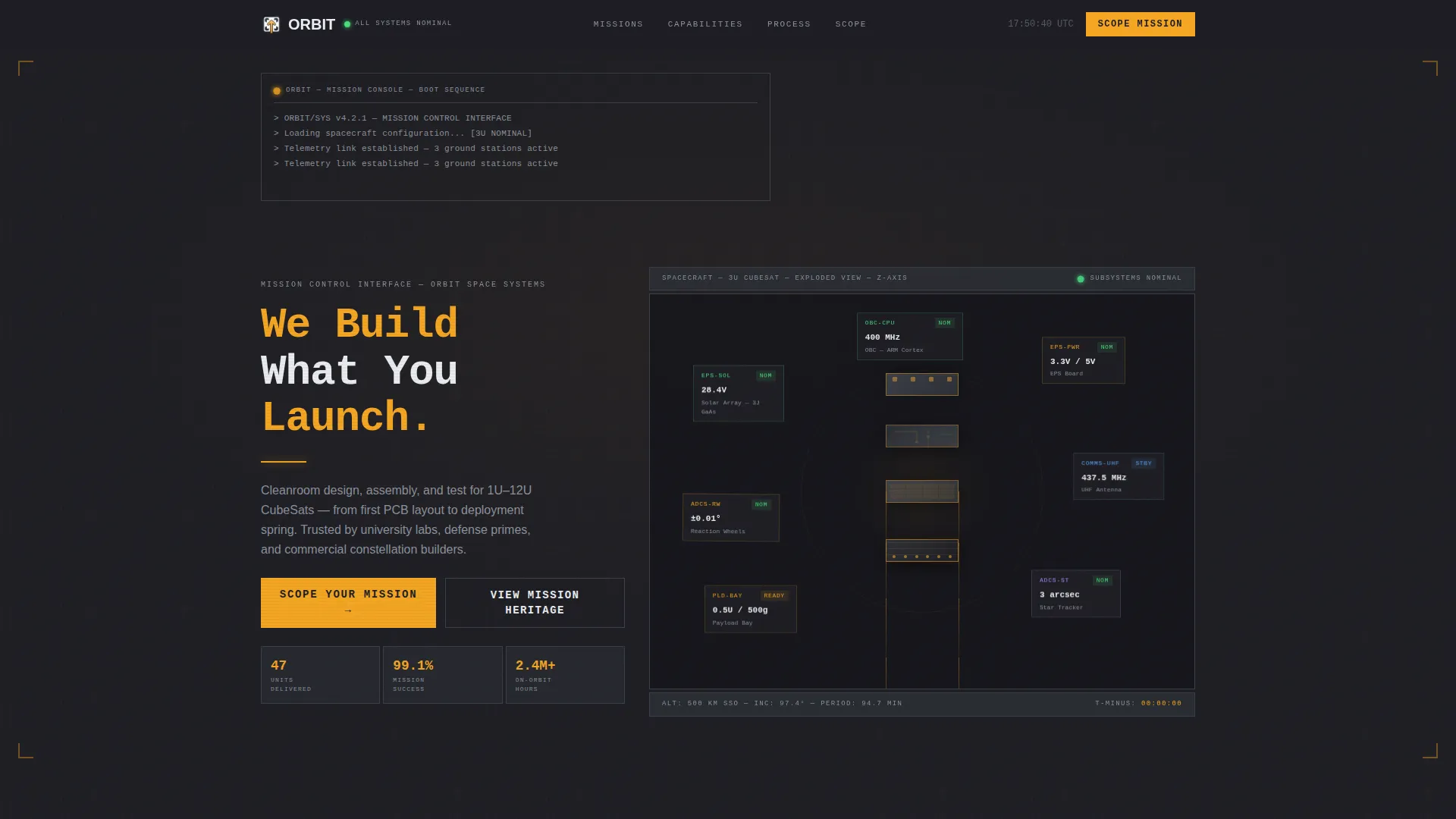
- An interactive exploded-view header showing a labeled 3D-style 3U CubeSat detonated along its Z-axis
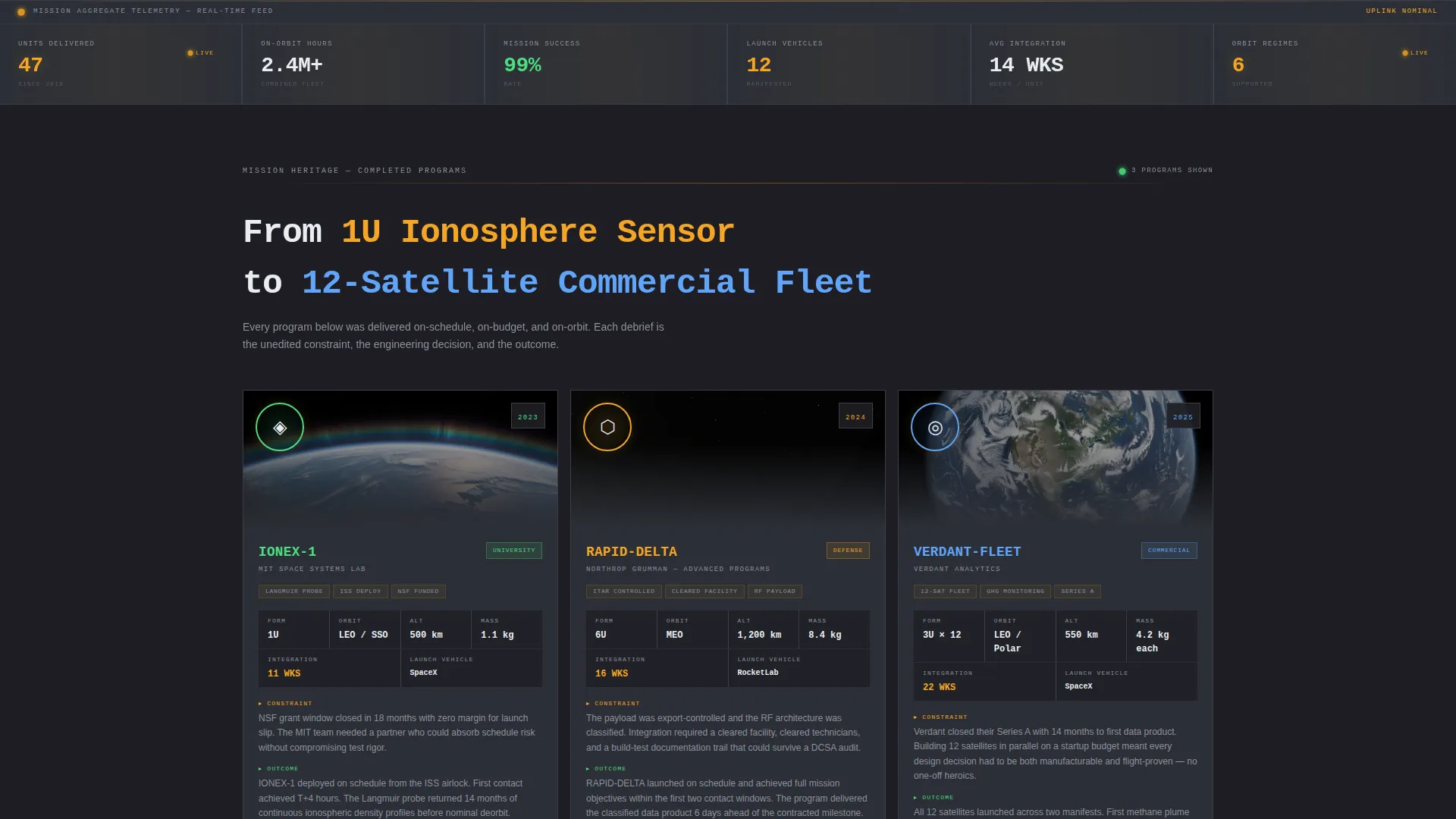
- A case study card grid with mission patch, orbit data, mass budget, timeline, and launch vehicle per program
- A dual-path lead generation system with a primary scoping form and a gated capabilities deck download
Feature list
This section describes the core built-in components of the Orbit landing page template.
Exploded View Hero Header
A detailed 3D-style illustration of a 3U CubeSat separates every subsystem along its Z-axis. Solar panels, the power electronics board, UHF antenna, reaction wheels, star tracker, and payload bay each float in labeled suspension against the charcoal background. The headline "We Build What You Launch" appears beneath in amber monospace only after the eye has finished tracing the layout.
Mission-Debrief Case Study Cards
Each completed satellite program is presented as a data card grid. Cards display the mission patch, orbit altitude, payload type, mass budget, integration timeline, and launch vehicle. A two-paragraph debrief sits beneath each card, covering the engineering constraint, the decision made, and the outcome. Program stakes escalate from a 1U university ionosphere sensor to a 12-satellite commercial constellation.
Live-Styled Telemetry Strip
Between case study sections, animated telemetry strips display aggregate statistics: total units delivered, combined on-orbit hours, and mission success rate. Numbers tick in amber as though updating from active ground stations. This element reinforces credibility through quantified mission history without requiring a separate statistics page.
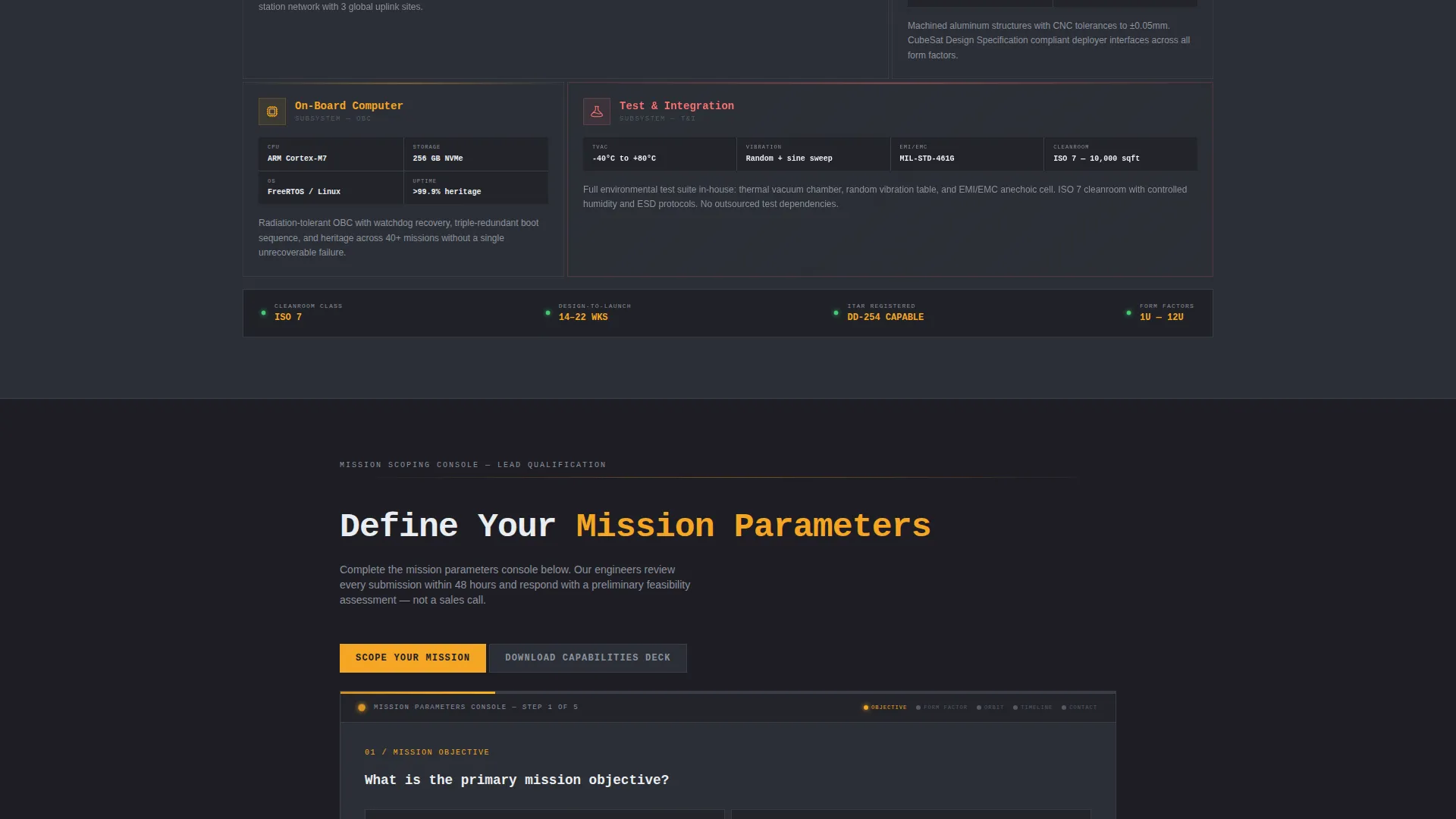
Scope Your Mission Intake Form
The primary lead generation form collects mission objective via dropdown (Earth observation, communications, technology demonstration, science, or classified), unit size via a 1U through 12U slider, target orbit regime, desired launch window, and an optional drag-and-drop field for preliminary payload specifications or requirements documents. An amber progress bar runs across the top panel, making form completion feel like filling out a mission parameters console.
Gated Capabilities Deck Download
A secondary conversion path offers a downloadable capabilities deck gated behind name and institutional email only. This allows visitors who are not ready to scope a mission to stay connected and qualify themselves for follow-up.
Dashboard Pro Panel System
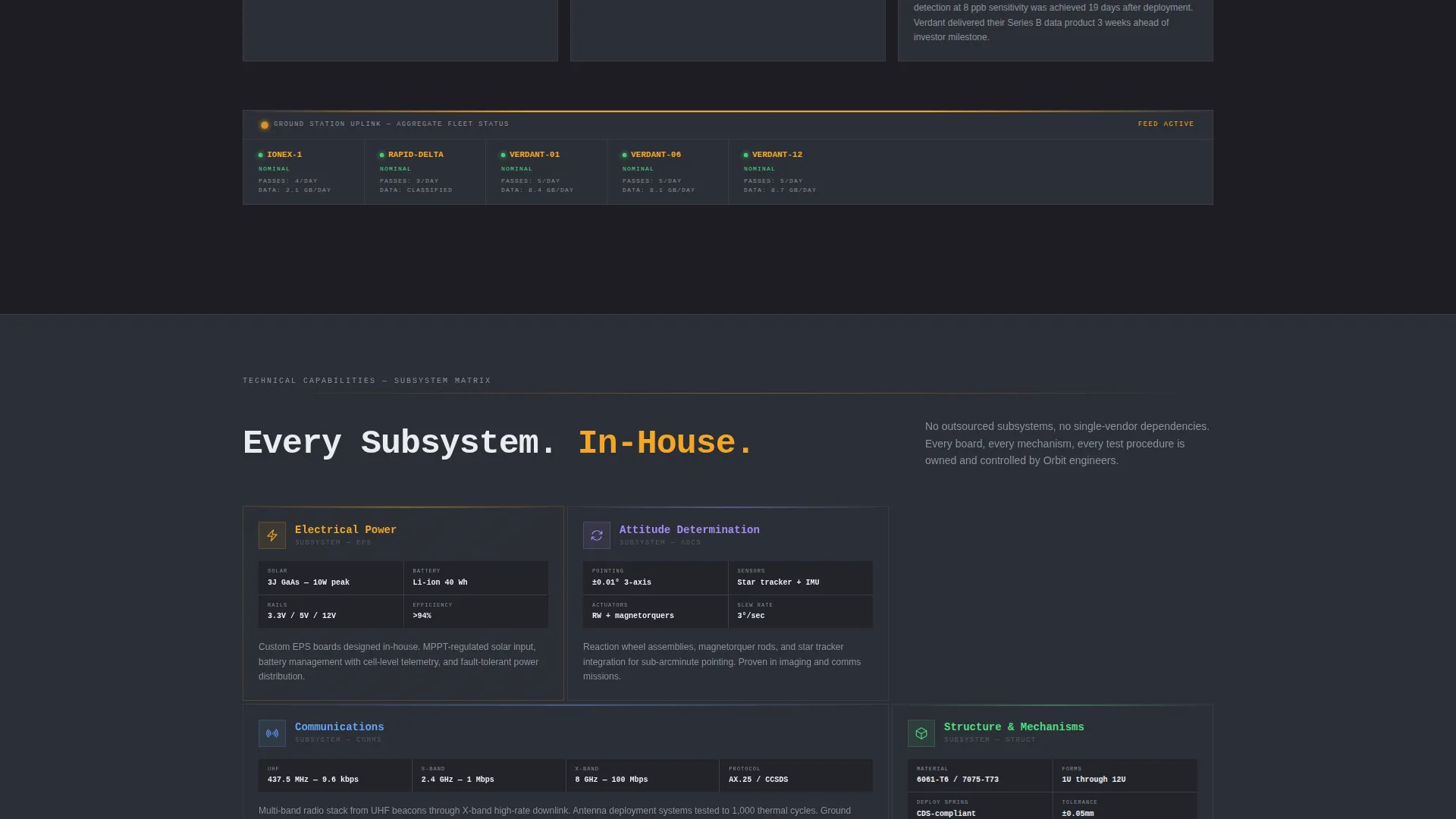
Every content block sits inside subsystem-panel gunmetal containers that mirror a spacecraft operations interface. The panel system creates visual hierarchy without relying on whitespace alone. Amber accents appear only where action or attention is required, keeping the interface focused and distraction-free.
Page sections overview
| Section | Purpose |
|---|---|
| Exploded View Header | Establish technical credibility visually |
| Hero Headline Block | Anchor brand message below the illustration |
| Case Study Cards | Showcase completed mission programs |
| Telemetry Stats Strip | Display aggregate on-orbit performance data |
| Scope Your Mission Form | Capture qualified mission inquiry leads |
| Capabilities Deck Gate | Offer a secondary low-friction download path |
Design & branding system
The Orbit template uses a spacecraft operations color palette built around four values. Deep mission-control charcoal (#1E1E24) forms the page background. Subsystem-panel gunmetal (#2C2F36) defines each content container. Status-active amber (#F5A623) pulses on interactive elements and data readouts. Vacuum-white (#EAEDF0) carries all data labels and body text. Together they evoke a mission control console at 2 AM.
- Monospace amber typography is used for the primary headline and all telemetry readout figures
- Component labels in the exploded view use technical sans-serif treatment consistent with aerospace drawing conventions
- The overall aesthetic is dark-surface dominant, with amber used sparingly so every highlighted element earns immediate attention
Mobile & speed optimization
The template is structured so that the dashboard panel layout adapts cleanly across screen sizes. The exploded view header, case study card grid, and intake form are each designed to reflow without losing their data-dense visual logic on smaller displays.
- The case study card grid stacks vertically on narrow screens while preserving mission data hierarchy
- The intake form slider and drag-and-drop field are touch-compatible components suited to tablet and mobile workflows
How this template helps you convert
Orbit is built around two conversion paths, both of which reduce the barrier to first contact for technically demanding buyers.
- The "Scope Your Mission" form structures the buyer's request before it reaches your team. Dropdown and slider inputs replace open text fields. This means incoming leads arrive with enough mission context to qualify and prioritize immediately.
- The gated capabilities deck download captures visitors who need more information before committing. It asks only for a name and institutional email, lowering the threshold for early-stage researchers and program managers who are still building their business case.
Other information about this template
The Orbit template was designed specifically for the CubeSat and NanoSat builder niche within the broader Aerospace and Defense category. It sits at the intersection of Space and Advanced Aerospace services, where buyers evaluate vendors on demonstrated mission history rather than marketing language. The Dashboard Pro theme and Charcoal and Amber color system give it a visual language that is immediately legible to engineers, program managers, and grant administrators alike.
- The template category is Aerospace and Defense, subcategory Space and Advanced Aerospace
- The creative direction follows a Case Study Narrative structure with a Lead Generation primary objective
- The header concept is an Exploded View, a format common in aerospace technical documentation and systems engineering reviews
- The template style is Dashboard and Data Grid, making it compatible with the expectations of mission operations and systems integration audiences
Theme
Dashboard Pro
Creative direction
Case Study Narrative
Color system
Charcoal & Amber
Style
Dashboard/Data Grid
Direction
Lead Generation
Page Sections
Exploded View Hero Header
Mission-debrief Case Study Cards
Live-styled Telemetry Strips
Scope Your Mission Intake Form
Gated Capabilities Deck Download
Dashboard Pro Panel System
Related questions
Who is this landing page template designed for?
What information does the Scope Your Mission form collect?
What is the secondary conversion path included in this template?
Can the case study section represent programs across different orbit regimes and satellite sizes?
Does the template include the visual assets shown in the preview, such as the exploded CubeSat illustration?



