Space & Advanced Aerospace Professional Website Template
Dock is a split-screen landing page template built for in-orbit spacecraft servicing companies. It pairs an isometric technical illustration with a live-styled mission telemetry dashboard, guiding satellite operators and space agency procurement officers through each mission phase. The layout earns trust by showing real operational process before asking for anything in return.
by Rocket studio
Quick summary
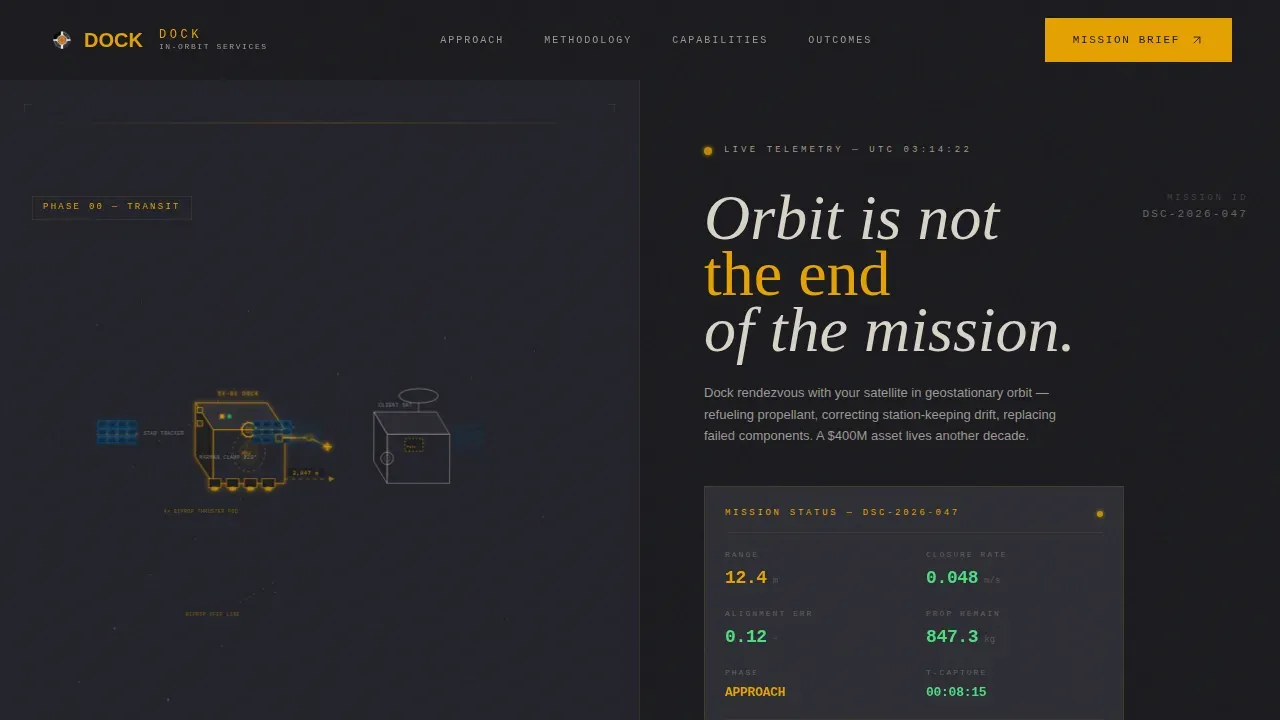
Dock is a 50/50 split-screen landing page template designed for deep-tech aerospace companies offering in-orbit spacecraft servicing. The left panel holds a slowly rotating isometric cutaway of a servicing vehicle. The right panel displays a live-styled mission status dashboard. Together, they simulate the atmosphere of a mission control center at work.
Who this template is for
This template is built for technical B2B aerospace companies that need to earn credibility before they earn a conversation. It speaks directly to buyers who evaluate vendors on operational fluency, not pitch decks.
- Spacecraft servicing providers targeting geostationary fleet managers and satellite operators
- Deep-tech aerospace firms presenting to government or defense space agencies
- Space industry companies whose sales cycle begins with proving process knowledge
What problem this template solves
Most aerospace landing pages describe capabilities in general terms. Buyers in this industry need to see the process before they trust the provider. Generic layouts cannot communicate mission-critical precision.
- Satellite operators need to see rendezvous, inspection, capture, and service phases documented in operational detail
- Government and defense procurement officers need go/no-go decision frameworks before scheduling a conversation
- Insurance underwriters need quantified mission outcomes, not marketing language
What you get with this template
You get a fully structured single-page layout that walks visitors through each mission phase in sequence. Every scroll section pairs a visual state of the servicing vehicle with its corresponding telemetry data and operator protocols.
- A hero section with a 50/50 split: isometric approach scene on the left, live-styled mission status dashboard on the right
- Five sequenced content sections covering Rendezvous, Inspection and Capture, Service and Release, and Mission Outcomes
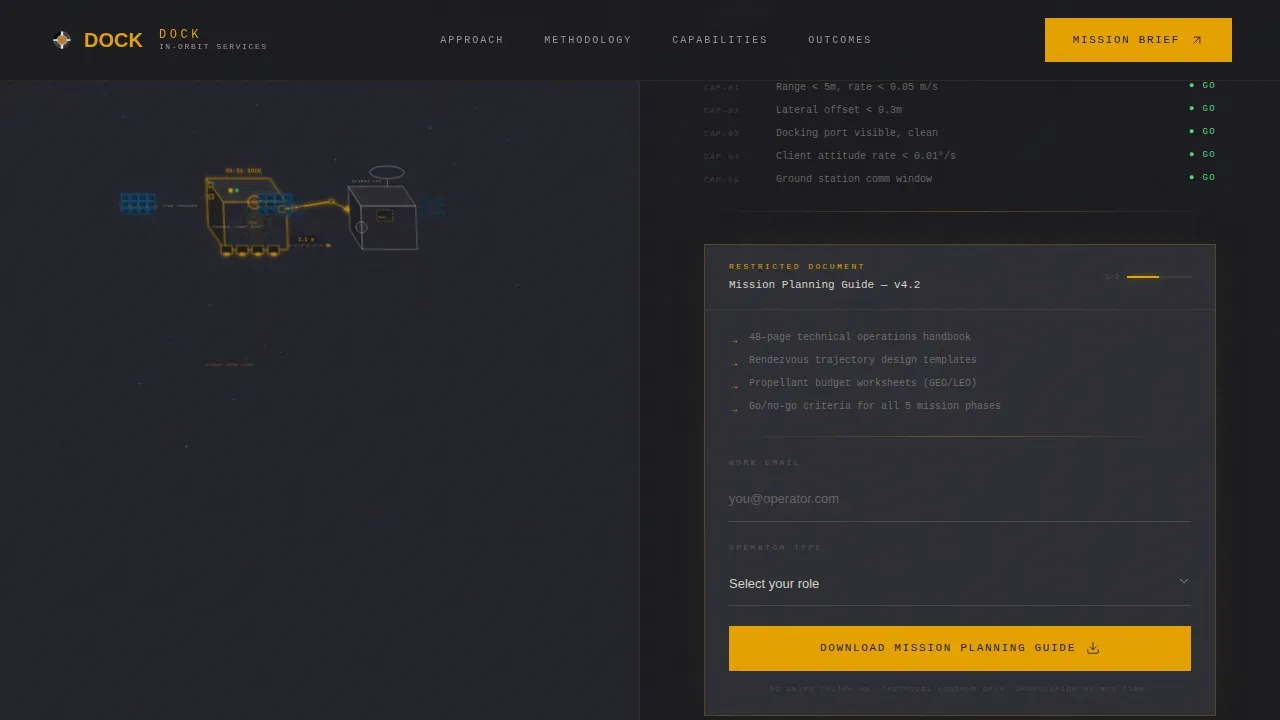
- A gated download section positioned at the Inspection-to-Capture transition, plus ungated phase briefs at each scroll section
Feature list
This template ships with a precise set of built-in capabilities drawn directly from the mission control creative direction.
Split-Screen Hero with Isometric Illustration
The hero divides equally between a detailed isometric cutaway of a servicing vehicle and a right-panel dashboard. The illustration renders real subsystem references including a Marman clamp ring, star trackers, bipropellant thruster pods, docking interfaces, robotic arm reach envelopes, and fuel transfer lines. The vehicle rotates slowly on a 15-degree arc using CSS animation.
Live-Styled Mission Status Dashboard
The right hero panel presents a mission status readout styled after real operations center displays. It includes phase labels such as "APPROACH 12.4m," propellant gauges, alignment vectors, and a countdown to capture. Telemetry values tick using CSS keyframe animations to create a live-data feel without a backend connection.
Scroll-Triggered Phase Reveal System
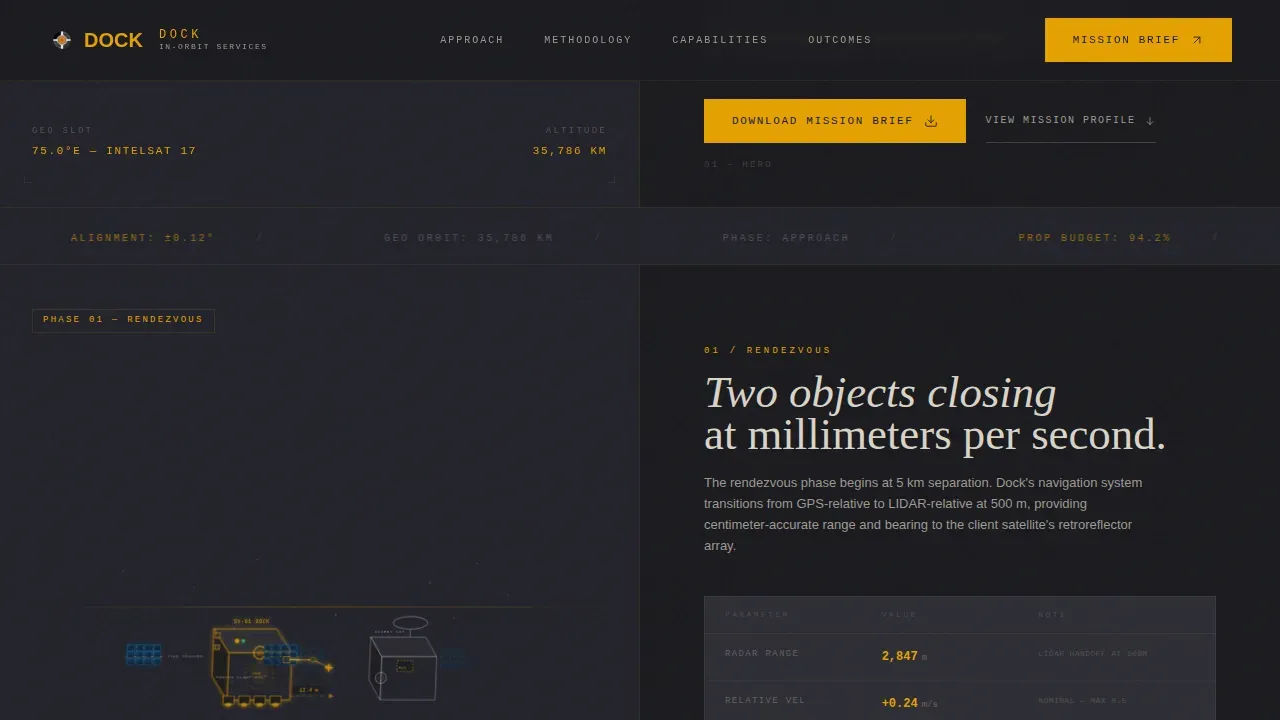
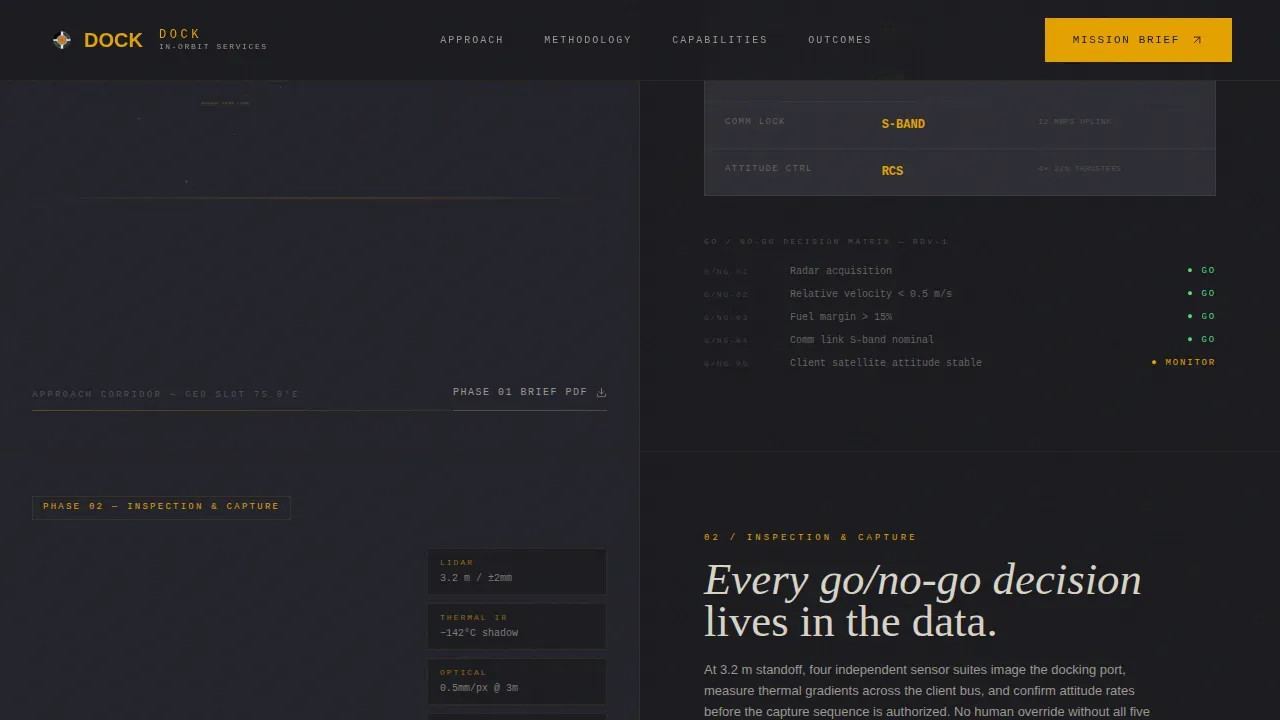
Each mission phase section uses GSAP ScrollTrigger to reveal content as the visitor scrolls. The left panel shows the isometric vehicle at the corresponding mission stage while the right panel displays telemetry, decision gates, and operator protocols for that phase. The sequence moves through Rendezvous, Inspection, Capture, Service, and Release.
Gated Download with Operator Segmentation
The primary call to action, "Download the Mission Planning Guide," appears at the phase transition between Inspection and Capture. A lightweight form collects work email and operator type from four segments: commercial GEO fleet, LEO constellation, government/defense, and insurance. Ungated individual phase brief downloads appear at each scroll section as a secondary engagement path.
Mission Outcomes Bento Grid
A dedicated outcomes section presents mission metrics in a bento-style grid layout. Metrics include propellant transferred, mission extensions delivered, and assets serviced. A "Schedule Assessment" call to action anchors the bottom of this section.
Dashboard Pro Typography System
The template uses three typefaces with distinct roles. DM Serif Display handles editorial headlines. JetBrains Mono renders all telemetry data, counters, and readout labels. Manrope covers body copy and user interface text. This separation keeps the page readable while reinforcing the mission control aesthetic.
Page sections overview
| Section | Purpose |
|---|---|
| Hero Split Screen | Introduces servicing vehicle and live mission dashboard |
| Rendezvous Phase | Shows approach trajectory and range/closure telemetry with ungated brief |
| Inspection and Capture | Presents go/no-go matrix and hosts primary download gate |
| Service and Release | Displays capability manifest and outcome metrics with ungated brief |
| Mission Outcomes | Bento metrics grid with Schedule Assessment call to action |
| Footer | Single-row linear footer with contact and navigation links |
Design & branding system
The visual identity uses a Charcoal and Amber color system built to feel like the interior of a spacecraft operations center after sunset. Every color choice has a functional role; nothing is purely decorative.
- Deep mission-control black (#1A1A1E) anchors full-bleed backgrounds; instrument-panel charcoal (#2D2D34) panels content cards; caution-lamp amber (#E5A100) carries all interactive states, hover glows, progress indicators, and live-data accents
- Status-readout bone (#D9D3C7) handles all body text and secondary labels, deliberately softened away from pure white to match a thermal-paper printout aesthetic
- SVG path animations and amber wireframe overlays reinforce the technical illustration style throughout the scroll experience
Mobile & speed optimization
The template is designed desktop-first. The full split-screen layout requires a viewport of 1280 pixels or wider to display its intended 50/50 split with full visual impact.
- On smaller viewports, the split-screen layout gracefully stacks into a single-column flow so content remains accessible on tablets and mobile devices
- Static sections use Server Components to keep the base render lightweight; animated elements are isolated as Client Components to contain the performance cost of high-animation interactions
- Telemetry counter animations and GSAP ScrollTrigger effects load only when their sections enter the viewport, reducing unnecessary processing on initial page load
How this template helps you convert
The page is built around a content-first conversion model. Visitors are shown operational credibility before they encounter any ask.
- Scroll-triggered phase reveals guide visitors through Rendezvous, Inspection, Capture, Service, and Release in sequence, building investment in the process before the download gate appears at the Inspection-to-Capture transition.
- Ungated phase brief downloads at each section create an incremental engagement trail, giving visitors a low-commitment way to take something of value before reaching the primary gated offer.
- The Mission Outcomes bento grid closes the page with quantified metrics, and the "Schedule Assessment" call to action converts visitors who have completed the full process walkthrough and are ready for a direct conversation.
Other information about this template
This template is part of the Dashboard Pro theme family and uses the Charcoal and Amber color system as its foundational visual language. It is categorized under Aerospace and Defense, with a specific focus on the Space and Satellite subcategory and the In-Orbit Servicing niche.
- The creative direction is Transparent Process, meaning every design and copy decision is oriented around showing methodology rather than asserting marketing claims
- The header concept is Isometric, a precise technical illustration style that signals engineering credibility to specialist audiences on first view
- The landing page direction is Content and Resource, meaning the primary conversion is a gated downloadable guide rather than a direct sales inquiry form
Theme
Dashboard Pro
Creative direction
Transparent Process
Color system
Charcoal & Amber
Style
Split Screen (50/50)
Direction
Content/Resource
Page Sections
Split-screen Hero with Isometric Illustration
Live-styled Mission Status Dashboard
Scroll-triggered Phase Reveal System
Gated Download with Operator Segmentation
Mission Outcomes Bento Grid
Dashboard Pro Typography System
Related questions
What kind of company is this template built for?
Can I adapt the mission phases to match my own service workflow?
Is the telemetry data on the dashboard live or static?
Where does the primary download gate appear?
Does the template work on mobile devices?



