Optimize — Intelligent FinOps Landing Page Template
Allocate is a FinOps landing page template built for cloud cost visibility platforms. It uses a card grid layout with a glassmorphic dark visual system to present capability specs, a live dashboard preview hero, and a friction-free app download flow. It is designed to convert platform engineers, FinOps practitioners, and CFOs the moment they land.
by Rocket studio
Quick summary
Allocate is a single-page FinOps platform landing page template. It leads with a live dashboard preview hero and flows into a modular card grid of capability specs. The design uses deep blacks, frosted glass panels, electric mint accents, and lavender alert signals. The goal is to earn the install click before the visitor reaches the download block.
Who this template is for
This template is built for teams launching or marketing a cloud cost management platform. It speaks directly to technical and financial buyers who evaluate tools with precision.
- Platform engineering leads who spend hours inside cost explorer tools and need a faster way to evaluate alternatives
- FinOps practitioners building showback models across many teams and looking for a credible vendor presence
- CFOs and finance leads who receive dense cloud invoices and want to see the product before committing
What problem this template solves
Cloud cost platforms are hard to sell because buyers are skeptical and technically literate. A generic landing page with stock imagery loses them in seconds. Allocate solves the trust gap by putting the product front and center.
- Phantom spend, idle instances, and reservation gaps are real pain points that need to be named clearly and early
- Buyers want specs, not promises, so the template leads with quantified capability cards rather than marketing language
- The path to download is short and unobstructed, removing friction for users who are ready to act
What you get with this template
You get a complete, conversion-focused landing page template structured around three core zones: a hero dashboard preview, a modular spec card grid, and a platform-detect download block. Every section is designed to build confidence progressively.
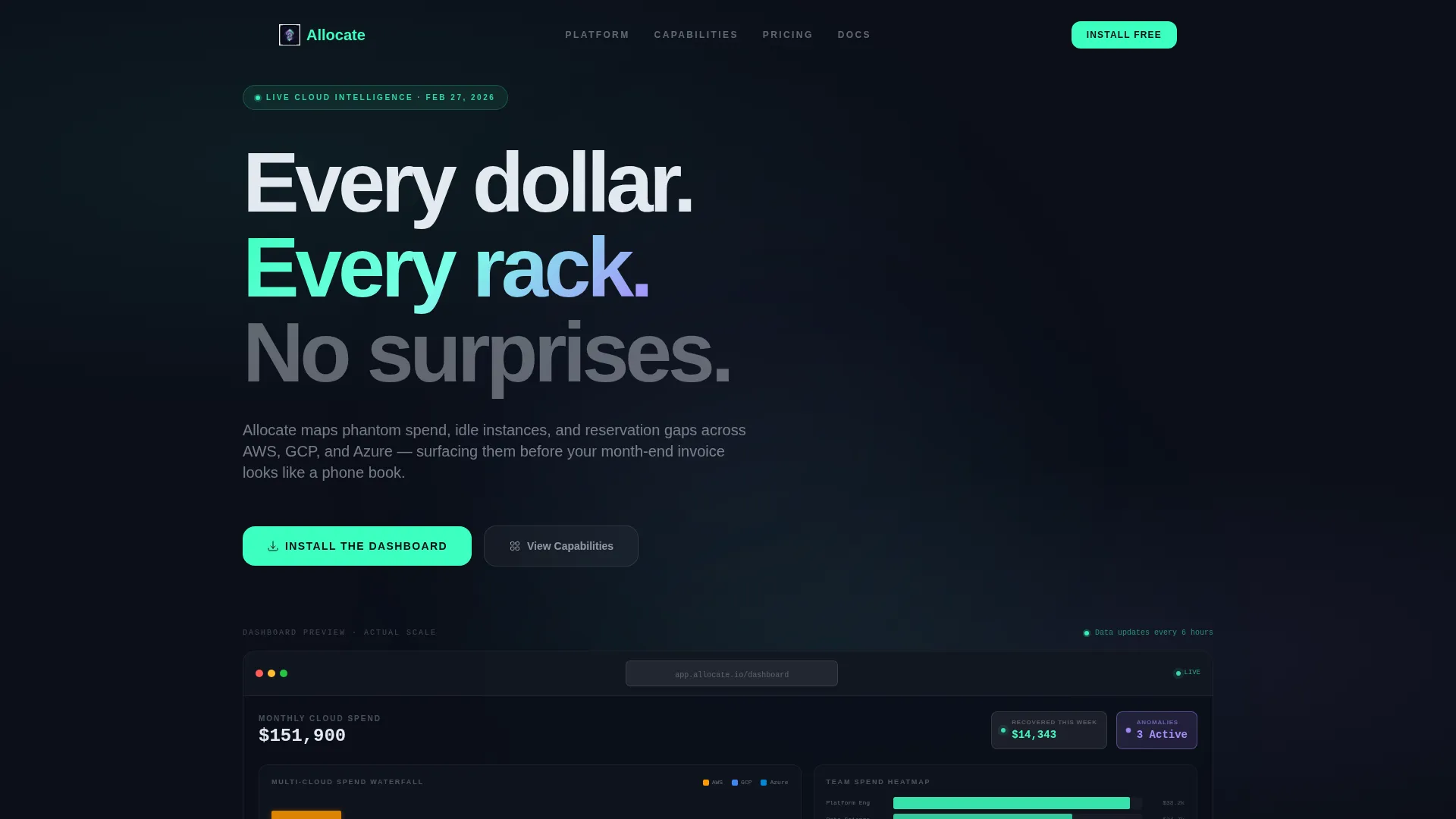
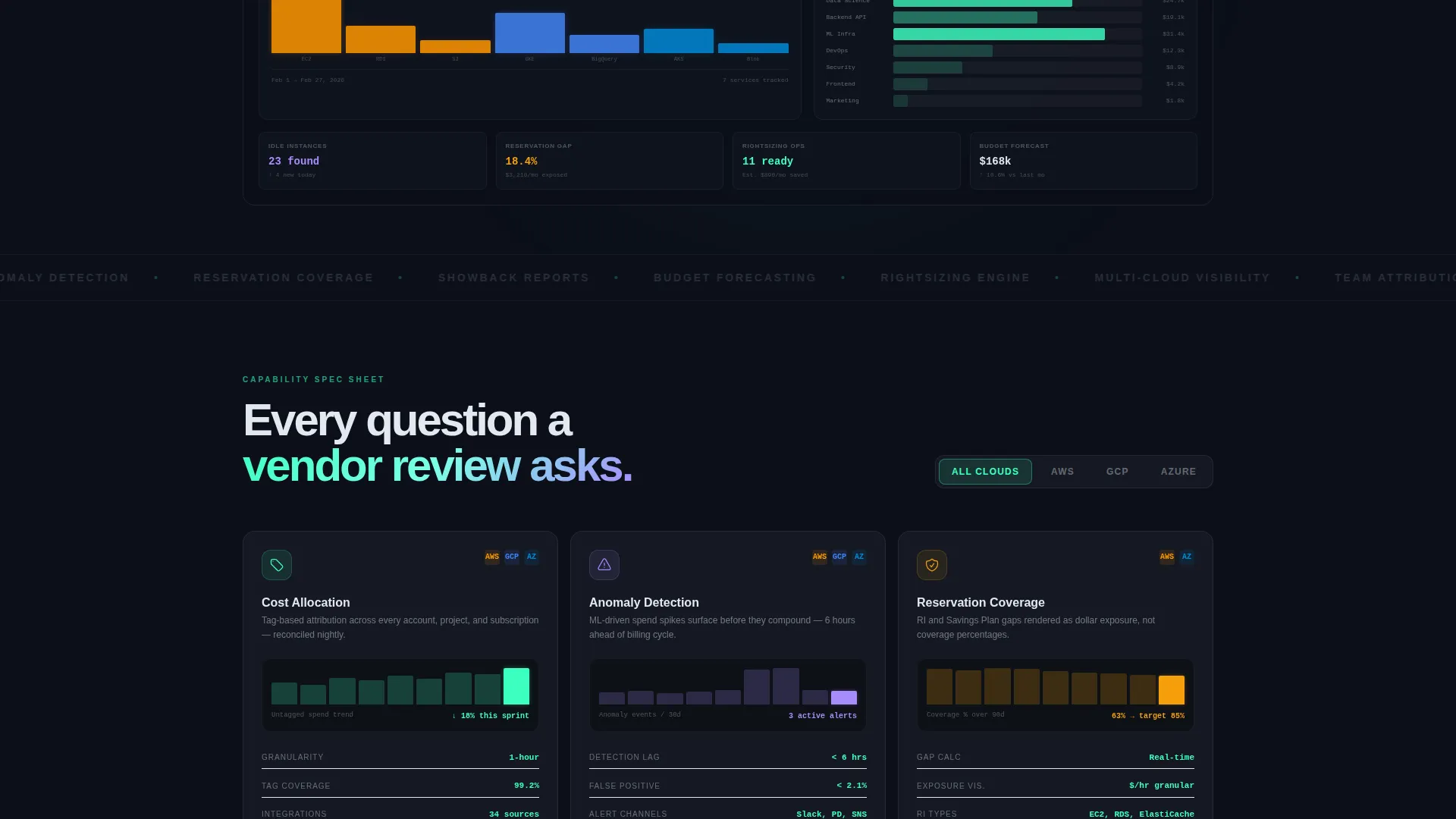
- A pixel-rendered hero section showing a live-style cost allocation dashboard with multi-cloud waterfall charts, a savings ticker, and a team-level heatmap
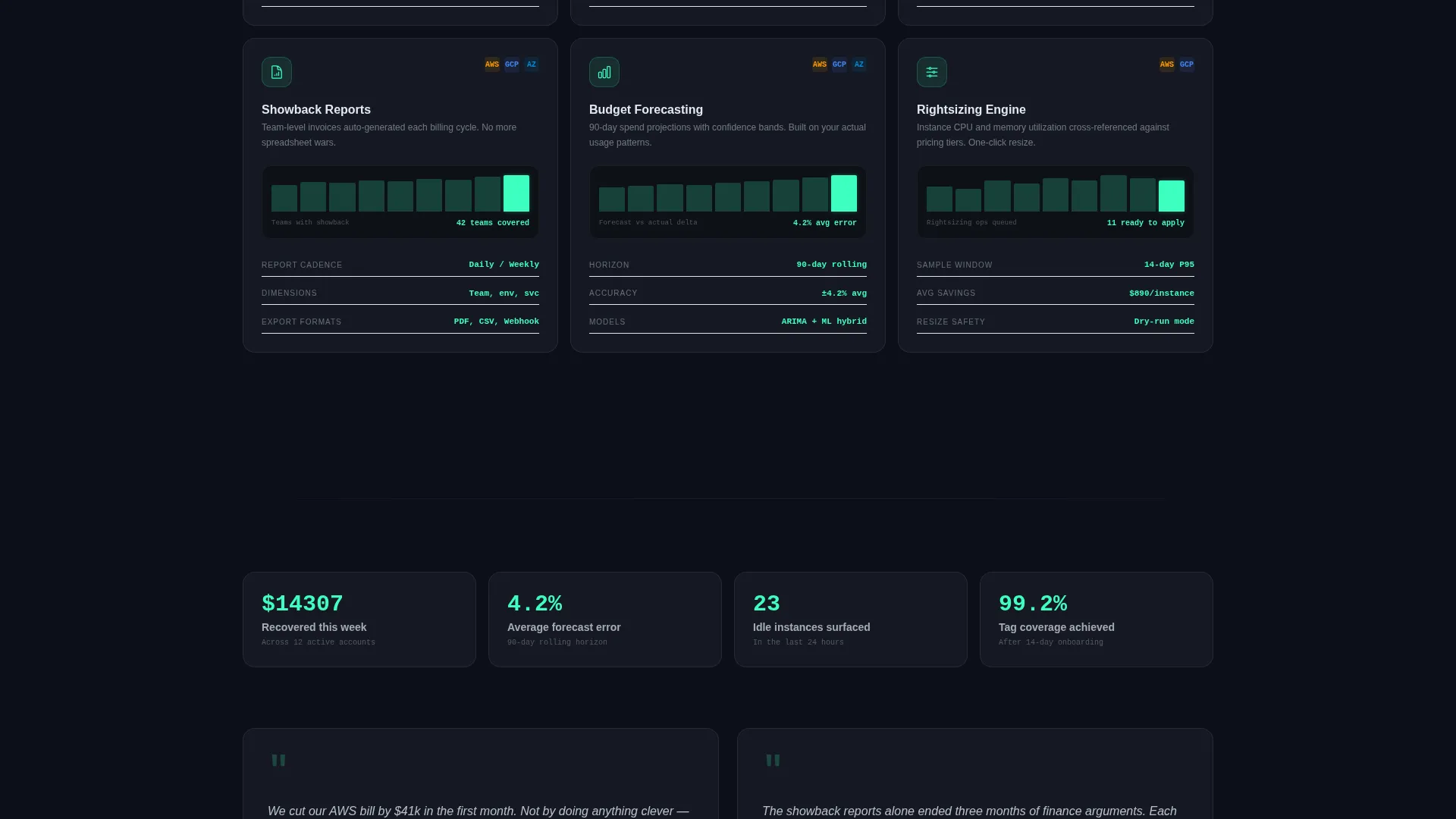
- A sortable card grid covering six discrete capabilities, each with a micro-screenshot, three quantified specs, and a supported-platforms icon row
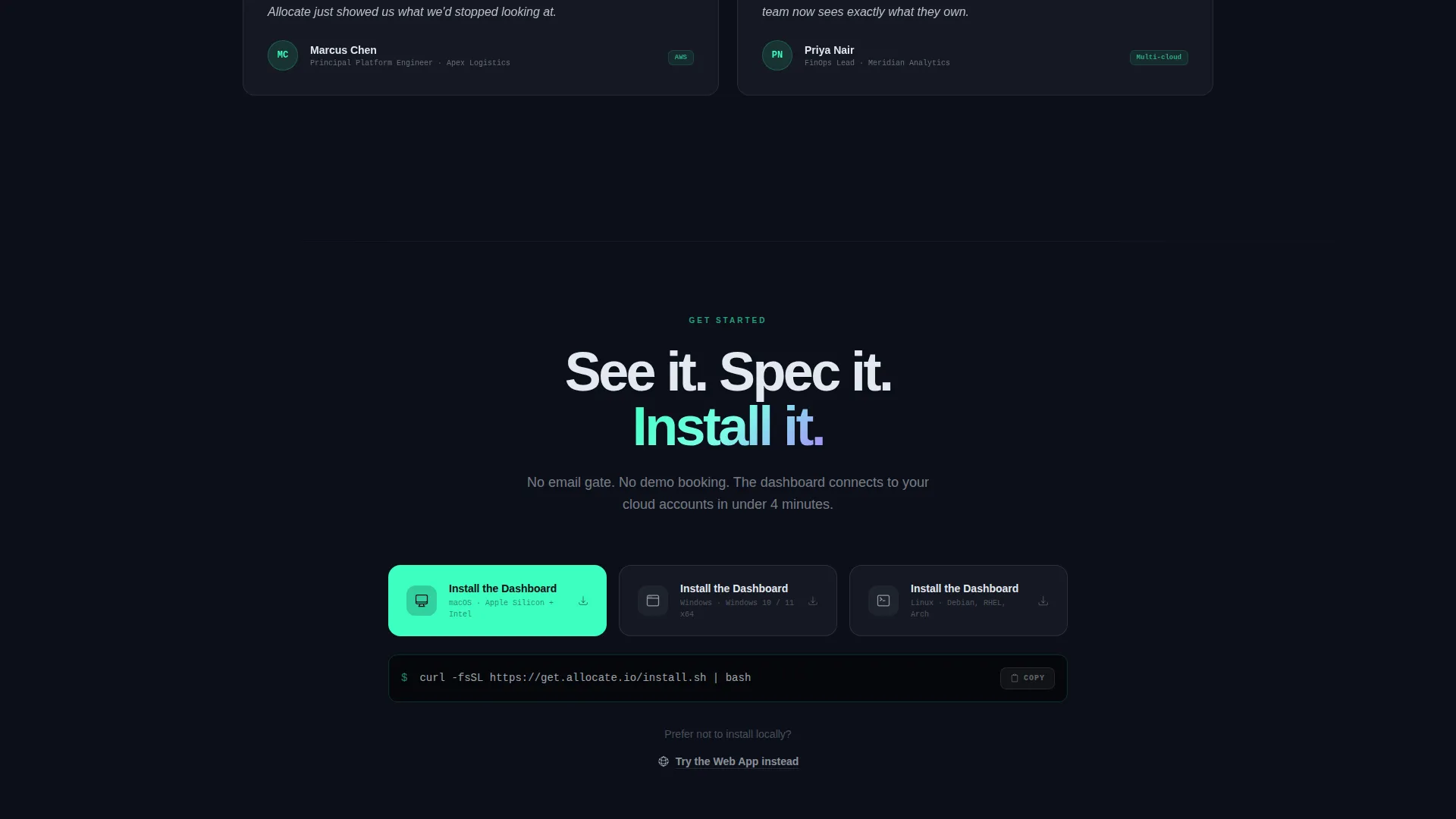
- A dual-path download block with platform-detect buttons for macOS, Windows, and a command-line interface snippet for Linux, plus a secondary web app option
Feature list
This template is built from a small number of high-impact components. Each one serves a specific role in moving a skeptical buyer toward the install.
Living Dashboard Preview Hero
The header renders the product itself as the hero. A frosted browser chrome frames a cost allocation view showing a multi-cloud spend waterfall chart, a real-time savings ticker reading "$14,307 recovered this week," and a team-level heatmap. Numbers increment subtly, a bar grows, and an anomaly badge pulses in lavender. No stock imagery, no illustration.
Modular Capability Card Grid
Six capability cards are arranged in a sortable grid. Each card covers one question a FinOps practitioner would ask during a vendor review: Cost Allocation, Anomaly Detection, Reservation Coverage, Showback Reports, Budget Forecasting, and Rightsizing Engine. Cards are sortable by cloud provider and include a micro-screenshot, three quantified specs, and a platform icon row.
Platform-Detect Download Block
The primary call to action is "Install the Dashboard" with separate buttons for macOS and Windows, plus a command-line interface snippet for Linux. A secondary option offers "Try the Web App" for users who prefer not to install locally. No email gate, no demo booking form.
Glassmorphic Card System
Every capability card sits on a frosted glass plane with a 1-pixel luminous border. The layered surface treatment uses deep void black backgrounds with gradient noise, frosted panel overlays at 12% opacity, and purposeful glow effects. Hover states shift text to electric mint. Alert states shift to soft lavender.
Anomaly and Alert Signal Layer
The template includes a visual language for surfacing anomalies. Lavender is reserved for warning states and alert badges. The pulsing anomaly badge in the hero and the lavender text states on cards communicate urgency without noise. This signal system is consistent across the entire layout.
Page sections overview
| Section | Purpose |
|---|---|
| Dashboard Preview Hero | Renders the product as the page header with live-style cost data |
| Savings Ticker Bar | Shows a real-time recovered spend figure in electric mint |
| Team Heatmap Panel | Displays team-level burn intensity inside the hero dashboard |
| Capability Card Grid | Presents six sortable spec cards, one per platform capability |
| Supported Platforms Row | Shows cloud provider and operating system compatibility icons |
| App Download Block | Delivers platform-detect install buttons and a web app fallback |
Design & branding system
The visual identity follows a Directory and Discovery theme executed through a glassmorphic color system. Every design decision reinforces the feeling of peering through a dark, layered interface at live operational data.
- Core palette: deep void black (#0B0F19) as the base, frosted panel white at 12% opacity (#FFFFFF1F) for card surfaces, electric mint (#3DFFC0) for live-data accents and interactive states, and soft lavender (#A78BFA) for alerts and anomaly signals
- Text system: crisp white (#E2E8F0) on dark backgrounds, mint on hover states, lavender on warning states, with 1-pixel luminous borders framing every frosted card
- Backgrounds use near-black with subtle gradient noise; surfaces float with depth and refraction rather than flat color fills
Mobile & speed optimization
The card grid layout is modular by design, which makes it straightforward to adapt across screen sizes. Each card is a self-contained unit that reflows cleanly without losing its spec structure.
- The frosted glass card system uses opacity and border treatments rather than heavy image assets, keeping the visual weight manageable across devices
- Platform-detect download buttons are sized and spaced for touch targets, reducing friction for mobile visitors who want to act quickly
How this template helps you convert
This template is structured to eliminate the gap between arrival and action. Every section builds on the previous one, so the visitor is already convinced before they reach the download block.
- The dashboard preview hero loads the product into the visitor's mental model immediately. They see real data, real numbers, and real anomaly signals before reading a single line of marketing copy.
- The spec card grid answers the precise questions a FinOps buyer would ask in a formal vendor evaluation. By the time all six cards are reviewed, skipping the download feels like leaving value on the table.
Other information about this template
This template is part of the FinOps Technology category and is designed specifically for the FinOps platform niche. It is built as a single-page layout using a card grid structure, making it straightforward to customize or extend with additional capability cards as the product evolves.
- The creative direction follows a Spec Sheet approach, meaning content is organized like a procurement document rather than a marketing brochure
- The template is designed to support cloud cost management use cases including cost allocation, anomaly detection, reservation coverage analysis, showback reporting, budget forecasting, and rightsizing
- The intersection of Directory and Discovery theme with glassmorphic styling is intentional for FinOps platforms, where visual density and data clarity are expected by the audience
Theme
Directory & Discovery
Creative direction
Spec Sheet
Color system
Glassmorphic
Style
Card Grid (Modular)
Direction
App Download
Page Sections
Living Dashboard Preview Hero
Modular Capability Card Grid
Platform-detect Download Block
Glassmorphic Card and Surface System
Anomaly Signal and Alert Visual Layer
Related questions
Who is this landing page template designed for?
Does this template require a real working dashboard to function?
Can I change the capability cards to match my platform's features?
Is there an email gate or demo booking form on this template?
What cloud providers does the template visually reference?



