Operations - Payroll Services Landing page Template
A sidebar companion landing page built for franchise payroll providers targeting multi-unit operators. The template combines a three-step consultation form, a persistent intelligent sidebar, and three team-focused content sections. It guides franchise owners, development directors, and operations VPs from first click to live demo booking without asking them to repeat themselves.
by Rocket studio
Quick summary
This is a sidebar companion landing page designed for a franchise payroll provider. It opens with a three-step form that doubles as a qualification consultation, then walks visitors through three real team member scenarios. Every section builds trust with specific outcomes before the primary call to action appears.
Who this template is for
Multi-location franchise operators need payroll infrastructure that handles complexity at scale. This template speaks directly to the people managing that complexity every day.
- Multi-unit franchise owners running 50 or more locations across multiple states
- Franchise development directors who onboard new locations on a monthly basis
- Operations VPs who have been burned by provider errors, especially around tipped employee misclassification
What problem this template solves
Running payroll across dozens of locations in different states means dealing with different minimum wages, overtime rules, tipped employee classifications, and tax filing deadlines all at once. Most payroll pages ignore that complexity. This template confronts it directly.
- Operators struggle to explain multi-state compliance needs to providers that built for single-location businesses
- New location launches create chaotic onboarding timelines that delay the first paycheck
- Compliance failures, like a Department of Labor audit from an Oregon overtime miscalculation, cost far more than a software switch
What you get with this template
The template delivers a complete click-through landing page experience in a sidebar companion layout. The structure moves visitors from self-identification through team credibility and into a demo booking, without a single redundant form field.
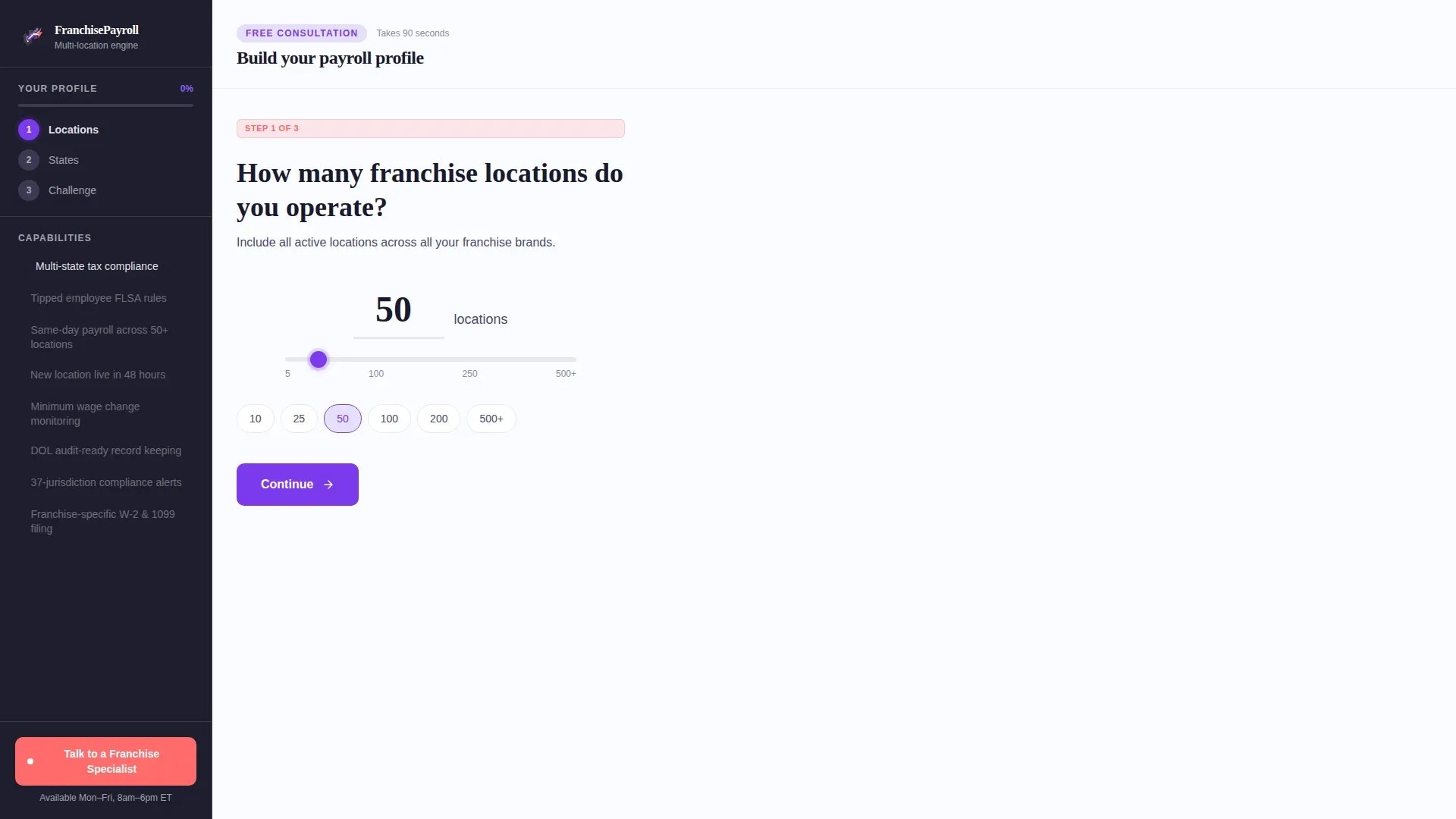
- A three-step header form with a live sidebar that summarizes answers in real time
- Three team member sections, each paired with a specific scenario and measurable outcome
- A persistent secondary call-to-action styled in hot coral for visitors who want immediate human contact
Feature list
This section details the core built-in components and interaction patterns included in the template.
Three-Step Consultation Form
The header form occupies the main content area beside the persistent sidebar. Step one captures location count with a number input and a sliding scale from 5 to 500 or more. Step two uses a tappable United States map where each selected state highlights in electric violet. Step three presents three honest pain-point options: tax compliance issues, slow location onboarding, and provider mistakes. The sidebar updates live after each step, showing a progress bar and a running answer summary.
Persistent Intelligent Sidebar
The sidebar stays fixed in deep charcoal throughout the entire page. During the form, it acts as a progress tracker and consultation summary. As the visitor scrolls past the form, it transforms into a living feature checklist that fills in as each team section comes into view. A persistent hot coral button labeled "Talk to a Franchise Specialist" stays visible at all times for visitors who prefer a direct conversation.
Team Member Scenario Sections
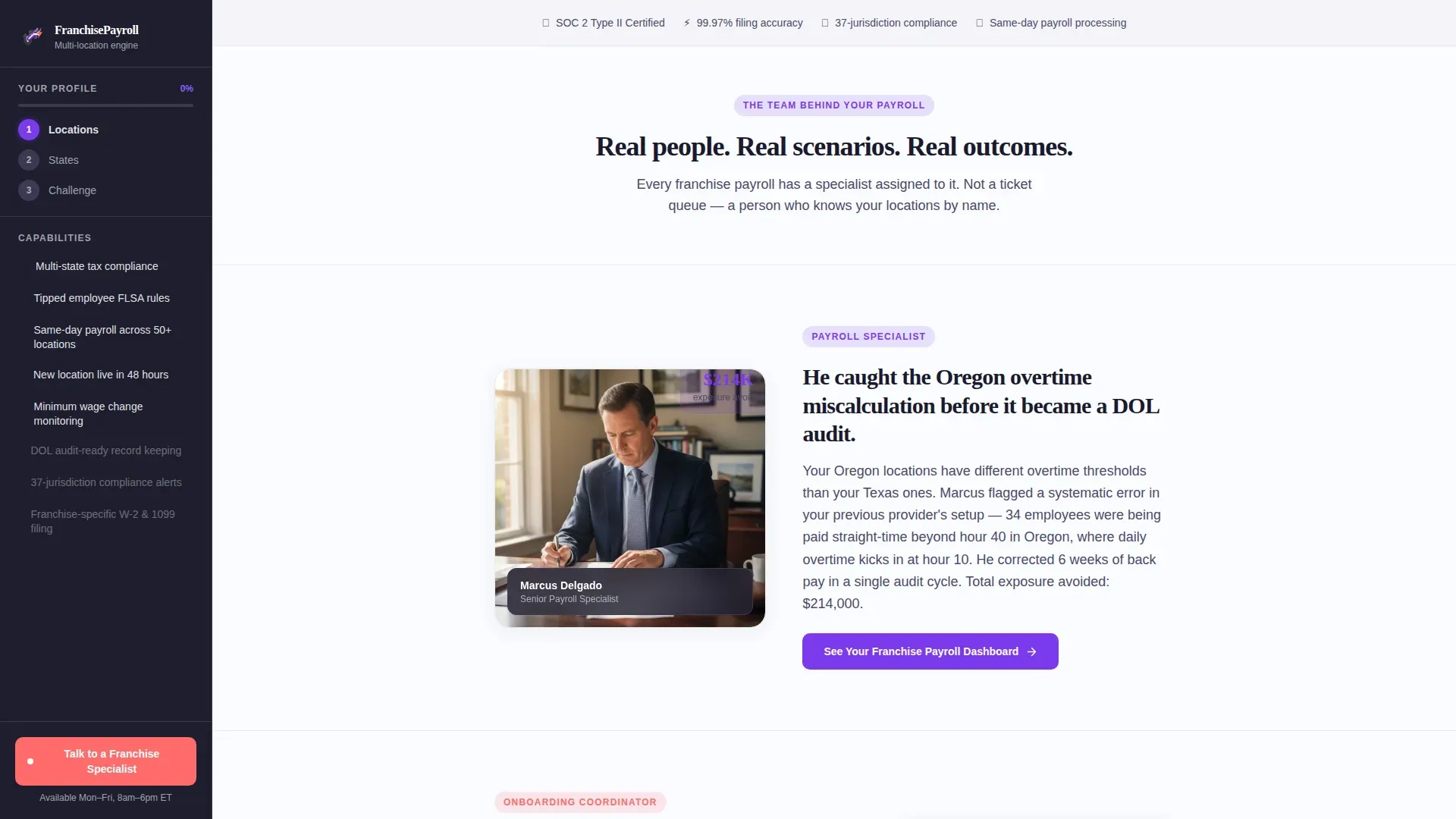
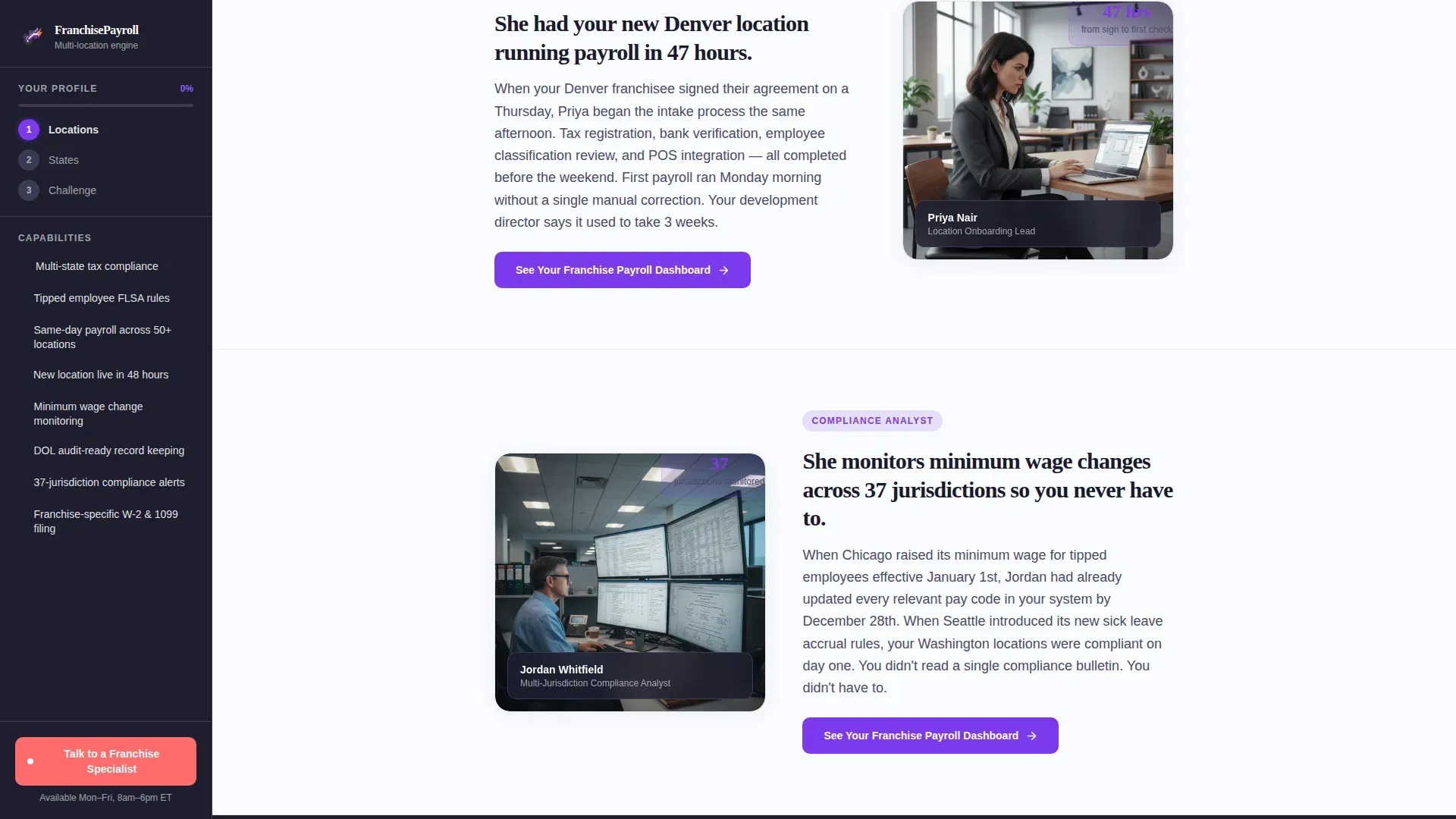
Three dedicated sections each introduce a named role inside the franchise payroll workflow. The payroll specialist catches an Oregon overtime miscalculation before it triggers a Department of Labor audit. The onboarding coordinator spins up a new location's payroll in 48 hours. The compliance analyst monitors minimum wage changes across 37 jurisdictions so the franchise operator never has to. Each scenario includes a specific, measurable outcome.
Click-Through call to action Architecture
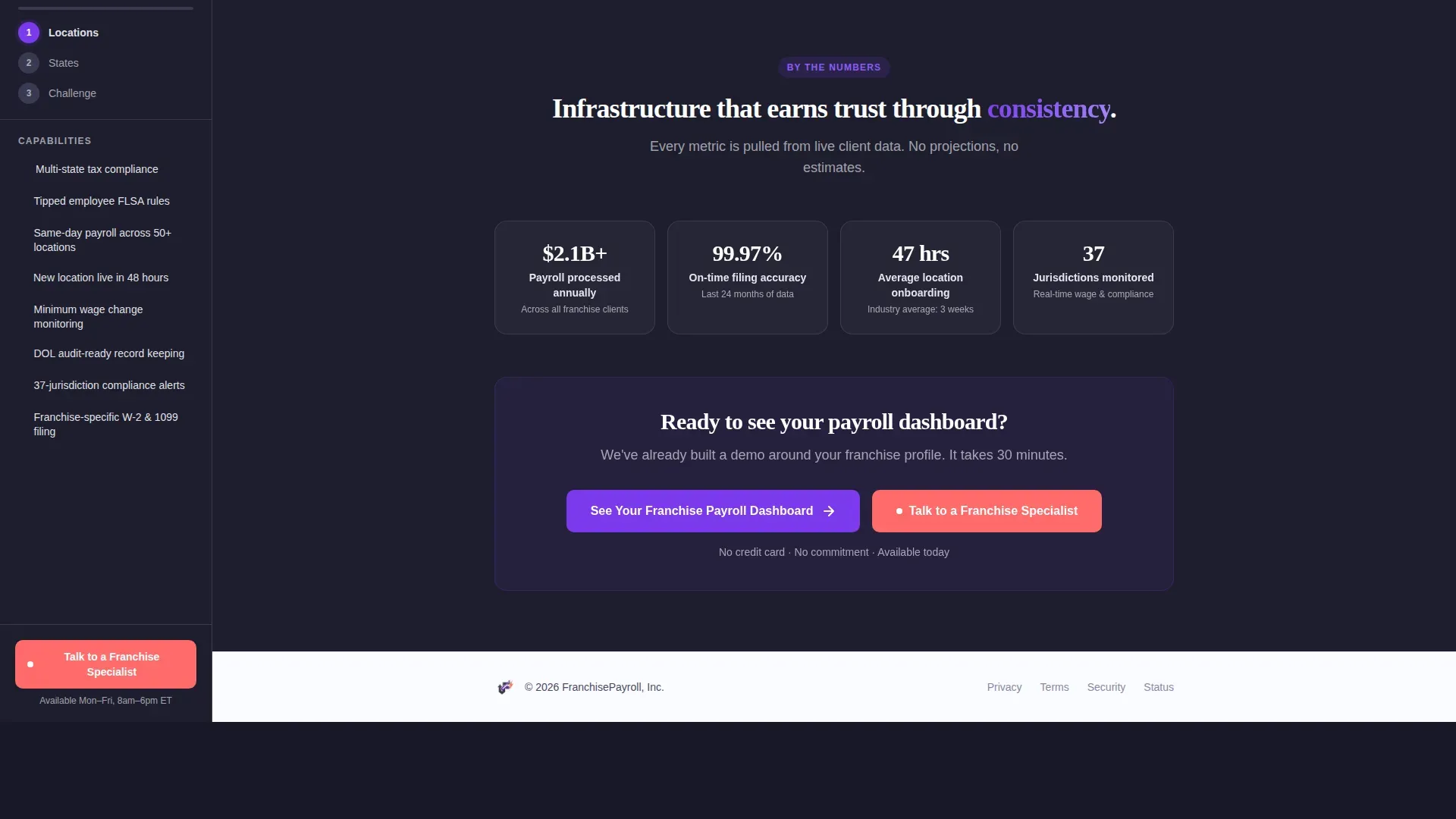
The primary call to action, "See Your Franchise Payroll Dashboard," first appears at the natural end of the three-step form. It then repeats after each team member section. The click carries the visitor's step-one answers into the demo scheduling page automatically, so they never re-enter their location count. No additional form fields appear below the header.
Scroll-Triggered Sidebar Checklist
As the visitor scrolls through team sections, the sidebar checklist populates with capabilities in real time. Each team section adds a new item to the list, turning the sidebar from a passive navigation element into a growing proof-of-capability summary. By the time the visitor reaches the final call to action, the sidebar reflects a complete picture of what the payroll service delivers.
Page sections overview
| Section | Purpose |
|---|---|
| Header Form (Step 1) | Capture location count via number input and sliding scale |
| Header Form (Step 2) | State selection via tappable interactive US map |
| Header Form (Step 3) | Identify primary payroll pain point from three options |
| Payroll Specialist Section | Oregon overtime scenario with DOL audit prevention outcome |
| Onboarding Coordinator Section | 48-hour new location launch scenario and outcome |
| Compliance Analyst Section | 37-jurisdiction monitoring scenario and outcome |
| Stats and Trust Bar | Concrete metrics and final primary call to action |
| Footer | Linear single-row pattern with supporting links |
Design & branding system
The visual identity follows a Corporate Precision theme paired with a Dopamine Pop color system. The result feels like serious infrastructure dressed in a user interface that makes payroll processing feel almost engaging.
- Deep charcoal (#1E1E2E) anchors the sidebar and section backgrounds; crisp white (#FAFBFF) keeps content panels light and readable
- Electric violet (#7C3AED) drives primary buttons, active states, and map highlights; hot coral (#FF6B6B) marks notification badges, urgency indicators, and the secondary call-to-action button
- Typography uses DM Sans for body text and interface labels, with Fraunces for display headings to balance precision and personality
Mobile & speed optimization
The template is designed desktop-first, reflecting how franchise operators typically review vendor options at a workstation. Responsive mobile support is included so the experience holds up on any device.
- Interactive components like the multi-step form, tappable state map, and sidebar are isolated as client-side elements to keep the initial page load fast
- Scroll-triggered reveals and form step transitions use medium animation weight, keeping the page feeling dynamic without slowing the experience
- The sliding scale, tappable map, and live sidebar updates are each built to work reliably on both desktop and mobile screen sizes
How this template helps you convert
Every design and copy decision in this template works toward moving a qualified franchise operator into a demo booking. The page earns the click before it asks for it.
- The three-step form qualifies the visitor and builds investment before any call to action appears, making the "See Your Franchise Payroll Dashboard" button feel like a natural next step rather than a cold ask.
- Each team member scenario presents a specific, real-world problem and a measurable resolution, replacing generic feature lists with proof that the service understands multi-location complexity.
- The persistent sidebar and hot coral secondary button keep two conversion paths visible at all times, capturing both visitors who want to self-serve through the demo flow and those who want to speak to a specialist immediately.
Other information about this template
This template is built for the franchise HR and franchise payroll niche within the broader HR and hiring category. It is specifically designed for B2B software-as-a-service providers targeting multi-unit franchise operators in the United States.
- The template uses US-specific payroll terminology throughout, including references to the Department of Labor (DOL), the Fair Labor Standards Act (FLSA), W-2 and 1099 classifications, and state-level minimum wage compliance
- The intersection match for this template aligns the Team and People creative direction, Multi-Step Form header concept, Click-Through landing page direction, Dopamine Pop color system, and Sidebar Companion template style into one cohesive build
- The page structure supports a franchise development director use case for monthly location onboarding as well as an operations VP use case focused on compliance accuracy and provider reliability
Theme
Corporate Precision
Creative direction
Team & People
Color system
Dopamine Pop
Style
Sidebar Companion
Direction
Click-Through
Page Sections
Three-step Consultation Form
Persistent Intelligent Sidebar
Team Member Scenario Sections
Click-through Call to Action Architecture
Scroll-triggered Sidebar Checklist
Related questions
Who is this landing page template built for?
Does the template include more than one call-to-action placement?
How does the multi-step form work with the sidebar?
Can the template handle complex compliance messaging without becoming overwhelming?
Does the visitor have to re-enter their information on the demo booking page?



