Onboard - Rapid HubSpot Landing Page Template
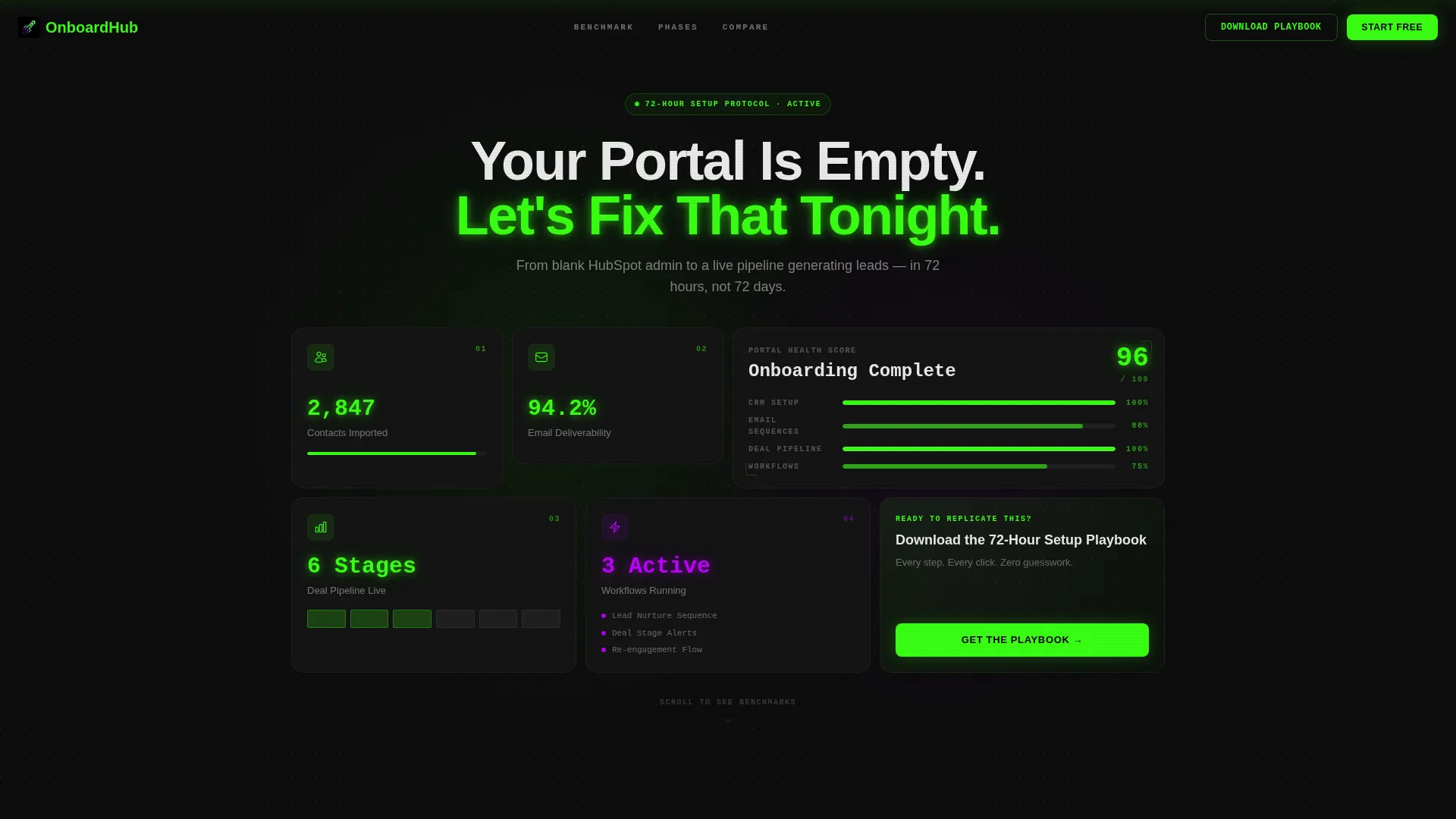
Onboard is a bento grid landing page template built for first-time portal users who need to move fast. It guides visitors through a structured setup journey using an interactive dashboard mockup, data-visualization comparison cards, and a persistent three-path comparison bar. The result is a focused, high-converting page that turns a blank portal into a lead-generating pipeline.
by Rocket studio
Quick summary
Onboard is a single-page bento grid template designed for getting-started guides that need to convert quickly. It pairs an interactive dashboard mockup header with a research-report scroll experience and a persistent comparison bar. Visitors move through four setup phases and land on a clear download call to action backed by benchmarking data and a secondary booking path.
Who this template is for
This template is built for people who need to onboard new users fast and prove the value of a structured setup path over trial and error.
- Marketing coordinators who have just received admin access and need a clear starting point
- Solo founders managing both sales and marketing tools at the same time
- Agency onboarding managers spinning up client portals under tight deadlines
What problem this template solves
Most getting-started pages are either a flat checklist or a long help article. Neither builds confidence or urgency. Visitors leave without downloading anything or booking a call.
- New users feel overwhelmed when no clear setup sequence is shown
- Buyers comparing self-serve versus hiring help have no side-by-side reference
- Pages with a single call to action lose visitors who want a lower-commitment next step
What you get with this template
You get a fully structured bento grid landing page that walks visitors from curiosity to commitment. Every section is purpose-built to surface proof, reduce hesitation, and drive action.
- An interactive bento header styled as a dashboard mockup with hover effects and a tile flip animation
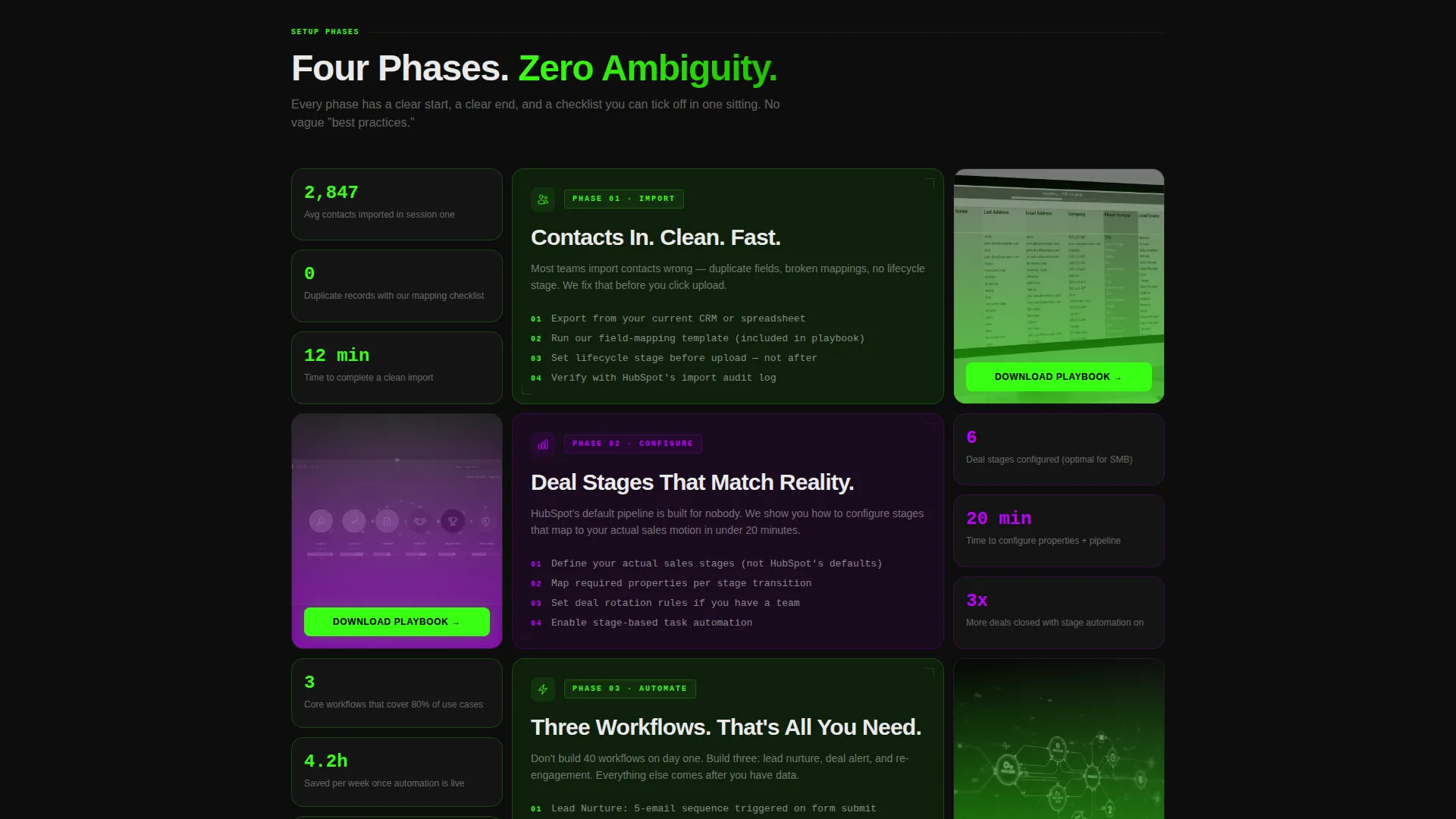
- A four-phase scroll experience covering import, configure, automate, and launch
- A persistent sticky comparison bar, a download form with pill selectors, and a secondary booking call to action
Feature list
This template is built around six purpose-driven components that work together to move a visitor from uncertain to committed.
Interactive Bento Header
The header renders a functioning bento grid styled as a CRM dashboard. Each tile represents a setup milestone: contacts imported, first email sent, deal pipeline live, and workflow active. Tiles pulse softly on hover and one tile flips to reveal a micro-animation of a CRM record being created. A headline fades in over the grid.
Benchmarking Comparison Cards
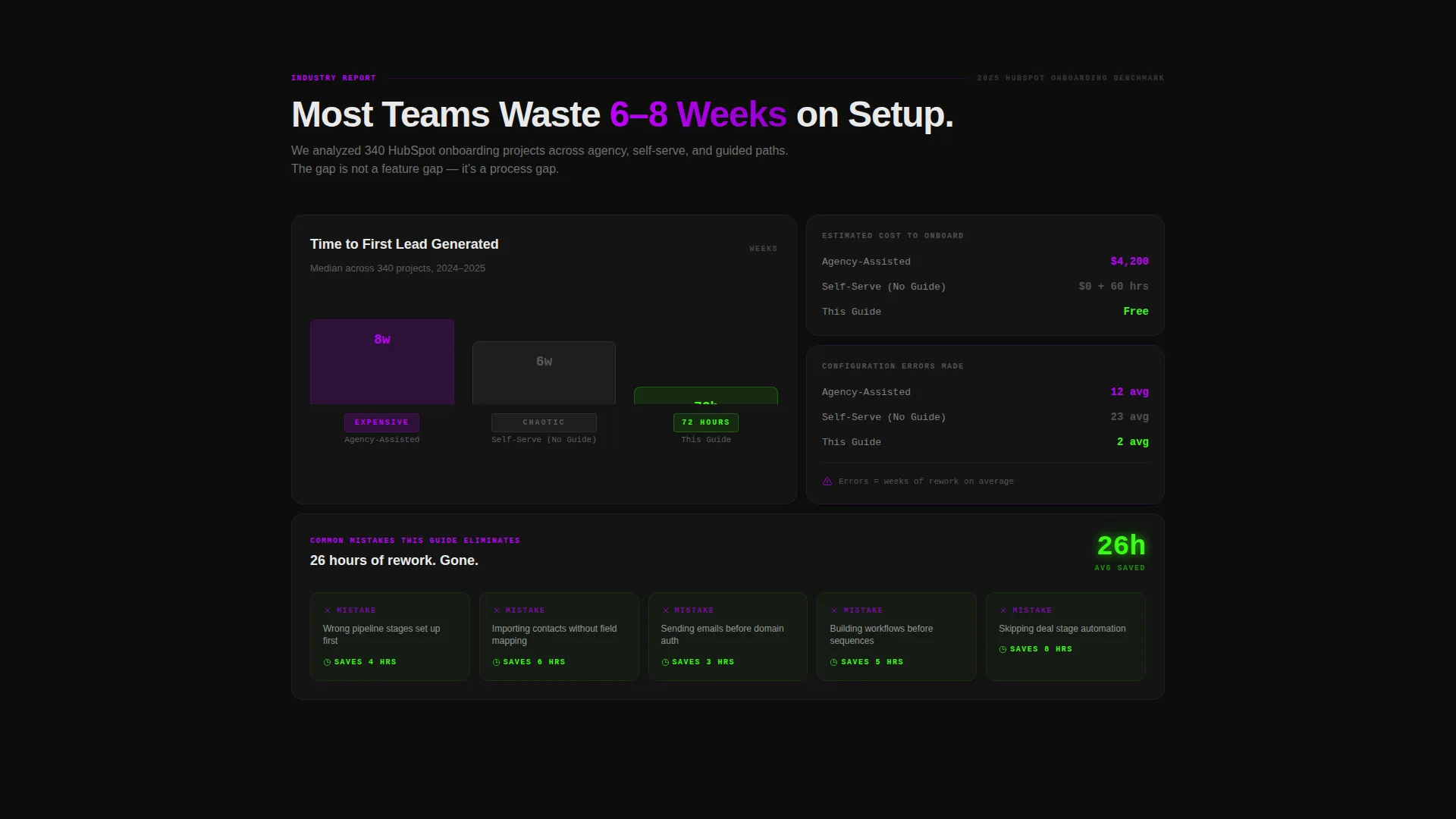
A dedicated section below the header presents data-visualization cards comparing three onboarding timelines side by side. The cards contrast agency-assisted, self-serve, and guide-led approaches using estimated hours, cost, and error rate. This section uses the research-report creative direction to build trust through visible data rather than claims.
Four-Phase Bento Scroll
Each bento row unpacks one setup phase in sequence. Stat callouts, mini-screenshots, and competitor comparisons appear within each row. The scroll cadence mirrors a research brief, building tension between the guided path and the chaotic alternative as the visitor moves down the page.
Persistent Sticky Comparison Bar
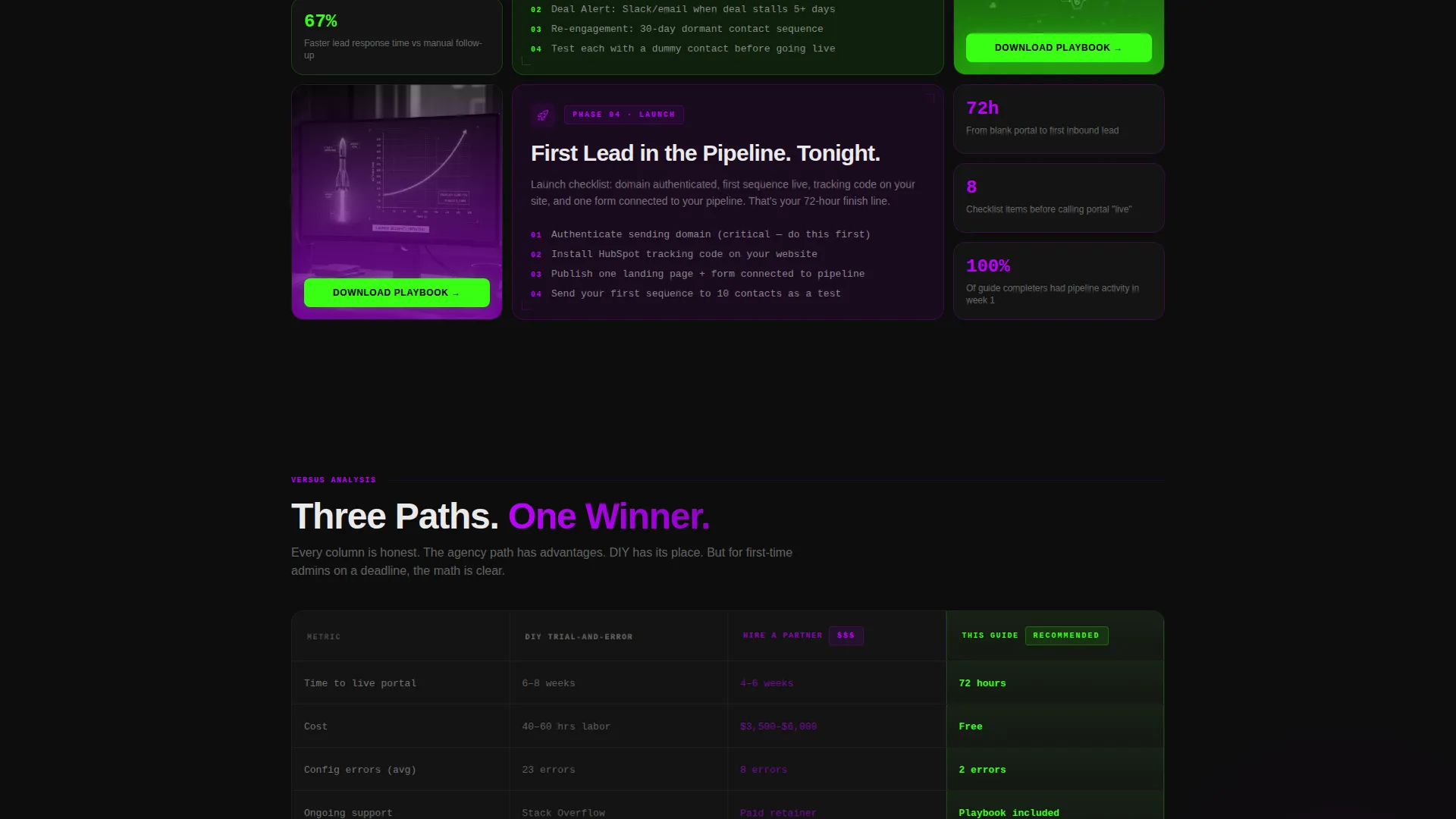
A sticky bar stays visible throughout the scroll and compares three paths: do-it-yourself trial and error, hiring a partner, and following this guide. Columns show estimated hours, cost, and error rate. The primary call to action button appears inside the bar so visitors can convert at any scroll depth.
Download Form with Pill Selector
The primary conversion form asks for an email address, current tool tier (Free, Starter, or Pro), and the visitor's biggest setup blocker. The blocker field uses a four-option pill selector to keep the form fast to complete and the lead data immediately useful for follow-up.
Secondary Booking Path
A second conversion option sits alongside the primary download call to action at the close of each bento row. It invites visitors to book a fifteen-minute portal review. This path captures higher-intent visitors without competing with the download flow.
Page sections overview
| Section | Purpose |
|---|---|
| Interactive Bento Header | Sets context and draws the visitor in with a dashboard mockup and animated milestone tiles |
| Headline Fade-In | Delivers the core message as the visitor focuses on the grid |
| Benchmarking Data Cards | Builds credibility by comparing onboarding timelines across three paths |
| Import Phase Row | Walks through the contact import step with stats and mini-screenshots |
| Configure Phase Row | Covers CRM and deal stage setup with callouts and comparisons |
| Automate Phase Row | Shows email sequence and workflow configuration with proof data |
| Launch Phase Row | Closes the setup journey and anchors the primary download call to action |
| Persistent Sticky Bar | Keeps the three-path comparison and call to action accessible at all scroll depths |
| Download Form | Captures email, tool tier, and setup blocker via pill selector |
| Secondary Booking call to action | Offers a portal review for higher-intent visitors |
Design & branding system
The visual identity follows a Dashboard Pro theme built on the Acid Digital color system. The palette is intentionally dark and high-contrast, built to feel like a developer's monitor running at full brightness in a dim room.
- Void black (#0D0D0D) fills card backgrounds and section containers, creating depth without distraction
- Terminal green (#39FF14) marks progress indicators, active tile states, and primary call to action elements
- Electric violet (#BF00FF) highlights comparison callouts and competitive contrast points throughout the scroll
- Interface white (#EAEAEA) keeps body text sharp and readable against the dark field across all sections
Mobile & speed optimization
The bento grid layout is structured to reflow cleanly across screen sizes so the setup journey remains readable on smaller devices.
- Bento tiles stack vertically on mobile so each milestone card reads clearly without overlap
- The sticky comparison bar adapts to a compact format on narrow screens so the call to action stays visible
- The pill selector in the download form remains tap-friendly so mobile visitors complete the form without friction
How this template helps you convert
The page is built around two conversion paths that work together rather than competing.
- The primary download call to action appears at the close of every bento row and inside the sticky bar, so visitors can act the moment they feel ready regardless of scroll position.
- The secondary booking path captures visitors who want hands-on help, turning a potential exit into a qualified appointment without pulling attention from the main download offer.
Other information about this template
This template sits within the Documentation and Support category under the HubSpot Documentation subcategory. It is purpose-built for the HubSpot getting started guide niche and carries a strong intersection match for that use case.
- The template style is Bento Grid, the theme is Dashboard Pro, and the creative direction follows an Industry Report cadence
- The header concept is Interactive Preview and the landing page direction is Comparison/Versus
- The color system is Acid Digital, combining void black, terminal green, electric violet, and interface white
- This template is well-suited for HubSpot onboarding guides, CRM setup documentation pages, and agency client portal launchpads
Theme
Dashboard Pro
Creative direction
Industry Report
Color system
Acid Digital
Style
Bento Grid
Direction
Comparison/Versus
Page Sections
Interactive Dashboard Bento Header
Benchmarking Timeline Cards
Four-phase Bento Scroll Layout
Persistent Sticky Comparison Bar
Segmented Download Form
Secondary Portal Review Booking
Related questions
Who is this landing page template designed for?
What conversion paths does this template include?
What does the download form collect from visitors?
Can I edit the comparison bar columns and call to action labels?
Does the template work for products other than CRM onboarding?



