Hotel Revenue Recovery Dashboard Website Template
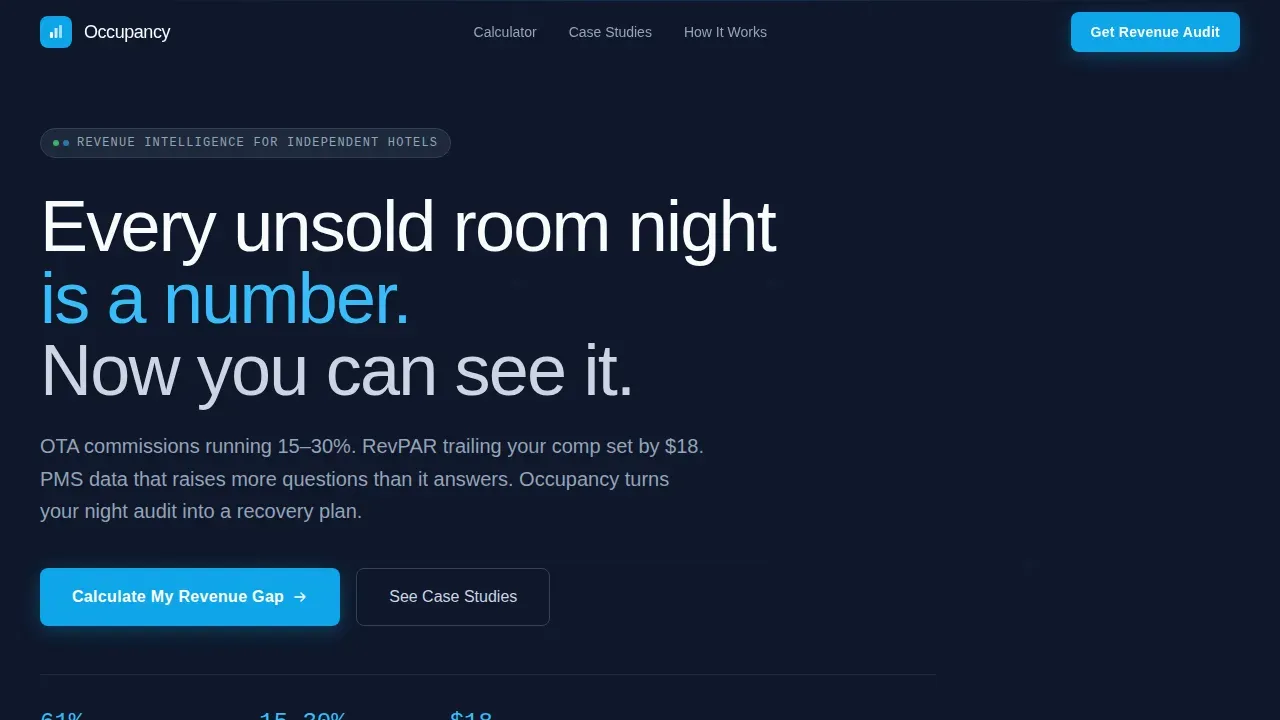
This occupancy revenue recovery dashboard landing page template is built for hotel revenue managers and independent property owners who need to see exactly how much income unsold rooms are costing them. A live calculator anchors the header, three escalating case study comparison tables deliver proof, and a focused lead generation form converts visitors into qualified audit requests.
by Rocket studio
Quick summary
This is a single-page revenue dashboard landing page template for hotel and resort operators. The header opens with an interactive Revenue Recovery Calculator. Below it, three comparison tables walk visitors through before-and-after metrics at escalating property scales. Every section is designed to turn real data into a compelling case for booking a revenue audit.
Who this template is for
Hotel managers, revenue managers, and property owners who live inside their numbers will feel at home here. The layout speaks the language of the night audit: clean rows, precise figures, no clutter.
- Independent hotel general managers watching online travel agency commissions erode their margins
- Resort revenue managers who need to compare performance against competitive benchmarks
- Boutique portfolio owners who want data driven decisions backed by named property proof
What problem this template solves
Most hospitality landing pages bury the value proposition under lifestyle photography and vague promises. Hotel managers need to see the financial case immediately. This dashboard template replaces that noise with a direct, data-forward experience.
- Visitors arrive unsure how much revenue they are actually losing per available room each night
- Generic lead pages fail to earn trust from skeptical revenue managers who demand real metrics
- Property owners rarely see a consistent view of RevPAR, average daily rate, and occupancy rate side by side before committing to a tool
What you get with this template
This template gives you a fully structured, conversion-focused layout that functions like a premium analytics dashboard. Every section earns the next scroll. The design keeps important revenue metrics visible and legible at a glance.
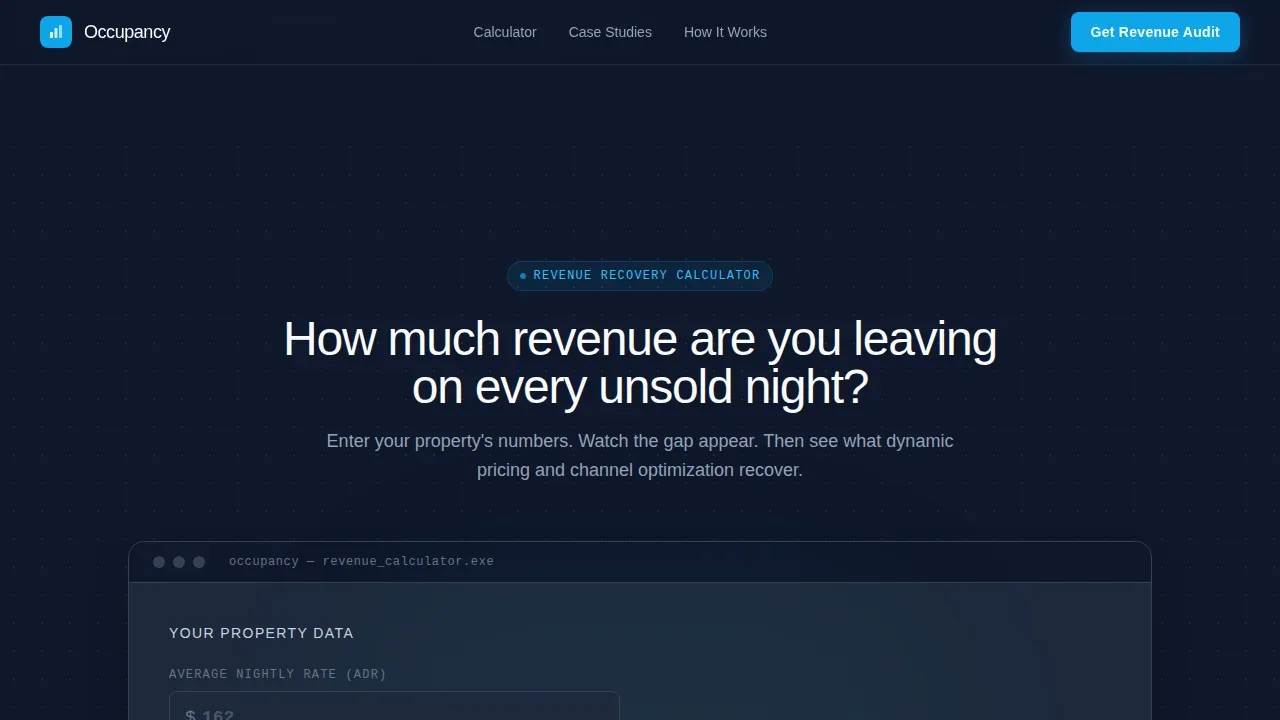
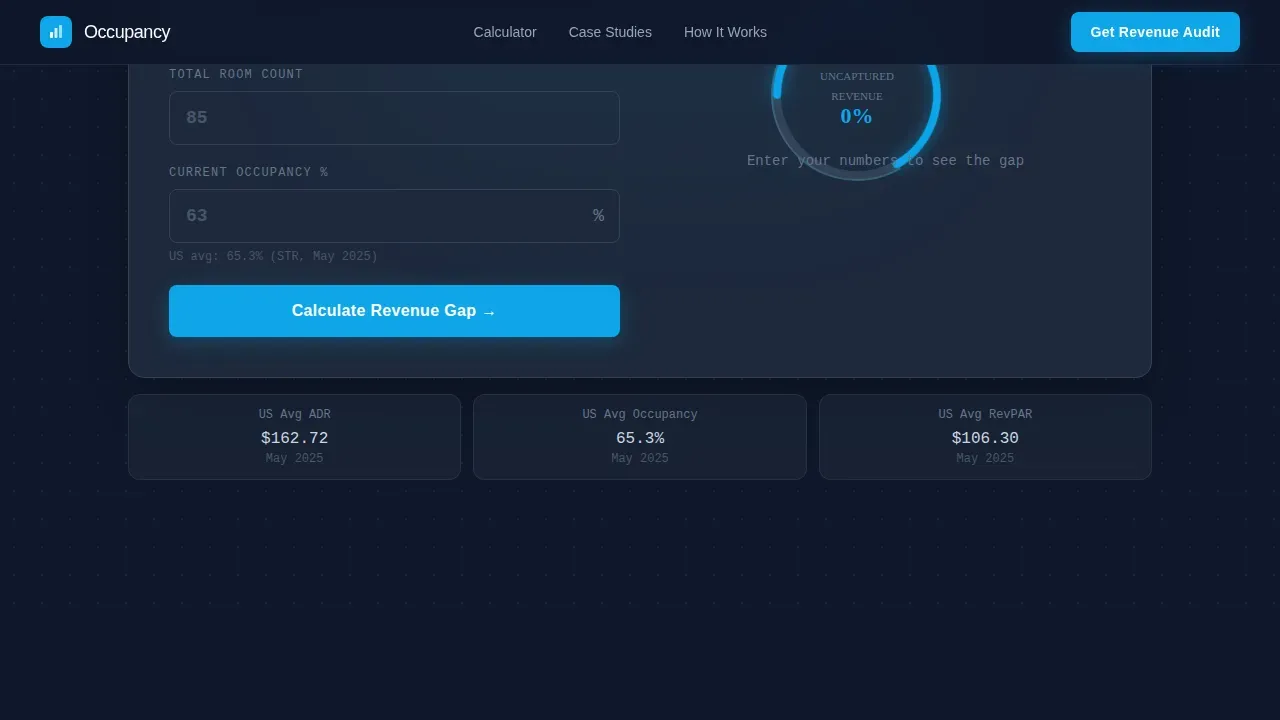
- A live Revenue Recovery Calculator in the header with animated gauge and flip-counter output
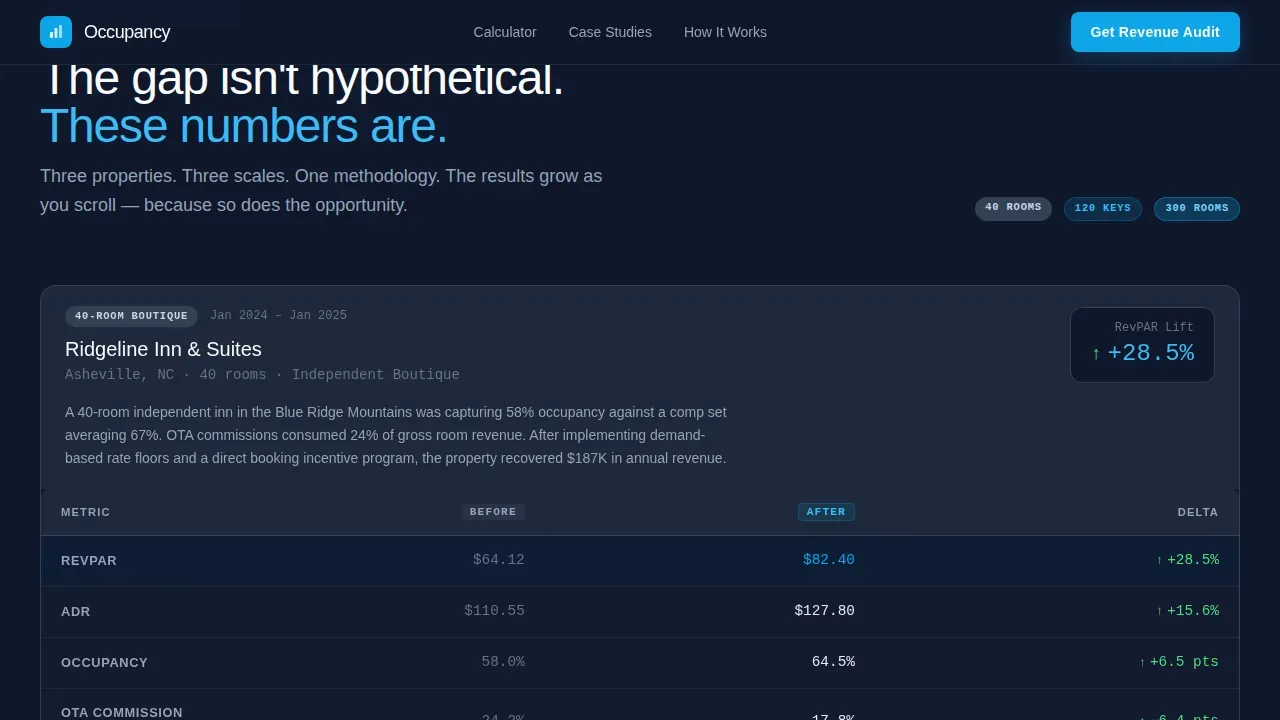
- Three sequential comparison tables covering a 40-room boutique inn, a 120-key urban hotel, and a 300-room resort
- A primary lead generation form and a secondary PDF download path for earlier-stage visitors
Feature list
This template ships with purpose-built components designed around hospitality revenue performance. Each feature solves a specific problem that hotel managers and finance teams face when evaluating a revenue tool.
Interactive Revenue Recovery Calculator
The header is the tool. Visitors enter their average daily rate, total room count, and current occupancy rate. The dashboard immediately animates an arc gauge and counts up to their estimated annual revenue gap in sky blue on deep slate. This real time data interaction makes the abstract cost of empty rooms impossible to ignore.
Escalating Case Study Comparison Tables
Three revenue dashboard examples are presented in sequence, each at a larger property scale. Each table tracks key metrics including RevPAR, average daily rate, occupancy rate, online travel agency commission reduction, and direct bookings percentage. Scroll-reveal animations and row hover states make the data easy to track. The tables let visitors compare performance across property types before they ever speak to a salesperson.
Dual Lead Generation Paths
A primary call-to-action form captures visitors who are ready to act. It asks for property name, location, room count, and work email, keeping friction low while establishing commitment through identity. A secondary path captures earlier-stage visitors with a single email field in exchange for a downloadable case study bundle. Both paths support revenue performance goals for the business without overwhelming customers.
Dashboard Pro Visual Theme
The entire layout uses a Slate and Sky color system built around deep operations slate for backgrounds and table headers, open-sky blue for active states and winning metrics, and cloud white for cell fills. The result is a performance dashboard that feels like a premium analytics tool. Revenue managers recognize this aesthetic immediately and trust it.
Animated Data Micro-Interactions
Green arrow micro-animations appear beside improving metrics as the visitor scrolls. Flip-counter number animations and the animated gauge arc create a sense of real time monitoring without requiring a live data feed. These interactions reinforce the dashboard's analytical identity and keep the visitor engaged through all three case study sections.
Targeted Lead Conversion Flow
The layout places a call-to-action immediately after the calculator result, then repeats it after each case study table. This structure means actionable insights are never more than one section away from a conversion prompt. The form fields are minimal by design, supporting strong conversion rates throughout the page.
Page sections overview
| Section | Purpose |
|---|---|
| Hero Calculator | Capture attention with personalized revenue gap estimate |
| Case Study One | 40-room boutique inn before and after metrics |
| Mid-Page call to action | Lead form between case study tables |
| Case Study Two | 120-key urban hotel revenue metrics comparison |
| Case Study Three | 300-room resort with most dramatic results |
| Lead Generation | Primary audit form and PDF download path |
| Footer | Single-row linear footer with minimal links |
Design & branding system
The template follows the Dashboard Pro theme with a Slate and Sky color system that feels like a premium analytics environment. Typography choices reinforce the data-forward personality of the dashboard.
- Deep slate (#1E293B) for section backgrounds and table headers, mid-gray steel (#64748B) for secondary text and dividers, open-sky blue (#0EA5E9) for winning metrics and active states, cloud white (#F8FAFC) for cell fills
- DM Sans for headings, JetBrains Mono for all numeric metrics and data values, Manrope for body paragraphs
Mobile & speed optimization
The template is built desktop-first, reflecting that revenue directors typically run this dashboard on a second monitor. It remains fully responsive down to tablet viewports. Static page sections are structured as server components to keep load times fast, while the interactive calculator runs as a client component.
- Static case study sections and footer render as server components, reducing initial page weight and supporting fast delivery of data to customers
- The calculator component loads independently, keeping the rest of the page responsive even while the interactive tool initializes
How this template helps you convert
The page is structured as a proof escalation sequence. Each section builds on the previous one, moving visitors from curiosity to confidence to commitment. Revenue managers and hotel managers respond to hard numbers, and this template keeps those numbers central at every stage.
- The calculator makes the revenue loss personal and immediate, giving visitors a specific dollar figure tied to their own property before they read a single case study
- The three comparison tables escalate from small to large property scale, showing that recovery results hold across every market segment and business size, which reinforces trust in the data
- Repeating the lead generation call-to-action after each table means visitors can convert the moment evidence becomes convincing, reducing drop-off and supporting stronger conversion rates overall
Other information about this template
This template is well suited for hotel technology companies, revenue management software providers, and hospitality consulting firms that need a high-trust lead generation page. The structure draws from best practices in revenue dashboard examples across both hospitality and broader business intelligence contexts.
- The comparison table format works similarly to how Power BI and other business intelligence tools present before-and-after data, making it familiar to finance teams and revenue operations professionals
- Dashboard templates like this one can integrate data from multiple sources once connected to a property management system or channel manager, giving property owners a comprehensive view of all company income streams
- The layout supports financial planning conversations by surfacing year over year growth gaps, seasonal patterns in occupancy rate, and channel performance differences across booking channels
- Teams that want to share dashboards with ownership groups or asset managers will find the clean table rows easy to screenshot or export for reporting purposes
- The simple template structure keeps operational costs low for development teams, since static sections minimize server load and the client component is scoped to the calculator alone
- Revenue managers evaluating tools like this should assess whether the dashboard helps align their finance teams around the most important revenue metrics, including total revenue, recurring revenue trends, and booking lead time patterns
- The page design also supports contexts beyond hospitality: e-commerce operators and subscription businesses tracking churn rate, average order value, or sales performance will find the dashboard layout transferable to their own reporting needs
- Custom dashboards built on this template can track customer behavior patterns, monitor performance against set goals, and surface actionable insights that support informed decisions across the business
Theme
Dashboard Pro
Creative direction
Calculator/Tool First
Color system
Slate & Sky
Style
Comparison Table
Direction
Lead Generation
Page Sections
Interactive Revenue Recovery Calculator
Escalating Case Study Comparison Tables
Dual Lead Generation Paths
Dashboard Pro Visual Theme
Animated Data Micro-interactions
Repeating Conversion Call-to-action
Related questions
What sections are included in this landing page template?
Can hotel managers customize the metrics shown in the comparison tables?
Is this template designed only for large resorts?
What lead generation fields are included in the form?
Can this template support revenue dashboard use cases beyond hotels?



