Nutrient - Precision Hydroponics Landing Page Template
Nutrient is a precision hydroponics management landing page template built for software teams targeting commercial growers and vertical farmers. It combines an interactive cost-savings calculator, a tier comparison table, a live activity feed, and a mobile-first app download flow into one high-converting, single-page layout styled in industrial Monochrome Steel.
by Rocket studio
Quick summary
Nutrient is a single-page landing page template designed for hydroponics management software. It opens with a live savings calculator, then builds momentum through a tier comparison table, social proof counters, and a facility screenshot carousel. The page closes with a personalized call to action that turns the visitor's own calculated waste figures into the final reason to download.
Who this template is for
This template is built for software founders, product marketers, and development teams launching or promoting a hydroponics management application. It speaks directly to three distinct grower profiles and positions the software as the upgrade they need.
- Commercial greenhouse operators managing large-scale, multi-tray facilities
- Urban vertical farmers scaling their first warehouse grow operation
- Hobbyist growers who have lost crops to manual monitoring errors
What problem this template solves
Managing a hydroponic grow manually means relying on clipboards, guesswork, and delayed reaction times. pH drift, unbalanced nutrient concentrations, and missed light cycle windows quietly destroy yields before a grower notices anything is wrong. This template gives a software product the page structure to make that problem undeniable and the solution immediately credible.
- Visitors see their own projected annual waste calculated in real time before reading a single feature claim
- A comparison table exposes the exact gaps between manual management and each software tier
- Social proof and a live activity feed confirm the platform is already working for real facilities
What you get with this template
The template delivers a complete single-page layout organized around progressive persuasion. Each section is designed to hand the visitor a new reason to keep scrolling, from personal data to peer evidence to early-access urgency.
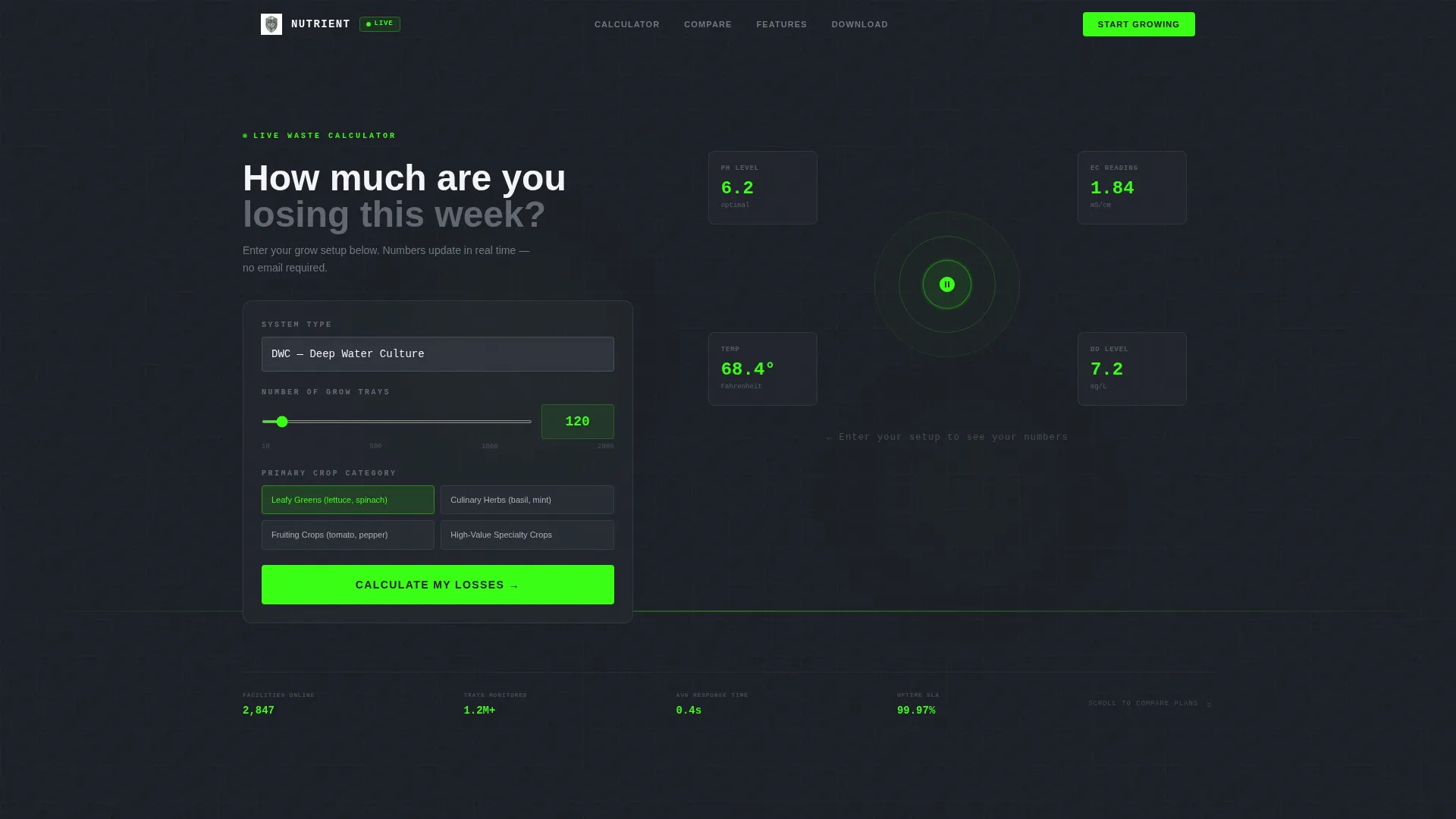
- An interactive calculator header that estimates nutrient cost, waste, and annual savings based on system type, tray count, and crop category
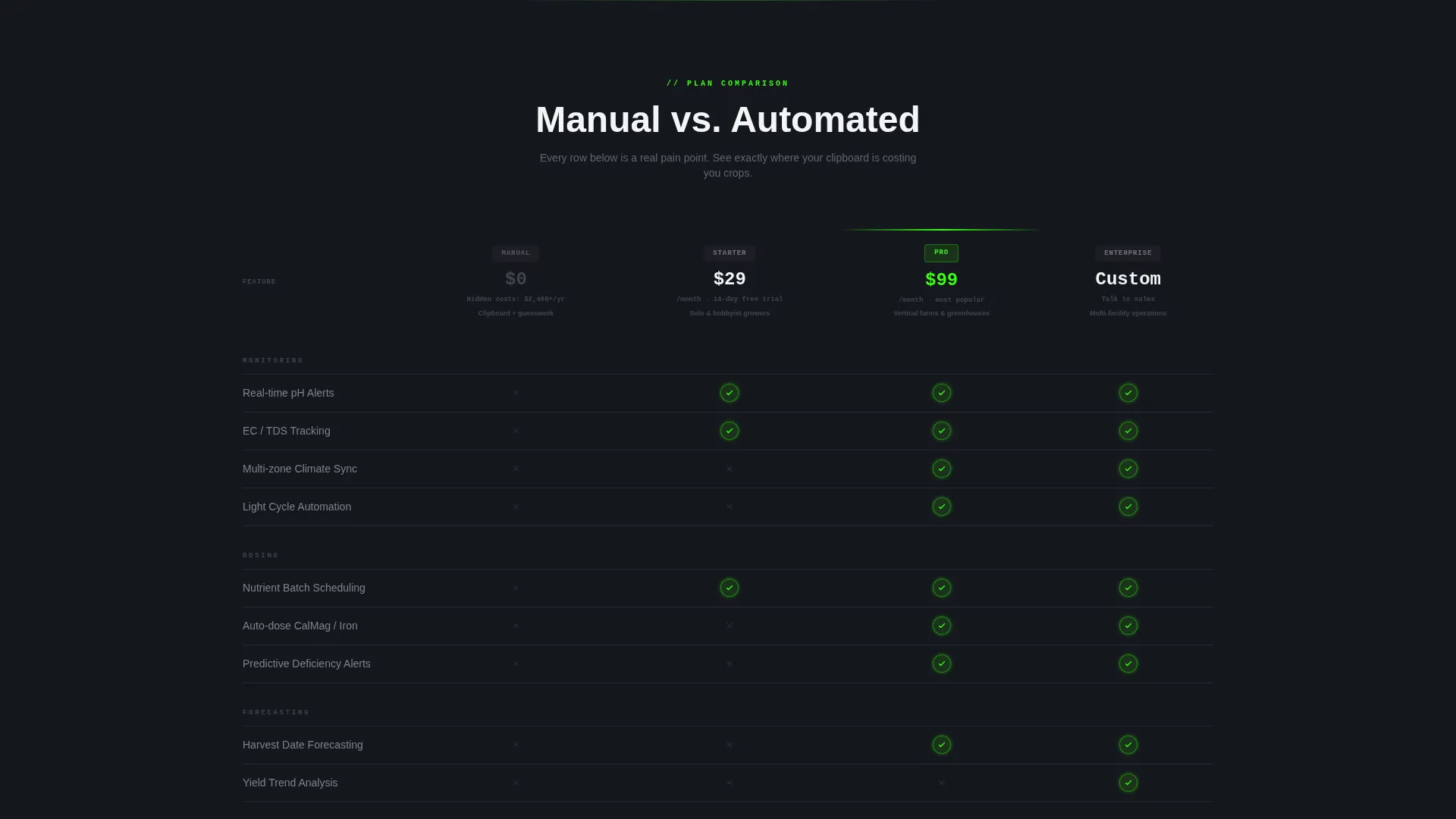
- A structured comparison table covering pH drift alerts, nutrient batch scheduling, multi-zone climate sync, and harvest forecasting across three software tiers
- A floating mobile call-to-action bar, a platform selector with QR code, a live app-activity ticker, a screenshot carousel, and a product roadmap section
Feature list
This section covers the core functional components built into the Nutrient landing page template.
Interactive Savings Calculator Header
Visitors select their hydroponic system type (deep water culture, nutrient film technique, ebb-and-flow, or drip), enter their tray count, and choose a crop category. The tool instantly returns estimated weekly nutrient cost, projected waste from manual monitoring, and annual savings with automated dosing. Numbers animate upward like a settling digital scale, displayed as green digits on dark steel.
Tier Comparison Table
A structured table pits manual management against three software tiers side by side. Rows cover the pain points growers recognize immediately: pH drift alerts, nutrient batch scheduling, multi-zone climate synchronization, and harvest forecasting. Active checkmarks pulse in electric green; absent features sit in flat gray, making the gaps visually impossible to ignore.
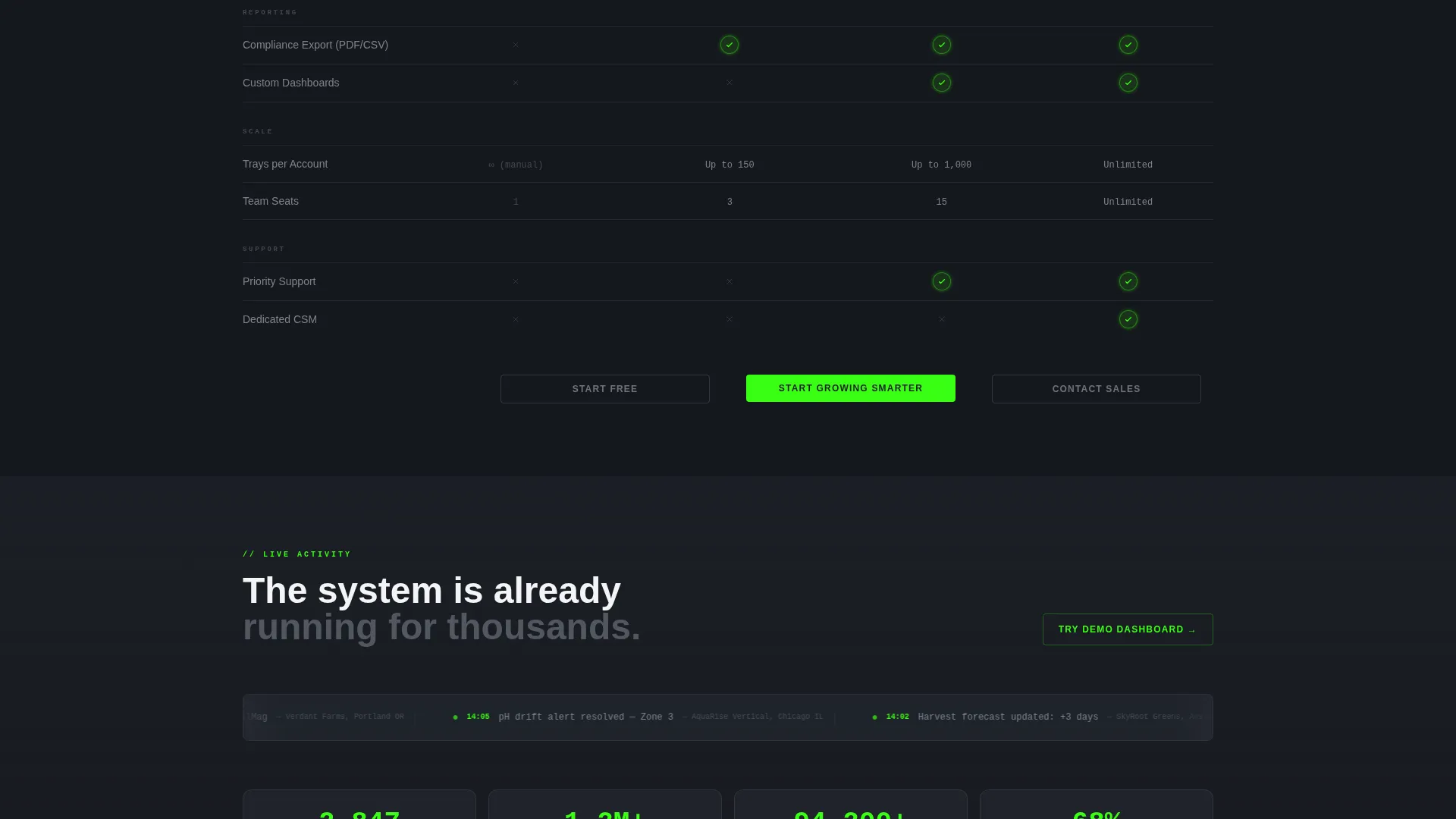
Live App Activity Feed
A scrolling ticker below the comparison table displays recent platform events in real time, such as automated dosing actions tied to specific greenhouses and timestamps. This element functions as continuous social proof, showing prospective users that the system is already running inside active facilities.
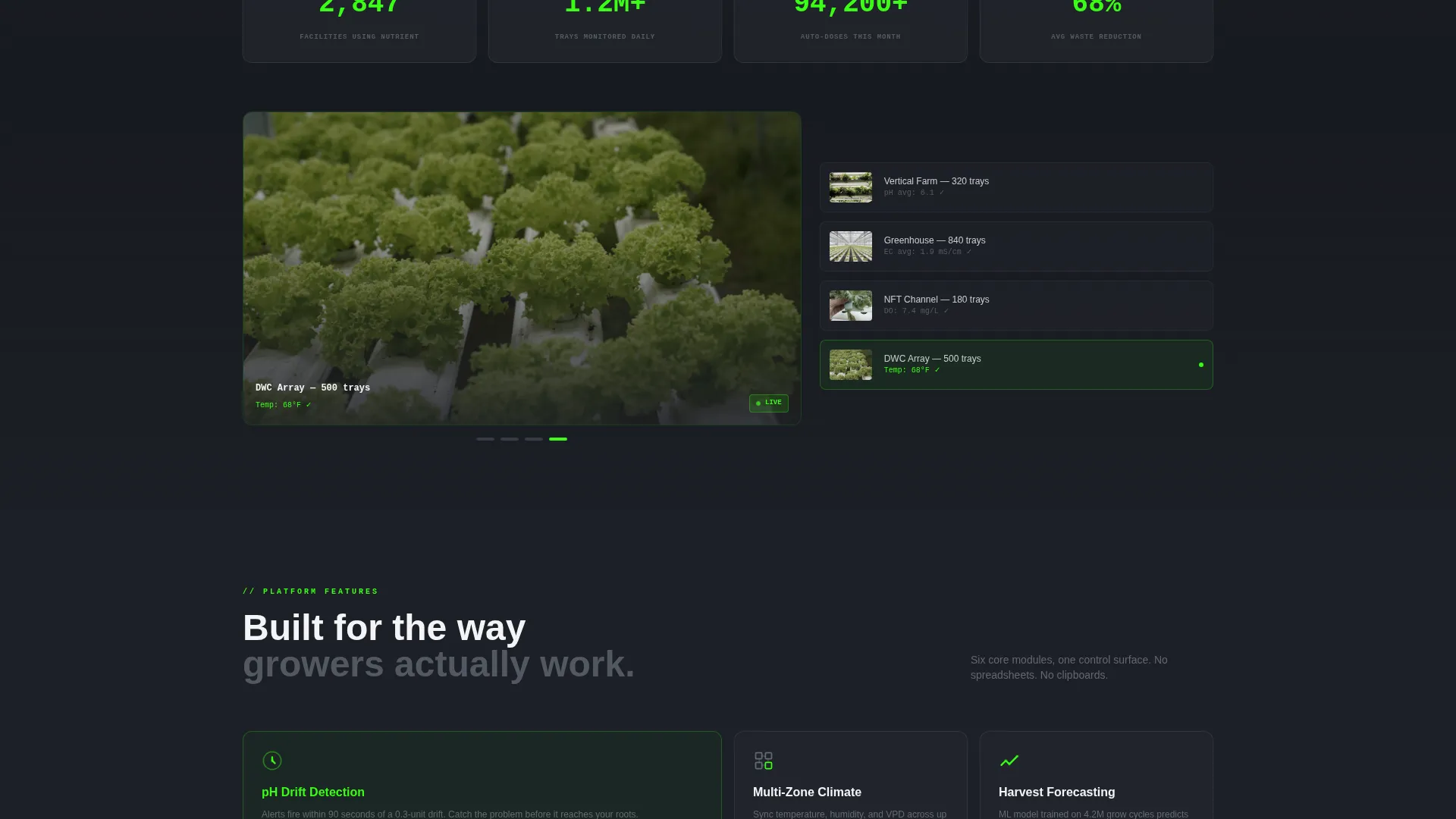
Social Proof and Facility Screenshot Carousel
Counters display aggregate platform activity to reinforce scale and adoption. A carousel presents facility screenshots inside the app interface, giving operators a concrete preview of what monitoring their own grow would look like on the platform.
Product Roadmap Section
A dedicated section previews features launching in the next quarter. This creates early-adopter momentum, positioning the app download as securing a place before the next wave of capabilities goes live.
Mobile-First App Download Flow
The primary call-to-action bar is pinned as a floating element on mobile screens. Tapping it opens a platform selector for iOS, Android, and Desktop, with a QR code for instant phone scanning. The calculator results from the header reappear here, turning the visitor's own savings estimate into the closing argument directly beside the download prompt.
Page sections overview
| Section | Purpose |
|---|---|
| Calculator Header | Personalizes waste and savings estimates in real time |
| Animated Headline | Delivers the hook immediately after calculator results |
| Comparison Table | Contrasts manual management with three software tiers |
| Live Activity Ticker | Proves real-world platform usage with timestamped events |
| Social Proof Counters | Reinforces scale and active user base |
| Screenshot Carousel | Shows the app interface inside real facility contexts |
| Roadmap Preview | Builds early-adopter urgency with upcoming features |
| call to action and Download Flow | Converts with personalized savings data and platform selector |
Design & branding system
The visual identity follows a Directory and Discovery theme expressed through a Monochrome Steel color system. The palette is deliberately industrial, evoking a stainless-steel grow rack under LED strips in the early hours of the morning.
- Base colors are deep gunmetal (#1C1F26) and brushed aluminum (#A8B0BC) on sterile white (#F4F5F7), keeping the interface clinical and focused
- Electric grow-light green (#39FF14) appears exclusively on active states, toggle switches, pulsing checkmarks, animated calculator digits, and call-to-action buttons, making every actionable element immediately visible against the steel backdrop
Mobile & speed optimization
The template is structured to deliver a high-impact experience on smaller screens without sacrificing the interactive components that drive conversions. Mobile visitors encounter the same persuasive flow as desktop users, adapted for touch and vertical scrolling.
- The floating call-to-action bar stays pinned at the bottom of the screen on mobile, keeping the download prompt visible throughout the entire scroll
- The platform selector with QR code is accessible directly from the mobile call-to-action tap, removing friction between intent and action
How this template helps you convert
The Nutrient template is built around a single conversion strategy: make the cost of inaction personal, visible, and impossible to dismiss before asking for anything.
- The calculator header captures attention with the visitor's own numbers first, so the page leads with relevant financial data rather than generic feature claims
- The comparison table and live activity feed then replace skepticism with evidence, showing exactly what the software does and confirming it is already active in real facilities
- The roadmap section and personalized savings reminder at the call-to-action close the loop with urgency, giving the visitor a concrete reason to download now rather than return later
Other information about this template
This template is part of a Hydroponics Vertical SaaS design category and sits at the intersection of Technology and precision agriculture software marketing. It is well-suited for teams building in the hydroponics management software space who need a page that speaks credibly to both technical operators and first-time growers.
- The template style is a Comparison Table layout, making it particularly effective for software products with multiple pricing tiers or feature levels
- The creative direction is Launch Energy, meaning the scroll pacing is engineered to build momentum from the first interaction through to the final call to action
- The header concept is a Calculator and Estimator, which is one of the highest-engagement lead-capture formats for vertical SaaS products targeting cost-conscious operators
Theme
Directory & Discovery
Creative direction
Launch Energy
Color system
Monochrome Steel
Style
Comparison Table
Direction
App Download
Page Sections
Interactive Savings Calculator
Tier Comparison Table
Live App Activity Feed
Facility Screenshot Carousel
Product Roadmap Preview
Mobile App Download Flow
Related questions
Who is the Nutrient template designed for?
Can I adapt the calculator inputs to match my own software?
Does the comparison table support more than three software tiers?
How does the live activity ticker work in the template?
Is the floating call-to-action bar visible on desktop as well?



