Employee Wellness & Benefits Cost Calculator Website Template
Nurture is a childcare benefits landing page template built for HR Tech and benefits platforms targeting People Ops leaders, HR directors, and CFOs at growth-stage companies. It features a multi-step interactive form hero, zigzag case study narrative blocks, wisteria interstitial stats, and a teal click-through call to action that pushes qualified visitors into an ROI calculator.
by Rocket studio
Quick summary
Nurture is a single-page, click-through landing page template for employer childcare benefit platforms. It opens with a multi-step form hero, builds trust through escalating case study blocks, and closes with a full-width call to action. The design balances fintech precision with nursery warmth, making it equally credible in a board deck and at 6 a.m. on a parent's laptop.
Who this template is for
This template is built for benefits platforms, HR Tech companies, and childcare stipend providers that sell to business buyers. It speaks directly to the people who feel the cost of parental attrition before they can name it.
- VP-level People Operations leaders at Series B to D startups facing senior engineer and product manager turnover
- HR directors at scaling companies who need a compelling benefits story to compete on talent
- CFOs and finance decision-makers who require modeled retention ROI before approving a new benefits line item
What problem this template solves
Most benefits landing pages look like insurance brochures. They list features, hide the cost of inaction, and ask for an email before proving any value. Nurture flips that logic entirely.
- Parental attrition is expensive, but the true cost is invisible until someone models it. This template surfaces that cost inside the hero form itself.
- Decision-makers at growth-stage companies need stage-appropriate proof. Generic case studies do not build confidence. Escalating, size-matched stories do.
- A gated lead form kills momentum. This template replaces the gate with a click-through path that earns the next step through evidence, not obligation.
What you get with this template
You get a fully structured, conversion-focused landing page with five distinct section groups, each built to move a skeptical business buyer closer to the ROI calculator. Every layout choice is intentional and prompt-backed.
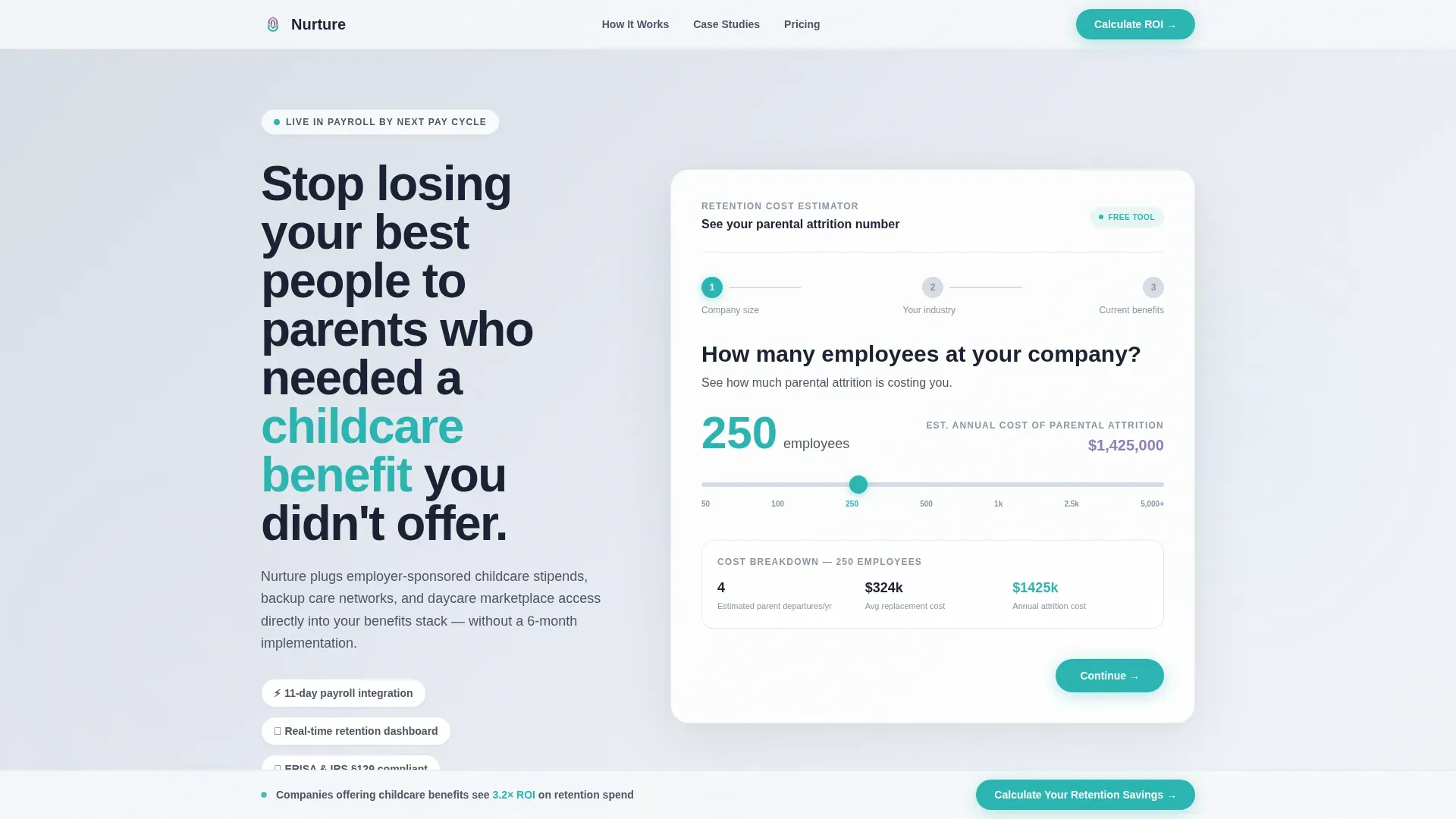
- A multi-step form hero with a company size slider, industry vertical step, and current benefits step, set against an animated cloud white to fog gray gradient background
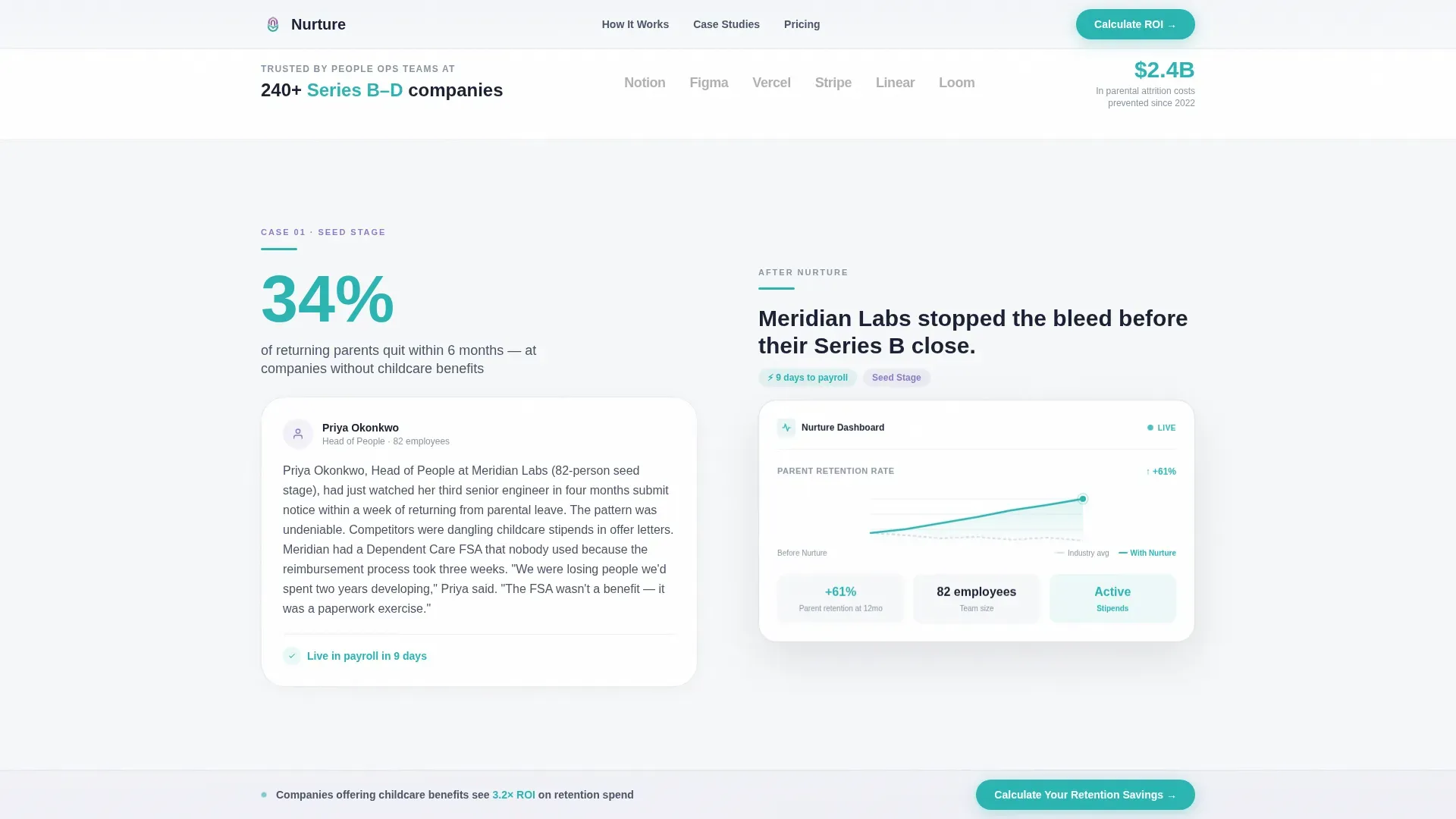
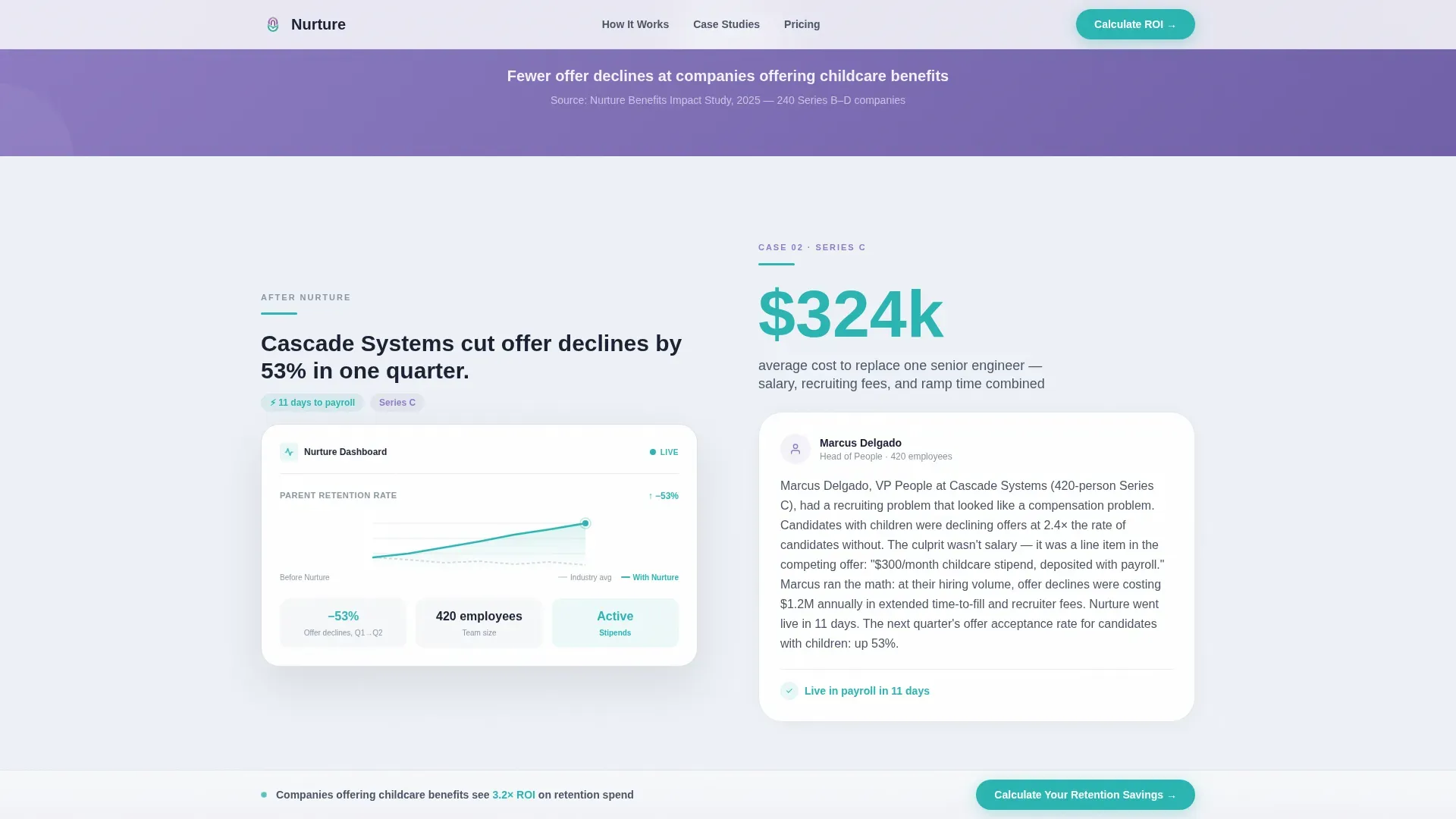
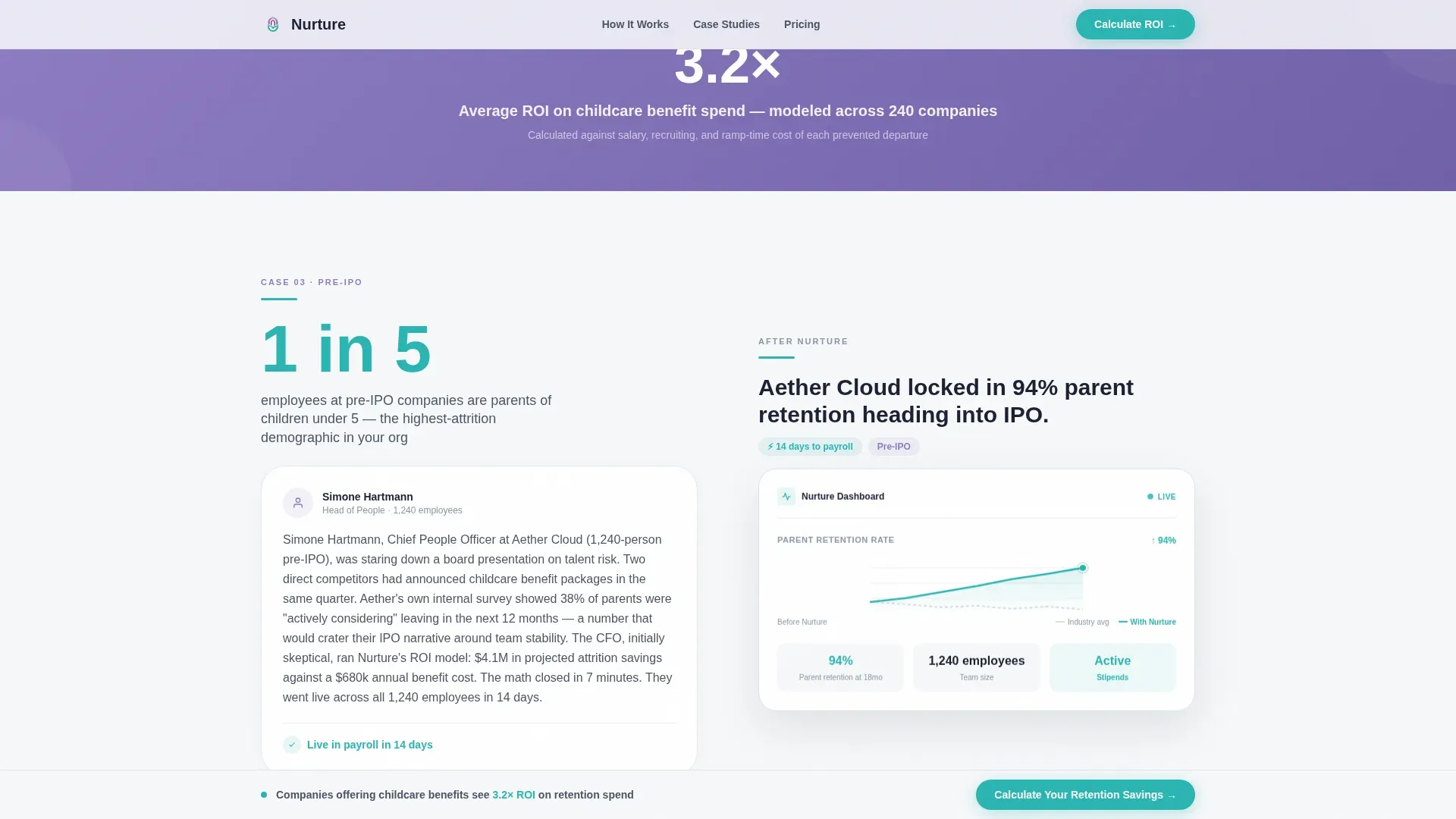
- Three zigzag case study blocks covering an 80-person seed stage, a 400-person Series C, and a 1,200-person pre-IPO company, each with wisteria interstitial benchmark stats between them
- A full-width teal call-to-action anchor, a sticky bottom bar that appears after the first case study, and an embedded call to action at form completion, all routing to the same ROI calculator page
Feature list
This template is built around a set of core components that work together to guide a VP or CFO from initial curiosity to a confident click-through.
Multi-Step Interactive Form Hero
The header opens mid-action with Step 1 already visible. A slider lets visitors set their employee count from 50 to 5,000+. Step 2 asks for industry vertical. Step 3 asks about current childcare benefits. The form feels like a product demo, not a lead gate.
Zigzag Case Study Narrative Blocks
Three alternating left-right content blocks follow a before-during-after arc. Each block pairs a large teal pain metric on one side with a story paragraph on the other. The layout flips for the implementation view, showing a dashboard and retention timeline. Company size escalates across all three blocks so every visitor finds a relevant mirror.
Wisteria Interstitial Stat Breaks
Between each case study block, a single-stat callout in wisteria delivers a sharp benchmark figure. These breaks maintain scroll momentum and reset the reader's attention before the next case study escalates in complexity.
Sticky Bottom call to action Bar
After the first case study scrolls into view, a sticky bar locks to the bottom of the viewport. It carries the primary call to action and stays visible throughout the rest of the page, keeping the conversion path accessible at all times.
Animated Gradient Background
The hero section uses a subtle motion gradient that shifts between cloud white and fog gray. It conveys forward motion without competing with the form content. No stock photography is used anywhere in the hero.
Implementation Timeline Visual
A dedicated alternating section displays an 11-day payroll integration timeline. It gives skeptical CFOs and HR directors a concrete, visual answer to the question of how fast the platform can actually go live.
Page sections overview
| Section | Purpose |
|---|---|
| Multi-Step Form Hero | Opens mid-action with company size slider and gradient background |
| Social Proof Bar | Logo strip with single credibility stat to anchor trust early |
| Case Study Block One | 80-person seed stage before-during-after zigzag with pain metric |
| Wisteria Stat Break | Benchmark interstitial between case study blocks |
| Case Study Block Two | 400-person Series C zigzag with dashboard and retention curve |
| Case Study Block Three | 1,200-person pre-IPO block showing scale and complexity |
| Implementation Timeline | 11-day payroll integration shown in alternating visual layout |
| Final call to action Section | Full-width teal button anchoring the click-through to ROI calculator |
| Footer | Linear single-row footer pattern |
Design & branding system
The visual identity runs on the Soft Mist color system, a palette designed to feel simultaneously trustworthy to a working parent and credible enough for a board presentation. Typography uses Plus Jakarta Sans for body and interface copy, with DM Sans reserved for headings.
- Cloud white (#F7F8FA) and fog gray (#D6DCE5) alternate as section backgrounds, creating rhythm without distraction
- Wisteria (#8E7CC3) marks section transitions and interstitial stat breaks, providing visual punctuation between case study blocks
- Confident teal (#2AB5B2) is reserved exclusively for calls to action, data highlights, interactive elements, progress bars, and key metrics
Mobile & speed optimization
The template is designed desktop-first to match the primary audience of VP and CFO users working on laptops in early-morning sessions. It is also built to be mobile-responsive so the experience holds across all screen sizes.
- Static sections use server components to keep the initial render fast and clean
- Interactive elements including the multi-step form, sticky call to action bar, and GSAP scroll reveals are handled by client components to preserve smooth animation without blocking load
- The zigzag layout reflows cleanly on smaller viewports, keeping the case study narrative readable without horizontal scrolling
How this template helps you convert
This template treats conversion as a process of earned belief, not form submission pressure. Every section is structured to increase the visitor's confidence that the cost of inaction is real and quantifiable.
- The multi-step form hero begins the ROI framing immediately. Before a visitor reads a single case study, they have already engaged with their own company size and context, which makes the benchmark stats feel personally relevant.
- The escalating case study arc builds cumulative credibility. Each block is larger and more complex than the last, so by the third story the visitor understands that the platform works at their scale too.
- The sticky call to action bar and final full-width teal button both route to the same ROI calculator page, ensuring the click-through destination is always one step away regardless of scroll position.
Other information about this template
This template sits at the intersection of HR Tech, benefits infrastructure, and B2B SaaS landing page design. It is built specifically for the childcare benefits provider niche within the broader employee wellness and benefits category.
- The template theme is Startup Velocity, reflecting the fast-moving growth environment of the Series B to D companies it targets
- The creative direction follows a Case Study Narrative structure, with the header concept anchored by a Multi-Step Form and the landing page direction optimized as a Click-Through flow
- The Soft Mist color system and Startup Velocity theme make this template suitable for HR Tech platforms that need to present with both emotional warmth and financial rigor
- No email capture field appears on this page; the entire page is built to earn the click to the ROI calculator through escalating evidence rather than a form gate
Theme
Startup Velocity
Creative direction
Case Study Narrative
Color system
Soft Mist
Style
Zigzag/Alternating
Direction
Click-Through
Page Sections
Multi-step Form with Company Size Slider
Zigzag Case Study Narrative Layout
Wisteria Interstitial Benchmark Stats
Sticky Bottom Call to Action Bar
Day Implementation Timeline Visual
Animated Hero Gradient Background
Related questions
Who is this landing page template built for?
Does this template include a working ROI calculator?
What interactive elements are included in this template?
Can the case study blocks be customized with my own client stories?
Is this template suitable for desktop and mobile users?



