Trusted Mobile Service Landing Page Template
The Seal trusted mobile notary service area landing page template is built for notary public professionals who come to their clients. It combines editorial magazine design with a transparent booking flow, clear pricing, and a scheduling form, so potential clients understand exactly what to expect before they ever make contact.
by Rocket studio
Quick summary
Seal is an editorial landing page template for mobile notary services. It opens with an oversized serif manifesto, walks visitors through the full booking process step by step, and closes with a scheduling form and tap-to-dial contact option. The result is a notary website that feels authoritative, warm, and completely trustworthy from the first scroll.
Who this template is for
This template is designed for notary public professionals who travel to their clients. It works for solo mobile notary operators, certified notary signing agents handling loan signings, and experienced notaries serving real estate, legal, and medical settings.
- Mobile notary professionals serving homebuyers, law firms, and assisted-living facilities
- Notaries who want a professional website that reflects their expertise and builds trust instantly
- Notary business owners ready to move more clients from search to scheduled appointment
What problem this template solves
Many clients search for a mobile notary in an urgent moment, a closing table, a hospital bedside, a deadline on real estate documents. Most notary websites they find are cluttered, slow to load, or hide key information like pricing and business hours. That uncertainty stops potential clients from booking.
- No clear pricing or transparent fee details, leaving clients guessing before they contact
- No structured process explanation, so visitors leave before they understand what happens at an appointment
- No mobile-friendly layout, even though many clients are booking from a phone in a stressful moment
What you get with this template
Seal gives you a complete, ready-to-customize landing page built around the needs of a mobile notary service. Every section is designed to build trust and move visitors toward booking an appointment.
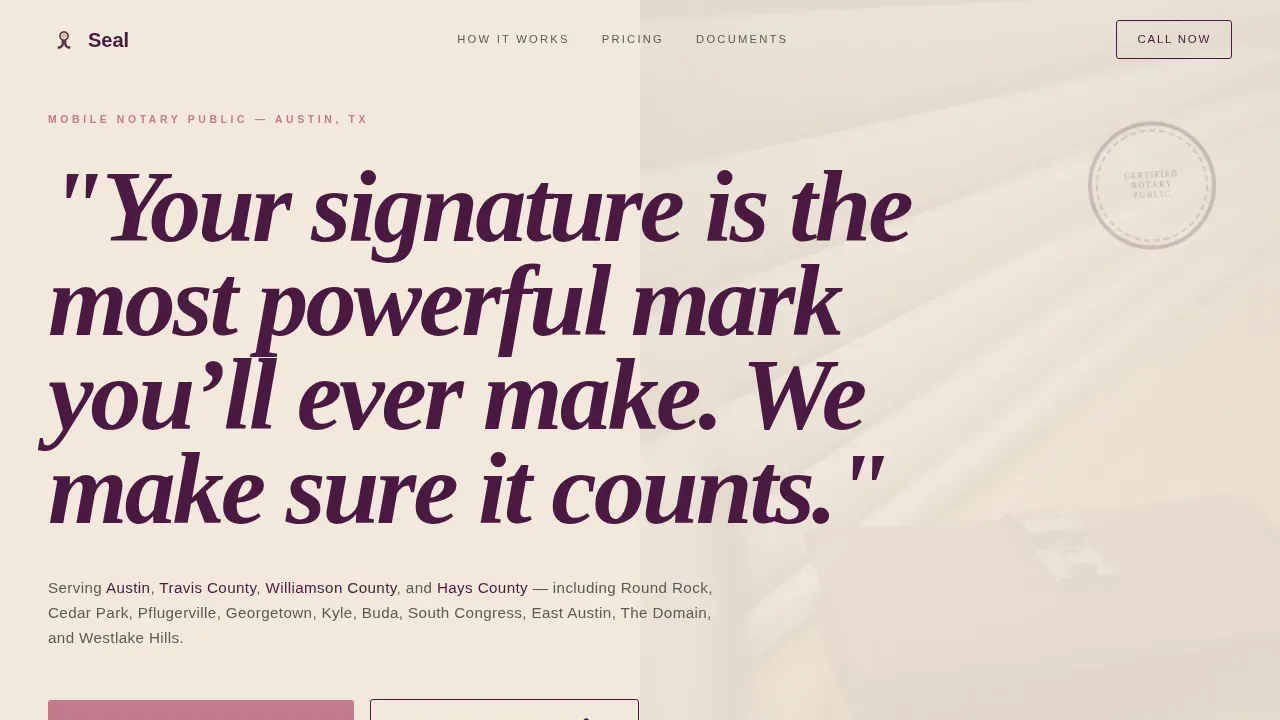
- A hero section with a bold manifesto quote, service area grounding line, and a prominent "Schedule Your Signing" call to action
- A transparent three-step process walkthrough with pull quotes, estimated timeframes displayed in large type, and plain-language pricing
- A booking form with appointment type selector, preferred location field, date and time input, and a tap-to-dial call option for urgent same-day notary service
Feature list
This template is designed around conversion. Each feature serves a specific purpose for a notary business that depends on client trust and fast action.
Manifesto Hero Section
The hero section occupies eighty percent of the viewport with oversized serif typography set on a muted champagne background. Below the quote, a single line names the service area by city, county, and neighborhood. A "Schedule Your Signing" call to action button appears immediately beneath, so visitors can act right away.
Transparent Process Walkthrough
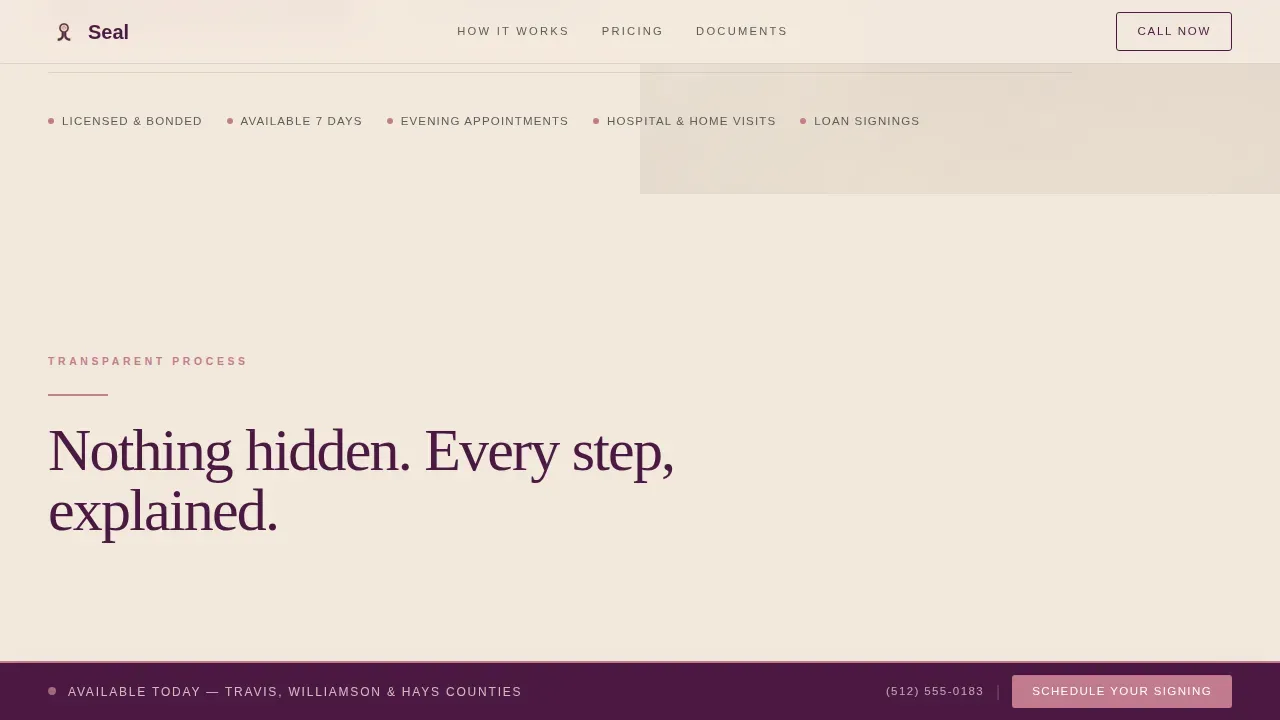
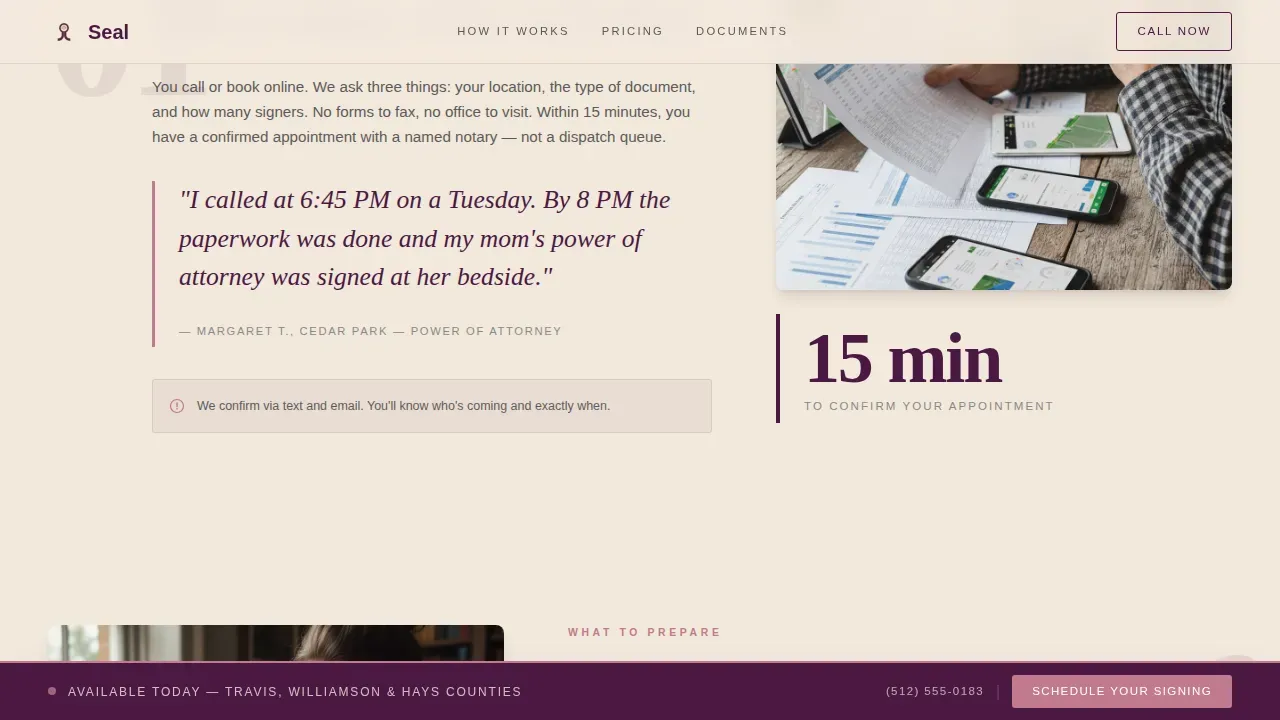
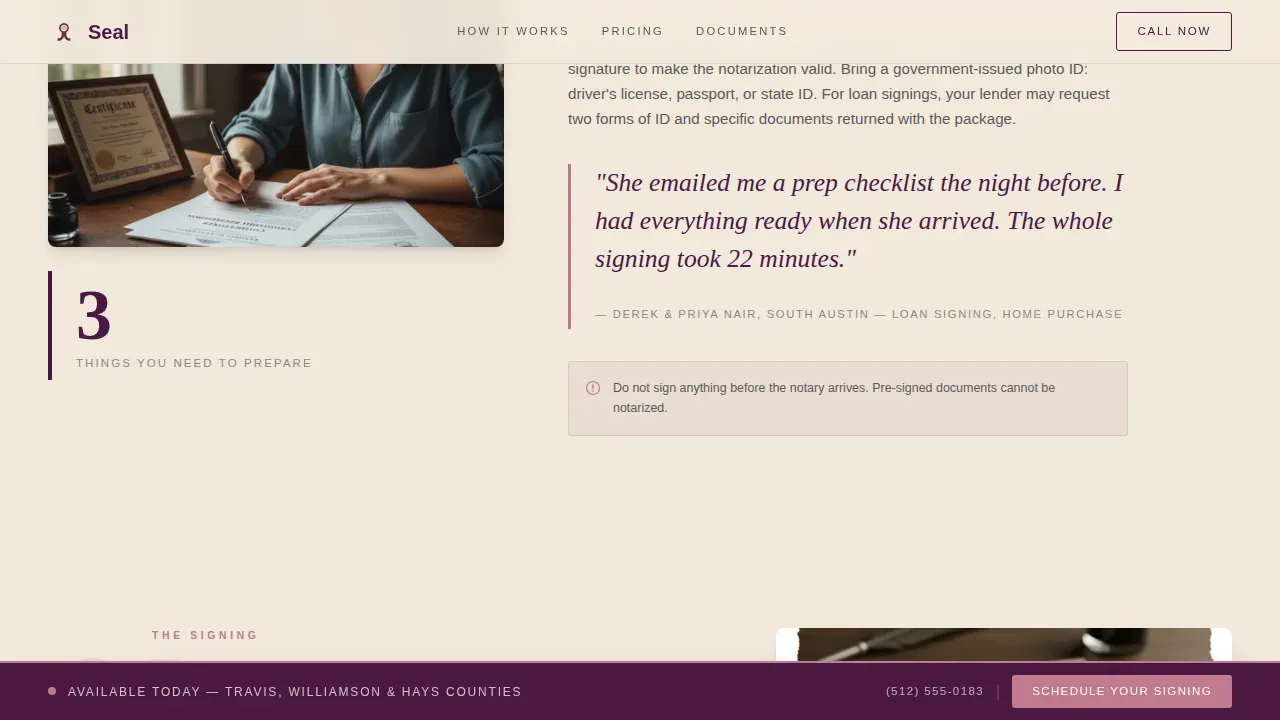
Three magazine-spread sections reveal the booking and appointment process in plain language. Each step covers how the call works, what documents to prepare, and what to expect when the notary arrives. Pull quotes from client scenarios, estimated timeframes, and pricing are all prominently displayed, no asterisks, no hidden details.
Document Types and Pricing Section
A dedicated pricing section lists all notary service fees directly. Loan signings, powers of attorney, and general notarization are each listed with their rates. Transparency in pricing is built into the structure, so clients never encounter a surprise charge.
Social Proof and Testimonials
Client testimonials are placed in pull-quote format across the page. Each testimonial reflects a real client scenario, a first-time homebuyer, an elderly parent, a paralegal. These testimonials build trust and give site visitors confidence before they reach the contact form.
Scheduling Form with Appointment Selector
The booking form collects appointment type, preferred date and time, preferred location address, and number of documents. A floating "Schedule Your Signing" bar stays pinned during scroll so the call to action is always visible. A secondary tap-to-dial number is also available for same-day urgent requests.
Mobile-First Layout and Navigation
The entire page is structured for mobile users first. The navigation bar stays accessible on small screens. Contact details are prominently displayed. Buttons are large enough for easy tapping on a phone, which matters when many clients are booking from a hospital room or closing table.
Page sections overview
| Section | Purpose |
|---|---|
| Manifesto Hero | Opens with editorial quote, service area line, and primary booking call to action |
| Transparent Process | Three-step walkthrough of the notary appointment experience |
| Pricing and Document Types | Lists all fees plainly for loan signings and general notarization |
| Client Testimonials | Pull quotes from real client scenarios to build credibility |
| Booking Form | Appointment scheduling with type selector and location input |
| Tap-to-Dial Contact | Secondary contact path for urgent same-day mobile notary requests |
| Footer | Single-row linear footer with contact info and business hours |
Design & branding system
The Plum Executive color system gives this notary website a tone of formal warmth. Deep plum and muted champagne create a leather-and-linen atmosphere. Dusty rose accents mark every interactive element so visitors know exactly where to click.
- Deep plum (#4A1942) as the primary color, charcoal ink (#2D2D2D) for body text, muted champagne (#F2E8DC) as the background
- Dusty rose (#C27A8E) reserved for buttons, call to action highlights, and interactive form elements
- Fraunces serif for headlines and pull quotes; DM Sans for body text and user interface elements
Mobile & speed optimization
A mobile-responsive design is critical for a notary service. Many clients are searching and booking from their phones in high-pressure moments. This template is built mobile-first so the experience is smooth regardless of device.
- The floating schedule bar and tap-to-dial button stay accessible on small screens throughout the entire scroll
- All form fields and buttons are sized for comfortable tapping on a mobile device
- Clean layouts and static section components keep the page fast and easy to navigate on mobile networks
How this template helps you convert
Seal is designed around the idea that a visitor who understands everything is a visitor ready to book. The page earns the click before asking for anything.
- The transparent process walkthrough, prominently displayed pricing, and client testimonials answer every common question before the form appears, so by the time users reach the contact form, they already trust the notary service
- The floating call to action bar ensures the "Schedule Your Signing" button is always one tap away, while the tap-to-dial option gives many clients a direct path for urgent same-day notarization without filling out a form
Other information about this template
This template draws from the design principles that define the best notary websites. A professional website for mobile notary services must feel simple, fast, and trustworthy. Seal applies those principles through its organized layout, user friendly design, and editorial visual identity.
- Notary websites like bergen pro notary website are known for being information-rich with clean, intuitive structures, Seal reflects that same philosophy of organized, complete information
- References like la mode notary show that a simple website with minimal clutter can be more effective than a feature-heavy one; Seal keeps the page focused on essential services and direct booking
- The oceanside mobile notary market and comparable local mobile services demonstrate that clients need to see availability, contact details, and service area confirmed fast, this template puts all the details above the fold or within one scroll
- Google reviews and social proof signals can be embedded alongside the existing testimonials section to give the notary business added credibility with site visitors who clients browse for local recommendations
- The faq section built into the template structure addresses common questions about document types, online notary services, and appointment scheduling without overwhelming users
- The page includes a search bar placeholder and navigation bar so users can orient themselves quickly on the home page
- For notaries building their first professional web presence, Seal provides a complete starting point, covering seo-friendly structure, prominently displayed contact info, and a clear call to action without requiring technical expertise
Theme
Service Utility
Creative direction
Transparent Process
Color system
Plum Executive
Direction
Booking/Scheduling
Page Sections
Manifesto Hero with Service Area Line
Transparent Three-step Process Walkthrough
Plain-language Pricing Section
Client Testimonial Pull Quotes
Booking Form with Appointment Type Selector
Mobile-first Navigation and Layout
Related questions
What types of notary services does this template cover?
Can I customize the service area details shown on the page?
Is the template suited for urgent or same-day appointment requests?
Does the template support credentials and trust signals?
How does the floating schedule bar work?



