Sri Lanka Travel Complete Booking Website Template
Traverse is a storybook-style Sri Lanka adventure tour landing page built on a Neo-Retro visual identity. It guides visitors through a single immersive day in the island using a Day-in-the-Life scroll, page-turn animations, and a stepped booking flow. Every section earns visitor trust before asking for commitment.
by Rocket studio
Quick summary
Traverse is a full-page, single-scroll adventure landing page for a Sri Lanka tour operator. It uses a Day-in-the-Life narrative structure to move visitors emotionally through a curated island itinerary. A retro luggage-tag search box opens the experience, and a stepped "Plan My Island" booking flow closes it.
Who this template is for
This template is built for Sri Lanka adventure tour operators who want to sell experiences, not just itineraries. It works best when the business offers multi-style journeys and needs a landing page that converts curious browsers into committed bookers.
- Tour operators targeting couples, solo travelers, and small friend groups
- Businesses offering curated cultural, wildlife, coastal, or custom Sri Lanka adventures
- Operators who want a visually rich booking experience rather than a plain list of packages
What problem this template solves
Most travel landing pages describe a trip. This one makes the visitor feel it. Generic tour pages lose potential clients before a single booking form is opened, because they list facts instead of creating desire.
- Visitors leave early when a page reads like a brochure rather than a lived experience
- A flat layout fails to justify a premium price point for bespoke adventure travel
- Standard booking forms feel disconnected from the emotional mood the brand works hard to create
What you get with this template
You get a fully designed, section-led landing page built around a storybook scroll experience. Every detail, from the opening aerial header to the final full-width call-to-action section, is ready to customize for your own Sri Lanka tour offering.
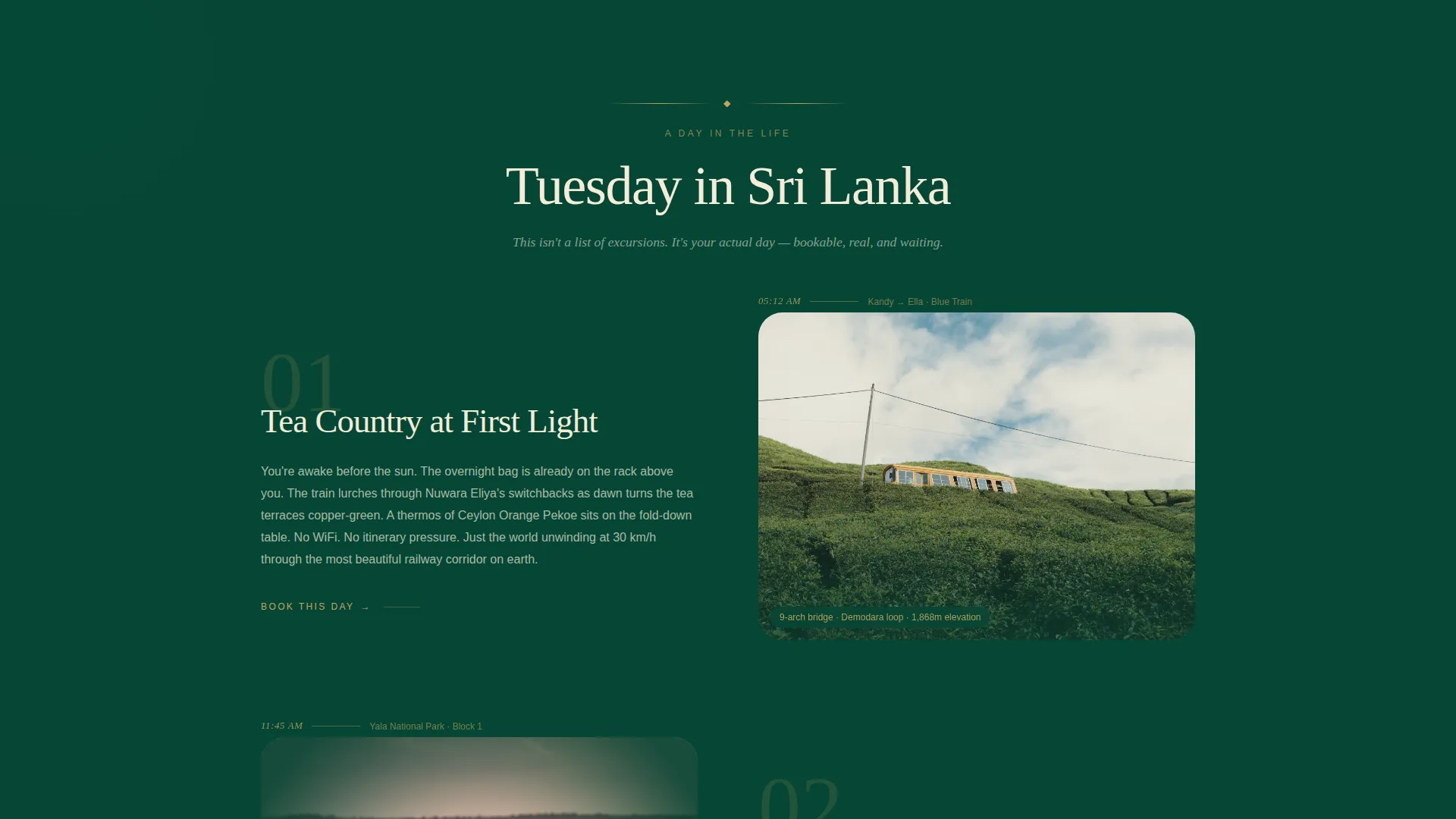
- A Day-in-the-Life narrative scroll with timestamped sections and page-turn transitions between scenes
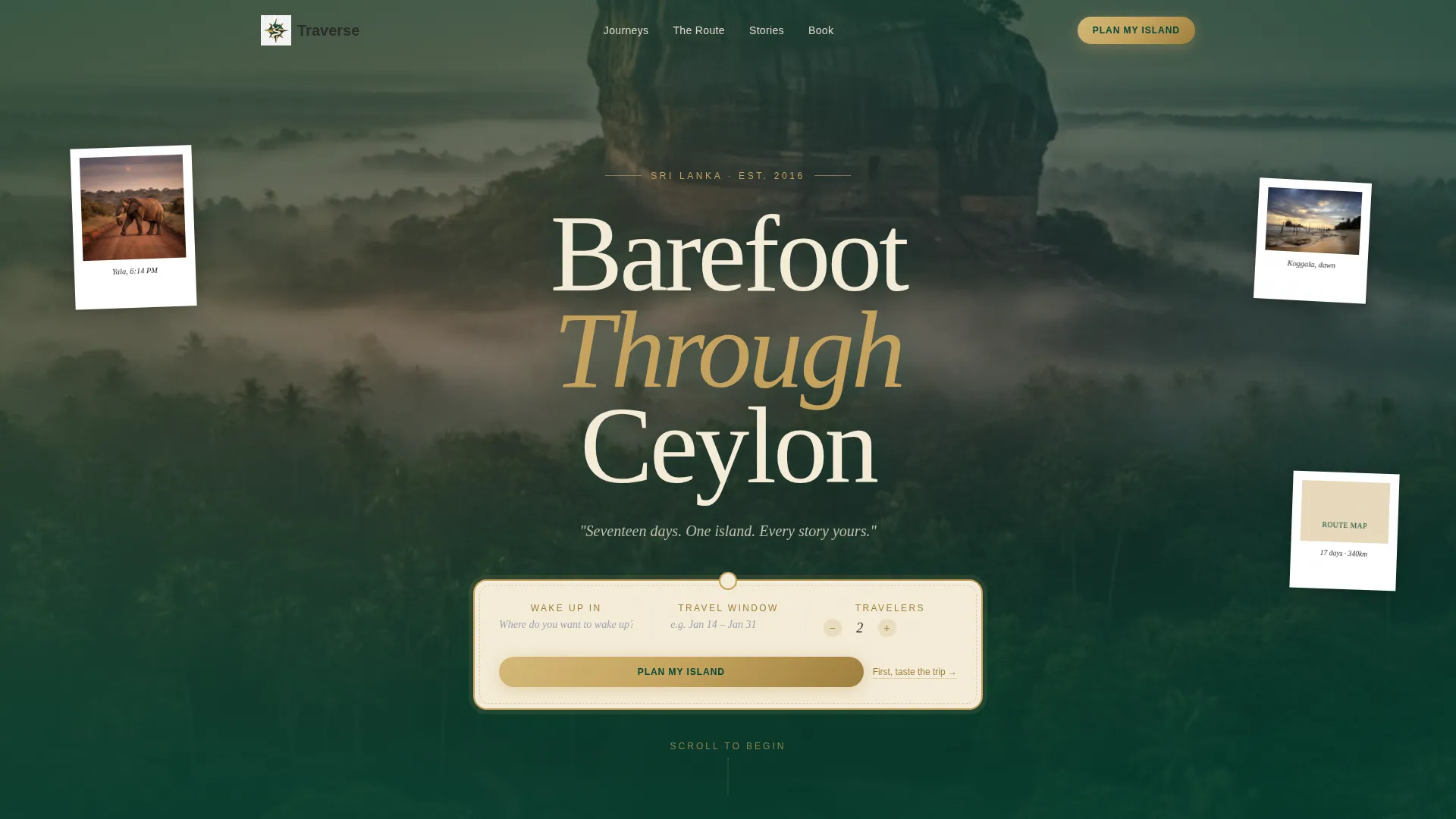
- A retro luggage-tag search box with three input fields in the hero header
- A two-path conversion system: a stepped booking flow and an email-capture route map download
Feature list
A brief overview of the core functional and visual components built into this template.
Day-in-the-Life Narrative Scroll
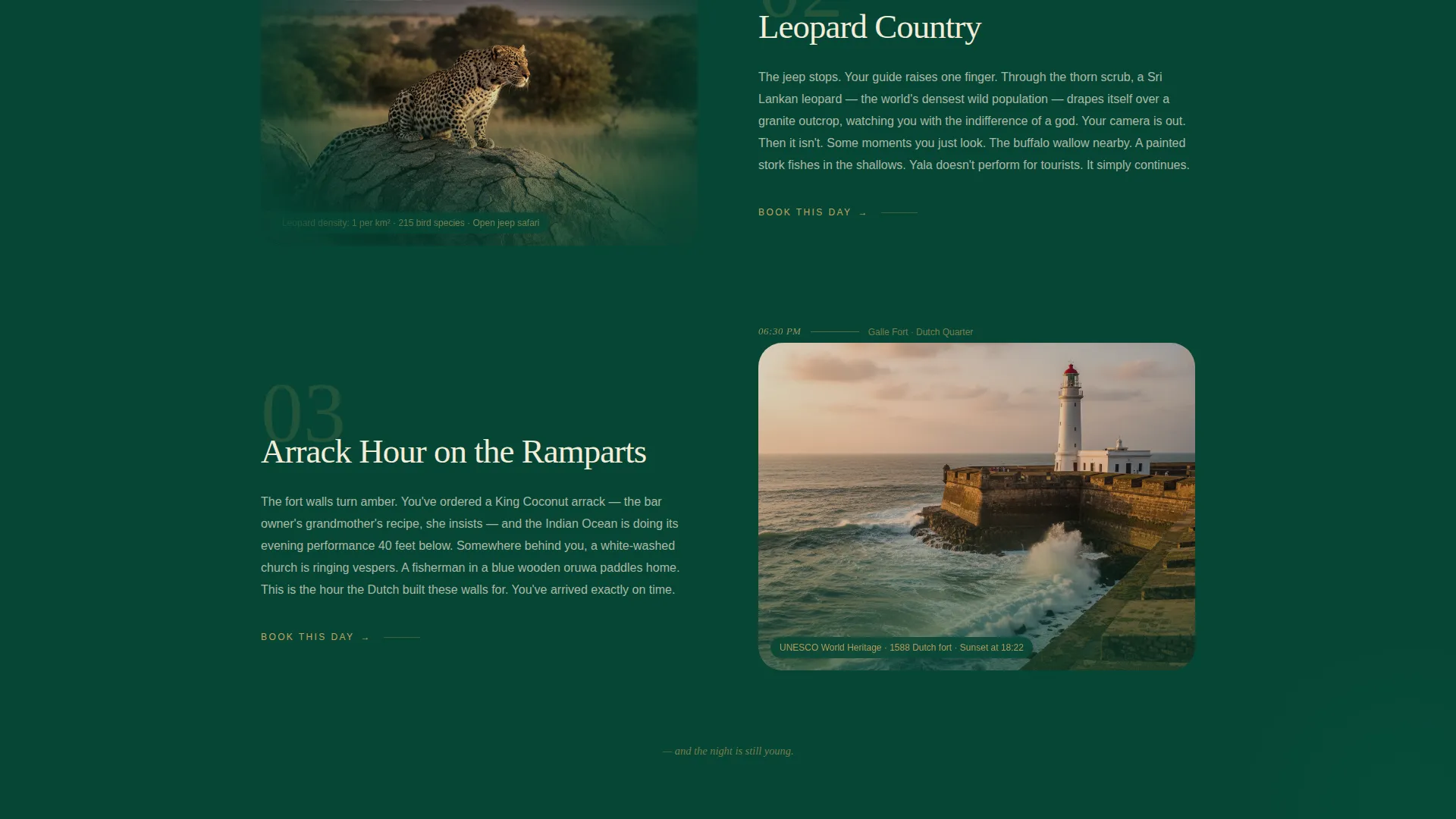
Each full-page section represents one moment in a single travel day. Timestamps appear in the margin like journal entries. The scroll moves from a 5 AM highland train ride through a noon Yala safari to a twilight village cooking class, making the visitor live a Tuesday in Sri Lanka before they ever reach a form.
Retro Luggage-Tag Search Box
The hero header features a centered search box styled as a vintage luggage tag. It carries a stitched brass border and three fields: a destination prompt, a torn-calendar-page date range picker, and a traveler count dial. A single serif tagline sits below it: "Seventeen days. One island. Every story yours."
Stepped Booking Flow
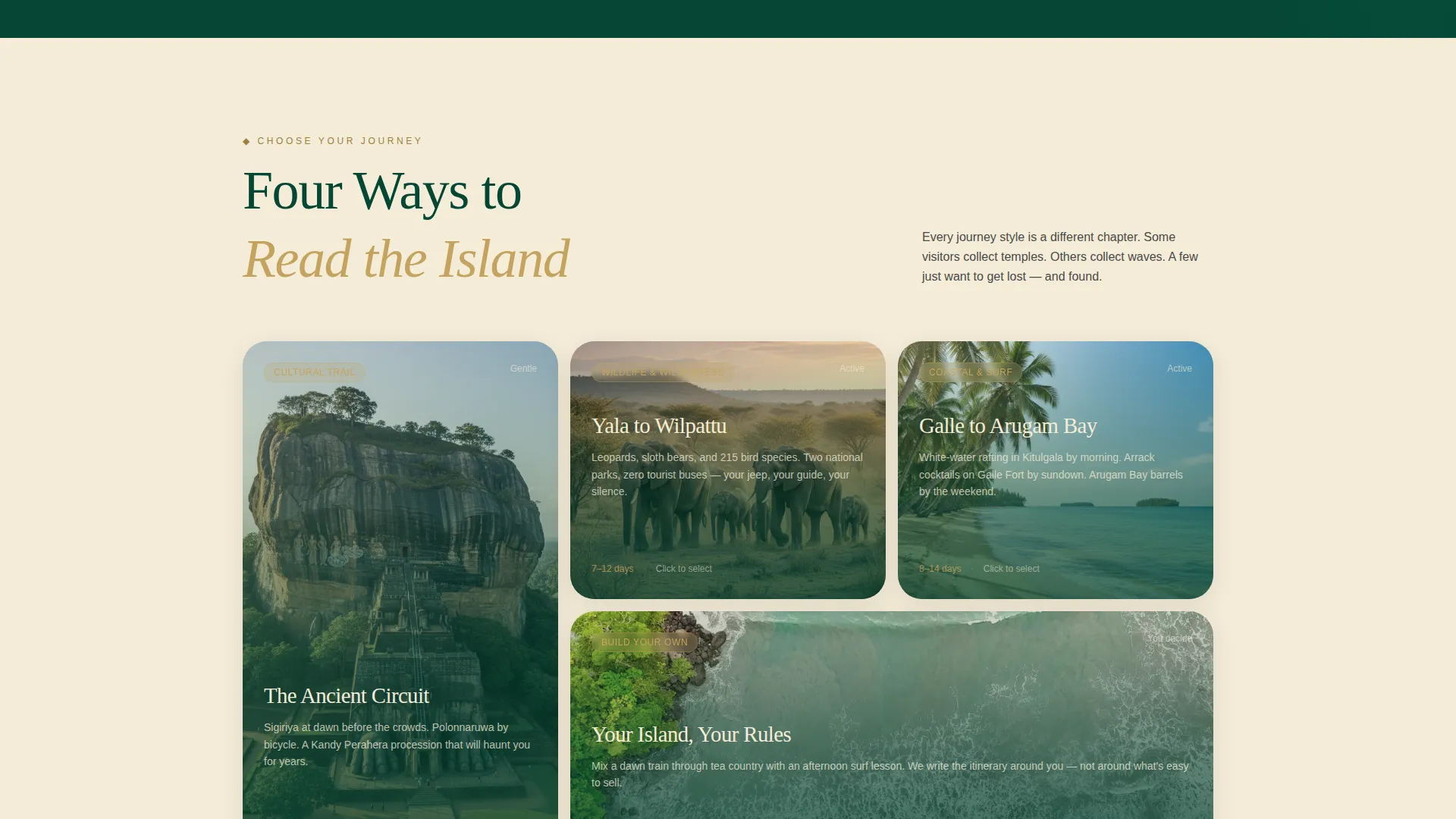
The primary call-to-action opens a three-step booking sequence. Step one lets the visitor choose a journey style from four options: Cultural Trail, Wildlife and Wilderness, Coastal and Surf, or Build Your Own. Step two shows a visual seasonal calendar. Step three collects group size and any mobility notes.
Route Map Email Capture
A secondary conversion path invites visitors who are not yet ready to book to download an illustrated PDF itinerary. Entering an email address delivers the route map, which itself contains an embedded booking link to bring those visitors back later.
Page-Turn Transition Animations
Transitions between narrative sections use a page-turn animation that reinforces the storybook metaphor throughout the scroll. This visual device keeps the travel-journal tone consistent from the first scene to the final call-to-action.
Sticky Booking Button
After the third page-turn section, a brass-toned sticky button labeled "Plan My Island" appears and follows the visitor down the page. A matching full-width version of the call-to-action anchors the bottom of the landing page for visitors who scroll all the way through.
Page sections overview
| Section | Purpose |
|---|---|
| Hero Search Header | Opens with aerial Sigiriya footage and a luggage-tag search box |
| 5 AM Train Scene | Parallax tea-country landscape with timestamped journal margin |
| Noon Safari Scene | Grain-filtered Yala photography with binocular vignette framing |
| Twilight Cooking Class | Close-up spice-grinding scene anchoring the village kitchen moment |
| Journey Style Selector | Step-one booking screen with four curated travel style options |
| Seasonal Calendar View | Step-two date picker showing monsoon, dry, and shoulder season icons |
| Group Details Form | Step-three input for group size and mobility notes |
| Route Map Download | Email-capture section delivering the illustrated PDF itinerary |
| Full-Width call to action | Final "Plan My Island" section closing the booking narrative |
Design & branding system
The visual identity follows a Neo-Retro theme anchored by a Dark Emerald color palette. The overall mood references a 1970s expedition journal left open on a teak veranda during monsoon season, warm and shadowed but never flat.
- Deep jungle canopy emerald (#064635) dominates full-bleed section backgrounds; weathered brass (#C5A35E) appears on borders, divider ornaments, and hover states
- Faded expedition parchment (#F4ECD8) holds narrative text blocks for warm, legible contrast
- Temple-stone charcoal (#2C2C2C) anchors all body text with the weight of a typewriter ribbon pressed hard against the page
Mobile & speed optimization
The template is designed with a full-page storybook scroll in mind, and its layout adapts for smaller screens without losing the immersive storytelling structure.
- Parallax scroll sections and page-turn transitions are structured to reflow cleanly on mobile viewports
- The stepped booking flow and email-capture form maintain usability at touch-screen scale
- Full-bleed imagery and margin timestamps are sized to remain readable and proportional across devices
How this template helps you convert
The page is built around a deliberate emotional arc that earns the booking click rather than demanding it.
- The Day-in-the-Life narrative immerses the visitor in the actual trip experience before any booking prompt appears, reducing hesitation by building desire first.
- The sticky "Plan My Island" button appears only after three full scene sections, placing the call-to-action at the moment when visitor intent is highest.
- The route map download offers a low-commitment second path for undecided visitors, delivering a PDF itinerary with an embedded booking link that re-engages them later.
Other information about this template
This section covers additional context about the template's scope, audience fit, and intended use.
- The template is built for the Sri Lanka adventure travel niche and is best suited to operators offering multi-style journeys across cultural, wildlife, and coastal experiences
- The creative direction is Booking and Scheduling focused, meaning every design decision serves either direct conversion or email-lead capture
- The storybook full-page template style suits premium positioning, where the visual experience justifies a higher price point before the visitor sees a number
- The header concept uses a Search Box component as the primary engagement entry point rather than a static hero image and headline
- The template sits within the Travel and Hospitality category and is designed to serve the Sri Lanka travel subcategory specifically
Theme
Neo-Retro
Creative direction
Day-in-the-Life
Color system
Dark Emerald
Style
Storybook/Full-Page
Direction
Booking/Scheduling
Page Sections
Day-in-the-life Narrative Scroll
Retro Luggage-tag Search Box
Three-step Booking Flow
Route Map Email Capture
Page-turn Transition Animations
Sticky and Full-width Call to Action Pairing
Related questions
Can I change the journey style options in the booking flow?
Does the route map download work as a standalone lead capture?
Is this template suitable if I only offer one Sri Lanka itinerary?
How many narrative scene sections does the template include?
What is the difference between the sticky button and the final call-to-action section?