Nexus — Fintech Platform Landing Page Template
Ledger is a fintech enterprise landing page template built for teams replacing bloated payment stacks. It pairs an animated dashboard header with an interactive comparison table, letting visitors toggle their current provider and watch benchmarks repopulate in real time. Two conversion paths, a migration estimator and a PDF download, capture buyers at every stage of the decision.
by Rocket studio
Quick summary
Ledger is a single-page fintech template designed to convert enterprise buyers who are already comparing payment infrastructure. The animated header simulates a live transaction dashboard, while the interactive comparison table lets visitors configure their own verdict. Two gated conversion paths capture both action-ready leads and early-stage researchers.
Who this template is for
This template is built for fintech teams making a high-stakes infrastructure decision. It speaks directly to buyers who need data, not persuasion.
- CTOs at Series B startups migrating away from legacy payment processors
- Heads of finance at mid-market SaaS platforms embedding payments into their product
- Compliance officers at neobanks who need audit trails built into the workflow
What problem this template solves
Enterprise fintech buyers rarely convert on a homepage pitch. They arrive with spreadsheets, internal stakeholders, and hard questions about latency, fees, and compliance coverage. A generic landing page cannot meet that bar.
- Visitors have no fast way to compare their current provider against a new platform
- Decision-makers need data broken down by pricing at scale, uptime, and regulatory coverage
- Researchers need something to bring back to their team before committing to a call
What you get with this template
The template delivers a complete, section-led comparison landing page. Every component is purpose-built for the fintech enterprise buyer journey.
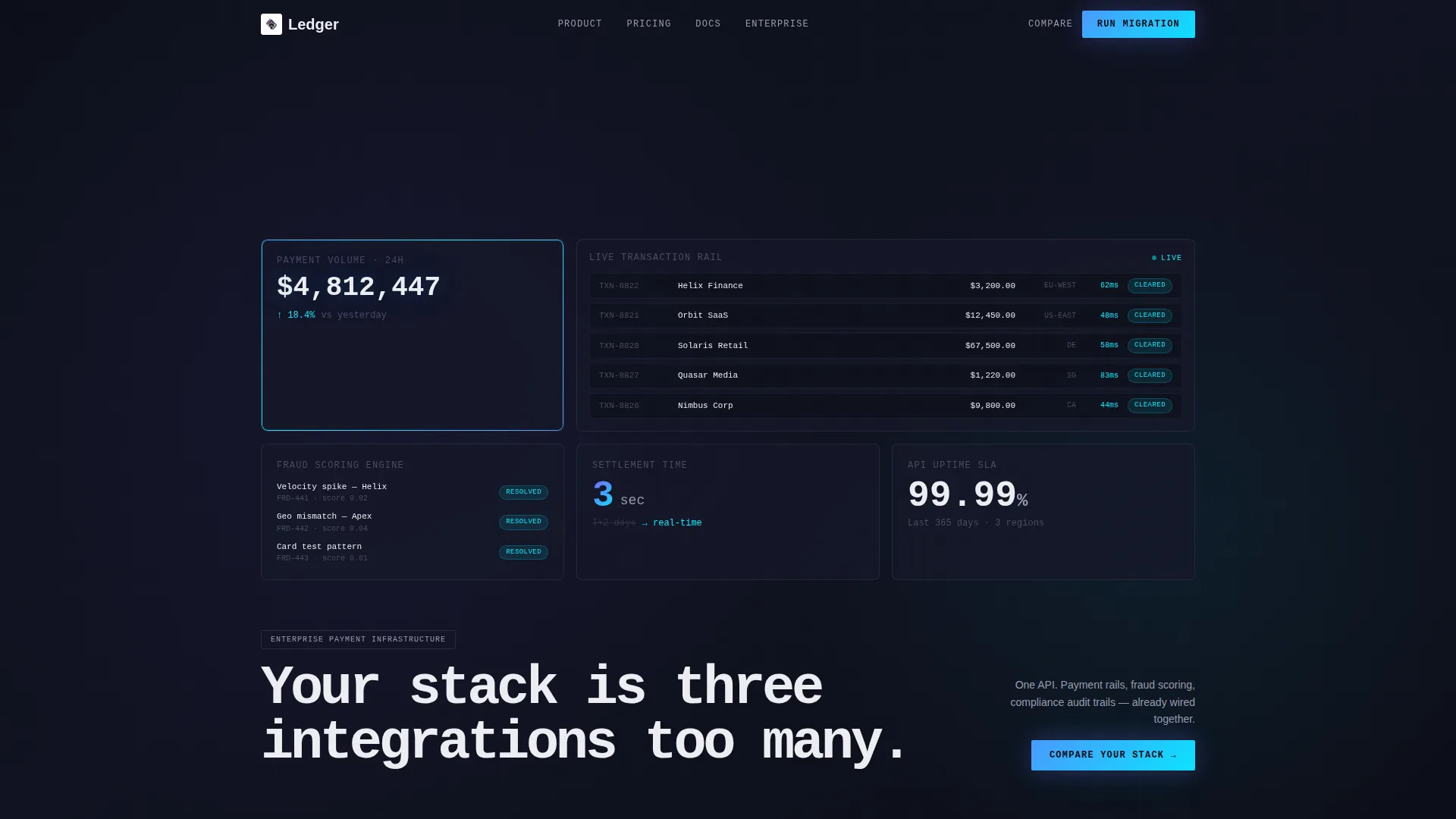
- An animated dashboard header showing a real-time transaction waterfall with live-style metrics
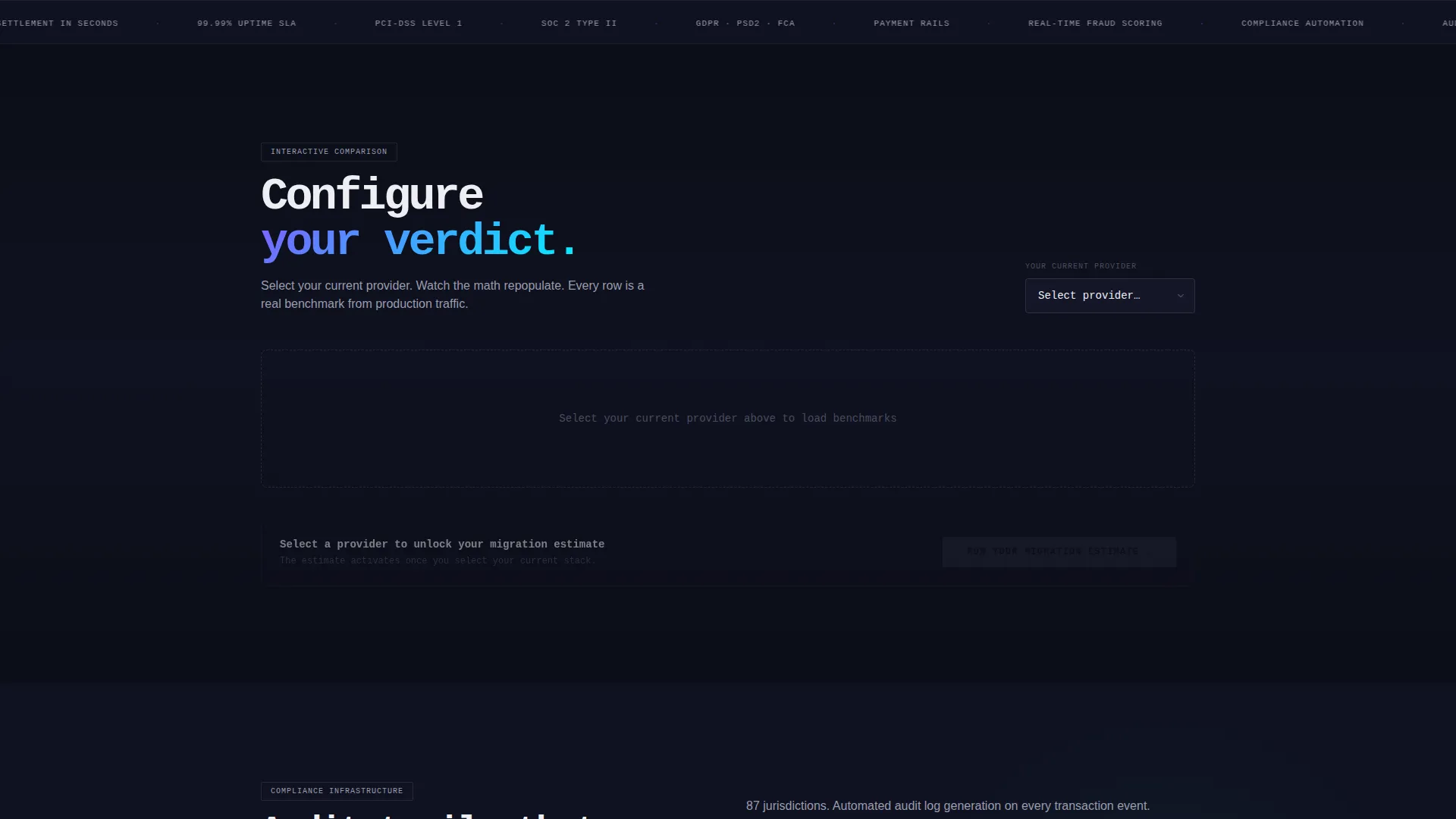
- An interactive comparison table with a provider dropdown and dynamically repopulating benchmark rows
- Two conversion paths: a three-step migration estimator and a gated PDF download form
Feature list
This template brings together animated data storytelling, interactive tooling, and a dual-path conversion architecture in one coherent layout.
Animated Dashboard Header
The header fills the full width with a product screenshot that behaves like a live interface. Payment volume climbs, fraud flags resolve to green, and settlement timelines collapse in real time. A monospace headline types itself across the screen, setting the tone before the visitor scrolls.
Interactive Provider Comparison Table
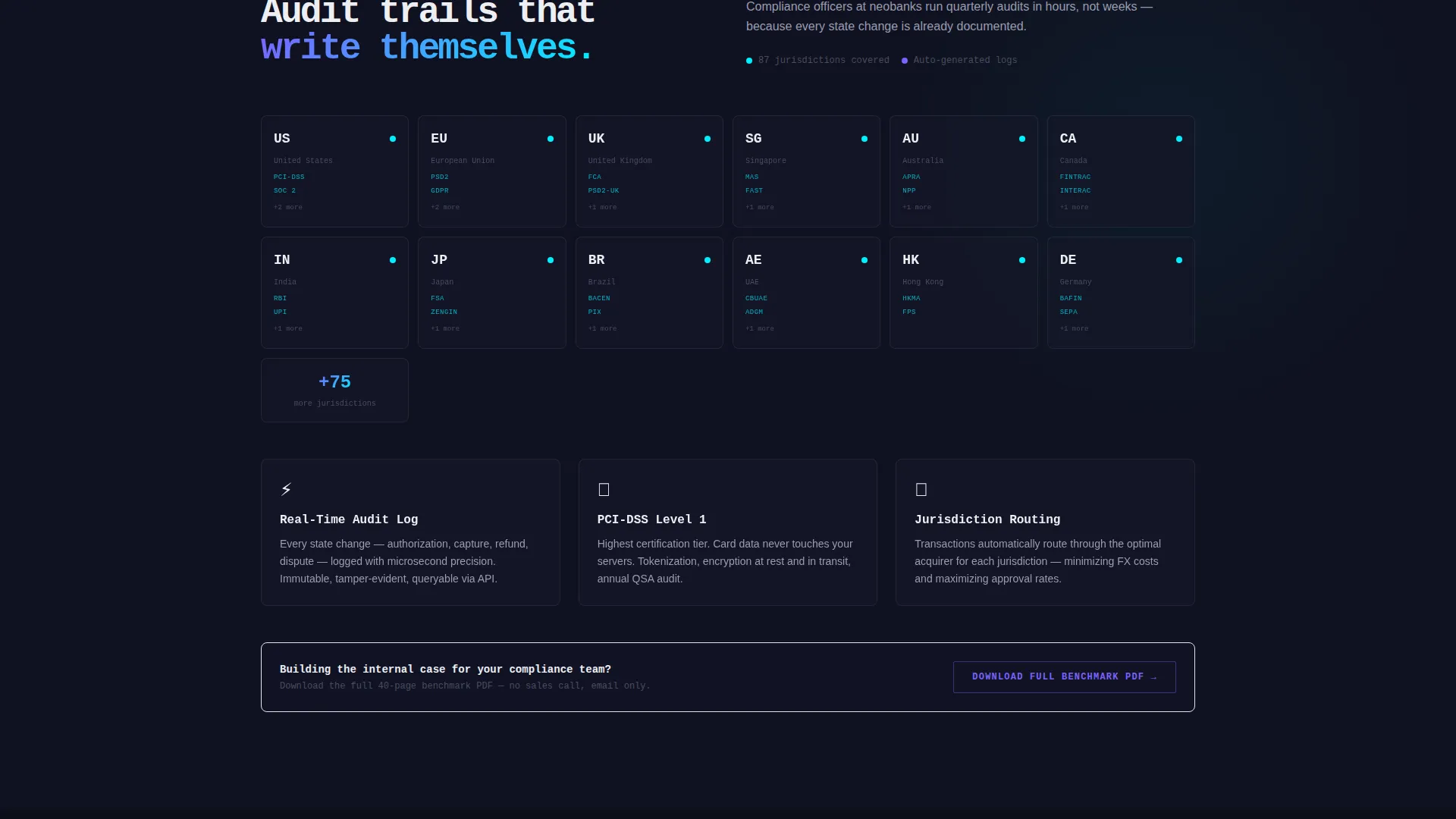
Visitors select their current payment provider from a dropdown and the table repopulates with latency benchmarks, fee breakdowns, and compliance coverage maps. The comparison deepens with each scroll section, covering pricing at scale, API response times, regulatory jurisdictions, and uptime service-level agreements.
Locked Primary Call to Action
The "Run Your Migration Estimate" button sits anchored below the comparison table. It activates only after the visitor has selected a provider, ensuring intent is confirmed before the form opens. The three-step form collects monthly transaction volume, primary payment regions, and a work email address.
Gated PDF Secondary Path
A second conversion option offers a downloadable benchmark report gated behind email only. This path captures researchers who are building the internal case but are not yet ready to request a live migration estimate.
Iridescent Visual Identity System
The color system pairs void black backgrounds with holographic violet and shimmer teal gradients on interactive elements and table highlights. Signal white keeps data labels sharp and legible against the dark palette. The result feels synthetic and alive, like light refracting through a prism inside a dark server room.
Startup Velocity Theme
The page is paced like a launch countdown. Every section moves the visitor forward: the dashboard signals readiness, the table builds the case, and the locked call to action closes the loop only when the buyer has done the work.
Page sections overview
| Section | Purpose |
|---|---|
| Animated Dashboard Header | Opens with live-style transaction metrics and a self-typing headline to establish credibility |
| Provider Dropdown Selector | Lets visitors choose their current provider to personalize the comparison data |
| Latency and Fees Table | Displays real latency benchmarks and fee breakdowns side by side |
| Compliance Coverage Map | Shows regulatory jurisdictions covered, scroll-deepened per provider selection |
| Uptime and API Performance | Compares API response times and uptime service-level agreements across providers |
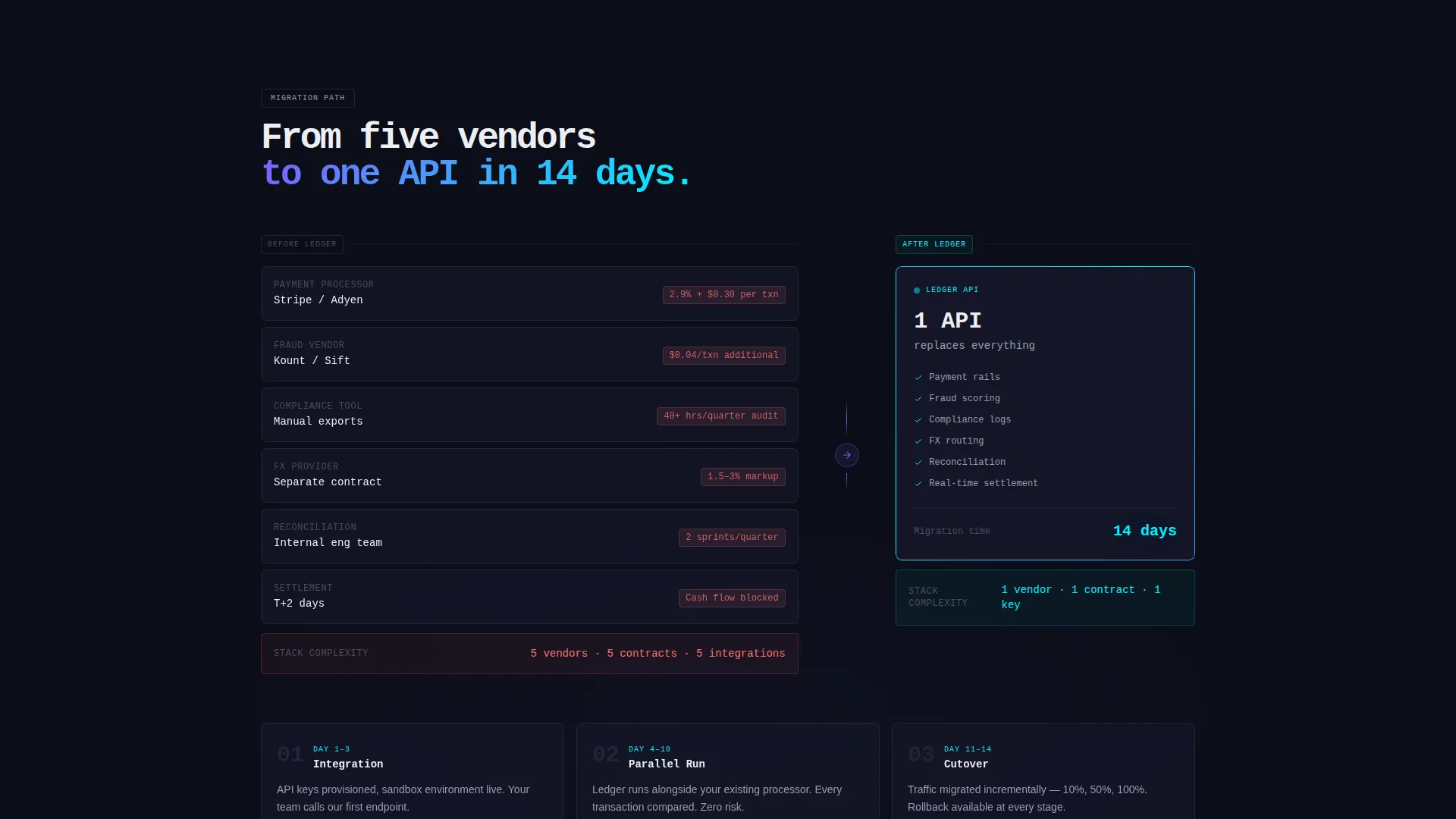
| Migration Estimator Form | Three-step form gated behind provider selection; collects volume, regions, and work email |
| PDF Benchmark Download | Secondary email-gated path for researchers building an internal business case |
Design & branding system
The visual identity is built around the AI Iridescent color system, designed to feel precise and high-stakes rather than decorative.
- Void black (#0B0D17) anchors every background section, giving data full visual weight
- Holographic violet (#7B61FF) and shimmer teal (#00F0FF) pulse through gradients on interactive elements, table row highlights, and status indicators
- Signal white (#EDEEF2) is reserved for typography and data labels, keeping benchmark numbers razor-legible in dark conditions
Mobile & speed optimization
The layout is structured to remain functional and readable at any viewport width. The comparison table and form components are designed with smaller screens in mind.
- The provider dropdown and repopulating table rows are built for touch interaction on mobile
- The dual conversion paths stack cleanly on narrow screens without losing their logical sequence
- Animated elements are scoped to areas where motion adds meaning, keeping the layout focused
How this template helps you convert
The conversion architecture is intentional. Every design decision moves the visitor from curiosity to commitment, one interaction at a time.
- The animated dashboard header establishes platform credibility before a single word is read, priming visitors to engage with the comparison tool
- The locked call to action creates a natural commitment gate, the visitor has already configured their comparison before the form ever appears, making conversion feel like a logical next step rather than a cold ask
Other information about this template
Ledger fits naturally into a broader fintech go-to-market stack. It is designed to support teams who are actively running competitive displacement campaigns against established providers.
- The template style is a Comparison Table layout, purpose-built for the Comparison/Versus landing page direction
- The Interactive Explorer creative direction means the page behaves like a decision tool, not a brochure
- The Dashboard Preview header concept is well-suited to fintech platforms where live data signals operational trust
- This template sits within the Startup and Launch category, specifically aligned to the Fintech Enterprise Startup niche
- The Startup Velocity theme makes the pacing fast and decisive, matching the urgency of a team mid-migration
Theme
Startup Velocity
Creative direction
Interactive Explorer
Color system
AI Iridescent
Style
Comparison Table
Direction
Comparison/Versus
Page Sections
Animated Real-time Dashboard Header
Interactive Provider Comparison Table
Locked Migration Estimator Call to Action
Email-gated PDF Download Path
AI Iridescent Color System
Dual-path Conversion Architecture
Related questions
Who is this landing page template designed for?
Can I change the providers listed in the comparison table?
How do the two conversion paths work?
Does this template include the actual benchmark data?
What makes this template different from a standard pricing page?



