Wedding Venue Expert Professional Website Template
Museum is a premium wedding landing page template built for extraordinary venues. It presents your space through a cinematic, overlap-layered layout where full-viewport imagery, parallax scroll depth, and a tarnished gold accent palette work together to attract high-budget couples and design-led wedding planners who want a venue as remarkable as the occasion itself.
by Rocket studio
Quick summary
Museum is a single-page wedding venue template built around cinematic scroll storytelling and layered depth. It targets couples with six-figure wedding budgets and the planners who serve them. Every visual choice, from the portrait-orientation hero to the reverse-chronology gallery sequence, is designed to make visitors feel the venue before they ever inquire.
Who this template is for
This template was built for venues and planners operating at the top of the market. It is the right fit if your space has architectural drama and your clients arrive with both vision and budget.
- Museum venue operators marketing exclusive, after-hours wedding experiences to high-net-worth couples
- Design-led wedding planners seeking a digital presence that matches the visual ambition of their curated events
- Venue marketing teams ready to move away from generic ballroom presentations and lead with atmosphere
What problem this template solves
Most venue websites flatten the experience. They show floor plans and chair counts instead of making visitors feel the scale, silence, and beauty of the space. Couples who have already rejected standard venues need something different.
- Standard templates cannot communicate the emotional weight of a grand gallery or sculpture court setting
- Generic booking forms fail to convey exclusivity, causing high-budget couples to disengage before they inquire
- Without storytelling structure, a remarkable venue looks like every other event space online
What you get with this template
You get a fully structured, single-page layout with a clear flow from cinematic arrival to direct reservation. Every section is built and sequenced for you.
- A full-viewport portrait hero with fade-in headline, a reverse-chronology cinematic scroll sequence with overlapping parallax sections, and two strategically placed primary calls to action
- An inline booking module with a date field, a guest count slider from 50 to 400, and a gallery wing selector showing starting prices for Rotunda, Sculpture Court, Grand Hall, and Full Museum Buyout
- A secondary email capture path, "Download the Lookbook," for couples still in the early dreaming stage
Feature list
This section covers the specific capabilities built into the Museum template layout.
Full-Viewport Portrait Hero
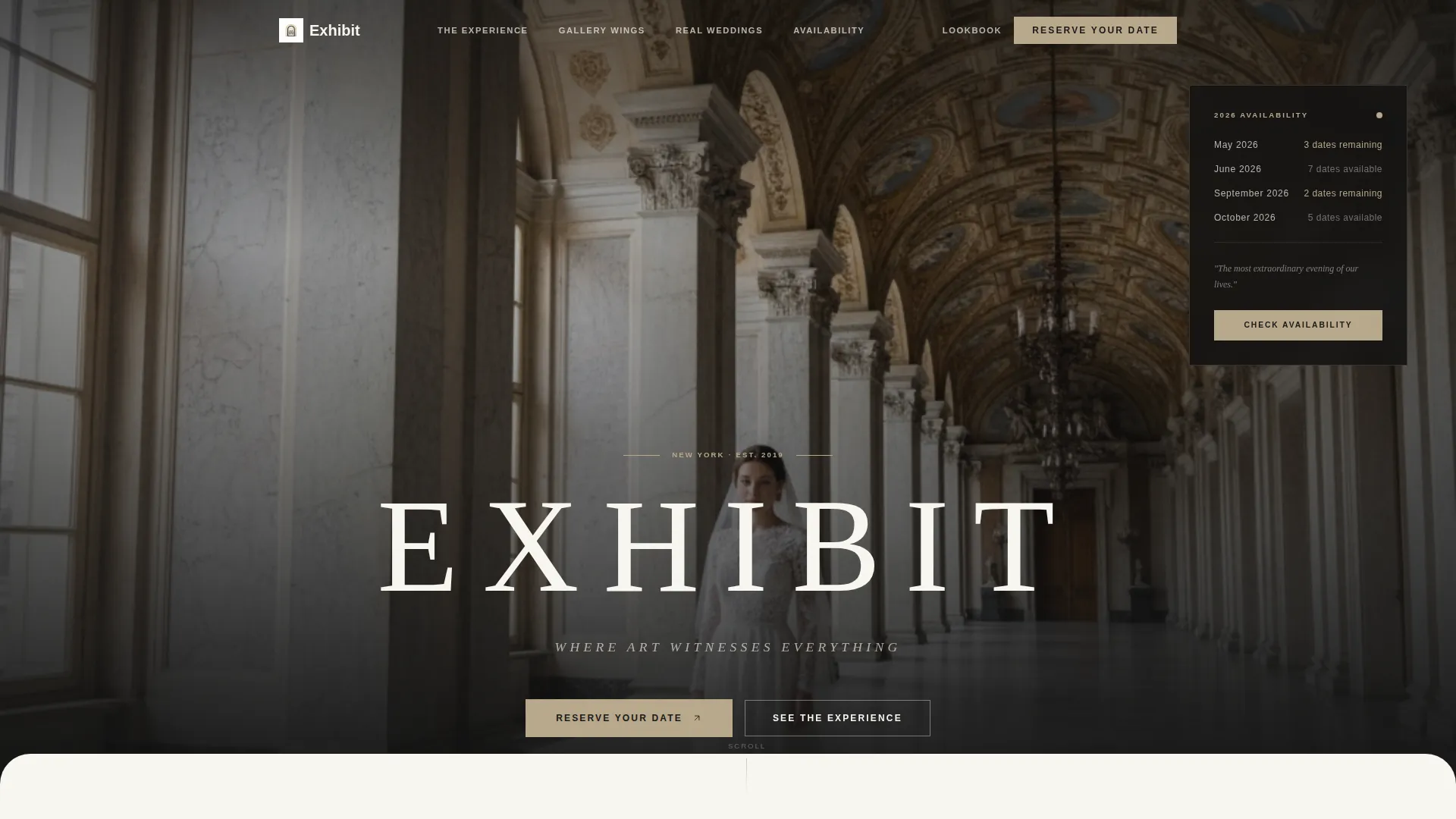
The header uses a portrait-oriented, full-viewport image of a bride alone in a grand gallery hall. The camera angle shoots upward to emphasize cathedral-height ceilings. The venue name and the line "Where art witnesses everything" fade in with wide letter tracking after a deliberate held-breath pause.
Cinematic Reverse-Scroll Sequence
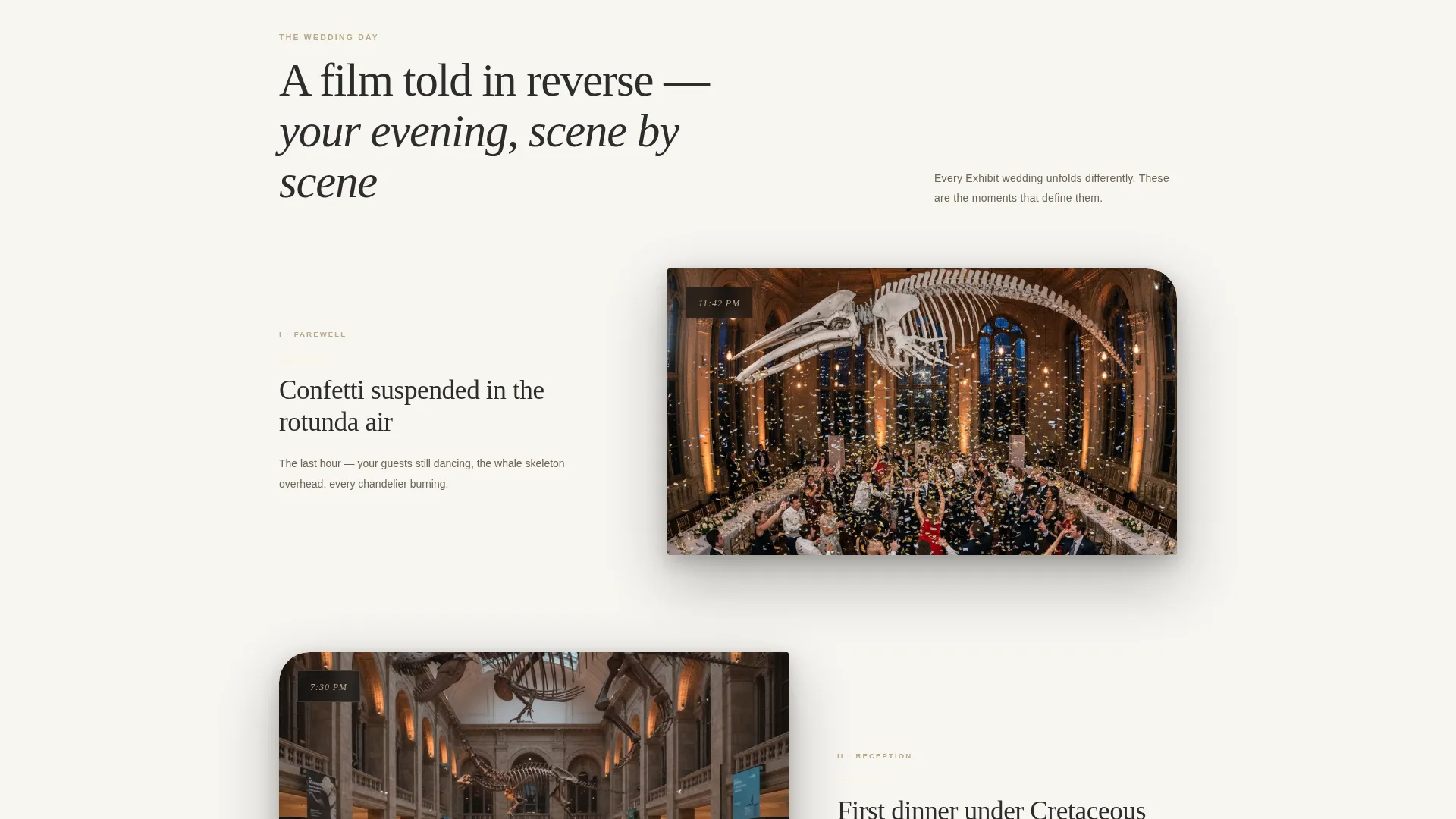
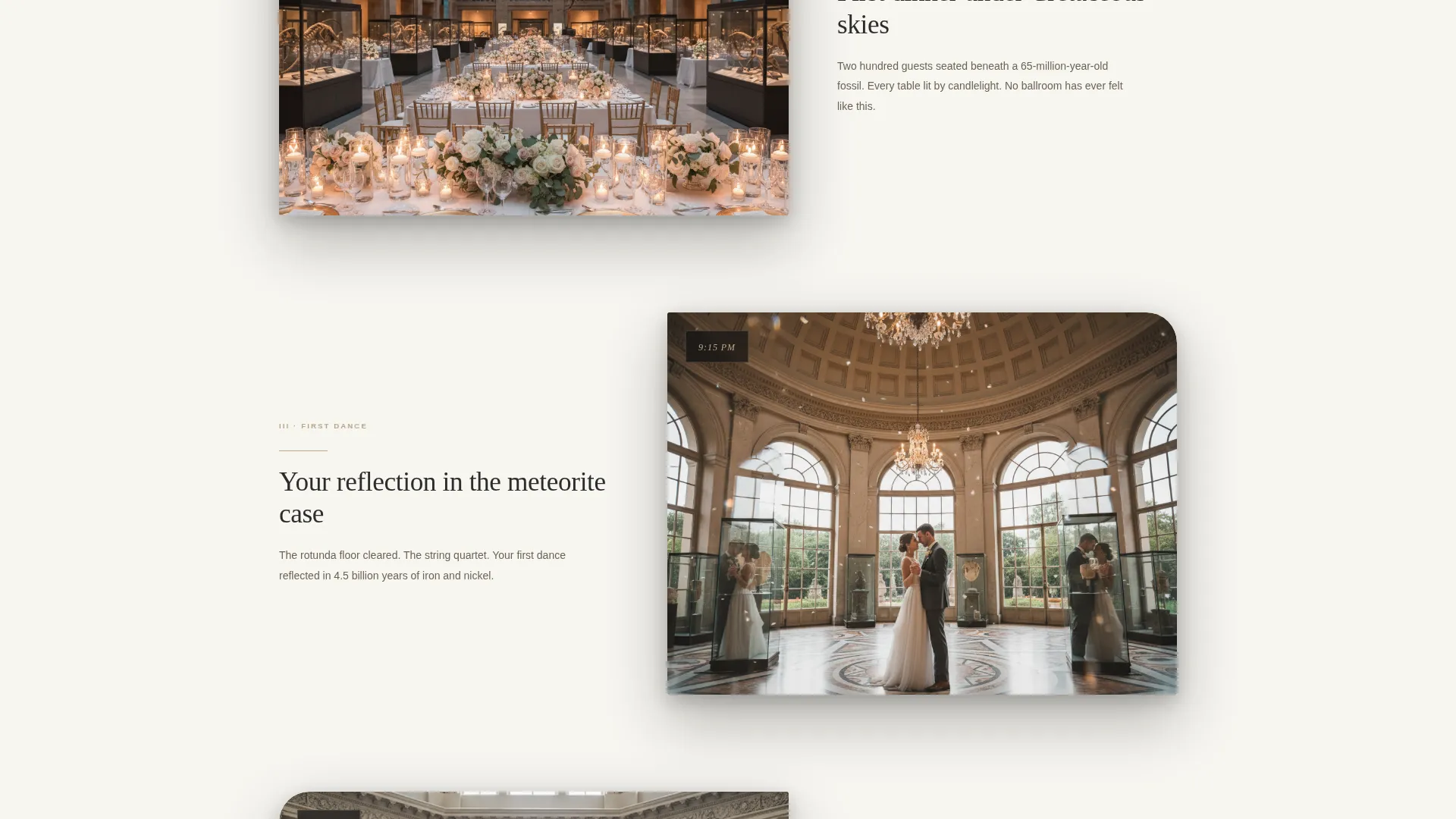
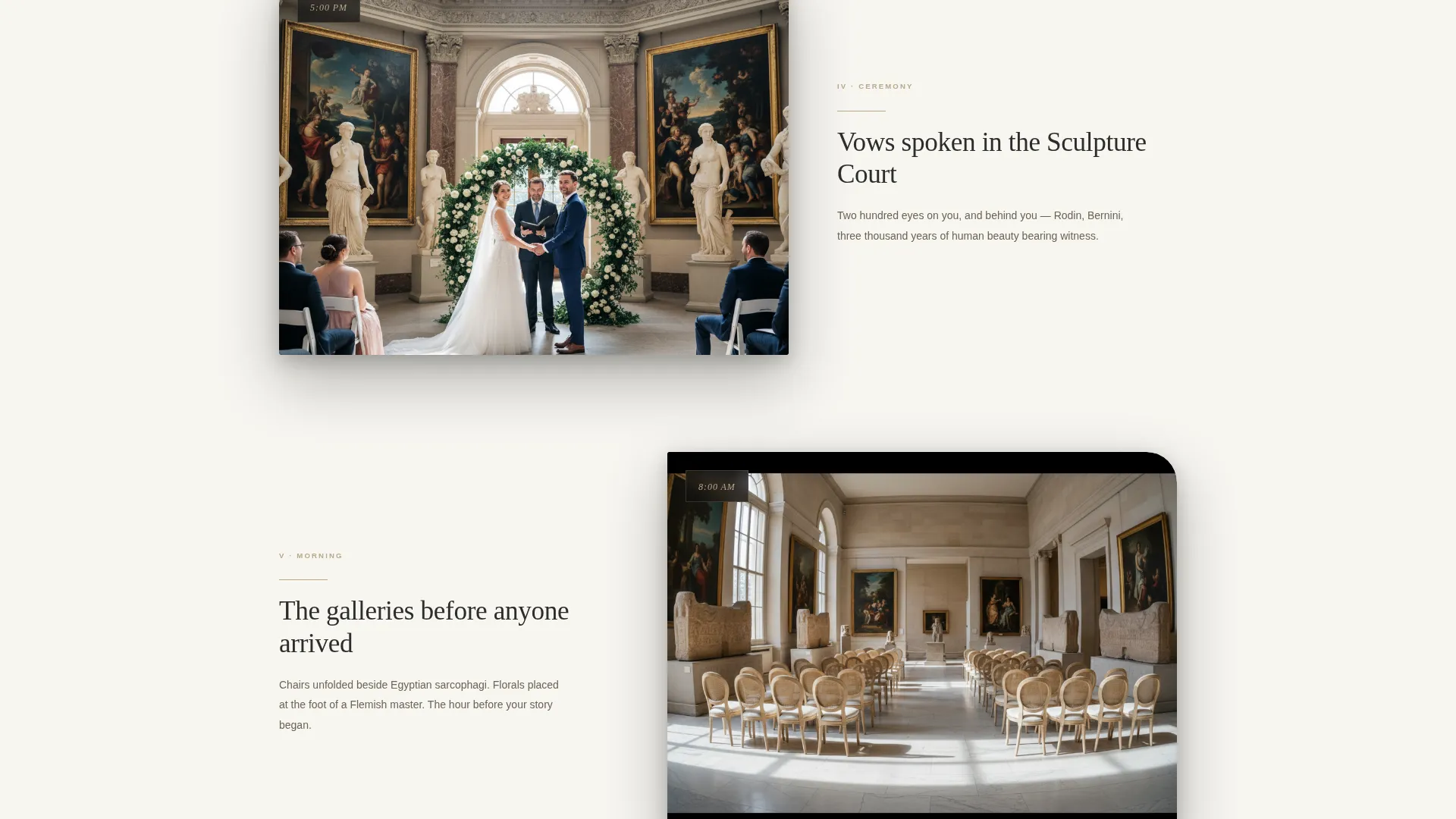
The scroll tells the wedding day in reverse. It opens on confetti mid-air, then moves backward through the reception, the first dance in the rotunda, the ceremony in the sculpture court, and finally the empty galleries being dressed at dawn. Each section overlaps the previous by roughly thirty percent, creating layered parallax depth.
Inline Booking Module
The primary call to action, "Reserve Your Date," opens an inline booking module. Visitors choose a preferred date, move a slider to set guest count between 50 and 400, and select their preferred gallery wing. Starting prices appear beside each wing option to set expectations before inquiry.
Dual Conversion Paths
The template carries two distinct visitor journeys. Ready couples follow "Reserve Your Date," which appears twice: once after the hero sequence and once anchoring the final section. Couples still exploring follow "Download the Lookbook," which captures an email address without requiring a commitment.
Overlap-Layered Card System
Section cards overlap and cast soft shadows to mimic the way framed artworks float off museum walls. Backgrounds alternate between gallery white and deep charcoal to create rhythm and contrast as visitors scroll through the page.
Social Proof Through Real Weddings
The template includes space to show real wedding photography, real floral installations, and real candlelit receptions held in the venue. This proof-of-concept visual layer reassures high-intent couples that the experience is deliverable, not just imaginable.
Page sections overview
| Section | Purpose |
|---|---|
| Portrait Hero | Establish atmosphere and venue identity with full-viewport imagery and fade-in headline |
| Cinematic Scroll Opener | Draw visitors in with a confetti-freeze reverse-timeline opening frame |
| Reception Gallery | Show the whale skeleton reception space in layered, overlapping image panels |
| First Dance Rotunda | Present the rotunda setting with parallax depth and soft shadow cards |
| Ceremony Sculpture Court | Display the sculpture court ceremony space alongside real wedding imagery |
| Morning Setup Gallery | Ground the story in reality by showing the venue being dressed at dawn |
| Floating Primary call to action | Anchor "Reserve Your Date" after the scroll sequence to catch ready buyers |
| Inline Booking Module | Capture date, guest count, and wing preference with visible starting prices |
| Lookbook Email Capture | Collect email addresses from couples still in the research and dreaming phase |
| Final call to action Anchor | Close the page with a second "Reserve Your Date" to convert late-scroll visitors |
Design & branding system
The visual identity follows a Luxe Minimal theme using the Cloud Canvas color system. The palette feels restrained and institutional while staying warm enough to read as romantic rather than cold.
- Core colors are gallery white (#F7F5F0), warm marble (#E8E0D4), and charcoal wall text (#2C2C2C), with tarnished gold (#B8A88A) reserved exclusively for buttons, divider lines, and hover states
- Backgrounds alternate between gallery white and deep charcoal across sections, while layered cards with soft shadows mimic the way artworks float slightly off museum walls
- Motion is slow and deliberate throughout, with images sliding in like gallery panels being hung, supporting the after-hours gala atmosphere the brief calls for
Mobile & speed optimization
The template is structured to carry its cinematic weight cleanly across screen sizes. The overlap-layered layout and portrait imagery are built with mobile viewports in mind.
- The full-viewport portrait hero and parallax scroll sequences are designed to maintain visual hierarchy on smaller screens without losing depth
- The inline booking module, including the guest count slider and wing selector, is laid out for touch interaction and compact screen widths
- Overlapping card sections and alternating background panels reflow naturally to preserve the layered depth effect on mobile devices
How this template helps you convert
The Museum template is built around two conversion paths that meet visitors wherever they are in their decision. Every design and copy choice moves visitors toward one of those two outcomes.
- The "Reserve Your Date" call to action appears twice at high-intent scroll positions, with the inline booking module immediately surfacing pricing context so couples can self-qualify before submitting an inquiry.
- The "Download the Lookbook" email capture retains couples who are not ready to book, giving the venue a direct follow-up path to reach them as their plans take shape.
Other information about this template
This template is a strong fit for high-end venue marketing within the museum wedding venue space. A few additional details worth knowing before you customize:
- The template is categorized under Wedding and Events, specifically within Wedding Venue Services, making it focused entirely on venue-led marketing rather than general event planning
- The creative direction is Cinematic Sequence with an Overlap/Layered template style, meaning the layout is built around scroll storytelling rather than a static grid presentation
- The header concept is Vertical/Portrait orientation, which suits venues with tall architectural features such as columns, vaulted ceilings, or grand gallery halls
- The landing page direction is Direct Sales, so the layout prioritizes reservation capture over passive content browsing
- Color customization follows the Cloud Canvas system, but the four defined hex values provide a clear starting palette for any designer adapting the template to a specific venue brand
Theme
Luxe Minimal
Creative direction
Cinematic Sequence
Color system
Cloud Canvas
Style
Overlap/Layered
Direction
Direct Sales
Page Sections
Full-viewport Portrait Hero
Cinematic Reverse-scroll Sequence
Inline Booking Module
Dual Conversion Path Layout
Overlap-layered Card Design
Real Wedding Proof Sections
Related questions
Can I customize the gallery wing options inside the booking module?
Is this template only suitable for actual museum venues?
How does the Lookbook email capture work?
Where do the two Reserve Your Date buttons appear on the page?
Can I add real wedding photos throughout the page?



