Developer Tools & API Professional Website Template
Monitor is a glassmorphic infrastructure monitoring landing page template built for platform engineers and SRE teams. It features an interactive comparison table, a 3D animated dashboard hero, a real-time integrations explorer, and a two-field freemium signup flow. The dark cockpit aesthetic and hands-on interactive demos turn skeptical visitors into confident free-tier signups.
by Rocket studio
Quick summary
Monitor is a single-page, comparison-driven landing page template for infrastructure monitoring tools. It targets platform engineers and Site Reliability Engineering leads who need to evaluate observability options quickly. The template combines a cinematic dark dashboard hero, expandable interactive comparison rows, a filterable integrations grid, and a lightweight freemium conversion form into one cohesive, high-impact page.
Who this template is for
This template is built for technical product teams launching or repositioning a B2B infrastructure monitoring tool. It speaks directly to engineers who evaluate tools on evidence, not marketing copy.
- Platform engineers and SRE leads at mid-stage startups managing complex infrastructure stacks
- DevOps teams consolidating tooling and comparing observability options on cost and capability
- Engineering leaders who need a persuasive, self-serve page to justify freemium adoption internally
What problem this template solves
Most monitoring tool landing pages rely on generic feature lists and vague promises. Engineers tune them out. This template replaces passive reading with active proof, letting visitors interact with the product before they sign up.
- Static comparison pages fail to differentiate tools that look similar on a feature checklist
- Long-form sales copy loses technical audiences who want to verify claims through direct experience
- High-friction signups kill freemium conversion when engineers are already mid-evaluation
What you get with this template
You get a fully structured, single-page layout that handles the entire buyer journey from first impression to signup. Every section is purpose-built and ready to customize with your real product data.
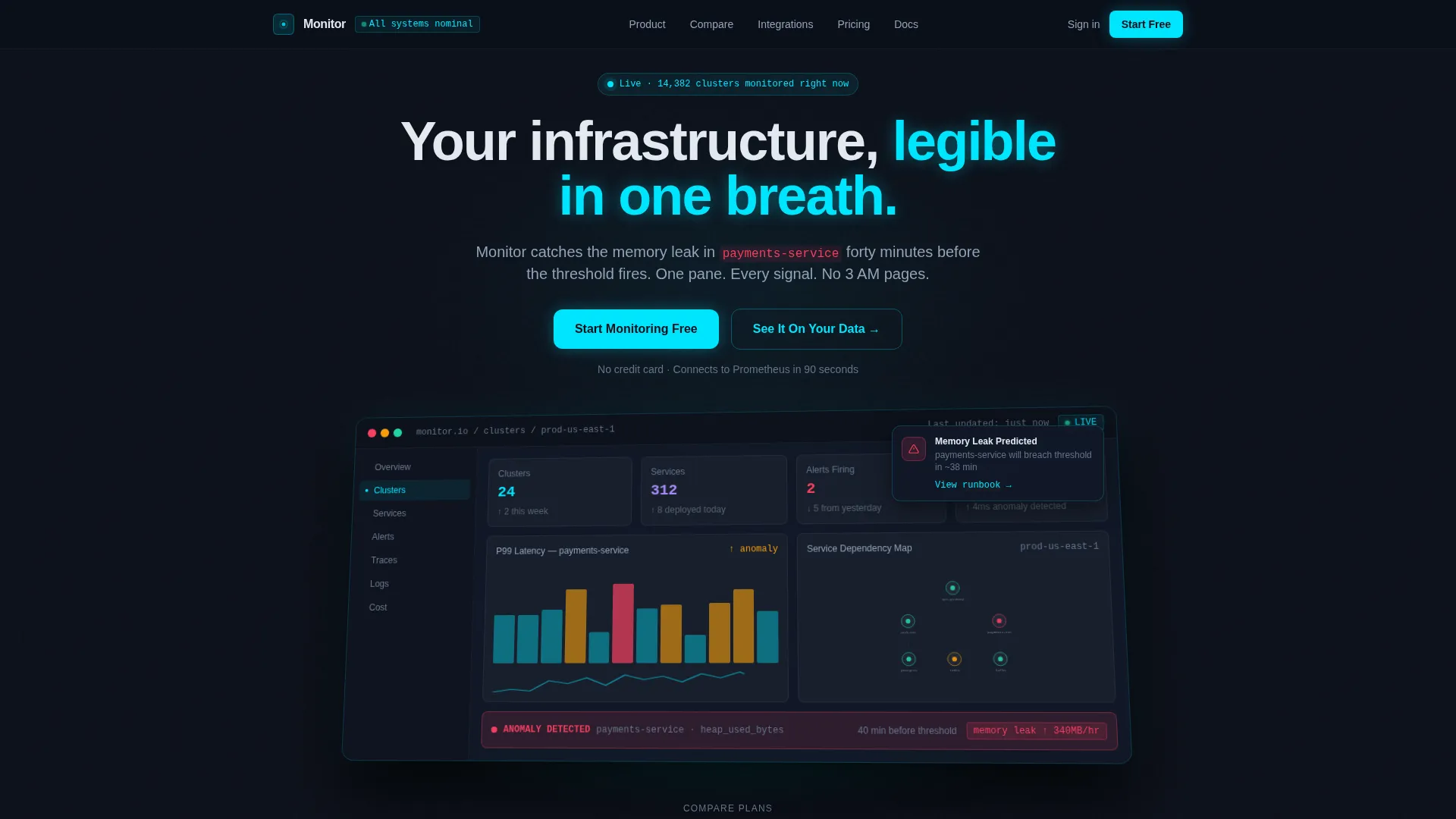
- A 3D animated hero section showing a live-style multi-cluster dashboard with pulsing metrics and anomaly callouts
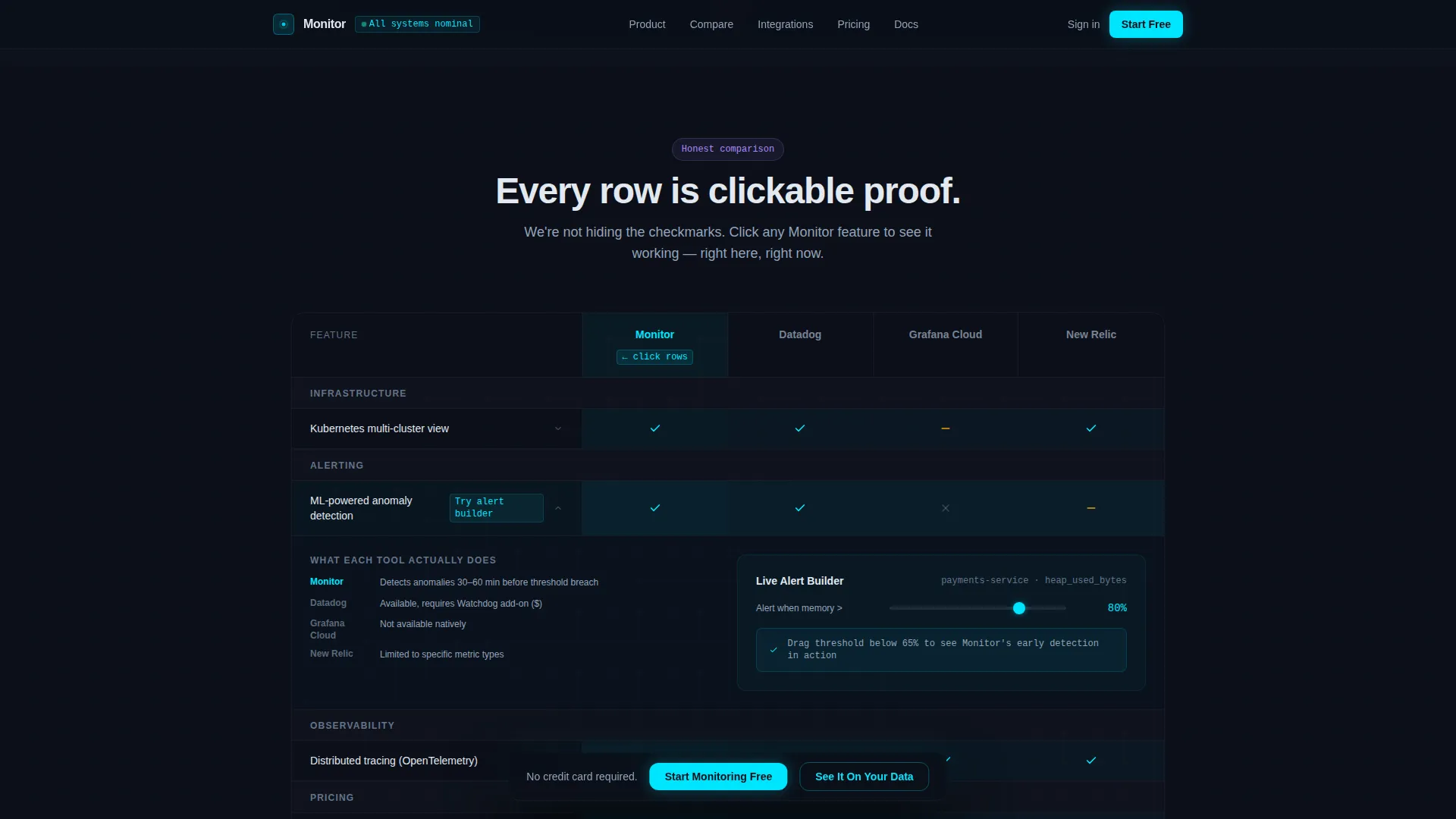
- An interactive comparison table with expandable rows, threshold demo sliders, and clickable feature cells
- A two-field freemium signup form paired with a sandbox conversion path requiring no credit card
Feature list
This template covers every stage of the conversion funnel with distinct, interactive sections. Each one is described below.
3D Floating Dashboard Hero
The hero section renders a pixel-perfect product dashboard on a 3D tilted plane with a soft glassmorphic shadow beneath it. Micro-animations include a ticking counter, a redrawing sparkline, and a sliding toast notification. A Kubernetes multi-cluster view and an anomaly detection timeline are built into the hero layout as static display elements.
Interactive Comparison Table
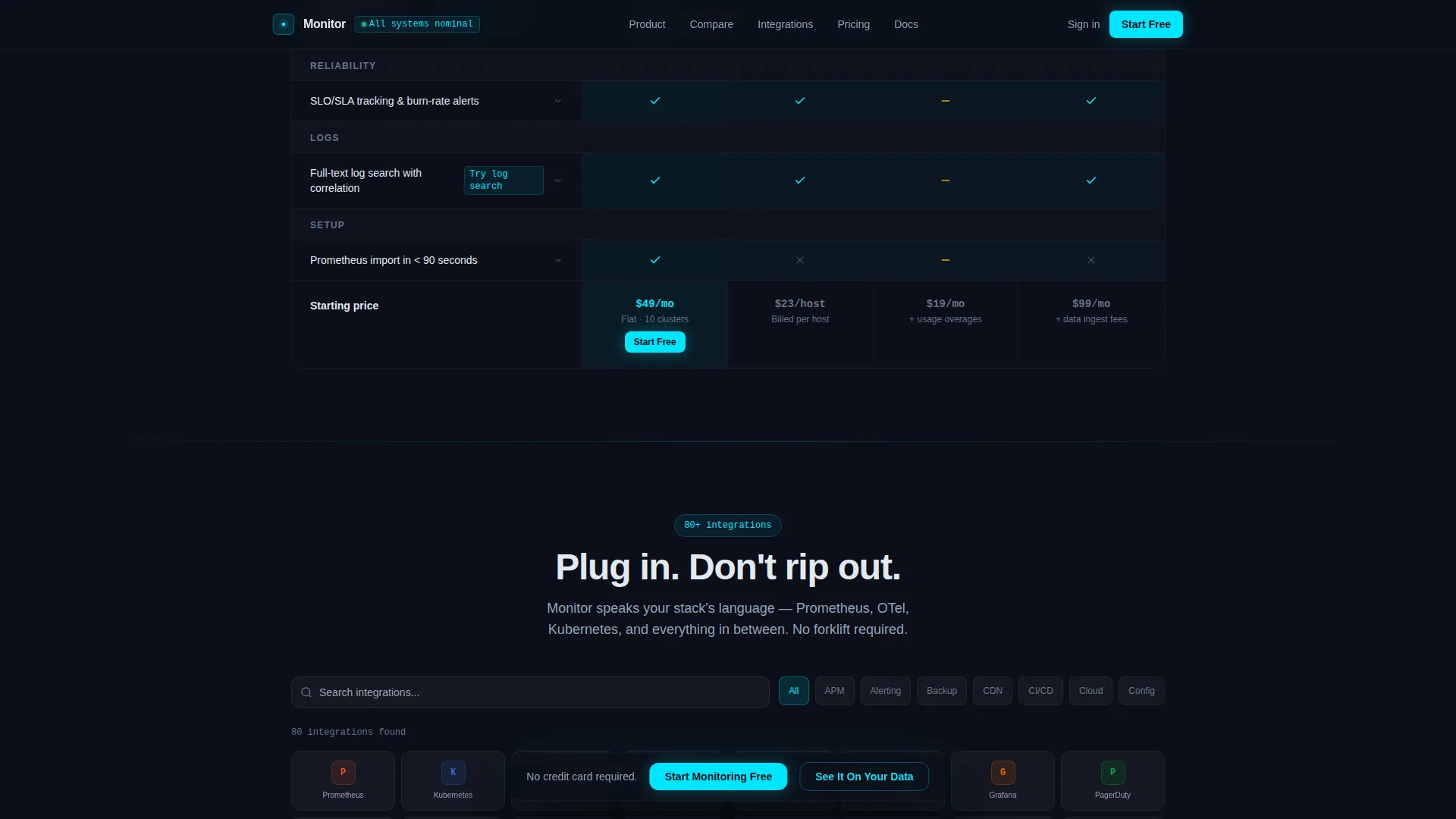
The comparison table pits your product against three competitor columns with honest checkmarks. Each row is expandable on click. Clicking an expanded Monitor feature cell reveals a live interactive demo snippet, such as a threshold slider that fires a simulated alert notification in real time.
Real-Time Integrations Explorer
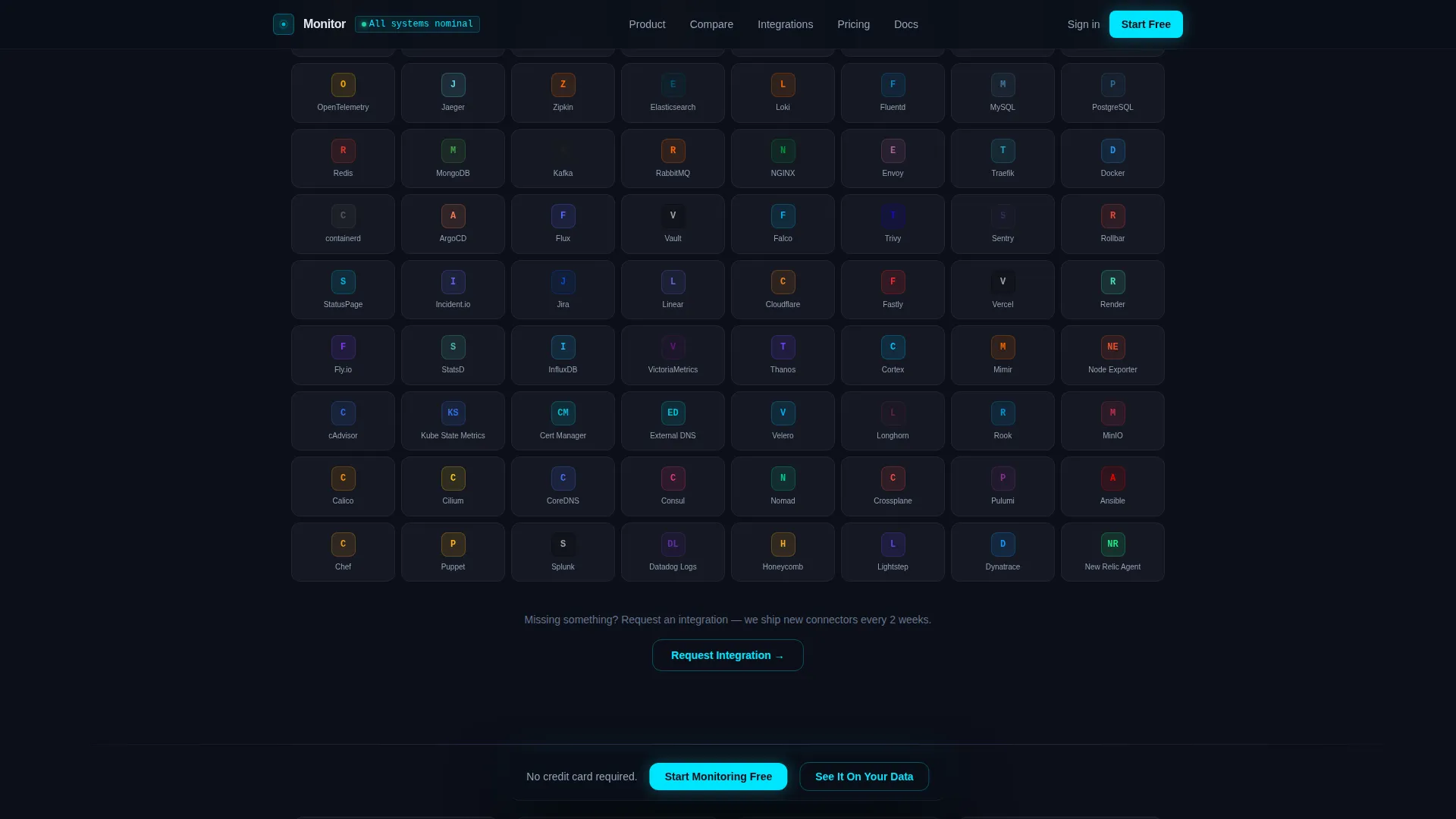
A filterable grid of integration logos lets visitors type to narrow results instantly. The grid is designed to display a large catalog of integrations and updates its visible set as input changes, turning a static list into an interactive proof point.
Freemium Conversion Form
The primary call to action is pinned inside a frosted glass navigation bar that appears after the first scroll. The signup form collects only two fields: work email and primary infrastructure stack via a dropdown. A secondary conversion path links to a guided sandbox environment.
Social Proof Section
A dedicated section presents concrete performance metrics alongside engineer testimonials. Placeholders are structured for mean time to resolution reductions, cost savings percentages, and named attributions from recognizable company types, giving the section specificity and credibility.
Glassmorphic Dark Cockpit Design System
The entire template is built on a layered glassmorphic visual system. Frosted translucent panels sit over a void-black base. Electric cyan accents highlight live states. Lavender tones appear on hover states and toggle elements. Typography pairs Plus Jakarta Sans for headings with JetBrains Mono for metrics and inline code.
Page sections overview
| Section | Purpose |
|---|---|
| Hero Dashboard | Establish product credibility with an animated 3D dashboard render |
| Comparison Table | Let visitors interactively compare features against named competitors |
| Integrations Explorer | Demonstrate breadth of integrations with a real-time filterable grid |
| Social Proof | Build trust with concrete metrics and attributed engineer testimonials |
| Pricing and call to action | Convert visitors with a two-field freemium signup and sandbox path |
| Footer | Provide navigation and supplementary links in a horizontal flow layout |
Design & branding system
The template uses a Dashboard Pro theme built on a glassmorphic color system. Every layer is intentional, creating a cockpit-grade sense of control and legibility.
- Base layer is void black (#0B0F19) with frosted translucent panels at low opacity and a 12px backdrop blur, borders set at 1px rgba white at 6% opacity
- Electric cyan (#00E5FF) marks all live-state accents, active metric lines, and the primary call-to-action button; muted lavender (#A78BFA) appears on hover states and toggle switches
- Typography uses Plus Jakarta Sans for all headers and JetBrains Mono for metric values, code snippets, and inline data readouts
Mobile & speed optimization
The template is designed desktop-first, matching the primary use context of platform engineers working on large monitors. It scales responsively down to tablet viewports.
- Server components handle all static sections to minimize client-side JavaScript load on initial render
- Interactive sections such as the comparison table and integrations explorer use client components, keeping heavy animation isolated from the static content shell
- Scroll-linked reveals and 3D tilt animations are contained to sections where interactivity directly supports conversion, avoiding unnecessary motion overhead
How this template helps you convert
Every design and layout decision in this template is aimed at reducing friction and increasing confidence for a technically skeptical audience.
- The expandable comparison table converts passive reading into hands-on interaction. Each clickable Monitor feature cell delivers a mini demo, replacing doubt with direct experience before any signup step appears.
- The two-field freemium form and the sandbox path offer two distinct on-ramps. Visitors who want to start immediately can sign up in seconds. Those who need more proof can import a sample endpoint and explore the product on real data.
Other information about this template
This template is built for the Developer Tools and infrastructure monitoring niche within the broader Technology category. It is suitable for any B2B software-as-a-service product that competes on observability features and needs to convert engineers through evidence rather than persuasion alone.
- The footer follows a Vercel-style horizontal flow pattern, keeping navigation lightweight and on-brand for a developer audience
- Localization is set for English with United States dollar pricing and US-centric company name conventions throughout social proof placeholders
- The template is classified as a comparison table style layout, making it reusable for any tool category where a side-by-side feature evaluation drives the conversion narrative
Theme
Dashboard Pro
Creative direction
Interactive Explorer
Color system
Glassmorphic
Style
Comparison Table
Direction
Freemium/Trial
Page Sections
3D Animated Dashboard Hero
Interactive Expandable Comparison Table
Real-time Filterable Integrations Grid
Frosted Glass Sticky Navigation with Call to Action
Two-field Freemium Signup Form
Social Proof with Concrete Metrics
Related questions
Who is this landing page template designed for?
Can I adapt the comparison table for different competitors?
What animation and interactivity does this template include?
Is this template suitable for desktop and tablet use?
Does the freemium signup form require a credit card?



