Networking Event Booking Website Template
Mingle is a luxe minimal landing page template built for networking event venues. It uses an overlap and layered scroll structure, a warm Parchment and Rust color palette, and a Day-in-the-Life timeline to walk visitors through an entire evening. The result is a single page that earns trust before it asks for a booking.
by Rocket studio
Quick summary
Mingle is a single-page template designed for converted warehouse venues that host curated networking events. It pairs editorial illustration with layered scroll cards, guiding visitors through a timeline from late afternoon to midnight. Every design choice builds atmosphere and credibility so that by the time the call to action appears, the visitor already feels the room.
Who this template is for
This template is built for venue owners and event professionals who need to communicate luxury without over-explaining it. If your space sells itself in person but struggles to translate that feeling online, Mingle closes that gap.
- Event planners scouting distinctive spaces for corporate mixers or founder gatherings
- Startup founders and community organizers booking launch events or investor meet-and-greets
- Corporate teams looking for an alternative to standard conference room setups
What problem this template solves
Generic venue pages list square footage and catering options. They rarely make a visitor feel anything. Mingle solves the credibility gap between a beautiful physical space and a flat digital presence.
- Venues lose bookings when photography alone cannot convey atmosphere or social proof
- Earlier-stage planners need a reason to commit before they are ready to call
- A single weak page can make a high-end space look indistinguishable from any other rental
What you get with this template
You get a fully designed, single-page layout structured around a narrative scroll experience. The template includes every visual section needed to move a visitor from curiosity to a confirmed booking.
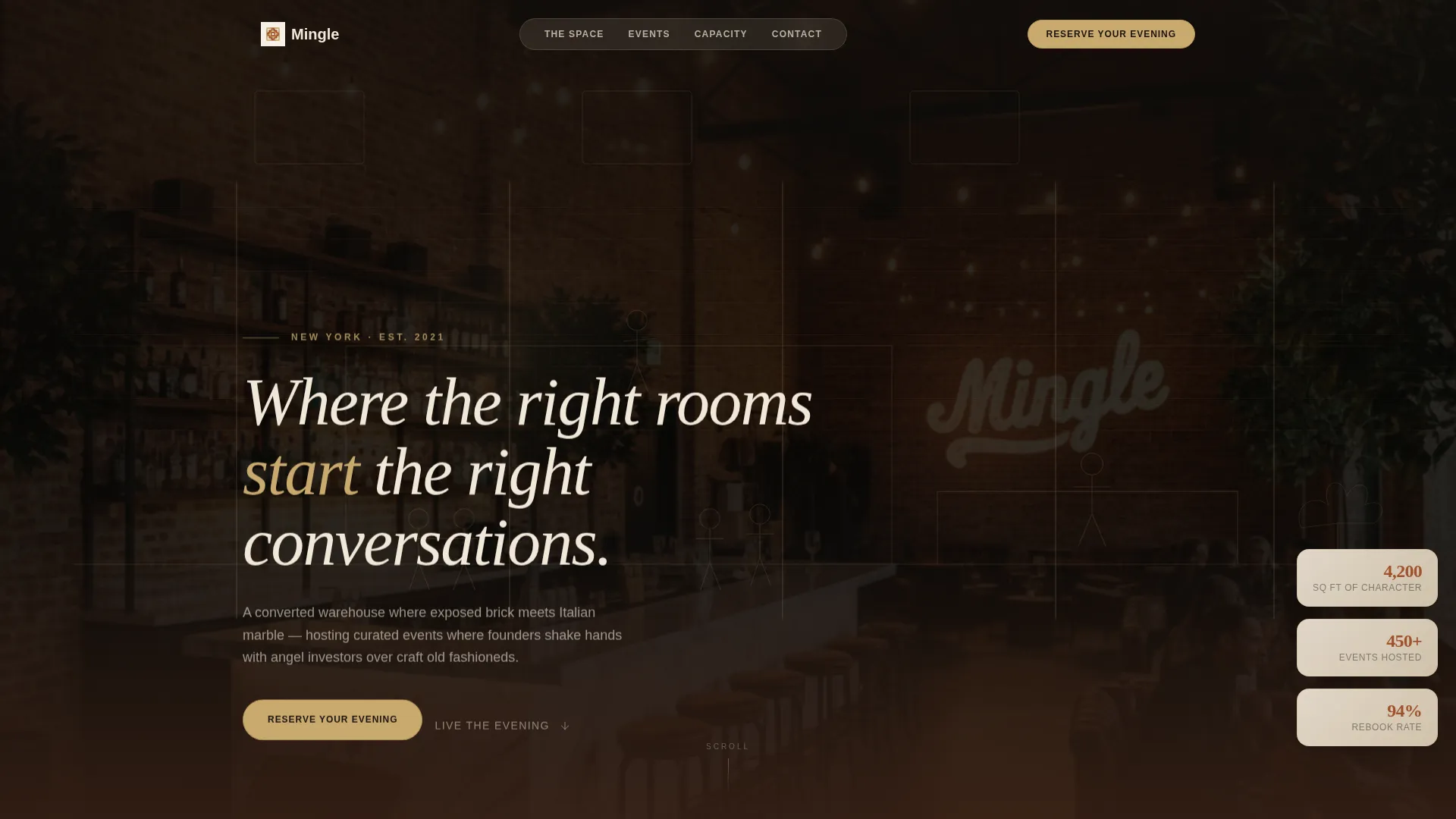
- A header section featuring a hand-drawn architectural illustration with a parallax scroll effect
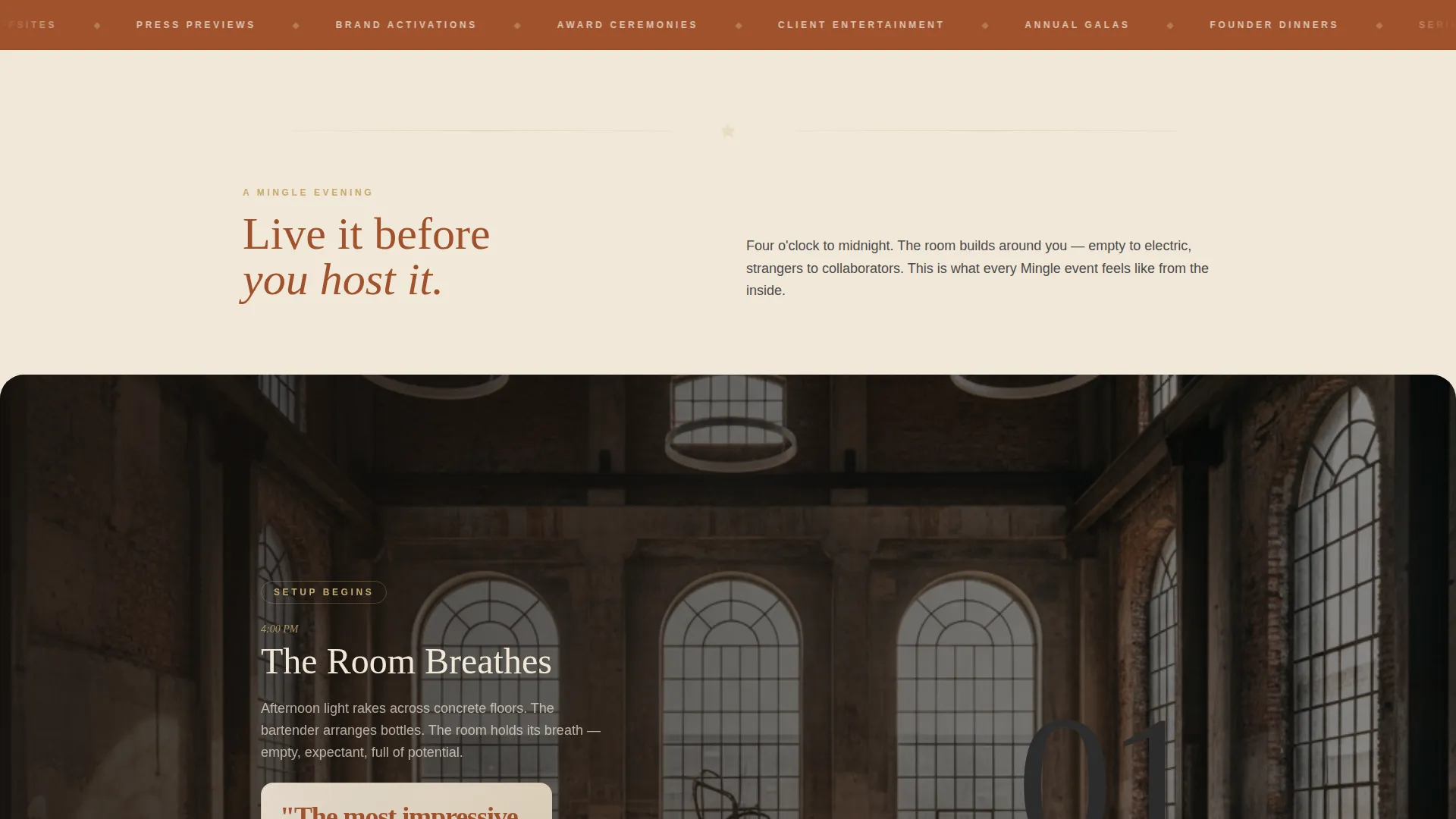
- A Day-in-the-Life timeline of four layered scroll cards, each depicting a different hour of an evening event
- A primary call-to-action button and a secondary email capture path for earlier-stage visitors
Feature list
This template is built around six core design and conversion features, each chosen to serve the specific needs of a networking event venue landing page.
Hand-Drawn Architectural Header
The header presents a sweeping ink illustration of the venue rendered as a cross-section. Figures mingle across levels, a bartender is mid-pour, and someone leans against the mezzanine railing. Layered elements shift subtly on scroll, giving the static illustration a sense of depth and motion.
Overlap and Layered Timeline Cards
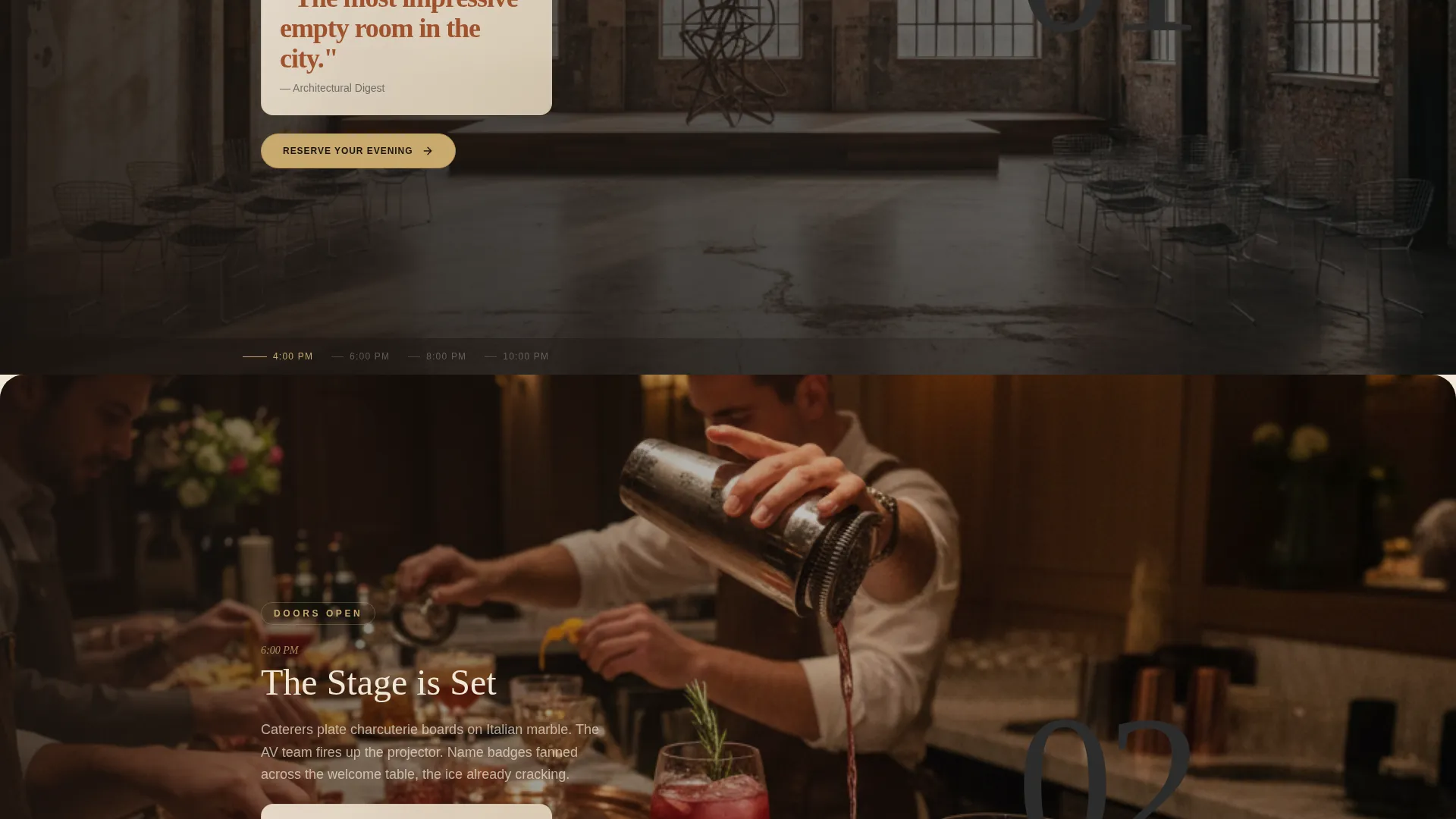
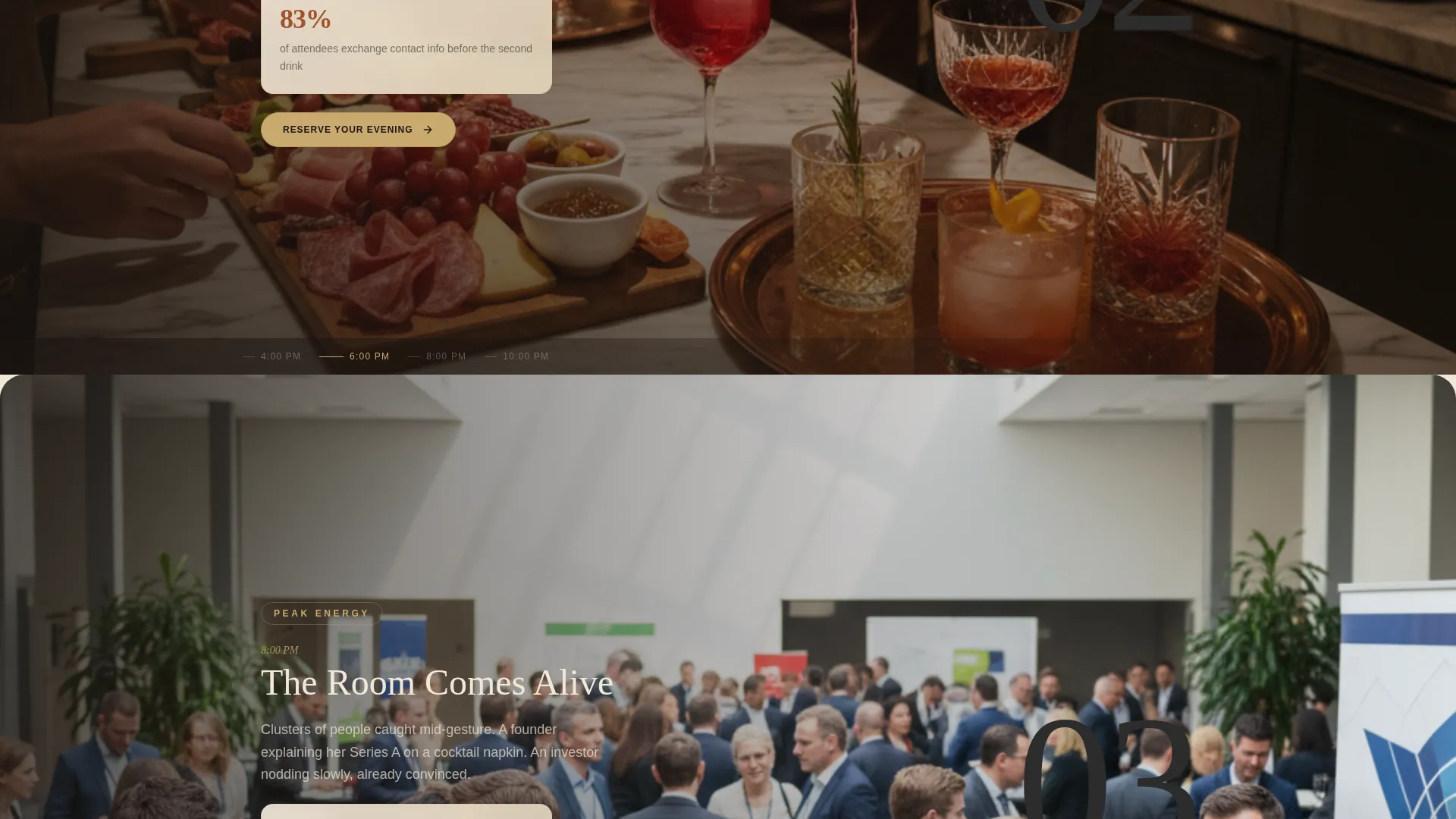
Four full-bleed cards rise and overlap as the visitor scrolls, each representing a distinct hour from 4 PM to midnight. Photography sits beneath translucent parchment panels, and each card carries a single stat such as "83% of attendees exchange contact info before the second drink." The effect makes the evening feel lived-in before a booking is made.
Dual Conversion Paths
The primary call to action, "Reserve Your Evening," appears first as a brass-toned button floating at the base of the header and then recurs pinned to the right edge of every timeline card. A secondary path, "Download Our Event Lookbook," captures visitors who are still in the research phase with a single email field.
Luxe Minimal Visual Identity
The entire page is built on a deliberate four-color system. Warm parchment functions as the dominant background, oxidized rust anchors headlines, charcoal slate handles body text, and muted brass signals interactive elements. The palette is consistent and self-contained, requiring no additional design decisions to launch.
Editorial Typography Treatment
A refined serif typeface carries the hero headline directly over the architectural illustration. The typographic hierarchy is set up to feel like a printed invitation rather than a web page, reinforcing the premium positioning of the venue without relying on stock photography alone.
Stat-Driven Social Proof Panels
Each timeline card overlays a single, specific proof point on the parchment panel. These are not generic testimonials. They are time-stamped credibility markers tied to the natural rhythm of a real event, making the ROI case without interrupting the narrative.
Page sections overview
| Section | Purpose |
|---|---|
| Header Illustration | Sets atmosphere and introduces the venue with parallax illustration |
| Hero Headline Block | Delivers the core positioning statement over the illustration |
| Primary call to action Button | Drives visitors toward the booking calendar from the first scroll |
| 4 PM Timeline Card | Opens the Day-in-the-Life sequence with an empty, light-filled venue |
| 6 PM Timeline Card | Shows event preparation, catering setup, and audio-visual testing |
| 8 PM Timeline Card | Captures the room at peak energy with guests mid-conversation |
| 10 PM Timeline Card | Portrays deep conversation in smaller circles, jackets off |
| Recurring call to action Pin | Keeps the booking action accessible throughout the scroll |
| Lookbook Capture Form | Converts earlier-stage planners with a single email field |
| Midnight Closing Card | Closes the timeline and delivers the final emotional payoff |
Design & branding system
The Parchment and Rust color system gives this template a tactile, print-influenced feel that sets it apart from sterile white venue pages. Every color has a defined role, and none overlap.
- Warm parchment (#F2E8D9) as the dominant page ground, oxidized rust (#A0522D) for headlines and anchor elements, charcoal slate (#2C2C2C) for body copy, and muted brass (#C9A96E) for buttons and interactive hover states
- The hand-letterpress-inspired palette is paired with a refined serif for display text and clean body type, creating a hierarchy that reads as premium and intentional
- The single-weight ink illustration style reinforces the editorial, New Yorker-adjacent visual tone throughout the page
Mobile & speed optimization
The overlap and layered scroll structure is designed to translate cleanly across screen sizes. Each timeline card is a self-contained unit, which keeps the layout predictable on smaller viewports.
- Layered cards maintain their visual hierarchy on mobile without losing the translucent parchment panel effect
- The pinned call-to-action button repositions appropriately on narrow screens so the booking path stays visible throughout the scroll
- The single email capture field in the lookbook section is minimal by design, reducing friction for mobile visitors
How this template helps you convert
Mingle earns the click by letting visitors experience a full evening before asking them to book one. The conversion strategy is built into the narrative structure itself.
- The Day-in-the-Life scroll sequence builds emotional investment across eight hours of a curated event, so the "Reserve Your Evening" button feels like a natural next step rather than an interruption.
- Stat panels on each timeline card deliver specific proof points at the exact moment a visitor is most engaged with the content, reinforcing value without requiring a separate testimonial section.
- The secondary lookbook capture creates a lower-commitment entry point for visitors who are not ready to book, keeping them in the funnel with a single email field.
Other information about this template
Mingle sits within the Wedding and Events category, specifically designed for the networking event venue niche. It is a strong fit for any venue that positions itself at the intersection of hospitality and professional community.
- The template style is Overlap and Layered, a scroll-forward format that works especially well for experiential venues where atmosphere is the primary selling point
- The creative direction follows a Day-in-the-Life format, making it adaptable to any venue that hosts evening programming, from founder dinners to product launch parties
- The Click-Through landing page direction means every design decision serves a single goal: moving the visitor to a booking calendar or an email capture
- The Custom Illustration header concept is built into the template layout and can be adapted to suit a different venue's architectural character
Theme
Luxe Minimal
Creative direction
Day-in-the-Life
Color system
Parchment & Rust
Style
Overlap/Layered
Direction
Click-Through
Page Sections
Hand-drawn Architectural Header Illustration
Overlap and Layered Timeline Scroll
Dual Conversion Path Design
Parchment and Rust Color System
Stat-driven Social Proof Panels
Editorial Serif Typography Hierarchy
Related questions
Who is this landing page template best suited for?
Can I adapt the Day-in-the-Life timeline to a different event type?
What does the dual conversion path mean in practice?
Is this template only suited to warehouse-style venues?
How does the pinned call-to-action button work across the page?



