Networking Event Specialist Professional Website Template
Mingle is a storybook landing page template built for intimate networking events. It guides visitors through immersive, scene-led sections that build atmosphere before asking for a ticket purchase. With a Lavender Dream color system, parallax seasonal imagery, and a smooth inline RSVP flow, it turns a simple event invitation into a compelling, purchase-ready experience.
by Rocket studio
Quick summary
Mingle is a single-page networking event invitation and RSVP landing page template. It uses full-viewport seasonal photography, scroll-snap scene transitions, and a layered Lavender Dream palette to make visitors feel the event before they buy a ticket. The page earns trust through atmosphere, then converts with a frictionless inline ticket selector.
Who this template is for
This template is built for people who run curated, intimate networking events and want their landing page to feel as considered as the event itself. It works best when the event experience is the product and the design needs to communicate that immediately.
- Freelancers and independent organizers hosting curated social or professional gatherings
- Startup founders and community builders running co-founder or peer networking evenings
- Mid-career professionals and event producers creating alternatives to stiff conference mixers
What problem this template solves
Generic event pages list a date, a venue, and a price. They do not make anyone feel anything. For intimate, atmosphere-led events, that gap between "what it is" and "what it feels like" kills conversions before the visitor even reaches the buy button.
- Visitors leave before reaching pricing because the page fails to build desire or context
- Standard event templates cannot convey intimacy, curation, or the social texture of the room
- Organizers lose ticket sales because the page looks like every other Eventbrite-style form
What you get with this template
You get a fully designed, storybook-style landing page that moves visitors through an emotional arc before presenting the purchase option. Every section is built to carry atmosphere and guide the reader toward a clear, confident decision.
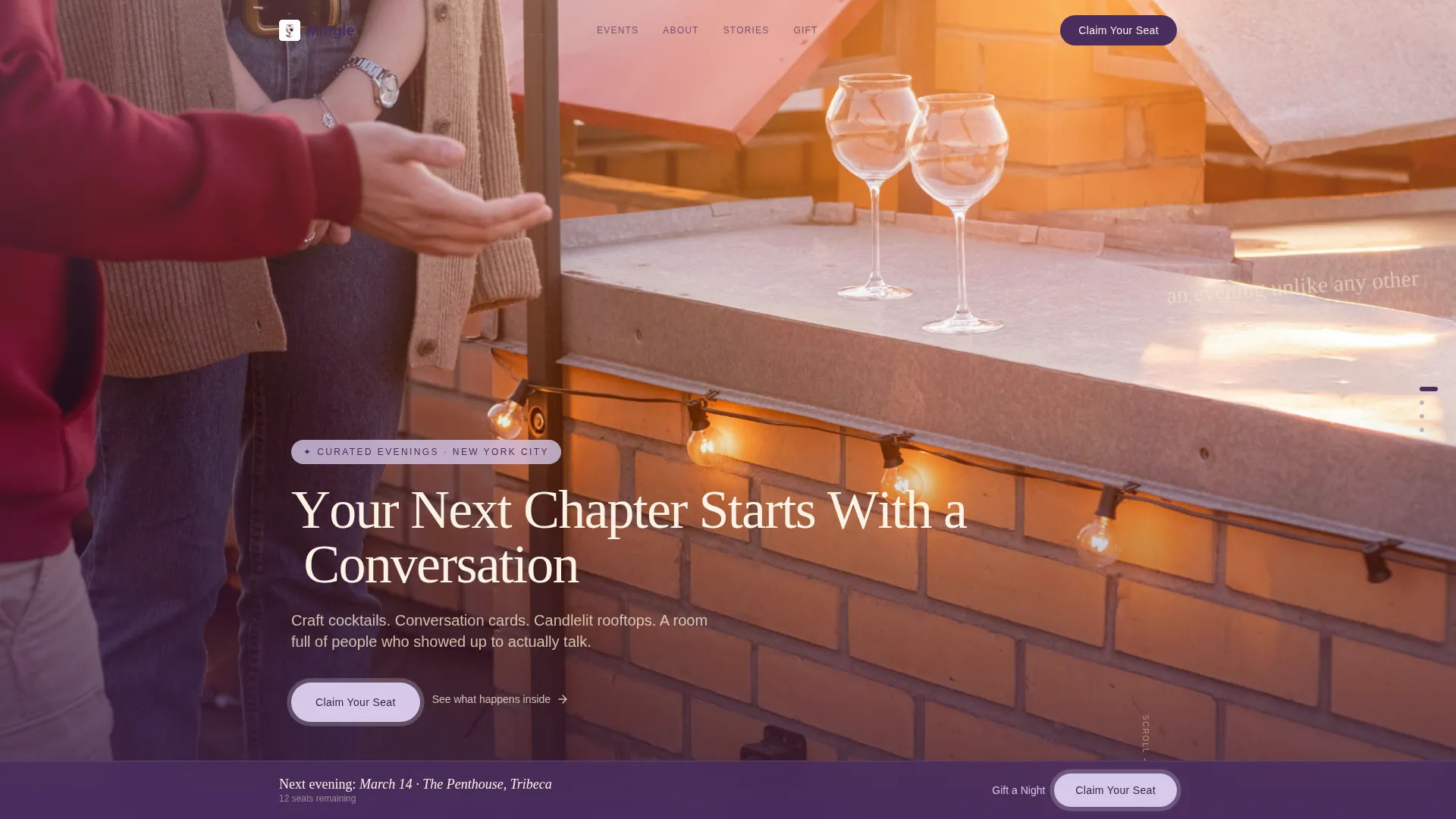
- A full-viewport parallax header with a seasonal rooftop photograph and animated headline
- Four immersive scroll-snap scene sections, each representing a different seasonal event setting
- An inline ticket selector with date selection, guest count, and a payment field, plus a "Gift a Night" secondary purchase path
Feature list
This template brings together visual storytelling and conversion-focused structure in a single, cohesive page. Each feature below is drawn directly from the design and functional brief.
Parallax Seasonal Header
The header fills the entire viewport with a golden-hour rooftop photograph. A subtle parallax drift adds depth as the visitor begins to scroll, and the headline materializes letter by letter in thin serif plum type, creating the feeling of a handwritten invitation.
Scroll-Snap Scene Transitions
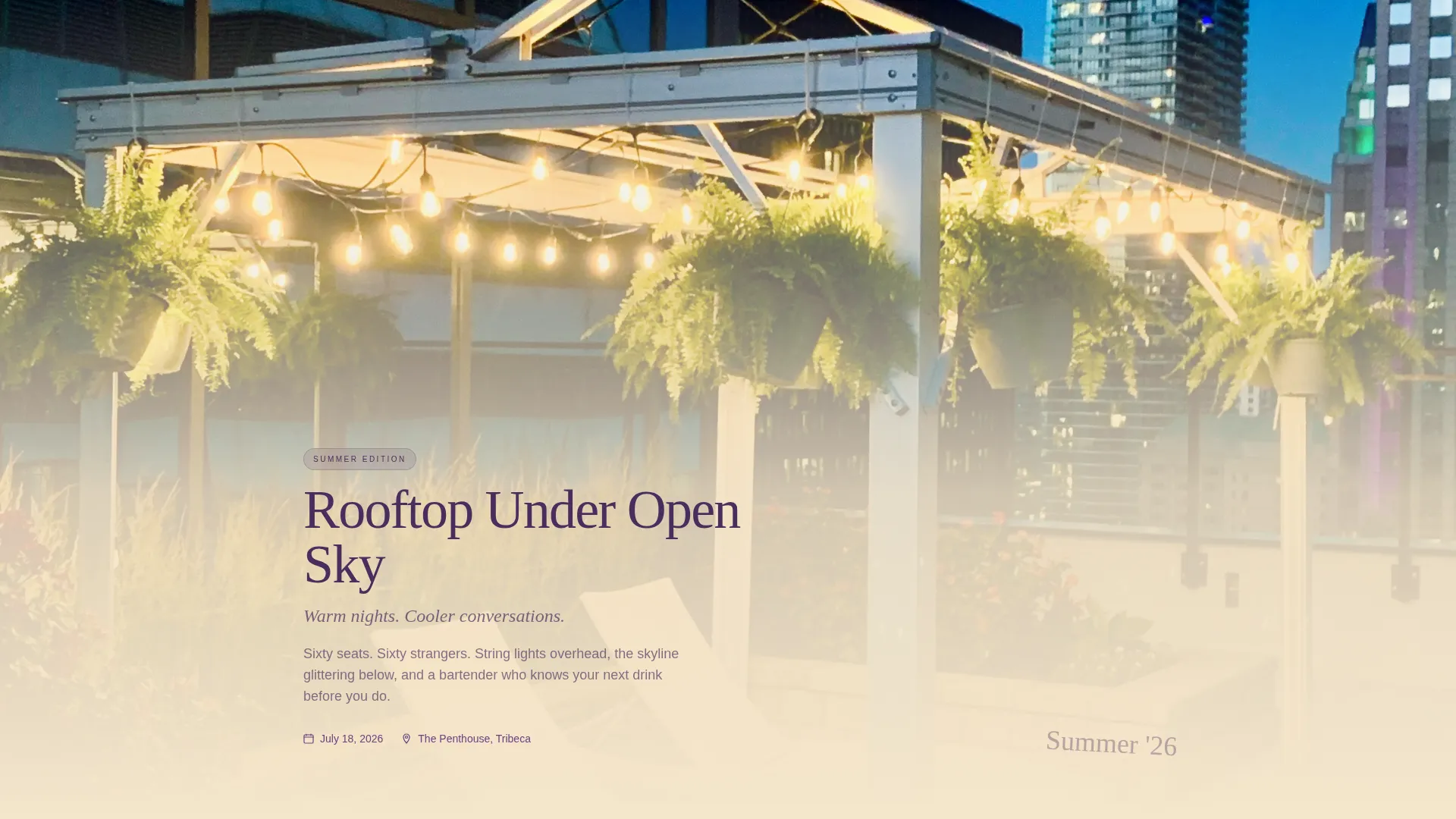
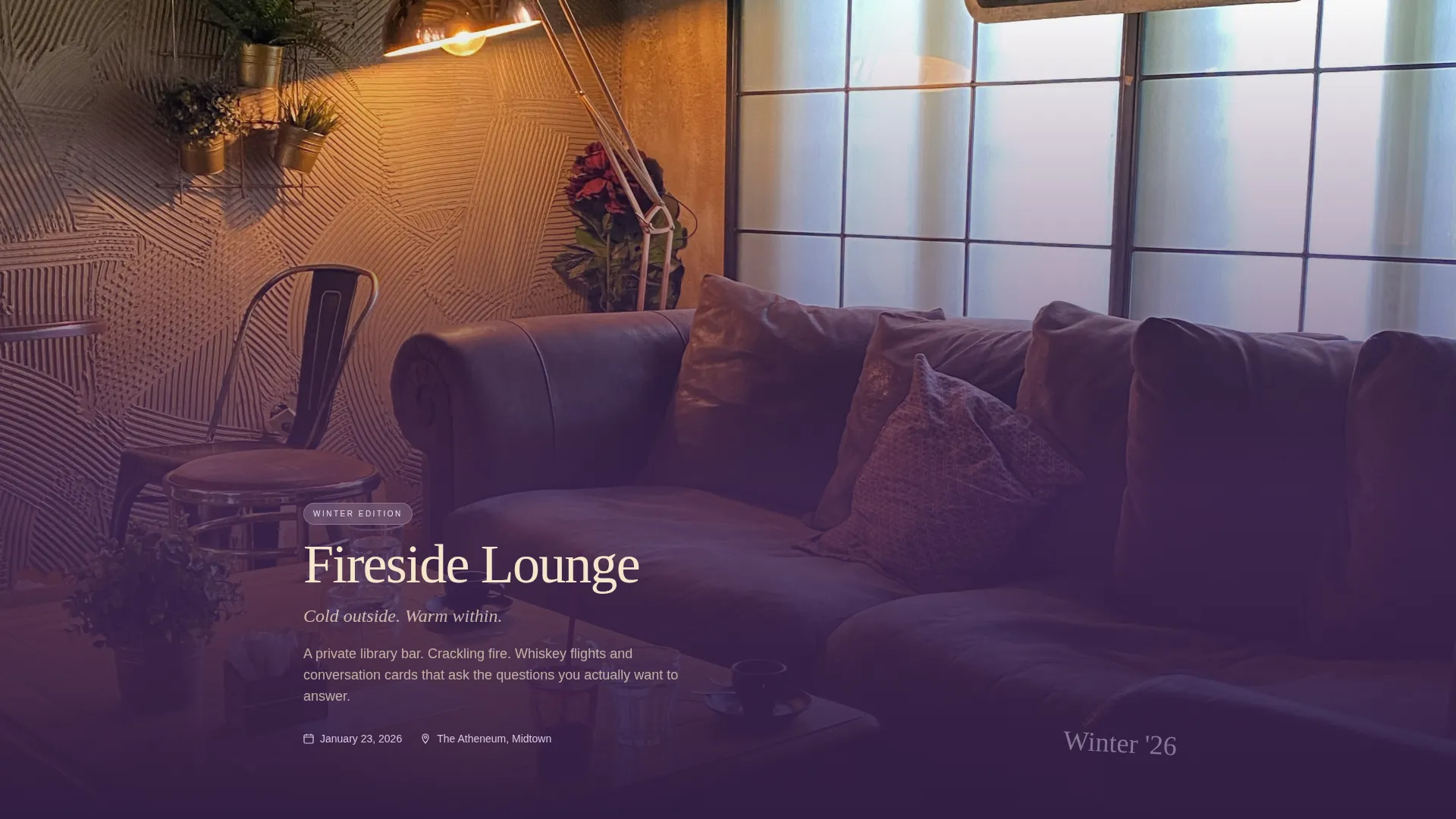
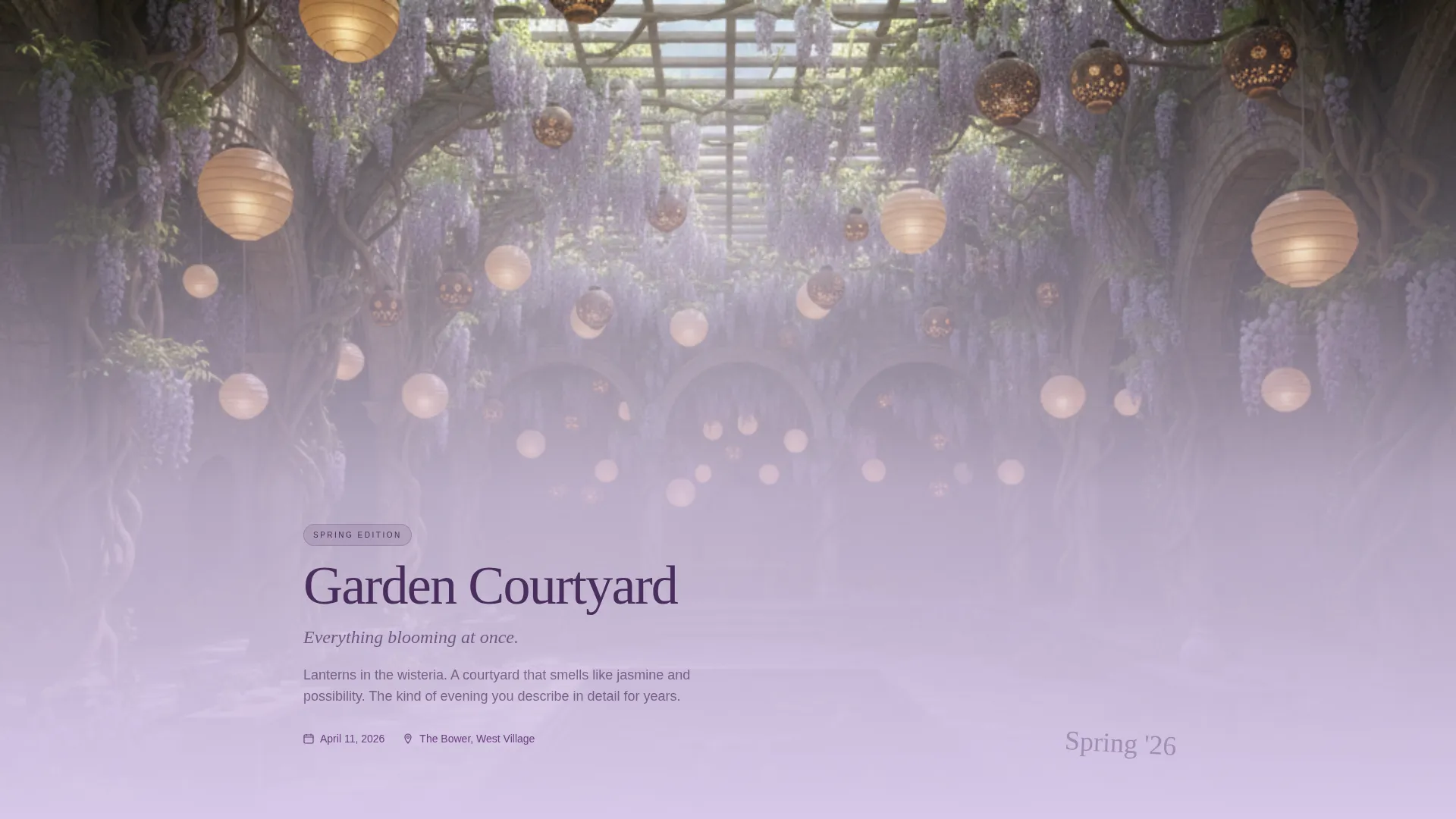
Each full-page scroll snap moves the visitor into a different seasonal event environment: a summer rooftop, a winter fireside lounge, a spring garden courtyard, and an autumn library bar. The transitions feel like turning pages in a memory book, building quiet urgency with each new scene.
Handwritten-Style Testimonial Overlays
Between scenes, testimonials in a handwritten style float over transitional gradient washes. This placement lets social proof land at exactly the moment the visitor is most emotionally engaged, without interrupting the visual flow.
Inline Ticket Selector
The primary conversion element is a smooth inline ticket selector that opens directly on the page. Visitors choose an event date, select one or two guests, and complete a single payment field without leaving the page or navigating to a separate checkout.
Dual Purchase Paths
Beyond the primary "Claim Your Seat" call to action, a secondary "Gift a Night" option lets visitors purchase a ticket for someone else. Both paths are accessible from the persistent bottom call-to-action bar that appears after the second scene.
Lavender Dream Gradient System
The page uses a four-color palette that shifts across scenes in long vertical gradients. Each seasonal section carries its own gradient variation within the same system, keeping the visual identity consistent while giving each scene its own emotional tone.
Page sections overview
| Section | Purpose |
|---|---|
| Full-Viewport Header | Opens with seasonal rooftop photography and animated serif headline |
| Scene One: Summer Rooftop | Introduces the event concept in a warm, open-air setting |
| Scene Two: Winter Fireside | Shifts tone to intimacy and warmth, reveals pricing context |
| Testimonial Gradient Wash | Floats handwritten social proof between seasonal scenes |
| Scene Three: Spring Courtyard | Continues the seasonal arc with a fresh, social atmosphere |
| Scene Four: Autumn Library Bar | Closes the scene sequence and deepens purchase desire |
| Inline Ticket Selector | Handles date, guest count, and payment in one smooth step |
| Gift a Night Path | Secondary purchase flow for gifting a ticket to someone else |
| Persistent call to action Bar | Keeps "Claim Your Seat" accessible from the second scene onward |
Design & branding system
The visual identity is built around the Lavender Dream color system, a four-color palette that feels like twilight light on linen. Typography is anchored in thin, authoritative serif type that pairs restraint with elegance.
- Core palette: dusted violet (#B8A9D0), blushed lilac (#D7C8E8), warm champagne (#F5E6CC), and deep plum (#4A2D5E) for text and grounding elements
- Backgrounds shift between violet and champagne in long vertical gradients; lilac activates buttons and hover states with a soft pulse effect
- Typography uses thin serif plum for headlines and body anchoring, maintaining quiet authority across all scene transitions
Mobile & speed optimization
The template is structured to deliver its immersive, scroll-driven experience cleanly on smaller screens. Scene sections and gradient washes adapt to vertical mobile viewports without losing their atmospheric quality.
- Full-viewport sections and scroll-snap behavior are designed to work within standard mobile screen proportions
- The inline ticket selector is built as a single-column flow, keeping the purchase steps clear and tappable on touch devices
- The persistent bottom call-to-action bar is sized and positioned for comfortable thumb reach on mobile viewports
How this template helps you convert
This template is designed to earn the ticket sale through experience before it asks for money. The structure is deliberately sequenced to move the visitor from curiosity to desire to decision.
- Pricing appears only after three full seasonal scenes have been presented, giving atmosphere time to build genuine desire before the cost is introduced
- The persistent "Claim Your Seat" call-to-action button stays visible at the bottom of the page from the second scene onward, removing the need to scroll back up to buy
- The inline ticket selector keeps the purchase inside the page experience, reducing the friction of redirecting to an external checkout
Other information about this template
This template sits within the Wedding and Events category, specifically designed for the Networking Event Invitation and RSVP niche. It is a strong fit for organizers who want their event page to reflect the quality and intentionality of the event itself.
- Template style: Storybook / Full-Page with a Soft Gradient theme
- Creative direction: Immersive Visual, using seasonal scene photography and gradient transitions to guide the visitor's emotional journey
- Header concept: Seasonal Imagery, with a parallax golden-hour rooftop photograph as the opening visual
- The page direction is Direct Sales, with the purchase flow embedded inline rather than linked to a separate booking platform
Theme
Soft Gradient
Creative direction
Immersive Visual
Color system
Lavender Dream
Style
Storybook/Full-Page
Direction
Direct Sales
Page Sections
Parallax Seasonal Header
Scroll-snap Scene Sections
Handwritten Testimonial Overlays
Inline Ticket Selector
Dual Purchase Paths
Lavender Dream Gradient System
Related questions
Who is this landing page template designed for?
When does pricing appear on the page?
Can visitors buy tickets for someone else?
How does the inline ticket selector work?
Can I adapt this template to my own event brand and color scheme?



