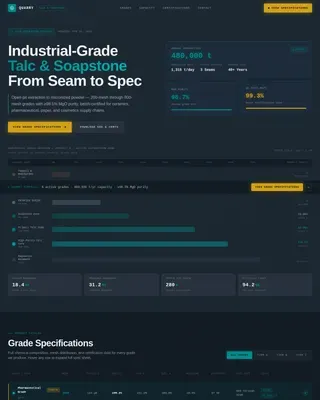
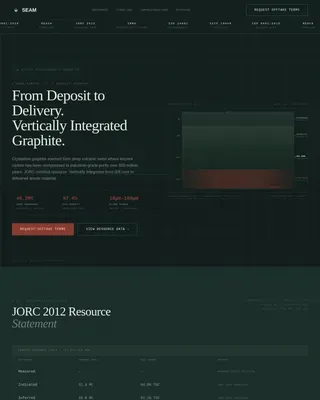
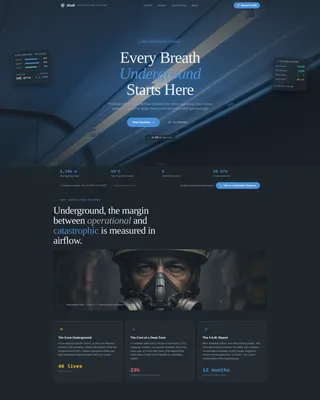
Mining Equipment & Cost Calculator Website Template
Millrate is a desktop-first landing page template built for mineral processing equipment manufacturers. It leads with a live throughput estimator, presents performance data through a modular card grid, and earns qualified leads by proving equipment delta before asking for any commitment. The Engineering Blueprint visual style keeps every number legible and every call to action impossible to miss.
by Rocket studio
Quick summary
Millrate is a single-page template designed for industrial mineral processing equipment manufacturers. It opens with a live two-column throughput estimator, moves through a modular equipment card grid ordered by plant flowsheet, and closes with a multi-step lead form. Every design decision serves data legibility over decoration.
Who this template is for
This template is built for heavy industry businesses that need to prove equipment performance before asking a prospect for anything. It speaks the language of plant specifications, recovery percentages, and cost-per-ton deltas.
- Mine operations managers and process engineers who need throughput and recovery data at a glance
- Procurement leads running tender evaluations across multiple regions who need benchmark comparisons and downloadable specifications
- Mineral processing equipment manufacturers that want a data-forward sales page rather than a brochure
What problem this template solves
Technical buyers in mining do not respond to marketing language. They respond to numbers. A generic product page cannot satisfy a process engineer who needs feed-rate projections, wear-part intervals, and energy draw figures side by side with industry benchmarks.
- Visitors leave when they cannot find the performance comparison data they came for
- Specification sheets buried behind long forms drive away procurement leads before they qualify
- Equipment manufacturers lose credibility when their page looks less rigorous than their machines
What you get with this template
Millrate delivers a complete, section-ordered landing page that mirrors the actual mineral processing plant flowsheet from run-of-mine pad through to concentrate loadout. Every section earns its place by serving a specific engineering buyer need.
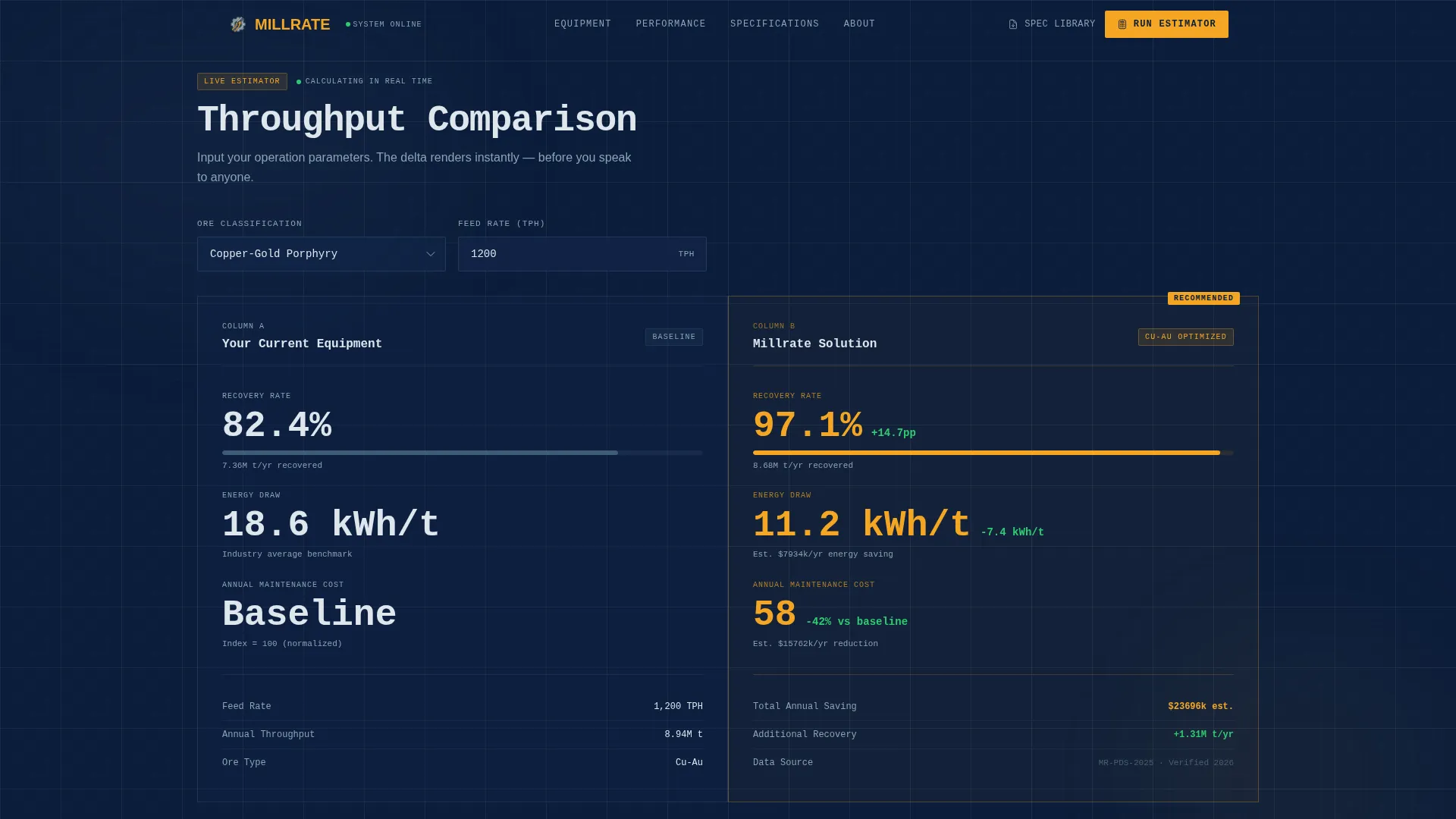
- A live throughput estimator at the top of the page that renders recovery percentage, energy draw per ton, and annual maintenance cost delta instantly
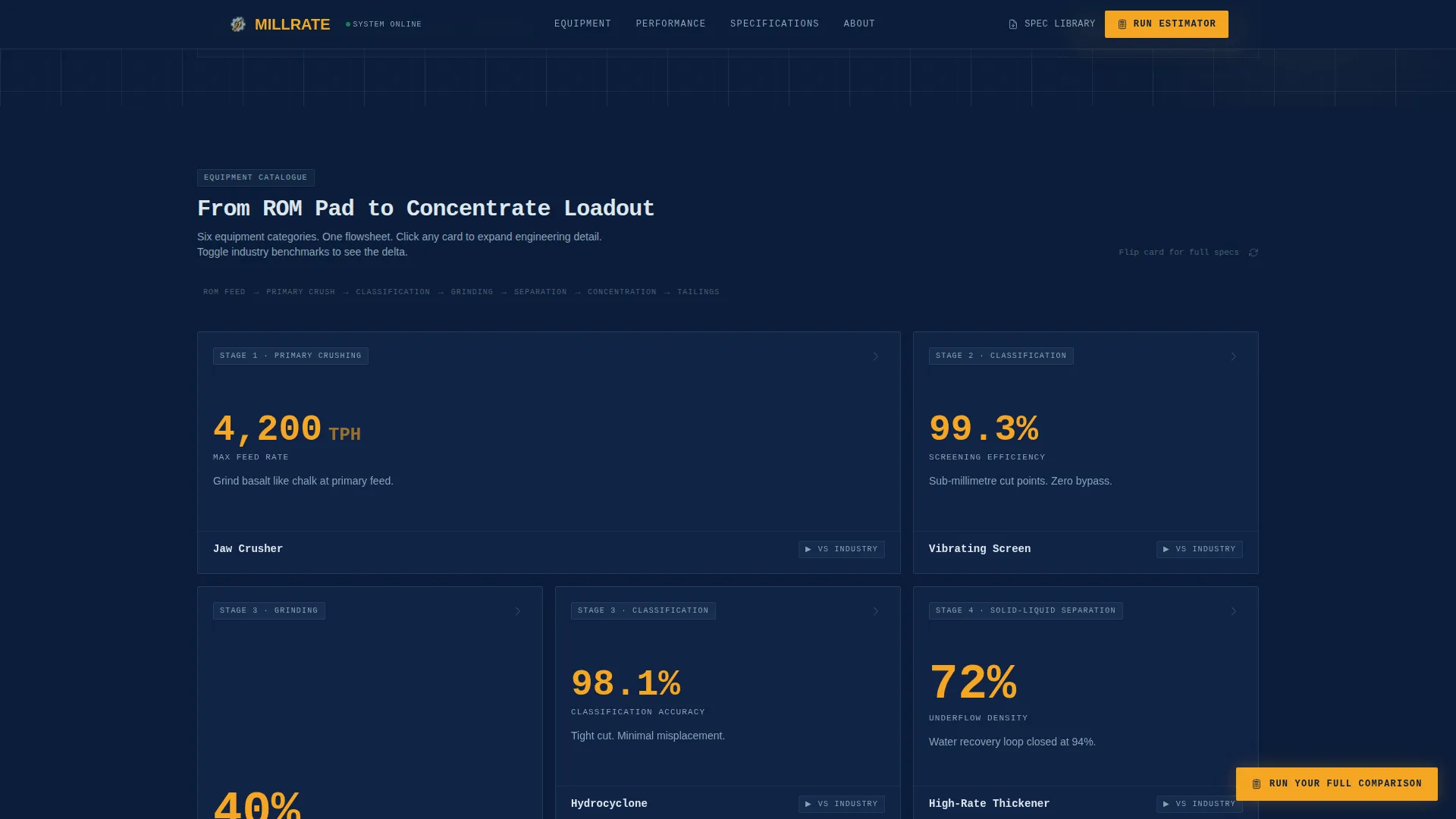
- A responsive modular card grid covering jaw crushers, vibrating screens, thickeners, hydrocyclones, flotation cells, and semi-autogenous grinding (SAG) mills with expandable engineering detail and benchmark toggle overlays
- A multi-step comparison request form and a fixed high-visibility amber call-to-action button anchored to the bottom of the viewport throughout the session
Feature list
The paragraph below introduces the core functional capabilities built into this template. Each feature is grounded in the source brief and designed to serve an industrial B2B sales workflow.
Live Throughput Estimator
The estimator sits above the fold in two columns: "Your Current Equipment" versus "Our Recommended Solution." Visitors select ore type from a dropdown covering copper-gold, iron, and lithium pegmatite, then input feed rate in tonnes per hour (TPH). The tool instantly renders projected recovery percentage, energy draw per ton, and annual maintenance cost delta with animated counter figures rendered in oversized tabular display against deep navy.
Modular Equipment Card Grid
Each card represents one equipment category fronted by a single dominant performance number such as 4,200 TPH, 99.3% uptime, or 40% energy reduction. Cards expand or flip to reveal cutaway diagrams, wear-part intervals, and general arrangement (GA) drawings. The card sequence follows the actual plant flowsheet, so the scroll mirrors walking the process from feed to final product.
Benchmark Comparison Toggle
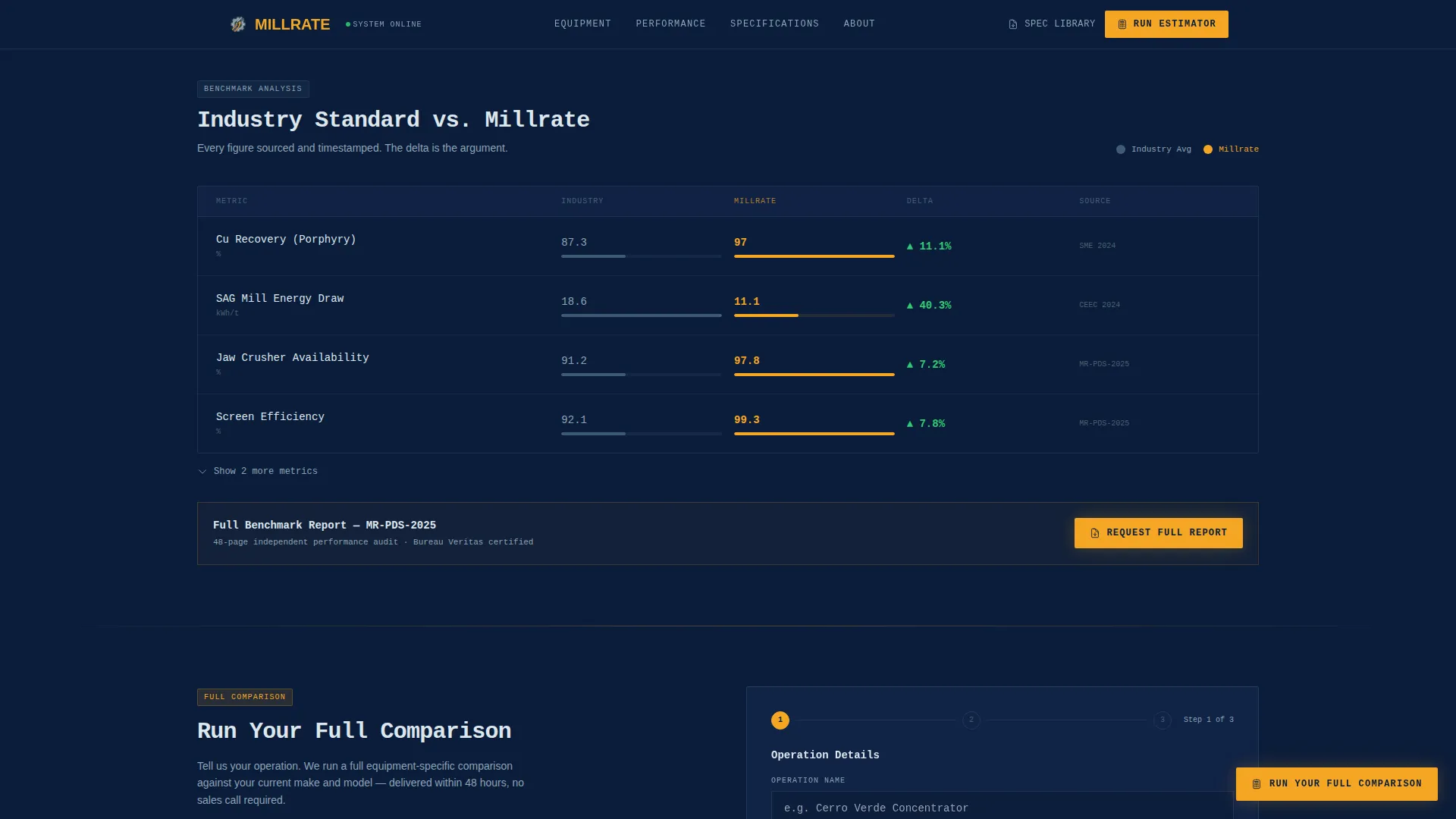
Every equipment card includes a toggle that overlays published industry-standard benchmarks against this manufacturer's performance data. Each data point is sourced and timestamped, giving process engineers and procurement leads verifiable reference material rather than unsubstantiated claims.
Spec Sheet Email Gate
Each equipment card includes a secondary conversion path. Visitors can download the relevant specification sheet by entering a single email field directly on the card. This captures lead data at the moment of highest intent without interrupting the browsing flow.
Multi-Step Comparison Form
The primary call-to-action opens a structured form collecting operation name, current equipment make and model, a pain point selector covering throughput, energy, maintenance, and recovery, and an email address. The fixed amber button remains visible throughout the entire page scroll, removing any friction around finding the next step.
Stats-First Credibility Section
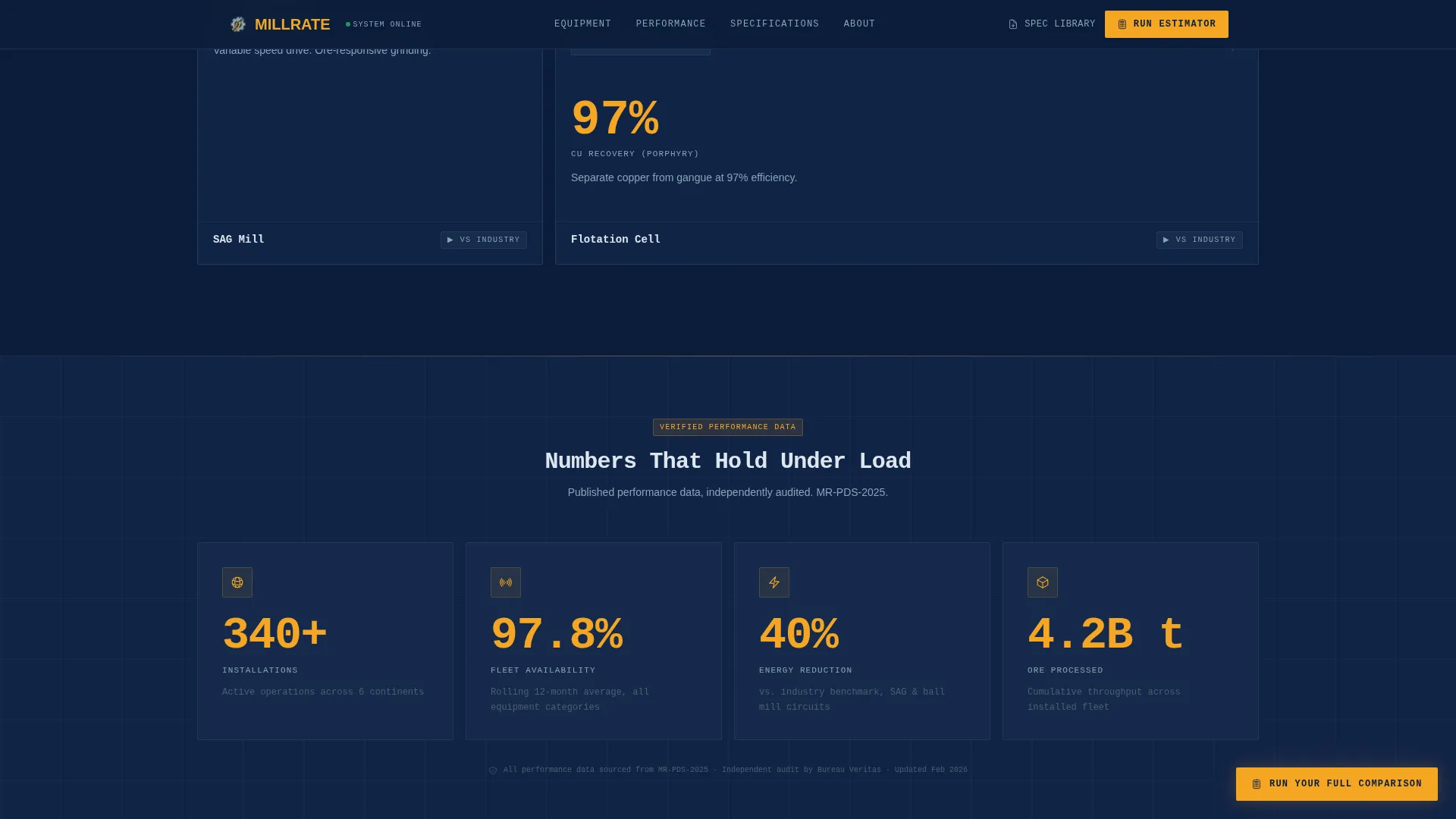
A dedicated section below the estimator surfaces high-impact operational statistics: installation count, uptime records, energy reduction figures, and operations across continents. These figures appear before any product detail, establishing authority in the first visible scroll increment.
Page sections overview
| Section | Purpose |
|---|---|
| Throughput Estimator Header | Compare current equipment against Millrate in live data |
| Equipment Card Grid | Browse each category with dominant performance numbers |
| Benchmark Comparison Toggle | Overlay industry standards against published Millrate data |
| Credibility Stats Block | Display uptime, installations, and energy reduction figures |
| Multi-Step Lead Form | Collect operation details and route qualified comparison requests |
| Single-Row Footer | Provide navigation links and contact reference in minimal space |
Design & branding system
The visual identity follows an Engineering Blueprint theme. Every color and typographic choice references the aesthetic of a laminated process and instrumentation diagram (P&ID) pinned to a site office wall. Nothing decorative appears unless it carries information.
- Color palette: deep command navy (#0B1D3A) for backgrounds, technical steel (#3E5C76) for secondary surfaces, blueprint gridline white (#DDE6ED) for text and structural lines, and high-visibility safety amber (#F5A623) reserved for calls to action, data callouts, and interactive hover states
- Typography: JetBrains Mono used exclusively for all numerical data and code-style figures; DM Sans used for body text, headings, and labels to maintain legibility at data-dense densities
- Ambient grid pulse animation, number counter animations, card flip transforms, and benchmark toggle transitions reinforce the control-room dashboard feel without adding visual noise
Mobile & speed optimization
Although this template is designed desktop-first to match how process engineers work in site offices and control rooms on large monitors, the responsive grid adapts sensibly for other screen sizes. Interactive components are built as client-side elements while static content uses server-rendered components, keeping initial load fast.
- The modular card grid reflows into fewer columns at smaller viewport widths without losing the equipment detail on expand
- Server components handle all static content sections to reduce client-side JavaScript overhead on heavier interactive pages
- Fixed call-to-action button and estimator inputs remain fully usable at reduced screen widths
How this template helps you convert
The conversion logic is built into the page architecture. By the time a visitor reaches the form, the estimator and benchmark cards have already made the quantitative case. The ask feels earned, not forced.
- The throughput estimator delivers personalized performance numbers immediately, giving each visitor a data point specific to their ore type and feed rate before any scroll is needed.
- Expandable equipment cards and benchmark toggle overlays deepen trust at each scroll increment, so a process engineer arrives at the call-to-action button already holding the comparison data they came to find.
- The spec sheet email gate on each individual card captures procurement leads at peak intent, providing a lower-commitment path alongside the full multi-step form for visitors who are not yet ready for a complete comparison request.
Other information about this template
This template is categorized under Mining and Natural Resources, specifically the Mining Equipment and Services subcategory with a niche focus on mineral processing equipment. It is well suited to industrial B2B contexts where long sales cycles demand that credibility be established through data before any form interaction occurs.
- Template style is Card Grid (Modular), meaning new equipment categories can be added or removed from the grid without restructuring the overall page layout
- The page is localized for English-language audiences with metric TPH units and USD pricing references built into estimator and comparison outputs
- Animation intensity is set to high across counter animations, card flip transforms, toggle transitions, and an ambient background grid pulse, all of which can be adjusted per project requirements
- The footer follows a linear single-row pattern, keeping the bottom of the page clean and focused on the call-to-action rather than expanding navigation
Theme
Engineering Blueprint
Creative direction
Stats-First Impact
Color system
Navy Authority
Style
Card Grid (Modular)
Direction
Comparison/Versus
Page Sections
Live Two-column Throughput Estimator
Modular Equipment Card Grid
Sourced Benchmark Comparison Toggle
Spec Sheet Download Gate
Fixed Multi-step Lead Form
Stats-first Credibility Block
Related questions
Who is the primary target audience for this template?
Can the throughput estimator be configured for different ore types?
How does the benchmark comparison feature work?
Is this template suitable for desktop-heavy audiences?
What conversion paths does this template include?