Decentralized Enterprise Software Cost Calculator Website Template
Mesh is a Bold Brutalist Glassmorphic landing page template for a decentralized manufacturing execution system. It opens with a live YAML typewriter header, leads into an interactive Downtime Cost Calculator, and flows through modular card sections covering node architecture, latency benchmarks, and pilot deployment. Built for OT engineers and manufacturing CTOs who need to see proof before they commit.
by Rocket studio
Quick summary
Mesh is a single-page, card grid landing page template for a decentralized manufacturing execution system (MES). It combines a live YAML code snippet header, an interactive Downtime Cost Calculator, and modular architecture cards into one high-intent lead generation flow. The visual system uses forge black, electric arc blue, and molten amber to evoke a factory floor running at full tilt in the dark.
Who this template is for
This template is built for industrial software teams and manufacturing technology companies that need to convert skeptical, technical buyers. It speaks directly to people who have been let down by slow, centralized MES deployments before.
- OT (operational technology) engineers who need sub-second cycle tracking without exposing their plant network through firewall changes
- Manufacturing CTOs and plant managers who need hard ROI evidence before approving another MES project
- Industrial SaaS teams in the OT/IT convergence market selling edge-native software to discrete and batch manufacturers
What problem this template solves
Most MES landing pages treat technical buyers like they are already convinced. They lead with marketing copy and bury the proof. This template flips that order deliberately.
- Visitors who are not yet ready to talk to sales still have a path forward through the whitepaper download gate
- The calculator anchors a specific dollar figure in the visitor's mind before any feature is pitched, making every card that follows feel like a direct answer to their own number
- Plant managers and OT engineers need artifact-level credibility, not abstract diagrams; the YAML snippet in the header delivers that immediately
What you get with this template
You get a fully structured, modular card grid landing page with five distinct content zones, a high-interactivity calculator, and a dual conversion path. Every section is designed to earn the next scroll.
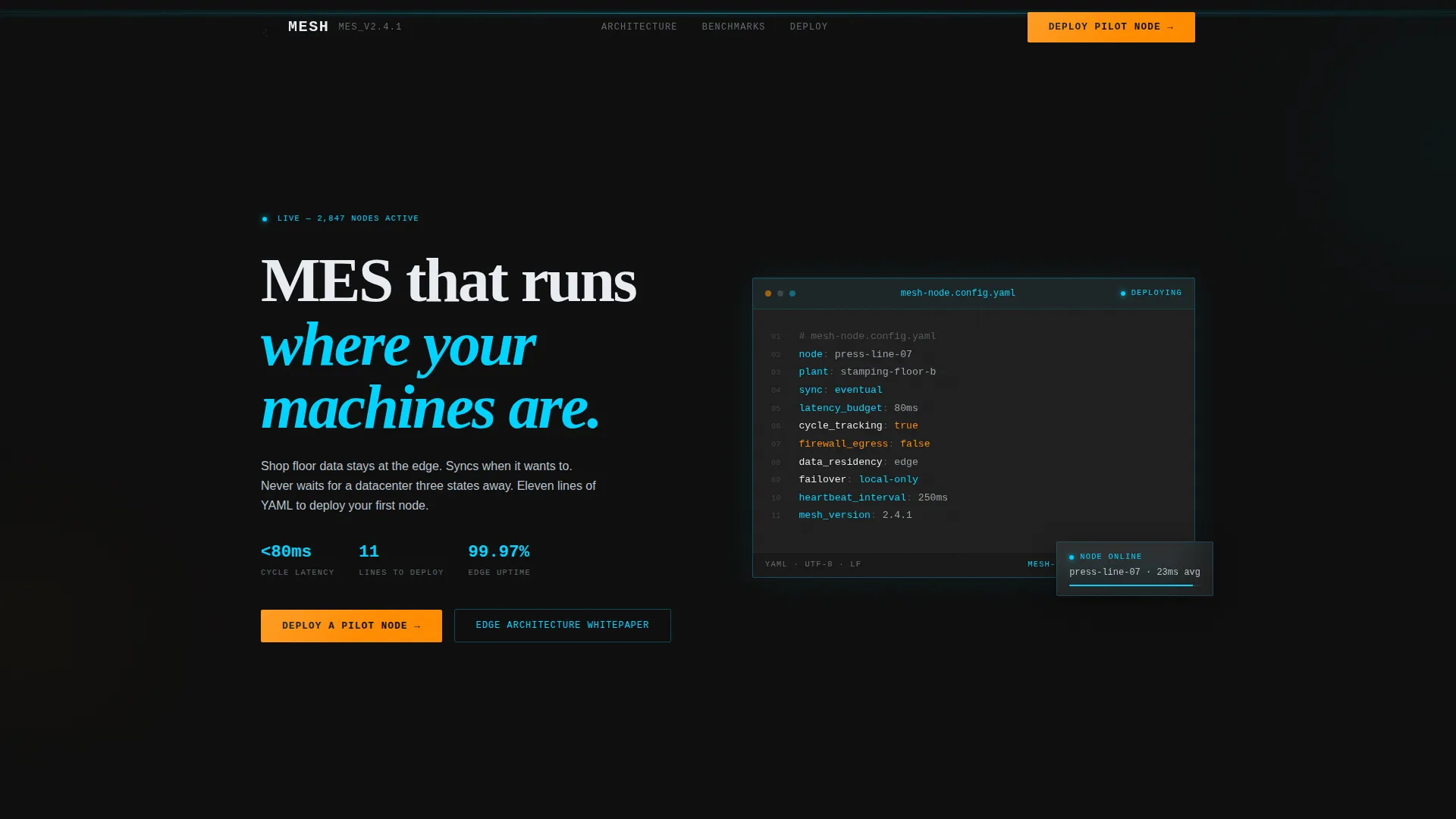
- A live YAML typewriter hero with an eleven-line node configuration that auto-types on load, complete with blinking cursor
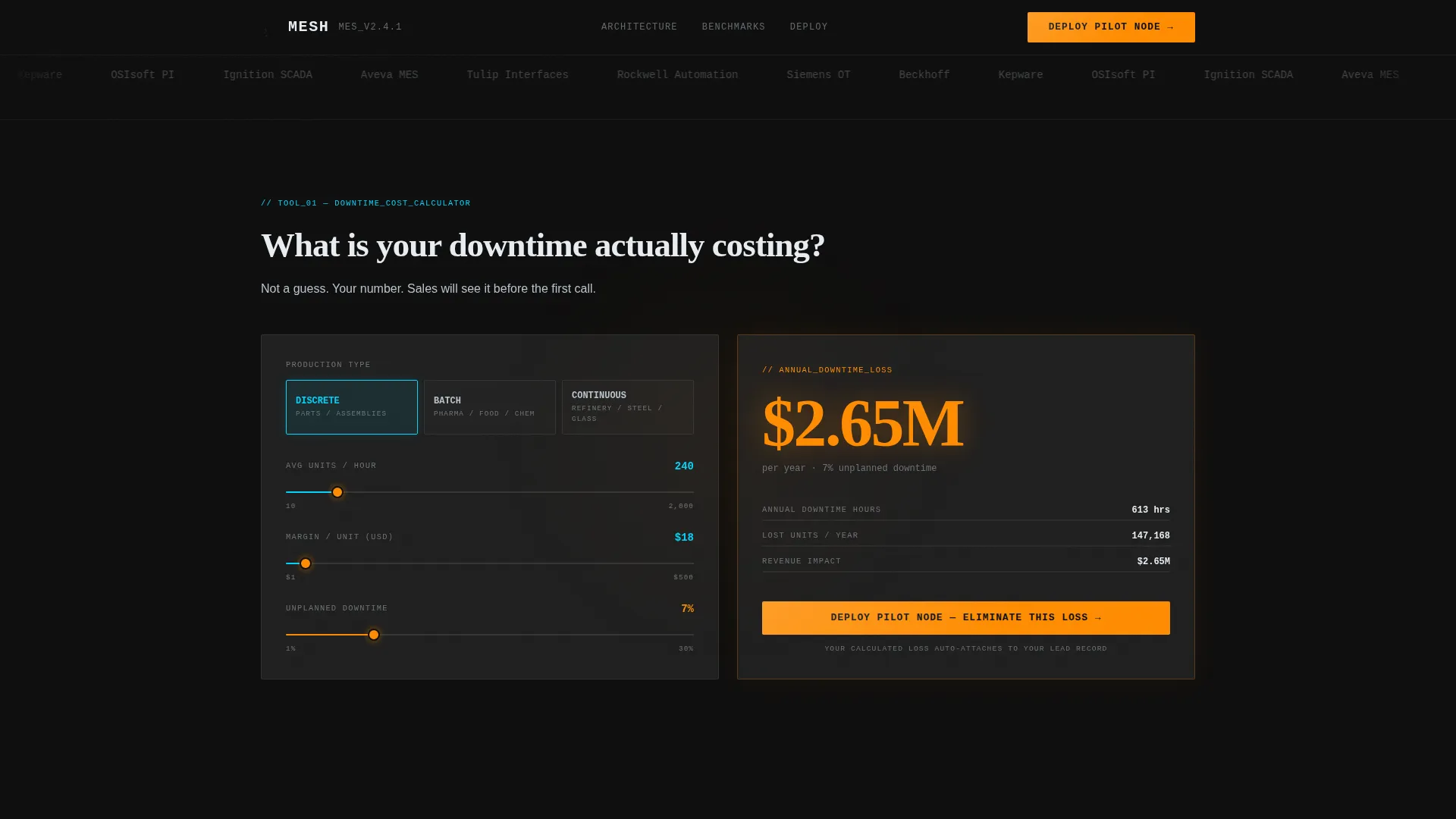
- An interactive Downtime Cost Calculator with production type selector, units-per-hour input, margin input, downtime percentage slider, and an amber-rendered annual loss result card
- Sequential card modules covering distributed node architecture, latency benchmarks versus centralized MES, a compliance matrix, and customer deployment snapshots, all unlocking after the calculator interaction
Feature list
This template includes the following built-in components and design capabilities drawn directly from the source brief.
Live YAML Typewriter Header
The hero section renders an eleven-line YAML node-configuration file using a monospace typewriter animation. Each line types itself out in sequence, ending with a blinking cursor. The effect communicates deployment simplicity through an actual engineering artifact, not a stock illustration.
Interactive Downtime Cost Calculator
The second viewport hosts a fully interactive calculator. Visitors choose production type, enter units per hour and margin per unit, and drag a slider for current unplanned downtime percentage. The result renders instantly as a formatted annual loss figure in molten steel amber, anchoring the visitor's own cost data before any feature copy appears.
Sequential Card Unlock Flow
Each architecture and benchmark card module is locked until the calculator interaction is completed. This progressive reveal keeps attention focused and ties every subsequent feature directly back to the cost figure the visitor just generated for themselves.
Node Architecture and Latency Benchmark Cards
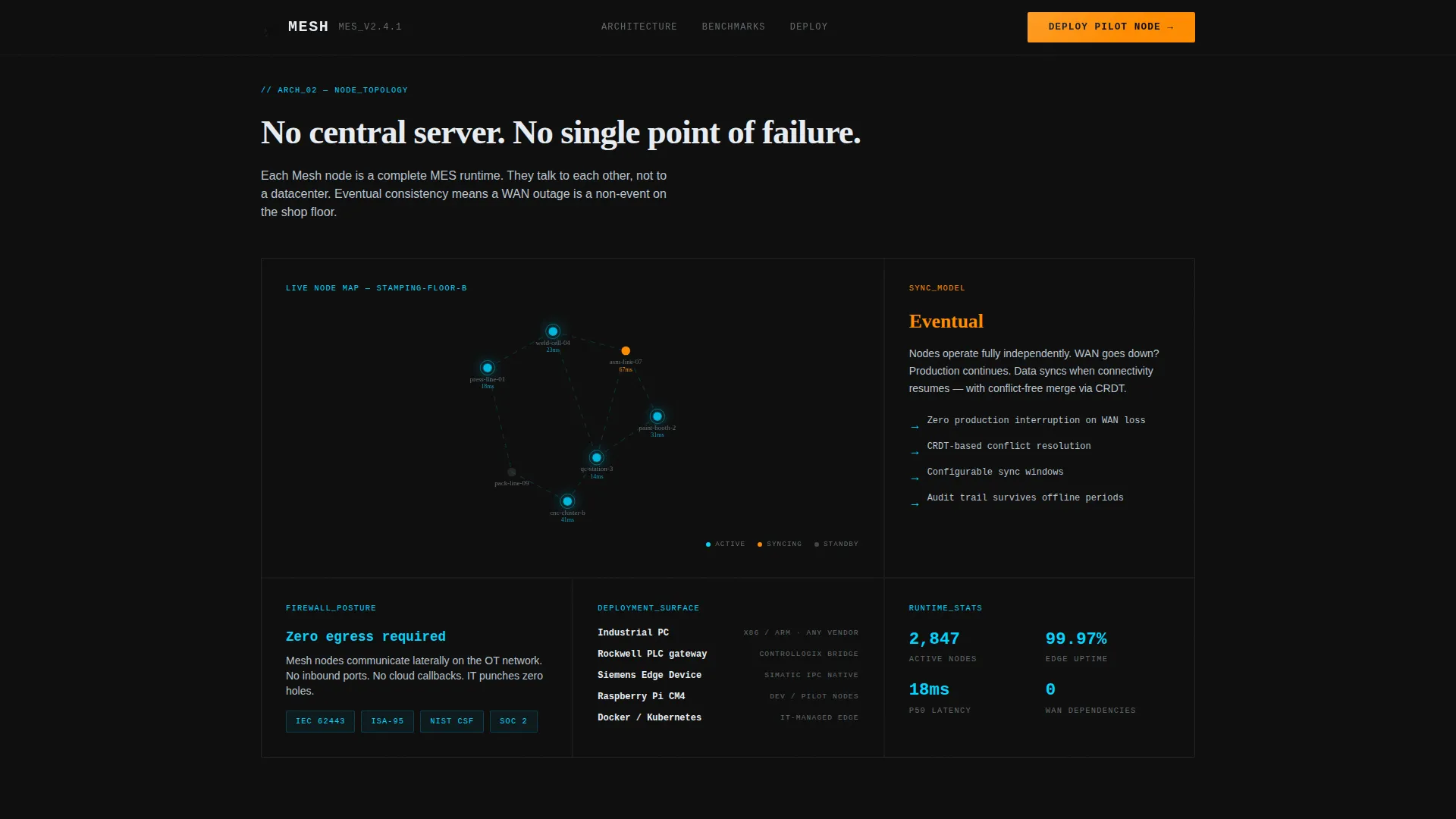
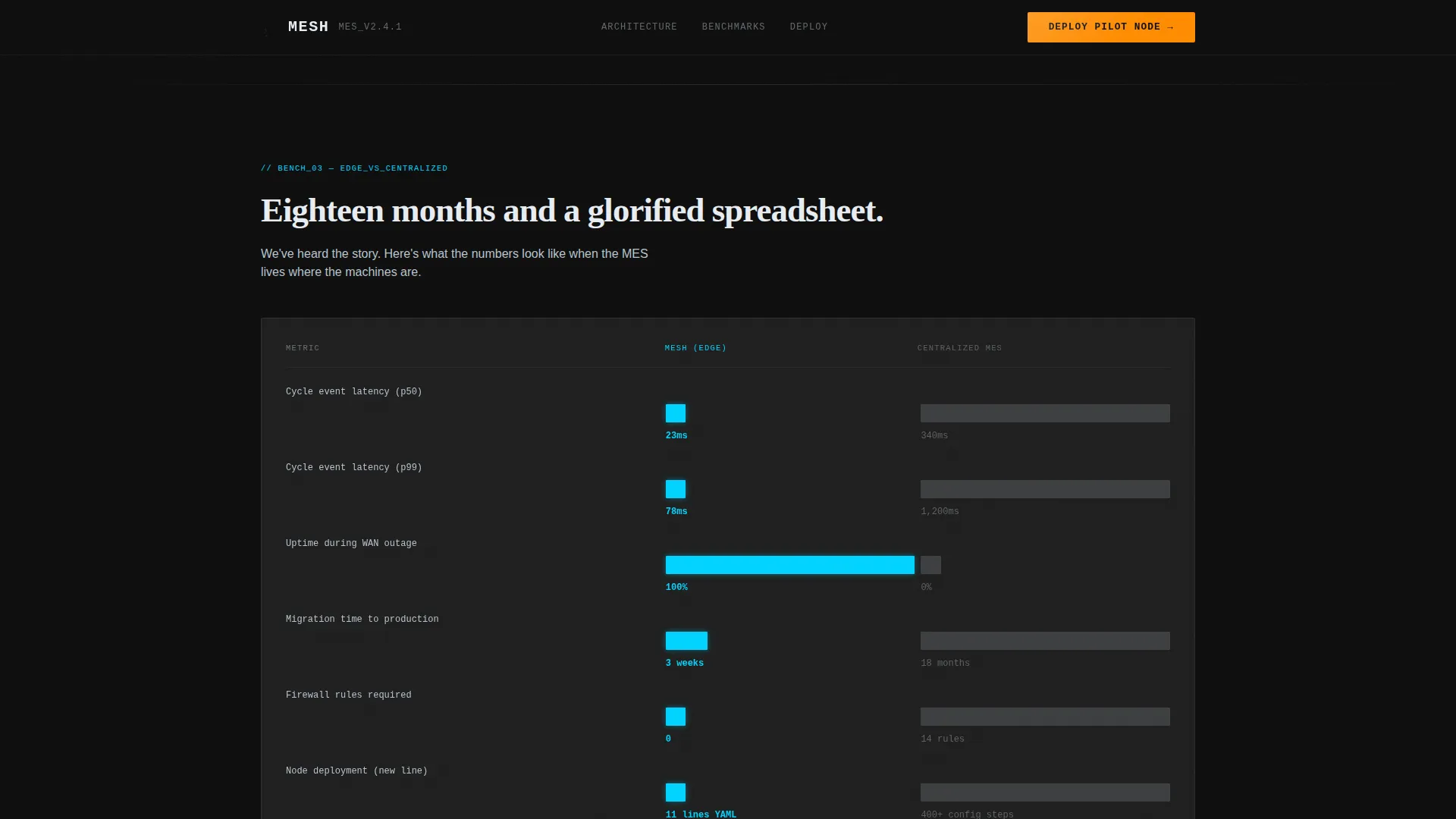
A bento grid section presents distributed node topology diagrams alongside data visualization cards comparing edge node latency to centralized MES latency. The layout makes the performance gap visible without requiring the visitor to read a whitepaper first.
Dual Conversion Path
The template includes two distinct lead capture mechanisms. A three-field pilot deployment form (plant type, number of production lines, work email) appears as a persistent floating button after calculator interaction and again as the final card. A separate email-only whitepaper download gate serves visitors not yet ready for a sales conversation.
Bold Brutalist Glassmorphic Card System
Every card is rendered as a frosted translucent panel at 12% white opacity floating over forge black. Borders glow in electric arc blue. Interactive edges and live-state indicators use the same blue. Calls to action and alert states use molten steel amber exclusively. The result is a visual language that feels like an HMI (human-machine interface) panel, not a SaaS marketing page.
Page sections overview
| Section | Purpose |
|---|---|
| Hero YAML Header | Establish edge-native credibility through a live-typed node config artifact |
| Downtime Cost Calculator | Generate a visitor-specific annual loss figure that anchors the rest of the page |
| Architecture Node Topology | Show distributed node layout and edge data flow in a bento grid |
| Latency Benchmark Cards | Visualize the performance gap between edge nodes and centralized MES |
| Compliance Matrix Card | Address regulatory and deployment concerns with a structured comparison view |
| Deployment Snapshot Cards | Provide social proof through real-world node deployment examples |
| Pilot Node call to action | Convert high-intent visitors with a low-friction three-field lead form |
| Whitepaper Download Gate | Capture early-stage visitors with an email-only secondary conversion path |
| Single-Row Footer | Close the page with a clean linear footer pattern |
Design & branding system
The visual identity is Bold Brutalist in structure and Glassmorphic in execution. It is designed to feel like standing in front of a live HMI panel on a lights-out factory floor, not like browsing a SaaS pricing page.
- Color palette: forge black (#0D0D0D) as the primary background, frosted panels at 12% white opacity, electric arc blue (#00D4FF) for live indicators and interactive borders, molten steel amber (#FF8C00) reserved for calls to action and alert states, and machined aluminum (#B8C4CE) for secondary text and dividers
- Typography: JetBrains Mono for code and hero sections, DM Sans for body copy, and Fraunces for display accent headings
- Animation system: typewriter effect in the header, scan line overlays, counter animations on benchmark numbers, and intersection observer reveals that trigger as the visitor scrolls into each card zone
Mobile & speed optimization
This template is designed desktop-first to match the primary audience of plant managers and CTOs working on workstations. The layout is responsive and adapts to smaller screens without breaking the calculator or card grid.
- Static sections use server components for fast initial render; the calculator, typewriter hero, and slider use client-side rendering where interactivity requires it
- The card grid reflows cleanly on tablet and mobile viewports, preserving the sequential unlock behavior and dual conversion path across all screen sizes
How this template helps you convert
Every design and structural decision in this template is built around a single idea: give technical buyers a reason to care before asking them for anything.
- The YAML typewriter header establishes immediate credibility with OT engineers and CTOs by showing a real deployment artifact in the first five seconds of the visit, before any marketing copy appears
- The Downtime Cost Calculator makes the value proposition personal by rendering the visitor's own annual loss figure in amber, so every feature card that follows reads as a direct answer to their specific situation
- The dual conversion path removes the binary choice between "talk to sales" and "leave the page," giving early-stage visitors a lower-friction whitepaper download option while keeping the pilot deployment form visible for high-intent visitors
Other information about this template
This template is part of the card grid (modular) format family, meaning each content zone is an independent, self-contained card block. Teams can reorder, swap, or extend individual cards without restructuring the full layout. The template is built for English-language, USD-denominated, and US date format contexts by default.
- The calculator result is designed to auto-populate into the lead record on form submission, so sales teams see the prospect's self-reported downtime cost before the first outreach call
- The compliance matrix card provides a structured view for addressing regulatory and operational concerns common in discrete manufacturing environments
- The footer follows a linear single-row pattern, keeping the close of the page clean and uncluttered after the two conversion cards above it
- The template is positioned for the decentralized enterprise software category and the OT/IT convergence market, where buyer trust is earned through engineering specificity rather than product marketing language
Theme
Bold Brutalist
Creative direction
Calculator/Tool First
Color system
Glassmorphic
Style
Card Grid (Modular)
Direction
Lead Generation
Page Sections
Live YAML Typewriter Hero
Interactive Downtime Cost Calculator
Sequential Card Unlock Flow
Node Topology and Latency Benchmark Cards
Dual Lead Capture System
Bold Brutalist Glassmorphic Card System
Related questions
Who is the primary audience for this template?
Does the Downtime Cost Calculator require a backend or database connection?
What are the two conversion paths included in this template?
Can I adapt this template for batch or continuous manufacturing, not just discrete?
Can I reorder or remove individual card sections?



