Commercial Real Estate Portfolio Website Template
Mesa is a dark immersive landing page template built for commercial real estate investment firms presenting institutional-grade assets. It pairs a full-screen cinematic video header with a gallery walk scroll experience, letting visitors move through each property at portfolio scale. The lead generation system captures qualified buyers through a gated form and a secondary email opt-in path.
by Rocket studio
Quick summary
Mesa is a single-page commercial real estate landing page template designed for brokerages presenting Class A office towers, anchored retail centers, and industrial logistics parks. It uses a cinematic gallery walk structure to move visitors through assets at escalating scale, building conviction before a fixed bottom-bar call to action prompts them to request the portfolio.
Who this template is for
Mesa is built for professionals who present high-value commercial assets to capital-ready buyers. The tone, layout, and lead capture flow all assume a sophisticated audience with real allocation decisions to make.
- Private equity principals and family offices evaluating commercial acquisitions
- Syndicators assembling portfolios ahead of a 1031 exchange deadline
- Commercial brokerages positioning institutional-grade inventory to accredited investors
What problem this template solves
Most commercial real estate landing pages feel transactional. They list properties in rows, bury the financials, and push a contact form before the visitor has any reason to trust the firm. Mesa solves the credibility gap by letting the assets do the convincing first.
- Visitors absorb real asset metrics before seeing a single form field
- The escalating gallery structure trains buyers to think at portfolio scale naturally
- A two-path lead capture system accommodates both ready-to-identify capital and earlier-funnel prospects
What you get with this template
Mesa delivers a fully structured, dark immersive landing page with every visual and functional component already in place. No guesswork about layout order or form logic.
- A full-screen cinematic video header with a single low-set headline
- A scroll-driven gallery of up to four property cards, each filling the full viewport
- A fixed bottom-bar call-to-action form and a secondary gated PDF download path
Feature list
Mesa's core features reflect the brief it was built from. Each component has a clear job, and nothing competes for attention that should belong to the properties themselves.
Full-Screen Video Header
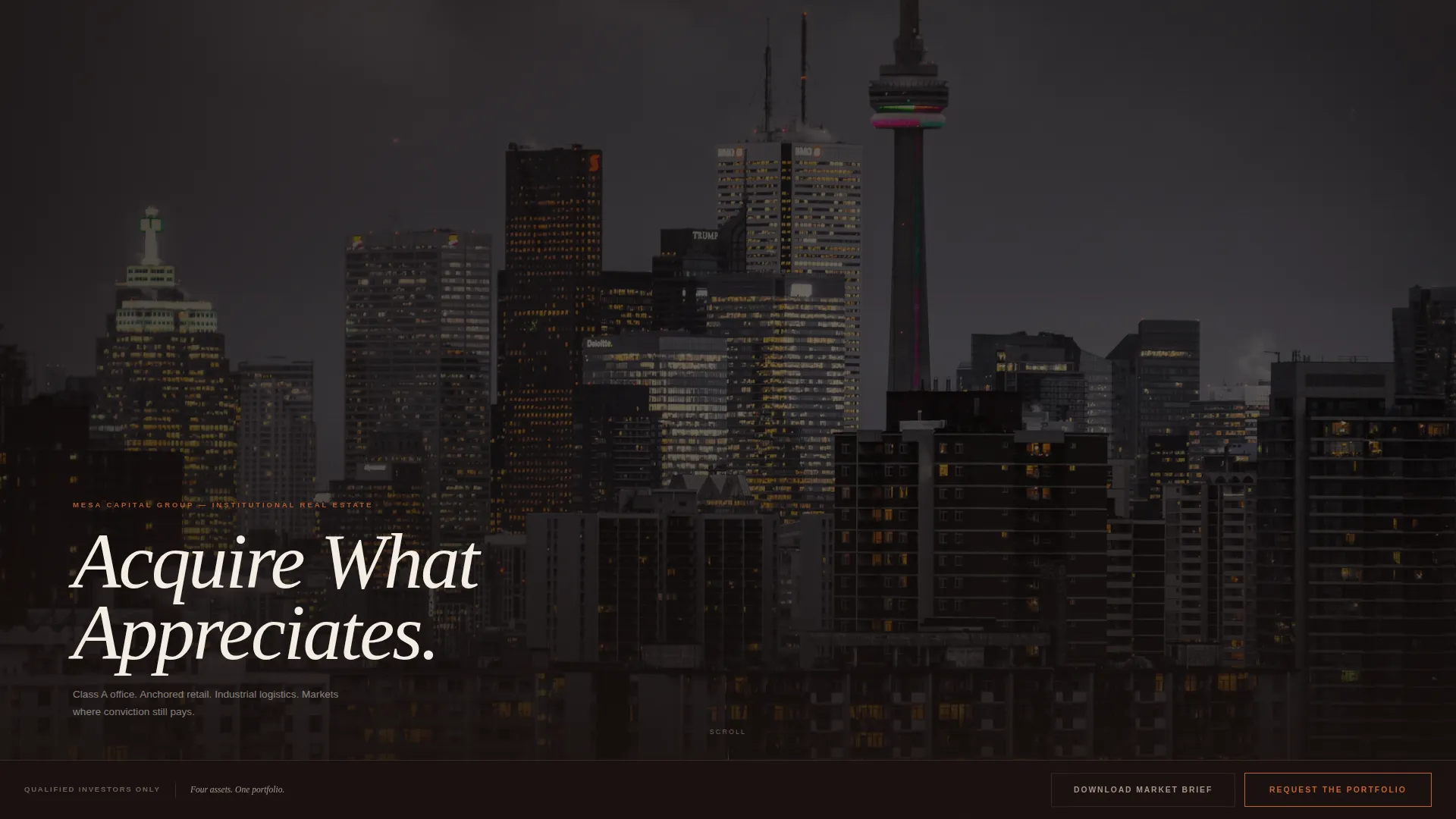
The page opens on aerial drone footage color-graded deep and warm, slowed to seventy percent speed with added cinematic grain. A single bleached linen headline, "Acquire What Appreciates," sits low in the frame. No logo appears until the visitor begins to scroll.
Scroll-Driven Property Gallery
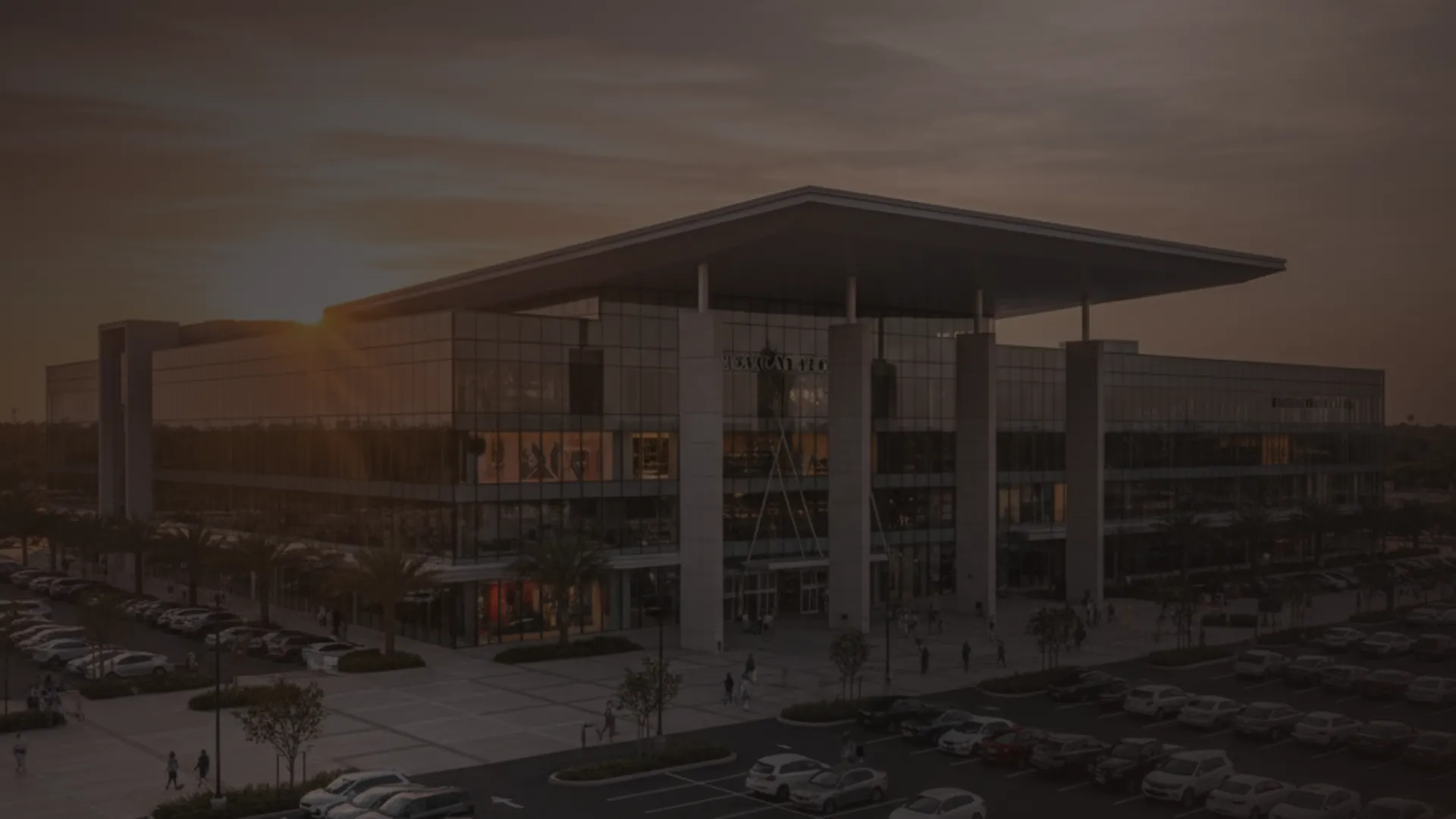
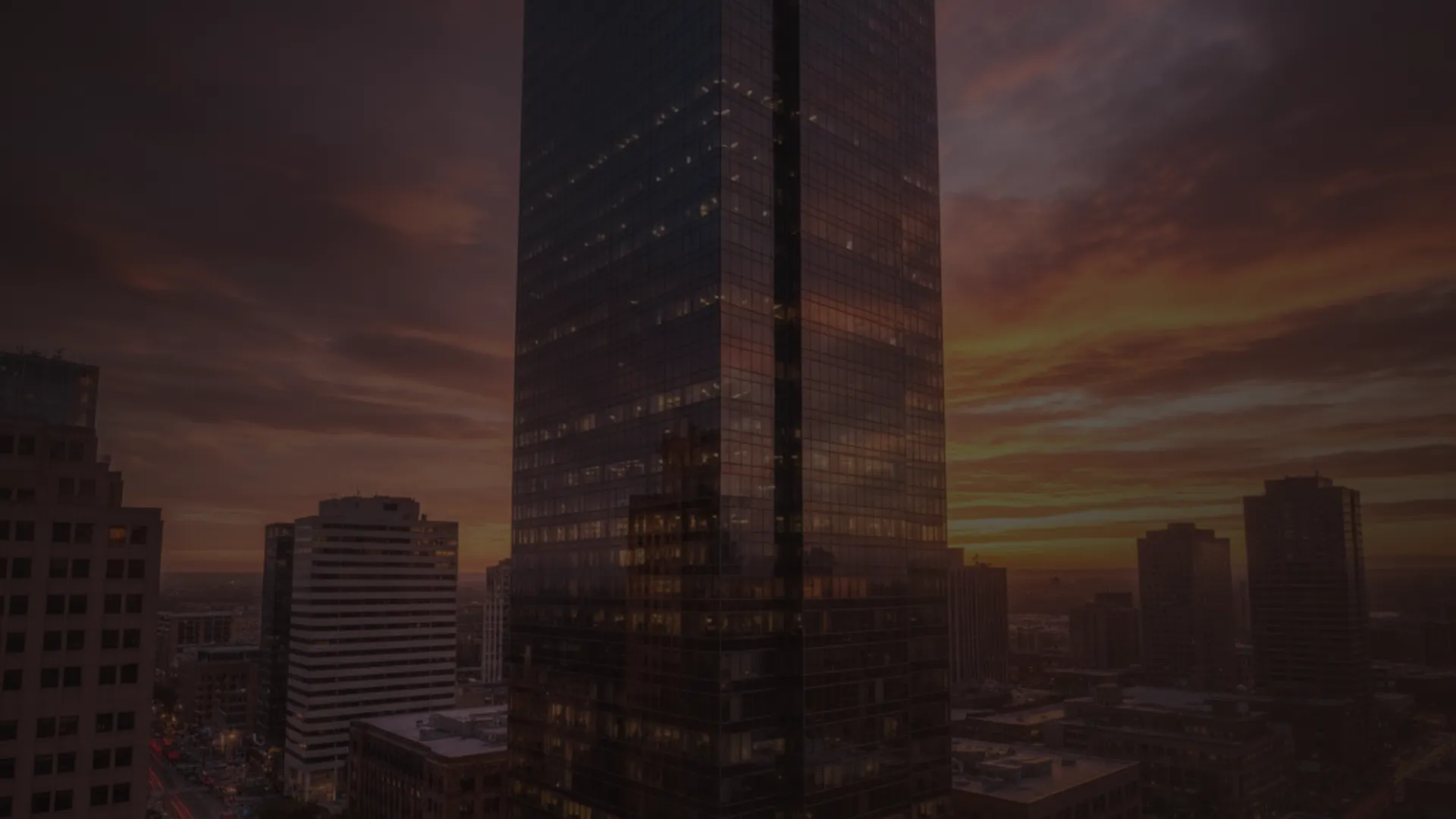
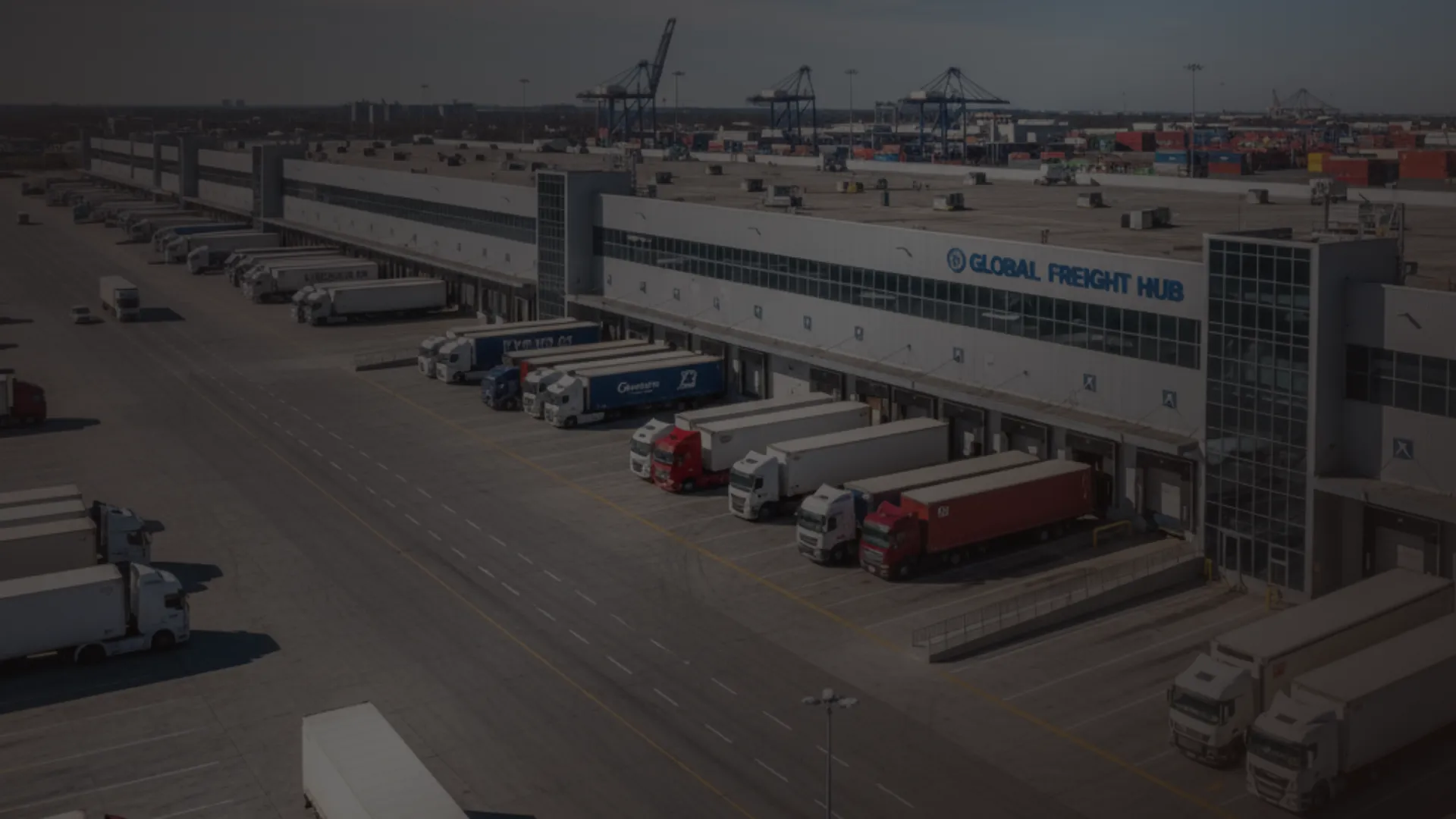
Each property occupies a full viewport as a large, moody photograph. A translucent detail panel slides in from the right on scroll, surfacing asset class, square footage, net operating income (NOI), cap rate, and market. Assets are sequenced from a neighborhood retail center up to a mixed-use development, escalating in scale with each card.
Fixed Bottom-Bar Lead Capture
A persistent call-to-action bar reading "Request the Portfolio" activates after the visitor passes the second property card. It opens a dark modal form collecting full name, firm or entity name, accredited investor status via toggle, investment range via dropdown, and preferred asset class via multi-select checkboxes.
Secondary Gated PDF Path
A parallel conversion path labeled "Download Our Market Brief" captures earlier-funnel visitors. It gates a market brief PDF behind a single email field, reaching prospects who are not yet ready to identify their capital position.
Sunset Mesa Color System
The entire visual identity runs on four tones: deep canyon black for backgrounds, fired adobe copper for hover states and active call-to-action borders, sandstone warm gray for secondary text and dividers, and bleached linen for body type on dark fields. Dark backgrounds cover roughly eighty percent of the canvas.
Cinematic Typography and Grain Treatment
Type is set exclusively in bleached linen on dark fields, with key financial figures rendered in fired adobe copper to pull the eye. The grain treatment applied to video and photography keeps the page feeling editorial and warm rather than corporate.
Page sections overview
| Section | Purpose |
|---|---|
| Video Hero Header | Opens on cinematic drone footage with a single headline anchoring brand tone |
| Property Card One | Neighborhood retail center card with translucent financial detail panel |
| Property Card Two | Mid-rise office card; fixed bottom-bar call to action activates after this card |
| Property Card Three | Industrial logistics campus card continuing the scale escalation |
| Property Card Four | Mixed-use development card completing the portfolio-scale narrative |
| Bottom-Bar call to action | Persistent lead capture bar linking to the full portfolio request modal |
| PDF Download Gate | Secondary email capture for the market brief targeting earlier-funnel visitors |
Design & branding system
The Sunset Mesa palette is built for one purpose: making every asset photograph feel inevitable against the dark canvas. Color is used sparingly and with intent.
- Deep canyon black (#1A1210) dominates eighty percent of the canvas as the primary background
- Fired adobe copper (#C4622D) appears only on hover states, active call-to-action borders, and key financial figures
- Sandstone warm gray (#A89585) carries secondary text and divider lines so properties remain the visual focal point
- Bleached linen (#F4EDE4) is the primary type color on all dark fields
Mobile & speed optimization
The gallery walk layout is structured to translate cleanly from large desktop viewports to smaller screens without losing the immersive quality that makes the template work.
- Full-viewport property cards reflow to fill the mobile screen with the detail panel stacking below the photograph
- The fixed bottom-bar call-to-action remains accessible on mobile after the second property card trigger point
- Video autoplay follows standard browser behavior for mobile; the cinematic grain and color grade carry the mood even in fallback image states
How this template helps you convert
Mesa earns the lead rather than demanding it. The page is sequenced so that by the time a visitor reaches the call-to-action, they have already spent time with real asset metrics and a clear sense of portfolio scale.
- The escalating gallery builds trust incrementally, moving the visitor from a smaller retail asset to a large mixed-use development before any form appears
- The dual-path capture system means a visitor who is not ready to disclose capital can still enter the funnel through the market brief download, giving the firm two conversion opportunities from one page
Other information about this template
Mesa is categorized under Real Estate and Property, specifically within commercial real estate investment. The template style is Gallery and Detail, paired with a Dark Immersive theme, Gallery Walk creative direction, and a Full-Screen Video BG header concept. The lead generation direction is the organizing principle for all layout and interaction decisions.
- Template style: Gallery and Detail, single landing page structure
- Theme and creative direction: Dark Immersive with Gallery Walk scroll behavior
- Niche alignment: commercial real estate investment targeting institutional and accredited buyers
- The Sunset Mesa color system is an original palette developed specifically for this template
Theme
Dark Immersive
Creative direction
Gallery Walk
Color system
Sunset Mesa
Style
Gallery + Detail
Direction
Lead Generation
Page Sections
Full-screen Cinematic Video Header
Scroll-driven Property Gallery
Fixed Bottom-bar Lead Capture
Dual-path Conversion System
Sunset Mesa Color System
Cinematic Grain and Typography Treatment
Related questions
Can I replace the drone video footage with my own?
How does the dual lead capture system work?
Can I add more than four property cards to the gallery?
Who is the accredited investor toggle in the form for?
Is Mesa suitable for a single asset presentation?



