Executive Podcast Studio Rental Landing Page Template
Mesa is a premium podcast studio rental landing page built for executive-grade recording spaces. It combines a map-based studio locator, cinematic case study gallery, and a three-step inline booking flow to move serious clients from discovery to reservation. The design uses a warm desert palette to project authority, calm, and craft in equal measure.
by Rocket studio
Quick summary
Mesa is a single-page studio rental template designed for high-caliber podcast recording spaces. It opens with an ambient map locator, moves through outcome-driven case study galleries, and closes every visit with a frictionless three-step booking flow. The aesthetic feels like a desert boardroom at golden hour: warm, architectural, and quietly authoritative.
Who this template is for
This template is built for premium recording studios that serve professional clients with serious reputations on the line. It speaks directly to operators who want their page to reflect the quality of the room itself.
- Studio owners attracting CEO communications teams and thought-leadership clients
- Boutique recording venues serving literary publicists and press-day scheduling needs
- High-end podcast facilities that work with venture partners and investor-facing content producers
What problem this template solves
Most studio rental pages look like booking calendars with a few photos attached. That approach fails clients who are choosing a room based on trust, outcomes, and professional alignment. Mesa solves the credibility gap.
- Visitors browsing generic studio pages cannot visualize the results a session will produce
- High-value clients need social proof before they commit budget to a quarterly series
- Studio operators lose bookings when their page undersells the quality of the physical space
What you get with this template
Mesa delivers a complete, conversion-focused landing page that blends storytelling with a practical booking path. Every section serves a specific role in moving the visitor from curiosity to confirmed reservation.
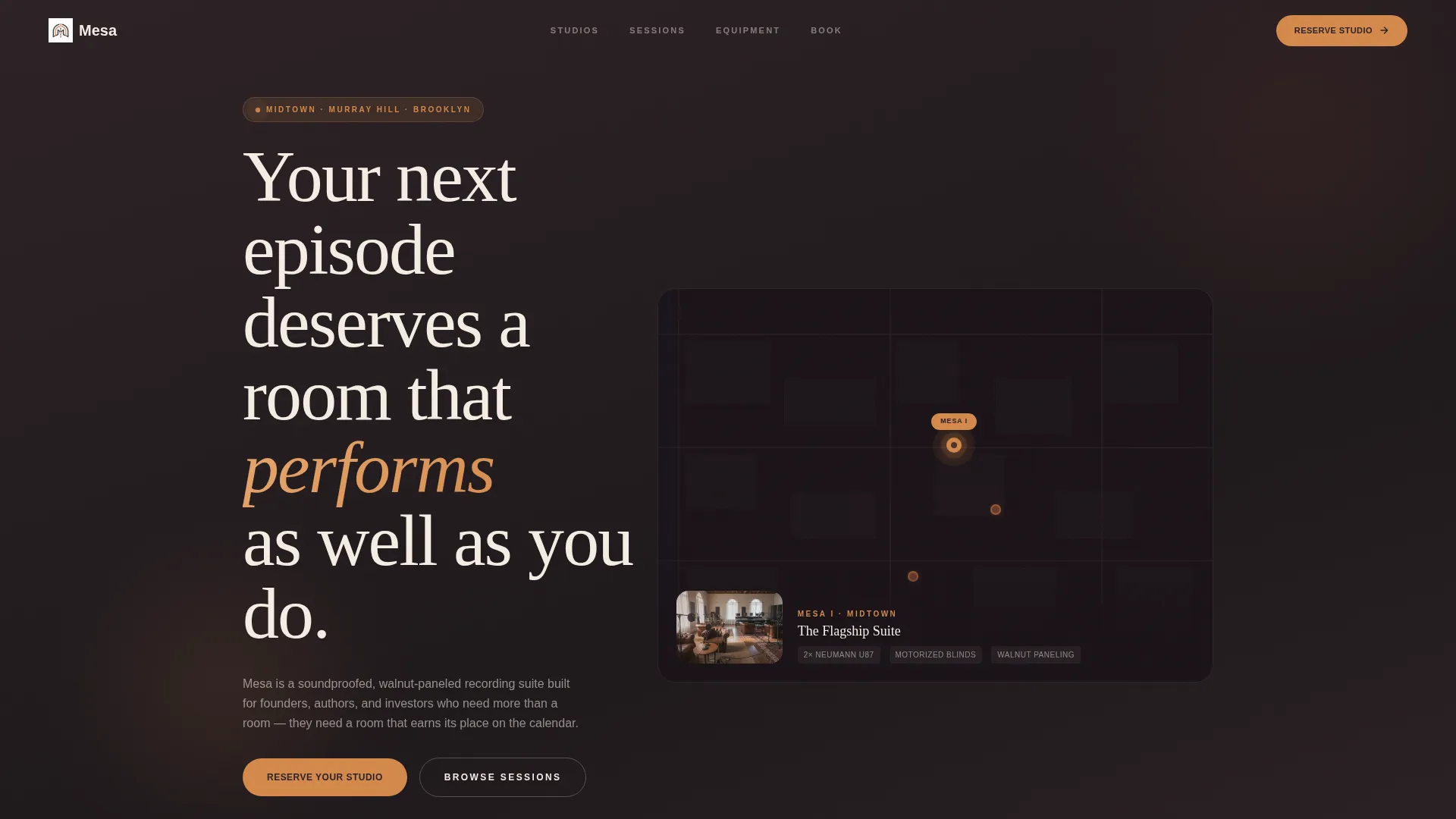
- A map-based header with glowing amber studio pins and a cinematic detail panel beside the selected location
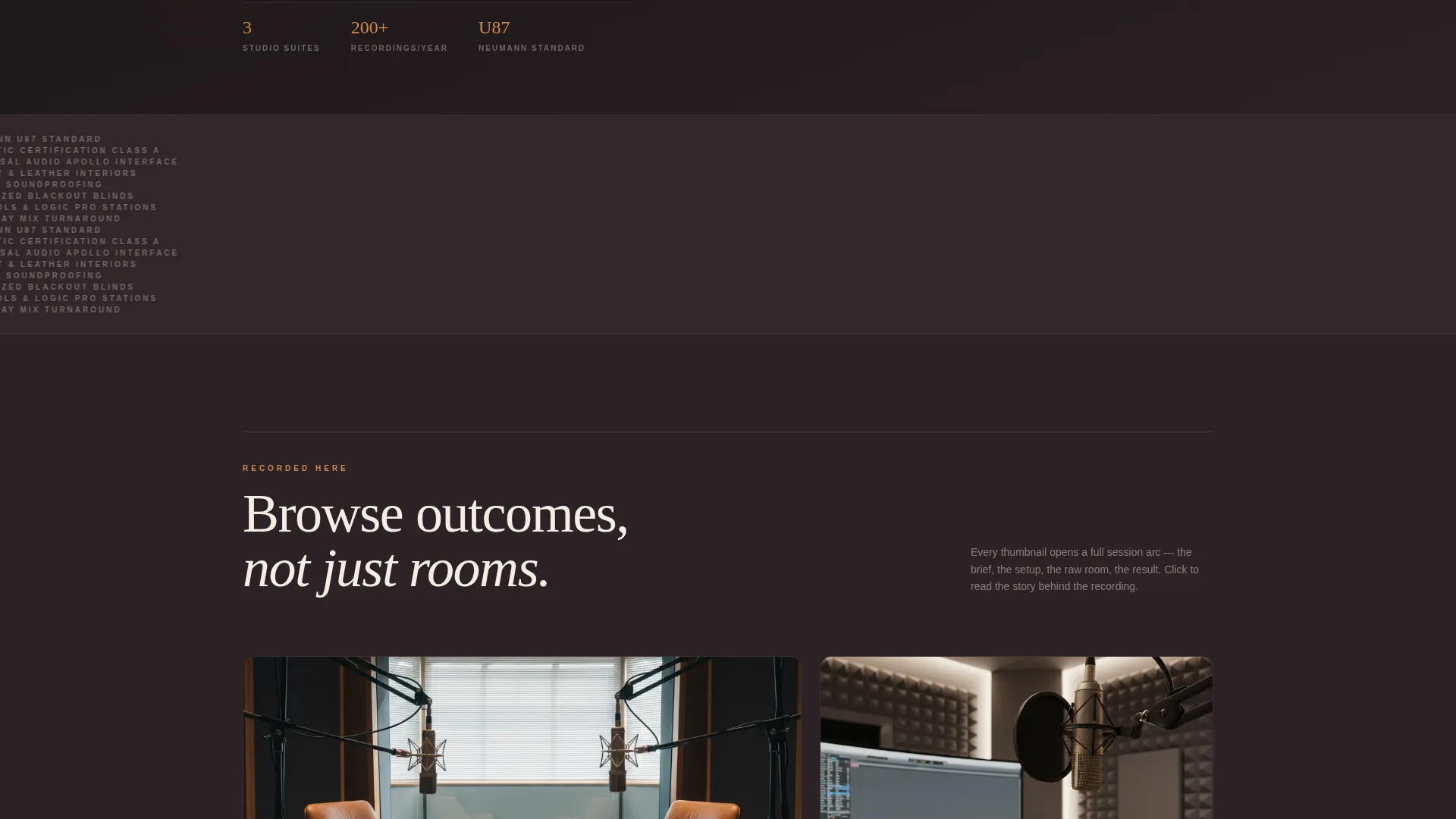
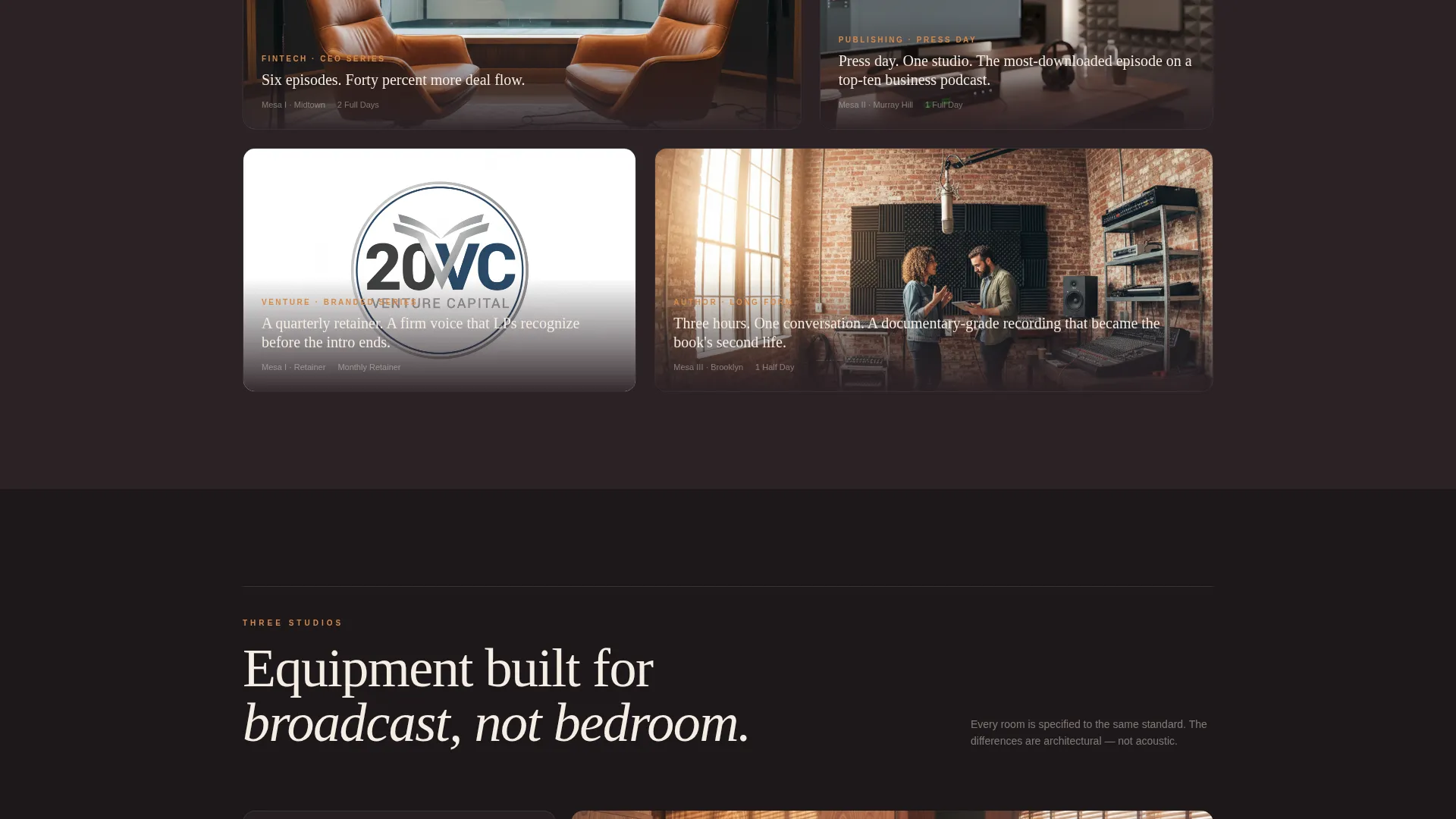
- A case study gallery where each thumbnail expands into a full session narrative covering brief, setup, photos, and results
- A three-step inline booking flow with live-availability calendar, package selection, and a stored-card option for returning clients
Feature list
This section covers the core interactive and visual capabilities built into the Mesa template.
Map-Based Studio Locator Header
The header renders an elegantly minimal city map in charcoal and sandstone. Studio locations appear as glowing amber pins, with one pin pulsing gently to indicate a pre-selected location. The adjacent detail panel shows a cinematic interior shot alongside the headline, creating an immediate sense of place and prestige.
Case Study Narrative Gallery
Clicking any gallery thumbnail does not simply enlarge a photo. It opens a full session story that scrolls through the brief, the studio setup, raw session photography, and measurable results. Stakes build progressively from single sessions through retainer clients to branded series productions.
Three-Step Inline Booking Flow
The primary call-to-action launches a self-contained booking sequence without redirecting the visitor. Step one selects a studio and date from a live-availability calendar. Step two chooses a session package from single block, half-day, full-day, or monthly retainer. Step three completes payment, with a stored-card option for returning clients.
Persistent Reserve Bar
After the visitor scrolls past the first section, a bottom bar appears and stays visible throughout the rest of the page. It holds the primary "Reserve Your Studio" call-to-action, keeping the path to booking always within reach without interrupting the narrative.
Studio Tour Capture Path
A secondary conversion path captures visitors who are interested but not yet ready to book. "Tour a Studio This Week" requires only an email address and a preferred location. This low-friction option keeps warm leads inside the funnel.
Sunset Mesa Visual Identity System
The full color system ships with the template. Deep sandstone, warm dusk amber, desert twilight charcoal, and bleached linen white are applied consistently across backgrounds, hover states, confirmation messages, and typography. The palette is purposeful: charcoal and sandstone anchor structure, amber activates interaction, and linen white gives text room to breathe.
Page sections overview
| Section | Purpose |
|---|---|
| Map Header | Locates studios visually and sets the cinematic first impression |
| Studio Detail Panel | Shows interior photography and the page headline beside the map |
| Case Study Gallery | Presents session outcomes as scrollable narrative stories |
| Session Story Detail | Expands each gallery item into brief, setup, photos, and results |
| Reserve Your Studio call to action | Opens the three-step inline booking flow inside the current page |
| Booking Step One | Studio and date selection via live-availability calendar |
| Booking Step Two | Package selection across four session types |
| Booking Step Three | Payment completion with stored-card option |
| Studio Tour Path | Secondary lead capture requiring only email and location |
| Persistent Bottom Bar | Keeps the primary booking call to action visible after first scroll |
Design & branding system
The Mesa template uses a Sunset Mesa color system that balances desert warmth with architectural restraint. Every color choice is intentional and mapped to a specific functional role on the page.
- Deep sandstone (#6B3A2A) and desert twilight charcoal (#2C2226) anchor backgrounds and structural elements
- Warm dusk amber (#D4894A) activates hover states, selected pins, and booking confirmation moments
- Bleached linen white (#F5EDE3) is reserved for typography, giving body text generous visual air against dark backgrounds
Mobile & speed optimization
The Mesa template is built to perform cleanly across screen sizes without sacrificing the cinematic detail that makes the experience feel executive-grade.
- The map locator, case study gallery, and booking flow are each structured for readable rendering on smaller screens
- The persistent bottom bar adapts to mobile viewport heights so the primary call-to-action remains accessible throughout scrolling
How this template helps you convert
Mesa is designed around a clear principle: the case studies do the selling, and the booking flow removes every remaining obstacle.
- The case study gallery replaces passive browsing with outcome-driven storytelling, using specific results like a 40% spike in inbound deal flow and a top-ten business podcast appearance to build conviction before any pricing decision is made.
- The three-step inline booking flow keeps the visitor on the same page from intent to payment, reducing drop-off by eliminating redirects and presenting only the next logical step at each stage.
Other information about this template
Mesa is categorized under the Space and Rental Platforms segment of the Real Estate and Property template collection. It is designed specifically for the artist loft and studio rental niche, with a visual and structural treatment that reaches further into executive and thought-leadership territory.
- The template style follows a zigzag and alternating layout rhythm that creates natural reading momentum through the case study section
- The design theme draws from an Atelier Studio sensibility, combining craft-oriented aesthetics with a formal, boardroom-level finish
- This landing page is well suited for operators positioning their studio as the preferred venue for quarterly thought-leadership series, press-day recording blocks, and branded podcast productions
Theme
Atelier Studio
Creative direction
Gallery Walk
Color system
Midnight Blue
Style
Zigzag/Alternating
Direction
Quiz/Assessment
Page Sections
Map-based Studio Locator
Case Study Narrative Gallery
Three-step Inline Booking Flow
Persistent Bottom Bar Call to Action
Studio Tour Lead Capture
Sunset Mesa Color System
Related questions
What types of studio clients is this template designed to attract?
Can the booking flow handle different session lengths and retainer arrangements?
How does the case study gallery work for first-time visitors?
Is there a path for visitors who are not ready to book immediately?
What does the map-based header show?



