Melody — Wedding Entertainment Landing Page Template
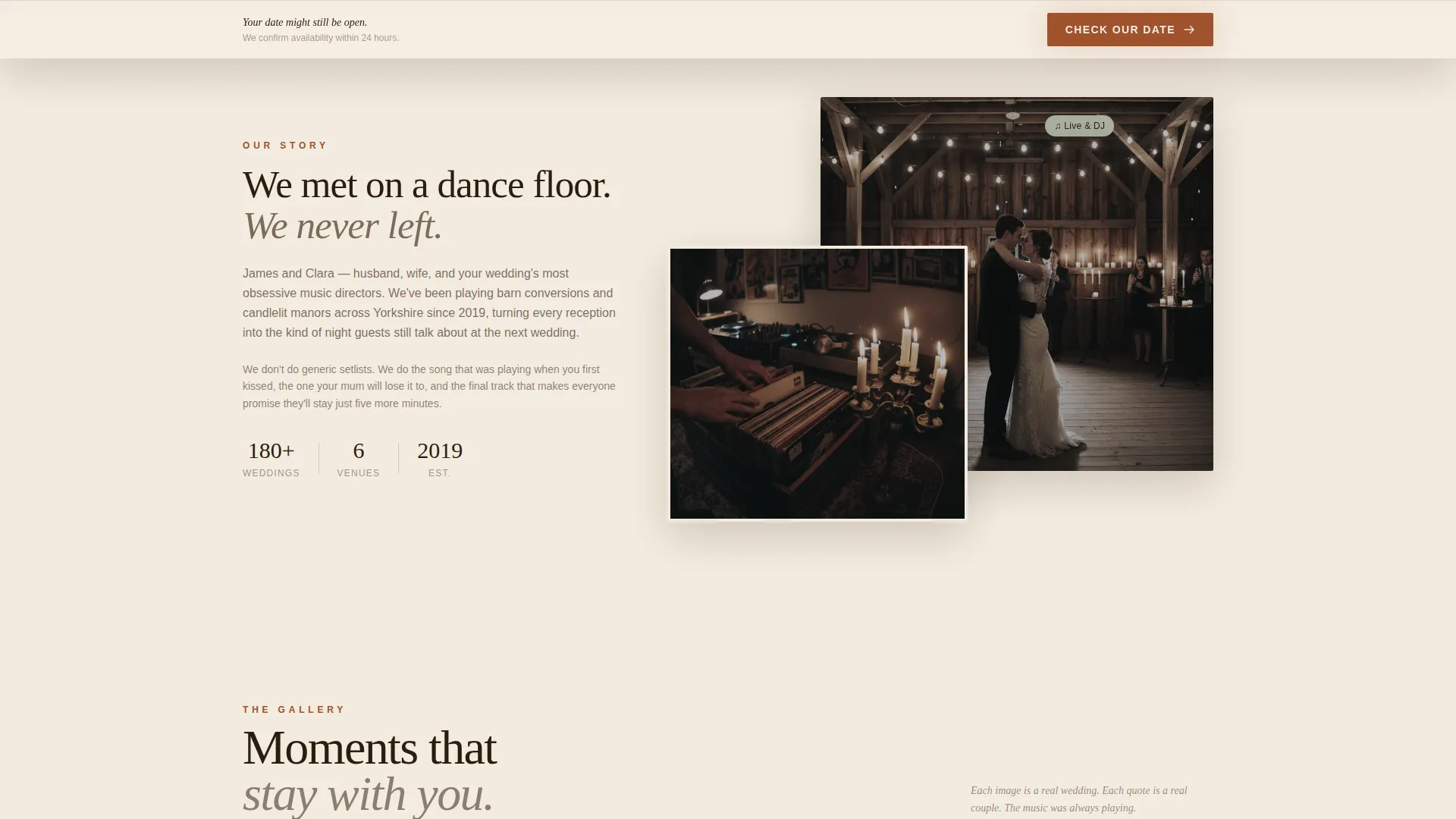
Serenade is a masonry-style landing page template built for winter wedding DJs and live bands. It pairs a Luxe Minimal design with a warm Parchment and Rust color system to recreate the feeling of a candlelit barn reception. The page guides newly engaged couples from first impression to booking inquiry through atmospheric visuals, pull-quote cards, and a two-step availability form.
by Rocket studio
Quick summary
Serenade is a single-page, masonry-layout template designed for a husband-and-wife winter wedding DJ and band duo. It blends editorial photography, looping video clips, and pull-quote cards into a scrollable experience that feels less like a service page and more like a wedding album still playing its soundtrack. The primary goal is availability bookings, with a secondary lead path for email capture.
Who this template is for
This template is built for creative wedding music vendors who want their page to feel as memorable as the events they perform at. It speaks directly to the couples and planners who will book them.
- Winter wedding DJs and live bands, particularly husband-and-wife performance duos
- Newly engaged couples actively scouting music vendors between venue tours and tastings
- Wedding planners coordinating first-dance cues, string-light installations, and full reception timelines
What problem this template solves
Most music vendor pages lead with track listings and pricing tables. That approach falls flat for couples who are choosing a feeling, not just a function. Serenade removes that friction.
- Generic vendor pages fail to convey atmosphere, which is the core product a wedding DJ or band actually sells
- Couples browsing between tastings need an emotional hook fast, not a wall of text or a hidden contact form
- Vendors lose warm leads when there is no low-commitment path for couples who are not ready to book yet
What you get with this template
Serenade delivers a fully art-directed single-page layout with every section pre-built and ready to personalize. The visual and structural work is already done.
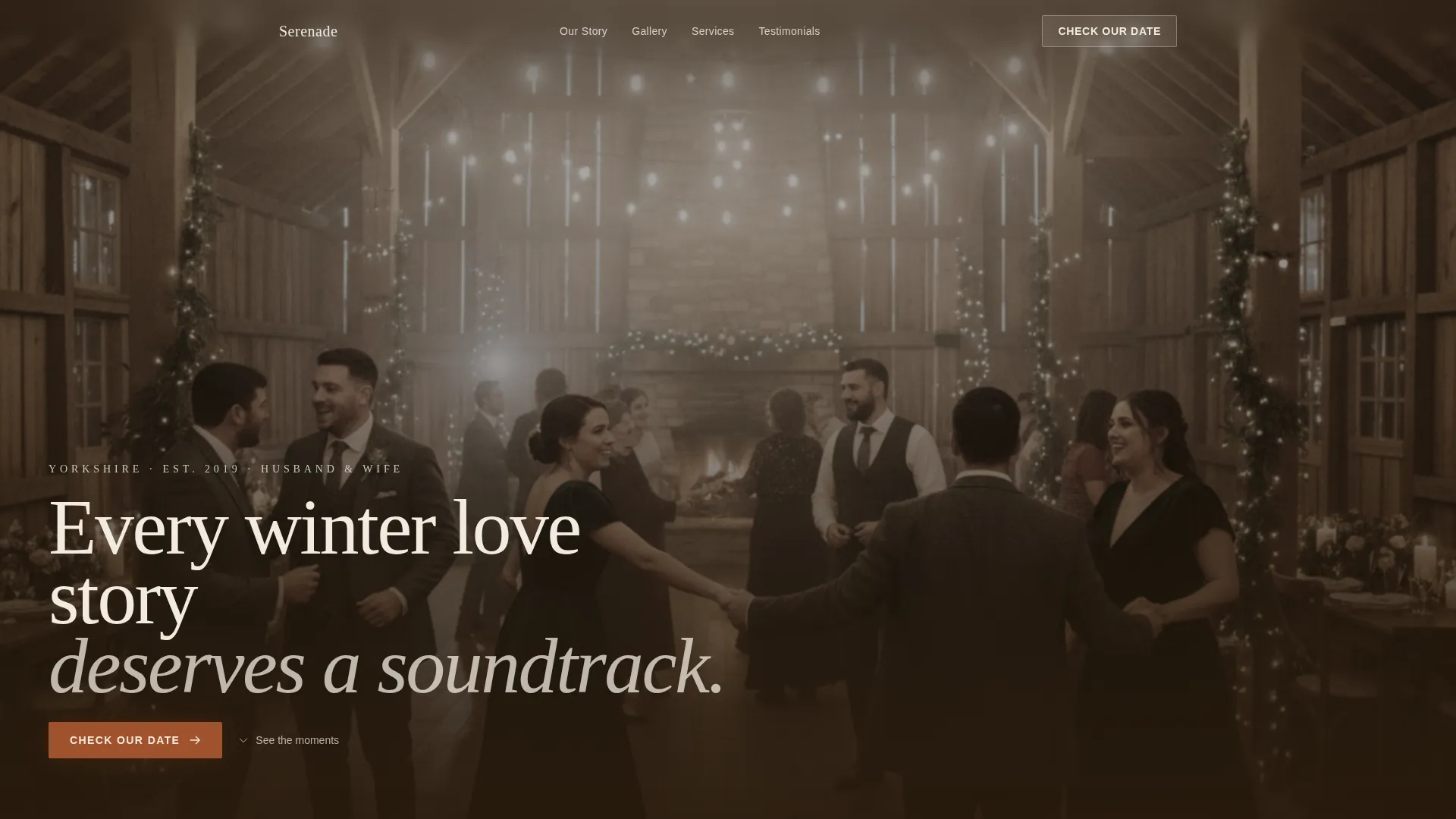
- A full-viewport hero section with a seasonal barn reception photograph and a serif headline overlay
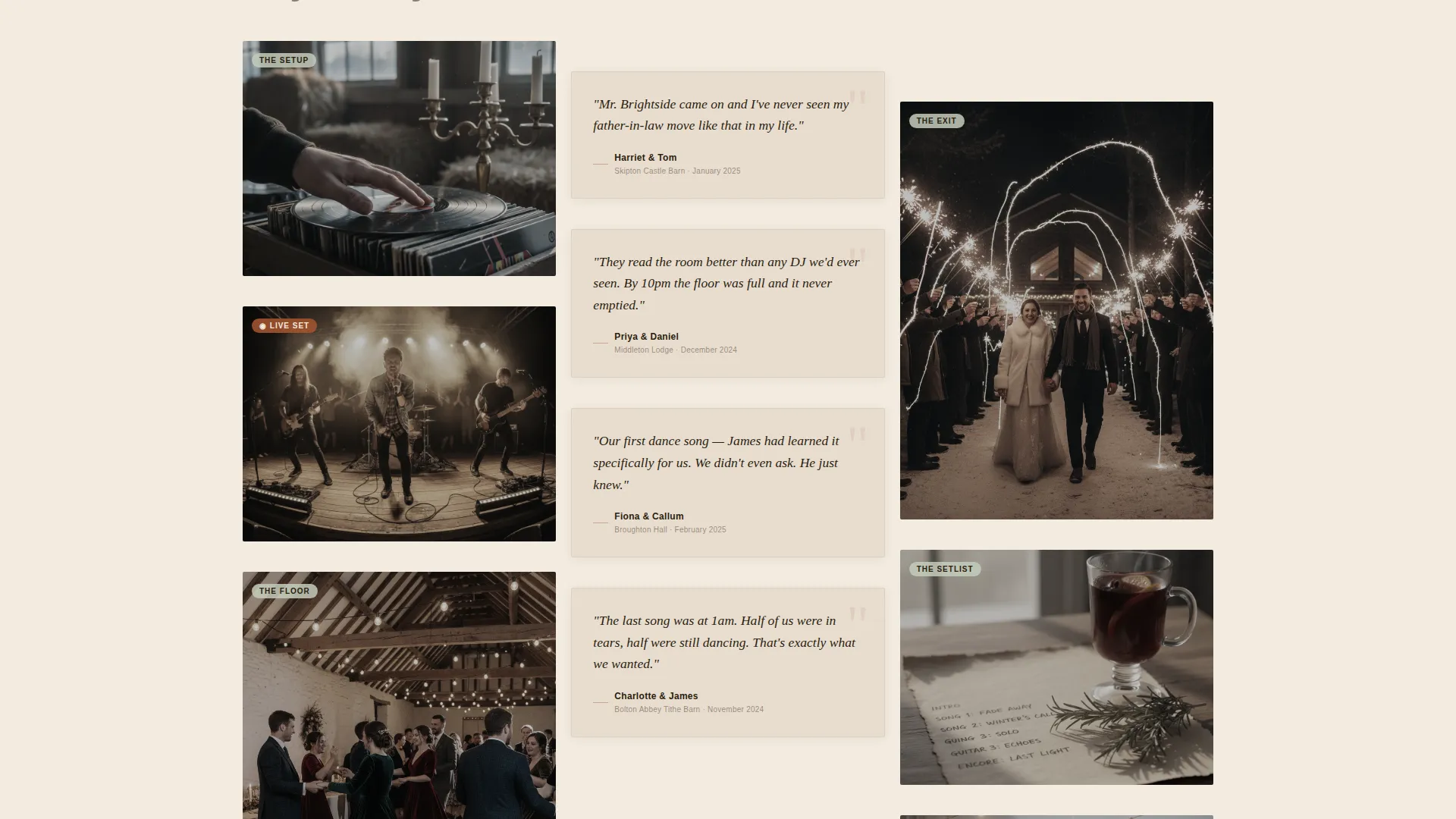
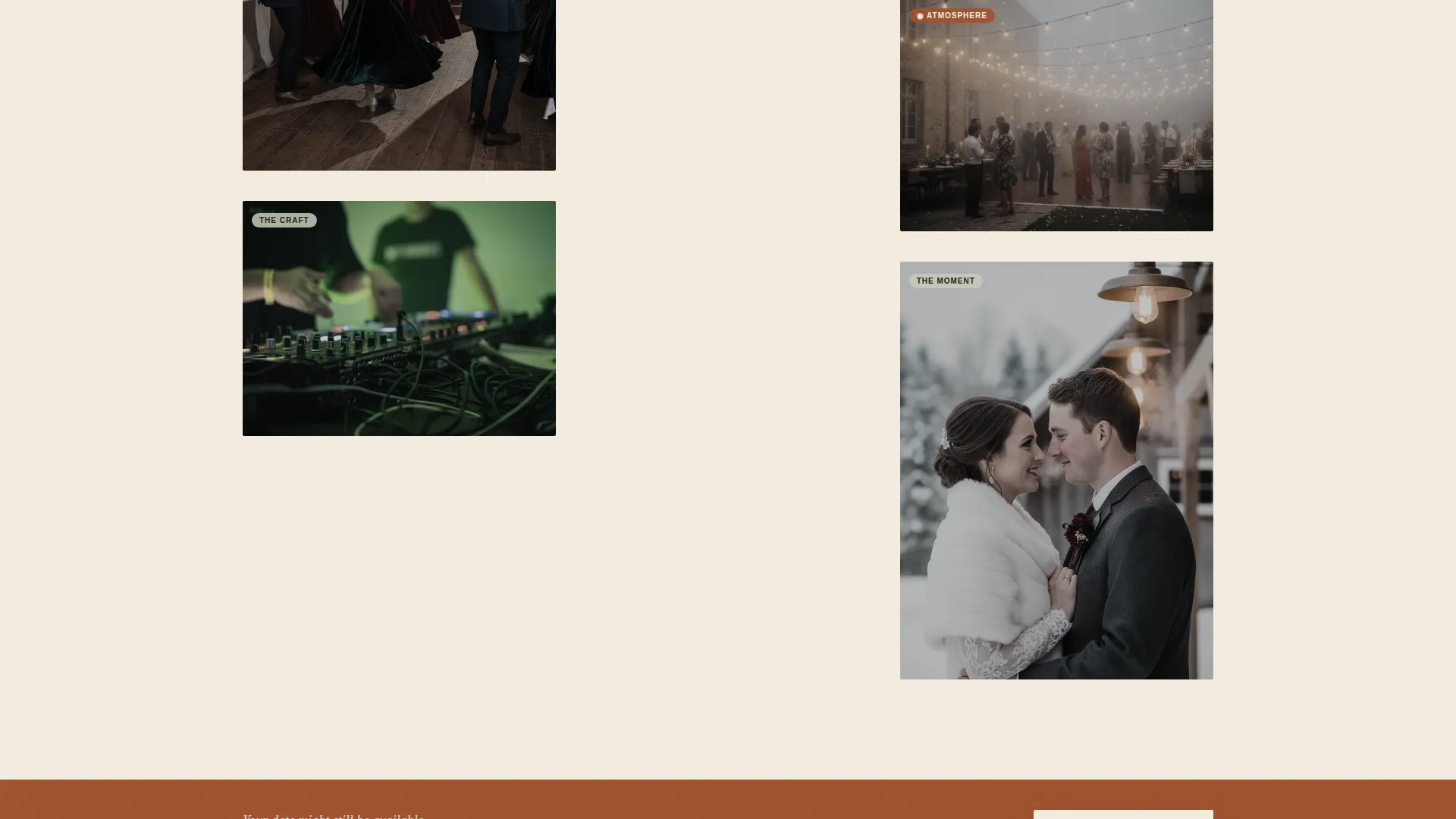
- A scrollable masonry grid mixing still photography, looping video clips, and italic pull-quote cards on parchment blocks
- A two-step booking form (date picker plus venue postcode, then music style preference and first-dance song field) and a PDF lead-capture path for the "Winter Wedding Music Planning Guide"
Feature list
This template packs its core value into purpose-built sections and interaction patterns, each grounded in the brief below.
Full-Viewport Seasonal Hero
The header fills the entire screen with an editorial-style winter reception photograph. A single serif headline fades in over the lower third, setting the atmospheric tone before the visitor scrolls a single pixel.
Masonry Card Grid
Cards alternate between still photographs, short looping video clips showing visible breath and warm amber light, and pull-quotes from real couples set in italic serif type over parchment-colored blocks. Each row deepens the mood rather than simply presenting more information.
Pinned Availability Call to Action
A "Check Our Date" button in rust on cream stays gently anchored at the bottom of the viewport throughout the scroll. The same call to action repeats after every third masonry row so the booking prompt never feels far away.
Two-Step Booking Form
Clicking the primary call to action opens a two-panel form. The first step collects a calendar date and venue postcode. The second step asks for music style preference (curated playlist, live band, or DJ-band hybrid) and a free-text field for the couple's first-dance song.
PDF Lead Capture Path
A secondary conversion path invites visitors to download a "Winter Wedding Music Planning Guide" in exchange for their email address. This catches couples who are still months away from a firm booking decision.
Pull-Quote Moment Cards
Couple testimonials are presented as visual cards, not lists. Each quote sits in italic serif type over a parchment block inside the masonry grid, giving social proof the same editorial weight as the photography.
Page sections overview
| Section | Purpose |
|---|---|
| Full-viewport hero | Opens the page with a cinematic winter reception image and a fade-in serif headline |
| Masonry card grid | Scrollable mix of photography, looping video clips, and couple pull-quotes |
| Pinned booking button | Keeps the "Check Our Date" call to action visible throughout the scroll |
| Repeated call to action rows | Reinserts the booking prompt after every third masonry row |
| Two-step booking form | Collects date, venue postcode, music style preference, and first-dance song |
| PDF lead capture | Secondary email-capture offer for the Winter Wedding Music Planning Guide |
Design & branding system
The visual identity follows a Luxe Minimal theme built entirely around the Parchment and Rust color system. Every color has a specific structural role, so the page reads with clear hierarchy even without bold headers or grid lines.
- Aged linen cream (#F3ECE0) dominates the canvas as the primary background, deep hearthside rust (#A0522D) marks all buttons and section dividers, and charred timber (#2B1D0E) anchors all body text
- Frozen sage (#C4CCBC) appears only in tags, icon states, and hover effects, used sparingly like a sprig of rosemary tucked into a place setting
- Typography is serif-led for headlines and pull-quotes, reinforcing the hand-lettered invitation aesthetic that runs through the entire design
Mobile & speed optimization
The masonry layout is structured to reflow cleanly on smaller screens without losing the atmospheric quality that makes the template work. Cards stack naturally in a single column on mobile while preserving image proportions and quote legibility.
- Looping video clips are used only within the masonry grid, keeping them contextually contained rather than auto-playing across the entire page
- The pinned booking button remains accessible on mobile, sitting at the bottom of the viewport without obscuring the content above it
How this template helps you convert
Serenade is built around a booking-first conversion strategy. Every design and layout decision serves the goal of moving a curious visitor toward an availability inquiry or an email capture.
- The pinned "Check Our Date" button and its repetition after every third row mean a motivated couple never has to scroll back to find the next step, reducing drop-off at the decision moment.
- The two-step form lowers perceived commitment by asking for a date and postcode first, then gathering style preferences in a second panel, making each step feel small and easy to complete.
- The PDF lead-capture path catches couples who are not ready to book, turning a lost exit into a warm email lead with a genuine, useful resource.
Other information about this template
Serenade is part of a broader Wedding and Events template category designed around niche vendor storytelling. A few additional details worth knowing before you customize and launch.
- The template is single-page in structure, making it straightforward to publish and maintain without a multi-page site setup
- No pricing is displayed anywhere on the page by design; the follow-up call within 24 hours is the intended next step after an availability confirmation
- The "Winter Wedding Music Planning Guide" PDF referenced in the lead-capture section is a content asset you create and supply; the template provides the form structure and opt-in flow
- The color values are pre-defined in the design system: cream #F3ECE0, rust #A0522D, timber #2B1D0E, and sage #C4CCBC
Theme
Luxe Minimal
Creative direction
Atmosphere & Mood
Color system
Parchment & Rust
Style
Masonry/Pinterest
Direction
Booking/Scheduling
Page Sections
Full-viewport Seasonal Hero Header
Atmospheric Masonry Card Grid
Pinned Booking Call to Action
Two-step Availability Form
PDF Lead Capture Section
Editorial Pull-quote Cards
Related questions
Is this template suitable for a solo DJ, or only for a duo act?
Does the template include the PDF guide content?
How does the two-step booking form work?
Can I add pricing to the page?
Can the masonry grid include only photographs, without video clips?



