D2C Brand Intelligence Landing Page Template
Masthead is a hub and spoke landing page template built for a monthly direct-to-consumer brand intelligence publication. It uses a cinematic dark editorial design, an anchor navigation system, and a five-question diagnostic modal to convert brand operators and growth marketers into subscribers through intellectual escalation rather than hard selling.
by Rocket studio
Quick summary
Masthead is a single-page, anchor-navigated landing page template for a monthly direct-to-consumer brand intelligence briefing. It layers a cinematic dark editorial aesthetic over a conversion architecture built on intellectual escalation. The primary conversion is a five-question brand operator diagnostic. A free issue read path provides a secondary entry point for visitors who want proof before committing.
Who this template is for
This template is designed for publishers, media operators, and editorial teams running conviction-grade subscription products in the direct-to-consumer intelligence space. It speaks directly to readers who have outgrown surface-level content and need a landing page that signals depth before the visitor reads a single word of the publication itself.
- Direct-to-consumer brand operators running seven-figure Shopify stores who need a subscriber acquisition page that matches their analytical standard
- Growth marketers and venture associates who evaluate media products by the rigor of the methodology on display
- Editorial founders launching or repositioning a paid newsletter or briefing in the brand intelligence category
What problem this template solves
Most editorial and newsletter landing pages underperform because they describe the publication rather than demonstrate it. Visitors leave unconvinced because they never feel the weight of what they would be missing. Masthead solves this with a deliberate narrative escalation structure.
- Shallow landing pages fail to communicate depth, leaving operators who make real capital decisions with no reason to subscribe
- Generic newsletter templates lack the visual authority needed to position a premium intelligence product at a credible price point
- Standard call-to-action flows ask for commitment before delivering enough proof, causing high drop-off among analytical, skeptical readers
What you get with this template
This template delivers a fully structured hub and spoke landing page with five named editorial sections, a sticky anchor navigation bar, and two distinct conversion paths. Every component is designed around the editorial magazine aesthetic described in the brief.
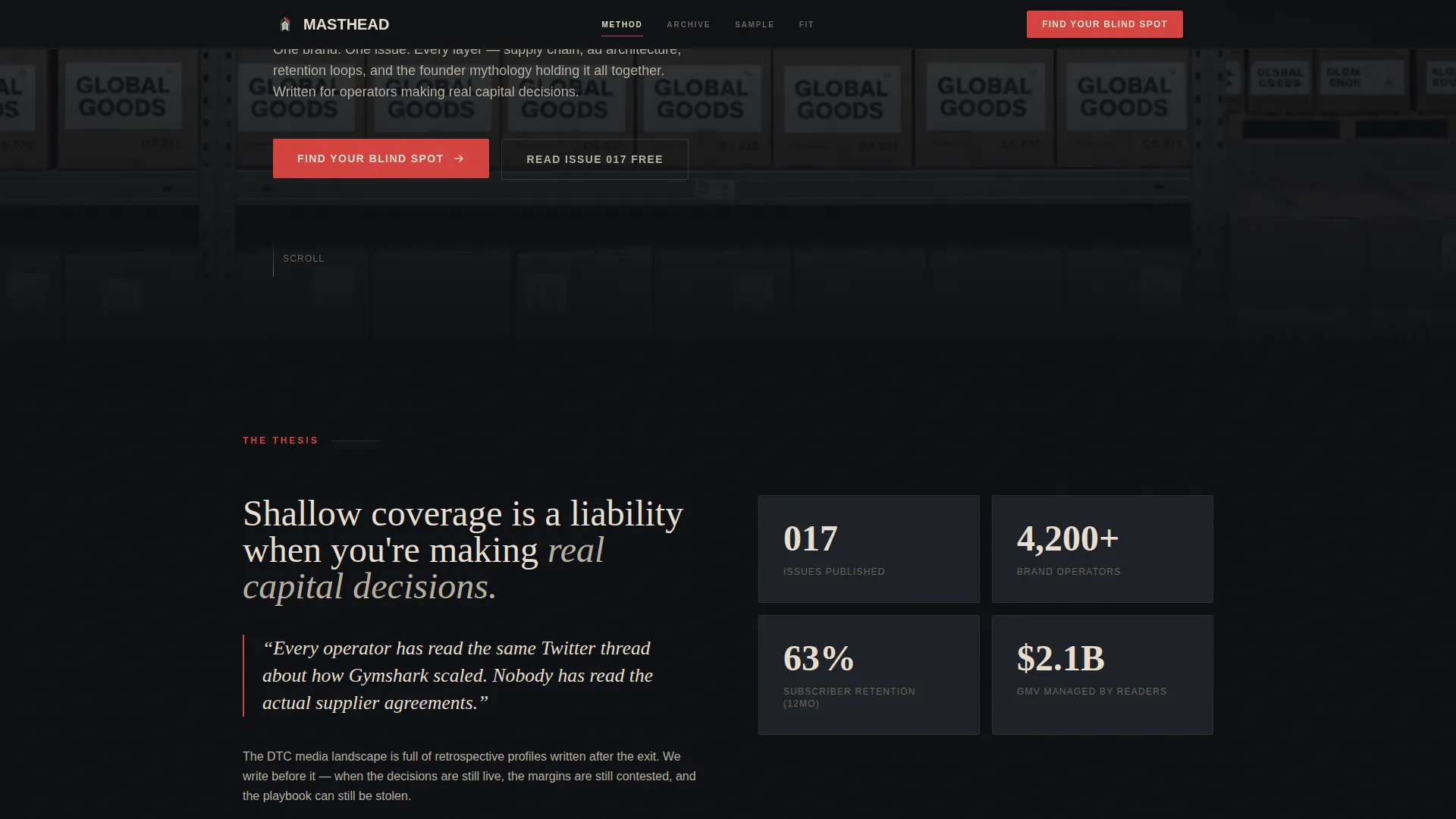
- A full-viewport cinematic hero with a Type Over Image headline composition, a red issue number anchor, and dual call-to-action placement
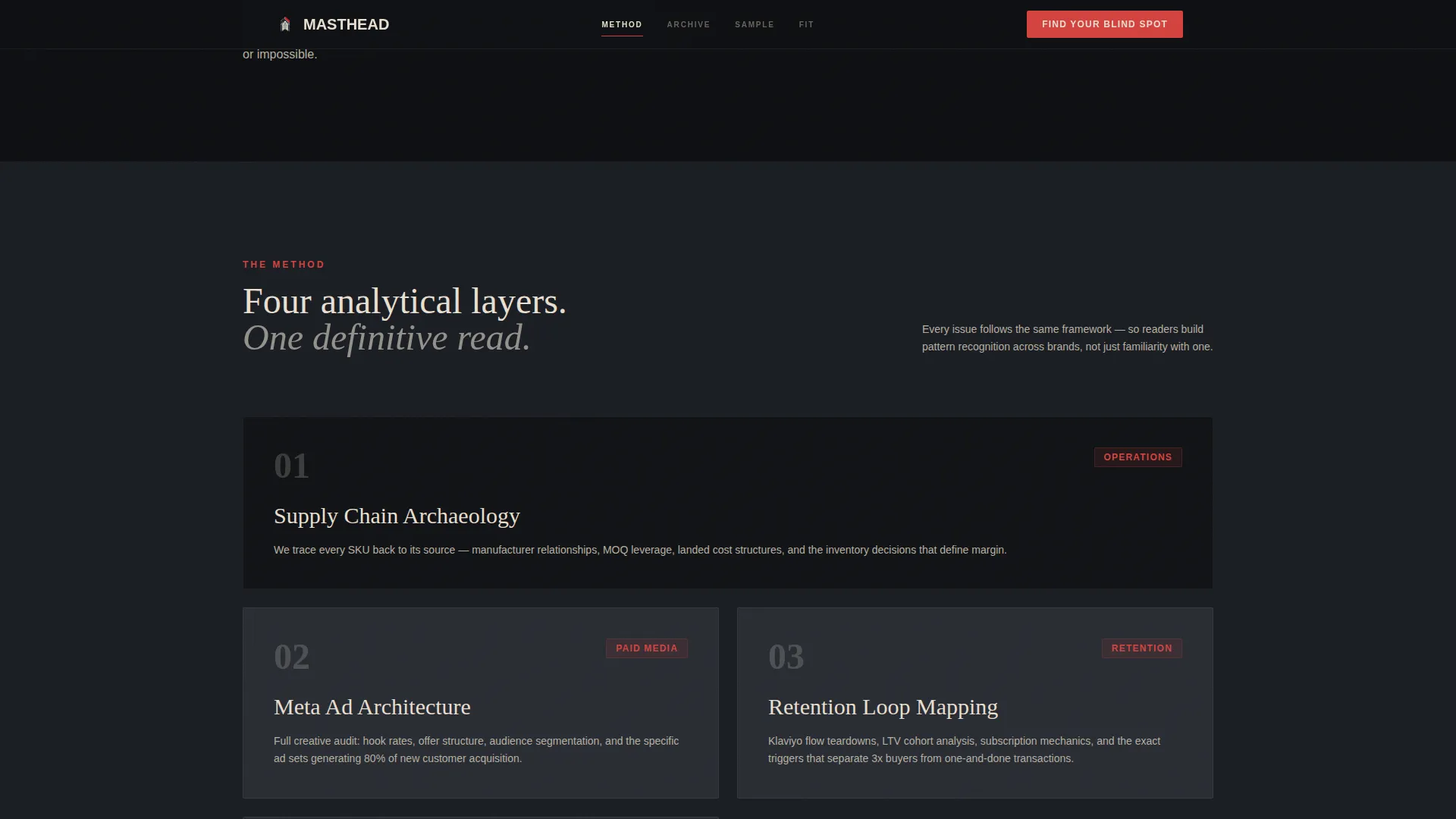
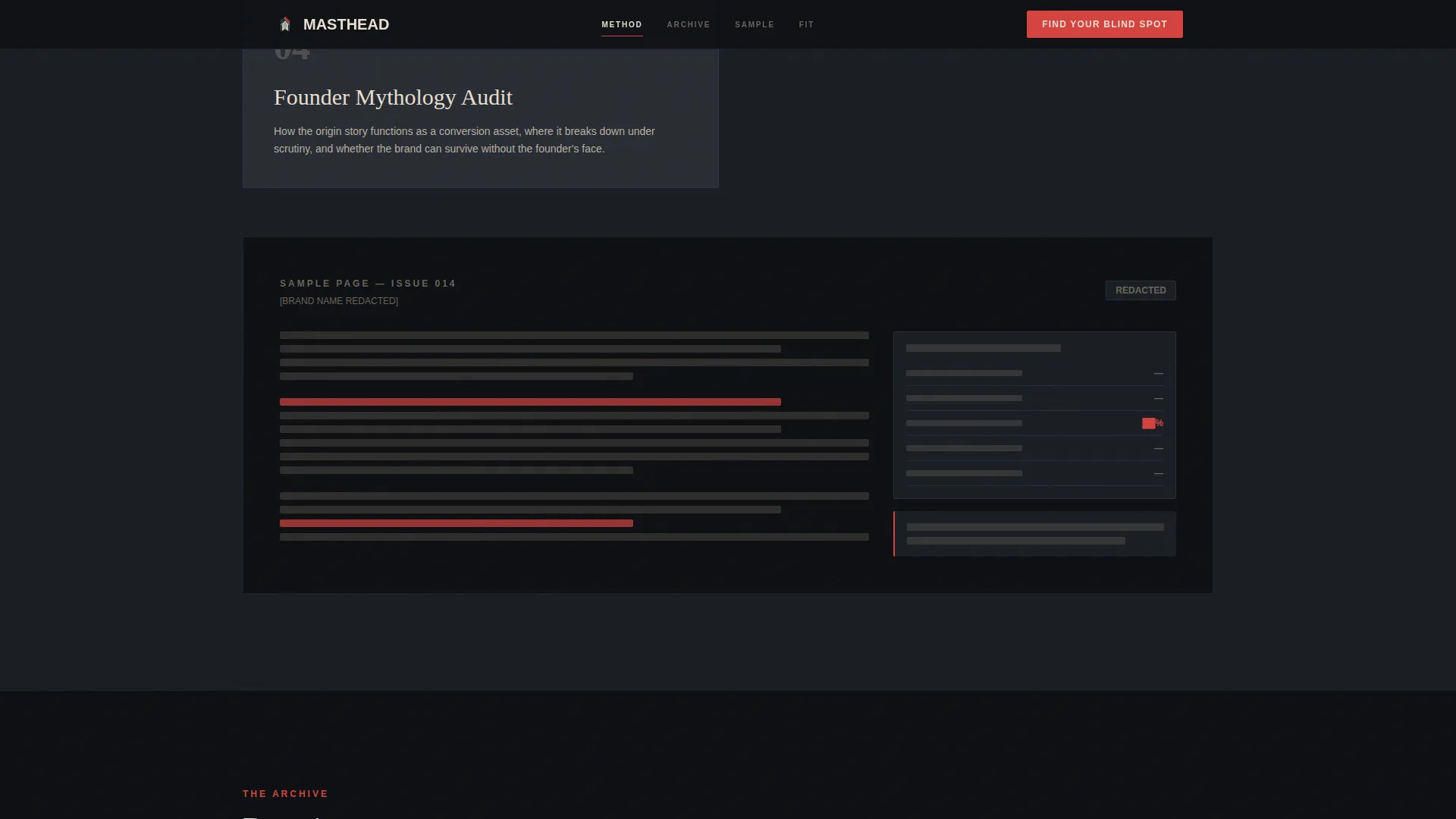
- A METHOD spoke with a redacted sample page bento layout, an ARCHIVE spoke with a horizontal scroll of past issue covers, a SAMPLE spoke with a progressive blur depth reveal, and a FIT spoke housing the diagnostic modal
- A five-step "What's Your Blind Spot?" diagnostic modal with email capture and a results gate, plus a minimal single-row editorial footer
Feature list
This section breaks down the core functional and visual capabilities included in the template, all grounded in the source brief.
Full-Viewport Cinematic Hero Section
The hero fills the entire viewport with a desaturated, high-contrast warehouse photograph. A 12 viewport-width serif headline reads "You Know The Brand. You Don't Know The Machine." set in parchment tone with a multiply blend mode so the type feels printed onto the image. A projection-red issue number and dual call-to-action buttons complete the opening composition.
Sticky Anchor Navigation Bar
A persistent navigation bar pins to the top of the viewport on scroll, linking to the four spoke sections: METHOD, ARCHIVE, SAMPLE, and FIT. Navigation highlights use the projection-red accent, making active and hover states visually decisive without disrupting the dark editorial palette.
Five-Step Diagnostic Modal with Email Gate
The primary conversion mechanism is a five-question brand operator diagnostic titled "What's Your Blind Spot?" Questions cover revenue band, primary channel mix, biggest margin leak, current analytics stack, and competitive intelligence willingness. Results are gated behind an email capture field with a micro-commitment confirmation line, delivering a tailored free issue alongside the diagnostic output.
Horizontal Scroll Archive Spoke
The ARCHIVE section presents past issue covers in a horizontal scroll layout. Each card displays the brand logo and a key finding pulled from that issue, using past issue count as a credibility signal. The layout supports browsable proof of publication depth without requiring the visitor to leave the page.
Progressive Blur Depth Reveal in Sample Spoke
The SAMPLE spoke shows a free excerpt from the current issue. Content depth is communicated visually through a progressive blur that obscures the lower portion of the excerpt, implying that what is visible is only the surface. An inline call-to-action button appears within the blurred zone to convert readers at the moment of maximum curiosity.
Scroll-Linked Animation and Interactivity System
The template is built for high animation fidelity. Scroll-linked reveals, stagger transitions, cursor parallax on the hero, a tab switcher in the METHOD spoke, and the five-step modal state machine are all specified as part of the interactive layer. Static sections use server components while interactive elements operate as client components.
Page sections overview
| Section | Purpose |
|---|---|
| Hero Header | Cinematic headline, issue anchor, dual call to action |
| METHOD Spoke | Analytical framework reveal with redacted sample bento |
| ARCHIVE Spoke | Horizontal scroll of past issue covers and key findings |
| SAMPLE Spoke | Free excerpt with progressive blur and inline call to action |
| FIT Diagnostic | Five-question modal with email gate and results delivery |
| Editorial Footer | Minimal single-row footer with linear layout |
Design & branding system
The visual identity follows an Editorial Magazine theme with a Cinematic Dark color system. The palette is deliberately restrained, drawing authority from what is withheld rather than what is displayed. Typography pairs a serif headline face with a clean sans-serif for interface and body text, creating the reading weight of a thick print magazine.
- Color palette: midnight black (#0D0F12) backgrounds, matte charcoal (#1A1D23) card surfaces, warm parchment (#E8DFD0) for body text and pull quotes, and projection-red (#D4423E) reserved strictly for navigation highlights, issue numbers, and call-to-action states
- Typography: Fraunces handles all serif headline work; DM Sans handles body copy, labels, and interface elements
- Visual reference is a Criterion Collection title card: authoritative, unhurried, designed for readers who treat reading as a deliberate act
Mobile & speed optimization
The template is specified as desktop-first, reflecting the long-form editorial reading experience at the core of the publication. The layout is fully responsive so mobile visitors receive a coherent experience. Performance architecture separates static and interactive rendering responsibilities.
- Desktop-first layout prioritizes the immersive reading and scroll experience that the editorial concept demands
- Server components handle static content sections to keep the initial render lean; client components manage the diagnostic modal, progressive blur reveal, and horizontal scroll interactions
- Fully responsive design ensures the anchor navigation, hero composition, and spoke sections adapt cleanly to smaller viewports
How this template helps you convert
Every structural decision in this template is made to move visitors from skepticism to subscription through demonstrated intelligence rather than persuasion copy.
- The hero creates immediate editorial authority with a cinematic composition and a provocative headline, then offers two paths forward so visitors with different levels of readiness both have a clear next step.
- The METHOD, ARCHIVE, and SAMPLE spokes escalate proof progressively, each section revealing a deeper layer of the publication's analytical rigor until the visitor feels the discomfort of not subscribing.
- The "What's Your Blind Spot?" diagnostic earns the email capture by making visitors confront operational blind spots question by question, converting curiosity into a personal reason to subscribe.
Other information about this template
This template was built specifically for the direct-to-consumer brand intelligence category, where the publication product itself is the proof of value. Several additional details are worth noting for teams evaluating this template.
- Localization is set to English (United States), with USD currency formatting and MM/DD/YYYY date display
- The diagnostic modal uses smart defaults at each step, reducing friction without sacrificing the five-question depth that makes results feel meaningful
- Social proof is handled editorially through past issue brand logos, key findings as pull quotes, and the issue count (017) as a visible credibility signal rather than testimonial widgets
- The footer follows Pattern 1, a linear single-row layout, keeping the close of the page as minimal and deliberate as the editorial tone demands
- The template is categorized under Blog and Editorial, within the direct-to-consumer brand newsletter subcategory, positioned for the monthly brand deep dive niche

Theme
Editorial Magazine
Creative direction
Vision & Mission
Color system
Cinematic Dark
Style
Hub & Spoke (Anchor Nav)
Direction
Quiz/Assessment
Page Sections
Cinematic Type Over Image Hero
Sticky Anchor Navigation Bar
Five-step Diagnostic Modal with Email Gate
Horizontal Scroll Archive Section
Progressive Blur Depth Reveal
Scroll-linked Animation and State Machine
Related questions
What conversion paths does this landing page template include?
Who is the target reader this landing page is designed to attract?
How does the diagnostic modal work?
Can this template be used for a newsletter or subscription briefing outside the direct-to-consumer space?
What does the ARCHIVE section display?