Hospitality Software Professional Website Template
Concierge is a split-screen hospitality landing page template built for property management platforms. It pairs a bold headline and gold call-to-action against a deep navy dashboard mockup, guiding hotel owners, resort operators, and short-term rental managers toward a live demo. The Interactive Explorer layout proves platform depth through clicks, toggles, and hover states rather than paragraphs.
by Rocket studio
Quick summary
Concierge is a single-page, split-screen landing page template designed for hospitality property management platforms. It opens with a scrolling logo bar, drops into a 50/50 hero, and guides visitors through interactive sections that reveal portfolio, property, and room-level detail. Every element points toward one goal: getting visitors into a live sandbox demo.
Who this template is for
This template speaks directly to operators who manage real properties and need software that matches their complexity. It is built for teams that have outgrown spreadsheets and need a landing page that reflects the sophistication of their platform.
- Independent hotel owners managing multiple properties from a single device
- Resort management companies onboarding new locations at scale
- Short-term rental operators who have moved beyond manual tracking tools
What problem this template solves
Most hospitality software landing pages overwhelm visitors with feature lists or undersell the product with static screenshots. Concierge solves both problems. It lets the interface speak through interaction, so visitors feel the platform's depth before reading a single explanatory paragraph.
- Visitors leave without understanding what the platform actually does or feels like
- Static pages fail to convey real-time data, occupancy tracking, or multi-property control
- Generic templates do not reflect the polished, always-on nature of hospitality operations
What you get with this template
You get a complete, ready-to-customize single-page layout built around the hospitality property management use case. Every section is purposeful, every interaction is intentional, and the visual system is already set up to match a professional dashboard product.
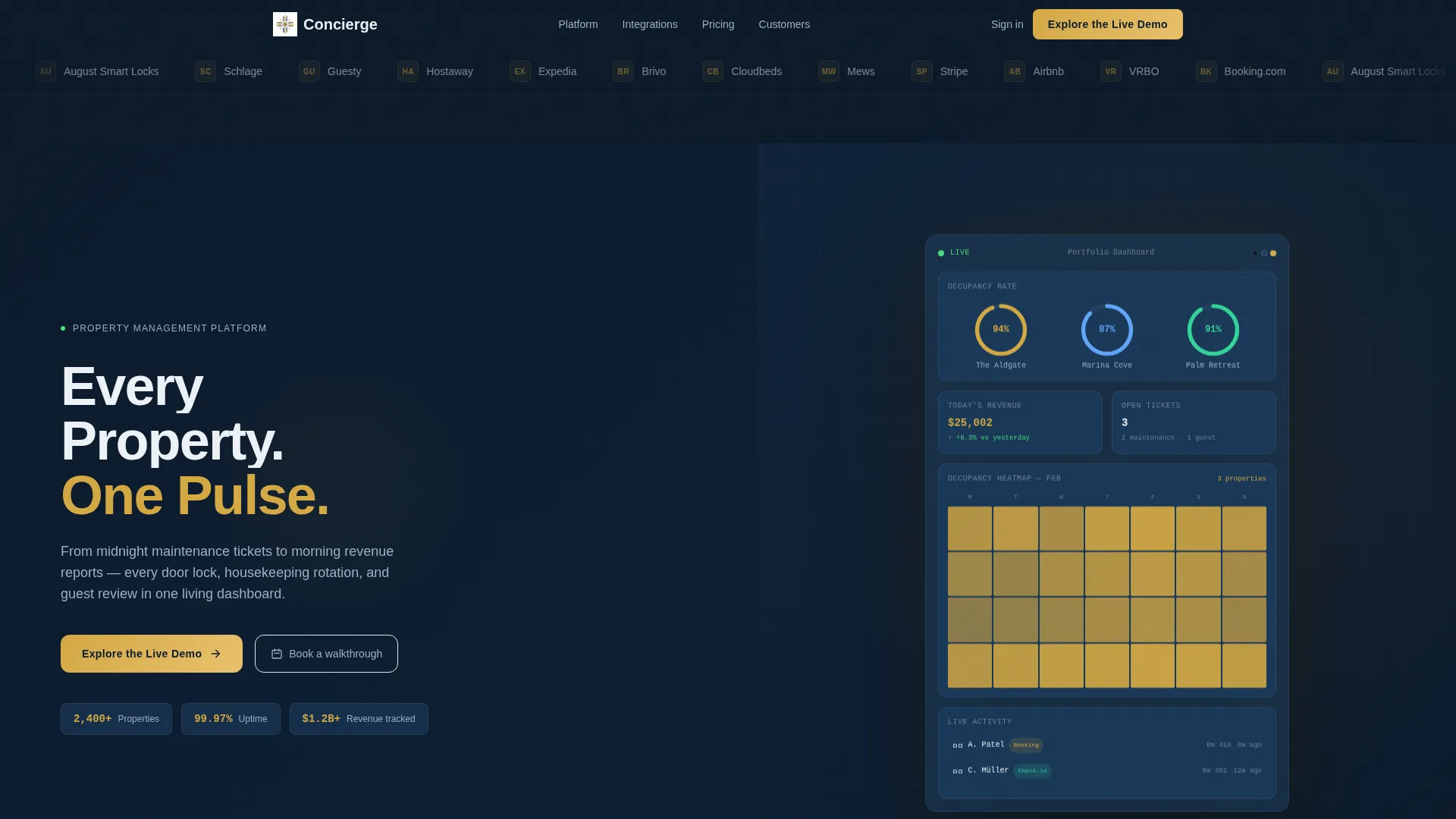
- A split-screen hero with a live dashboard mockup, occupancy gauges, booking feeds, and a calendar heatmap
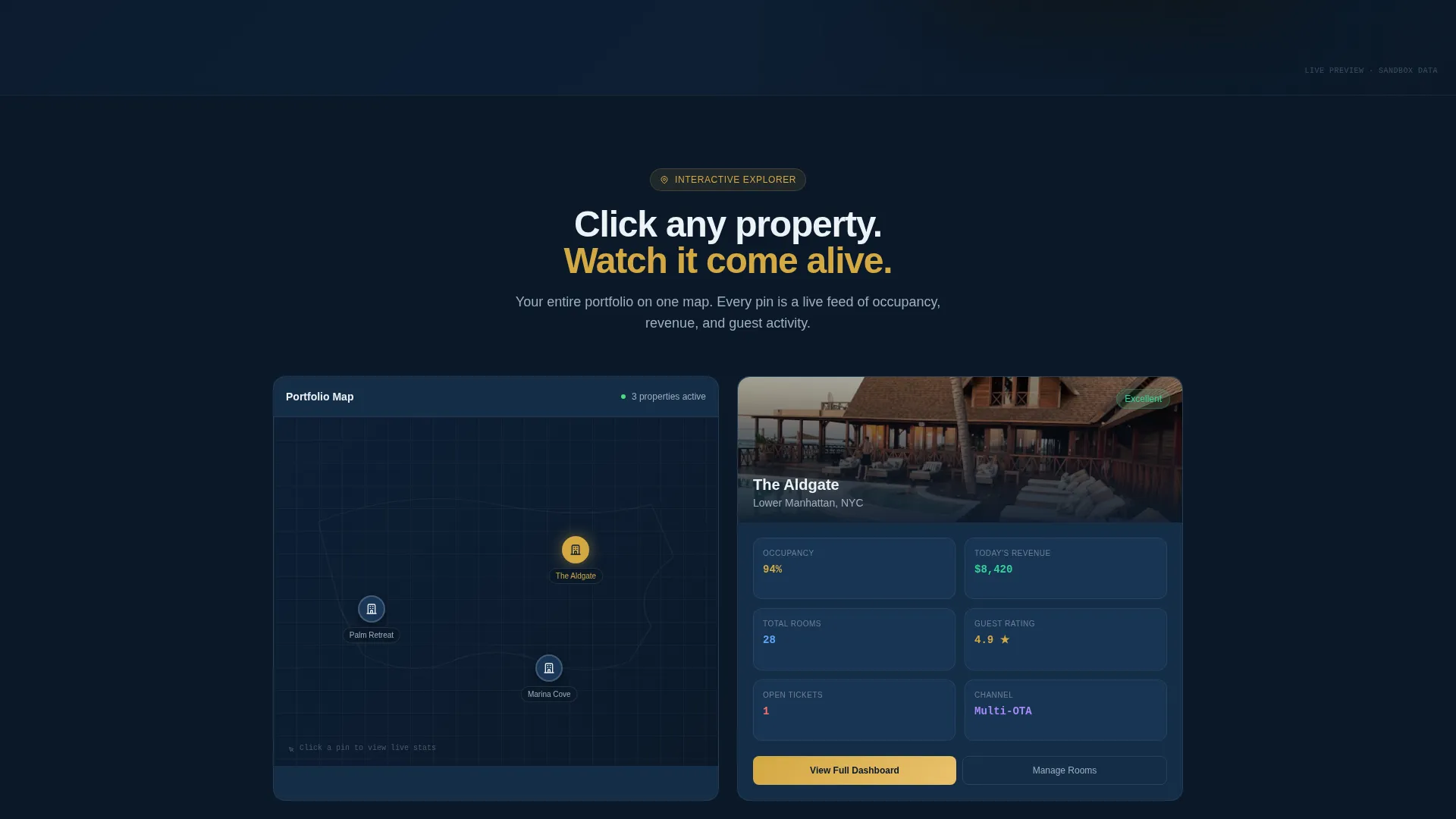
- An Interactive Explorer scroll flow with clickable property map pins, a view-toggle section, and layered drill-down from portfolio to room level
- A three-point call-to-action system including a sticky bottom bar that activates after 40 percent scroll depth
Feature list
This template includes a focused set of components designed to build trust and drive demo clicks across every scroll position.
Scrolling Logo Bar Header
A horizontal ribbon of hospitality brand logos and integration partner marks scrolls at an unhurried pace across the top of the page. It establishes platform credibility before the headline even loads.
Split-Screen Hero Section
The viewport divides into two equal halves. The left side holds the bold headline "Every Property. One Pulse." with a subline and a gold call-to-action button. The right side displays an animated dashboard mockup with live-feeling data.
Interactive Property Map
A clickable map lets visitors select a property pin. Clicking a pin populates the right panel with that property's live statistics, making the platform's multi-property management capability immediately tangible.
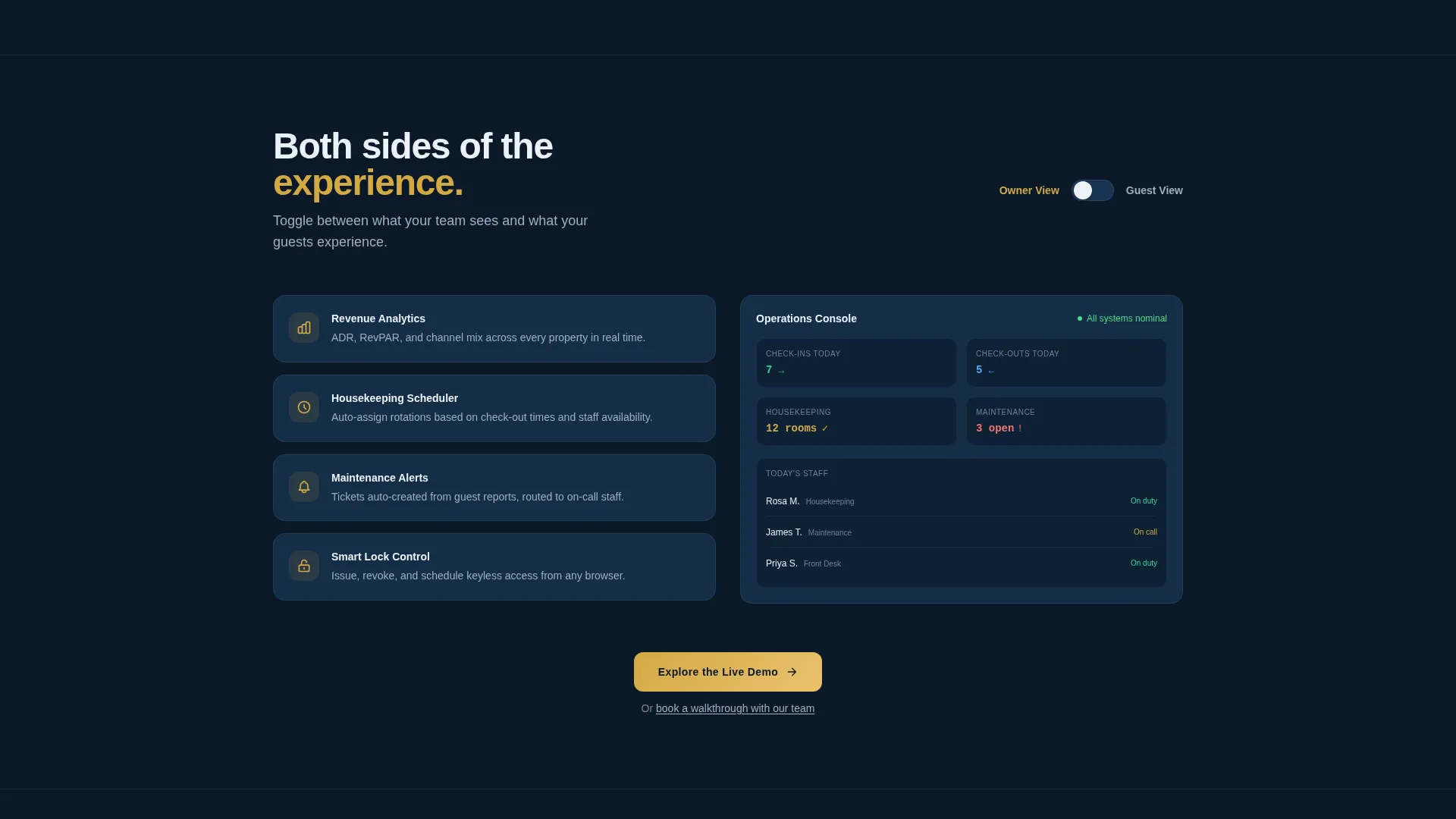
Owner and Guest View Toggle
A prominent toggle switch lets visitors flip between the Owner View and the Guest View. Both sides of the platform experience become visible without any additional explanation needed.
Three-Position Call-to-Action System
The primary call-to-action, "Explore the Live Demo," appears in the hero, at the midpoint after the toggle section, and in a sticky bottom bar. A secondary text link offering a guided walkthrough sits beneath each primary button.
Dashboard Pro Mockup Components
The right-panel dashboard includes occupancy gauges, a real-time booking feed, and a miniature calendar heatmap. Elements animate subtly to suggest live data streaming, giving the mockup a credible, product-grade feel.
Page sections overview
| Section | Purpose |
|---|---|
| Logo Bar Header | Builds trust with partner and integration logos before the headline |
| Split-Screen Hero | Pairs bold headline and gold call to action with animated dashboard mockup |
| Property Map Explorer | Lets visitors click pins to reveal per-property live statistics |
| Owner/Guest Toggle | Shows both platform perspectives through a single interactive switch |
| Midpoint call to action Block | Reinforces demo click after visitors have explored core interactions |
| Sticky Bottom Bar | Activates at 40 percent scroll depth to keep the call to action always reachable |
Design & branding system
The visual identity follows a Dashboard Pro theme built on a Midnight Blue color system. The palette is precise and intentional, evoking a boutique hotel lobby at 2 a.m. where every light source is deliberate and every surface is polished.
- Deep terminal navy (#0B1929) for primary backgrounds, steel-blue midtone (#1B3A5C) for card surfaces, and crisp linen white (#EDF2F7) for text and data labels
- Warm keycard gold (#D4A843) reserved for active states, toggle switches, and all call-to-action buttons to draw the eye without competing with the dashboard content
Mobile & speed optimization
The template is structured with a responsive split-screen layout that adapts cleanly across screen sizes. Interactive elements are touch-friendly so mobile visitors can engage with toggles and map pins just as comfortably as desktop users.
- The sticky bottom bar ensures the primary call-to-action remains accessible on smaller screens without interrupting the scroll experience
- Lightweight animation cues on the dashboard mockup maintain the live-data feel without requiring heavy media assets
How this template helps you convert
Every design and layout decision in Concierge points toward one conversion outcome: a click into the free interactive demo. The page earns that click by letting the product demonstrate itself.
- The Interactive Explorer format turns passive reading into active exploration, so visitors build genuine confidence in the platform before they reach any call to action.
- The three-position call to action system ensures the "Explore the Live Demo" button is always within reach, whether a visitor skims quickly or scrolls all the way through.
- The secondary "Or book a walkthrough with our team" text link captures visitors who prefer a guided experience, keeping both buyer types on the path to conversion.
Other information about this template
This template is categorized under Technology, specifically within the Hospitality Software subcategory and the Hospitality Property Management niche. It is designed as a click-through landing page, meaning there is no form on the page. The single call-to-action deposits visitors directly into a sandbox dashboard pre-loaded with a fictional three-property portfolio.
- The template style is Split Screen (50/50), a layout well suited for platforms that want to place marketing copy and product proof side by side
- The creative direction is Interactive Explorer, meaning the page rewards scroll and interaction rather than relying on copy volume to explain the product
- The header concept is Logo Bar, which is a proven trust signal in software categories where integration compatibility matters to buyers
Theme
Dashboard Pro
Creative direction
Interactive Explorer
Color system
Midnight Blue
Style
Split Screen (50/50)
Direction
Click-Through
Page Sections
Scrolling Logo Bar for Instant Trust
Animated Split-screen Hero
Clickable Property Map Explorer
Owner and Guest View Toggle
Three-position Call to Action System
Dashboard Pro Mockup Components
Related questions
Is this template suitable for a software product landing page?
Does this template include a contact form?
Can I customize the color system and branding?
What types of operators is this page designed to attract?
How does the sticky bottom bar work?



