Iridescent Realestate Landing Page Template
A single-page real estate landing page built for app downloads. It uses a modular card grid, a three-tab header switcher, and a dark iridescent visual system to showcase property listings in a way that feels live and immersive. Designed for first-time buyers, relocating professionals, and investor scouts, this template turns browsing into an experience that earns the download.
by Rocket studio
Quick summary
This is a single-page real estate landing page built around a modular card grid and a tab-switching header. The visual identity leans into deep graphite, holographic lilac, and spectral teal to create a command-center aesthetic. Every section builds toward one goal: getting visitors to download the app.
Who this template is for
This template suits any real estate platform or app that needs to convert cold traffic into app installs. It speaks directly to the people who show up at midnight with a browser full of open tabs.
- First-time buyers comparing neighborhoods before committing to a visit
- Relocating professionals who need a fast, trustworthy overview of a new city
- Investor scouts filtering listings by yield before their first meeting of the day
What problem this template solves
Most real estate landing pages look like database printouts. They list properties, but they do not create the feeling of possibility that actually motivates someone to act. This template solves that gap.
- Static listing pages fail to communicate the speed and intelligence of a modern property app
- Visitors who feel nothing leave without downloading; this template keeps them scrolling
- A single weak call to action loses users who needed just one more reason to commit
What you get with this template
You get a fully designed, single-page landing page built to drive app downloads from the first scroll to the final tap. Every section is scoped and purposeful.
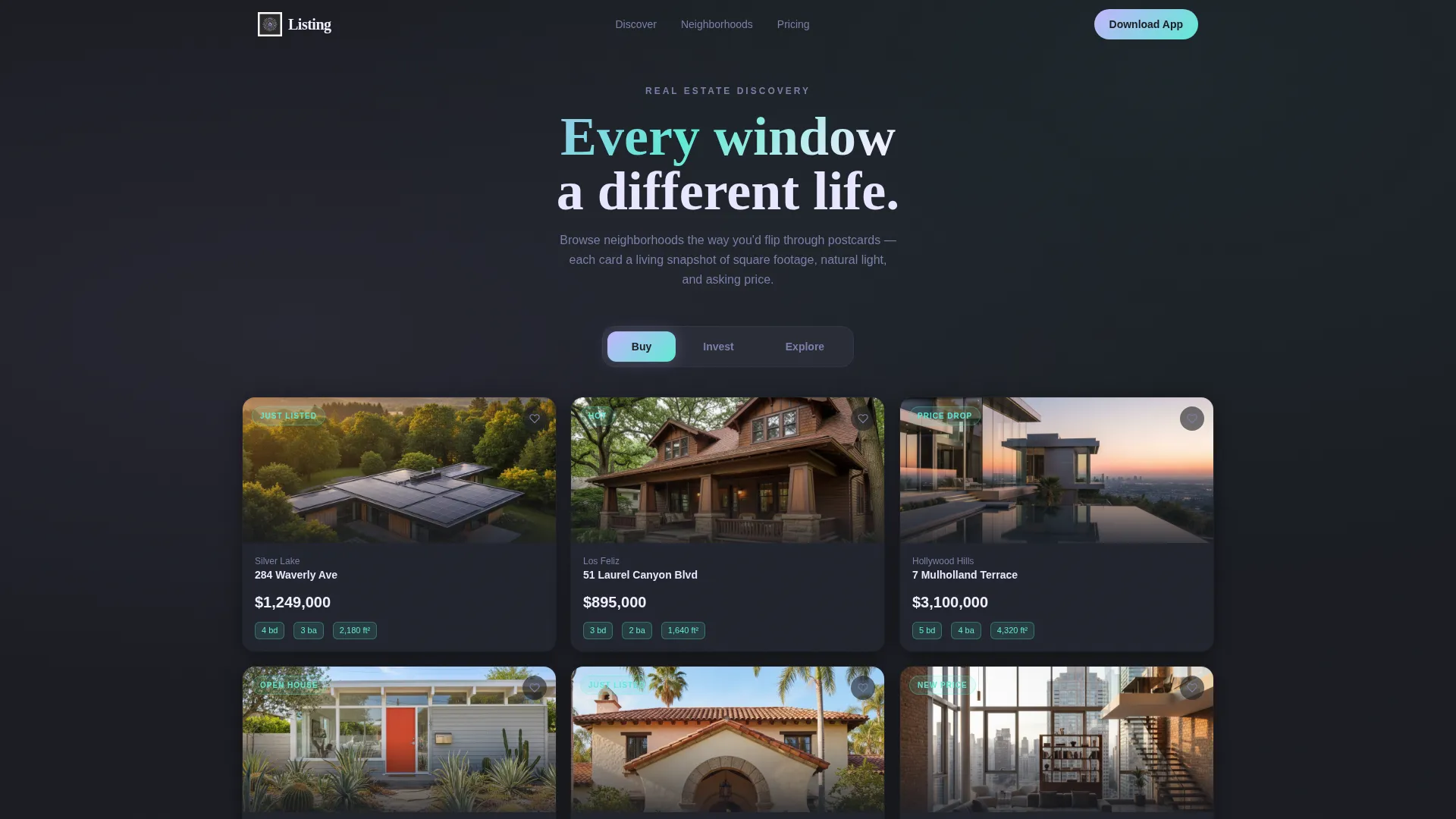
- A Feature Tab Switcher header with Buy, Invest, and Explore tabs that reshuffles the card grid instantly
- A modular card grid with hover interactions, animated price reveals, and save-heart micro-interactions
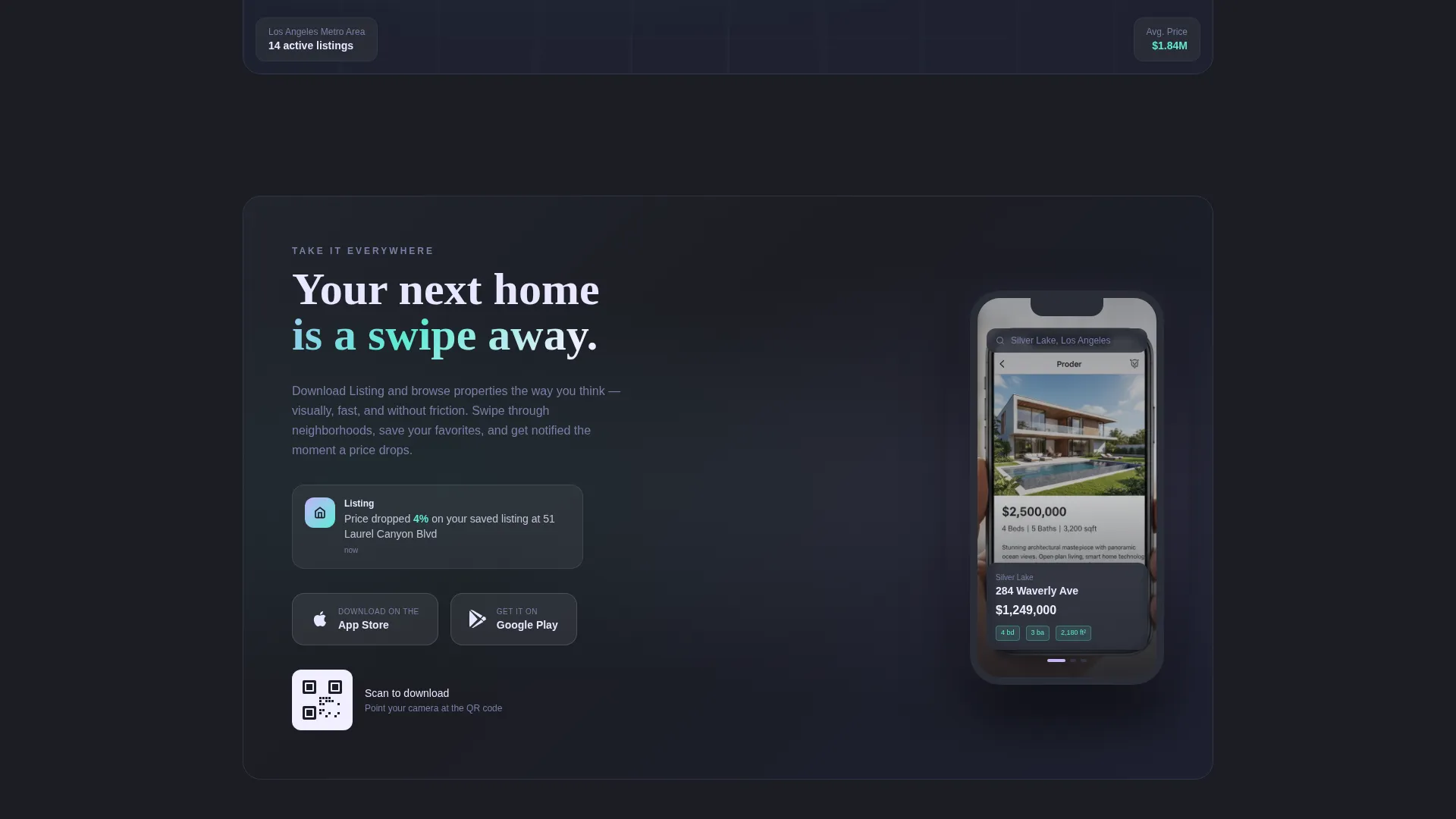
- A dual call-to-action system: a sticky bottom bar that appears mid-scroll and a full-width closer with App Store and Google Play badges, a phone mockup, and a QR code for desktop visitors
Feature list
This template is built from components that work together to create forward momentum on every scroll.
Three-Tab Header Switcher
Three clickable tabs sit above the property card mosaic. Selecting Buy surfaces bed and bath counts in spectral teal. Switching to Invest flips each card to show return on investment projections and rental yield. Tapping Explore transforms cards into neighborhood vignettes with coffee shop ratings, walk scores, and street-view loops. The transition between states is fluid, like a departures board updating in real time.
Modular Property Card Grid
Cards float on the deep graphite canvas like screens in a command center. Each card carries a hero photo, key data badges in spectral teal, and a pearl-white surface that appears to catch light as you scroll. Hover states tilt cards gently and activate holographic lilac accents, making the grid feel alive before a visitor reads a single word.
Live-Feel Listing Ticker
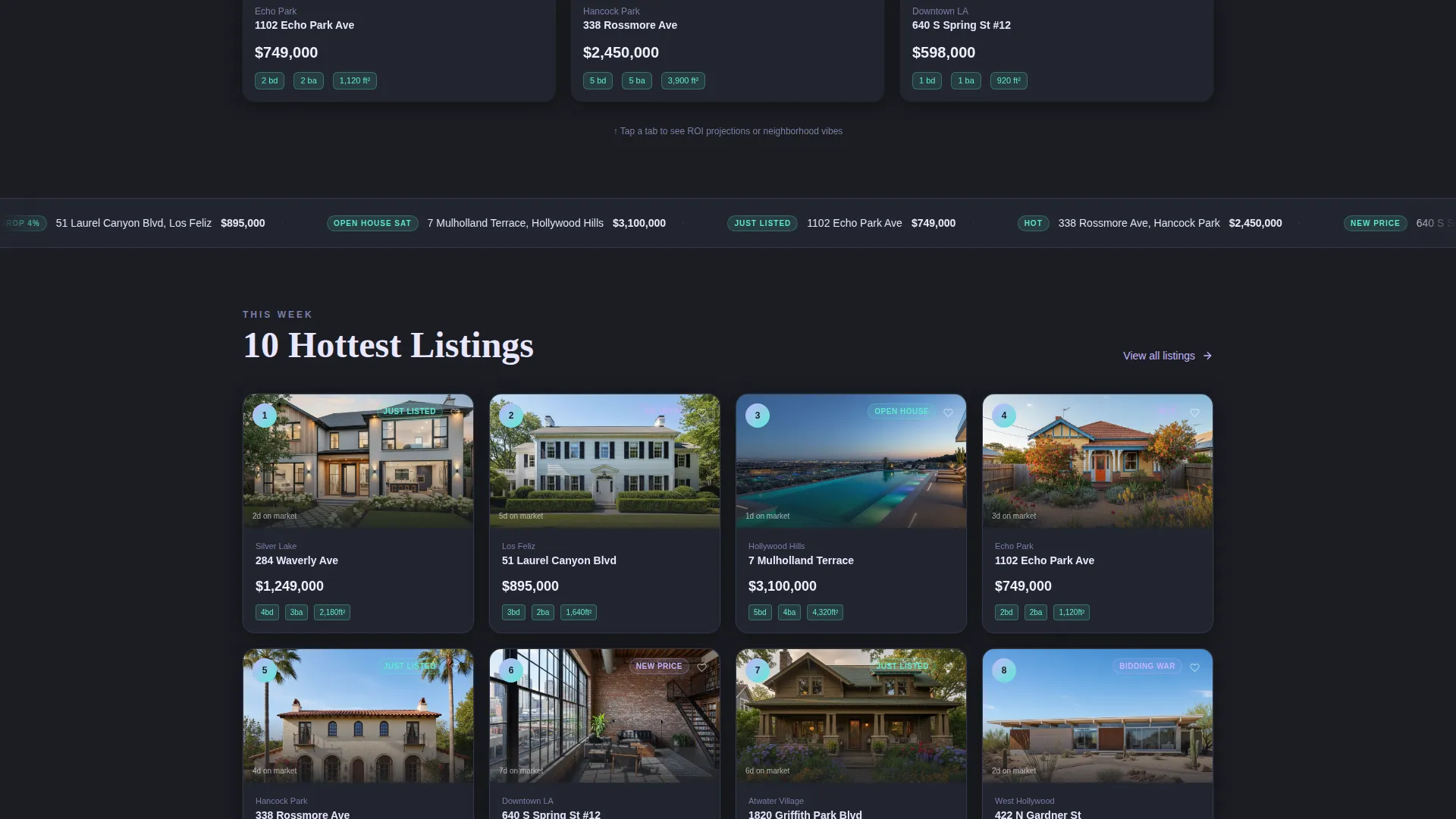
A horizontally scrolling "Just Listed" ticker runs below the header, communicating that the market is moving right now. This micro-element sets urgency without using aggressive copy and signals that the app surfaces fresh inventory continuously.
Cascading Hot Listings Section
Below the ticker, ten top listings cascade into view like a dealt hand. The reveal sequence creates a sense of discovery and scarcity. Prices animate up from zero as cards enter the viewport, turning a standard listing section into a moment of anticipation.
Scroll-Triggered Map View
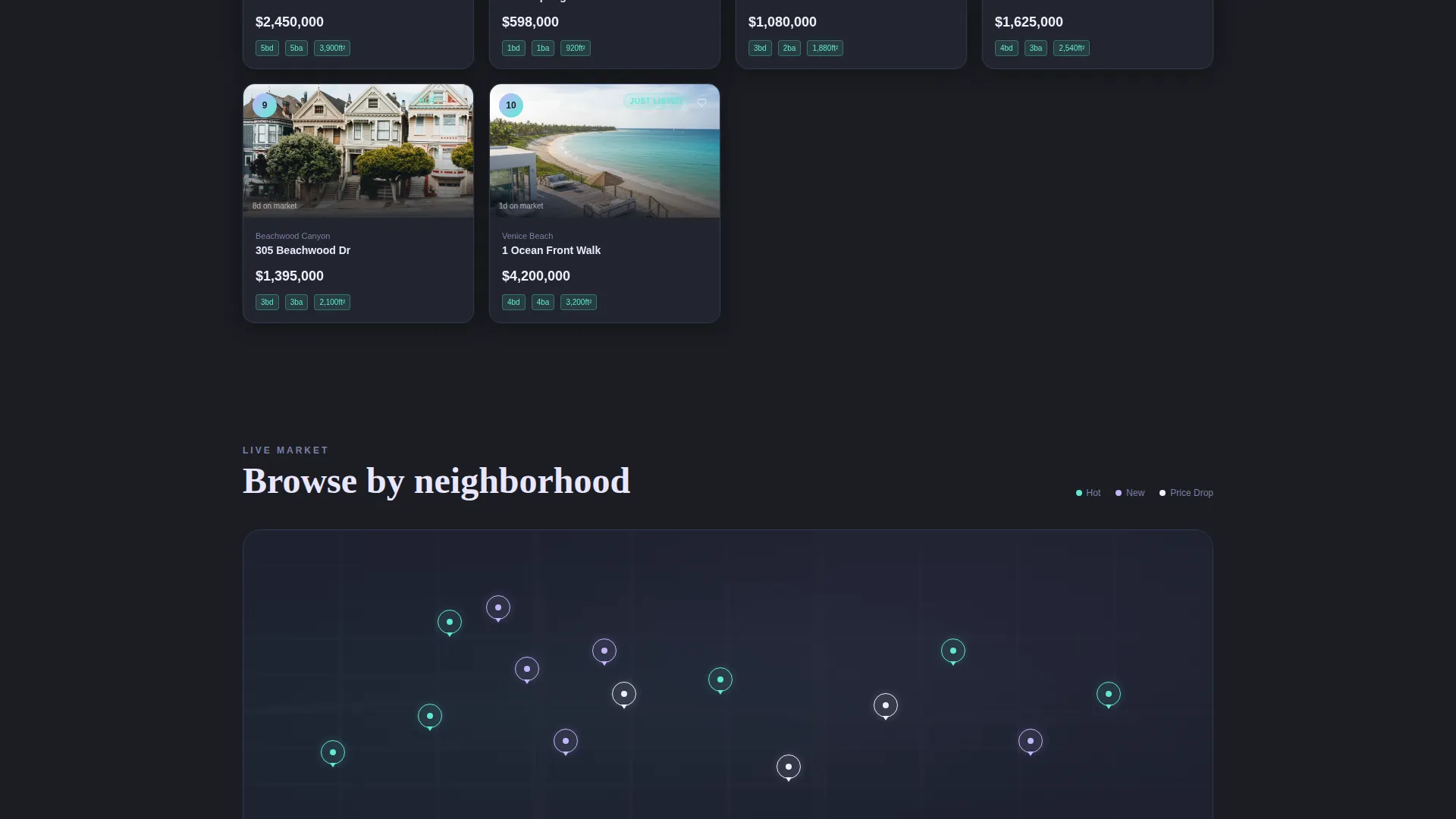
A map section populates property pins one by one as the visitor scrolls into it. The sequential reveal mimics an intelligent search in progress, reinforcing the app's capability without a single line of explanatory text.
Dual App Download call to action System
The primary call to action reads "Download and Start Browsing." It first appears as a sticky bottom bar after the second scroll section, then returns as a full-width closer. The closer pairs App Store and Google Play badges with a phone mockup showing a live push notification and a QR code for desktop visitors who want to skip the typing.
Page sections overview
| Section | Purpose |
|---|---|
| Tab Switcher Header | Introduce Buy, Invest, Explore modes via card grid |
| Just Listed Ticker | Signal live inventory and market momentum |
| Hot Listings Cascade | Reveal ten top listings with animated price entry |
| Scroll-Triggered Map | Populate property pins as visitor scrolls in |
| Sticky Download Bar | Surface primary call to action after second scroll section |
| Full-Width App Closer | Close with badges, mockup, QR code, and download tap |
Design & branding system
The color system follows an AI Iridescent palette built for a Directory and Discovery theme. The result is a visual language that feels technological and slightly otherworldly, as though the listings themselves are lit from within.
- Deep graphite (#1B1D23) forms the primary canvas, giving cards maximum visual contrast
- Holographic lilac (#C4B5FD) activates on hover states and selected filter tabs, while spectral teal (#5EEAD4) marks data badges and price tags
- Pearl white (#F0EEFF) card surfaces shift in perceived brightness as the visitor scrolls, reinforcing the iridescent theme across the entire page
Mobile & speed optimization
The template is designed with a mobile-first scroll experience in mind. Every interactive element is built to feel natural on a touch screen, which matters when your audience includes people browsing listings on their phones late at night.
- Card grids reflow into single-column layouts on smaller screens without losing visual hierarchy
- Sticky call to action bar and tap-target sizing are sized for thumb reach on standard mobile viewports
- Micro-interactions such as card tilt, price animation, and heart-pulse are scoped to remain smooth even on mid-range devices
How this template helps you convert
This template earns the download by letting visitors experience the product's logic directly in the browser. The conversion path is deliberate and sequential.
- The tab-switching header demonstrates app intelligence immediately, before any copy is read, creating a reason to stay and explore further
- The cascading listings and scroll-triggered map raise the emotional stakes from passive browsing to active comparing, moving visitors closer to a decision
- The dual call to action system catches visitors at two different readiness levels: the sticky bar for those who decide early and the full-width closer for those who need the full story first
Other information about this template
This template sits at the intersection of the Technology category and the Real Estate Digital Presence subcategory. It is a strong fit for teams building or marketing a property search app, a neighborhood discovery platform, or a real estate investment tool.
- The Launch Energy creative direction makes this template especially well suited for product launches, where a new app needs to prove its value fast
- The Card Grid (Modular) template style means individual property cards can be updated or reordered without restructuring the page layout
- No form fields appear anywhere in the page; the entire conversion flow routes through app download buttons and a QR code, keeping the experience frictionless
Theme
Directory & Discovery
Creative direction
Launch Energy
Color system
AI Iridescent
Style
Card Grid (Modular)
Direction
App Download
Page Sections
Three-tab Header Switcher
Modular Property Card Grid
Live Just Listed Ticker
Cascading Listings with Animated Prices
Scroll-triggered Map View
Dual App Download Call to Action System
Related questions
What types of real estate businesses fit this template best?
Can I show different listing data under each tab?
Is there a form or lead capture component included?
How does the sticky call to action bar work?
Can the card grid be updated with new listings easily?



