New Zealand Travel Booking Website Template
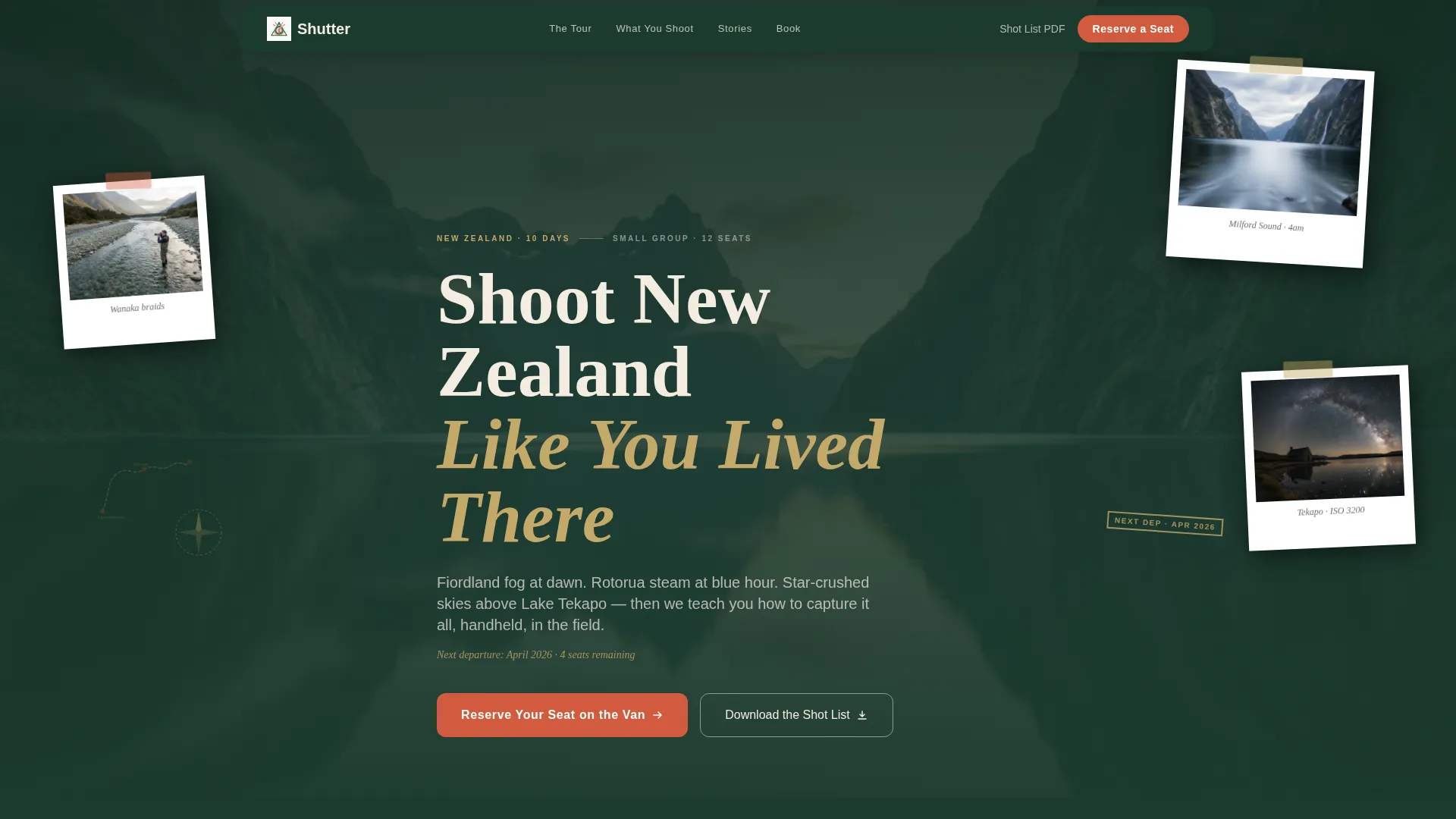
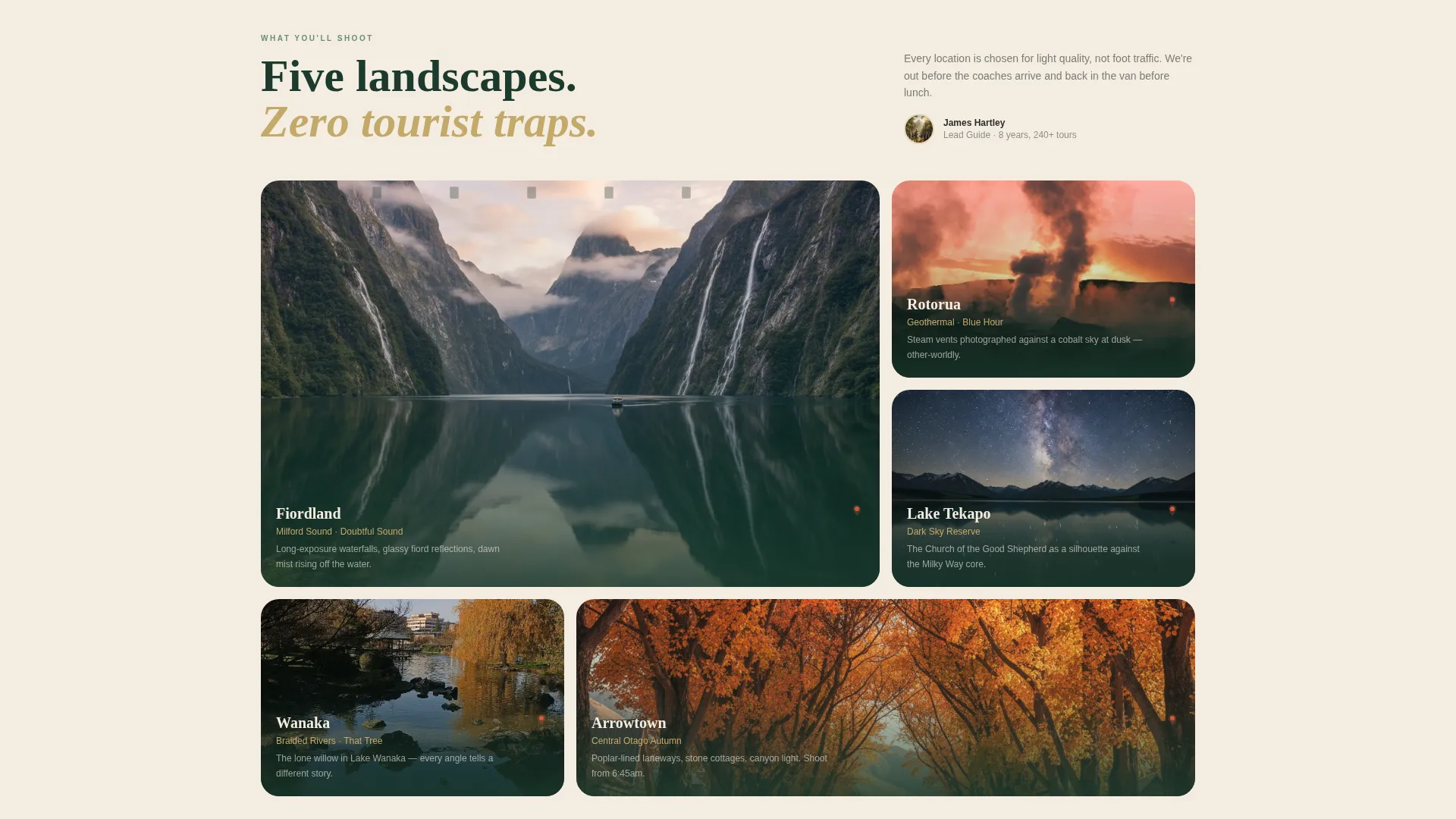
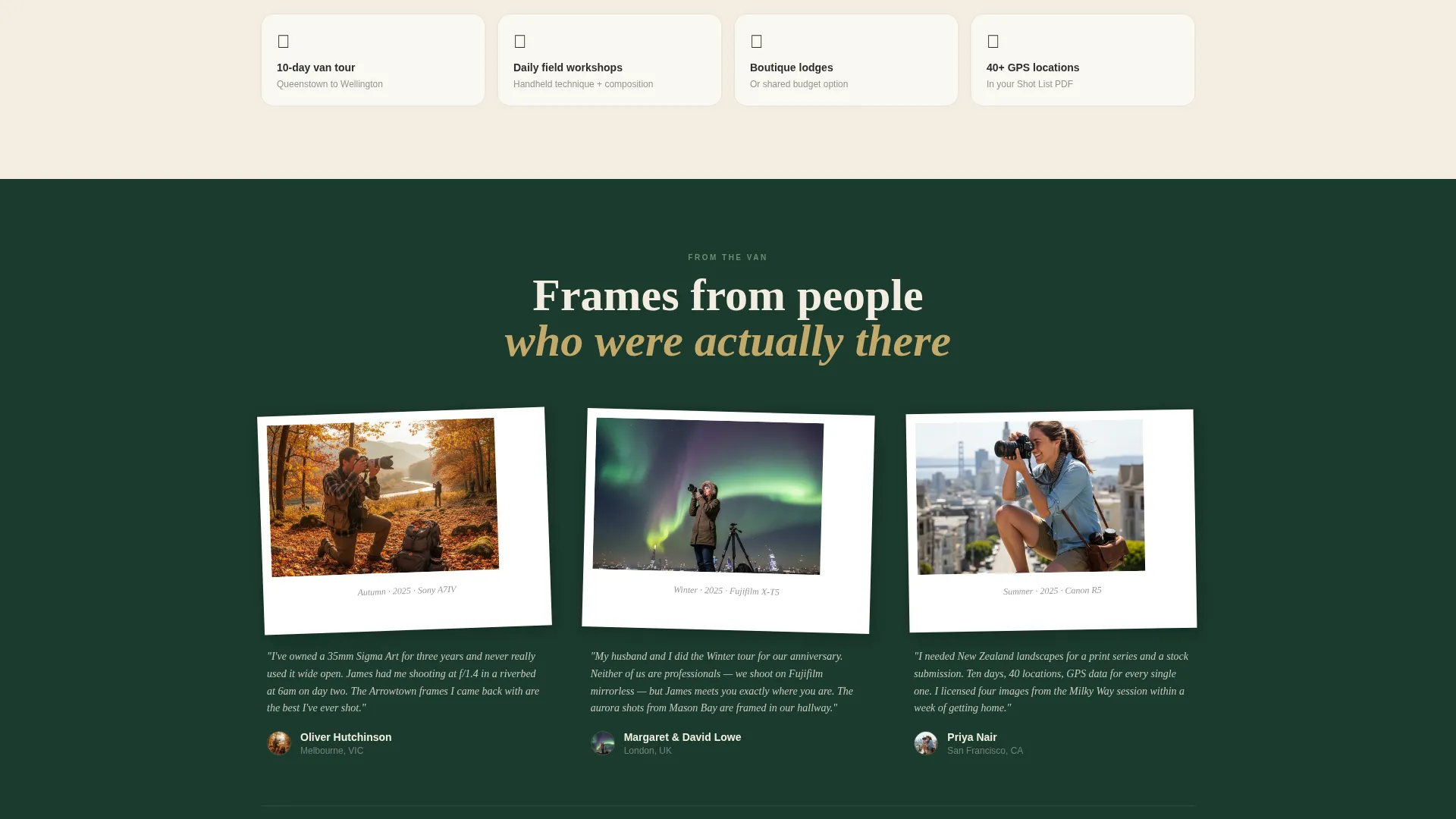
Shutter is a full-width immersive landing page template built for a small-group New Zealand photography tour. It guides visitors through four seasonal shooting locations, presents a scrapbook-style visual identity, and funnels interested photographers toward an inline booking module or a downloadable shot list. The design feels analog, tactile, and deeply place-specific.
by Rocket studio
Quick summary
Shutter is a single-page booking template for a guided New Zealand photography tour. It walks visitors through four iconic seasonal moments, builds anticipation with each scroll, and pushes them toward two clear actions: reserving a seat on the van or downloading a free shot list. The Neo-Retro design feels like a well-traveled field journal come to life.
Who this template is for
This template is built for small-outfit photography tour operators who need a page that does more than list itineraries. It speaks directly to photographers who already own serious gear but want meaningful locations and expert guidance to match it.
- Enthusiast photographers from cities like Melbourne, London, and San Francisco who want structured field time in iconic New Zealand landscapes
- Retired couples building a bucket-list portfolio and semi-professional photographers sourcing images for print series or stock libraries
- Tour guides and creative travel operators who want a booking page that feels as considered as the experience itself
What problem this template solves
Most tour booking pages look transactional and generic. They fail to communicate atmosphere, and they lose visitors who need to feel the experience before they commit. Shutter solves that by making the scroll itself feel like a preview of the trip.
- Visitors leave generic tour pages because nothing visual earns their trust or stirs urgency
- Photographers specifically need proof of location quality, light conditions, and guide knowledge before booking
- Standard booking forms do not capture camera system details, which leaves guides unprepared to give tailored advice
What you get with this template
You get a complete, scroll-driven landing page structured around four seasonal photography moments. Every section is purpose-built to move a hesitant photographer closer to booking.
- A scrapbook-style header collage with overlapping photographs, washi-tape strips, stamped dates, and a hand-lettered South Island route map
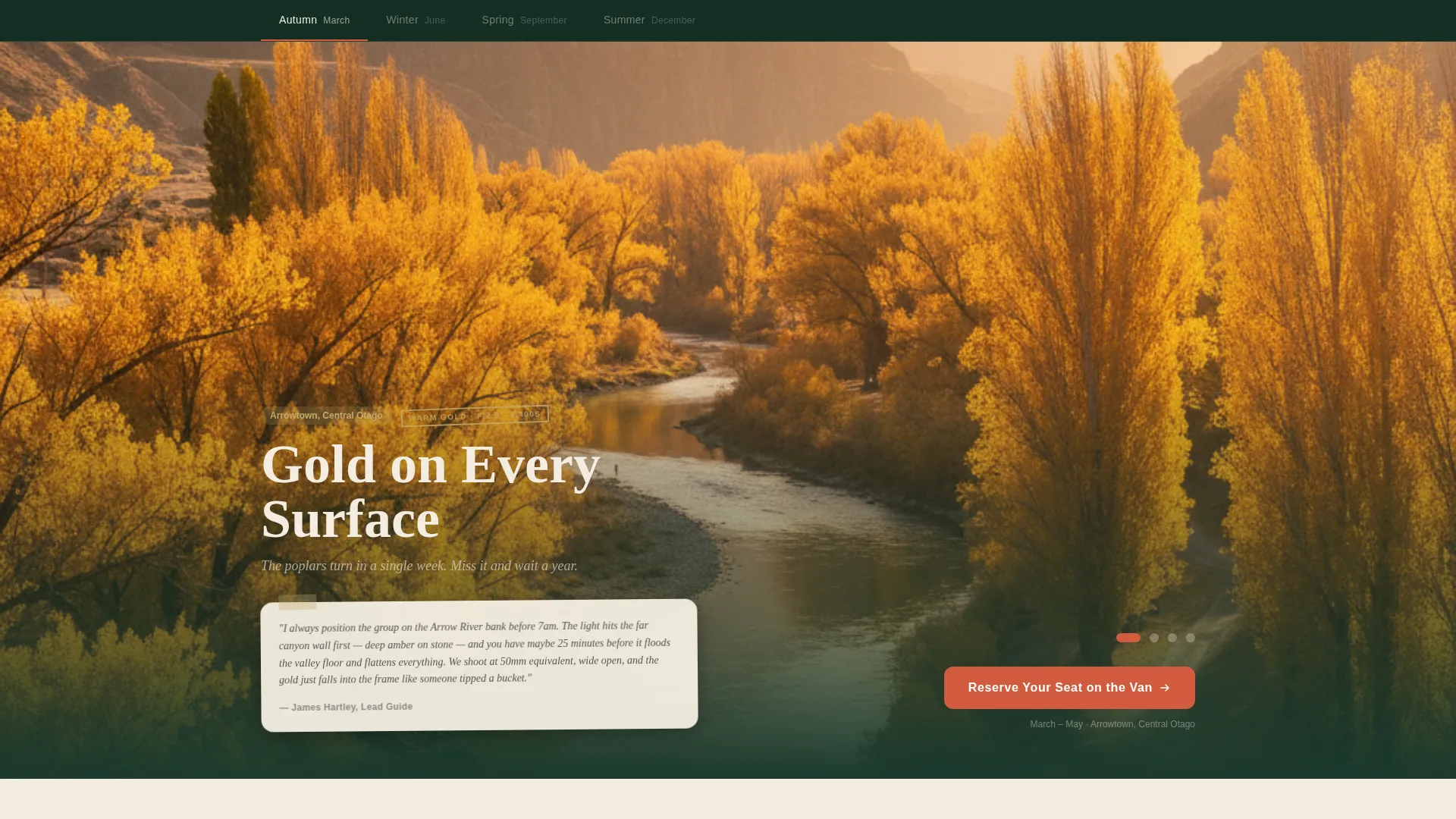
- Four seasonal content sections, each with its own color temperature, light quality description, and a first-person field note from the lead guide
- An inline three-step booking module, a repeating primary call to action, and a secondary email-capture path via a downloadable shot list
Feature list
This section covers the core functional and design components built into the Shutter template.
Scrapbook Header Collage
The header is a corkboard-style composition of overlapping photographs pinned at slight angles. Torn edges, curling corners, washi-tape strips, stamped dates, and a small compass rose give it a tactile, analog warmth. The headline sits in a serif typeface with a subtle ink-bleed texture, anchored by the next departure month.
Seasonal Scroll Sections
Four full-width sections walk through autumn gold at Arrowtown, winter aurora over Stewart Island, spring lupins in the Mackenzie Basin, and summer Milky Way arcs above Castlepoint. Each section slides in as a new scrapbook spread with its own color temperature shift and a short first-person field note written by the lead guide.
Inline Three-Step Booking Module
The primary call to action opens an inline booking flow directly on the page. Step one lets visitors pick a season with departure dates and remaining spots shown. Step two selects single or shared accommodation. Step three collects name, email, and camera system so the guide can prepare location-specific lens advice before the tour departs.
Repeating Call-to-Action Placement
The primary call to action, "Reserve Your Seat on the Van," appears first beneath the header collage and repeats after every seasonal section. This rhythm removes friction by keeping the booking option visible at every natural pause in the scroll.
Shot List Email Capture
A secondary conversion path, "Download the Shot List," targets visitors who are curious but not yet ready to book. It captures their email address and delivers a PDF covering every location, GPS pin, and golden-hour window included on the tour.
Neo-Retro Visual Identity
The Rainforest color system anchors the entire page. Deep native bush green, mist-morning fern, weathered kraft tan, and a heritage red-orange work together to produce a palette that reads like a vintage field magazine left in a campervan. Backgrounds alternate between deep green and soft parchment, keeping each section visually distinct.
Page sections overview
| Section | Purpose |
|---|---|
| Header Collage | Establishes atmosphere, tone, and the headline offer with an analog scrapbook composition |
| Primary call to action Strip | Presents the first "Reserve Your Seat on the Van" action immediately below the header |
| Autumn at Arrowtown | Delivers the first seasonal moment with color, field note, and a booking prompt |
| Winter Aurora Section | Showcases Stewart Island aurora conditions with guide commentary and a call to action repeat |
| Spring Lupins Section | Presents Mackenzie Basin spring color with light quality notes and booking prompt |
| Summer Milky Way Section | Closes the seasonal arc with Castlepoint night-sky content and final call to action |
| Inline Booking Module | Hosts the three-step seat reservation flow on the page without a redirect |
| Shot List Capture | Offers the downloadable PDF to collect emails from undecided visitors |
Design & branding system
The Rainforest palette and Neo-Retro theme give Shutter a visual personality that stands apart from typical travel booking pages. Every color choice references natural materials and analog print history.
- Core colors: deep native bush green (#1B3A2D) and soft parchment (#F3EDE0) alternate as section backgrounds; charcoal (#2C2C2C) body text reads like typewriter ink on paper
- Accent colors: mist-morning fern (#6B8F71) and weathered kraft tan (#C4A96A) add warmth and texture throughout; heritage red-orange (#D15B3E) is reserved for buttons, date badges, and hover states
- Typography uses a serif typeface with ink-bleed texture for display headlines, paired with the overall scrapbook aesthetic of film-strip edges, torn photograph borders, and pressed botanical details
Mobile & speed optimization
The full-width immersive layout is designed to scale from wide desktop displays down to smaller mobile screens without losing its sense of depth and atmosphere.
- The scrapbook collage and overlapping photograph compositions are structured to remain legible and visually coherent on narrow viewports
- Seasonal scroll sections and the inline booking module are built to reflow cleanly so that step-by-step booking remains usable on touch devices
How this template helps you convert
Shutter is built to close the gap between passive browsing and active booking by matching the emotional arc of the tour itself.
- The seasonal scroll structure creates progressive desire. Each section reveals a moment the visitor has not yet captured, building urgency that compounds across the page until booking feels like the natural next step.
- The inline booking module removes the friction of an external redirect. Visitors complete all three steps, including camera system details, without leaving the page, which keeps momentum intact through to confirmation.
Other information about this template
Shutter is purpose-built for the New Zealand photography tour niche and carries a strong sense of place throughout. A few additional details worth knowing before you customize it.
- The template style is Full-Width Immersive with a Neo-Retro theme, making it well suited to any experience-led travel offering that relies on atmosphere over bullet-point features
- The shot list PDF delivery path doubles as a lead nurture tool, giving you a warm list of photographers to follow up with ahead of each departure season
- The color system, typography, and scrapbook layout components are all customizable, so operators running tours in other regions can adapt the visual identity to their own landscape palette
Theme
Neo-Retro
Creative direction
Seasonal/Moment
Color system
Rainforest
Style
Full-Width Immersive
Direction
Booking/Scheduling
Page Sections
Scrapbook Header Collage
Four Seasonal Scroll Sections
Inline Three-step Booking Module
Repeating Call to Action Rhythm
Shot List Email Capture
Neo-retro Rainforest Palette
Related questions
Can I adapt this template for a photography tour outside New Zealand?
How does the inline booking module work?
What is the shot list and how does it capture leads?
Is this a single page or a multi-page template?