Product Launch Event Portfolio Website Template
Shutter is a full-width immersive landing page template built for product launch event photography studios. It guides visitors through a cinematic narrative, section by section, using a deep Merlot and Smoke color system, atmospheric gradient transitions, and editorial-style captions. The result is a page that feels less like a portfolio and more like an opening night.
by Rocket studio
Quick summary
Shutter is a single-page, full-width immersive landing page for product launch event photography studios. It uses a Soft Gradient theme in a Merlot and Smoke palette to walk visitors through a complete imagined launch event. Editorial captions replace sales copy, and every scroll feels like a scene change. The primary call to action drives visitors toward a booking and inquiry page.
Who this template is for
This template is made for photography studios that specialize in high-stakes product reveal events. It speaks directly to the kind of visual storyteller who wants their page to feel as crafted as the work itself.
- Product launch event photographers serving brand managers at consumer electronics firms
- Studios working with beauty houses, seasonal collection reveals, and startup Demo Day productions
- Independent photographers who want their landing page to position them as a creative collaborator, not a vendor
What problem this template solves
Most photography studio pages lead with grids, pricing tables, and bullet points. That approach flattens the emotional experience and makes every studio look the same. Shutter solves the problem of the forgettable portfolio page.
- Visitors leave before they feel anything, so they never build the trust needed to book
- A grid-based layout signals commodity; this template signals craft and intentionality
- The brand voice is never established because standard portfolio layouts offer no narrative arc
What you get with this template
You get a single, scroll-driven landing page that moves a visitor through a complete product launch event story. Every design decision serves that immersive goal.
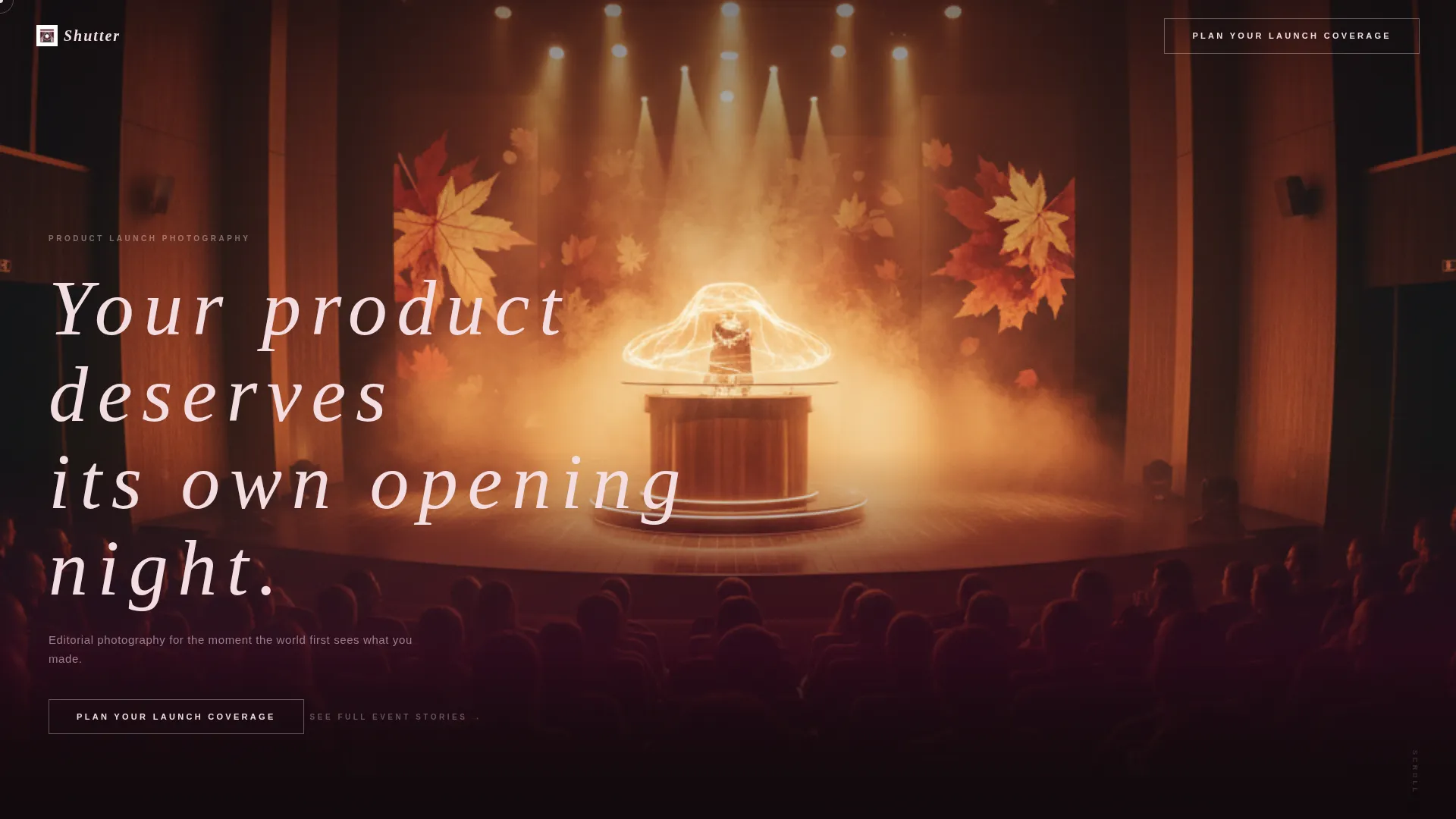
- A full-viewport header with a seasonal autumn product reveal image, ambient Ken Burns drift animation, and a thin tracked-out headline
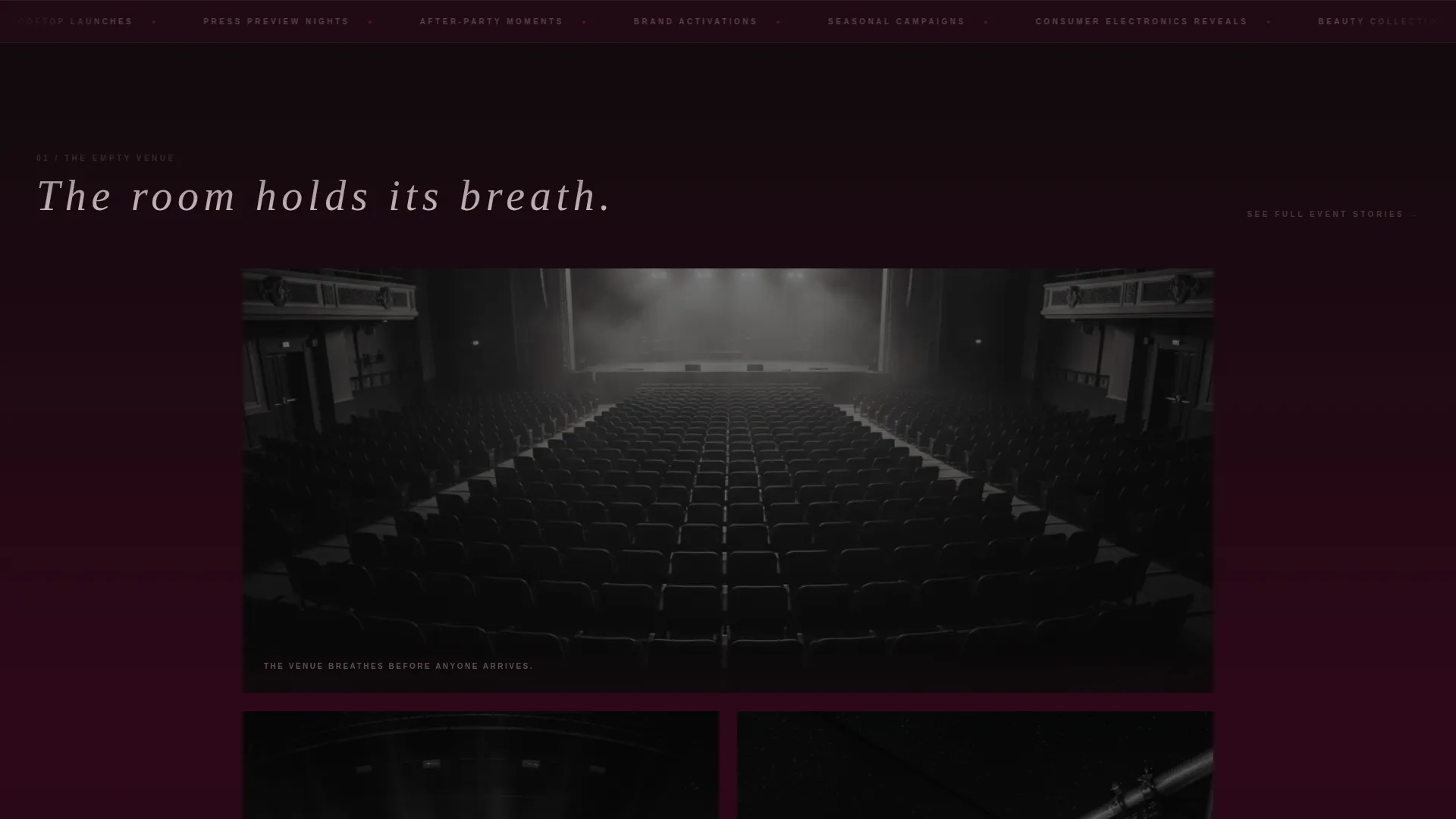
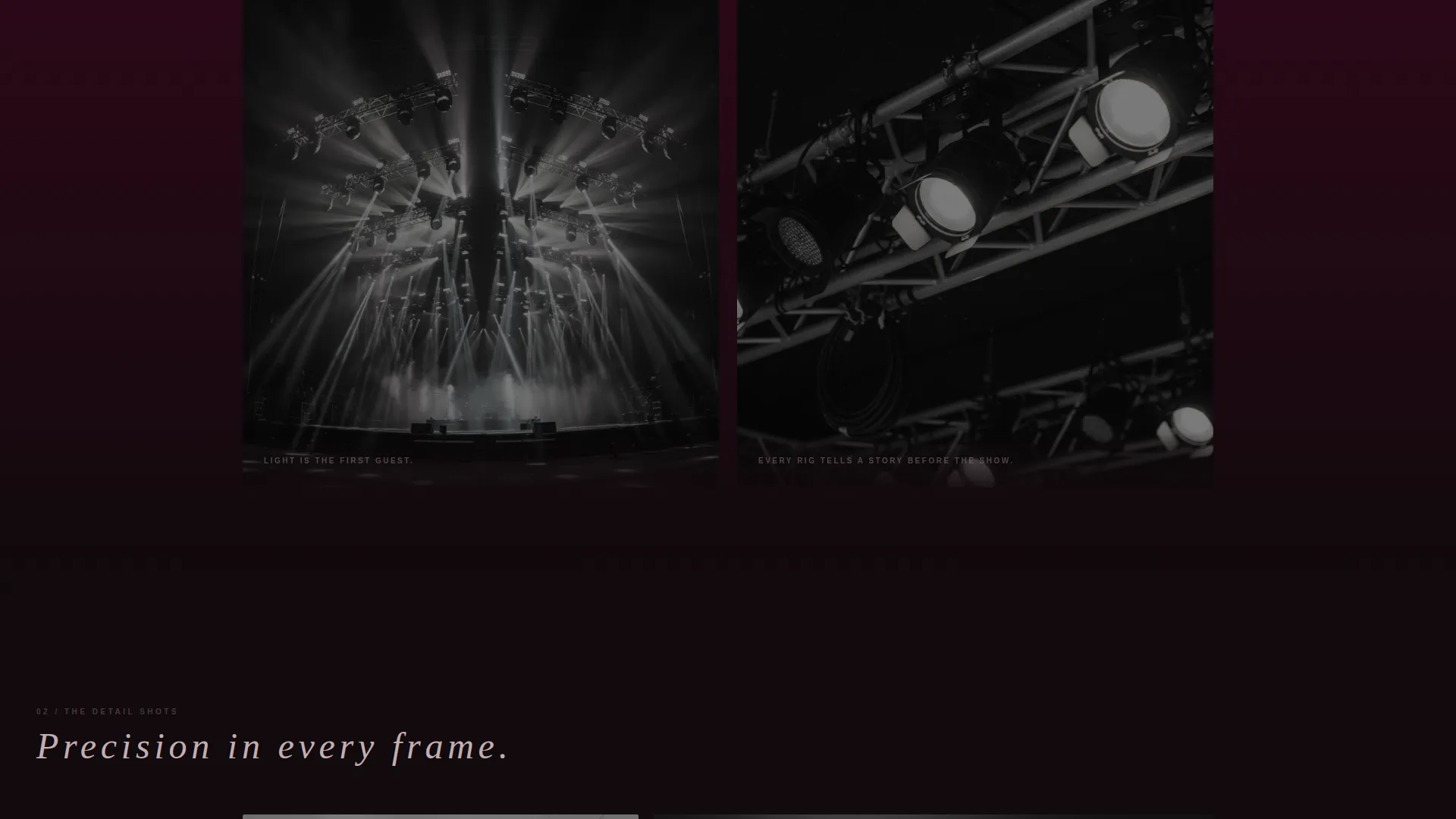
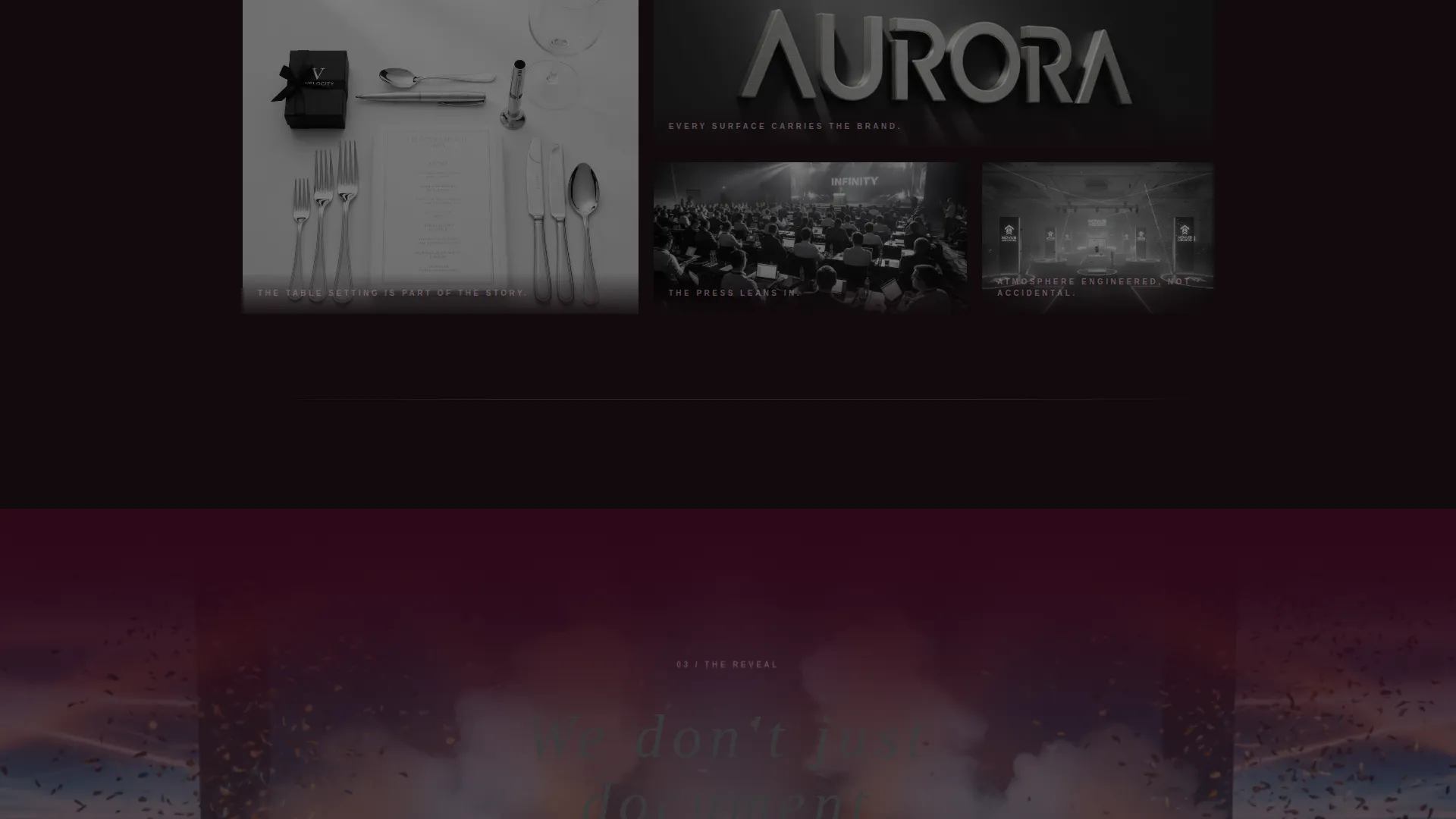
- Section-by-section narrative flow covering the empty venue, detail shots, crowd arrival, the reveal, candid reactions, and the after-party
- A ghost button call to action in the header and a solid blush-on-merlot primary button after the final section, both linking to a booking and inquiry page
- A secondary text link, "See Full Event Stories," placed beneath select sections for visitors who want more proof before clicking through
Feature list
This template is built around a set of deliberate design and structural choices that serve one goal: converting an impressed visitor into a confirmed booking inquiry.
Full-Viewport Immersive Header
The header spans the entire screen with a wide-shot autumn product reveal photograph. Amber stage lighting and manufactured fog set the atmosphere. A slow Ken Burns drift animates over five seconds, and a single-line headline in thin, tracked-out type materializes over the scene.
Cinematic Section-by-Section Narrative
Scrolling moves the visitor through a complete event story rather than a static portfolio grid. Each section represents a distinct moment: the venue being lit, branded detail shots, the crowd arriving, the reveal itself, candid audience reactions, and the after-party wind-down.
Soft Merlot-to-Smoke Gradient Transitions
Every full-width section image is wrapped in soft gradient overlays at the top and bottom edges. Deep merlot pools at the margins and fades into charcoal smoke so sections dissolve into each other like consecutive scenes in a film.
Editorial Caption Text Style
Body text appears as sparse editorial captions rather than sales copy. This keeps the visual weight on the photography and lets the images carry the emotional argument. The dusty mauve midtone is used for overlaid text and divider lines.
Staged Dual Call-to-Action System
The primary call to action, "Plan Your Launch Coverage," appears first as a ghost button in the header and returns as a solid blush-on-merlot button after the after-party section. A supporting text link, "See Full Event Stories," sits beneath select sections for visitors who need additional proof before committing.
Merlot and Smoke Color System
The palette uses deep merlot as the dominant edge tone, charcoal smoke for backgrounds, dusty mauve for overlaid body text, and pale blush exclusively for hover states and active buttons. The result is a mood that reads as warm and sophisticated without feeling sweet or overwrought.
Page sections overview
| Section | Purpose |
|---|---|
| Full-Viewport Header | Places visitor inside the crowd at an autumn product reveal |
| Empty Venue Lit | Opens the event narrative with atmospheric lighting detail |
| Branded Detail Shots | Highlights place settings, signage, and pre-reveal styling |
| Crowd Arrival Scene | Builds anticipation as guests fill the darkened space |
| The Reveal Moment | Centers the hero product moment the client is paying for |
| Candid Audience Reactions | Shows genuine human response to reinforce emotional value |
| After-Party Wind-Down | Closes the narrative arc with warmth and celebration |
| Final call to action Block | Surfaces the solid primary button after full narrative immersion |
Design & branding system
The Merlot and Smoke color system is the emotional core of this template. Every color choice maps to a deliberate mood: moody without brooding, warm without sweetness.
- Core palette: deep merlot (#4A0E2E) at section edges, charcoal smoke (#3B3B3D) for backgrounds, dusty mauve (#9E7B8E) for body text overlays and divider lines, and pale blush (#F2DDE1) reserved for hover states and active buttons
- Typography uses thin, tracked-out letterforms that feel editorial and cinematic rather than promotional
- Gradient transitions dissolve sections together so the page reads as one continuous atmospheric experience rather than a sequence of separate blocks
Mobile & speed optimization
The template is designed so the immersive full-width visual experience holds up across device sizes. The narrative flow remains intact whether a visitor arrives on a desktop monitor or a phone screen.
- Full-width section images and gradient overlays are structured to scale across different viewport widths without breaking the visual atmosphere
- Sparse text and editorial captions keep the layout clean at smaller sizes where dense copy would become difficult to read
- The staged call-to-action system remains clearly visible and tappable on mobile viewports so the conversion path is never interrupted
How this template helps you convert
This template is built on the principle that the click is earned by immersion. By the time the final call to action appears, the visitor has already experienced the full emotional arc of a launch event.
- The Ken Burns header animation and atmospheric opening create immediate curiosity and visual investment before a single word of copy is read
- The section-by-section event narrative builds a sense of lived experience, shifting the visitor's mental frame from "evaluating a vendor" to "casting a collaborator"
- The dual call-to-action system meets visitors at two points of readiness: the ghost button for those who decide early, and the solid primary button after the after-party section for those who need the full story first
Other information about this template
This template falls under the Wedding and Events category with a specific focus on the product launch event photography niche. A few additional details worth knowing before you customize and publish.
- The template style is Full-Width Immersive, meaning layout decisions prioritize edge-to-edge visual impact over contained column structures
- The Soft Gradient theme and Atmosphere and Mood creative direction are matched specifically to the product launch event subcategory intersection
- The header concept uses Seasonal Imagery, so the default photograph reflects an autumn event atmosphere that can be replaced with your own seasonal shoot
- The Click-Through landing page direction means the page is not a self-contained booking form; it is designed to pass warm, primed visitors to a separate detailed inquiry page
- This template is well suited for studios whose clients include consumer electronics firms, beauty brands, and startup founders preparing Demo Day productions
Theme
Soft Gradient
Creative direction
Atmosphere & Mood
Color system
Merlot & Smoke
Style
Full-Width Immersive
Direction
Click-Through
Page Sections
Full-viewport Immersive Header
Cinematic Narrative Section Flow
Merlot and Smoke Gradient Transitions
Editorial Caption Text Style
Staged Dual Call-to-action System
Related questions
Can I replace the header photograph with my own event images?
Does this template include a booking form?
How many sections does the template include?
Can I use this template for event types beyond product launches?
Is the secondary 'See Full Event Stories' link customizable?



