Ledger - Intelligent Home Services Landing Page Template
Ledger is a dashboard-style landing page template built for home services asset management platforms. It combines an interactive home asset estimator in the hero with a scrollable feature matrix grid. The design uses a cool Tech Glass aesthetic in Slate and Sky tones. It is built to generate leads through a three-step progressive form flow.
by Rocket studio
Quick summary
Ledger is a single-page landing page template designed for home services asset management platforms. The hero opens with a functioning home asset estimator. A scrollable feature matrix follows, mapping every trackable home system against platform capabilities. The entire layout is built around lead generation, with a progressive three-step form and a secondary download path for real estate professionals.
Who this template is for
This template is built for platforms and products that help people manage home maintenance, property upkeep, and pre-sale asset reporting. It speaks directly to product teams, marketers, and founders operating in the home services software space.
- Homeowners who need a clear view of aging systems like roofs, furnaces, and water heaters
- Property managers tracking maintenance schedules across multiple rental units
- Real estate agents who need a pre-listing asset report to build buyer confidence
What problem this template solves
Most homeowners have no visibility into the true condition of their home's major systems. Costs appear without warning, repair decisions feel reactive, and there is no organized place to see what everything is worth or when it will fail.
- Scattered maintenance records make it hard to spot degrading systems before they become emergencies
- Property managers have no single view for comparing maintenance timelines across many units
- Real estate agents lack a professional, data-backed asset summary for pre-listing presentations
What you get with this template
You get a complete, conversion-focused landing page layout that lets visitors experience the product before they ever fill out a form. Every section is purposefully sequenced to build trust through visible data and organized structure.
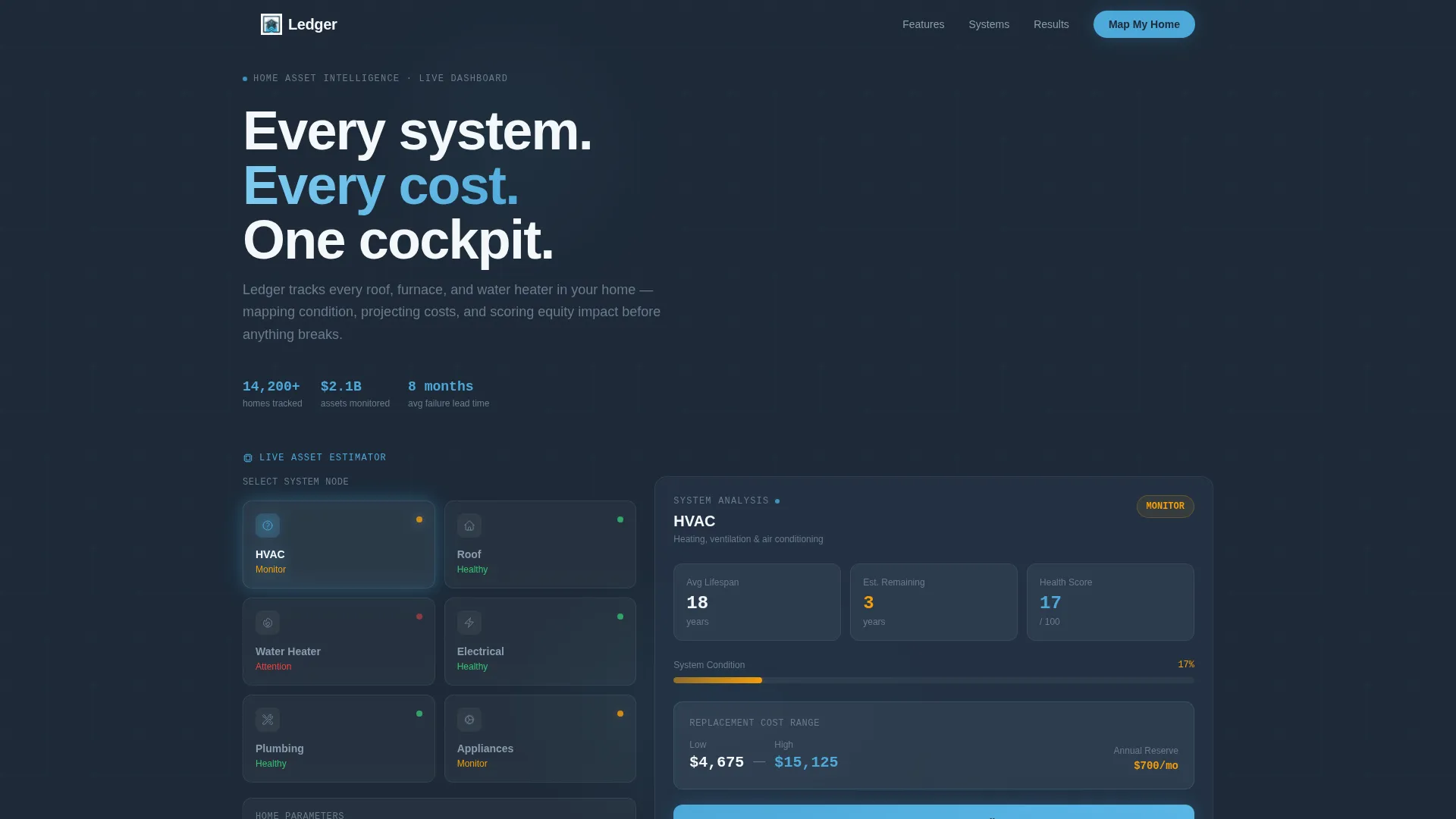
- An interactive hero estimator with clickable system nodes, animated cost figures, and a real-time home age input
- A dense feature matrix grid with sky-blue hover animations mapping home systems to platform capabilities
- A three-step progressive lead capture form plus a secondary gated PDF download path for real estate professionals
Feature list
This template ships with six core layout and interaction features drawn directly from the brief.
Interactive Home Asset Estimator Hero
The hero section is a functioning estimator, not a banner image. Visitors click on a simplified house cross-section to select systems like HVAC, roof, plumbing, electrical, and appliances. Each selection reveals estimated remaining life and replacement cost ranges. Numbers animate as visitors input home age and square footage.
Scrollable Feature Matrix Grid
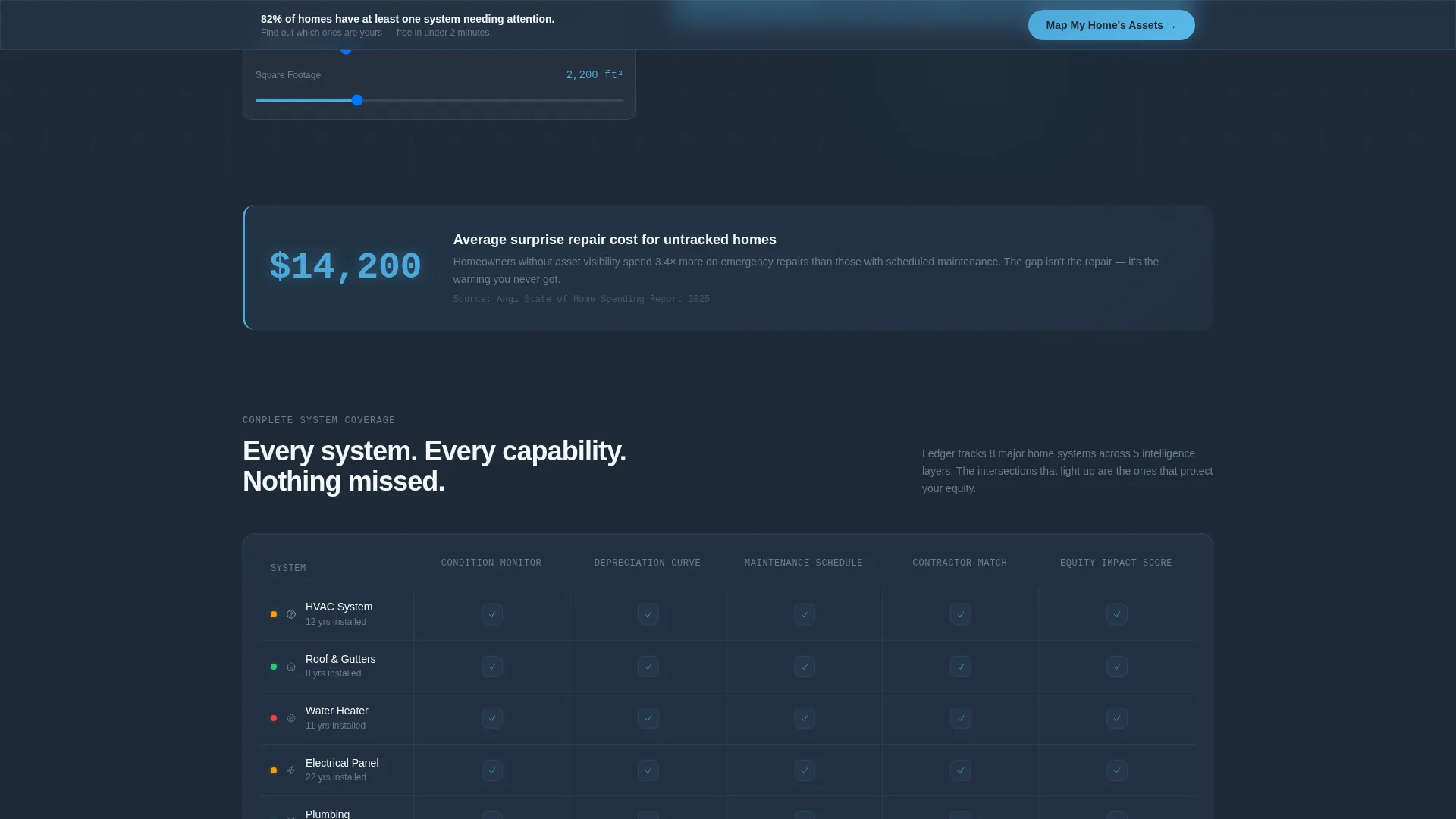
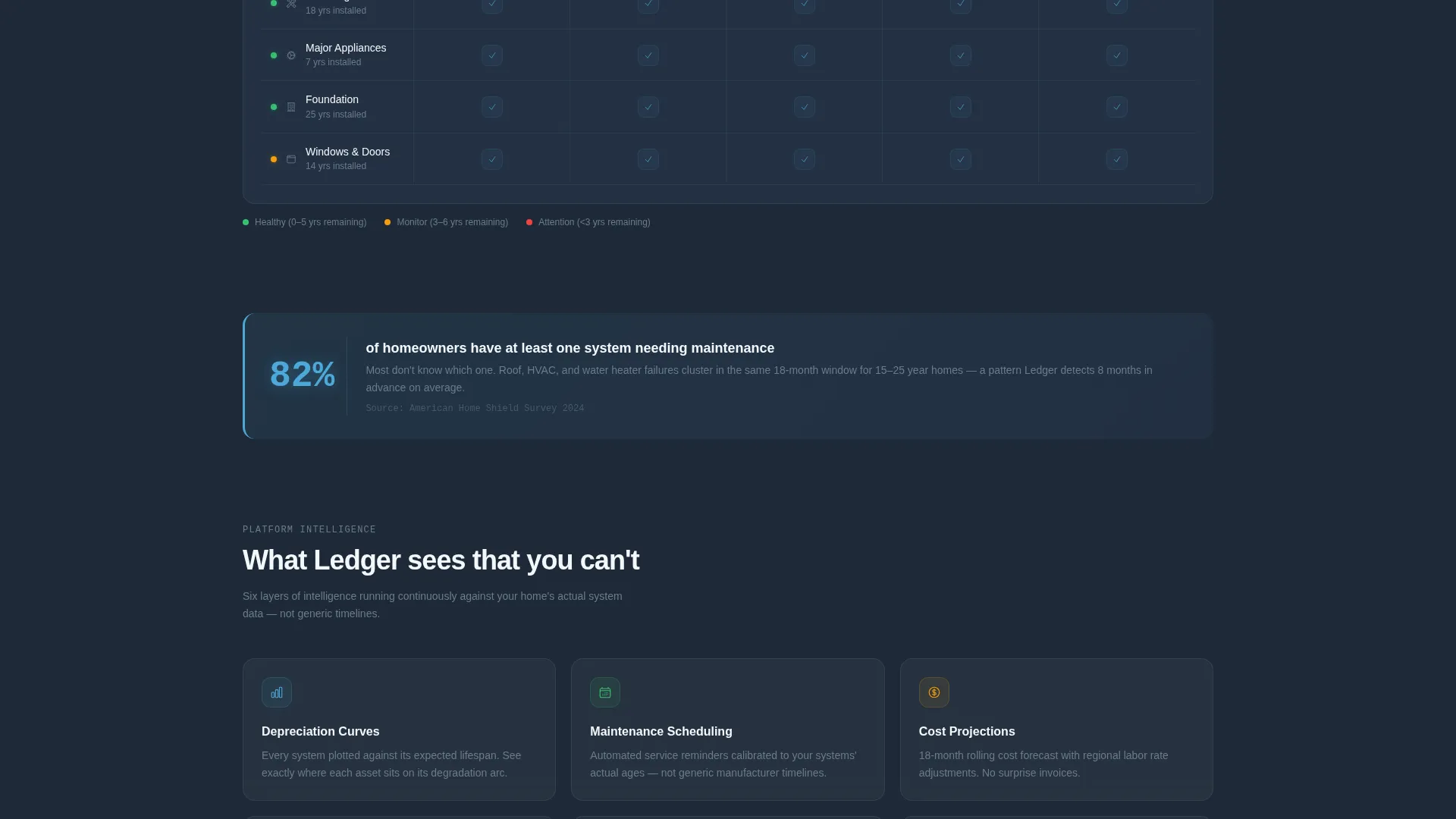
Below the hero, a structured grid maps every trackable home system against platform capabilities. Columns cover condition monitoring, depreciation curves, maintenance scheduling, contractor matching, and equity impact scoring. Each grid intersection lights up with sky-blue icons and micro-animations on hover, building a dense, credible case for the platform.
Single-Stat Callout Cards
Between grid blocks, standalone callout cards break the visual rhythm with a single bold figure. An example included in the template reads: "$14,200 average surprise repair cost for homes with no asset tracking." These cards anchor trust through specific, data-driven statements.
Three-Step Progressive Lead Form
The primary lead capture flow is split into three low-friction steps. Step one asks for home age and zip code. Step two requests the number of major systems and known install dates. Step three asks for name and email to unlock a full Home Asset Health Score.
Sticky call to action Bottom Bar
After the first scroll, a sticky bar appears at the bottom of the page repeating the primary call to action: "Map My Home's Assets." This keeps the conversion path visible at all times without interrupting the reading experience.
Gated PDF Secondary Conversion Path
A secondary offer targets real estate professionals specifically. Visitors can download a pre-listing asset checklist as a gated PDF by providing only their email and role selection. This path runs parallel to the main form without competing with it.
Page sections overview
| Section | Purpose |
|---|---|
| Hero Estimator Tool | Interactive home system estimator with animated cost data as the primary entry point |
| Feature Matrix Grid | Scrollable grid mapping home systems to platform capabilities with hover animations |
| Stat Callout Cards | Bold single-figure cards placed between grid blocks to reinforce value with data |
| Progressive Lead Form | Three-step form capturing home details and contact info to deliver a Health Score |
| Sticky call to action Bar | Persistent bottom bar repeating the primary call to action after first scroll |
| PDF Download Path | Secondary gated offer for real estate professionals requiring email and role |
Design & branding system
The visual identity follows a Tech Glass theme built around a Slate and Sky color system. The result feels like a smart home control panel viewed through a rain-washed window: cool, layered, and quietly authoritative.
- Background layers use deep graphite slate (#1E2A38) and polished aluminum mid-tone (#6B7B8D) to create visual depth without heavy contrast
- Data cards float on cloud-white (#F4F7FA) surfaces with hairline borders, keeping content clean and scannable
- Open-sky blue (#4DA8DA) is reserved for active data points, live numbers, toggle states, hover animations, and call-to-action buttons
Mobile & speed optimization
The template layout is structured to remain functional and readable across screen sizes. The dashboard-style sections adapt so that the estimator, grid, and forms remain usable on smaller displays.
- The interactive estimator and feature matrix grid are designed to reflow cleanly on mobile viewports
- Progressive form steps are split into short, focused screens that reduce cognitive load on touch devices
How this template helps you convert
Every section is sequenced to lower resistance and raise intent before asking for contact information.
- The hero estimator lets visitors see their own home's data reflected back at them before any form appears, creating a personal stake in completing the lead flow
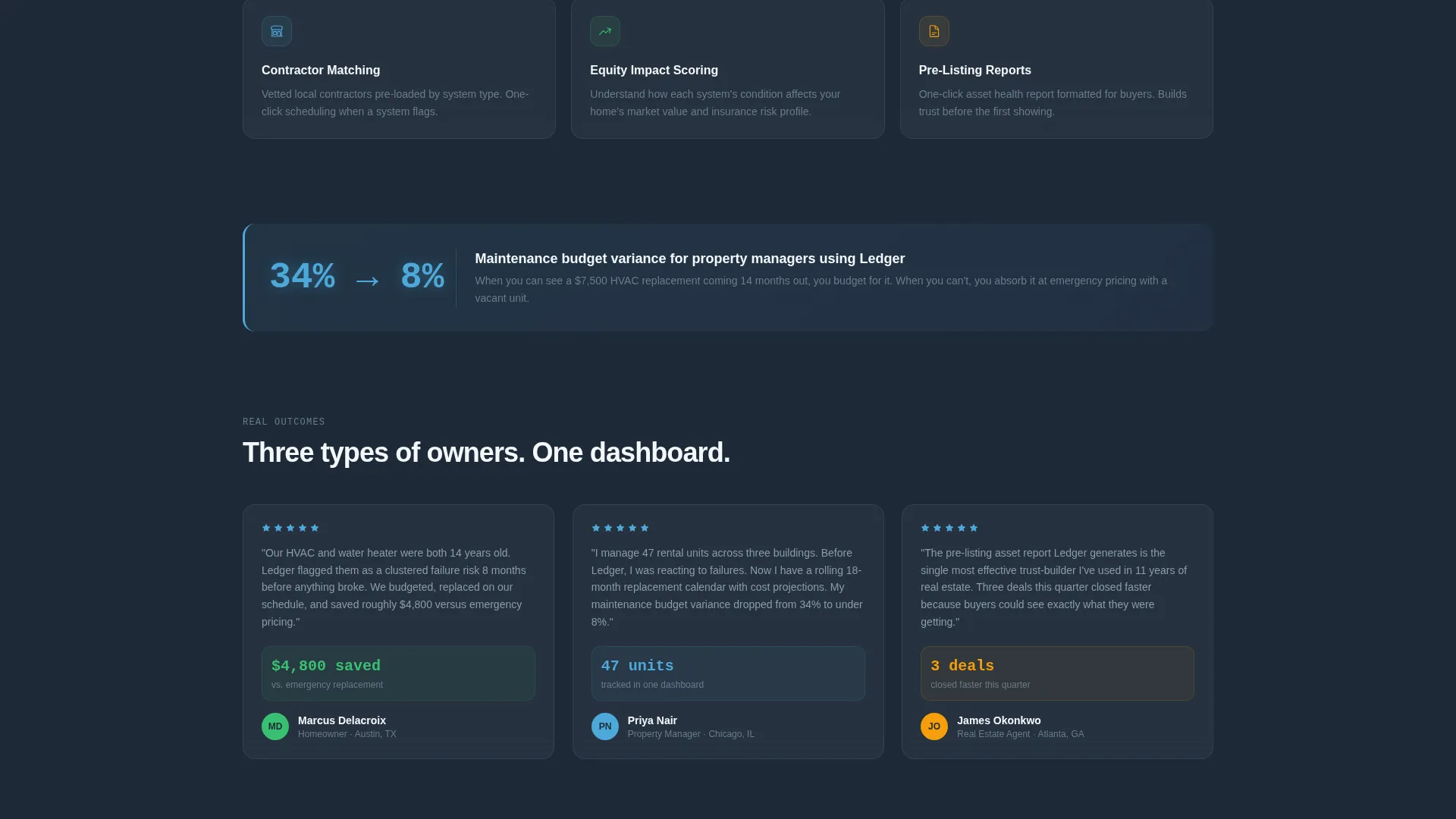
- The feature matrix and callout cards build credibility through density and specificity, so visitors arrive at the form already trusting the platform
- The three-step progressive form reduces drop-off by starting with low-friction inputs and escalating only after intent is established
Other information about this template
This template is categorized under Technology and the Home Services Software subcategory. It is specifically built for the home services asset management niche, where data visibility and organized maintenance tracking are the core value proposition.
- The template style is Dashboard and Data Grid, making it suitable for platforms that lead with tools and organized data rather than lifestyle imagery
- The creative direction is Feature Matrix, which builds trust through completeness and structured comparison rather than narrative storytelling
- The header concept is Calculator and Estimator, meaning the interactive tool replaces a traditional hero banner entirely
- The lead generation direction means every design decision, from the sticky call to action to the PDF download path, is oriented toward capturing qualified contacts
Theme
Tech Glass
Creative direction
Feature Matrix
Color system
Slate & Sky
Style
Dashboard/Data Grid
Direction
Lead Generation
Page Sections
Interactive Home Asset Estimator
Scrollable Feature Matrix Grid
Single-stat Callout Cards
Three-step Progressive Lead Form
Sticky Call to Action Bottom Bar
Gated PDF Secondary Conversion
Related questions
Who is this landing page template designed for?
Does the hero section use stock photography?
How does the three-step progressive form work?
Can I use this template to target real estate professionals?
What visual style does this template use?



