Financial Services Digital Presence Specialist Cost Calculator Website Template
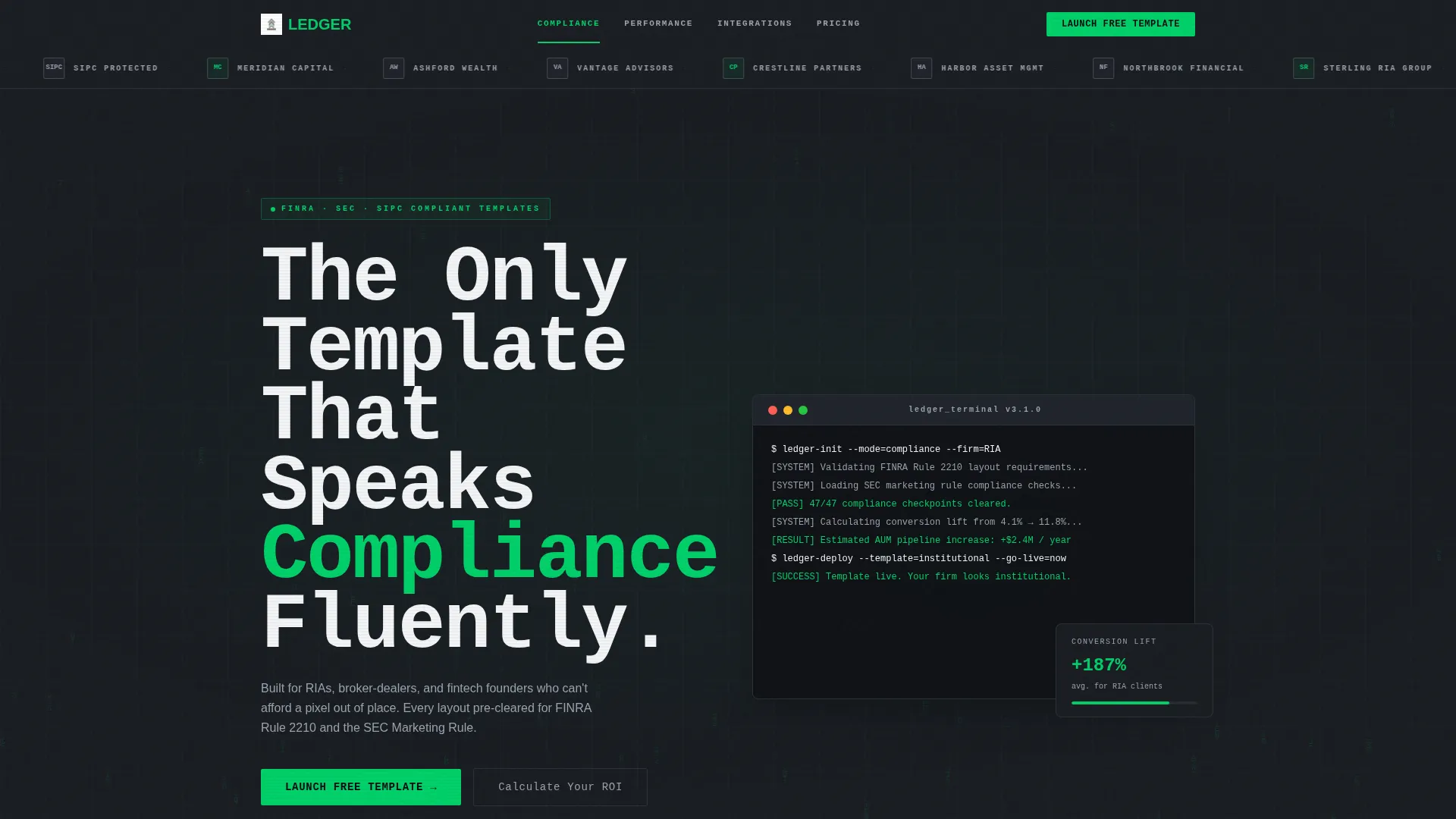
Ledger is an institutional financial services landing page template built for firms that demand precision, credibility, and conversion. It combines a Data Command visual identity with a Calculator/Tool First interactive flow, a sticky anchor navigation, and a Freemium/Trial model. From solo registered investment advisers to fintech founders, Ledger helps financial professionals launch a polished, compliance-aware digital presence fast.
by Rocket studio
Quick summary
Ledger is a hub-and-spoke landing page template designed for financial services professionals. It opens with a live return-on-investment calculator, guides visitors through layered proof sections via sticky anchor navigation, and converts on a free-launch model. The Data Command aesthetic pairs a Monochrome Steel palette with a monospaced typeface for a look that feels engineered, not decorated.
Who this template is for
Ledger speaks directly to the financial professionals who cannot afford a sloppy first impression. Whether you are launching your first site or rebuilding for institutional credibility, this template was shaped around your needs.
- Solo registered investment advisers (RIAs) building their first professional digital presence
- Compliance officers at mid-size broker-dealers who need layouts that hold up under scrutiny
- Fintech founders who need to look institutional quickly and without a long design cycle
What problem this template solves
Most website templates treat finance like any other industry. Ledger does not. Financial services buyers lose trust the moment a page feels generic, and generic pages lose clients before a single conversation starts.
- Generic templates lack the visual weight and structural seriousness that institutional audiences expect
- Solo advisers and small firms struggle to project credibility without expensive custom design work
- Fintech teams need a client-ready look fast, with no room for layouts that look consumer-grade
What you get with this template
Ledger delivers a fully structured, section-led landing page ready to present to prospects on day one. Every element has a job, and nothing is decorative without purpose.
- A hub-and-spoke layout with sticky anchor navigation linking to Compliance, Performance, Integrations, and Pricing sections
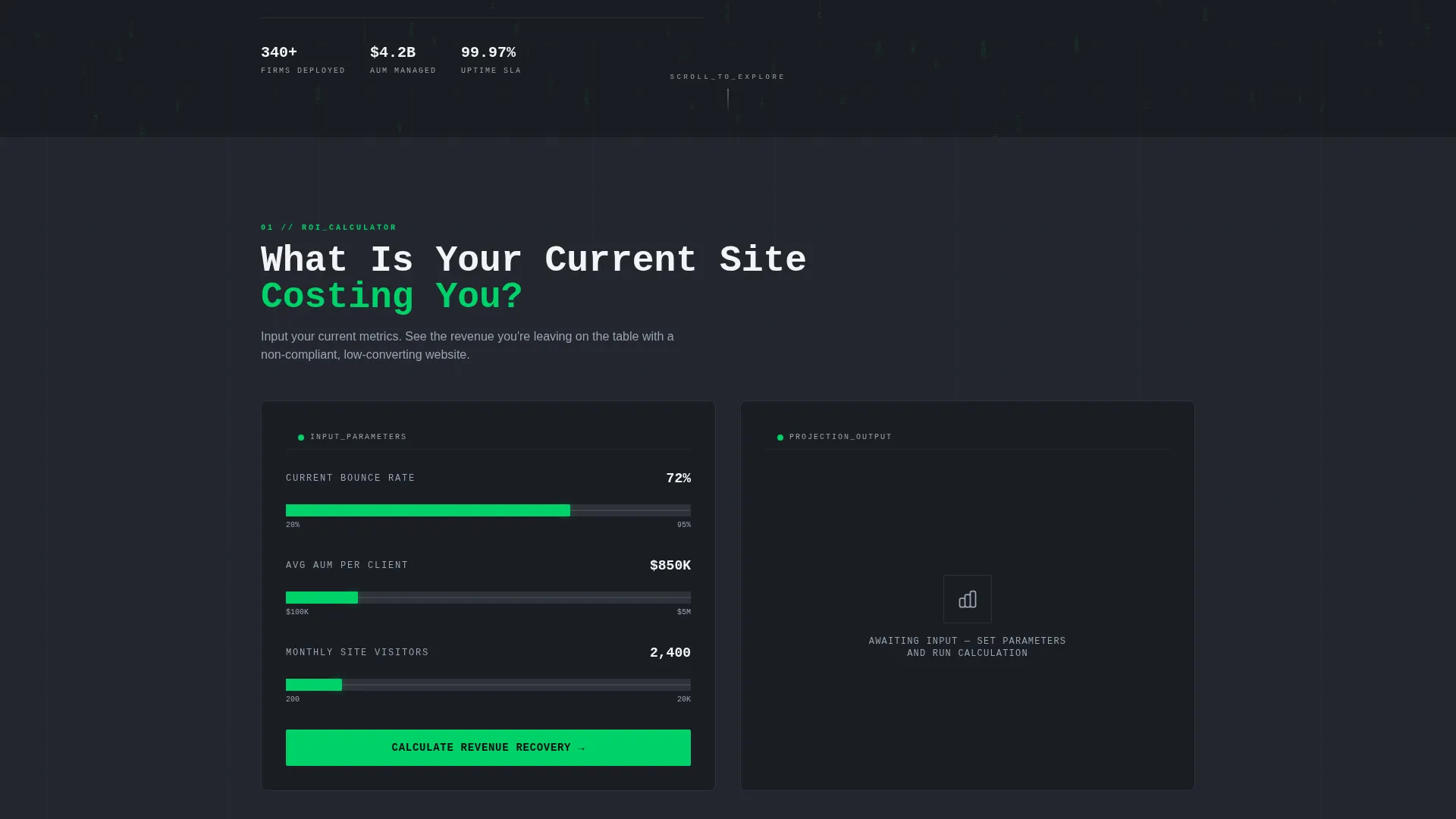
- An interactive return-on-investment calculator as the first above-the-fold engagement point
- A two-step conversion form, a live logo-preview tool, and a signal-green primary call-to-action system
Feature list
Ledger is built around a clear set of capabilities grounded in the source brief. Each feature below reflects something the template actually delivers.
Interactive ROI Calculator
The very first interactive section lets visitors input their current site's bounce rate and average assets under management (AUM) per client. The calculator returns an estimated revenue figure tied to a conversion-optimized redesign, making the value proposition feel personal and data-driven before any sales copy appears.
Sticky Anchor Navigation
A persistent navigation bar keeps four key spoke labels always visible: Compliance, Performance, Integrations, and Pricing. Visitors can jump directly to the section most relevant to their role, reducing friction for compliance officers, technical evaluators, and budget decision-makers alike.
Two-Step Conversion Form
The primary call-to-action, "Launch the Free Template," opens a two-step form. Step one captures email and firm type. Step two offers optional fields for AUM range and customer relationship management (CRM) integration preference, personalizing the onboarding path without demanding unnecessary information upfront.
Live Logo Preview Tool
A secondary conversion path labeled "See It With Your Logo" lets visitors upload their own brand mark. The template swaps placeholder branding in real time, turning passive browsing into a sense of ownership before any payment is required.
Trust Mark Logo Bar Header
The header features a slow-scrolling horizontal bar of recognizable financial-industry trust marks including SEC, FINRA, and SIPC shields alongside placeholder firm logos. The motion is mechanical and steady, mimicking a stock ticker, which signals institutional rigor without any decorative animation.
Freemium Call-to-Action System
Signal-green is reserved exclusively for calls to action and positive-state indicators. The primary button appears first inside the calculator results panel and again as a persistent anchor-nav element, creating multiple low-friction entry points into the free launch flow.
Page sections overview
| Section | Purpose |
|---|---|
| Trust Mark Bar | Scrolling logo header establishing financial-industry credibility |
| ROI Calculator | First interactive section driving personalized value engagement |
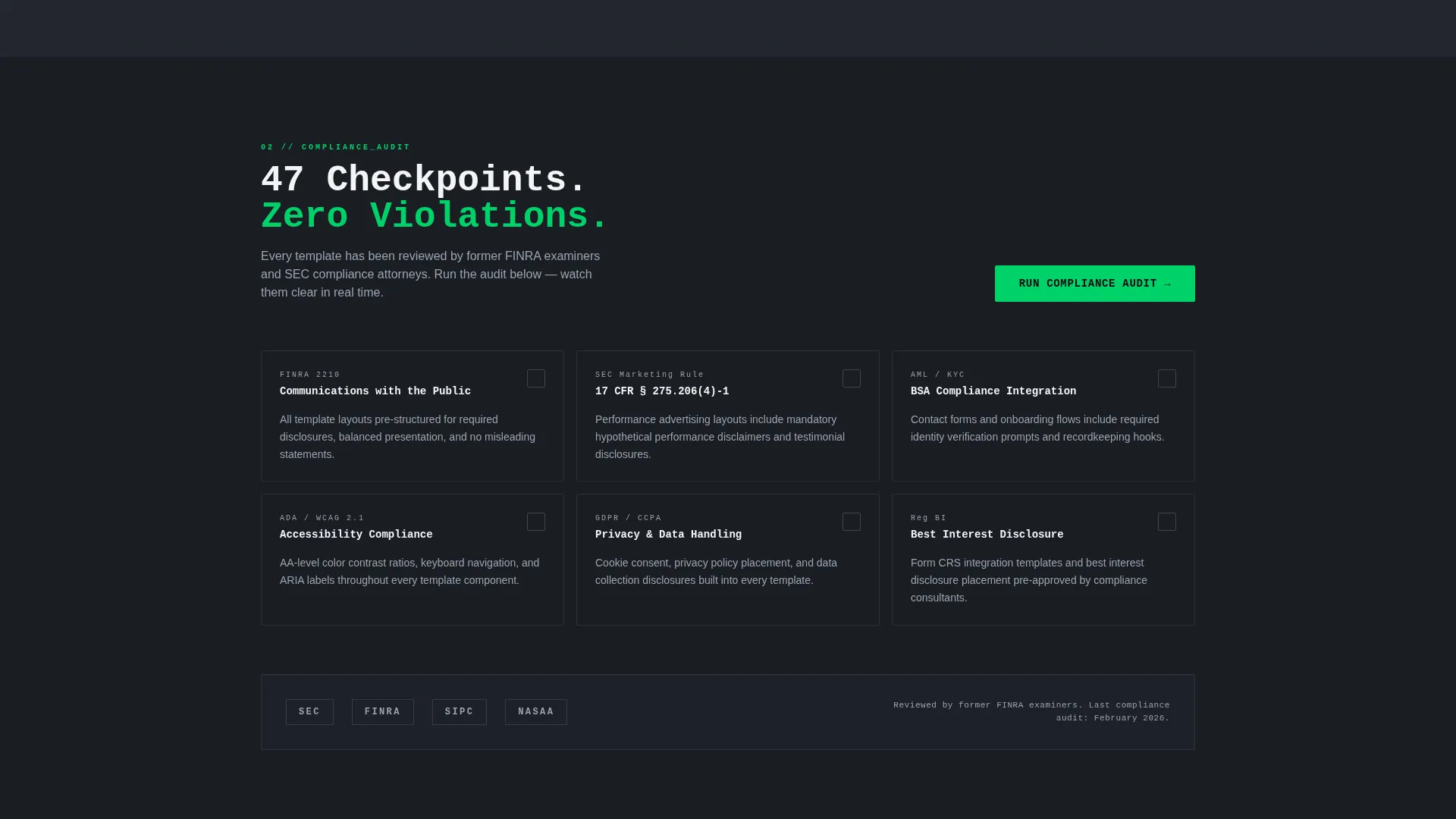
| Compliance Spoke | Proof layer addressing regulatory layout expectations |
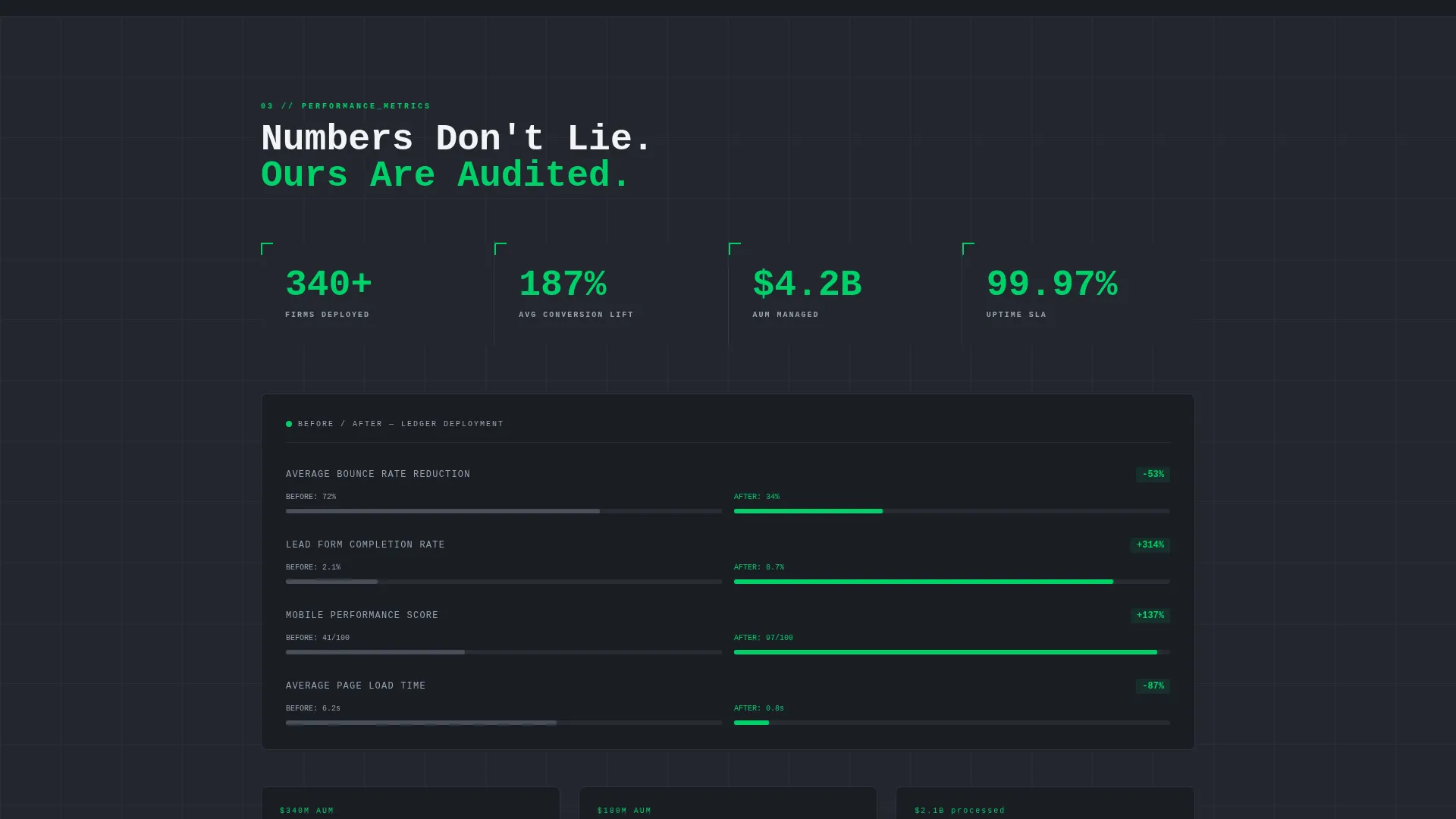
| Performance Spoke | Data and evidence section building deeper product trust |
| Integrations Spoke | Contextual section covering connection and workflow fit |
| Pricing Spoke | Transparent cost section moving visitors toward a decision |
| call to action Results Panel | Calculator output area housing the primary free-launch button |
| Logo Preview Tool | Live branding swap converting curiosity into ownership |
| Two-Step Form | Lightweight signup capturing email, firm type, and preferences |
Design & branding system
The Monochrome Steel color system is the visual backbone of Ledger. Every color decision reinforces the feeling of a precision instrument, not a marketing brochure.
- Core palette: gunmetal base (#23272F), brushed-alloy gray (#9BA4B0), ticker-white (#F4F5F7), and signal-green (#00D26A) reserved for calls to action and positive indicators only
- Backgrounds alternate between gunmetal and near-black (#1A1D23), with single-pixel alloy-gray section dividers that echo spreadsheet gridlines
- A monospaced typeface carries all headline text, reinforcing the terminal-grade, data-first visual identity throughout
Mobile & speed optimization
A landing page built for institutional audiences still needs to perform on every device. Ledger is structured with that in mind.
- The hub-and-spoke anchor navigation remains accessible and persistent on smaller screens, keeping section links reachable throughout the scroll
- Interactive elements including the ROI calculator and logo preview tool are designed to function within a single-column mobile layout without losing their engagement value
How this template helps you convert
Ledger is structured as a deliberate escalation from curiosity to confidence to commitment. Every section builds on the last.
- The ROI calculator opens with a personal data input that produces a specific revenue estimate, giving each visitor a reason to keep reading that is tied to their own numbers.
- The sticky anchor navigation lets compliance officers, technical buyers, and budget holders move directly to the section that answers their specific question, reducing drop-off from irrelevant scroll.
- The "See It With Your Logo" preview tool and the two-step free-launch form together create two distinct low-pressure conversion moments, meeting visitors at different levels of readiness.
Other information about this template
Ledger sits at the intersection of the Technology category and the Financial Services Digital Presence subcategory, specifically targeting the Financial Services Website Template niche. A few additional details worth knowing:
- The template style is Hub and Spoke with anchor navigation, meaning all spokes are housed within a single page rather than across multiple separate pages
- The creative direction follows a Calculator/Tool First approach, where every major spoke section opens with a micro-tool or interactive data widget before any copy appears
- The Data Command theme and Monochrome Steel palette are purpose-built for audiences who associate visual restraint with institutional trustworthiness
- The Freemium/Trial landing page direction means the template is pre-structured for a no-cost entry point, making it suitable for builders who want to reduce signup friction from day one
Theme
Data Command
Creative direction
Calculator/Tool First
Color system
Monochrome Steel
Style
Hub & Spoke (Anchor Nav)
Direction
Freemium/Trial
Page Sections
Interactive ROI Calculator
Sticky Anchor Navigation
Two-step Conversion Form
Live Logo Preview Tool
Trust Mark Scrolling Header
Signal-green Call to Action System
Related questions
Who is the Ledger template designed for?
What does the ROI calculator actually do?
How does the two-step conversion form work?
Can I preview the template with my own logo before signing up?
Is Ledger a single page or a multi-page website?



