Accounting Firm Software Privacy Policy & Terms Website Template
Ledger is a Bold Brutalist landing page template built for accounting firm safety management consultancies. It combines a glassmorphic color system with an interactive hub-and-spoke layout, live comparison tables, and a persistent anchor navigation. The result is a single, high-impact page that turns compliance complexity into a clear, convincing case for professional guidance.
by Rocket studio
Quick summary
Ledger is a single-page compliance consultancy template designed for accounting firm safety specialists. It opens with a live-typed code snippet of actual regulation text, drives visitors through five interactive spoke sections, and closes every section with a direct call to action. The design feels like a concrete vault, heavy, ordered, and deeply reassuring.
Who this template is for
This template is built for professionals who manage or sell safety compliance services to accounting firms. It speaks directly to people who understand what is at stake when a regulatory audit arrives without warning.
- Managing partners at mid-size certified public accountant firms facing their first serious audit
- Office managers tracking incident logs across two or more branch locations
- Compliance officers at large accounting satellite offices who have inherited outdated safety documentation
What problem this template solves
Most accounting firms assume their offices carry no real hazards. That assumption leaves them exposed to ergonomic violations, incomplete incident records, and emergency protocols that have never been tested. A generic consultancy website does nothing to challenge that blind spot.
- Visitors leave before understanding the gap between their current compliance state and the legal standard
- Comparison shopping is difficult when every competitor uses the same vague service language
- Prospects who are not yet ready to book a call have no structured way to self-qualify or capture a resource
What you get with this template
Ledger delivers a fully structured, single-page interactive layout with every component defined in the design brief. Nothing is decorative; every element earns its place by advancing the compliance narrative.
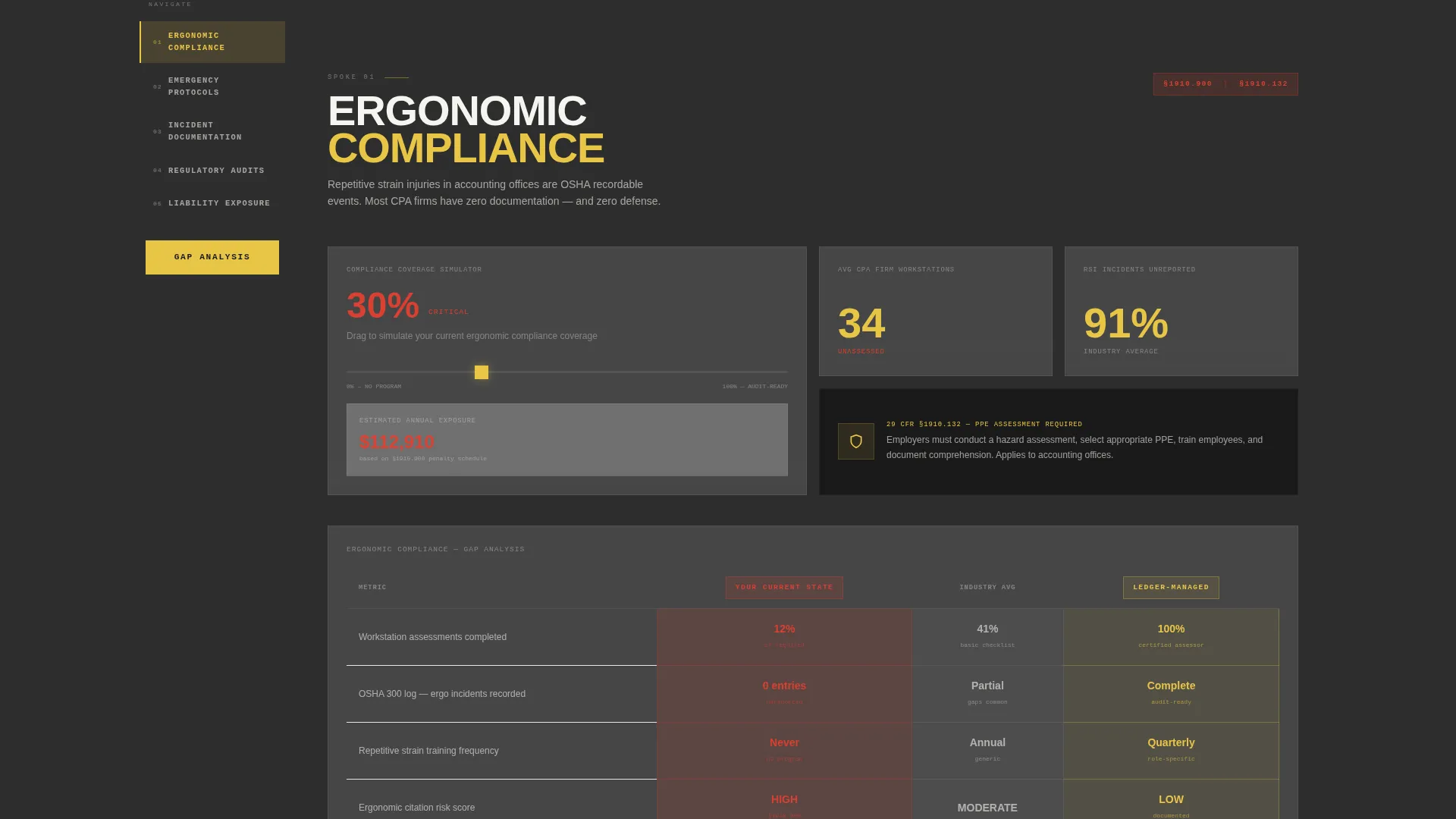
- A persistent left-rail anchor navigation with five labeled spoke tabs that snap the viewport to each section
- Three-column brutalist comparison tables inside every spoke, stacking your current state against competitor services and the managed approach
- Two distinct lead capture paths: a three-field gap analysis form and an email-gated checklist download
Feature list
This section covers the core interactive and structural capabilities built into the Ledger template.
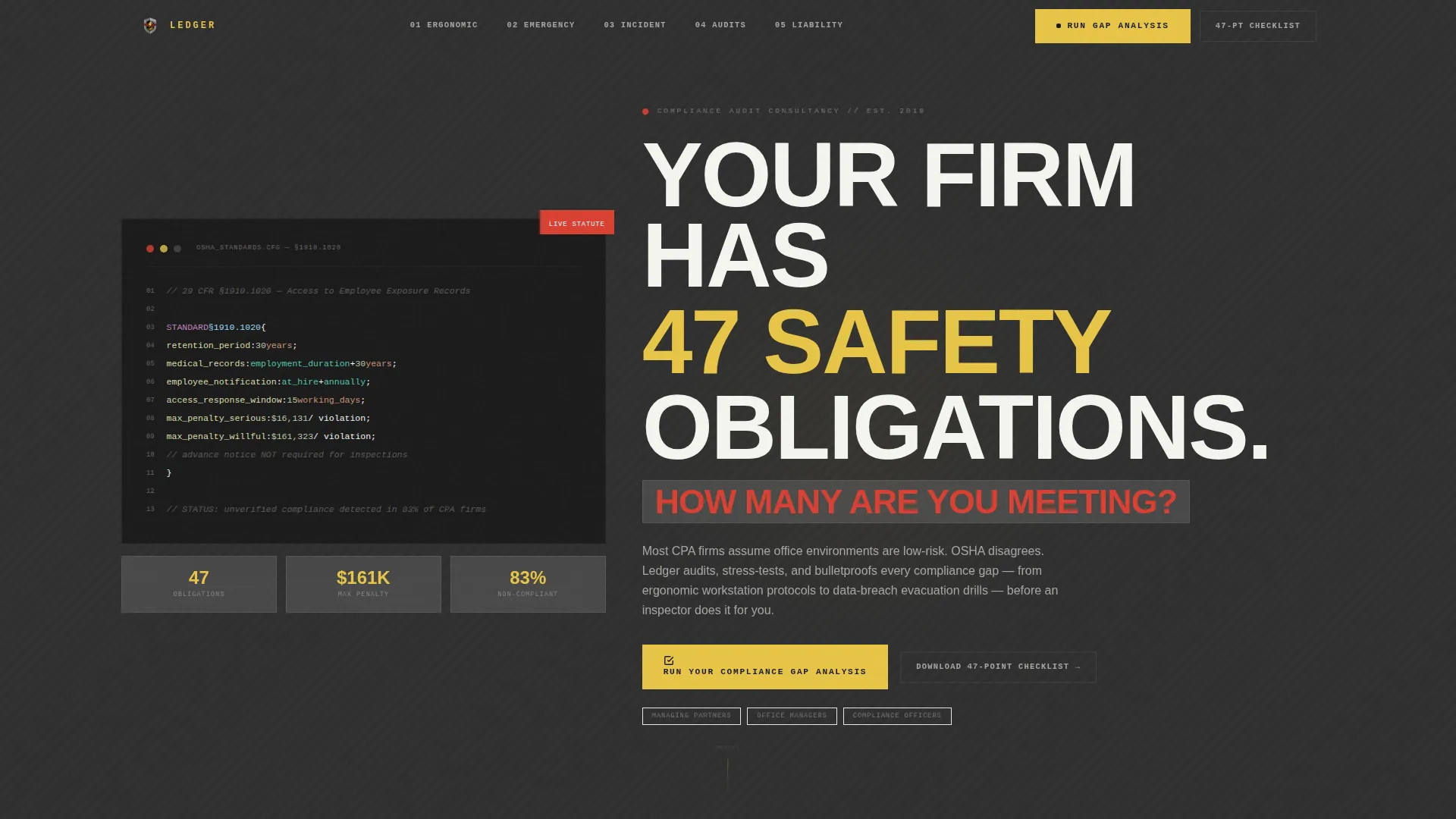
Live-Typed Regulation Code Header
The page opens with a monospaced code snippet rendering actual Occupational Safety and Health Administration regulation text, specifically section 1910.1020 on access to employee exposure records. Characters appear line by line as if being typed live against a dark concrete slab, establishing authority before a single marketing word appears.
Persistent Anchor Navigation Rail
A fixed left-rail navigation holds five concrete tabs: Ergonomic Compliance, Emergency Protocols, Incident Documentation, Regulatory Audits, and Liability Exposure. Each tab snaps the viewport to its spoke section on click, keeping visitors oriented across the full length of the page without losing context.
Interactive Spoke Sections with Sliders and Toggles
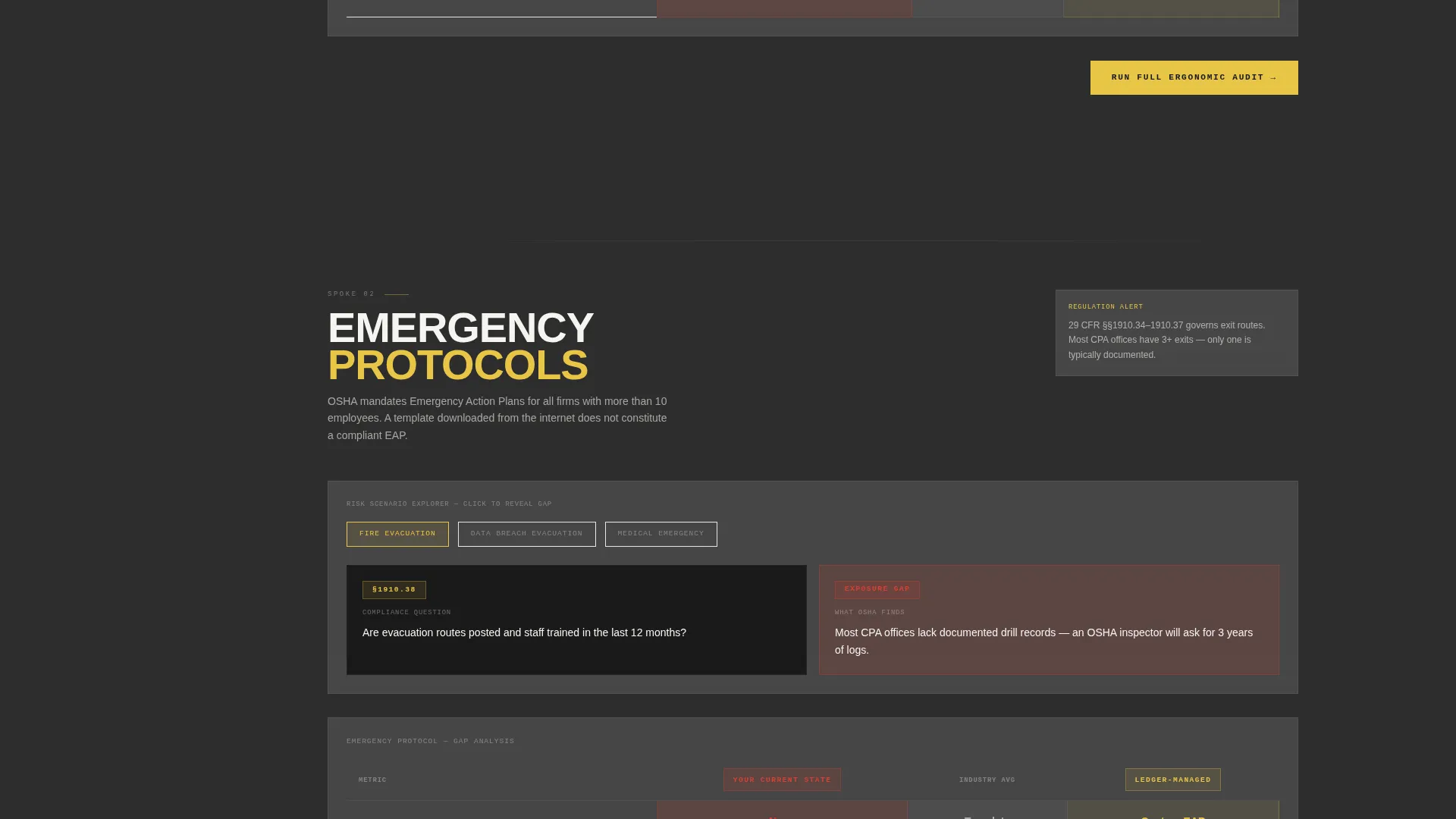
Inside each of the five spoke sections, visitors interact with draggable sliders, toggle risk scenarios, and click-to-reveal panels. The interactions surface real gap-analysis framing so visitors can measure their own exposure before speaking to anyone.
Three-Column Compliance Comparison Tables
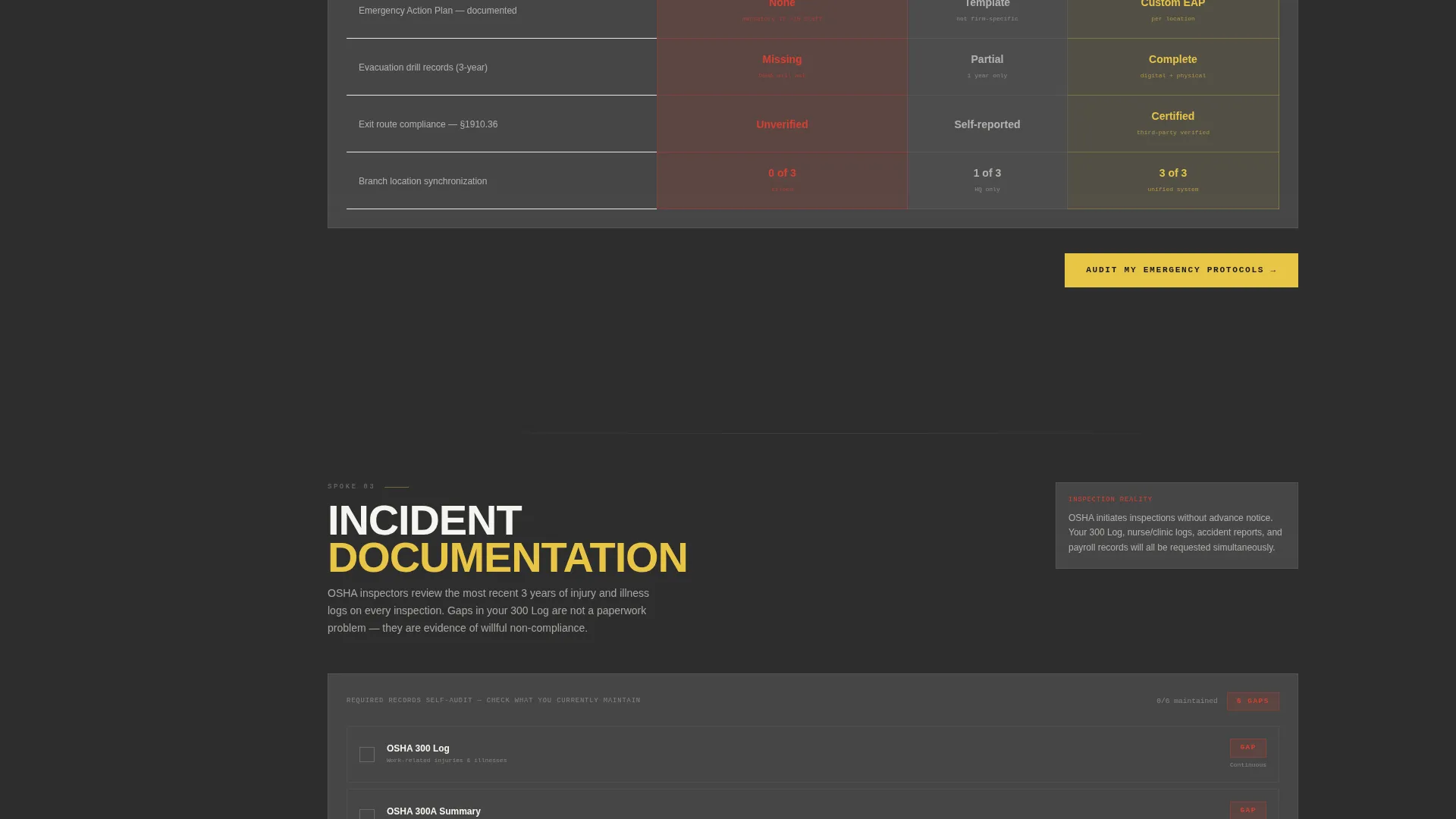
Every spoke section includes a structured brutalist table with three columns: Your Current State, Industry Competitor, and Ledger-Managed. Metrics include audit pass rates, citation resolution time, and incident-report accuracy, giving visitors a concrete, side-by-side view of the value difference.
Dual Lead Capture System
The primary call to action, "Run Your Compliance Gap Analysis," appears as a fixed frosted button in the anchor nav and repeats at the base of each spoke. A secondary path offers a downloadable 47-point checklist behind an email gate, capturing prospects at different stages of readiness.
Bold Brutalist Glassmorphic Visual System
The design pairs poured-concrete charcoal backgrounds with frosted-panel white cards at low opacity. Regulatory-yellow highlights interactive anchors and hover states. Sharp audit-red marks only risk indicators and comparison disadvantage entries, keeping color meaning precise and intentional throughout.
Page sections overview
| Section | Purpose |
|---|---|
| Regulation Code Header | Opens with live-typed OSHA statute text to establish regulatory authority immediately |
| Brutalist Hero Headline | Delivers the core challenge statement in 120-pixel condensed type over a frosted card |
| Anchor Navigation Rail | Persistent left-rail tabs keep visitors oriented and drive scroll through all five spokes |
| Ergonomic Compliance Spoke | Covers workstation protocols and surfaces ergonomic gap data through interactive sliders |
| Emergency Protocols Spoke | Addresses evacuation drills and data-breach response with toggleable risk scenarios |
| Incident Documentation Spoke | Shows how incident logs are managed across single and multi-location office setups |
| Regulatory Audits Spoke | Presents audit pass rates and citation resolution metrics in a three-column table |
| Liability Exposure Spoke | Escalates stakes to litigation risk and reveals the cost of unmanaged compliance gaps |
| Gap Analysis Form | Captures qualified leads via firm size, number of locations, and last audit date |
| Checklist Email Gate | Offers the 47-point safety checklist download behind an email capture field |
Design & branding system
The visual identity fuses Bold Brutalist structure with a Glassmorphic color system. The effect is a glass partition wall inside a raw concrete office tower: translucent surfaces hovering over something immovable, where light bends but structure never gives.
- Poured-concrete charcoal (#2D2D2D) forms the primary background, frosted-panel white (#FFFFFF at 12% opacity) surfaces glassmorphic cards, regulatory-yellow (#E8C547) activates interactive anchors and hover states, and audit-red (#D94032) marks risk indicators and comparison disadvantage entries exclusively
- Typography leads with 120-pixel condensed brutalist type for the hero headline and monospaced syntax-highlighted fonts for the regulation code block
- Color usage is strictly purposeful: yellow means action, red means risk, white means structure, and charcoal means foundation
Mobile & speed optimization
The Ledger template is structured with a single-page, section-led layout that keeps the interaction model manageable across screen sizes. The anchor navigation and interactive components are designed within the hub-and-spoke framework described in the brief.
- The persistent left-rail anchor navigation is built for the scroll experience defined in the template, with snap-to-section behavior supporting orientation on longer viewport sessions
- Glassmorphic card surfaces and frosted overlays use defined opacity values rather than heavy graphical assets, keeping the visual layer lean
- The dual lead capture paths, fixed nav button and email-gated checklist, remain accessible at multiple scroll depths so visitors can convert without returning to the top
How this template helps you convert
Every structural decision in Ledger is built to move a skeptical compliance buyer from passive reading to active engagement, then to a form submission.
- The live-typed OSHA code snippet leads with evidence, not with marketing copy, so visitors who know the regulation immediately recognize competence and those who do not are prompted to find out what they are missing.
- The interactive sliders, toggles, and comparison tables let visitors measure their own compliance gaps before any sales conversation begins, building self-qualified urgency that no static page can replicate.
- The dual call-to-action system meets prospects at two readiness levels: the gap analysis form captures buyers ready to engage now, while the checklist email gate captures those still counting their blind spots, so no traffic leaves without a conversion path.
Other information about this template
Ledger sits inside the accounting firm safety management niche, a specialized intersection of workplace compliance and professional services technology. A few additional details help clarify scope and fit.
- The template category is Technology, with a subcategory of Accounting Firm Software, making it well-suited for software-adjacent consultancy and service-positioning pages in that vertical
- The hub-and-spoke layout with anchor navigation is a single-page architecture: all five compliance spokes live on one scrollable page, not across multiple routed pages
- The 47-point checklist referenced in the template is a narrative device built into the headline and lead capture flow; the actual checklist content would be supplied by the team deploying the template
- The three-field gap analysis form collects firm size by employee count, number of office locations, and date of last safety audit, making it specific enough to qualify leads without requiring a long intake process
- The template is designed for a consultancy positioning use case, meaning the buyer of this template is a compliance service provider, not the accounting firm itself
Theme
Bold Brutalist
Creative direction
Interactive Explorer
Color system
Glassmorphic
Style
Hub & Spoke (Anchor Nav)
Direction
Comparison/Versus
Page Sections
Live-typed Regulation Code Header
Persistent Anchor Navigation Rail
Interactive Sliders and Risk Toggles
Three-column Brutalist Comparison Tables
Dual Lead Capture System
Bold Brutalist Glassmorphic Visual System
Related questions
Who is this template designed for?
Does the template include the 47-point checklist content?
How does the three-column comparison table work?
Can I change the regulation code shown in the header?
Is this template suitable for firms managing multiple office locations?



