Local Accounting Firm Software Professional Website Template
Ledger is a hub-and-spoke landing page template built for accounting firm workflow automation platforms. It guides visitors through a Problem-to-Solution arc across five anchor-nav spokes, pairs a live dashboard preview header with high-contrast Acid Digital visuals, and drives sign-ups through a freemium trial form and a demo video gate.
by Rocket studio
Quick summary
Ledger is a single-page template designed for accounting firm automation platforms. It opens with a live dashboard preview, walks prospects through five workflow stages via sticky anchor navigation, and closes with two conversion paths: a free trial form and a demo video gate. The design runs on a void-black and electric-chartreuse palette that feels purposeful and urgent.
Who this template is for
This template is built for SaaS founders and product marketers selling workflow automation to accounting professionals. If your platform routes documents, automates approvals, or closes books without manual intervention, Ledger gives you a page structure that speaks directly to your buyers.
- Managing partners at firms with 15 to 200 staff who are drowning in reconciliation backlogs
- Staff accountants toggling between multiple browser tabs during tax season
- Operations managers who have patched together fragile manual automation and need a real solution
What problem this template solves
Accounting firm software pages often look like every other SaaS page. They lead with features instead of pain, skip the before-and-after moment buyers actually need, and bury the call to action below a wall of text. Ledger is built to fix that.
- Visitors arrive skeptical and leave without converting because the page never earns their trust at the right moment
- Partners who need to see the product in motion have no low-commitment path to engage
- Generic page structures fail to map automation benefits to specific workflow stages buyers already recognize
What you get with this template
Ledger delivers a complete, single-page structure ready for an accounting workflow automation platform. Every section is designed to do a specific job, and the layout guides skeptical buyers from problem awareness to confident sign-up.
- A sticky anchor navigation rail with five spoke sections: Intake, Processing, Review, Filing, and Reporting
- A two-step freemium trial form and a separate demo video gate, each capturing leads with minimal friction
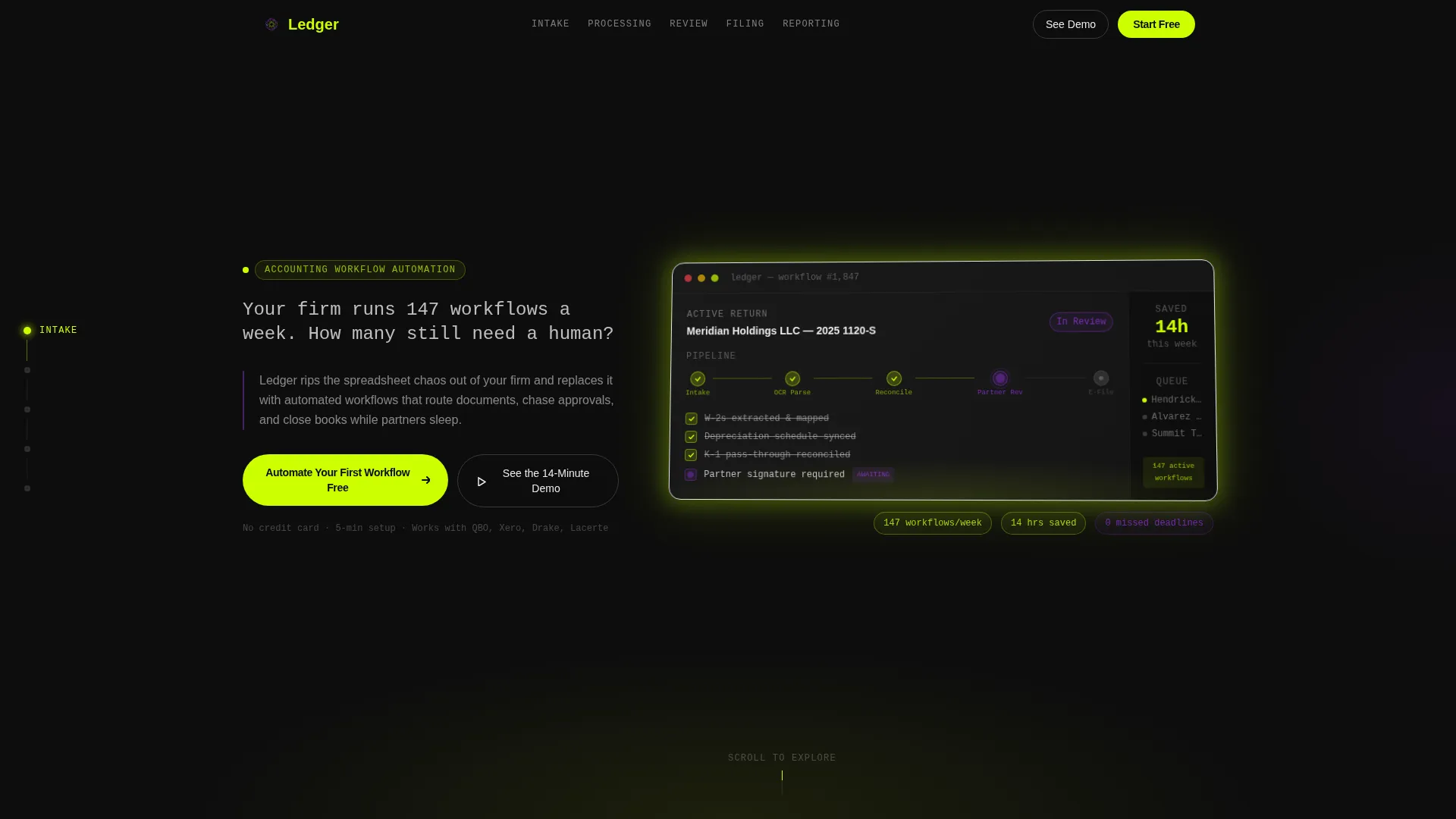
- A header dashboard preview showing a live workflow in motion, complete with task status indicators and a time-saved sidebar
Feature list
This section highlights the core built-in components that make Ledger work as a conversion-focused landing page for accounting automation platforms.
Live Dashboard Preview Header
The header features a pixel-perfect product screenshot floating on a void-black background, slightly angled with a soft chartreuse glow beneath it. A self-typing monospace headline runs above the dashboard, and the image shows a real workflow moving through five stages with task status indicators and a time-saved counter.
Hub-and-Spoke Anchor Navigation
A sticky left-rail navigation holds five labeled nodes: Intake, Processing, Review, Filing, and Reporting. Each node links directly to its spoke section, letting visitors jump to the workflow stage most relevant to their pain point without scrolling through unrelated content.
Before-and-After Spoke Vignettes
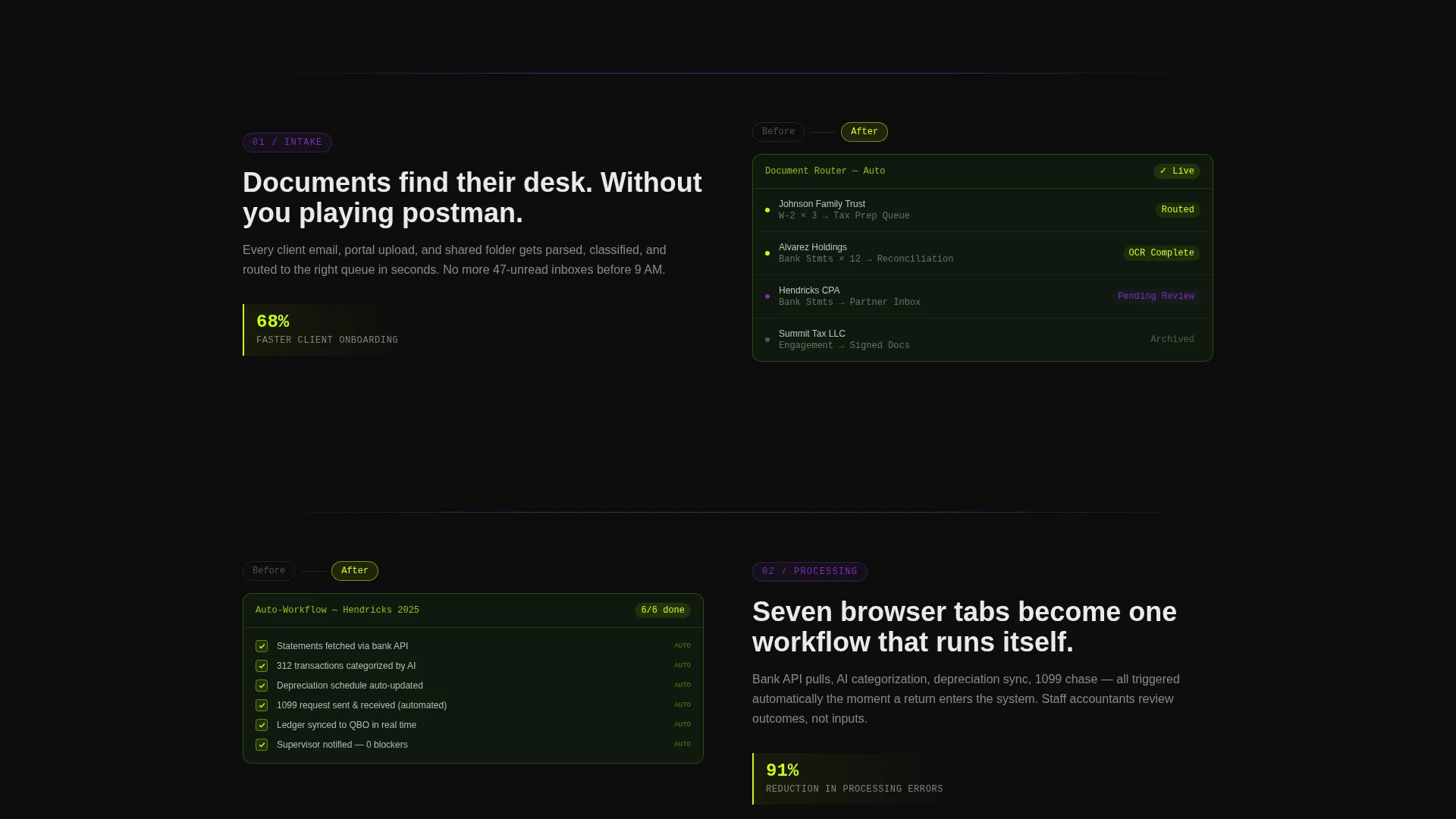
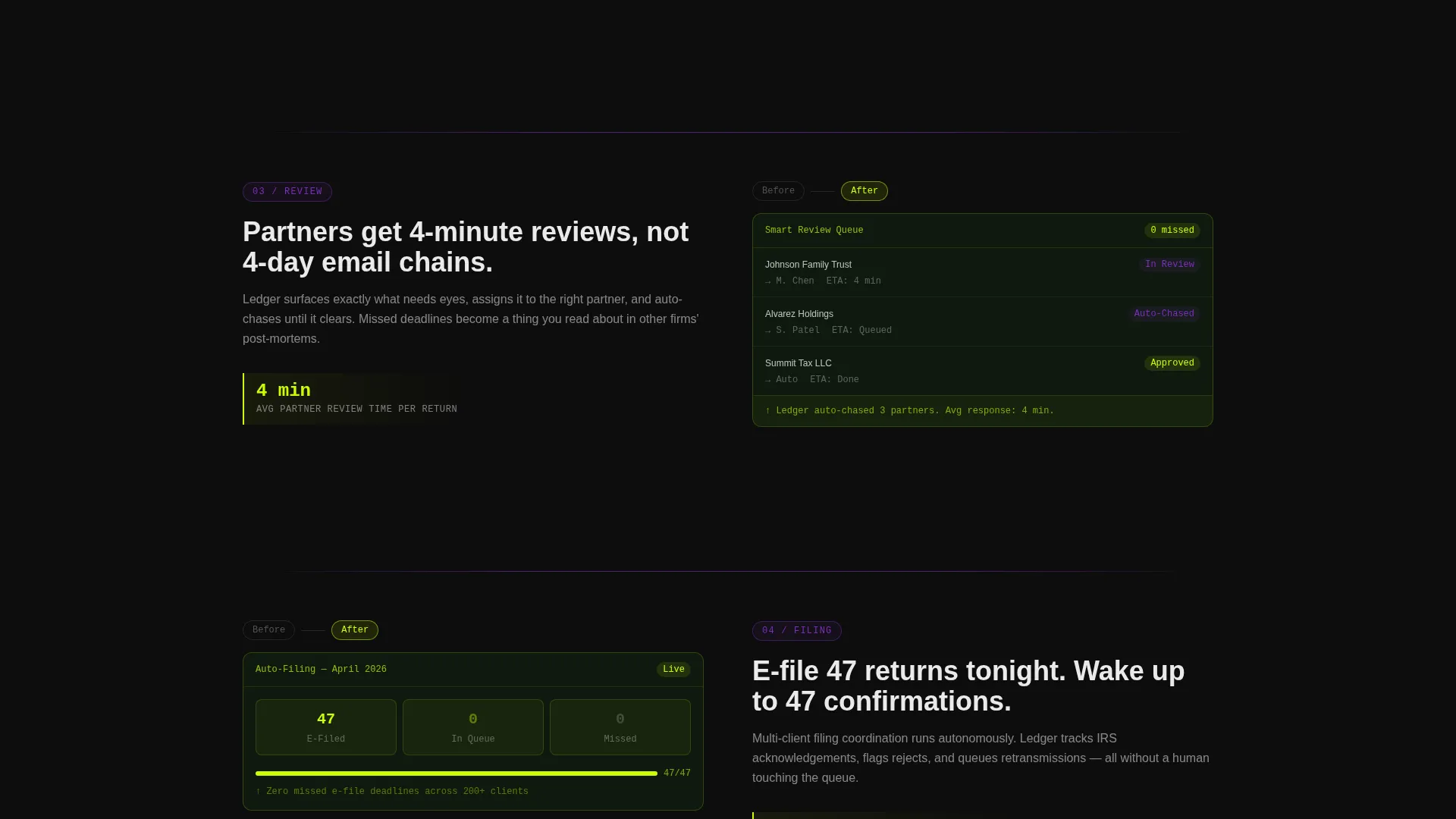
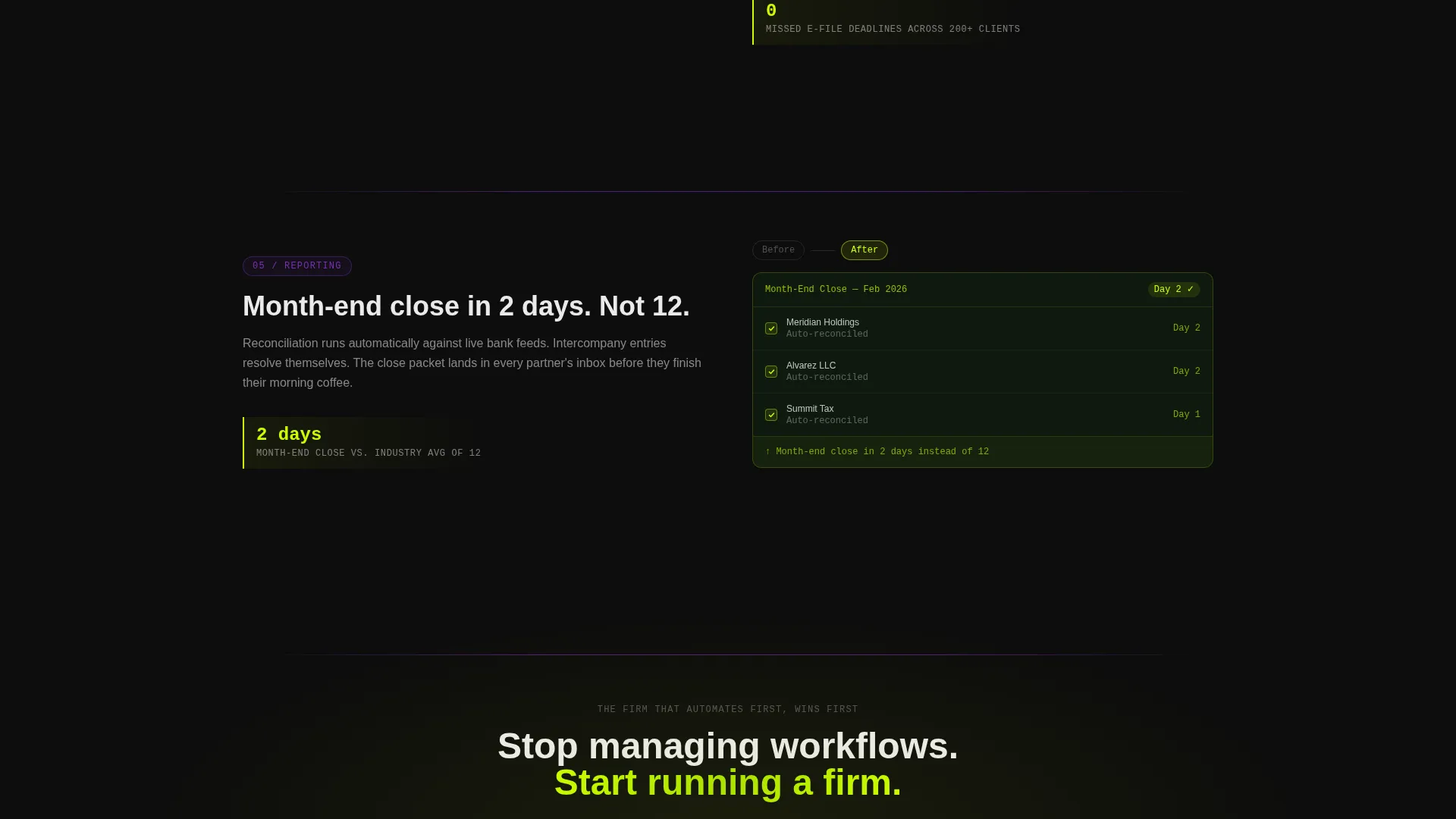
Each of the five spoke sections presents a problem state followed by its automated solution. The transition from cluttered inbox to resolved workflow is visual and deliberate. Every spoke closes with a micro-statistic that adds credibility at the exact moment a visitor is weighing the value.
Two-Path Conversion System
The primary call to action, "Automate Your First Workflow Free," appears in the header and again as a floating bar after the third spoke. Clicking opens a two-step form: step one collects firm size and primary software; step two asks only for email and first name. A secondary path offers a demo video gate for partners who prefer to watch before they commit.
Floating Conversion Bar
After the visitor passes the third spoke section, a persistent floating bar carries the primary call to action back into view. This ensures the offer stays reachable without interrupting the reading experience earlier in the page.
Escalating Stakes Narrative
The page is structured so that stakes grow as the visitor scrolls. The story starts with a single document being routed and builds to a full multi-client month-end close running without manual input. This arc is intentional and keeps readers engaged through the full page.
Page sections overview
| Section | Purpose |
|---|---|
| Dashboard Preview Header | Hooks attention with a live workflow visual and the self-typing headline |
| Intake Spoke | Shows how client onboarding documents are routed automatically |
| Processing Spoke | Demonstrates automated task completion and approval routing |
| Review Spoke | Highlights partner review queues with status indicators |
| Filing Spoke | Covers deadline management and automated filing triggers |
| Reporting Spoke | Presents autonomous month-end close across multiple clients |
| Floating call to action Bar | Reintroduces the primary offer after the third spoke |
| Free Trial Form | Two-step sign-up capturing firm size, software, email, and name |
| Demo Video Gate | Secondary lead capture for partners who prefer a preview first |
Design & branding system
The visual identity runs on an Acid Digital color system that feels like a dark-mode development environment at the moment everything finally works. High contrast is the dominant principle, and every color has a specific job on the page.
- Void black (#0D0D0D) fills all backgrounds, chartreuse (#CCFF00) fires on calls to action and hover states, UV purple (#7B2FBE) marks section dividers and active navigation states, and terminal white (#EAEAEA) carries all body text
- Typography uses a monospace style for the self-typing headline, reinforcing the platform's technical credibility
- The slightly angled dashboard screenshot with a chartreuse underglow creates a tangible, screen-on-desk spatial quality that grounds the digital aesthetic
Mobile & speed optimization
The template is structured for clean rendering across screen sizes. The hub-and-spoke layout adapts to narrower viewports without losing the navigational clarity that makes the page work.
- The sticky anchor navigation collapses gracefully on smaller screens so the five workflow spokes remain accessible without consuming viewport space
- The two-step conversion form is built with minimal fields, reducing friction on mobile where long forms cause drop-off
How this template helps you convert
Ledger is engineered around two conversion paths and a narrative structure that builds trust before it asks for anything. The page earns the click rather than demanding it.
- The escalating-stakes arc moves visitors from a relatable single-document problem to a full autonomous close, so by the time they reach the call to action they have already imagined the outcome for their own firm.
- The two-step free trial form removes the credit card barrier and splits qualification from commitment, which lowers the perceived risk and increases the likelihood a hesitant partner completes the form.
Other information about this template
Ledger is positioned specifically for accounting firm workflow automation software platforms competing in a space where buyers are technically literate but time-poor. The page structure respects that reality.
- The demo video gate is designed for managing partners who need social proof before they will touch a product, offering a 14-minute commitment instead of a sales call
- The micro-statistics embedded at the end of each spoke (such as "Firms using automated intake cut onboarding time by 68%") are placeholder content formatted to be replaced with real platform data
- The template supports software platforms that work alongside tools common in accounting firms, making the two-step form's software-selection field a natural qualifier for product onboarding flows
Theme
Startup Velocity
Creative direction
Problem→Solution Arc
Color system
Acid Digital
Style
Hub & Spoke (Anchor Nav)
Direction
Freemium/Trial
Page Sections
Live Dashboard Preview Header
Hub-and-spoke Anchor Navigation
Before-and-after Spoke Vignettes
Two-path Conversion System
Floating Conversion Bar
Escalating Stakes Narrative Structure
Related questions
Who is the Ledger template designed for?
Does this template include the actual automation workflows?
What are the two conversion paths included in this template?
Can I replace the micro-statistics shown in each spoke section?
How does the two-step free trial form work?



