Lattice - Encrypted Cryptography Landing Page Template
Lattice is a split-screen landing page template built for a homomorphic encryption newsletter and community. It pairs a Dashboard Pro aesthetic with an Industry Report scroll rhythm to attract applied cryptographers, enterprise architects, and researchers. The design uses a Slate & Sky color system and a structured lead-generation flow to turn informed visitors into subscribers.
by Rocket studio
Quick summary
Lattice is a 50/50 split-screen landing page template designed for a homomorphic encryption newsletter and community. It follows a Dashboard Pro theme with a Slate & Sky color system. The page reads like a premium research dossier, moving visitors through credibility signals and editorial previews before presenting a focused email capture form.
Who this template is for
This template is built for technically credible publications and communities operating at the intersection of cryptography and enterprise computing. It speaks to audiences who expect density, precision, and zero visual noise.
- Applied cryptographers and PhD researchers tracking developments in homomorphic encryption (a method of computing directly on encrypted data without decrypting it first)
- Enterprise architects and engineering leads building confidential computing pipelines in regulated sectors such as healthcare and finance
- Newsletter operators and community builders who need a landing page that earns trust before it asks for an email
What problem this template solves
Most newsletter landing pages rely on warmth and imagery to convert visitors. That approach fails for technical audiences who read layout as a signal of editorial quality. Lattice solves that mismatch directly.
- Technical visitors bounce from generic landing pages that cannot signal domain credibility within the first scroll
- Newsletter operators lack a structured way to preview content quality and community health before the signup form appears
- There is no standard template that serves both a lead-generation goal and a research-brief reading experience at the same time
What you get with this template
Lattice delivers a complete, structured landing page ready to be customized for a homomorphic encryption newsletter or a similar technical community. Every section is purposeful and sequenced for conversion.
- A 50/50 split-screen layout with static left-panel labels and right-panel content delivery across three distinct topic splits
- A Logo Bar header, a stat headline strip, three redacted-style preview cards, a community pulse block, and a two-field lead capture form
- A Slate & Sky color system built around deep graphite, cool slate, sky-wash accent, and clean frost text on a Dashboard Pro theme
Feature list
This section breaks down the core functional components included in the Lattice landing page template.
Split-Screen Section Architecture
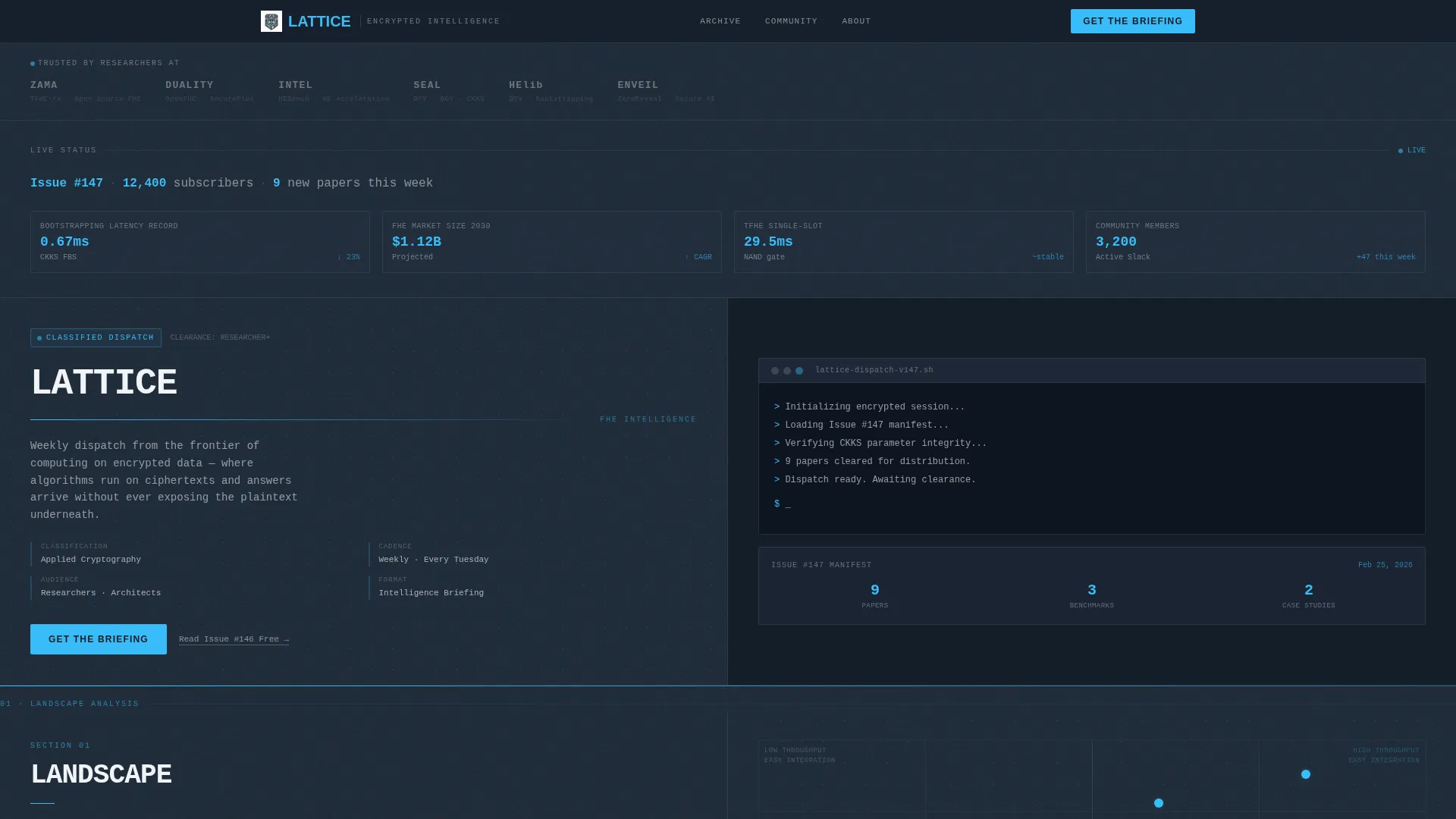
The page uses a 50/50 horizontal split across every major section. The left panel holds a static section label and issue metadata. The right panel delivers the live content. This structure mirrors a classified research brief and keeps the reader oriented at every scroll position.
Logo Bar with Hover State
The header opens with a horizontal strip of institutional logos rendered in monochrome on the graphite background. Each logo sits at 40% opacity by default and lifts to full sky-blue on hover. This interaction signals institutional credibility without requiring a word of copy.
Stat Headline Strip
Below the Logo Bar, a single line renders live-style metrics such as issue number, subscriber count, and new papers tracked this week. The numeric values are styled in the sky-wash accent color to visually separate them from label text, as if pulled from a dashboard feed.
Redacted-Style Preview Cards
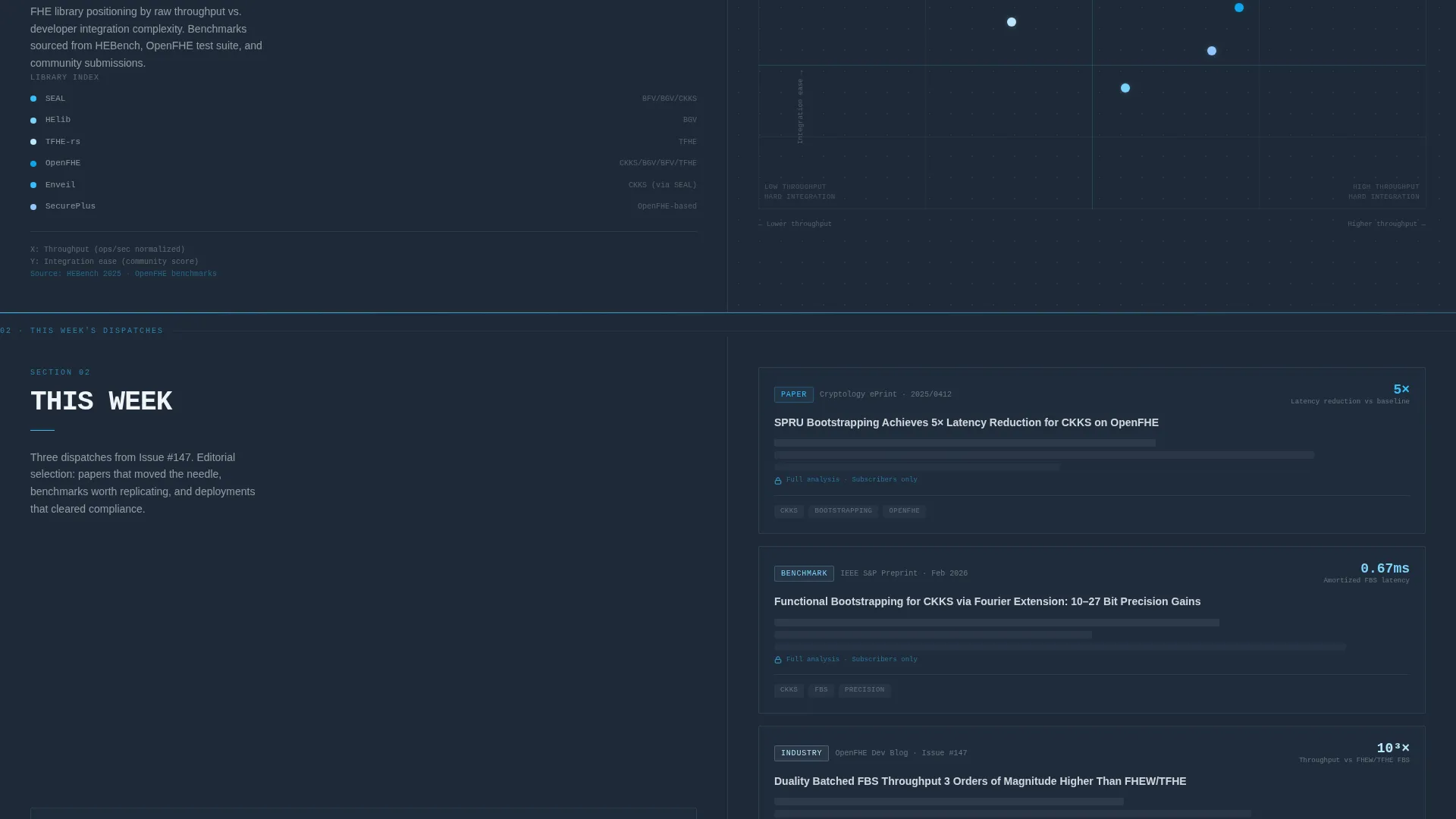
The "This Week" split presents three editorial preview cards. Each card shows a headline, a source tag, and one key metric. The redacted visual style proves content density before the visitor reaches the signup form.
Community Pulse Block
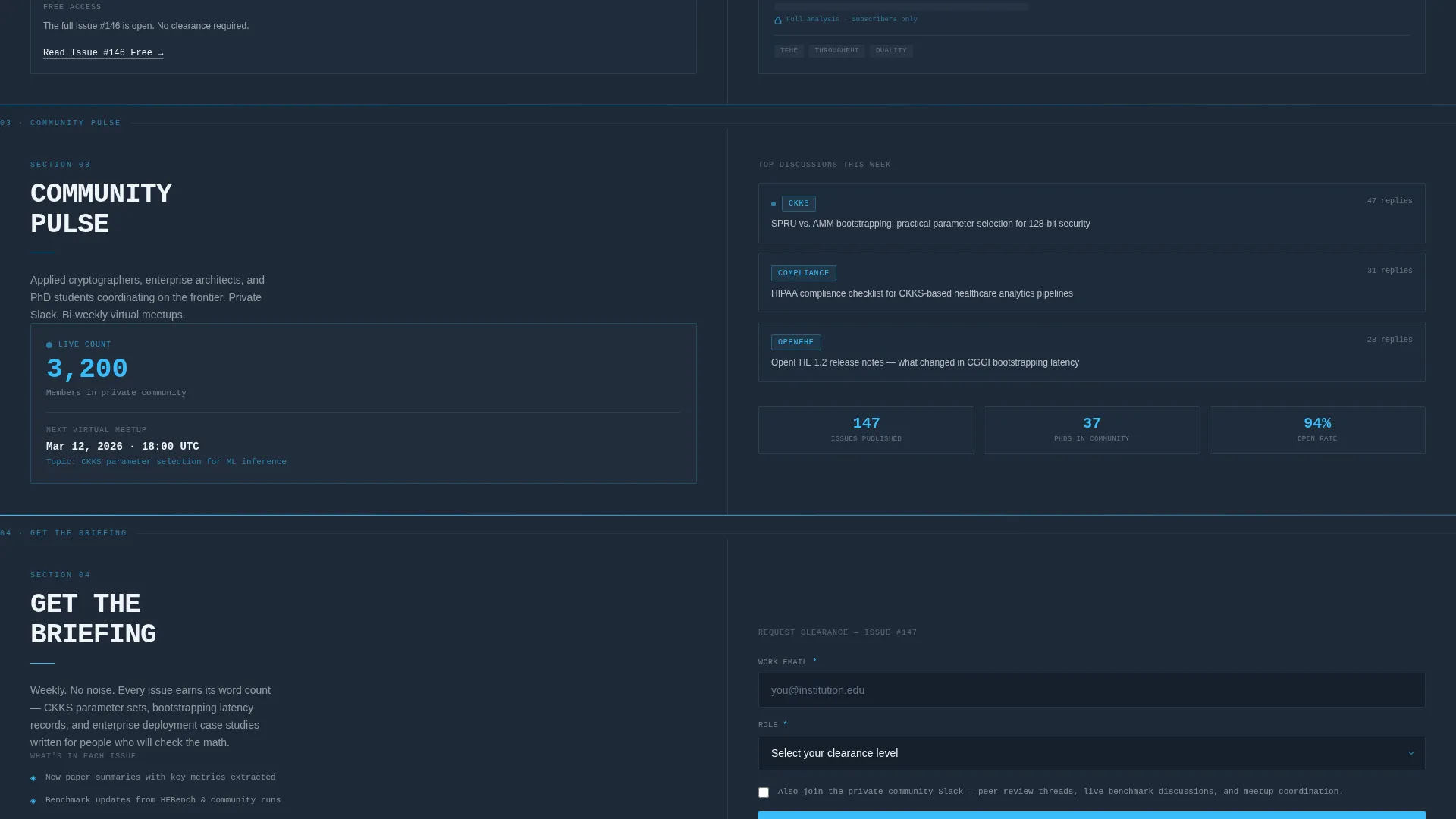
A dedicated split displays a live-count member ticker, the title of the top active discussion thread, and the date of the next virtual meetup. This block converts passive newsletter interest into community membership consideration.
Two-Path Lead Capture Form
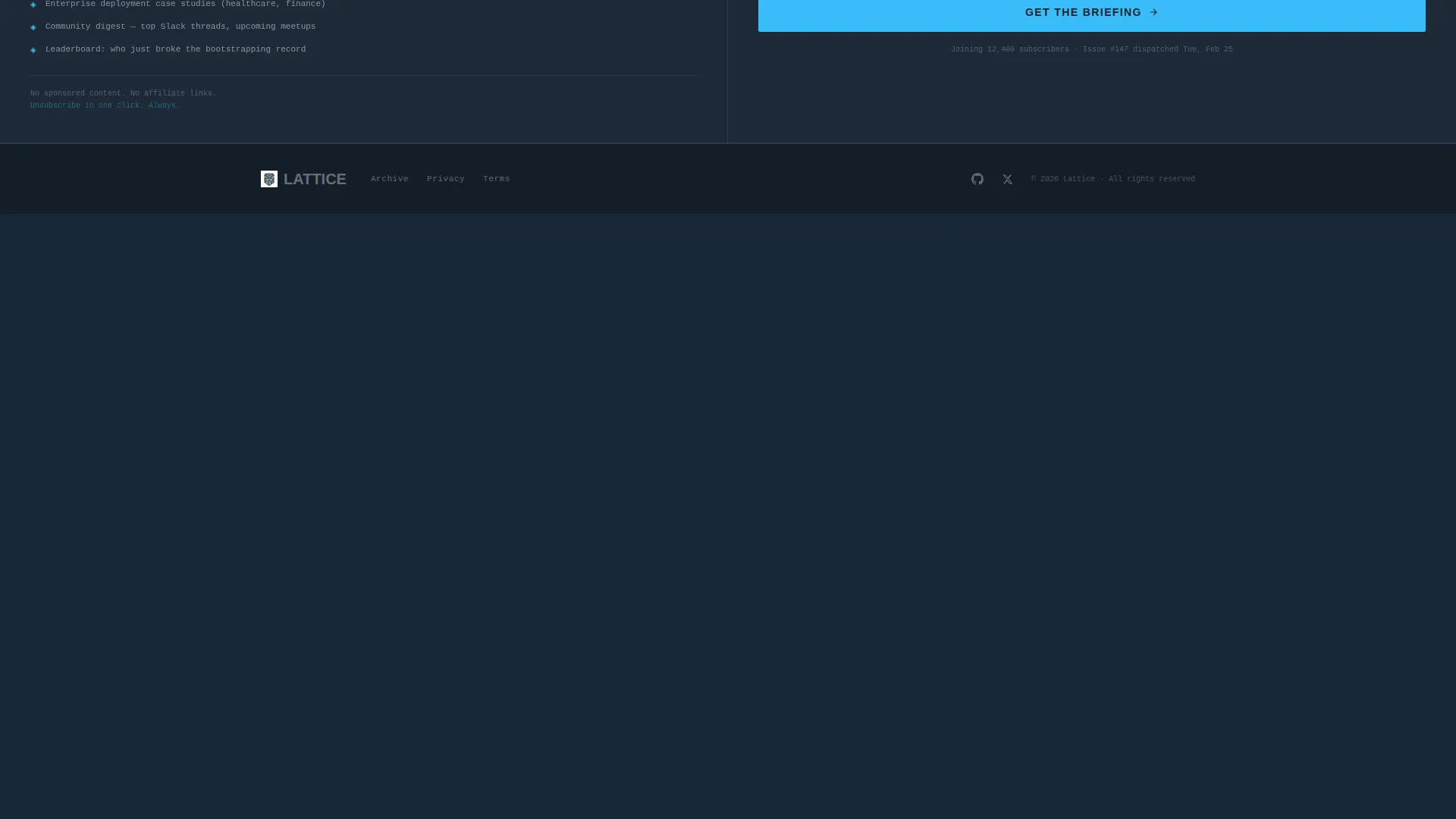
The primary call to action, labeled "Get the Briefing," anchors the final right panel. The form collects a work email, a role selection via dropdown (researcher, engineer, executive, student, or other), and one optional checkbox to join the private community. A secondary text-link conversion path, "Read Issue #146 Free," appears mid-page after the preview cards, gating the archive behind the same email capture.
Page sections overview
| Section | Purpose |
|---|---|
| Logo Bar Header | Establishes institutional trust with monochrome partner logos and hover interaction |
| Stat Headline Strip | Displays issue number, subscriber count, and paper count as styled metrics |
| Landscape Split | Shows a quadrant chart plotting homomorphic encryption libraries by throughput and ease of integration |
| This Week Split | Presents three redacted-style preview cards with headline, source tag, and key metric |
| Community Pulse Split | Shows member ticker, top discussion thread, and next virtual meetup date |
| Section Transition Rules | Thin sky-blue horizontal rules animate left-to-right between splits to guide the eye |
| Primary call to action Form | Captures work email, role dropdown, and optional Slack community checkbox |
| Secondary call to action Link | Mid-page text link offering free access to a back issue behind the same email gate |
Design & branding system
The visual identity follows a Dashboard Pro theme built entirely around the Slate & Sky color system. The palette references a secure operations center monitoring display with no decorative elements.
- Deep graphite (#1E2A38) for primary backgrounds, cool slate (#475569) for secondary surfaces and card borders, sky wash (#38BDF8) for interactive elements and live data markers, and clean frost (#F0F4F8) for body text and negative space
- Section transitions use a thin sky-blue horizontal rule that loads left-to-right, creating a progress-bar effect that pulls the eye downward through each dossier section
- Typography and layout restraint are intentional credibility signals: no hero image, no warm tones, no decoration, only structured signal
Mobile & speed optimization
The split-screen layout is designed with responsive reflow in mind. On smaller screens, the 50/50 column structure adapts so content remains readable and the conversion path stays accessible.
- Each split panel is built to stack vertically on narrow viewports, preserving label-to-content reading order
- The stat headline strip and preview cards are structured so metrics and headlines remain legible without horizontal scrolling
How this template helps you convert
Lattice earns the email address through demonstrated editorial quality and institutional proof, not promotional promises. The conversion architecture is layered deliberately.
- The Logo Bar and stat headline strip establish credibility and volume before any ask is made, so visitors arrive at the form already convinced the publication is real and active
- The redacted preview cards and community pulse block show content density and community health, giving both newsletter subscribers and potential community members a reason to submit their work email
- The two-path structure, with a primary "Get the Briefing" form and a secondary "Read Issue #146 Free" text link, captures visitors at different commitment levels in the same single scroll
Other information about this template
Lattice is categorized under Technology with a subcategory focus on homomorphic encryption technology. It suits any technically rigorous newsletter or community in adjacent fields such as confidential computing, post-quantum cryptography, or applied security research.
- The template style is Split Screen (50/50), the theme is Dashboard Pro, the color system is Slate & Sky, the creative direction is Industry Report, and the header concept is Logo Bar
- The quadrant chart in the Landscape split is a simplified visual component included in the layout to plot library performance attributes; it is designed to be replaced with actual data for the specific publication
- The Lattice template is built for single-page lead generation and does not include multi-page navigation or a separate archive page structure
Theme
Dashboard Pro
Creative direction
Industry Report
Color system
Slate & Sky
Style
Split Screen (50/50)
Direction
Lead Generation
Page Sections
Split-screen Section Architecture
Logo Bar with Hover Interaction
Live-style Stat Headline Strip
Redacted-style Preview Cards
Community Pulse Block
Two-path Lead Capture Form
Related questions
What kind of publication is this template designed for?
Can I replace the preview cards and community pulse content with my own data?
Does the template include two separate conversion paths?
What is the purpose of the Logo Bar in the header?
Can this template work for communities outside homomorphic encryption?



