Auto Dealer Welcome Email Comparison Landing Page
Ignition is a high-converting landing page template built for auto dealer email platforms. It leads with a live-code header that transforms merge tags into personalized email previews, then walks visitors through a twelve-row comparison table that exposes the gap between generic OEM templates and a precision-engineered welcome sequence. The result is a page that earns every click before it asks for one.
by Rocket studio
Quick summary
Ignition is a single-page comparison landing page template designed for auto dealer welcome email platforms. It opens with an animated code snippet that resolves merge tags into real customer data, then anchors the page around a twelve-row interactive comparison table. Every design decision serves one goal: show internet sales managers and dealer group marketers exactly what their current templates are costing them.
Who this template is for
This template is built for people who sell, market, or manage email tools inside the automotive retail space. It speaks directly to the professionals who feel the cost of a slow follow-up sequence every single day.
- Internet sales managers handling 200 or more fresh leads every week
- Business Development Center (BDC) directors whose open rates drop after the first email send
- Dealer group Chief Marketing Officers (CMOs) watching cost-per-sold rise while response rates stay flat
What problem this template solves
Most dealership welcome emails are generic. They go out with the same subject line, the same body copy, and zero connection to what the customer actually looked at on the lot. The lead goes cold before anyone notices. Ignition's landing page makes that problem impossible to ignore.
- Visitors see their own underperforming template habits reflected in every comparison row
- The page closes the gap between "we send a welcome email" and "our welcome email closes deals"
- The audit form captures qualified leads who already understand why they need a better solution
What you get with this template
You get a fully structured, single-page landing page template ready for an auto dealer email platform. Every section is purposeful, every interactive element is defined, and the visual system is complete from the first pixel to the final call to action.
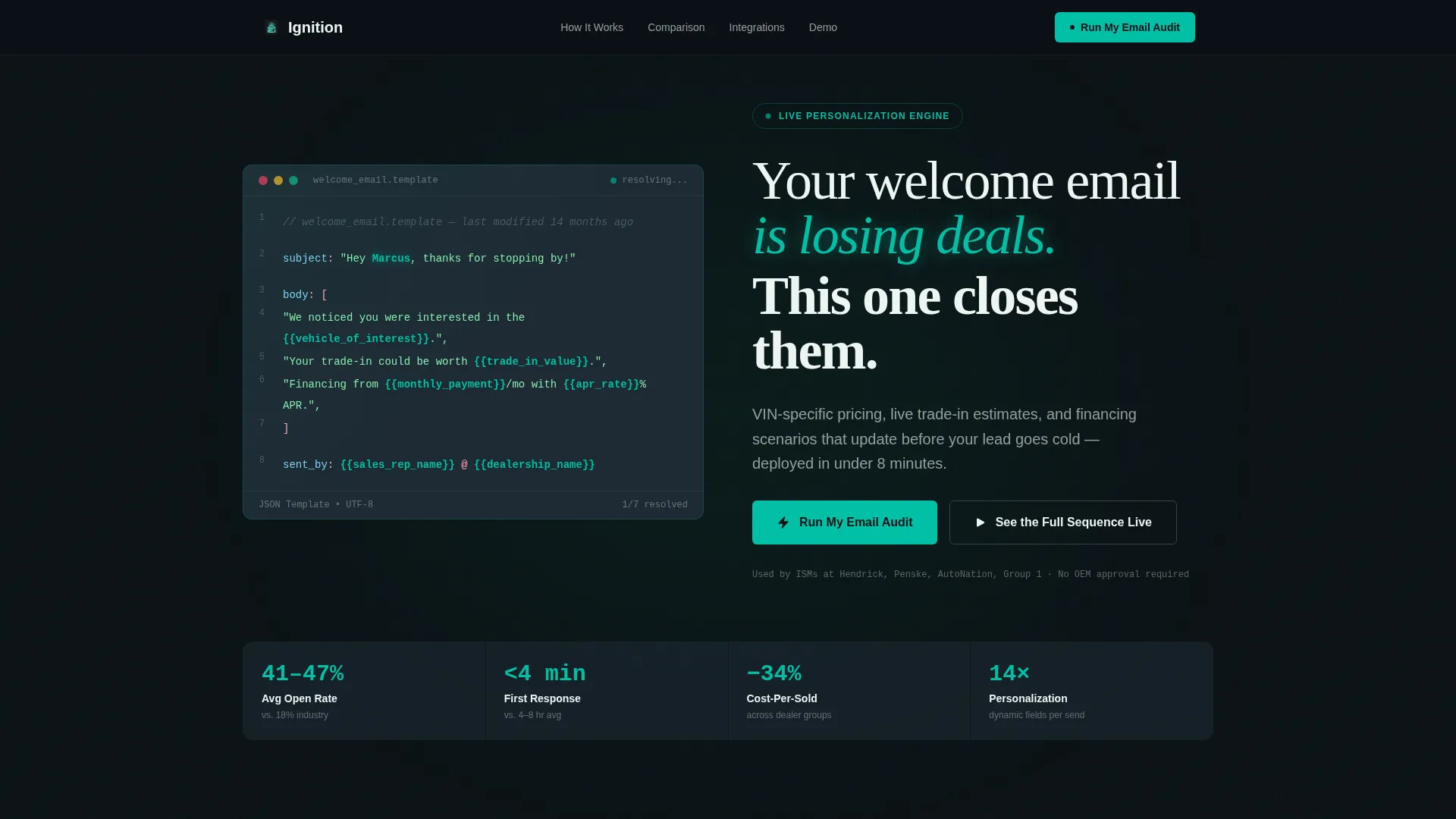
- An animated code snippet header with live merge-tag resolution into real customer values
- A twelve-row interactive comparison table with expandable case-study drawers per row
- A two-path conversion system: a dealership email audit form and a gated interactive demo
Feature list
This section covers the core interactive and structural capabilities built into the Ignition template.
Animated Code Snippet Header
The header opens with a syntax-highlighted block of a welcome email template rendered as live code. Variables like {{first_name}}, {{vehicle_of_interest}}, and {{trade_in_value}} resolve character by character at typewriter speed. Static merge tags become a personalized, hand-written-feeling email in front of the visitor's eyes. A single headline fades up below: "Your welcome email is losing deals. This one closes them."
Twelve-Row Comparison Table
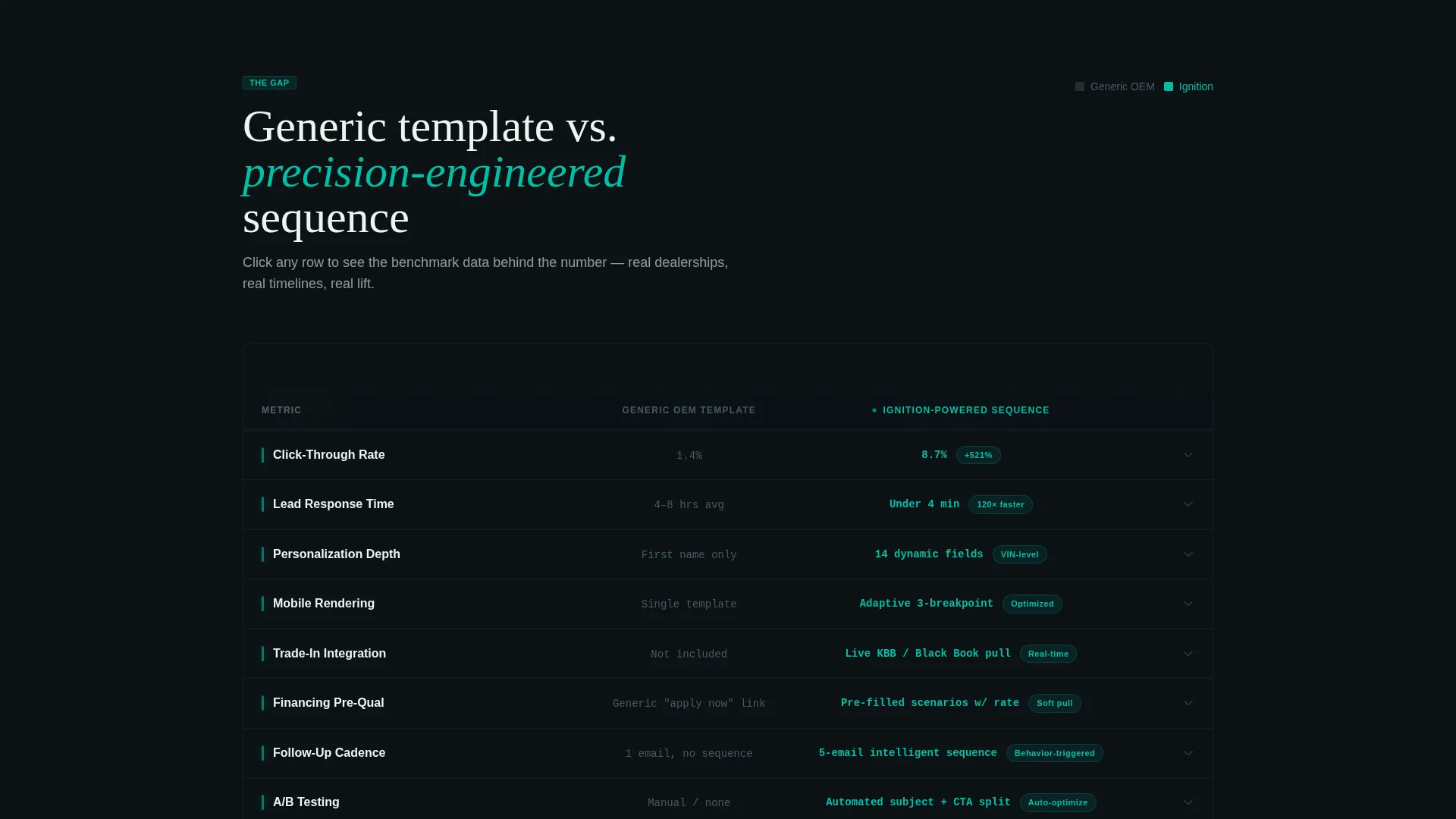
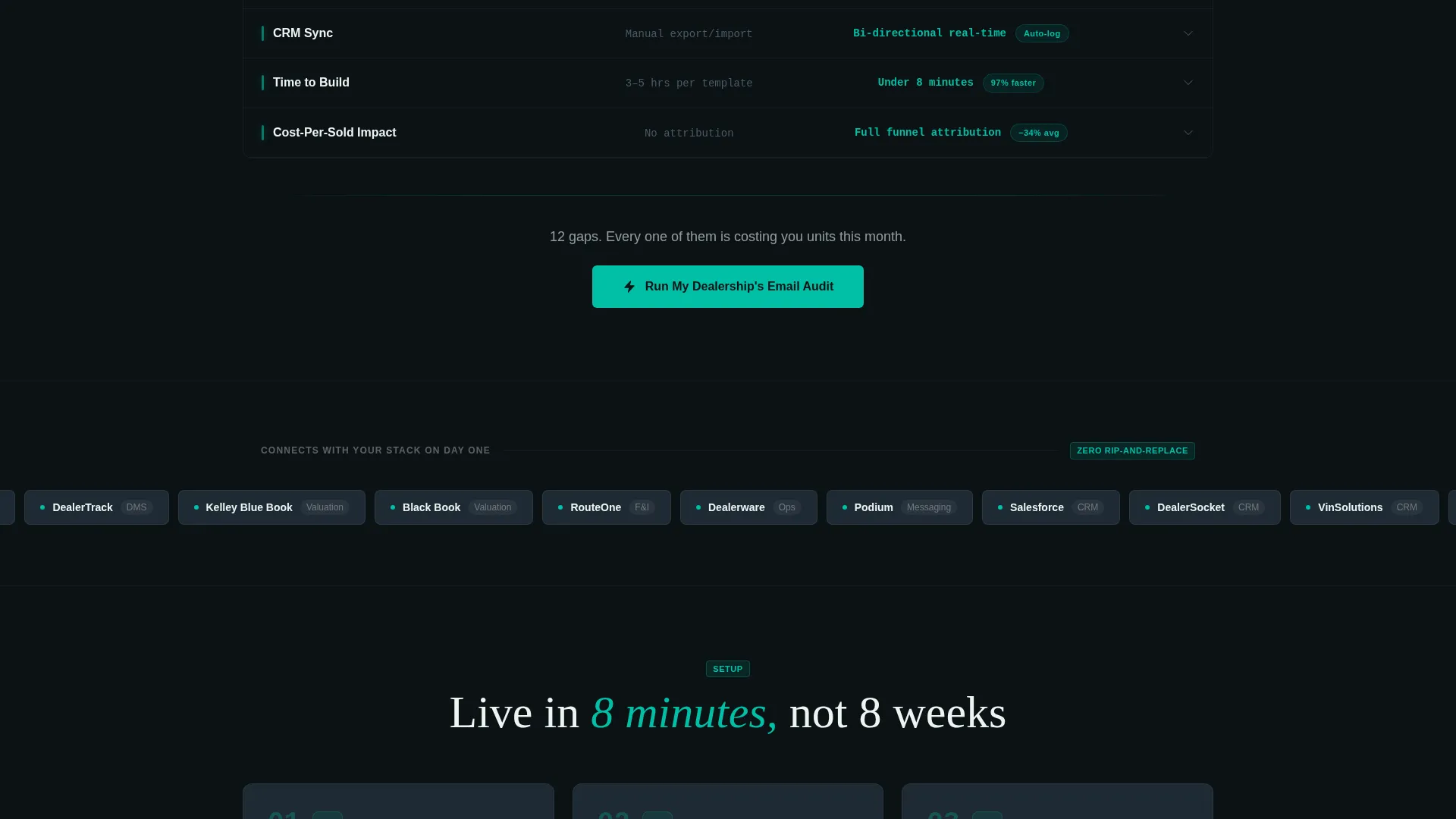
The spine of the page is a scroll-driven comparison table. It pits a generic OEM template against an Ignition-powered sequence across twelve measurable rows: open rate, click-through, response time, personalization depth, mobile rendering, trade-in integration, financing pre-qualification, follow-up cadence, A/B testing, CRM sync, time-to-build, and cost-per-sold impact. The generic column renders in muted charcoal. The Ignition column lights up in teal with real dealer benchmark data.
Expandable Case-Study Drawers
Each row in the comparison table is clickable. Clicking a row opens a mini case-study drawer showing the metric in real context: a real dealership scenario, a measurable lift, and a clear timeline. This keeps skeptical buyers engaged long after the first scroll.
Dual-Path Conversion System
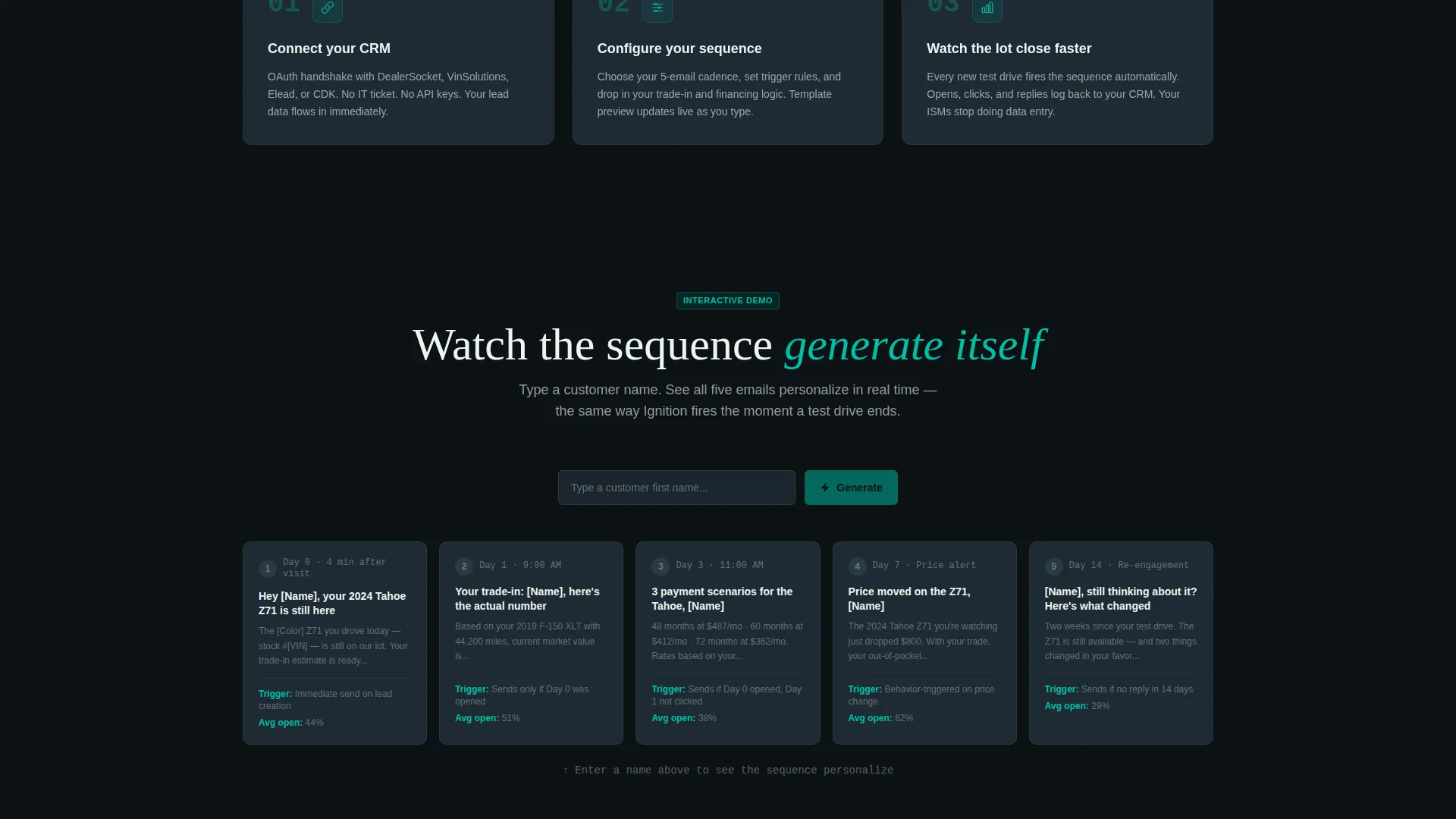
The primary call to action reads "Run My Dealership's Email Audit." It appears sticky in the navigation bar and repeats after the table's final row. The audit form collects dealership name, monthly lead volume from a dropdown, current dealer management system or CRM from a recognizable list, and work email last. A secondary path, "See the Full Sequence Live," opens a gated interactive demo where the visitor types a fake customer name and watches a five-email nurture sequence generate in real time.
Sticky Navigation with Persistent call to action
The navigation bar stays fixed during scroll and holds the primary audit call to action at all times. Visitors never have to scroll back up to convert. Every hover state and interactive element uses signal teal, keeping the action items visually distinct from the informational architecture.
VIN-Level Personalization Preview
The header sequence and demo path both demonstrate VIN-specific pricing, live trade-in estimates, and financing scenarios that update in real time. These previews show the platform's personalization depth before the visitor ever fills out a form. The template makes the capability feel tangible, not theoretical.
Page sections overview
| Section | Purpose |
|---|---|
| Code Snippet Header | Animate merge tags resolving into personalized email output |
| Headline Fade-In | Deliver the core value statement after the code sequence |
| Comparison Table | Compare generic templates against Ignition across twelve rows |
| Case-Study Drawers | Expand each row with real dealership context and lift data |
| Audit call to action Form | Capture dealership name, lead volume, CRM type, and work email |
| Interactive Demo Path | Let visitors generate a live five-email sequence with a fake name |
| Sticky Navigation Bar | Keep the primary call to action visible throughout the entire scroll |
Design & branding system
The visual identity follows a Data Command theme built on the Teal Catalyst color system. It feels like a dealership CRM screen at midnight: glowing metrics, sharp contrasts, and a palette that communicates precision without effort.
- Core palette: deep cockpit black (#0B1215) for backgrounds, signal teal (#00BFA6) for every interactive and data-point element, dashboard charcoal (#1E2A33) for structural architecture, and catalyst white (#EDF5F3) for typography and open space
- Teal drives every hover state, every highlighted comparison cell, and every active form element; charcoal holds the layout structure; white creates breathing room between dense information blocks
- The overall effect is a screen a closer would trust at the end of a long shift: readable, focused, and built around the data that matters
Mobile & speed optimization
The Ignition template is structured to stay readable and functional at every screen size. The comparison table layout and expandable drawers are designed with mobile interaction patterns in mind.
- The comparison table adapts for narrow screens so row-by-row data stays scannable without horizontal scrolling
- The sticky navigation call to action remains accessible on mobile viewports throughout the scroll experience
- The typewriter-speed code animation and teal highlight states are designed to remain visually clear on smaller displays
How this template helps you convert
Ignition is built around a conversion logic that shows the problem before it asks for the solution. By the time a visitor reaches the audit form, they have already seen twelve specific ways their current email approach is leaving revenue behind.
- The animated header creates an immediate "that could be my email" moment, making the personalization gap personal and concrete before a single word of body copy is read.
- The comparison table functions as a self-qualifying mirror: each row the visitor reads increases their awareness of their own underperforming templates, so the audit call to action feels like relief rather than a sales pitch.
- The dual-path conversion system serves both the ready buyer and the curious researcher, capturing leads at two different intent levels without losing either audience.
Other information about this template
Ignition is a landing page template, not a full email-sending platform. It is designed to market an auto dealer welcome email system and is best used as a standalone campaign page or product landing page for a software or service offering in the automotive technology space.
- The template is categorized under Technology, with a subcategory of Auto Dealer Email Templates and a niche focus on the auto dealer welcome email use case
- The CRM dropdown in the audit form references recognizable dealer management systems to increase form relevance and completion rates for qualified prospects
- The Interactive Explorer creative direction means the page rewards scroll: visitors who engage with the table rows and drawers self-educate before they convert, reducing friction at the form step
- The template is suitable for teams building a dedicated comparison page, a product launch page, or a paid campaign destination targeting dealership decision-makers
Theme
Data Command
Creative direction
Interactive Explorer
Color system
Teal Catalyst
Style
Comparison Table
Direction
Comparison/Versus
Page Sections
Animated Code Snippet Header
Twelve-row Comparison Table
Expandable Case-study Drawers
Dual-path Conversion System
Sticky Navigation with Persistent Call to Action
Vin-level Personalization Preview
Related questions
What kind of business is this template designed for?
Can I customize the comparison table rows for my own product?
What does the audit form collect from visitors?
Does the interactive demo require a live email platform to work?
Is this template suitable for a paid advertising landing page?



