Instant Product Launch Intelligence Landing Page Template
Hunt is a scroll-reveal landing page template built for makers who need a real-time launch command center. It combines a live-stats hero, an animated comparison table, a launch day timeline, and a social proof wall into one high-intensity page. Every section earns the next click, and both calls to action guide visitors from curiosity to signup with zero wasted screen space.
by Rocket studio
Quick summary
Hunt is a single-page launch analytics landing page template designed for Product Hunt makers who track every upvote, comment, and referral click in real time. It uses a Data Command visual identity, progressive scroll reveals, and a Comparison/Versus conversion model to turn launch-day tension into confident, data-driven action.
Who this template is for
This template targets makers who live inside their launch day stats and need a landing page that matches that energy. It speaks directly to people who understand that a top-five finish on Product Hunt changes everything.
- Indie hackers and solo makers refreshing their Product Hunt launch page at 3 AM
- SaaS founders and growth leads at Series A startups who need a top-five product ranking to unlock press coverage
- Developers and small teams creating a launch dashboard to track visibility, comments, and conversion across a 24-hour window
What problem this template solves
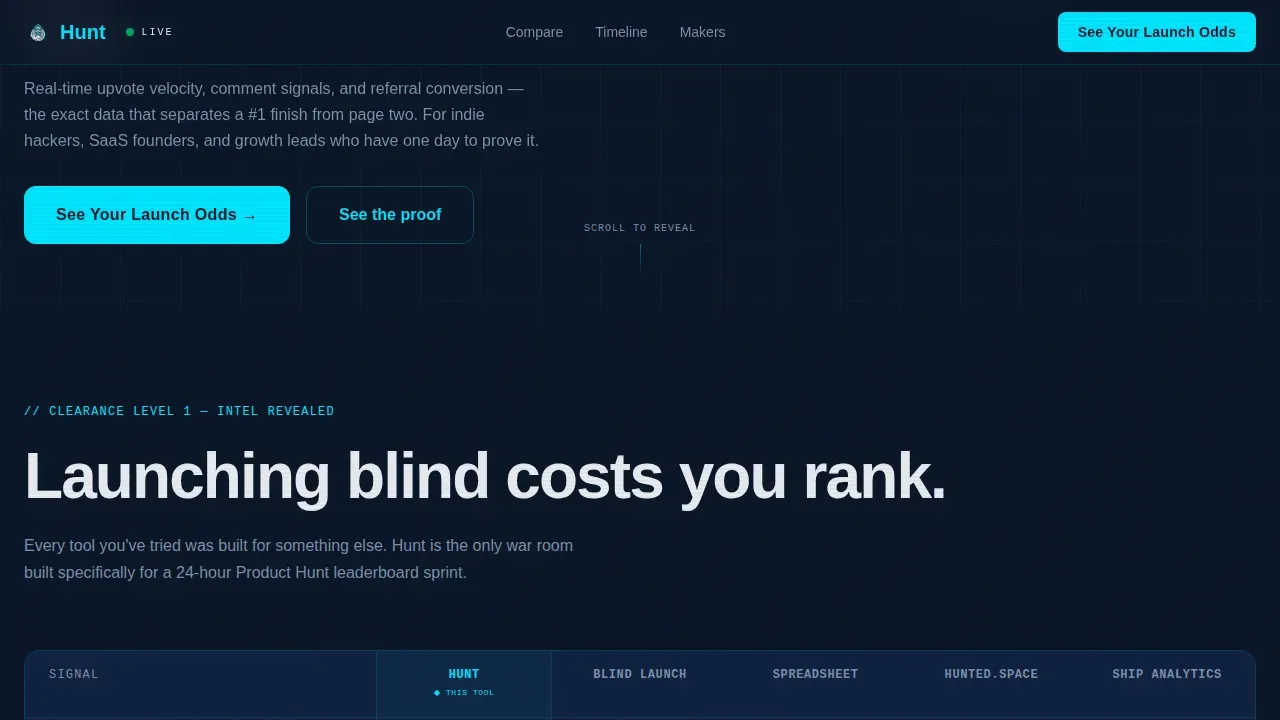
Launching on Product Hunt without real-time tracking is launching blind. Visitors who land on an untracked page cannot see signals, cannot time their push, and cannot measure which traffic source is actually converting. This template frames that problem visually and immediately.
- Makers lose ranking because they have no alerts when momentum slows or comment velocity drops
- Teams waste launch day guessing instead of acting on live upvote and referral data
- Founders miss conversion events like signup_started and trial_started because analytics are set up too late
What you get with this template
You get a fully structured, scroll-reveal landing page with five distinct sections, two conversion touchpoints, and a complete Data Command design system. Every component is built to support a high-stakes product launch scenario.
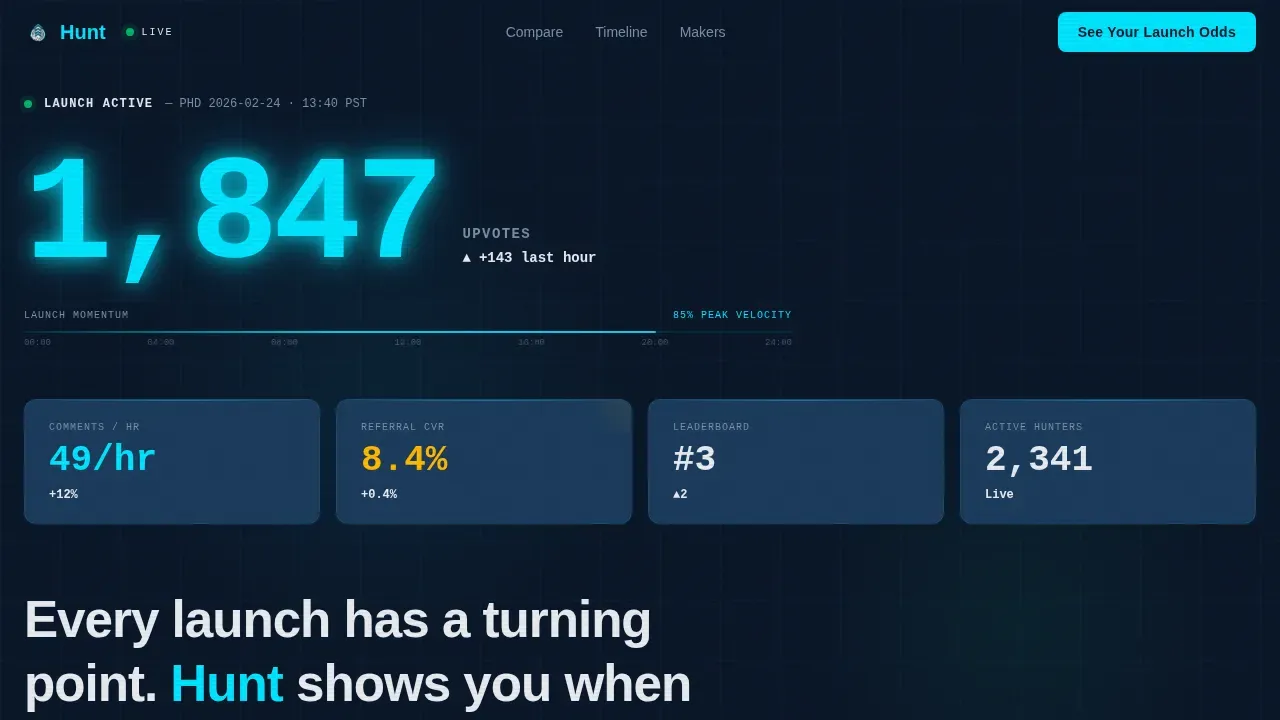
- A live-stats hero section with an animated upvote counter, progress bar heartbeat, and real-time metric tiles for comments, referral rate, and leaderboard position
- A row-by-row animated comparison table, a launch day timeline, a maker quote wall, and dual calls to action that guide users from awareness to signup
- DM Sans body typography paired with JetBrains Mono for metric displays, with GSAP ScrollTrigger powering all staggered reveal animations
Feature list
This template includes purpose-built components that set it apart from generic launch pages. Each one serves a specific moment in the conversion journey.
Live Stats Hero Dashboard
The hero section opens with a massive upvote counter at 120px weight in live-signal cyan. Flanking metric tiles track comment velocity per hour, referral conversion rate, and current leaderboard position. A thin progress bar pulses left to right like a heartbeat monitor, making every number feel active.
Scroll-Reveal Comparison Table
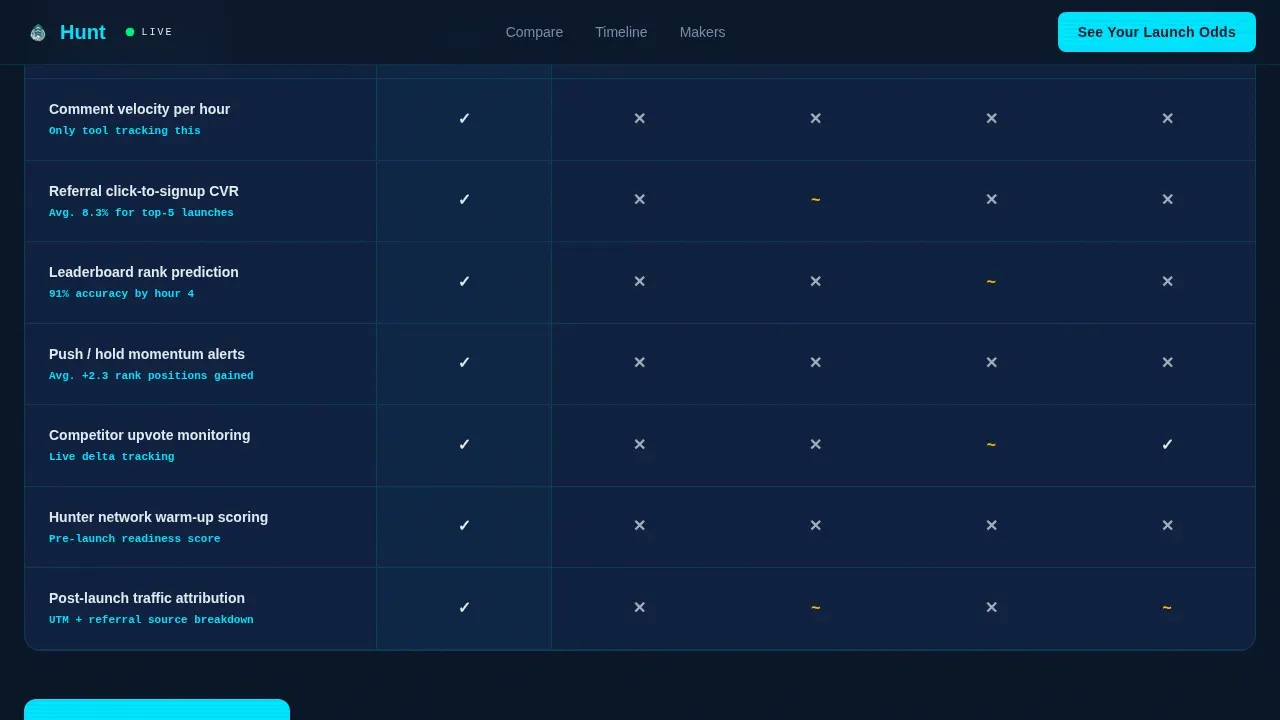
The second section animates in row by row. Each row compares launching with Hunt against launching blind, using a spreadsheet, or using other tools. Checkmarks and data gaps appear in sequence, with stats bolded in cyan, so visitors can track the difference at a glance.
Launch Day Timeline
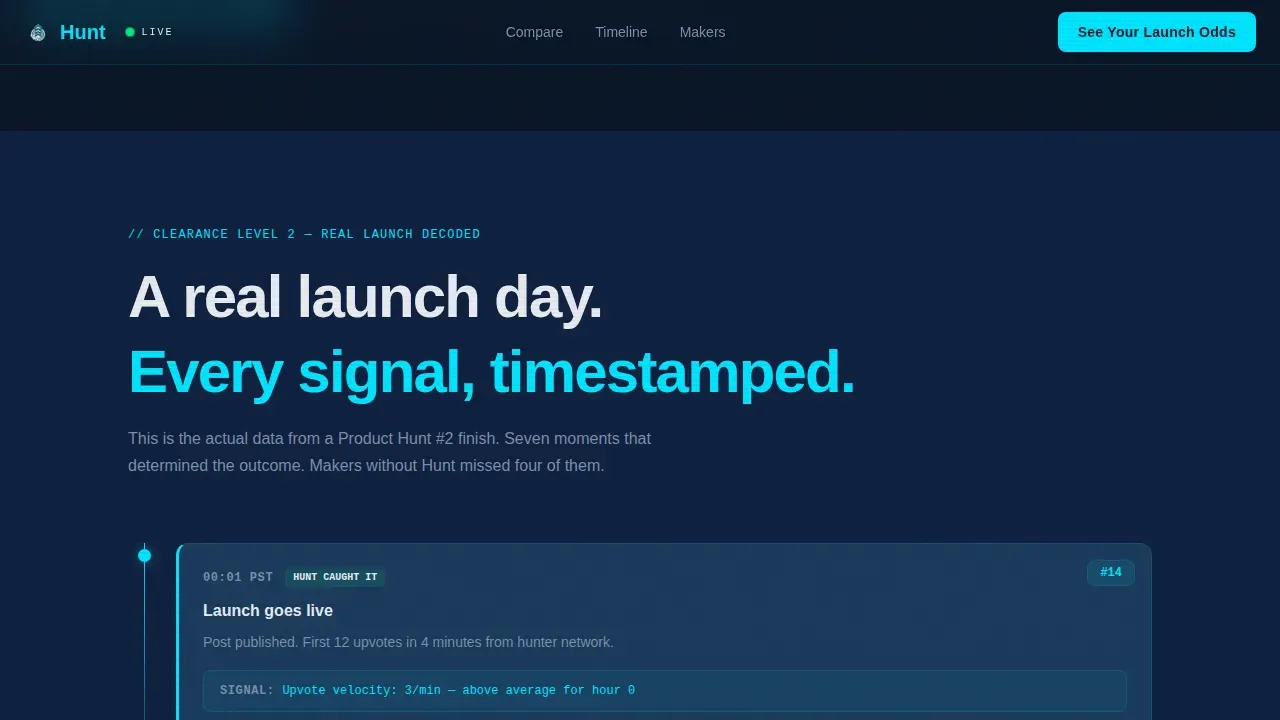
An hour-by-hour timeline shows a real launch day from open to close. It highlights which signals the tool caught that manual monitoring missed. This section builds trust by describing actual events rather than abstract benefits.
Maker Quote Wall with Rank Badges
Social proof arrives as ranked maker quotes. Each quote displays the maker's Product Hunt finish position as a visible badge, showing number-one, number-three, and number-five Product of the Day results. This section anchors the claims made above the fold in real outcomes.
Dual call to action Conversion Model
The primary call to action reads "See Your Launch Odds" and triggers a two-field modal asking for a product URL and launch date. The secondary call to action at page bottom reads "Run a Free Launch Audit" for visitors who are not yet scheduled. Both options keep users moving toward signup without pressure.
Page sections overview
| Section | Purpose |
|---|---|
| Live Stats Hero | Opens with animated upvote counter, metric tiles, and heartbeat progress bar |
| Comparison Table | Row-by-row reveal comparing Hunt against blind launches and other tools |
| Launch Day Timeline | Hour-by-hour replay of real launch signals caught versus missed |
| Maker Quote Wall | Ranked Product Hunt maker testimonials with finish-position badges |
| Dual call to action Footer | "See Your Launch Odds" modal and "Run a Free Launch Audit" bottom call to action |
Design & branding system
The visual identity follows a Data Command theme. Every color and type choice is made to make data feel alive and urgent against a deep terminal background.
- Color palette: deep navy (#0A1628) for background, satellite-link blue (#1B3A5C) for card surfaces, live-signal cyan (#00E5FF) for active metrics and hover states, and cold-star white (#E8ECF1) for body text
- Typography: DM Sans for all body and heading copy, JetBrains Mono reserved for metric displays and counters to create a terminal readout feel
- High-contrast cyan accents serve as real-time alerts, pulling visitor focus directly to the numbers that matter most
Mobile & speed optimization
The template is desktop-first, built for makers on laptops during late-night launch sessions. It also renders responsively on mobile so the team can track key stats from any device.
- GSAP ScrollTrigger handles all staggered row reveals, counter animations, and pulse effects using client-side components
- Static sections use server components while all animated, interactive pages use client rendering to keep the experience sharp
- The modal call to action, animated counter, and progress bar heartbeat are all interactive elements optimized for smooth session flow
How this template helps you convert
Every design decision in this landing page pushes visitors toward one of two actions. The page earns the click by showing visible evidence before asking for anything.
- The hero section proves the product works before the visitor scrolls once, using live-style numbers that look like they are still climbing, which reduces bounce rate and keeps users engaged
- The comparison table removes doubt by showing exactly what a tracked launch catches versus what an untracked launch misses, increasing conversion rate at the primary call to action
- The quote wall and rank badges add third-party proof just before the signup moment, reducing hesitation and supporting a higher traffic-to-signup conversion
Other information about this template
This template fits inside the Startup and Launch category, specifically the Product Hunt Launch subcategory. It is designed for teams creating a launch page that doubles as a live operations hub.
- Setting up analytics tracking is required for measuring ranking, referral traffic, conversions, and revenue during a product launch; this template is structured to support that workflow
- Using UTM parameters ensures that traffic from Product Hunt is tracked correctly back to each traffic source, and this template's description makes that attribution visible in the hero tiles
- The skill helps makers configure site and product analytics to measure impact across the full launch window, and tools like Upvote Bell add push notifications that pair naturally with this landing page's real-time dashboard style
- Analytics integrations such as Google Analytics with a real-time filter for producthunt.com, or Plausible and Notion-based dashboards, can connect to the data the template surfaces for visitors
- The ph product page link field in the modal call to action is where users add their Product Hunt URL, giving the tool access to live ranking and comments data; AI-assisted customization can extend the template further for specific product category goals
- Post-launch analysis, including review of session data, conversion events, and traffic source breakdowns, is necessary to convert raw data into actionable insights; the template's timeline section is designed to make that story easy to tell
Theme
Data Command
Creative direction
Stats-First Impact
Color system
Midnight Blue
Style
Scroll Reveal (Progressive)
Direction
Comparison/Versus
Page Sections
Live Stats Hero with Animated Counter
Scroll-reveal Comparison Table
Hour-by-hour Launch Day Timeline
Ranked Maker Quote Wall
Dual Call to Action Conversion Flow
GSAP Scrolltrigger Animation System
Related questions
What is included in the Hunt landing page template?
Do I need coding skills to use this template?
Can I customize the colors and typography?
How does the scroll-reveal comparison table work?
Can this template support a pre-launch page setup?



