Helm - Luxe Yachtwedding Landing Page Template
Helm is a masonry-style landing page template built for yacht and boat wedding venue coordinators. It blends editorial photography with booking-ready structure, guiding engaged couples and event planners from the first scroll to a confirmed reservation. The Plum Executive color system and a three-step progressive form work together to turn a dreamy first impression into a real inquiry.
by Rocket studio
Quick summary
Helm is a single-page landing page template for floating wedding venue services. It uses a masonry photo layout, a full-viewport lifestyle header, and a three-step booking form to move visitors from inspiration to reservation. The design is Luxe Minimal, the palette is Plum Executive, and every section is built to feel as considered as the ceremony itself.
Who this template is for
This template is made for businesses that stage weddings and private events on water. It suits anyone who needs a polished, booking-focused presence that matches the premium nature of their service.
- Yacht and boat wedding venue coordinators seeking their first or refreshed landing page
- Corporate event planners booking private rehearsal dinners or hosted water-based events
- Destination wedding coordinators who manage vessel logistics, captains, and ceremony scheduling
What problem this template solves
Most wedding venue templates are built for land. They show ballrooms and garden arches. A floating venue service needs a page that communicates motion, luxury, and logistics at the same time. Helm solves that.
- It positions a water-based venue as a premium, credible choice rather than an unusual one
- It guides undecided visitors down the page with a secondary "Tour Our Fleet" path, reducing early drop-off
- It captures qualified leads through a structured form that filters by date, guest count, and vessel preference
What you get with this template
Helm delivers a complete, ready-to-customize landing page layout. Every section is purpose-built for a yacht wedding venue coordinator, from the cinematic header to the fixed booking bar.
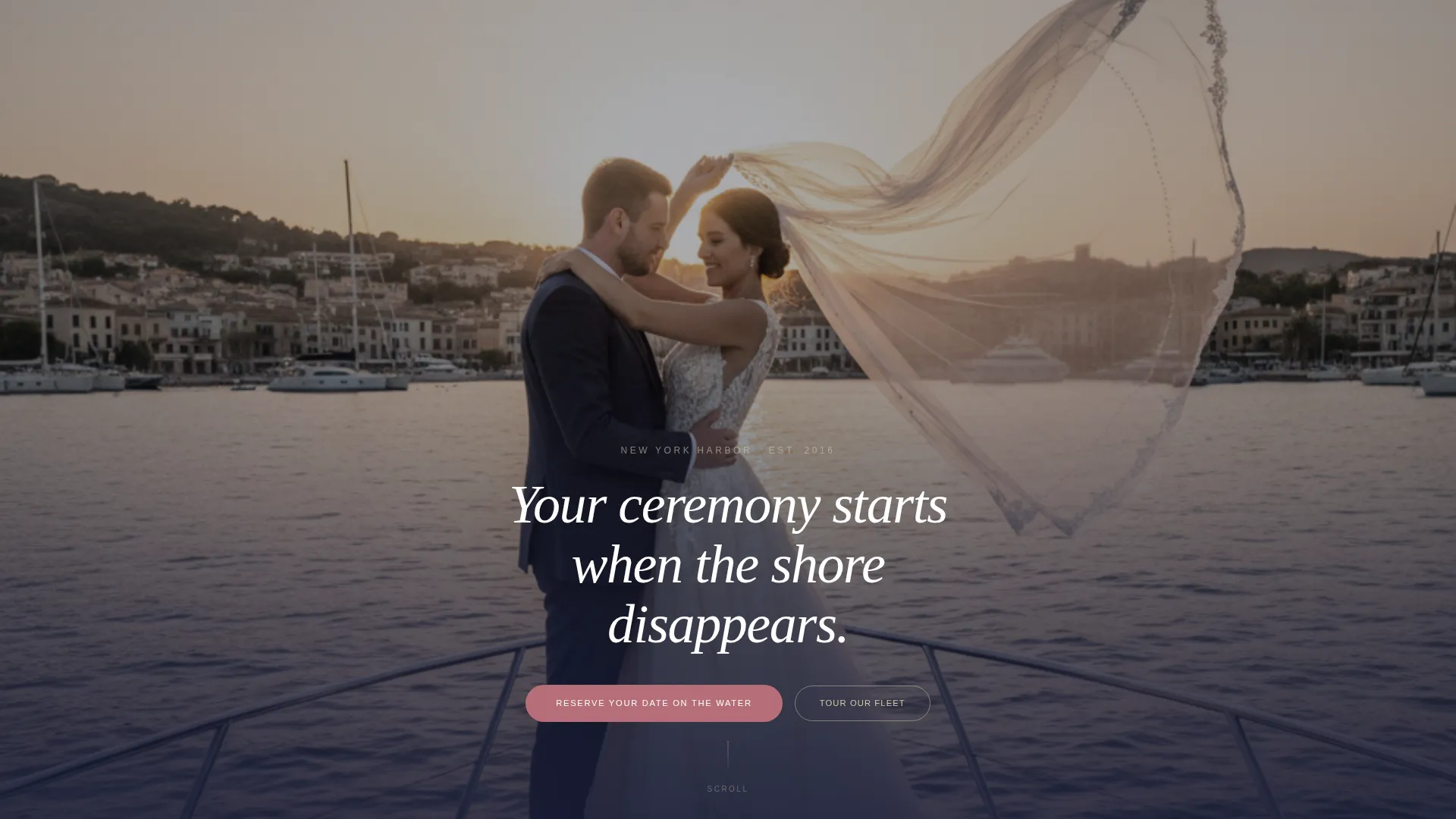
- A full-viewport lifestyle hero with centered serif tagline and no visible navigation on load
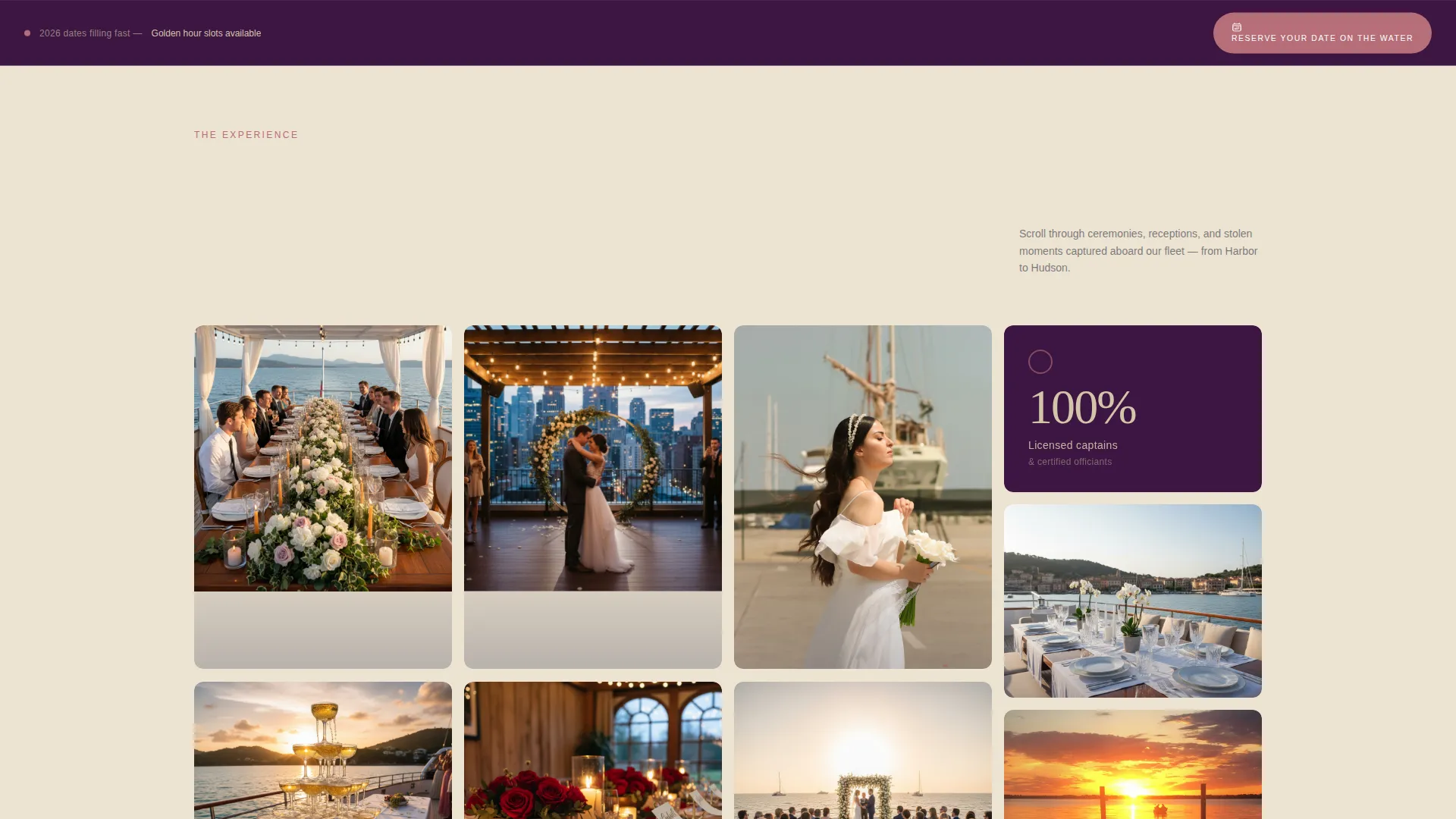
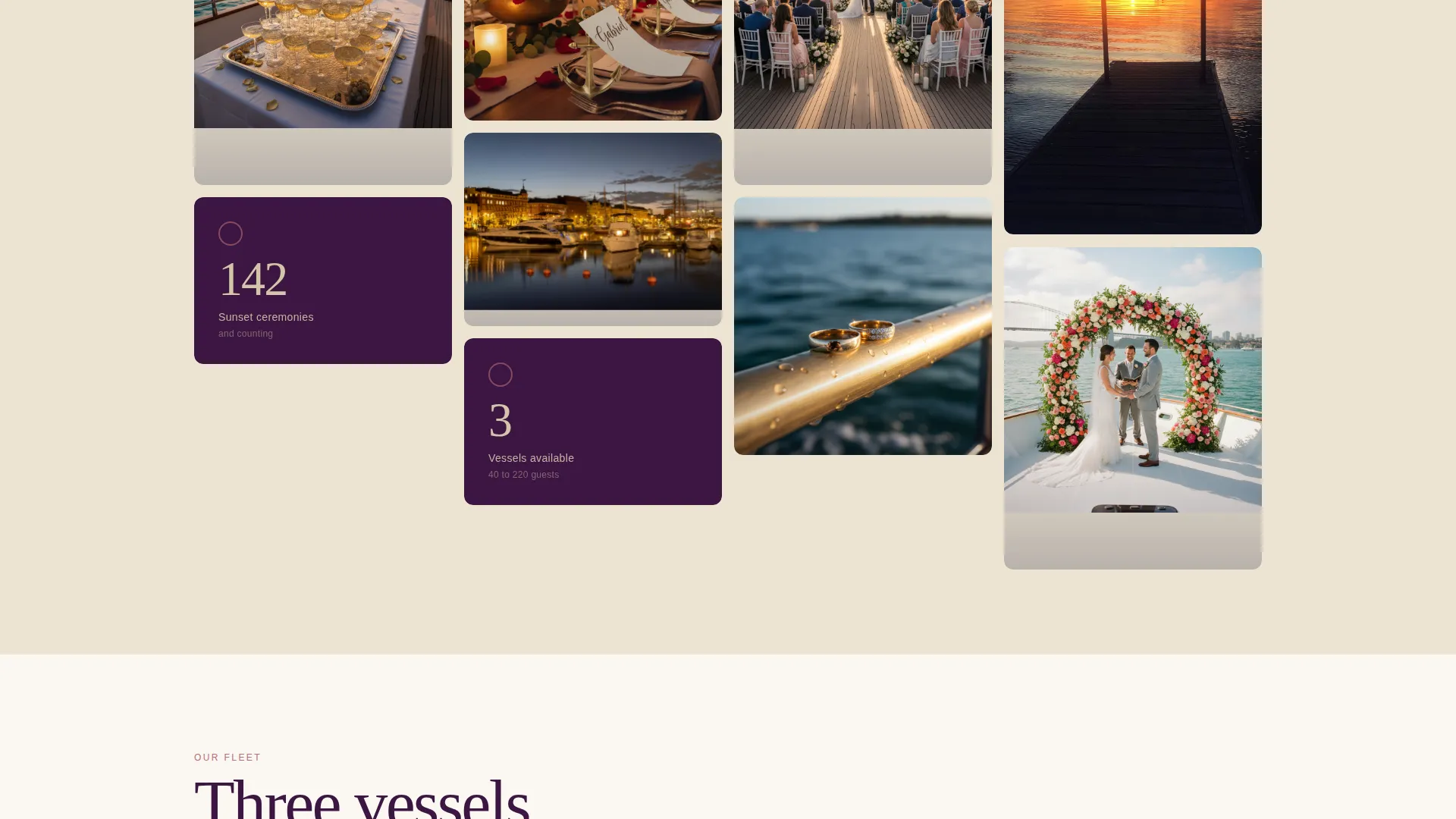
- A masonry photo grid with slow parallax tile behavior and interspersed social-proof stat panels
- A three-step progressive booking form with vessel thumbnail selection and a single open-ended guest question
Feature list
This template is built around five focused capabilities. Each one serves the booking journey of a premium water-based wedding venue.
Full-Viewport Cinematic Header
The header fills the entire screen with a lifestyle photograph. A couple stands at the bow rail, her veil lifted by harbor wind, his hand at the small of her back. A single serif line appears low and centered. No navigation interrupts the mood until the visitor chooses to scroll.
Masonry Photo Grid with Stat Panels
Tiles load as full-bleed photographs in a masonry layout. Each tile mimics the gentle rock of open water through a slow parallax drift. Between photo clusters, plum-background panels display single proof statements such as vessel count, ceremony totals, and licensing credentials.
Three-Step Progressive Booking Form
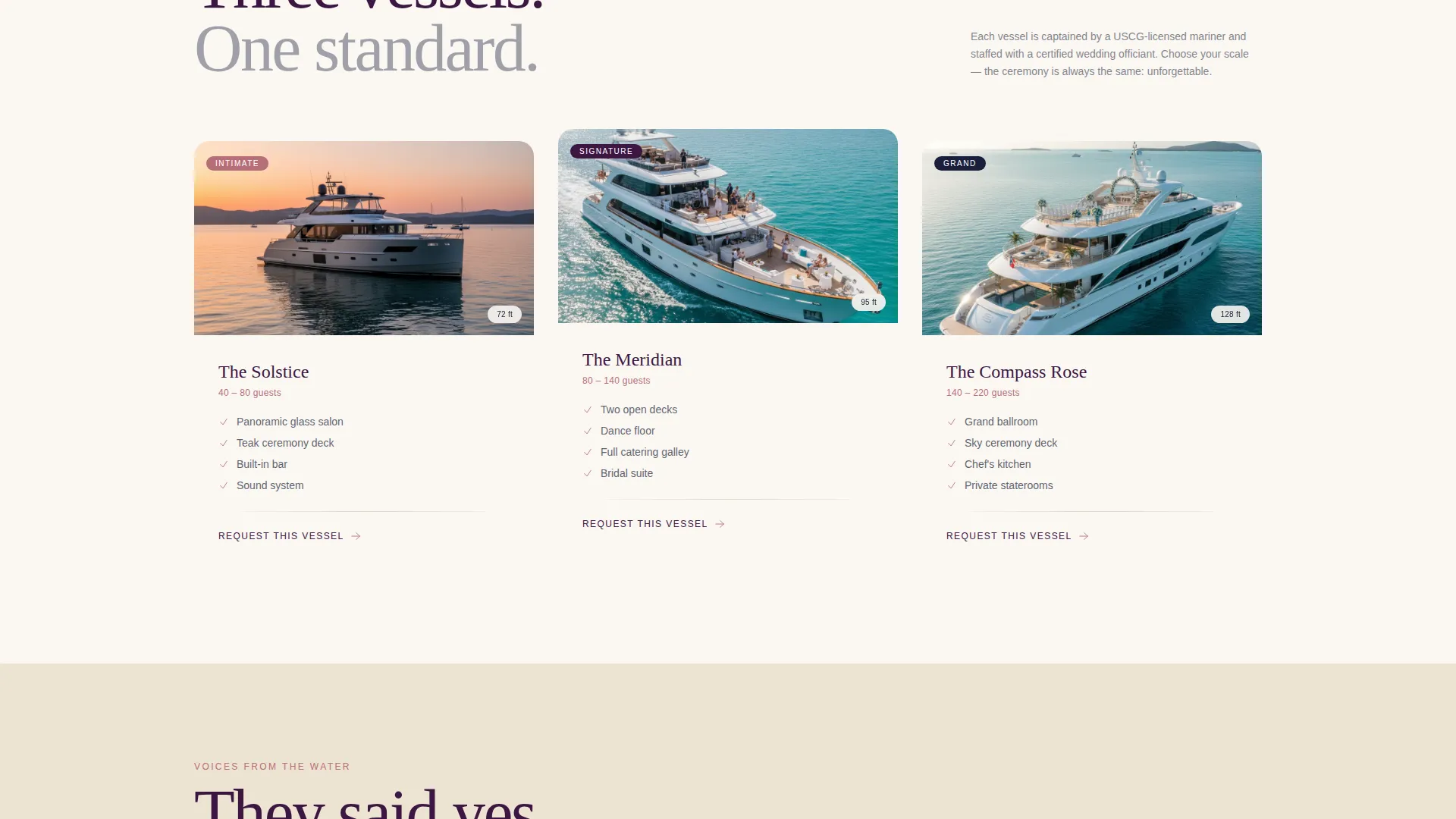
The primary call to action opens a guided form. Step one collects wedding date and guest count. Step two presents vessel size options with thumbnail photos. Step three gathers contact details and one open field asking what matters most to the couple.
Fixed Bottom Booking Bar
After the visitor passes the third scroll section, a persistent bottom bar appears. It carries the primary call to action in rose gold on plum. This keeps the reservation path visible without competing with the photography above it.
Secondary Fleet Gallery Path
A "Tour Our Fleet" link anchors to the gallery section lower on the page. This gives undecided visitors a reason to keep scrolling. It reduces bounce without pressuring the visitor to commit before they are ready.
Page sections overview
| Section | Purpose |
|---|---|
| Full-viewport hero | Opens with editorial lifestyle shot and serif tagline |
| Primary booking call to action | Prompts date reservation directly below the hero |
| Masonry photo grid | Showcases venue atmosphere through full-bleed tiles |
| Social proof panels | Delivers stat-based credibility between photo clusters |
| Fleet gallery anchor | Lets visitors explore vessel options before committing |
| Three-step form | Collects booking intent through a progressive guided flow |
| Fixed bottom bar | Keeps the reservation call to action visible throughout the scroll |
Design & branding system
The Plum Executive color system gives this template the feel of a velvet-lined jewelry box. Every color decision is restrained and intentional, letting the photography carry the emotion while the interface stays quietly confident.
- Deep plum (#3C1642) anchors headers and overlay panels; brushed champagne (#D4C5A9) warms the background tiles; midnight hull navy (#1B1F3B) grounds body text
- Rose gold (#B76E79) is used exclusively for buttons, ring icons, and hover states, creating a single focal accent that draws the eye to action
- The Luxe Minimal theme pairs a serif display typeface for headlines with clean body text, keeping the editorial tone consistent from hero to form
Mobile & speed optimization
The masonry layout and parallax behavior are designed with mobile viewports in mind. The fixed bottom booking bar is especially effective on smaller screens, where it stays reachable without requiring a scroll back to the top.
- Masonry tiles reflow gracefully into a single-column stack on narrow screens
- The three-step form breaks into clear, full-width steps that are easy to complete on a touchscreen
- The fixed booking bar sits above the mobile browser chrome, keeping the call to action accessible at all times
How this template helps you convert
Helm is structured around a single goal: turning a visitor who arrived curious into a couple who reserves their date. Every layout decision supports that path.
- The hero photograph creates an immediate emotional connection, giving visitors a reason to stay and scroll before they have read a single word of copy.
- The alternating rhythm of photography and proof panels builds both desire and trust, so visitors arrive at the booking form already convinced rather than still skeptical.
- The three-step progressive form lowers commitment friction by asking small, easy questions first and saving contact details for last, when the visitor is already invested.
Other information about this template
Helm is part of a broader family of Luxe Minimal templates using the Plum Executive color system. It is built for single-page deployment and does not require additional page builds to function as a complete booking presence.
- The template style is Masonry and Pinterest-inspired, making it well suited to visually rich niches where atmosphere sells the service
- The Immersive Visual creative direction and Lifestyle Shot header concept are matched intersection fields, meaning the design choices align specifically with the yacht and boat wedding venue coordinator niche
- The Booking and Scheduling landing page direction is the primary intent, so every section from the hero to the fixed bar is oriented toward capturing a reservation rather than simply presenting information
Theme
Luxe Minimal
Creative direction
Immersive Visual
Color system
Plum Executive
Style
Masonry/Pinterest
Direction
Booking/Scheduling
Page Sections
Full-viewport Cinematic Hero Header
Masonry Photo Grid with Parallax Tiles
Three-step Progressive Booking Form
Fixed Bottom Reservation Bar
Secondary Fleet Gallery Anchor Path
Related questions
Can I replace the vessel photos and stat panel numbers with my own?
Does the three-step form connect to a live calendar or scheduling tool?
Is this template a good fit for a coordinator who manages several different vessels?
Can the template work for a single-vessel operation?
What does the Tour Our Fleet button actually do?



