Haven — Premier Hospitality Landing Page Template
Concierge is a dark-themed, comparison table landing page built for a hospitality mobile app. It targets hotel general managers, regional directors, and revenue managers who need instant access to occupancy rates, guest sentiment scores, and revenue-per-available-room data. The layout drives visitors toward a frictionless app download with zero form fields in the primary conversion path.
by Rocket studio
Quick summary
Concierge is a single-page, mobile-first app landing page designed for hospitality professionals. It leads with a full-bleed dark header, dominates the scroll with a side-by-side comparison table, and ends with a direct app download call to action. The design feels like a cockpit instrument panel, built for operators who make decisions in real time.
Who this template is for
This template is built for software teams and product marketers promoting a hospitality mobile app to property operators. It speaks directly to the people who live inside hotel data every shift.
- General managers running boutique properties who need a live view of tonight's numbers
- Regional directors overseeing multiple properties across different locations
- Revenue managers who currently split their attention across multiple browser tabs and spreadsheets
What problem this template solves
Hotel operators often rely on morning reports, radio calls, and gut instinct to run their properties. By the time data reaches a decision-maker, it is already hours old. This template frames that gap as the core problem and positions a mobile app as the solution.
- Fragmented tools force revenue managers to toggle between systems before making a single pricing call
- Maintenance issues communicated by radio delay response and increase guest dissatisfaction
- No single view of occupancy, guest sentiment, and revenue metrics means missed opportunities every night
What you get with this template
You get a complete, dark-themed landing page built around a structured argument: the old way versus the app. Every section is purpose-built to move a skeptical hospitality operator toward a download decision.
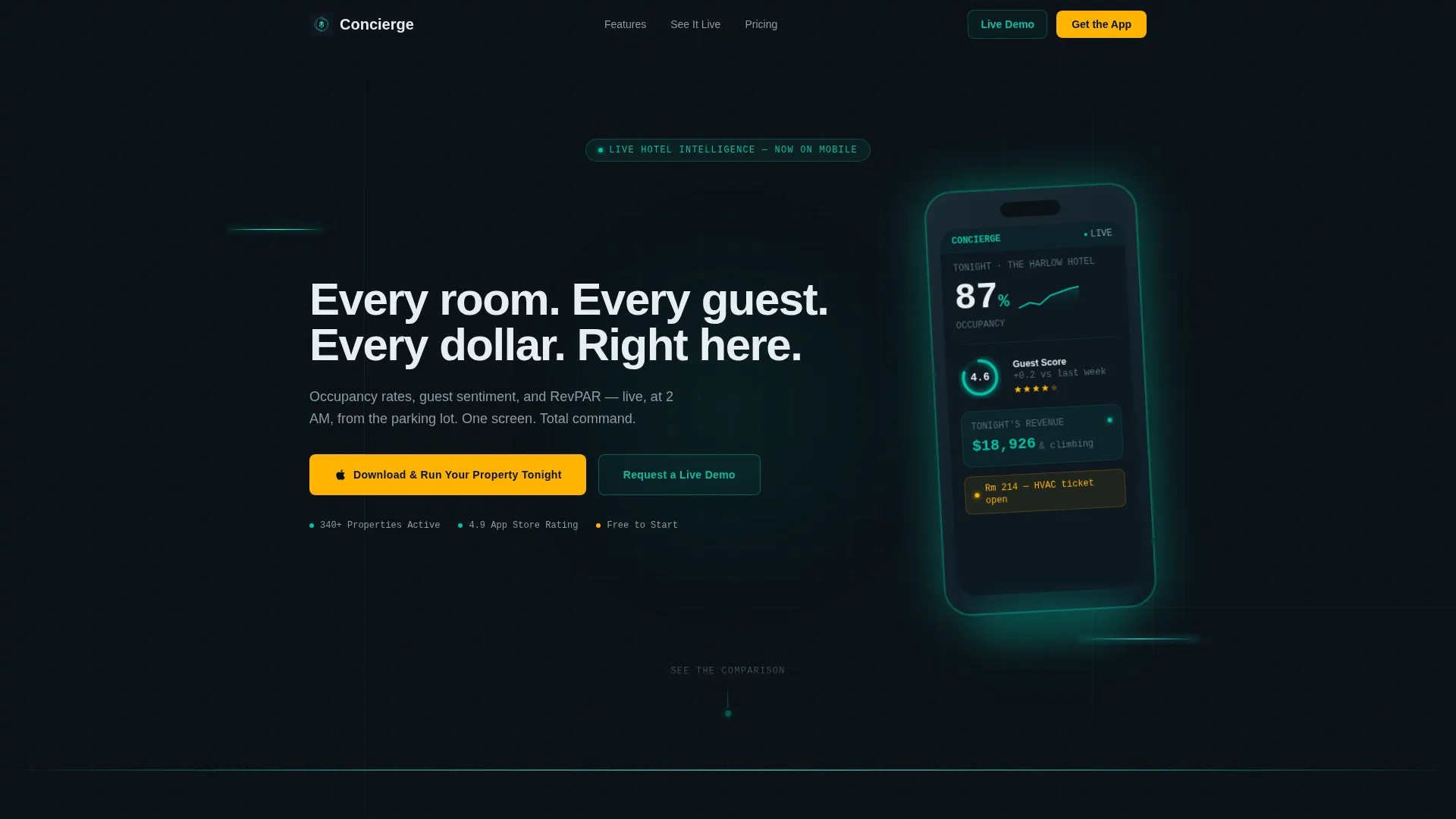
- A full-bleed dark header with a floating phone mockup and animated live-data dashboard
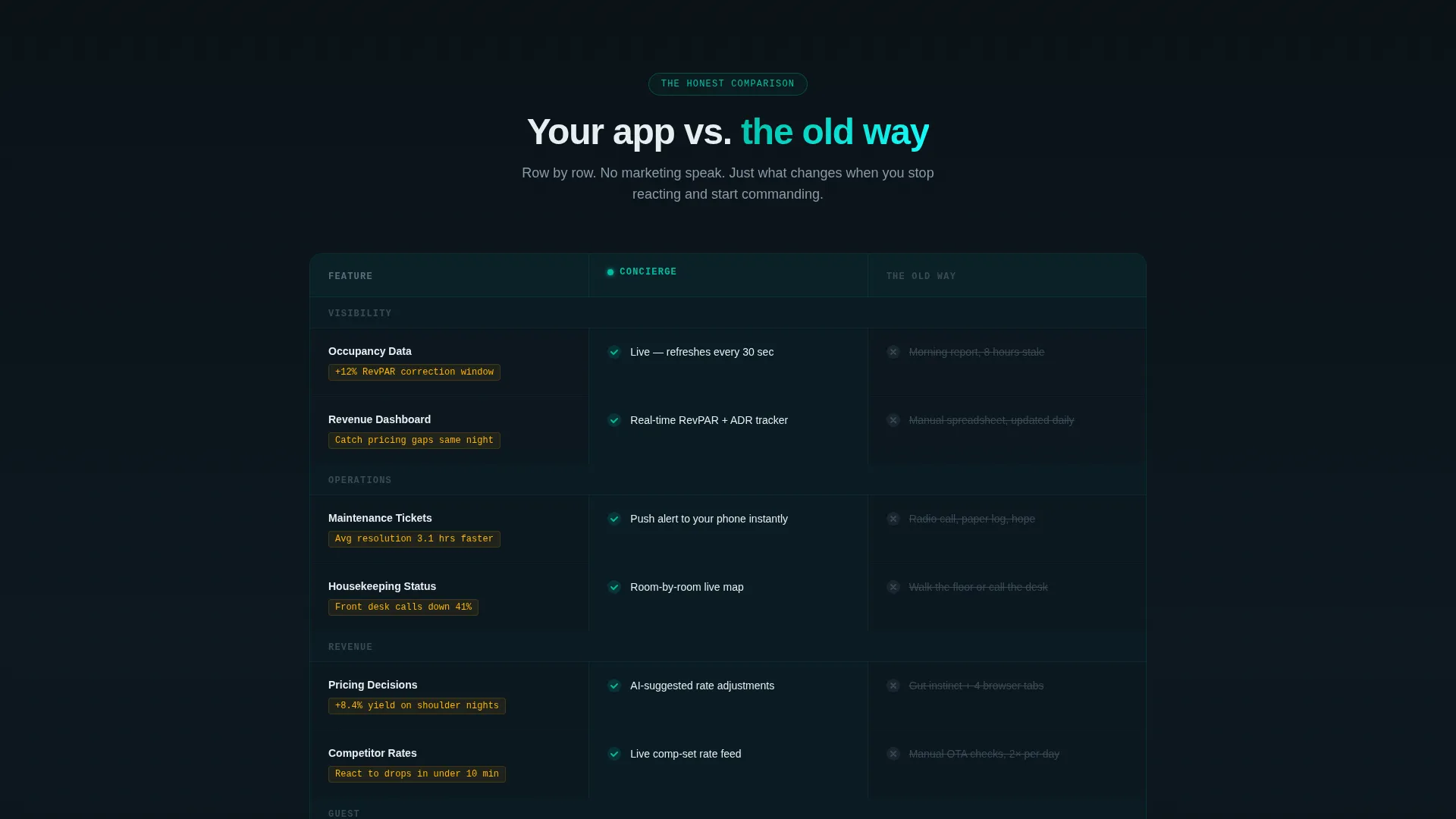
- A dominant comparison table contrasting real-time app capabilities against legacy workflows
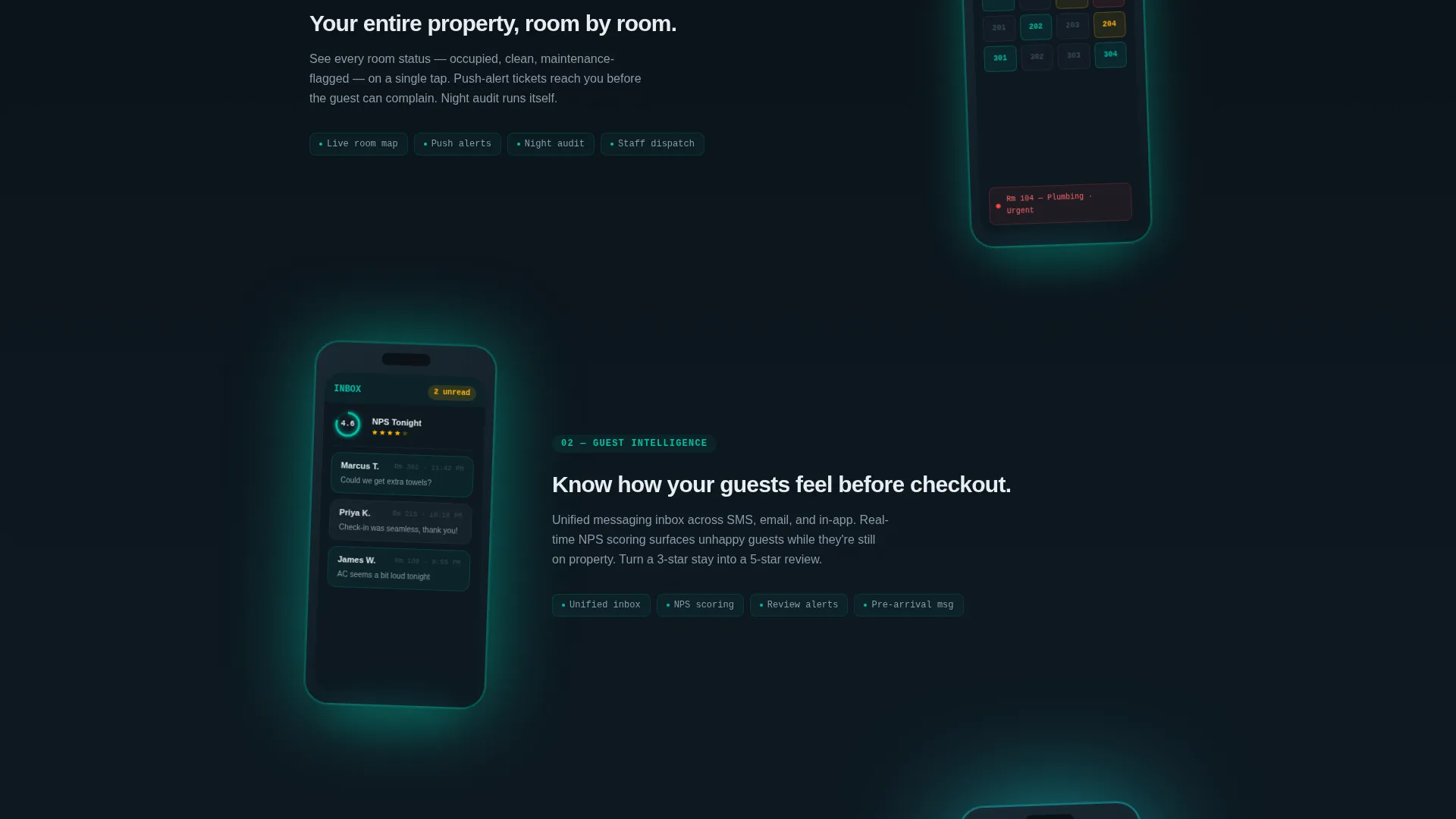
- Three sequential phone mockups that reveal deeper feature layers as the visitor scrolls
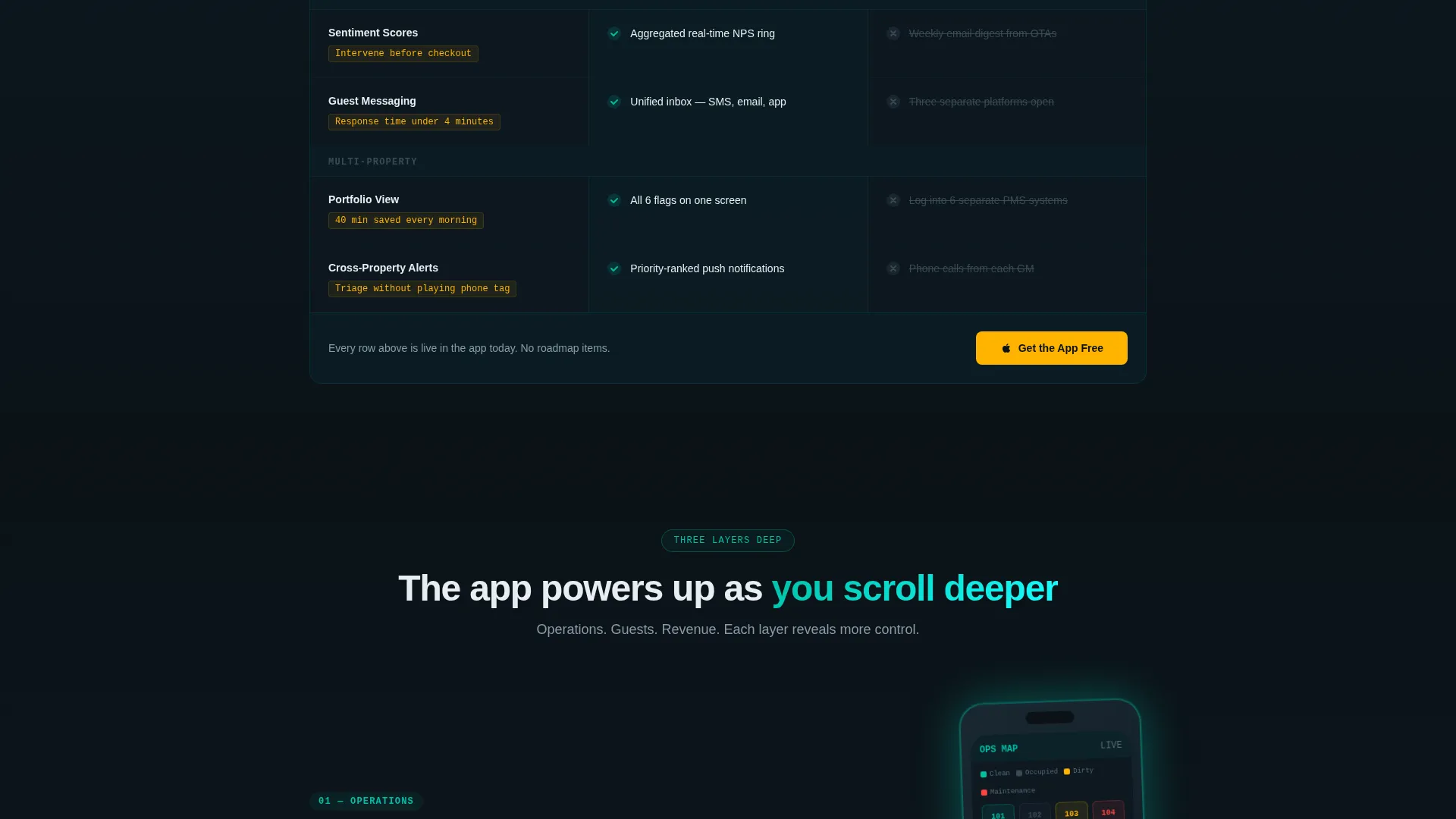
- A sticky bottom bar with a condensed call to action that persists after the comparison table
- A secondary enterprise path using a single-field email capture modal for demo requests
Feature list
This template is built around five deliberate design and layout decisions that each serve the conversion goal.
Full-Bleed Dark Header with Glow Effect
The header fills the entire viewport with a pitch-black background. A single phone floats center-frame, slightly angled, with its screen casting teal luminance onto the surface beneath it. The on-screen dashboard shows tonight's occupancy at 87%, a guest satisfaction ring chart at 4.6 stars, and a revenue ticker in motion. The headline appears letter by letter beneath the device.
Side-by-Side Comparison Table
The comparison table is the centerpiece of the page. Each row contrasts a specific capability, real-time occupancy versus morning reports, push-alert maintenance tickets versus radio calls, dynamic pricing suggestions versus gut instinct. Competitor cells appear in muted slate with strikethrough text. App cells pulse with teal check marks and scroll-triggered micro-animations.
Sequential Phone Mockup Cascade
Three phone mockups cascade down the page below the comparison table. Each one reveals a deeper layer: operations first, then guest messaging, then revenue analytics. The screen glow intensifies as the visitor scrolls, visually suggesting the app is powering up with their attention.
Frictionless App Download Path
The primary call to action reads "Download and Run Your Property Tonight" with paired App Store and Google Play badges rendered in warm signal amber. No form fields block the conversion. A sticky bottom bar appears after the comparison table and stays visible with a condensed "Get the App Free" prompt.
Enterprise Demo Modal
A secondary conversion path targets regional directors and enterprise buyers. A "Request a Live Demo" link opens a modal with a single email input field. This path sits clearly below the primary download action so it does not compete with the main conversion goal.
Page sections overview
| Section | Purpose |
|---|---|
| Dark Hero Header | Establish app identity and create immediate visual impact |
| Animated Headline | Deliver the core value proposition letter by letter |
| Comparison Table | Contrast app capabilities against legacy hotel workflows |
| Operations Mockup | Show real-time occupancy and maintenance alert features |
| Guest Messaging Mockup | Illustrate in-app guest communication capabilities |
| Revenue Analytics Mockup | Reveal pricing and revenue-per-available-room insights |
| Primary Download call to action | Drive frictionless App Store and Google Play downloads |
| Sticky Bottom Bar | Maintain persistent download prompt throughout scroll |
| Demo Request Modal | Capture enterprise leads via single-field email entry |
Design & branding system
The visual identity follows a Data Command theme built on the Teal Catalyst color system. Every color in the palette has a specific role, and none are used interchangeably.
- Deep operations black (#0B1217) and muted slate (#3B4A54) form all backgrounds and secondary surfaces, keeping the interface recessive and focused
- Live-data teal (#00BFA6) carries all data visualizations, active states, and check marks in the comparison table; alert-pulse cyan (#18FFFF) traces interaction paths and scroll animations
- Warm signal amber (#FFB300) appears exclusively on calls to action and upgrade badges, so every amber element on the page signals a tap opportunity
Mobile & speed optimization
The template is designed from the ground up around a mobile use case. The core buyer persona uses the app from a parking lot at 2 AM, and the landing page mirrors that context at every turn.
- The full-bleed dark background reduces eye strain in low-light viewing conditions and matches the environment where the target user actually reads the page
- Scroll-triggered animations and the sticky bottom bar are designed to behave predictably on touch screens, keeping the conversion path accessible at every scroll depth
How this template helps you convert
The layout follows a deliberate persuasion sequence that moves a skeptical operator from curiosity to download without friction.
- The header creates a visceral "I need this" moment by showing the exact dashboard a hotel manager wants at 2 AM, before any product claim is made
- The comparison table does the heavy persuasive work by exposing the real cost of legacy workflows row by row, so the download call to action feels like the obvious next step
- The frictionless download path, no form fields, two badge options, a persistent sticky bar, removes every remaining obstacle between decision and action
Other information about this template
This template is categorized under Technology, specifically within the Hospitality Software and Software as a Service subcategory. It is purpose-built for the hospitality mobile app niche and carries a strong intersection match between its template style, theme, and conversion direction.
- Template style is Comparison Table, optimized for showing feature parity and competitive differentiation in a single scroll
- The creative direction is Launch Energy, structured to feel like a product keynote with each section landing with deliberate confidence
- The header concept is Dark Full-Bleed with Glow, a design pattern suited to app product launches in dark-user interface categories
- The primary landing page direction is App Download, with the entire layout hierarchy supporting that single conversion goal
- This template works well for hospitality technology vendors, property management software teams, and SaaS companies targeting hotel operators at the property or portfolio level
Theme
Data Command
Creative direction
Launch Energy
Color system
Teal Catalyst
Style
Comparison Table
Direction
App Download
Page Sections
Full-bleed Dark Header with Glow
Animated Comparison Table
Sequential Phone Mockup Cascade
Frictionless App Download Call to Action
Enterprise Demo Request Modal
Related questions
What type of business is this landing page built for?
Do visitors need to fill out a form to download the app?
What makes the comparison table section effective?
Can this template support a portfolio of multiple hotel properties?
What is the purpose of the sticky bottom bar?



