Advanced Solar Energy Landing Page Template
Watt is a Gallery + Detail solar panel landing page built for solar energy companies targeting facility managers, commercial property owners, and homeowners. It opens with a draggable Before/After roof slider, descends through a Problem gallery of rising costs, pivots at an amber divider, and closes with a three-step "Price My Roof" configurator that delivers an instant ballpark quote.
by Rocket studio
Quick summary
Watt is an Industrial Raw solar energy landing page template designed to sell solar panel installations directly. It guides visitors from a dramatic Before/After roof slider through a cost-problem gallery, past an amber pivot rule, and into a solution gallery and instant quote configurator. The design runs on forge-black and molten amber throughout.
Who this template is for
This template is built for solar energy companies that need a high-converting, visually striking landing page. It works equally well for residential and commercial solar sales teams.
- Facility managers and commercial property owners facing six-figure annual utility bills
- Homeowners who want a clear, honest solar panel cost estimate before talking to anyone
- Solar installers and renewable energy businesses creating a direct-sales digital presence
What problem this template solves
Most solar energy landing page designs either feel too corporate or too generic. They bury the value proposition under brochure language and give visitors no clear path to a quote.
- Visitors cannot quickly understand what solar panels will cost them or save them
- Problem and solution messaging is muddled, so trust does not build progressively
- There is no interactive tool, so high-intent visitors drop off before sharing contact details
What you get with this template
This template delivers a fully structured, section-led solar energy landing page with high interactivity and a direct-sales flow baked in from the first pixel.
- A draggable Before/After hero slider with an interaction-triggered headline
- A Problem gallery and a Solution gallery with expanding detail panels and animated cost counters
- A three-step "Price My Roof" configurator that produces an instant ballpark quote and captures lead information
Feature list
This template includes six purpose-built components. Each one is grounded in the Problem to Solution arc that drives the page.
Before/After Roof Slider
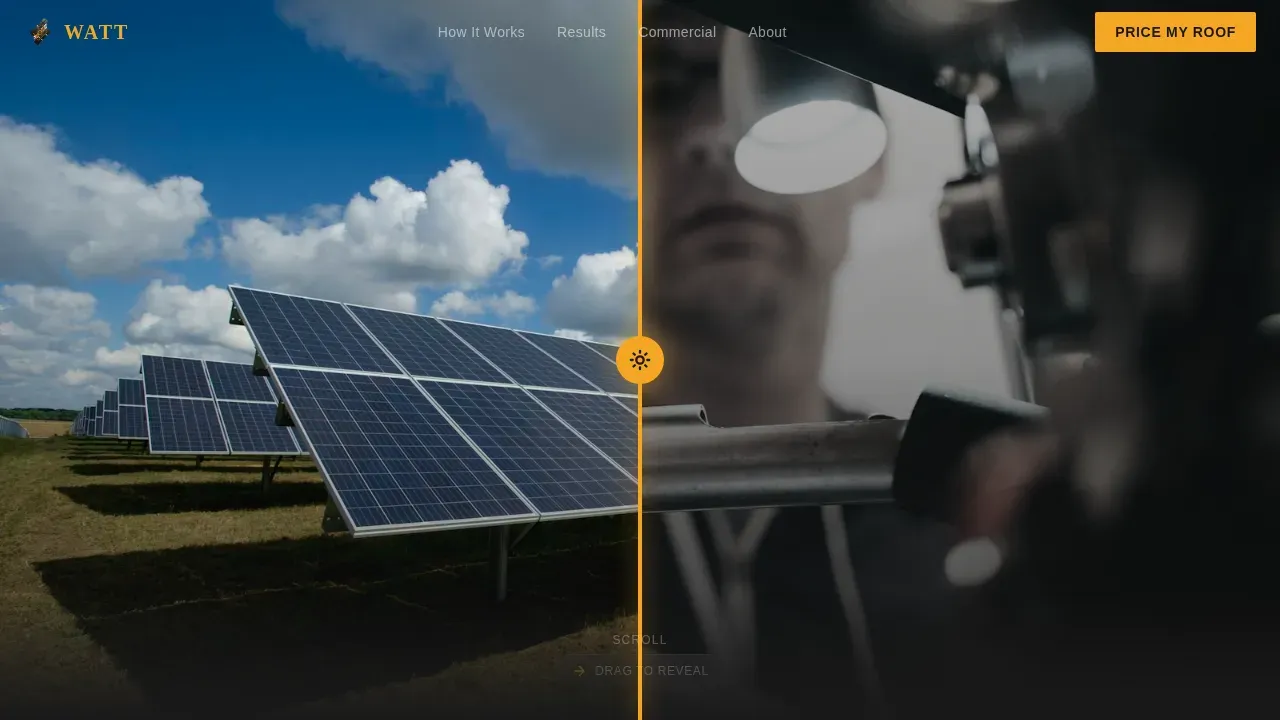
The hero opens on a split drone image. Left shows a damaged, heat-bleached roof. Right shows the same roof covered in uniform matte-black solar panels. Dragging the handle even one pixel triggers a bold headline: "Same roof. Different future." The drag handle is a thick amber bar with a sun icon.
Problem and Solution Gallery Panels
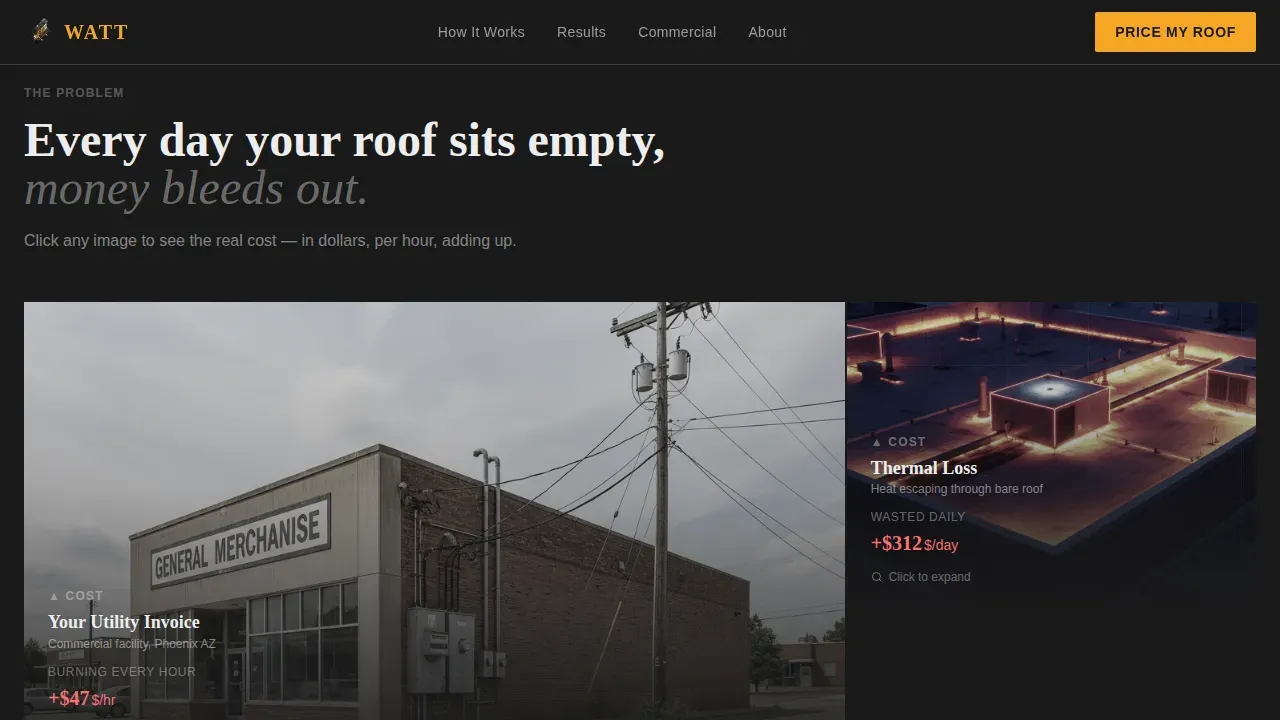
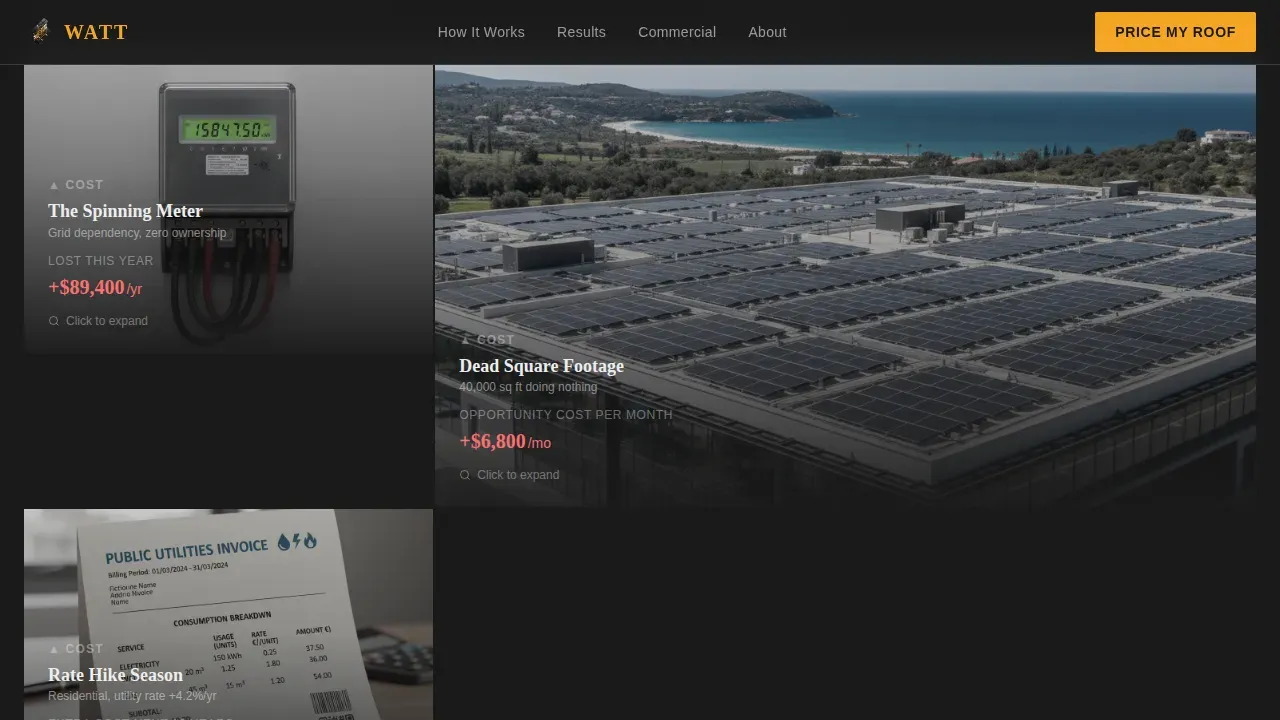
Two gallery grids bookend the amber pivot divider. The first set shows utility bills, thermal heat-loss images, and spinning meter footage. Each thumbnail expands into a detail panel with amber cost counters ticking upward. After the pivot, installation photos, generation dashboards, and bill comparisons replace them. Savings counters tick downward instead.
Three-Step Price Configurator
Visitors select roof type and square footage via visual tiles in step one. Step two uses a drag slider to enter monthly electric bill amount. Step three generates an instant ballpark quote with an estimated payback duration in months. A "Lock This Price" button then captures name, address, and email. A secondary text link collects email only for visitors not yet ready to commit.
Amber Pivot Divider
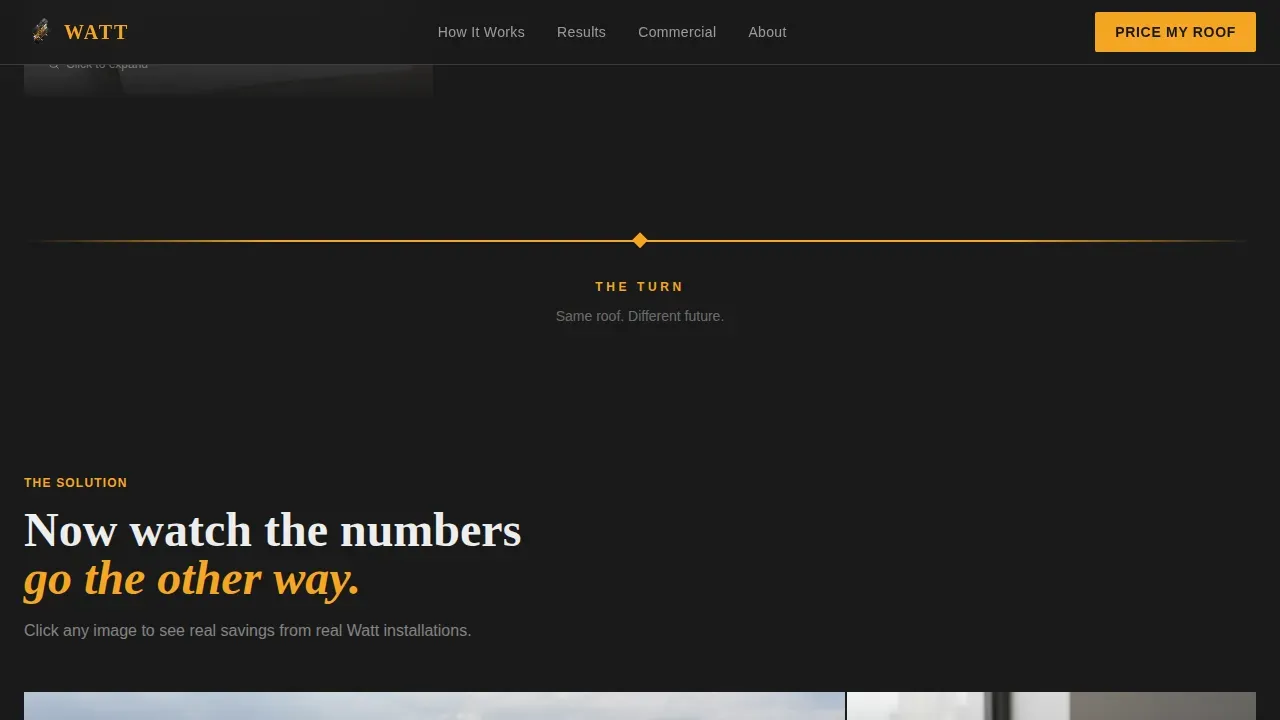
A single full-width horizontal rule in molten amber separates the problem gallery from the solution gallery. It acts as a visual reset, signaling the shift from cost pain to solar energy savings. This transition is central to the page's emotional arc.
Animated Cost and Savings Counters
GSAP ScrollTrigger powers ticking number animations tied to each gallery detail panel. In the problem section, dollar amounts rise. In the solution section, they fall. These metrics make the financial case for solar power visceral and immediate, without requiring the visitor to do their own math.
Sticky Mobile Call to Action Bar
On mobile, a fixed bottom bar keeps the primary "Price My Roof" call to action visible at all times. This ensures the landing page stays conversion-focused on every device, no matter how far a visitor scrolls into the gallery content.
Page sections overview
| Section | Purpose |
|---|---|
| Before/After Hero | Hooks attention with interactive roof transformation slider |
| Problem Gallery | Shows real cost pain through bill images and thermal visuals |
| Amber Pivot Rule | Marks the emotional turn from problem to solution |
| Solution Gallery | Displays installs, dashboards, and falling savings numbers |
| Price Configurator | Captures leads via three-step instant quote tool |
| Footer Row | Provides linear single-row navigation and contact links |
Design & branding system
The visual identity follows an Industrial Raw direction. Every color choice reinforces the welding-shop-at-golden-hour atmosphere described in the brief.
- Forge-black (#1A1A1A) dominates all backgrounds; mill-scale gray (#3D3D3D) surfaces card panels and section dividers
- Molten amber (#F5A623) owns every button, savings figure, progress bar, and pivot element
- Arc-flash white (#EDEDED) carries all body text; Fraunces handles display headlines and DM Sans handles body copy
Mobile & speed optimization
The template is built mobile-first. The sticky bottom call to action bar on mobile is a required element, not an afterthought. Interactive sections use client components so static sections remain lightweight.
- Visual selectors replace dropdowns in the configurator, reducing friction on touchscreens per device
- Server components handle all static gallery markup; client components handle the slider, counters, and configurator steps
- GSAP ScrollTrigger animations are scoped to interactive regions so they do not block page rendering
How this template helps you convert
The page is structured around a direct-sales funnel. Every section moves the visitor one step closer to submitting their roof details.
- The Before/After slider creates immediate visual curiosity and surfaces the core promise before any copy appears, setting expectations for solar panel value.
- The ticking cost counters in the problem gallery make financial pain personal and concrete, so visitors are primed to act when the solution gallery arrives.
- The three-step configurator lowers commitment by breaking the quote request into small, visual steps, with a softer email-only path available for visitors who need more time.
Other information about this template
This is the Watt industrial solar panel company landing page template. It belongs to the Construction and Home category under the Solar and Energy Installation subcategory. Below is additional context useful for teams evaluating solar energy templates for professional use.
- Solar energy templates like this one allow teams to create a unique online presence aligned with their branding and modify the design to fit specific functional needs
- Responsive solar energy website templates ensure compatibility across various screen sizes; this template supports both desktop and mobile layouts with equal priority
- Templates for solar energy projects can include checklists, schedules, and cost estimation tools; this template covers cost estimation directly through the configurator
- Commercial buildings are the largest consumers of energy in the world, and many companies spend millions of dollars on energy every year, making a persuasive solar panel landing page a high-value asset
- The cost to install solar has dropped by more than 70% over the last decade; solar power panels are rapidly becoming mainstream renewable energy sources
- Installing solar panels helps in creating a greener brand value; sustainability metrics detailing carbon footprint reduction support corporate social responsibility goals
- Adding commercial solar panels increases property value; after installation, it becomes easier to predict electricity bills, which is a selling point worth sharing on any solar energy landing page
- An energy logo or trust badge set on a solar landing page builds credibility; industry certifications and partner logos displayed on the landing page establish authority
- Panel solar specifications, including wattage between 400W and 450W or higher and efficiency ratings between 18% and 24%, can be added to detail panels within the gallery
- Green energy and clean energy messaging can be layered into the gallery captions and configurator output to reflect a company's environmental values
- Educational resources addressing installation timelines and maintenance concerns enhance the landing page for industrial buyers; this template's expanding detail panels are designed to hold that information
Theme
Industrial Raw
Creative direction
Problem→Solution Arc
Color system
Charcoal & Amber
Style
Gallery + Detail
Direction
Direct Sales
Page Sections
Before/after Interactive Roof Slider
Problem and Solution Gallery with Detail Panels
Three-step Price My Roof Configurator
GSAP Scrolltrigger Animations
Sticky Mobile Call to Action Bar
Industrial Raw Visual System
Related questions
Can I customize the colors and typography in this template?
Does the configurator actually calculate a real solar quote?
Is this template suited for both residential and commercial solar panel sales?
How does the Before/After slider work on mobile?
What lead capture paths does this landing page include?